AI watermarks 2025 guide for spotting deepfakes

AI Watermarks: How to Spot Deepfakes and Verify Media (2025 Guide)

📅 Published on: November 15, 2025

1. Why AI Watermarks Matter in 2025 and How They Protect Us

If you’ve ever stopped mid-scroll wondering whether a photo, video, or voice clip was real, you’re not alone. Deepfakes have become so convincing that even trained eyes struggle to spot them. That’s why AI watermarks are now one of the most important signals we have to understand what’s authentic and what’s been generated by an algorithm. In 2025, platforms are rolling out new AI watermark standards, and knowing how they work helps us verify media quickly and avoid being misled. 

AI watermarks matter because they hide tiny signals inside images, videos, and even audio — signals that remain invisible to us but readable by verification tools. These signals don’t censor creativity; instead, they help us protect ourselves when misinformation spreads fast. The good news is that checking media is easier than it seems, especially if we understand what to look for. And if you want a broader view of how modern algorithms shape what we see online, our article on AI deepfakes and digital safety offers a useful starting point. According to the Coalition for Content Provenance and Authenticity initiative at https://contentauthenticity.org, watermark adoption is accelerating across major tech platforms.

Soft Tip: When you see something shocking online, take 10 seconds to screenshot it. Many verification tools can analyze screenshots for hidden AI watermarks — a quick way to avoid sharing something misleading.

Recommended Read: “The Age of AI” by Henry A. Kissinger, Eric Schmidt & Daniel Huttenlocher — ideal if you want a clear, accessible explanation of how AI systems are shaping our information ecosystem.

2. The Real Problem: Deepfakes, Misinformation and User Confusion
User trying to verify confusing online content using AI watermarks on multiple screens

Deepfakes are now so realistic that most people can’t tell the difference between a real video and an AI-generated one. The issue isn’t just the fake content — it’s the speed at which it spreads and how quickly it creates confusion. When a clip goes viral on TikTok or a voice message lands in a family group, we often have zero context. That’s why understanding AI watermarks matters: without clear AI watermark signals, it becomes almost impossible for everyday users to verify what they’re seeing.

In 2025, scammers and bad actors rely on this uncertainty. Fake political statements, AI-generated breaking news, celebrity scandals, and voice clones all circulate before anyone checks authenticity. Most users don’t know where to start or which tools can detect manipulated content, and platforms still mix AI and human-made media with little transparency. Learning how AI watermarks work gives us a practical, fast way to verify images, videos, and audio before we react or share anything.


Soft Tip: If a piece of content triggers a strong reaction (fear, anger, urgency), treat it as a red flag — emotionally charged media is the most common target for deepfake manipulation.

3. How AI Watermarks Work Behind the Algorithm

AI watermarks are tiny, invisible signals embedded inside images, videos, or audio files. They don’t change how the media looks or sounds, but they allow verification tools to detect whether something was generated by an AI model. In 2025, most major platforms use two systems: embedded watermarks (hidden inside pixels or audio waves) and metadata watermarks (information stored in the file’s digital signature). Understanding these helps us check content quickly and avoid being misled. If you want a simple explanation of how AI systems interpret data, our guide on How Voice Assistants Actually Understand You at AIDigitalSpace.com is a helpful companion.

Embedded watermarks are the most secure because they remain intact even after screenshots, cropping, or compression. Tools like Google’s SynthID (source: https://deepmind.google/technologies/synthid) use this method to identify whether content comes from an AI generator. Metadata watermarks are easier to remove, but many platforms still rely on them for transparency. Both formats work in the background and give us a reliable way to verify media without requiring advanced skills.


Soft Tip: When analyzing suspicious content, upload the original file whenever possible. Verification tools read AI watermarks more accurately when the file hasn’t been compressed by chat apps or social media platforms.

4. How We Can Check Any Image, Video or Audio for AI Watermarks

Dashboard scanning media for AI watermarks on a modern device.

The fastest way to verify suspicious media is to run it through tools designed to read AI watermarks. These verification systems scan hidden pixel patterns or audio signatures and reveal whether a file was created or altered by an AI model. In 2025, many platforms can detect AI watermark signals instantly — you simply upload a screenshot, video frame, or audio clip, and the tool analyzes the file for watermark traces.

Most platforms rely on one of three methods: checking for embedded watermarks, scanning metadata, or analyzing structural anomalies left behind by generative models. Tools like Google’s SynthID and content verification systems listed by the Content Authenticity Initiative at https://contentauthenticity.org are the most reliable. They can detect embedded patterns even after resizing, converting, or screenshotting. This gives us a practical, accessible way to verify images circulating on social media, news feeds, or private chats.

5. Common Mistakes, False Positives and What Detection Tools Can’t See

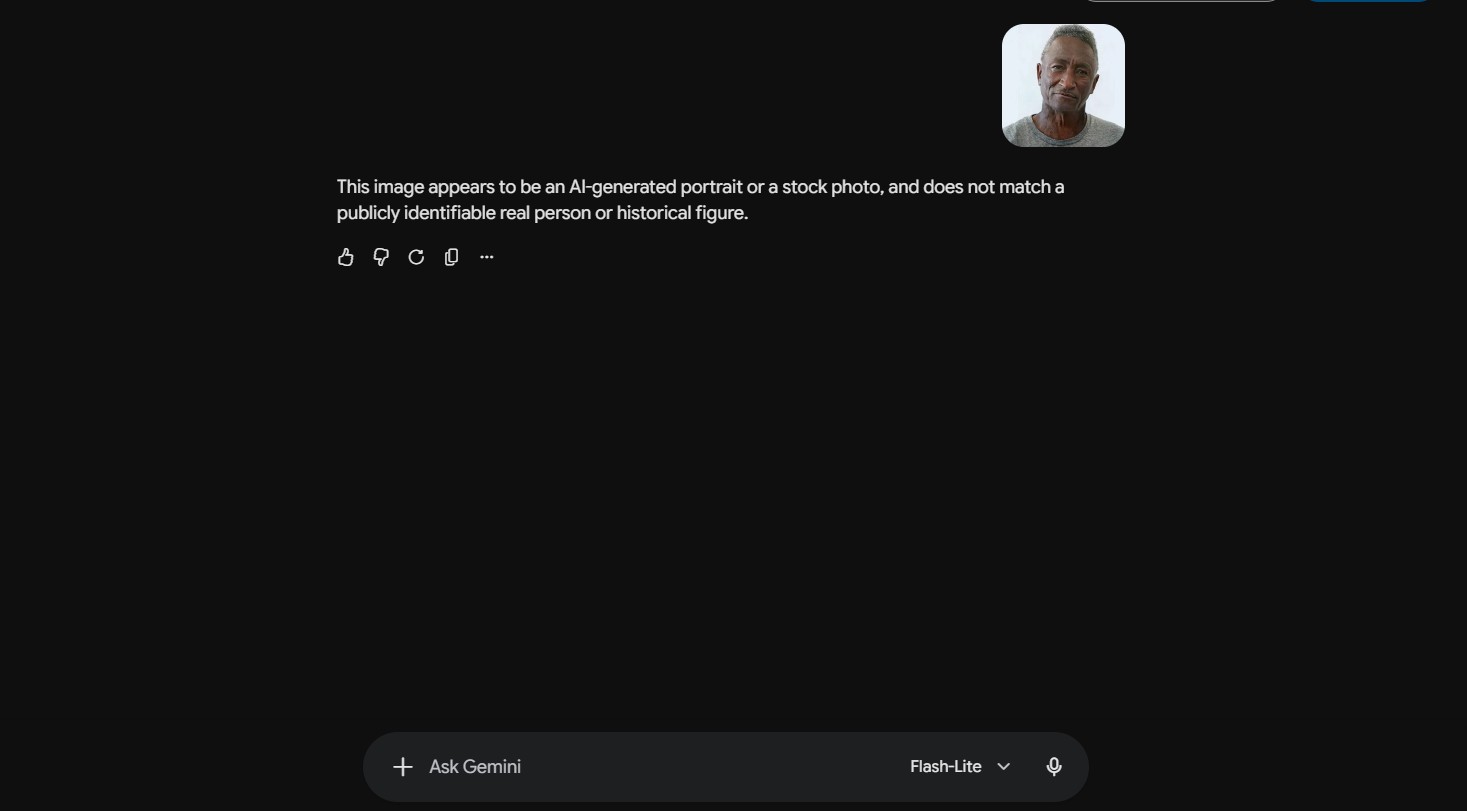
The biggest misunderstanding in 2025 is that AI detectors are “magic truth machines.” They’re not. Even when AI watermarks are present, verification tools can misread signals — and when watermarks are missing, it doesn’t automatically mean the content is real. Many generative models still don’t use consistent watermark standards, and platforms often strip metadata by default. That’s why relying on a single check can give a false sense of certainty.

Most false positives happen when images or videos have been heavily edited. Strong filters, denoising apps, upscalers, or aggressive compression can introduce patterns that look similar to watermark signals. This makes detectors think a real photo is AI-generated. On the other hand, deepfakes that have been screen-recorded or passed through multiple messaging apps may lose embedded signals entirely. The Content Authenticity Initiative at https://contentauthenticity.org confirms that watermark accuracy depends heavily on how media is handled after creation — not just the source model.

Another common mistake is stopping the analysis too early. Watermark tools are just one layer of verification. We should still check shadows, reflections, abrupt motion cuts, unusual eye patterns, or inconsistent voice timbre. For a simple method that anyone can follow, our Inside the Black Box: How AI Understands Visual Data guide on AIDigitalSpace.com breaks down practical steps to evaluate suspicious media quickly.

Soft Tip: Before trusting any result, upload the same file to two different detection platforms. When both tools confirm the same signal (or lack of one), you dramatically reduce the risk of misreading the file — a habit used by top analysts and fact-checkers.

6. Ethical Reflection: Balancing Safety, Transparency and Free Expression
Conceptual visual of a human hand interacting with AI watermarks representing ethical balance.

7. Final Insights and Recommended Tools to Stay Safe Online

Learning how AI watermarks work gives us a fast, practical way to verify images, videos, and audio before reacting or sharing. The goal isn’t to turn everyone into a digital investigator — it’s simply to help us feel more confident when we see something shocking online. A quick verification step is often enough to avoid misinformation, scams, or unnecessary panic. And the more we understand how AI-generated content is created, the easier it becomes to navigate news feeds, private chats, and social platforms safely.

To make verification easier, here are tools we’ve reviewed and researched that help identify manipulated content or support safer online behaviors. These recommendations fit naturally into daily use and require no technical expertise. 

Tool Best Use Why It Helps CTA
Grammarly AI writing safety & clarity Detects tone shifts, inconsistencies, and possible generated phrasing in text. Try Grammarly →
Canva Content credentials for creators Allows transparent disclosure when using AI-generated elements in design. Explore Canva →
Notion AI Organizing fact-checking workflows Helps store verified files, notes, and cross-check sources for suspicious media. Try Notion AI →

Soft Tip: Keep one verification tool bookmarked on your phone. When something feels “off,” a 20-second check can prevent days of misinformation spreading.

8. FAQ About AI Watermarks and Deepfake Detection

Q: What exactly are AI watermarks?
A: AI watermarks are invisible signals embedded in AI-generated images, videos, or audio. They help verification tools identify whether a file was produced by an AI model.

Q: Why are AI watermarks so important in 2025?
A: Deepfakes are now convincing and easy to produce. AI watermarks give us a fast, reliable way to check authenticity before reacting or sharing misleading content.

Q: Can AI watermarks be removed?
A: Metadata watermarks can be removed easily. Embedded watermarks are harder to erase, but they still weaken when files are compressed, edited, or screen-recorded — which is why two checks are better than one.

Q: Do all AI tools add watermarks automatically?
A: No. Some major platforms do (Google SynthID, Adobe systems), but many open-source and smaller generators don’t. That’s why inconsistent results are normal.

Q: How can I check if something online is AI-generated?
A: Upload the file (or screenshot) to a detection tool that reads AI watermarks, then do a quick visual check. For visual cues, our guide Inside the Black Box: How AI Understands Visual Data at AIDigitalSpace.com helps break down what to look for.

Q: What if one detector says “AI-generated” and another doesn’t?
A: Mixed results are common. Always try the original file, test two tools, and cross-check basic clues (shadows, motion, voice patterns). Consistency across methods matters more than one result.