

 Published on: December 30, 2025
Disclosure:
This post contains affiliate links. If you click through and make a purchase, we may earn a small commission at no additional cost to you. Thank you for supporting AIDigitalSpace — we only recommend tools and services we genuinely trust and believe bring real value to our readers.
1. How AI Gadgets Reduce Energy Bills Without Changing Your Habits
Energy bills keep rising, but most people don’t want to study energy charts, change routines, or manage complex smart home systems. That’s where AI gadgets to reduce energy bills make a real difference.
These devices don’t rely on discipline.
They rely on automation.
Instead of asking you to remember what to turn off, AI-powered gadgets learn usage patterns, detect waste, and act automatically — often in the background, without apps you constantly need to open.
What makes AI energy gadgets different from “normal” smart devices?
Traditional smart devices
You control them manually
You need to set schedules
They work only if you remember to use them
AI-powered energy gadgets
They observe, adapt, and optimize on their own
They reduce waste even when you forget
They work quietly, without daily interaction
What this means in real life
Lights that stop drawing power when a room is unused
Heating systems that avoid overworking when no one is home
Devices that identify hidden energy drains you didn’t know existed
No lifestyle changes.
No technical setup.
No constant monitoring.
Who this is for (and who it isn’t)
This guide is ideal if you:
Want lower bills without turning your home into a tech project
Live with family members who won’t follow energy rules
Rent a home and need plug-and-play solutions
This is not for you if:
You enjoy manual smart home tuning and complex dashboards
You want experimental or DIY energy systems
In the next section, we’ll look at why most homes waste energy in the first place — and why good intentions alone never fix the problem.
Recommended Read:
If we want to cut energy costs without turning our home into a tech project, Sustainable Living Through Smart Home Mastery is a smart companion read. It explains, in a simple and practical way, how to use automation intentionally — so our devices work for us, reduce waste, and keep the setup stress low.
2. Why Most Homes Waste Energy (And Why Manual Fixes Fail)
Most energy waste at home doesn’t come from big mistakes.
It comes from small, invisible habits that repeat every day.
Lights left on in empty rooms.
Devices drawing power even when “off”.
Heating or cooling running longer than needed because no one adjusted it.
Individually, these feel harmless. Together, they quietly inflate your bill.
The real problem: humans are bad at energy management
Manual energy-saving tips assume that we:
Remember to switch things off every time
Constantly monitor usage
Coordinate with everyone else in the house
In real life, that rarely happens.
Even people who care about energy efficiency tend to fall back into routine — especially in shared homes, busy families, or rented apartments.
Why “just be more careful” doesn’t work
Energy-saving habits fail because they rely on:
Attention (which fades)
Consistency (which breaks)
Perfect coordination (which never exists)
According to the U.S. Department of Energy, a significant portion of residential energy use is wasted due to inefficiencies and unmanaged consumption — not because of lack of awareness, but because systems aren’t optimized automatically (source here).
Smart devices alone are not the solution
Many homes already have “smart” devices — but still see no real savings.
Why?
Because smart does not always mean intelligent.
Timers don’t adapt
Schedules don’t learn
Rules break when routines change
Without automation that reacts to real behavior, smart homes often become manual control panels instead of energy-saving systems.
This is where AI-powered gadgets change the equation
Instead of asking people to behave perfectly, AI gadgets adjust automatically:
They detect patterns instead of relying on schedules
They react to usage instead of assumptions
They reduce waste even when no one is paying attention
In the next section, we’ll look at 7 AI gadgets you can actually buy today that do exactly this — without complex setup or daily management.
3. The 7 Best AI Gadgets to Reduce Energy Bills in 2025
Not all “smart” devices save energy. Below are 7 real AI-ready gadgets you can buy online today, each with key features and estimated cost so you can decide what fits your home.
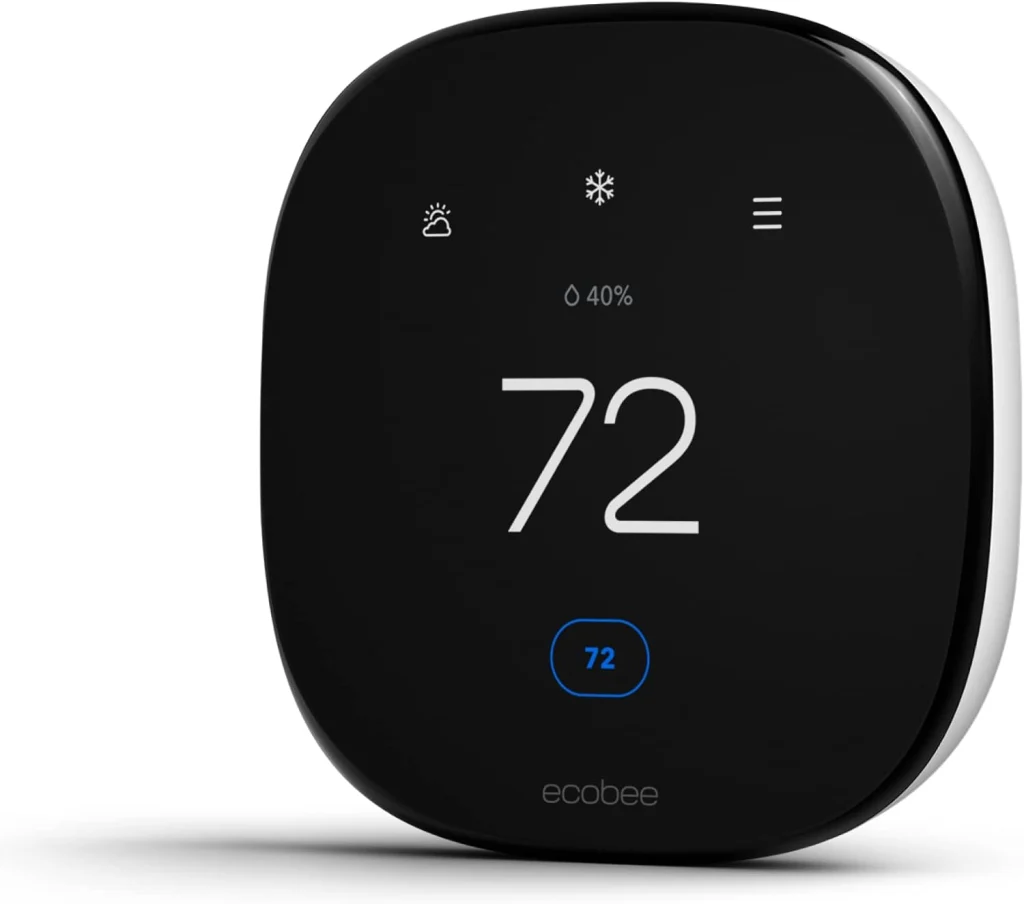
3.1 Ecobee Smart Thermostat Premium (with SmartSensor)
Type: AI smart thermostat for whole-home heating and cooling
AI features: Learns daily routines, detects room occupancy via sensors, automatically adjusts temperature, smart “away” mode, energy usage insights, app and voice assistant control
Price: Around $229–$249 on Amazon (price varies by offers)
Why it’s a top pick:
This is one of the most effective AI gadgets to reduce energy bills because heating and cooling usually account for the largest share of home energy costs. The ecobee Premium doesn’t rely on fixed schedules — it adapts to how rooms are actually used, reducing waste without sacrificing comfort.
What people say:
Many users highlight more stable indoor temperatures, fewer “hot or cold spots,” and noticeable savings over time. Reviews often mention that once configured, it runs quietly in the background and doesn’t require daily interaction.
| Key insights | Details |
|---|---|
| Pros |
• Targets comfort only in rooms that are actually used • Reduces wasted heating and cooling automatically • Strong long-term savings potential for most homes |
| Cons |
• Requires compatible HVAC wiring (C-wire in many cases) • Higher upfront cost than basic thermostats |
| Ethical insight | Occupancy and temperature patterns can reveal daily routines. It’s best to review privacy settings during setup and limit unnecessary cloud data sharing. |
| Check ecobee Smart Thermostat Premium | |
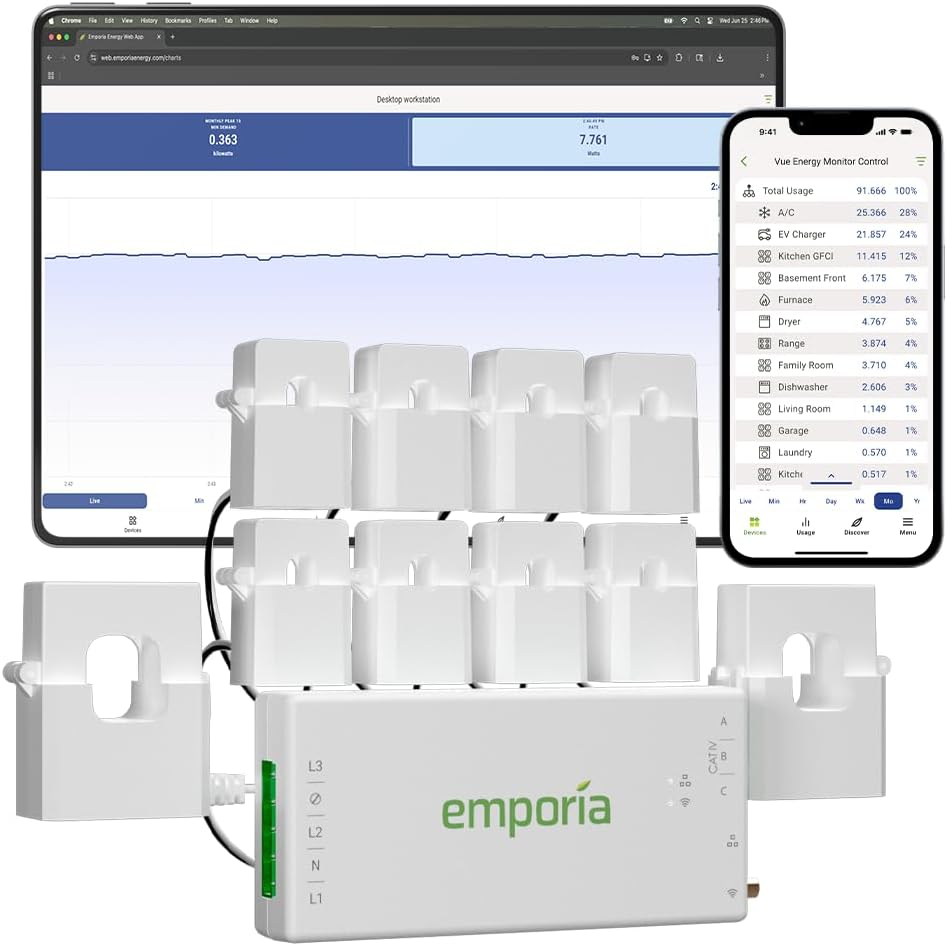
3.2 Emporia Vue – Home Energy Monitor
Type: AI-assisted home energy monitoring system
AI features: Real-time whole-home energy tracking, circuit-level monitoring, automatic usage pattern detection, cost estimates based on local rates, alerts for unusual consumption
Price: Around $124–$169 on Amazon (depends on sensor kit)
Why it’s a top pick:
Before buying multiple smart devices, it’s crucial to know what’s actually driving your energy bill. The Emporia Vue Gen 2 gives a clear picture of where electricity is going, helping prioritize the gadgets and habits that will make the biggest difference. It’s often the fastest way to stop “invisible” energy waste.
What people say:
Users frequently mention that seeing real-time consumption is a wake-up call. Reviews highlight how it helps identify power-hungry appliances, unexpected spikes, and inefficient routines — often leading to quick behavior changes and smarter purchases.
| Key insights | Details |
|---|---|
| Pros |
• Makes hidden energy waste visible in real time • Helps decide which gadgets or appliances to fix first • Useful alerts for abnormal or unexpected usage |
| Cons |
• Installation requires access to the electrical panel • Circuit identification takes some initial setup time • More insight than automation — actions are still up to you |
| Ethical insight | Detailed energy data can reveal household routines. It’s best to secure the account, enable two-factor authentication, and review cloud data settings. |
| Check Emporia Vue Energy Monitor | |
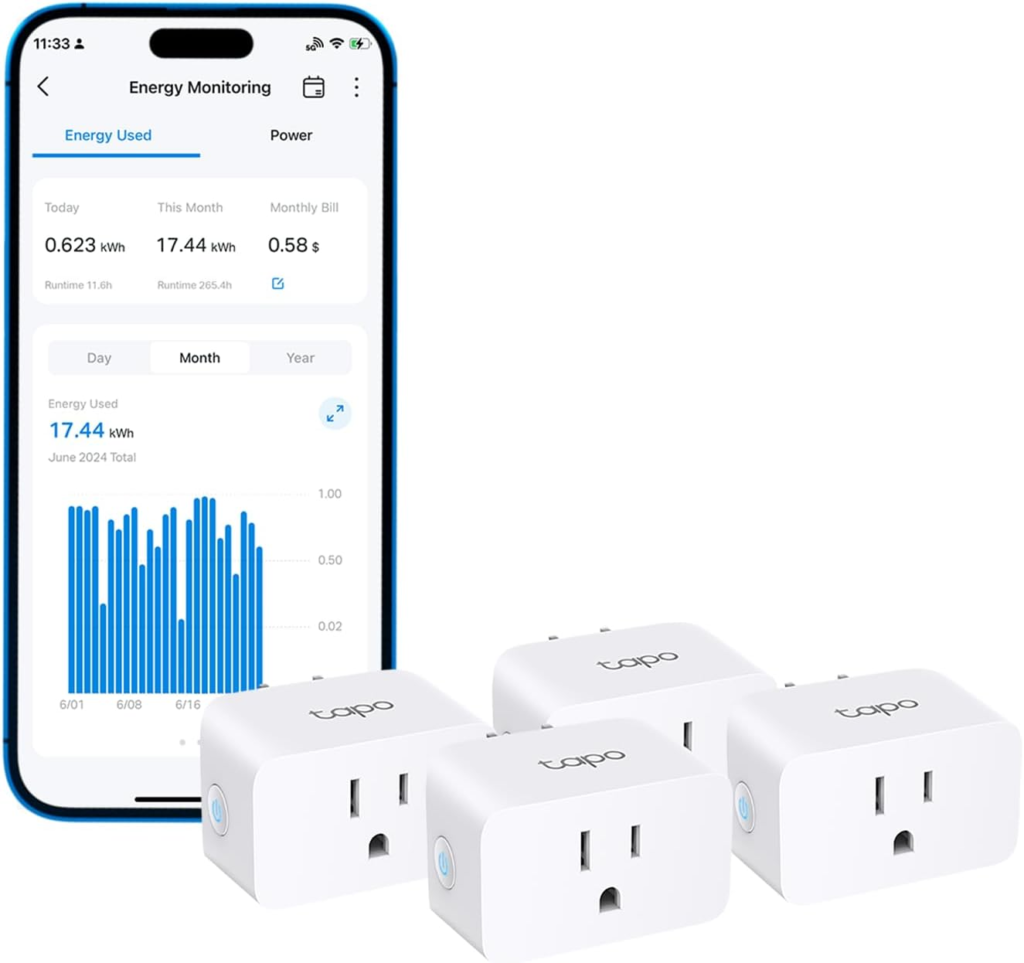
3.3 TP-Link Tapo P110 – Smart Plug with Energy Monitoring
Type: AI-assisted smart plug with energy monitoring
AI features: Energy usage tracking, automatic schedules, smart rules based on usage patterns, app + voice assistant control
Price: Around $25–$35 on Amazon
Why it’s a top pick:
This is one of the easiest and cheapest ways to start cutting energy waste. The Tapo P110 helps identify devices that consume power even when “off” and makes it simple to shut them down automatically.
What people say:
Users often say it’s eye-opening to see how much energy small appliances actually consume. Reviews highlight reliability, simple setup, and excellent value for the price.
| Key insights | Details |
|---|---|
| Pros |
• Very low-cost entry into energy savings • Shows real power consumption instead of estimates • Ideal for chargers, small appliances, and entertainment devices • Great for renters and shared homes |
| Cons |
• Not suitable for high-power appliances • Requires stable Wi-Fi for reliable monitoring • Energy insights are per-plug, not whole-home |
| Ethical insight | Usage data patterns can indirectly reveal household routines. Use strong account security, keep firmware updated, and avoid unnecessary third-party integrations. |
| Check Tapo Smart Plug with Energy Monitor | |
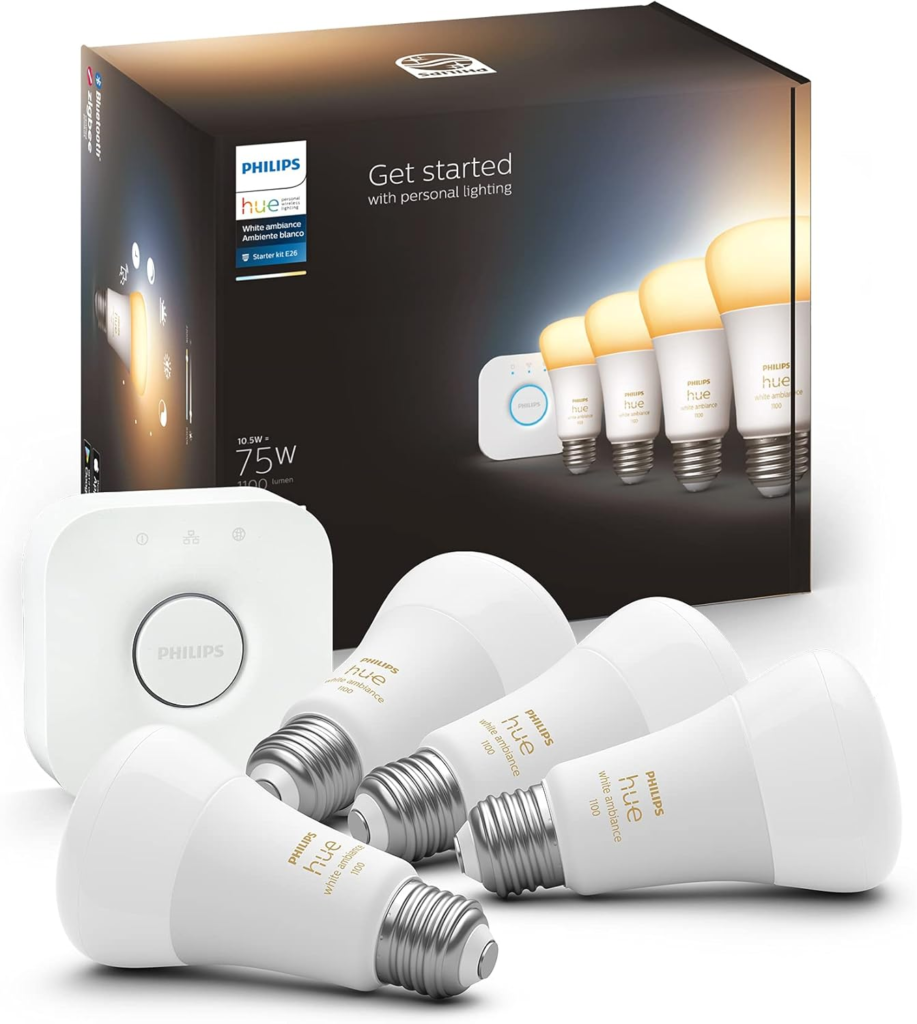
3.4 Philips Hue White & Color Ambiance Starter Kit
Type: AI-assisted smart lighting system for home energy efficiency
AI features: Adaptive lighting schedules, daylight-based brightness adjustment, automation via routines and sensors, app and voice assistant control, room-based usage patterns
Price: Around $120–$180 on Amazon (depends on bulbs and hub bundle)
Why it’s a top pick:
Lighting is one of those energy costs that feels small — until it runs unnecessarily every single day. Philips Hue stands out because it doesn’t just turn lights on and off; it adapts brightness and timing based on real usage, helping reduce waste without sacrificing comfort.
What people say:
Reviews consistently praise reliability and long-term stability. Users often mention fewer lights left on accidentally, smoother transitions throughout the day, and a system that “just works” once set up.
| Key insights | Details |
|---|---|
| Pros |
• Reduces wasted lighting hours automatically • Adjusts brightness instead of using full power all the time • Highly reliable ecosystem with long product support • Ideal for shared homes and high-traffic rooms |
| Cons |
• Higher upfront cost than basic smart bulbs • Best experience requires the Hue Bridge • Full automation may need sensors or routines |
| Ethical insight | Lighting routines can indirectly reflect presence at home. It’s best to limit remote access, secure the Hue account, and avoid unnecessary third-party integrations. |
| Check Philips Hue Starter Kit | |
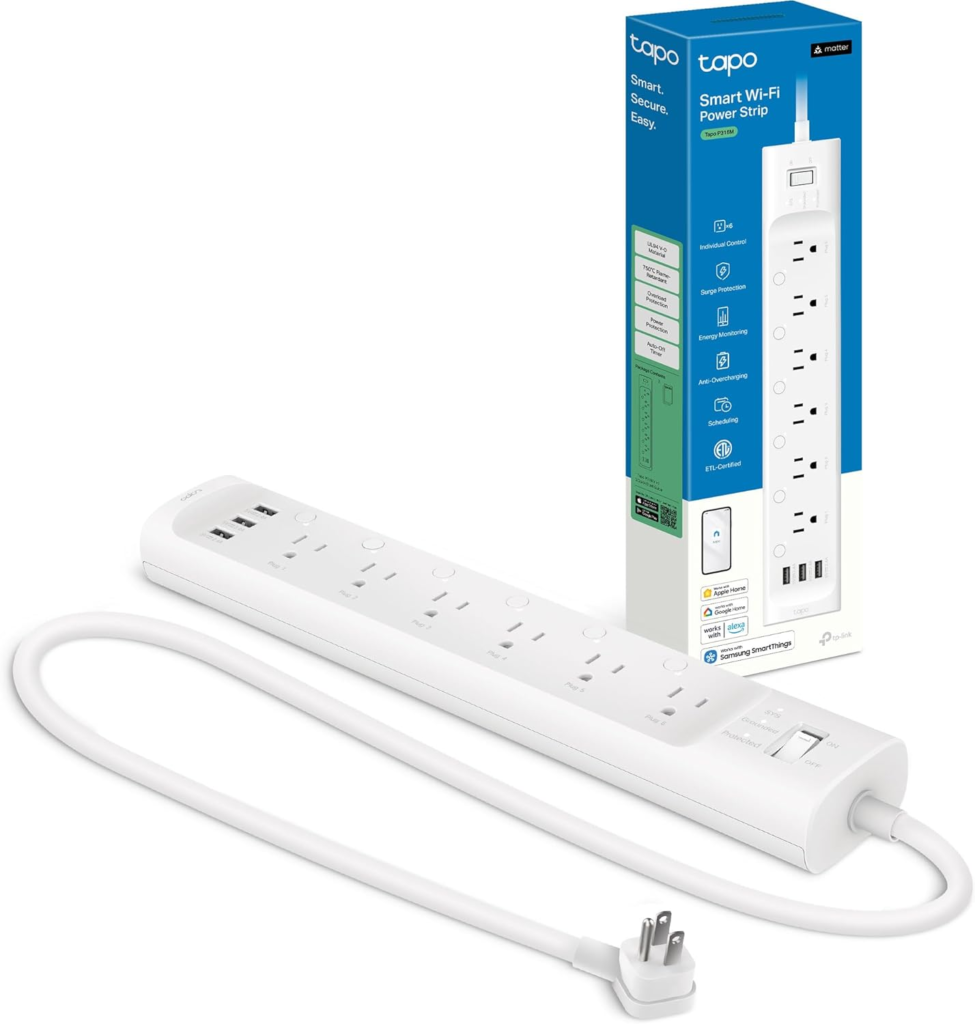
3.5 Kasa Smart Power Strip HS300 (TP-Link)
Type: AI-assisted smart power strip for cutting standby power
AI features: Individual outlet control, per-outlet energy monitoring, schedules and automation rules, app + voice assistant control (Alexa/Google), away mode routines
Price: Around $55–$75 on Amazon (varies by sales)
Why it’s a top pick:
Standby power is sneaky because it comes from clusters — TV + console + soundbar, or laptop + monitor + chargers. The HS300 is a strong pick because it lets us shut down (or schedule) entire corners of the house automatically, and it shows exactly which outlet is wasting power.
What people say:
Users often mention it’s perfect for home offices and entertainment setups, with reliable scheduling and helpful energy stats. Reviews commonly highlight convenience first, then the satisfaction of seeing standby consumption drop.
| Key insights | Details |
|---|---|
| Pros |
• Cuts standby waste from multiple devices at once • Per-outlet control and energy monitoring • Ideal for desks, TV areas, and gaming setups • Reliable automation with schedules and routines |
| Cons |
• Requires stable Wi-Fi for automations • Bulky adapters can block nearby outlets • Not a substitute for whole-home energy monitoring |
| Ethical insight | Outlet usage data can reveal daily routines. Secure the app account, limit shared access, and avoid unnecessary third-party integrations. |
| Check Kasa Smart Power Strip HS300 | |
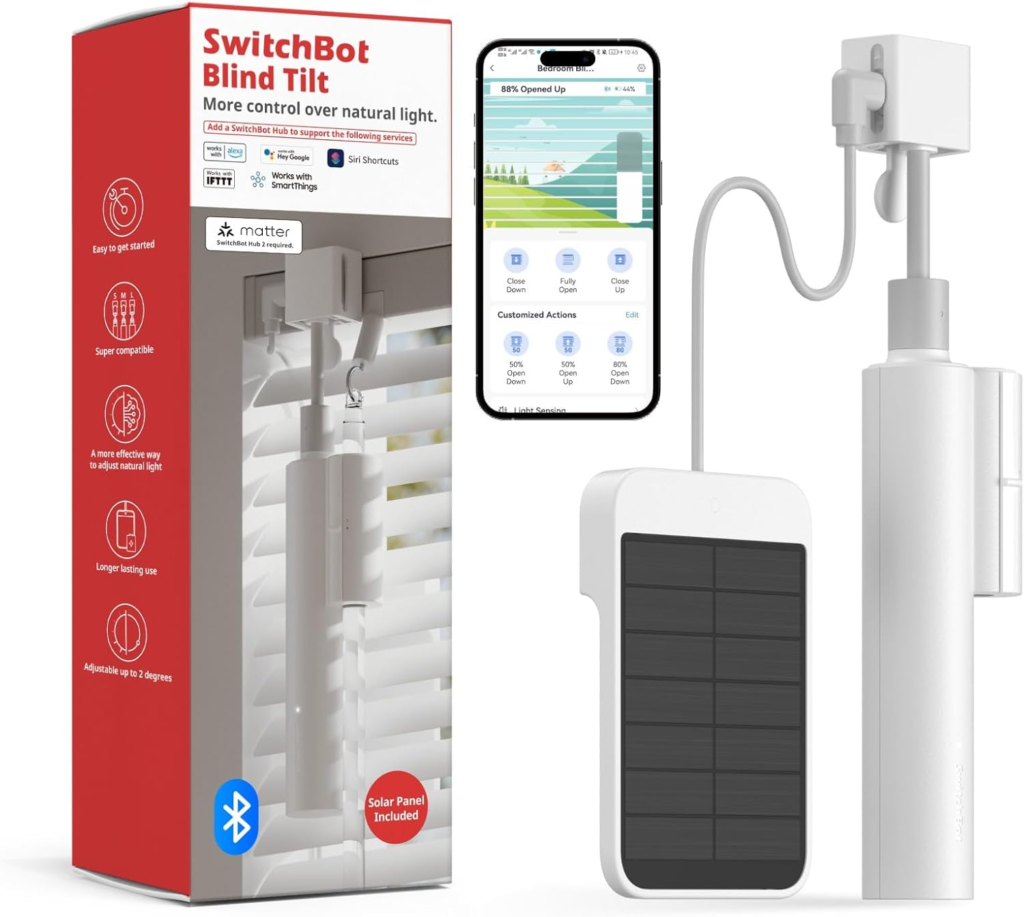
3.6 SwitchBot Blind Tilt – Smart Blind Controller
Type: AI-assisted smart blind/shade controller
AI features: Daylight and temperature based automation, schedules, routine activation, remote and app control, voice assistant compatibility
Price: Around $70–$90 on Amazon (varies by seller and bundles)
Why it’s a top pick:
Smart blinds are one of the most underrated ways to reduce HVAC energy usage. By automatically adjusting blinds based on sunlight and temperature, this device reduces heat gain in summer and heat loss in winter — meaning your heating or cooling system doesn’t have to work as hard.
What people say:
Users frequently highlight how the blinds help stabilize room temperatures and reduce harsh sunlight. Many note that once installed and automated, the blinds work quietly and reliably without daily attention.
| Key insights | Details |
|---|---|
| Pros |
• Reduces heat gain in summer and heat loss in winter • Works silently and reliably once automated • Great comfort improvement with less HVAC strain |
| Cons |
• Installation depends on your existing blinds • Some setups require precise measurement and patience • Best results often need schedule tuning |
| Ethical insight | Presence and sunlight patterns can be inferred from automation. Use privacy settings, secure the SwitchBot account, and limit external integrations to only what you need. |
| Check SwitchBot Blind Tilt Motorized Blinds | |
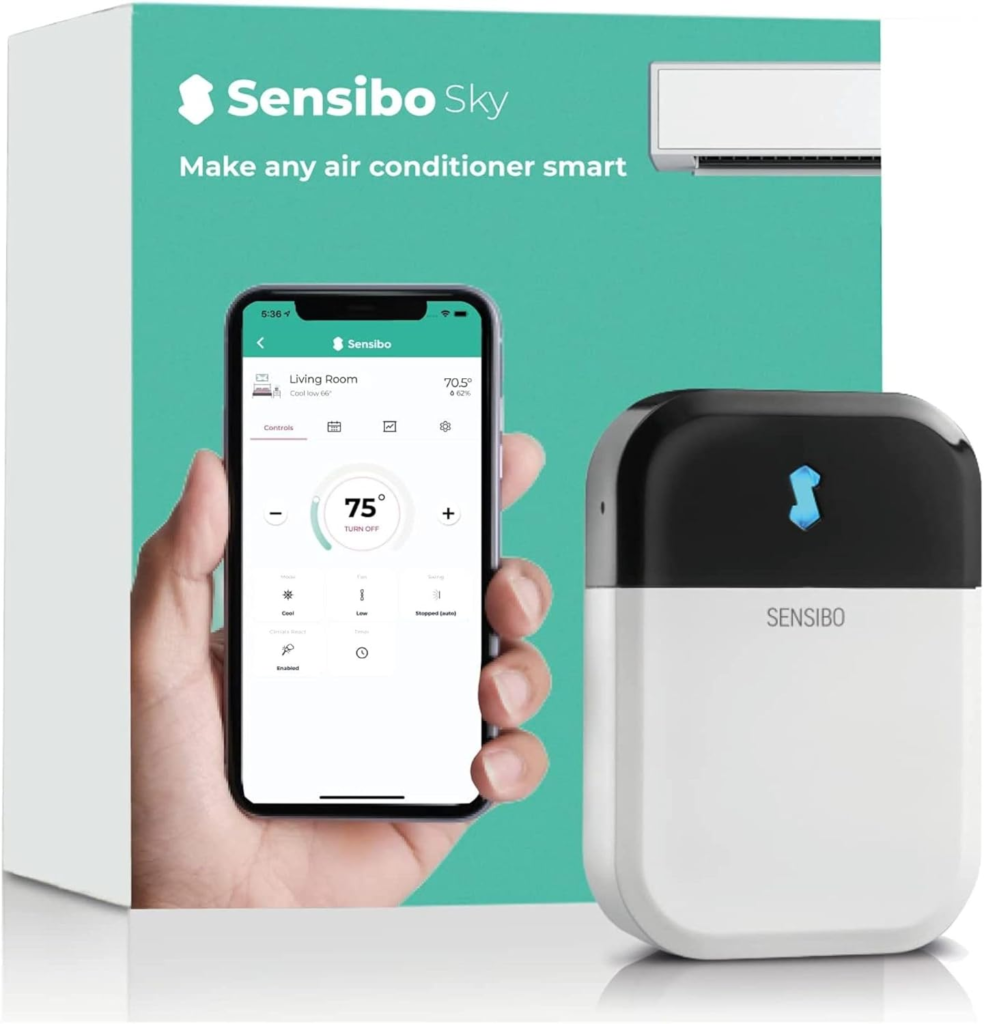
3.7 Sensibo Sky – Smart AC Controller
Type: AI-assisted smart controller for existing air conditioners
AI features: Smart scheduling based on temperature and humidity, geofencing (turns AC off when you leave), adaptive cooling cycles, app + voice assistant control
Price: Around $99–$129 on Amazon (varies by seller and offers)
Why it’s a top pick:
Many homes still use perfectly fine air conditioners that lack smart intelligence. Sensibo Sky brings AI-like automation to existing units, reducing unnecessary cooling runtime and keeping comfort stable without manual control.
What people say:
Users often describe it as “giving my AC a brain.” Reviews highlight better comfort with less waste, easy app setup, and noticeable differences in cooling behavior — especially in summer months.
| Key insights | Details |
|---|---|
| Pros |
• Adds smart automation to “dumb” AC units • Reduces unnecessary cooling runtime • Geofencing saves energy when no one’s home • Works with app and voice assistants |
| Cons |
• Works only with IR-controlled AC units • Requires Wi-Fi with good signal near the AC • Best results when combined with routines/schedules |
| Ethical insight | Temperature and presence patterns can be sensitive. Use secure app accounts, limit external integrations to essentials, and review cloud data policies. |
| Check Sensibo Sky Smart AC Controller | |
4. How Each AI Gadget Saves Energy in Real Homes
Understanding what actually happens after installation helps avoid wrong expectations. These gadgets don’t magically cut bills overnight — they work by removing small, repeated inefficiencies that add up month after month.
Below is how they behave in real homes.
Smart thermostat: fewer extreme cycles, steadier comfort
Instead of heating or cooling aggressively, the thermostat learns:
when the house is usually empty
which rooms are actually used
how long it takes to reach comfort
Result: fewer full-power cycles and less energy wasted correcting temperature swings.
Home energy monitor: awareness drives better decisions
Once people see real consumption:
unnecessary devices get unplugged
inefficient appliances are used less
future purchases become more targeted
Result: savings come from informed choices, not constant monitoring.
Smart plug: silent waste disappears
Devices like coffee machines, chargers, and entertainment systems often draw power even when idle.
With automation:
power cuts happen automatically
schedules replace memory
standby consumption drops quietly
Result: small savings, but consistent and effortless.
Smart lighting: lights stop working against you
Lighting automation works best in:
corridors
bathrooms
shared spaces
Lights turn off when rooms are unused and dim when full brightness isn’t needed.
Result: no more “someone left the light on all night” moments.
Smart blinds: the house helps regulate itself
By reacting to sunlight:
heat is blocked in summer
warmth is retained in winter
This reduces how hard heating and cooling systems need to work.
Result: passive energy savings without consuming much power themselves.
Smart AC controller: cooling runs only when it should
For older AC units:
runtime is shortened
overcooling is avoided
cooling stops when no one is home
Result: better comfort with less wasted electricity, especially in warm months.
What most people notice after a few weeks
The house feels more predictable
Fewer manual adjustments are needed
Energy use becomes calmer, not reactive
In the next section, we’ll look at how to choose the right gadget for your home, so you don’t buy more than you actually need.
5. Final Insights and Smart Picks for AI Travel Gadgets
You don’t need all the gadgets.
Most homes save money by picking one or two that match their real situation.
Use this quick guide.
| Your situation | Best gadget to start with | Why it makes sense |
|---|---|---|
| High bills in winter or summer | Smart thermostat or smart AC controller | Heating and cooling are usually the biggest energy cost |
| You don’t know what’s driving your bill | Home energy monitor | It shows where energy is wasted before you buy more devices |
| Many devices always plugged in | Smart plugs or smart power strip | Cuts standby power without changing habits |
| Lights often left on | Smart lighting system | Automation turns lights off and dims them automatically |
| Rooms overheat from sunlight | Smart blinds controller | Reduces HVAC workload using passive control |
If you’re unsure, start with visibility first (energy monitor), then automation (thermostat, plugs, or AC controller).
Buying everything at once rarely gives better results.
6. Ethical AI Reflection: Energy Savings vs Data at Home
AI energy gadgets save money by observing behavior — and that’s where awareness matters.
Most of these devices don’t listen to conversations or record video, but they do collect patterns:
when we’re home, when devices are used, when rooms are active.
That data is useful for saving energy.
It can also become sensitive if handled poorly.
What kind of data is actually involved
Energy usage over time
Device on/off patterns
Temperature and occupancy signals
Automation routines (sleep, away, work hours)
This data helps systems work better — but it also describes daily life.
Where risks usually come from
Problems rarely come from the gadget itself.
They come from:
weak passwords
unnecessary cloud integrations
linking too many third-party services
never reviewing default privacy settings
How to stay in control (simple rules)
Use strong, unique passwords for smart-home apps
Disable features you don’t actively use
Prefer devices that clearly explain what data they collect
Review permissions after setup — not months later
The balanced view
Used responsibly, AI energy gadgets reduce waste without increasing dependency.
They don’t need to know who you are — only how energy flows.
Saving energy should feel empowering, not intrusive.
That balance is what makes smart homes truly sustainable.
7. Final Verdict: Which AI Gadgets Are Worth Buying Right Now
If the goal is to reduce energy bills without turning your home into a tech project, the key is choosing impact over quantity.
Not all gadgets deliver the same return.
Best picks by situation
If you want the biggest savings potential
Start with a smart thermostat or smart AC controller.
Heating and cooling are usually the largest energy costs, so even small efficiency gains here matter the most.
If you want clarity before spending more
A home energy monitor is the smartest first move.
It shows exactly where energy is being wasted, helping you avoid buying gadgets you don’t actually need.
If you want fast, low-cost wins
Smart plugs and a smart power strip quietly eliminate standby waste with almost no setup effort.
If comfort and passive savings matter
Smart lighting and smart blinds controllers improve daily comfort while reducing unnecessary energy use in the background.
What most people get wrong
The mistake isn’t buying the wrong gadget — it’s buying too many at once.
Energy savings come from:
fixing the biggest leaks first
letting automation work quietly
avoiding constant manual control
According to the U.S. Department of Energy, improving how homes manage heating, cooling, and electricity use is one of the most effective ways to reduce residential energy costs — especially when automation replaces manual habits (source here).
Our honest recommendation
If you’re unsure, follow this order:
Visibility (energy monitor)
Automation (thermostat, AC controller, plugs)
Optimization (lighting, blinds)
This approach delivers savings without frustration — and keeps your smart home working for you, not the other way around.
8. FAQ – AI Gadgets to Reduce Energy Bills at Home
Q: Do AI gadgets really reduce energy bills or is it just marketing?
A: They can reduce energy bills when they automate real inefficiencies, especially heating, cooling, standby power, and lighting. The biggest savings come from replacing forgotten habits with automatic adjustments.
Q: How much money can AI energy gadgets actually save per month?
A: Savings vary by home, but many users report noticeable reductions over time, especially from smart thermostats and AC controllers. Results depend on energy prices, home size, and how much waste existed before automation.
Q: Are AI energy gadgets difficult to install or set up?
A: Most consumer AI energy gadgets are designed for simple setup using apps and existing hardware. Smart plugs, lighting, and AC controllers usually take minutes. Thermostats and energy monitors may require basic wiring or professional help in some homes.
Q: Can renters use AI gadgets to reduce energy bills?
A: Yes. Renters benefit most from plug-and-play devices like smart plugs, power strips, lighting systems, smart blinds controllers, and AC controllers. These don’t require permanent modifications.
Q: Do AI energy gadgets collect personal data?
A: They typically collect usage patterns (energy consumption, schedules, temperature), not personal content. Reviewing privacy settings, using strong passwords, and disabling unused features helps keep control over shared data.
If you found this guide on AI gadgets to reduce energy bills useful and want to explore more practical ways AI can improve everyday life at home, you may also enjoy these related posts:
 Best AI Gadgets on Amazon & TikTok (2025) – Smart Devices You’ll Actually Use Best AI Smart Thermostats 2025 – Which One’s Actually Worth It? Smart Home AI Cameras – What to Know Before Buying