
 Published on: February 4, 2026
Disclosure:
This post contains affiliate links. If you click through and make a purchase, we may earn a small commission at no additional cost to you. Thank you for supporting AIDigitalSpace — we only recommend tools and services we genuinely trust and believe bring real value to our readers.
1. Why “AI Note Taker” Searches Are Exploding Right Now
We’ve all been there.
A meeting ends, a lecture finishes, or an idea hits at the wrong moment — and later we realize our notes are incomplete, messy, or simply missing the point.
Many of us are already noticing the same pattern: traditional note-taking isn’t keeping up with how fast information moves today. Typing distracts us. Apps drain battery, ask for permissions, or fail when we need them most. Voice memos pile up, but we never go back to整理 them.
That’s exactly why searches for ai note taker tools are spiking right now.
People aren’t suddenly obsessed with AI for fun — they’re looking for a more reliable way to capture lectures, meetings, and ideas without friction. Something that works quietly in the background, without forcing us to manage yet another app.
In this guide, we’ll break down:
why this shift is happening now
what’s pushing people away from apps
and why dedicated AI note-taking devices are starting to feel like the more practical option
2. Why Note-Taking Apps Are Failing Students and Professionals
If we’re honest, most of us didn’t stop using note-taking apps — we just stopped trusting them.
We open an app to take notes during a meeting or a lecture, and suddenly we’re multitasking: typing, listening, switching screens, checking if the recording is still running. Instead of helping us focus, the tool becomes another thing to manage.
This isn’t just a feeling. Research has shown that dividing attention between listening and typing reduces comprehension and memory, especially in learning environments. A well-known study highlighted by Harvard Business Review explains how active note-taking on devices can hurt understanding when it pulls attention away from the conversation itself (check the article here).
On top of that, many note-taking apps create everyday friction we’ve all experienced:
recordings stop silently when the app goes to sleep
batteries drain faster than expected
permissions feel intrusive
notes end up scattered across multiple tools
Over time, this leads to a simple conclusion: the app works, but the workflow doesn’t.
That’s why more people are starting to question whether software alone is the right answer — and why alternatives that remove screens, distractions, and constant setup are suddenly getting attention.
In the next section, we’ll look at what AI note-taking devices actually do differently — and why, for some use cases, they solve problems apps never really fixed.
3. What AI Note-Taking Devices Do Better Than Apps
The biggest difference becomes clear the first time we use one: AI note-taking devices remove friction instead of adding steps.
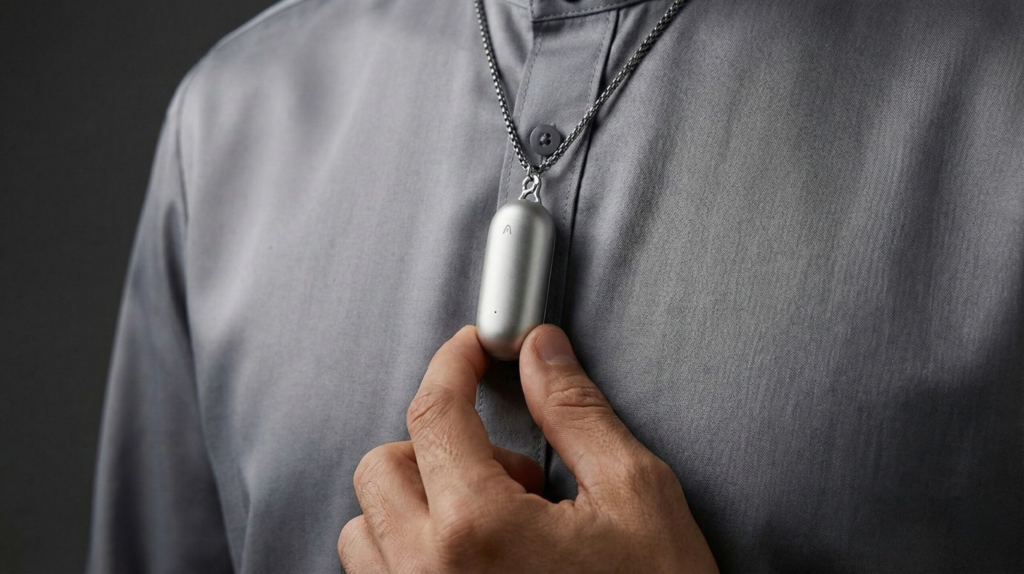
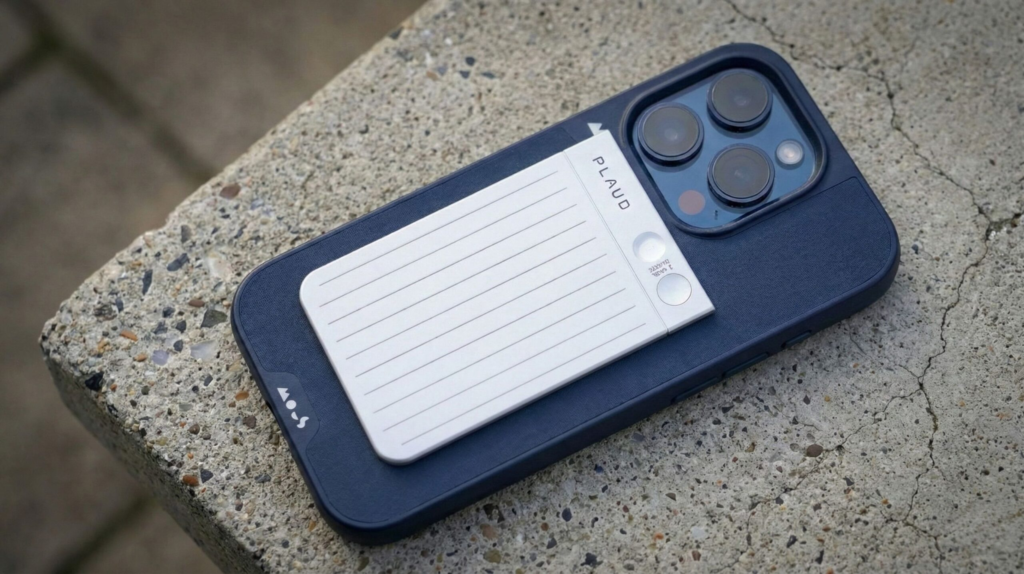
There’s no app to open, no screen to unlock, no “are you recording?” anxiety. We clip the device on, press a button, and focus on the conversation. Everything else happens in the background.
Here’s where dedicated hardware starts to outperform apps in real life:
| What matters in daily use | Note-taking apps | AI note-taking devices |
|---|---|---|
| Starting a recording | Open app, unlock phone, tap record | One physical button |
| Focus during meetings or lectures | Screen pulls attention away | No screen, no distraction |
| Battery reliability | Competes with phone usage | Dedicated battery, predictable |
| AI summaries & transcripts | Often manual or delayed | Automatic after sync |
| Privacy perception | Always-on app permissions | Clear recording on/off state |
In practice, people use these devices for very specific moments:
lectures where typing would mean missing key explanations
meetings where staying present matters more than perfect notes
quick voice thoughts captured without breaking flow
The AI layer doesn’t just transcribe. It organizes, highlights key points, and turns raw audio into something usable — without forcing us to babysit the process.
This doesn’t mean apps are useless. It means that for certain use cases, a physical AI note taker fits human behavior better than software ever did.
In the next section, we’ll help you decide which option makes sense for your use case — device, app, or a mix of both.
4. AI Note-Taker Devices vs Apps: Which One Fits Your Use Case?
At this point, the question isn’t which is better — it’s which one fits how we actually work or study.
Most frustration comes from using the right tool in the wrong context. Once we look at real use cases, the choice becomes clearer.
| Your situation | What usually works best | Why |
|---|---|---|
| University lectures or classes | AI note-taking device | Hands-free recording helps focus and capture full explanations |
| Work meetings & interviews | AI note-taking device | More discreet, fewer distractions, clearer summaries later |
| Personal notes & quick ideas | Note-taking app | Fast access and flexible editing on the phone |
| Privacy-sensitive conversations | AI note-taking device | Clear control over when recording starts and stops |
| Occasional or casual use | Note-taking app | No extra hardware to buy or manage |
What we’re seeing more often is a mixed setup:
an AI note-taking device for moments that matter — lectures, meetings, interviews — and an app for everything else.
This hybrid approach keeps things simple. We reduce friction when focus matters, without abandoning the flexibility of apps entirely.
Before choosing, it’s worth asking ourselves one honest question:
Do we want to manage notes — or just have them ready when we need them?
5. Privacy, Ethics & Legal Risks of AI Note Takers You Should Know
This is the part many people skip — until it becomes a problem.
Recording conversations, lectures, or meetings with AI note takers is powerful, but it also comes with responsibilities that matter in real life — especially here in the U.S.
First, there’s consent.
In the U.S., laws vary by state. Some states require all-party consent before recording audio, while others only require consent from one person in the conversation. Failing to follow local rules can lead to legal trouble, even if your device is brilliant (article here from ACLU).
Second, there’s data storage & cloud syncing.
Most AI note-taking devices sync recordings to the cloud to generate transcripts and summaries. That means:
your audio may be stored on external servers
voice data could cross borders or be processed by third parties
retention policies vary by company
In the U.S., there isn’t a single national standard for voice data protection, so it’s important to check each device’s privacy policy before relying on it for sensitive material.
Third, there’s context and misinterpretation.
AI summaries are helpful, but they aren’t perfect. They can:
miss tone or nuance
oversimplify or emphasize the wrong details
misinterpret technical or colloquial speech
That’s why AI-generated notes should support your memory, not replace your judgment.
Some devices and services are improving privacy controls by offering:
local processing (no cloud upload by default)
clear recording indicators
shorter retention windows
But the safest setup is an informed one. Knowing when and how to use these tools — and being transparent with the people you interact with — is just as important as choosing the right device.
6. Should You Switch to an AI Note-Taking Device? + FAQ
After looking at trends, real use cases, and the trade-offs, the answer is not the same for everyone — and that’s a good thing.
If we attend lectures, long meetings, interviews, or workshops, an AI note-taking device makes life easier. It removes screens, reduces friction, and quietly captures what matters so we can stay present. For these moments, hardware simply fits human behavior better than apps.
If we mostly jot quick ideas, to-dos, or short notes, apps are still fine. They’re flexible, always with us, and don’t require another device to manage.
For many people, the most practical setup is a hybrid:
device for important moments where focus matters
app for lightweight, everyday notes
That’s where these tools really shine — not as replacements for everything, but as specialists.
If you’re considering trying this approach, these are some tools people commonly start with.
| Device | Best For | Why it’s Relevant | Action |
|---|---|---|---|
| Plaude Note AI Recorder | Lectures & Meetings | Dedicated clip-on recorder with clear capture and AI summaries | See the tool |
| Voice Activated AI Recorder | Mobile Capture | Compact recorder with intelligent voice activation and long battery life | See the tool |
| Livescribe Smartpen | Written + Voice Notes | Combines handwriting with AI audio sync for structured review | See the tool |
| Desk AI Voice Hub Recorder | Home Office / Fixed Meetings | Stable tabletop recorder with directional microphones | See the tool |
What matters most is choosing a tool that reduces mental load instead of adding to it. When note-taking becomes invisible, we get something valuable back: attention.
FAQ – What People Ask Before Switching
Q: Are AI note-taking devices legal to use in meetings or lectures?
A: It depends on local laws and context. In the U.S., some states require all-party consent for recordings. Always inform others before recording.
Q: Do AI note-taking devices work without internet?
A: Most devices can record audio offline, but AI summaries and transcripts usually require syncing once you’re online.
Q: Are AI note-taking devices more private than apps?
A: They can be — especially when they offer manual recording controls and clear on/off indicators. Privacy still depends on how and where data is stored.
Q: Can an AI note taker replace tools like Otter or Notion AI?
A: Not completely. Devices are best for capturing conversations, while apps still work better for editing, organizing, and long-term knowledge management.
Q: Is an AI note-taking device worth buying in 2026?
A: If capturing conversations accurately matters more to you than managing apps, then yes — it’s a practical upgrade rather than a novelty.
If this guide helped you understand why AI note-taking devices are gaining ground over apps in 2026 — beyond marketing claims — and how AI is quietly reshaping the way we capture meetings, lectures, and ideas, you may also find these related guides useful:
 Best AI Tools for Meeting Productivity: Transcription, Summaries & Action-Items (2025) AI Tools That Work Without Internet – Offline AI Apps for Travel & Privacy How Voice Assistants Work in 2025 – Simple Guide to Understand Alexa, Siri & More