Published on: August 21, 2025
- 1. Introduction: Why AI Tools for Work and Side Hustles Matter in 2025
- 2. How to Choose the Right AI Tool in 90 Seconds
- 3. Writing, Emails and Research Made Simple
- 4. Smarter Notes and Summaries from Videos and PDFs
- 5. Content Creation – Short-Form Video and Visuals
- 6. Social Media Scheduling Without the Stress
- 7. Automating Admin and Repetitive Busywork
- 8. Voice and Audio Tools for Creators
- 9. Real Mini-Playbooks – Copy These 3 Workflows Today
- 10. Privacy, Safety and Ethical Tips You Should Know
- 11. FAQ – Quick Answers About AI Tools for Work and Side Hustles
- 12. Conclusion: Start Small, See Results, and Build Momentum
Disclosure:
Some links in this post are affiliate links. If you click and purchase, we may earn a small commission at no extra cost to you. Thank you for supporting AIDigitalSpace.com and helping us keep this content free and useful.
1. Introduction: Why AI Tools for Work and Side Hustles Matter in 2025
AI tools for work and side hustles are no longer just buzzwords — they are everyday essentials. Whether we’re writing an email, creating social content, or managing a side project, the right AI can save us hours of manual effort. And in 2025, saving time often means earning more, reducing stress, and keeping momentum on the things that matter most.
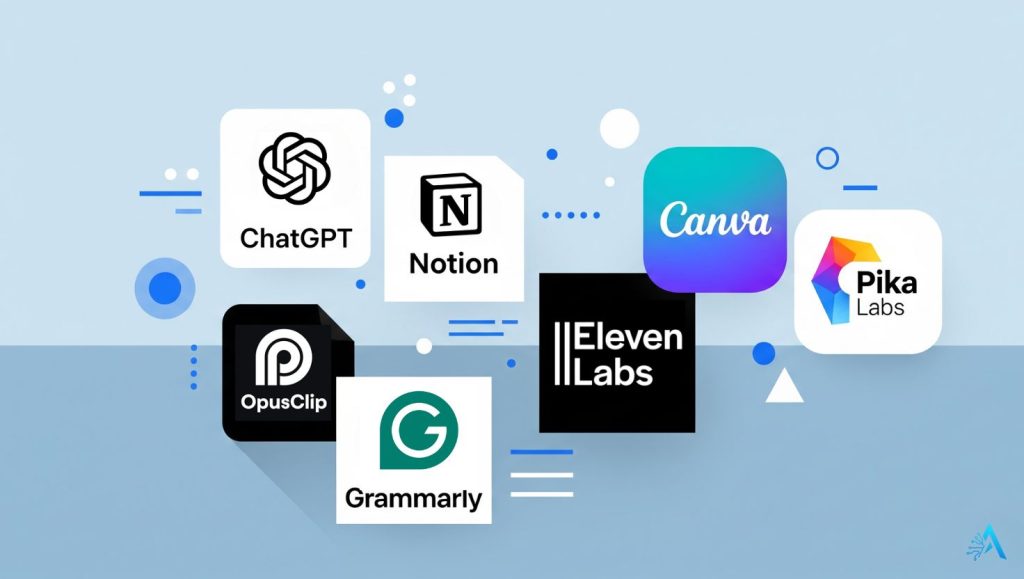
From what I’ve seen, people often struggle with two things: too much busywork and not knowing which tools are actually worth it. This is where AI steps in. Instead of getting lost in hype, we can focus on a handful of trusted, practical apps that make our routines smoother. Tools like ChatGPT (for quick drafts and research), Opus Clip (for repurposing videos), or Canva Pro (for visuals) are not magic wands — but they’re very real time-savers that anyone can start using right now.
And here’s the truth: AI tools for work and side hustles don’t replace our effort; they amplify it. If we put nothing in, nothing comes out. But if we feed these apps with our ideas, creativity, and goals, we get sharper results with less wasted energy. That’s why the right mix of AI is not about replacing people but making space for us to focus on what brings real value.
In this guide, we’ll cover the most useful AI tools for work and side hustles, with real tips and examples that show how they fit into daily life. My approach is simple: practical workflows, clear benefits, and a few ethical notes so we’re mindful of how these tools shape our routines.
To get started, here’s a quick snapshot table of the most common problems side hustlers face — and which AI tools can instantly give relief:
| Struggle | AI Shortcut | Best Tool |
|---|---|---|
| Emails & proposals take too long | Draft in minutes, proof instantly | ChatGPT, Grammarly |
| Video editing feels overwhelming | Auto-generate short clips + captions | Opus Clip, Pika Labs |
| Designs look unprofessional | Instant templates & image polish | Canva Pro, Remini AI |
| Too much busywork | Automate repetitive tasks | Taskade, ChatGPT |
As you can see, AI tools for work and side hustles target very specific struggles. In the next section, we’ll explore how to pick the right AI app in under 90 seconds so you don’t waste time trying dozens of platforms that don’t fit your needs.
2. How to Choose the Right AI Tool in 90 Seconds
When it comes to AI tools for work and side hustles, the hardest part isn’t using them — it’s choosing where to start. With hundreds of apps launching every month, it’s easy to waste time signing up for tools that don’t fit your needs. We’ve tested and researched enough to say this: if you spend more than 90 seconds deciding, you’re already overthinking it.
Here’s a quick 3-step filter that helps us (and hopefully you) pick the right AI tools for work and side hustles without going in circles:
| Step | Question to Ask | What to Do |
|---|---|---|
| 1. Define the job | “What task do I want to make easier?” | Emails → Grammarly. Video repurposing → Opus Clip. Notes → Taskade. |
| 2. Check the learning curve | “Can I learn this in under 30 minutes?” | If yes → go for it. If no → skip. For example, Canva Pro is instant, while some automation platforms take hours to set up. |
| 3. Look at cost vs. value | “Will this save me more money/time than it costs?” | Start free if possible. Many AI tools for work and side hustles offer trials — for example, ChatGPT free plan is enough for basic use. |
From our perspective, the best mindset is “fit-for-purpose, not FOMO.” It’s tempting to try every new app trending on TikTok or LinkedIn, but that usually leads to subscription fatigue and wasted time. Instead, we suggest starting with one or two AI tools for work and side hustles that give a visible win in your daily routine.
For example, if writing eats up hours of your day, ChatGPT combined with Grammarly can reduce your writing time by half. If content is your bottleneck, Opus Clip and Canva Pro can transform how quickly you publish.
At the end of the day, the tool that works is the one you actually use. And once you feel the time saved, it’s much easier to scale up and add more advanced AI into your workflow.
3. Writing, Emails and Research Made Simple
If there’s one thing we all deal with daily, it’s writing — from long emails to quick updates, proposals, blog drafts, or even research summaries. For many of us, writing and research can swallow hours of productive time. This is why AI tools for work and side hustles are so powerful here: they turn blank pages into structured drafts, improve our tone, and even speed up how we digest information.
We’ve tested different platforms, and the ones that consistently stand out are:
ChatGPT — for drafting, summarizing, and ideation.
Grammarly — for clarity, tone, and grammar checks.
Notion AI — for organizing and turning messy notes into usable content.
Taskade — for collaborative notes and summaries, great for side projects.
These are not “magic wands,” but they act like accelerators. Our personal recommendation is to use them as starting points rather than final outputs. This keeps your work authentic and aligned with your voice.
Quick Wins for Writing and Research
| Task | AI Shortcut | Recommended Tool |
|---|---|---|
| Drafting emails or proposals | Generate a clear, professional draft in seconds | ChatGPT, Grammarly |
| Summarizing research or articles | Get key points without reading everything | ChatGPT, Notion AI |
| Organizing messy notes | Turn scattered thoughts into structured docs | Notion AI, Taskade |
| Improving tone and grammar | Polish text for clarity and professionalism | Grammarly |
Our Professional Recommendation
From our perspective, the most effective workflow is combining two or three tools, instead of relying on one. For example, you can:
Draft your text in ChatGPT.
Organize and refine it with Notion AI.
Finalize with Grammarly to make sure tone and grammar are flawless.
This layered approach not only saves time but also ensures quality and professionalism. It also avoids the trap of sounding “too AI-generated,” which is a concern many readers have shared with us in comments and emails.
If you want to go deeper on writing and AI, we’ve already explored tools in detail in our AI writing guide where we compare leading platforms.
4. Smarter Notes and Summaries from Videos and PDFs
One of the most underrated benefits of AI tools for work and side hustles is how they can digest overwhelming amounts of information and give us only what matters. Whether it’s a one-hour YouTube lecture, a long Zoom call, or a 50-page PDF, the right AI can turn it into clean, actionable notes.
This is more than convenience — it’s a productivity multiplier. Instead of rewatching or rereading, you can spend your time applying the knowledge. From our professional perspective, this is where many freelancers and side hustlers unlock the most visible wins in their routines.
Here are the tools we’ve found most effective:
Quick Wins for Smarter Learning
Our Recommendation
From our perspective, the smart move is not to treat AI notes as “finished products,” but as accelerators. AI tools for work and side hustles can give you a strong draft, but you still need to add your own highlights, context, or questions.
For example, we often use Taskade to turn a webinar into an outline with bullet points. Then we refine it, highlight the most relevant parts for our project, and drop them into Notion AI for long-term knowledge storage. Finally, if there’s something unclear, ChatGPT helps simplify or explain in plain language.
This layered workflow not only saves time but also ensures we don’t blindly trust AI outputs. It’s about speed + context + personal judgment.
If you’re curious about the learning side of AI, we’ve also written about AI tools for students with learning disabilities — a guide that shows how these apps can transform accessibility and comprehension for different needs.
5. Content Creation – Short-Form Video and Visuals
Quick Wins for Content Creation
If there’s one area where AI tools for work and side hustles really shine, it’s content creation. Social platforms today reward speed, consistency, and creativity — but that doesn’t mean we have to spend hours editing videos or designing visuals. The right AI makes it possible to repurpose, edit, and publish in minutes.
The key is not about replacing creativity but about removing the bottlenecks: cutting clips, adding captions, polishing images, or generating visuals that stand out. We’ve all seen content that looks “raw” and unpolished — and in competitive spaces, that usually gets ignored. AI tools give everyday creators the same edge professionals use.
Here are some of the most effective AI tools for work and side hustles in content creation:
Opus Clip — auto-clips long videos into short, shareable posts.
Pika Labs — quick AI-generated motion effects and creative edits.
Canva Pro — professional templates, branding kits, and easy visuals.
Remini AI — upgrades photo and video quality instantly.
Lensa AI — creative filters, portraits, and eye-catching thumbnails.
| Content Need | AI Shortcut | Best Tool |
|---|---|---|
| Turn long videos into TikToks/Shorts | Auto-clips highlights + captions | Opus Clip |
| Make visuals dynamic and engaging | Add motion + effects in seconds | Pika Labs |
| Create branded visuals & templates | Use drag-and-drop templates | Canva Pro |
| Fix low-quality photos or videos | Instant upscale + cleanup | Remini AI |
| Generate creative thumbnails | AI portraits + filters | Lensa AI |
Our Recommendation
From our perspective, content creation is the area where consistency matters more than perfection. AI tools for work and side hustles are not here to replace your creative spark — they are here to help you show up more often with polished results.
For example, we’ve used Opus Clip to take a single 10-minute video and generate five different short clips ready for TikTok and YouTube Shorts. Pair that with Canva Pro for branded templates, and suddenly a week’s worth of content is ready in under an hour.
Our advice is simple: pick one workflow (e.g., video → short clip → branded thumbnail) and stick with it for a month. You’ll not only save time but also see which formats resonate with your audience. AI tools are accelerators, but your consistency is the real growth driver.
If you’re interested in exploring tools specifically for creative projects, you might also check our AI tools for designers where we dive into visual workflows in detail.
Creating good content is half the battle. The real challenge comes when you need to post consistently across TikTok, Instagram, YouTube, or LinkedIn. This is where AI tools for work and side hustles remove the pressure — by automating scheduling, suggesting captions, and even recommending the best times to post.
In 2025, audiences expect frequent updates, but none of us can live glued to our phones. The smartest move is to batch content once, schedule it across platforms, and let AI keep your brand visible while you focus on real work.
Some of the tools we rely on and recommend:
Quick Wins for Social Media Scheduling
Our Recommendation
From our experience, one of the smartest workflows is:
Clip a long video into short posts with Opus Clip.
Design branded graphics in Canva Pro.
Drop everything into Taskade for scheduling and team visibility.
This simple loop ensures you stay consistent without burning out. And remember, in the social media game, consistency beats intensity — it’s better to post three times a week for months than to burn out after posting daily for two weeks.
7. Automating Admin and Repetitive Busywork
No one starts a side hustle because they love doing invoices, file management, or repetitive copy-paste tasks. Yet these small tasks often eat up the time that could be used for creating or selling. This is where AI tools for work and side hustles prove their real value — by automating the “boring but necessary” side of business.
The truth is, most of us don’t need complex enterprise systems. A few reliable AI-driven apps can automate reminders, track small expenses, generate invoices, or even handle repetitive customer emails.
Here are some of the tools that can make admin almost invisible in your workflow:
Quick Wins for Admin Automation
From our perspective, automating admin is about reducing friction, not giving up control. For example, we use ChatGPT to draft polite responses to recurring client questions, then save those replies as templates. Taskade handles recurring reminders — like sending invoices or following up with leads. And Canva Pro helps us quickly generate professional invoices or proposals with templates we can reuse.
The key insight here is simple: every repetitive task you eliminate is time you get back for creative or income-generating work. If you track your week, you’ll likely find at least one admin task you can automate right now with AI tools for work and side hustles.
For a deeper dive into how automation changes our daily lives, we’ve also written about Bardeen AI — a powerful tool for browser-based workflows.
8. Voice and Audio Tools for Creators
Good visuals catch attention, but it’s sound that keeps people listening. For side hustlers, poor audio can make even great content feel unprofessional. Thankfully, AI tools for work and side hustles now give us studio-quality voiceovers, podcasts, and transcripts without expensive gear.
Some tools we recommend stand out for different reasons:
ElevenLabs — realistic, emotional AI voices.
Descript — edit podcasts and videos by editing text.
PlayHT — diverse voice library, great for multilingual creators.
ChatGPT — yes, even here: generating scripts and podcast outlines.
Quick Wins for Voice and Audio
| Need | AI Shortcut | Best Tool |
|---|---|---|
| Professional voiceovers for video | Generate natural speech in seconds | ElevenLabs |
| Podcast editing feels complicated | Edit audio by editing text | Descript |
| Multilingual voice for global audiences | Convert scripts into 100+ languages | PlayHT |
| Writing a script for podcast or video | Generate structured scripts and outlines | ChatGPT |
Our Recommendation
From our perspective, voice and audio are where creators often underestimate the impact of AI tools for work and side hustles. A crisp voiceover can make even a simple slideshow look professional. For example, we’ve used ElevenLabs for explainer videos — the voices are so natural that many viewers don’t realize it’s AI.
If you’re into podcasting, Descript changes the game: you can delete filler words or mistakes just by deleting text. And for global side hustlers, PlayHT allows content to reach audiences in over 100 languages without hiring multiple voice actors.
Our tip is to keep workflows simple. Generate your script in ChatGPT, record or generate audio with ElevenLabs, and polish the final piece with Descript. That’s a professional audio pipeline without the studio bills.
If you want to dive deeper into this space, we’ve covered AI voice replication — including the ethics of cloning voices and where to be careful as a creator.
9. Real Mini-Playbooks – Copy These 3 Workflows Today
1. From Webinar to Social Media Posts
Turn a one-hour lecture or webinar into multiple pieces of content without burning out.
Steps:
Import or paste the transcript into Taskade → get a clean outline with key takeaways.
Ask ChatGPT to turn each main point into a short LinkedIn post or Tweet.
Use Canva Pro to design branded visuals.
Schedule everything directly inside Canva’s calendar or in Taskade.
In less than 60 minutes, you’ll have 4–5 ready-to-go posts from one source.
2. From Long Video to TikTok & YouTube Shorts
Video editing doesn’t have to be intimidating. With the right AI tools for work and side hustles, you can repurpose a single video into a week’s worth of content.
Steps:
Upload your video to Opus Clip → it auto-clips highlights with captions.
Polish one clip with motion effects in Pika Labs.
Schedule on TikTok, Shorts, and Reels in one go.
One long video can become 5–10 snackable clips, ready for all platforms.
3. From Blog Post to Voice Podcast
Why write once when you can repurpose into multiple formats? With AI tools for work and side hustles, you can take a blog and turn it into audio content.
Steps:
Draft or refine your blog in ChatGPT.
Use ElevenLabs to generate a natural-sounding voiceover.
Edit the audio in Descript.
Publish as a short podcast episode — and embed it back into your blog for SEO.
This way, every post works double: readers get text, and listeners get audio.

Our Recommendation
From our perspective, playbooks are where AI tools for work and side hustles become real. Instead of seeing apps in isolation, we combine them into small workflows that save hours and expand reach. Our advice is: start with one workflow and repeat it until it feels effortless.
If you’re more active on social → try Workflow 2.
If you’re into professional growth → try Workflow 1.
If you’re building authority → Workflow 3 adds depth.
Once you’ve nailed one loop, add the next. That’s how you build compounding productivity without overwhelm.
10. Privacy, Safety and Ethical Tips You Should Know
AI tools for work and side hustles bring incredible opportunities — but they also come with responsibilities. Just as these tools save us time, they also handle data, automate decisions, and sometimes blur the line between human and machine. That’s why it’s important to stay mindful of privacy, safety, and ethics while using them.
Here are a few points we recommend keeping in mind:
1. Be Careful With Sensitive Data
Many AI apps rely on cloud processing, which means your inputs may be stored. Never paste confidential client contracts, financial information, or private details into free AI tools. As a rule, treat AI as you would treat an assistant — share only what you’d trust another person with.
2. Keep Human Oversight
AI tools for work and side hustles are accelerators, not replacements. Always review what they generate. Whether it’s a drafted email or a product description, a quick human edit ensures accuracy and keeps your unique voice intact.
3. Stay Transparent With Your Audience
If you’re using AI to help create content, consider being open about it. Transparency builds trust. For example, when we tested AI voice replication, we made sure to include a clear note about how and why it was used.
4. Mind the Legal and Ethical Boundaries
Tools like ElevenLabs or PlayHT can generate voices that sound real. That’s powerful, but also sensitive. Use these features responsibly and never impersonate without consent.
5. Balance Efficiency With Responsibility
The real promise of AI tools for work and side hustles is freeing up time. But that shouldn’t mean cutting corners on professionalism. Saving time is valuable — but keeping relationships, honesty, and quality intact is even more important.
Our Recommendation
From our perspective, ethics in AI isn’t about scaring people off; it’s about helping them use technology responsibly. When readers trust that you care about privacy and safety, they’ll trust your recommendations too.
Our approach is simple: use AI where it helps, but keep humans in control where it matters. That balance ensures AI remains a support system, not a risk factor.
If you’d like to dive deeper into this theme, we’ve covered related issues in our AI deepfake awareness guide and our article on dark UI tricks in AI apps. Both highlight what to watch out for so we can make smarter, safer decisions.
11. FAQ – Quick Answers About AI Tools for Work and Side Hustles
Q: What are the best AI tools for work and side hustles in 2025?
A: Some of the best AI tools for work and side hustles right now include ChatGPT for writing and research, Opus Clip for video repurposing, Canva Pro for visuals and templates, Taskade for task automation, and ElevenLabs for realistic voiceovers. These cover the most common needs: writing, content creation, scheduling, and communication.
Q: Can AI really save time for freelancers and small business owners?
A: Yes. In our experience, AI tools for work and side hustles can easily save 5–10 hours per week. For example, instead of editing a video manually, Opus Clip can generate short clips in minutes. Similarly, Grammarly instantly improves writing quality, which means less back-and-forth editing.
Q: Do I need to pay for these tools, or are there free options?
A: Many AI tools for work and side hustles offer free tiers, such as ChatGPT and Canva. Free plans are often enough to start. However, if your side hustle grows, investing in pro versions usually pays off quickly in saved time and better features.
Q: Are AI tools safe to use with client work?
A: Generally yes, but with caution. Avoid pasting sensitive client data into AI apps. Stick to general drafts, outlines, and public-facing content. For sensitive projects, tools that allow local processing (or enterprise-grade AI with strong privacy policies) are safer. For more insights, see our guide on ethical AI use.
Q: Will AI tools replace my side hustle?
A: No. AI tools for work and side hustles are meant to assist, not replace. They reduce repetitive tasks and help you scale faster, but your creativity, ideas, and human touch remain the most valuable part. Think of AI as a partner that gives you more time to focus on growth.
Q: Which AI tools should I start with first?
A: If you’re new, we recommend starting with one tool for writing (like ChatGPT), one for visuals (like Canva Pro), and one for automation (like Taskade). This small stack already covers 70% of side hustlers’ needs. As you get comfortable, you can add specialized apps like Opus Clip for video or ElevenLabs for audio.
Q: How do AI tools for work and side hustles affect costs?
A: Most freelancers and small business owners report that AI tools pay for themselves within the first month. For example, instead of outsourcing video editing for $200, you can use Opus Clip for a fraction of the cost. In the long run, AI reduces expenses and increases productivity.
12. Conclusion: Start Small, See Results, and Build Momentum
AI tools for work and side hustles are not about replacing effort — they’re about multiplying it. What once took hours of writing, editing, or planning can now be done in minutes, leaving you with more time to focus on growth, creativity, and income.
The best part? You don’t need to learn everything at once. Our professional recommendation is to start small:
Once you see the time saved, it’s easier to expand and explore more specialized tools like ElevenLabs for audio or Pika Labs for creative video effects.
The truth is simple: consistency is the real growth driver. AI tools for work and side hustles are here to make consistency possible without burnout.
If you want to continue learning with us, explore more of our guides like Best Free AI Tools with No Login Required.
And if you’d like to get practical tips, new tool reviews, and step-by-step workflows directly in your inbox, we invite you to join our newsletter — it’s where we share exclusive strategies to get the most out of AI in your daily life.
Start today. Pick one tool, try one workflow, and see how much time you get back. That first small win is the beginning of a smarter, more productive way to work and grow your side hustle.


6. Social Media Scheduling Without the Stress