
 Published on: December 9, 2025
Affiliate Disclaimer:
Some of the links in this post are affiliate links. This means we may earn a small commission if you click through and make a purchase, at no extra cost to you. We only recommend tools we truly believe offer value.
1. Why AI Video Generators Are the Fastest Way to Create Viral Shorts
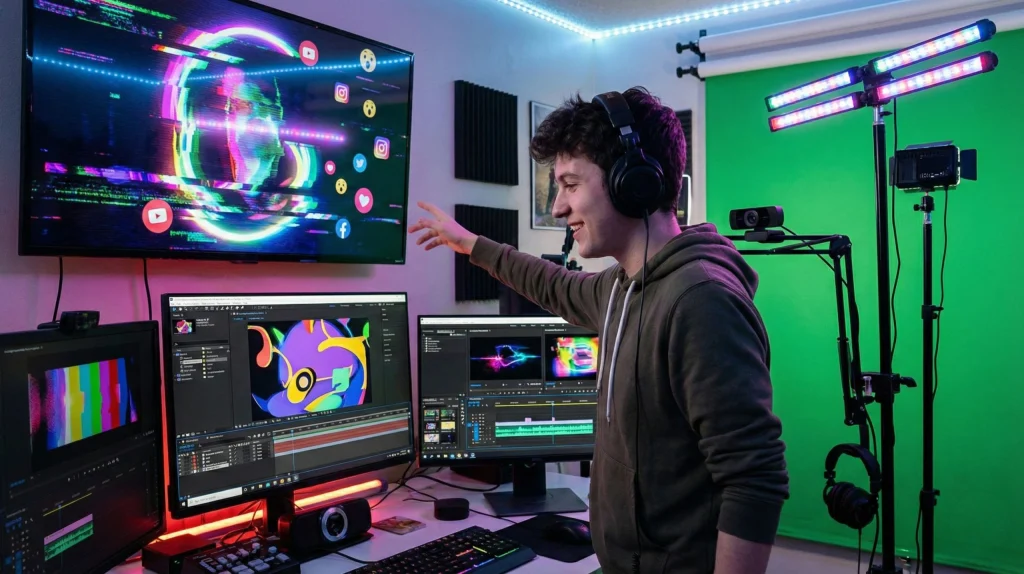
Creating short videos used to require hours of filming, editing, cutting scenes, and fixing transitions. Today an AI video generator can turn a simple idea into a polished short in minutes.
This speed matters because platforms like TikTok, Instagram Reels, and YouTube Shorts move incredibly fast. Trends appear, explode, and disappear in a single weekend.
When we react late, we lose visibility. When we react early, we grow.
Why an AI video generator changes everything
An AI video generator removes the most time-consuming parts of the process:
Editing and trimming
Adding subtitles and hooks
Matching rhythm and pacing
Resizing for different platforms
This lets us focus on creativity, not technical work — and that’s what drives viral performance.
If you want a quick comparison of the most popular tools, we break down strengths, use cases, and output quality here in our post on Runway vs Pika labs.
What experts say about AI-driven creativity
Even research groups like MIT CSAIL confirm how AI reduces production barriers and speeds up creative output (source: MIT News).
The direction is clear: AI doesn’t replace creativity — it accelerates it.
Recommended Read:
If you want a simple, practical guide that helps you unlock creativity while working with AI tools, The Creative Act by Rick Rubin is an excellent choice. It teaches creative clarity, focus, and idea generation — a perfect match for modern AI workflows.
2. Quick Picks: Best AI Tools for Viral Short Videos in 2025
When we want fast results, the best approach is to start with tools that already help creators make viral-style content. Below are the AI video generator options that consistently perform well for short videos, from quick edits to high-quality creative scenes.
1. Pika Labs — Best for Dynamic Motion & Aesthetic Scenes
Pika is ideal if you want smooth transitions, cinematic vibes, and attention-grabbing visuals. It’s fast, accurate, and works well for both beginners and advanced creators.
Already trending heavily, as seen in our popular comparison:
2. Runway ML — Best for Stylized Clips & Creative Experiments
Runway is great for creators who want more control over style, color, and movement. Its Gen-3 Alpha model produces highly realistic shorts, making it a favorite for brands and content creators.
3. Opus Clip — Best for Turning Long Videos Into Viral Shorts
If you already have talking videos, webinars, or product demos, Opus Clip automatically finds the strongest moments and turns them into short clips optimized for TikTok, Reels, or Shorts.
Perfect for creators who want to publish daily without recording new content.

4. Canva Pro — Best for Captions, Templates, and Fast Edits
Canva adds clean subtitles, hooks, animated templates, and resizing in seconds. It’s perfect when we want polished results without technical editing skills.
Also great for creating consistent aesthetics across your entire content strategy.
5. ElevenLabs — Best for Voiceovers That Sound Human
If your videos need narration, ElevenLabs makes short-form storytelling easy. You can generate natural voiceovers, adjust tone, or translate content while keeping the voice consistent.
Useful for creators who want multilingual reach.
Why these tools matter for virality
Each AI video generator solves a different part of the short-video workflow — motion, editing, captions, repurposing, or voice.
By combining even two of them, we can produce more content in less time while keeping quality high.
3. Comparison Table: Key Differences Between Top AI Video Generators
Choosing the right AI video generator depends on what type of short content we want to create. Some tools are better for motion, others for edits, and others for repurposing long videos.
This table gives a quick, mobile-friendly overview so we can pick the one that fits our workflow immediately.
| Tool | Best For | Strengths | Limitations |
|---|---|---|---|
| Pika Labs | Cinematic scenes & smooth motion | High-quality movement and storytelling | Less granular control over details |
| Runway ML | Stylized clips & advanced control | High realism, flexible editing tools | More complex for beginners |
| Opus Clip | Repurposing long videos into shorts | Identifies the strongest viral moments | Not for generating original scenes |
| Canva Pro | Captions, hooks & fast visuals | Templates, effects & easy subtitling | Limited generative abilities |
| ElevenLabs | Voiceovers for social videos | Natural multilingual narration | No visual generation |
Key takeaways
Each AI video generator excels in a different part of the short-video workflow:
Pika → Best motion & cinematic quality
Runway → Best control & realism
Opus Clip → Best for repurposing long videos
Canva Pro → Best for captions & templates
ElevenLabs → Best for voiceovers
For technical updates, Runway also documents its model research publicly here.
4. The Problems Creators Face When Making Short Videos (and Why AI Fixes Them)

Short videos look simple from the outside, but most of us hit the same walls: no time, no ideas, and tools that feel too complex. This is exactly where an AI video generator becomes more than a “cool extra” and starts to feel like the only realistic way to publish consistently.
Problem 1: Editing Takes Too Long
Filming is usually the fun part. The real time-killer is:
Cutting clips
Fixing pacing
Adding captions by hand
Exporting in the right format for each platform
Many creators give up here because a 30-second short can easily cost 2–3 hours of editing.
How AI helps
Tools like Pika, Runway, and Opus Clip automate cuts, pacing, and subtitles in one pass. Instead of starting from an empty timeline, we review a first draft and just tweak what matters.
Problem 2: Not Knowing What Makes a Clip “Viral-Friendly”
Most people are unsure about:
Ideal length for TikTok, Reels, Shorts
Where to place the hook
How much text is “too much” on screen
Without guidance, we publish random videos and hope they work.
How AI helps
Modern platforms and tools surface data-driven suggestions: where viewers usually drop, which scenes keep attention, and which formats perform best. TikTok’s own Creative Center shares live trend insights and examples (source here).
Using that with an AI video generator means we aren’t guessing the structure; we copy what already works.
Problem 3: Inconsistent Quality Across Videos
One day the audio is low, the next day subtitles are missing, and colors look different from clip to clip. This inconsistency makes the account look less professional, even if the ideas are good.
How AI helps
Templates, presets, and auto-subtitles keep:
Font and color consistent
Intro/outro style the same
Audio levels under control
If we also use tools like Canva Pro for overlays and titles, we can lock a repeatable style without having to be a motion designer.
Problem 4: No Time to Repurpose Existing Content
Many of us already have:
Zoom calls
Webinars
Tutorials
Live streams
…but they just sit on a drive because cutting them down feels overwhelming.
How AI helps
Opus Clip and similar tools scan long videos, find the best “hook moments,” and turn them into short clips automatically. Combined with an AI video generator, this lets us keep posting even on weeks when we don’t record anything new.
In short, most problems around short-form content are about time, structure, and consistency. An AI video generator doesn’t replace our creativity—it removes the technical friction so our ideas actually make it to the screen.
5. Tips, Settings, and Mistakes to Avoid for Better Viral Performance
Even with a strong idea, the difference between a video that gets 200 views and one that reaches thousands often comes down to a handful of small adjustments. These tips help us get the most out of any AI video generator, whether we’re using Pika, Runway, Opus Clip, or Canva.
Tip 1: Start With a Strong Visual Hook
Short videos must capture attention in the first 1–2 seconds.
A good hook includes:
A surprising visual
A bold statement on-screen
A fast motion or transition
Most AI video generator platforms allow us to specify an “opening moment,” so we can intentionally design a magnetic start instead of hoping the tool chooses one.
Pro insight: TikTok’s Creative Center shows which hooks trend in your region.
Tip 2: Keep Clips Under 8–12 Seconds for Higher Completion
Even though platforms allow up to 60 seconds, the sweet spot for virality is much shorter.
Shorter videos = higher completion rate → stronger algorithm push.
An AI tool helps compress ideas without losing clarity, perfect for creators trying to avoid slow intros or unnecessary transitions.
Tip 3: Use Subtitles With High Contrast
Most people watch without sound.
Good subtitles:
Are centered or lower-third
Use high-contrast colors (white/yellow on dark)
Follow a tight pacing
Canva Pro is excellent for this part, especially when paired with footage from an AI video generator.
Tip 4: Match Aspect Ratio to the Platform
Posting a 16:9 clip on TikTok is the fastest way to lose engagement.
Correct formats:
TikTok → 9:16
Reels → 9:16
YouTube Shorts → 9:16
Runway and Pika both allow aspect ratio selection before rendering, so we avoid re-cropping afterward.
Tip 5: Keep Text and Visuals Big and Clear
On mobile, subtle details disappear.
When using an AI video generator, avoid:
Very small text
Overly complex backgrounds
Fast flashing transitions
Simpler visuals get much better retention, especially on TikTok and Shorts.
Common Mistakes to Avoid
Mistake 1: Using too many styles at once
Switching between 5 visual effects in one short clip makes the video feel chaotic. Stick to one consistent visual identity per short.
Mistake 2: Overwriting your story
Even though generators offer endless creative options, the best videos follow a simple pattern:
Hook → Value → Payoff
Mistake 3: Ignoring platform trends
A clip that looks great might still underperform if the format is outdated. Our comparison article helps pick the right tool for today’s style: Runway vs PikaLabs.
Mistake 4: Exporting at low resolution
Always ensure 1080×1920 or higher. Some AI platforms export at 720p by default unless we change the setting.
6. Ethical and Responsible Use of AI in Video Creation

Using an AI video generator makes it easier to create short clips quickly, but it also adds new responsibilities. When we rely on AI short video tools, our content can look extremely real, which means we must stay transparent, avoid misleading visuals, and respect the people shown in our videos. Ethical choices matter just as much as creative ones.
Be Transparent About AI Use
If an AI video generator shapes most of the clip, a simple note in the caption helps keep expectations clear. This is especially important when viewers assume a scene is filmed rather than created with AI video editing apps. Transparency builds trust and avoids confusion about what is real.
Avoid Using Real People Without Consent
Some AI short video tools can generate characters that resemble real individuals. To stay on the safe side, avoid copying influencers, public figures, or private people unless you have clear permission. TikTok explains this in its official community guidelines.
Use Ethical Voiceovers
AI voices can sound incredibly realistic. When learning how to make viral videos with AI, it’s important not to imitate someone else’s voice or style without consent. Using original or neutral voices from tools like ElevenLabs keeps everything responsible and avoids deepfake-style risks.
Avoid Misleading or Confusing Visuals
An AI video generator can produce scenes that look like real news, real emergencies, or real people. If a clip could be misunderstood, it’s better to add context or choose a different visual. This is especially true when using a TikTok AI editor, where content spreads fast and can be taken out of context quickly.
Respect Copyright and Content Ownership
Never upload copyrighted clips, branded footage, or protected audio into AI video editing apps unless you have rights to use them. Many tools offer built-in safe libraries we can rely on instead.
Keep Human Creativity at the Center
AI should support your vision, not replace it. The strongest results come from combining your ideas with the speed of an AI video generator—a balance between creativity and efficiency that viewers immediately recognize as authentic and well-made.
7. Final Insights and Recommended Tools to Start Creating Today
Using an AI video generator is one of the fastest ways to publish consistent short-form content without needing advanced editing skills. What used to take hours—cutting scenes, resizing clips, adding subtitles—can now be done in minutes with modern AI short video tools. This gives us more time to focus on ideas, storytelling, and improving the overall quality of our posts.
If you’re just getting started, the best approach is to choose a single tool and build a simple workflow around it. Many creators begin by testing a few AI video editing apps, but the most effective strategy is to pick the one that matches your style. Pika works well for cinematic scenes, Runway offers strong control, and Opus Clip helps anyone learn how to make viral videos with AI by repurposing long content automatically.
As we improve, we can combine tools: a TikTok AI editor for speed, an AI video generator for visuals, and Canva for titles or subtitles. This layered approach creates a repeatable workflow that feels professional without becoming overwhelming.
If you want to go deeper into creative thinking while using AI, Rick Rubin’s The Creative Act remains a highly recommended read. It pairs perfectly with AI because it teaches how to shape ideas before turning them into visuals.
8. FAQ About AI Video Generators and Viral Short Videos
Q: What is an AI video generator and why is it useful for short videos?
A: An AI video generator is a tool that creates or edits short clips automatically using prompts or existing footage. It speeds up the workflow, improves consistency, and helps creators produce more content without needing complex editing skills. Many creators use these tools alongside AI video editing apps and TikTok AI editors to publish faster.
Q: Which AI tool is best for learning how to make viral videos with AI?
A: It depends on the style you prefer. Pika is great for cinematic clips, Runway gives more creative control, and Opus Clip works best if you want to turn long videos into short highlights.
Q: Can AI short video tools really help with hooks and pacing?
A: Yes. Most modern AI video generator platforms automatically adjust pacing, detect strong opening moments, and recommend captions or subtitle placement. This makes them especially useful for beginners who struggle with structure.
Q: Is it safe to use AI-generated faces or voices in short videos?
A: It’s safe as long as we don’t imitate real people without consent. Ethical use means avoiding deepfake-style clips, misleading content, or copying a real person’s voice. Tools like ElevenLabs offer original voice options that avoid these risks.
Q: Do I still need editing skills if I use an AI video generator?
A: Basic editing knowledge helps, but it’s not mandatory. These tools handle cutting, resizing, and captions automatically. Many creators now rely on AI short video tools to focus on script, ideas, and storytelling rather than technical editing.