AI Website Builders 2026– Best Tools to Create a Website

Best AI Website Builders (2026) — Top Tools Ranked

📅 Published on: September 18, 2025 (Last Update – Feb 2026)
This post contains affiliate links. If you buy through them, we may earn a small commission at no extra cost to you — thanks for supporting. Learn more.

1. Why AI Website Builders Are Changing Website Creation

The best AI website builders today can create a professional website in minutes — no coding, no design skills, and no technical setup required. Instead of hiring developers or struggling with templates, modern AI website builders analyze your goals and automatically generate layouts, content, and structure. In this guide, we compare and rank the best AI website builders so you can choose the right platform faster.

AI website builders work by combining natural language prompts with pre-trained design systems. You simply describe what you want — a portfolio, business site, or landing page — and the AI generates layouts, sections, and styling instantly. This makes them fundamentally different from traditional builders and closer to a smart assistant that understands your intent.

Updated for 2026 with the latest AI website builder features, pricing, and performance comparisons.

Industry reports confirm that AI website builders are attracting both beginners and professionals who want speed without sacrificing quality. That’s why in this guide, we’ll break down the best options, compare them side by side, and explain how to pick the one that fits your needs best.

Quick answer: The best AI website builder is the one that matches your goals, budget, and customization needs. Below we ranked the top platforms to help you choose fast.

Below, you’ll find our ranked comparison of the top AI website builders available right now.

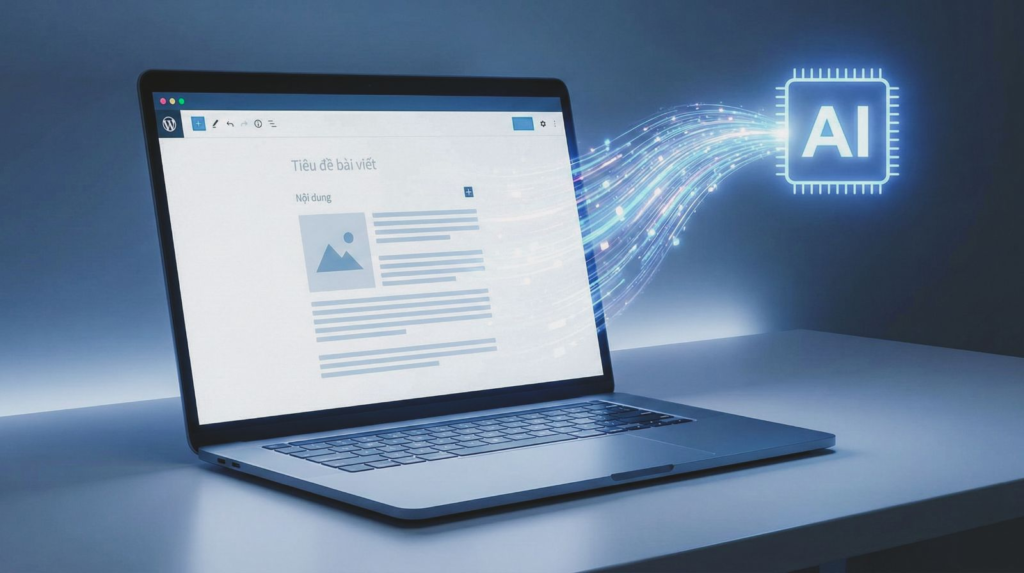
AI website builder interface example

2. Best AI Website Builders Compared — Quick Picks

If you’re looking for the best AI website builders without reading the full guide, these are the top platforms ranked for speed, features, and ease of use. They cover different needs — from beginners who want something instantly done, to businesses looking for professional, scalable sites.

Top picks at a glance


  • Best for beginners → Wix ADI

  • Best for speed → Durable

  • Best for WordPress users → 10Web

  • Best budget option → Hostinger

Quick comparison of the best AI website builders available right now.

AI Website Builder Best For Key Features Quick Access
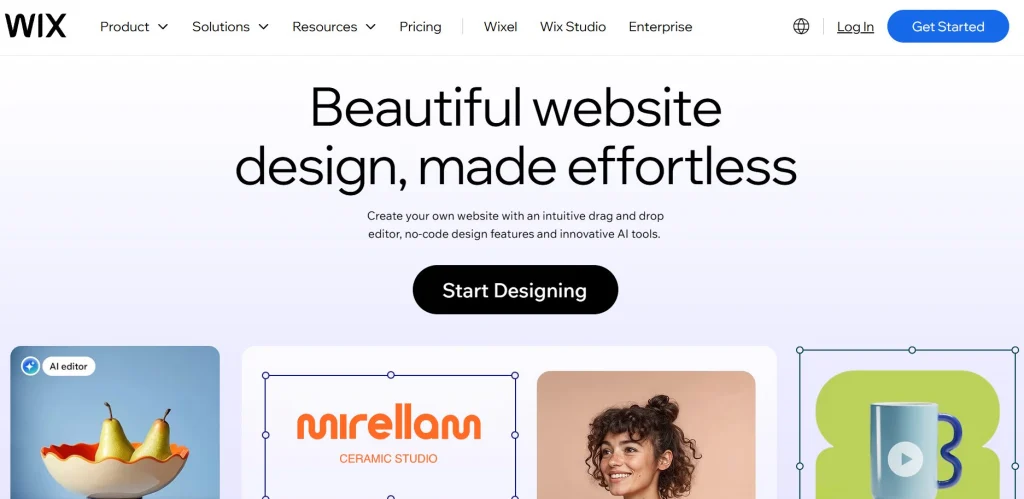
Wix ADI Beginners who want instant websites Automatic design, huge template library, integrated hosting Try Wix ADI
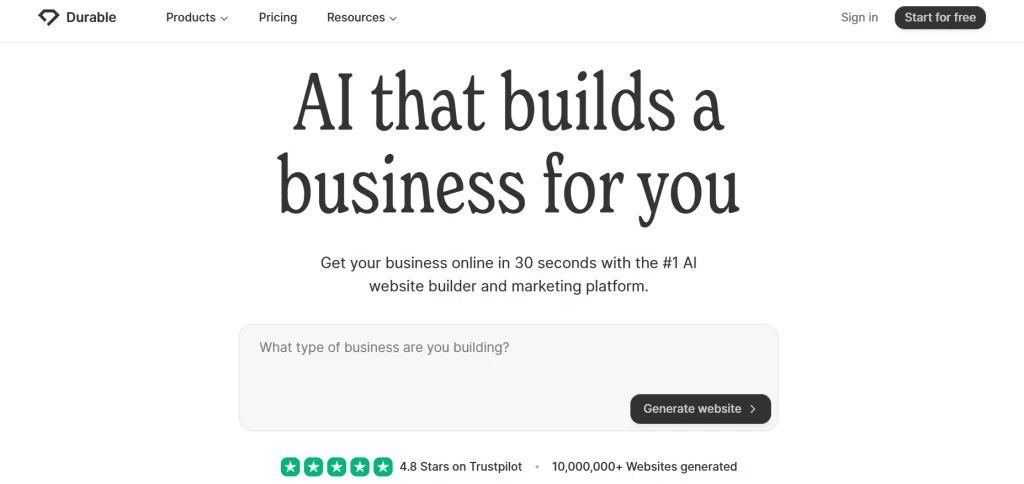
Durable AI Solo entrepreneurs & small businesses AI-generated copy, instant landing pages, built-in CRM Explore Durable
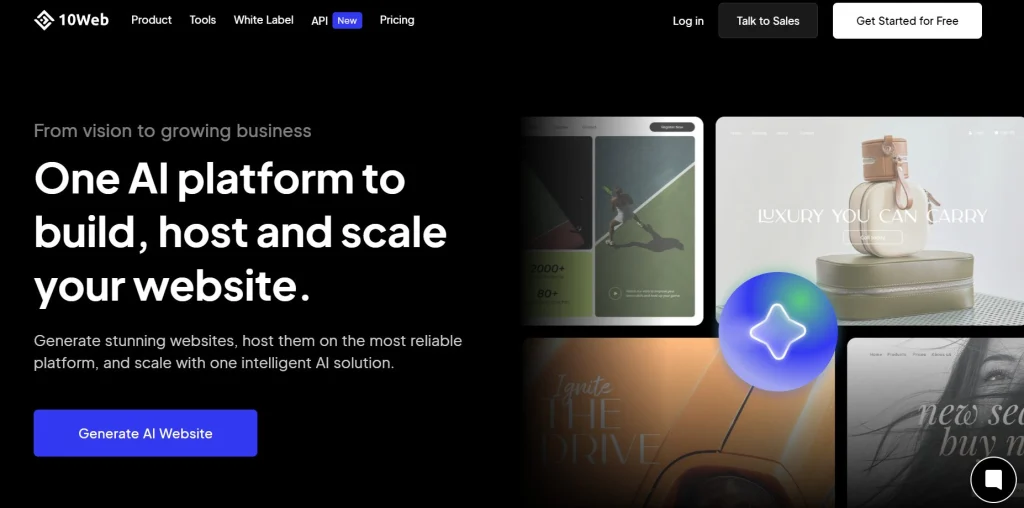
10Web AI Builder WordPress users who want automation AI text & layout generation, WP plugins, SEO-friendly Start with 10Web
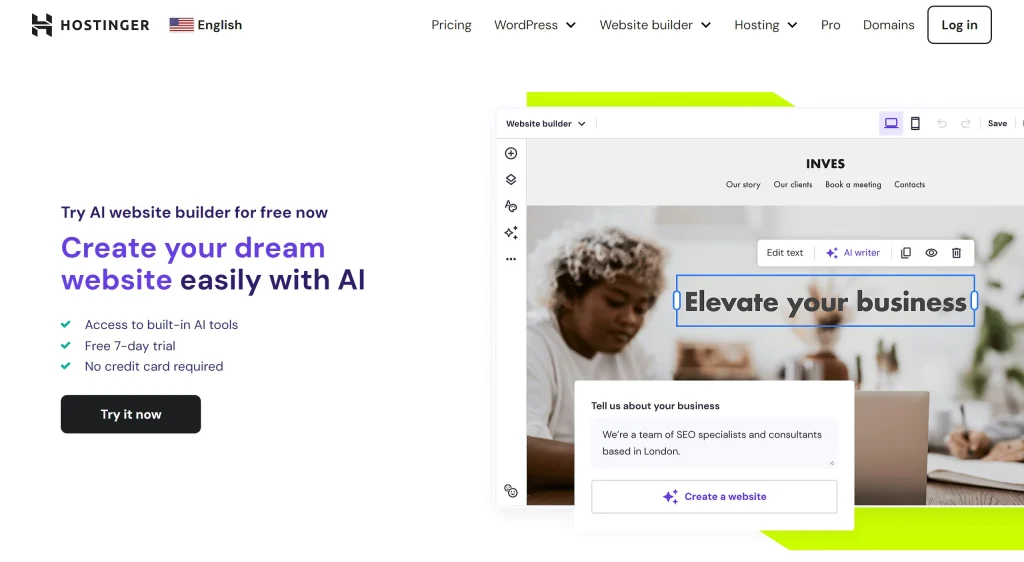
Hostinger AI Builder Affordable all-in-one solution Low-cost hosting, AI design, ecommerce support Check Hostinger


Not sure which one fits you best? Keep reading for the full comparison and detailed reviews below.

These ranked AI website builders offer the fastest way to launch a professional website depending on your goals, budget, and customization needs.

For users who care about privacy, control, or working without internet access, our guide to offline AI tools explains how local AI apps can run entirely on your device without relying on cloud servers.

Later in this guide, we’ll compare them in more detail and explain how to choose the right AI website builder based on your goals and level of experience.

3. What to Look For in an AI Website Builder (Beginner-Friendly Criteria)

If you’re new to this, here’s the simple truth: a good AI website builder saves you hours, while a bad one locks you into limits you didn’t see coming. We evaluate these tools on practical things you’ll feel from day one — how fast you can get online, how easy it is to edit, and whether your site loads quickly on phones.

Prioritize ease of use, clean templates, and performance. Google itself explains why speed and stability matter inside Core Web Vitals. For a broader view of how AI improves workflows, you can check our guide on AI tools for designers.


Here’s a simple checklist to help you spot the right builder:

Criteria What It Means Why It Matters
Ease of Use Describe your business, the AI proposes a site; simple editor for changes. You launch faster and avoid tech frustration on day one.
AI Quality Smart layout suggestions, on-brand color palettes, starter copy you can edit. Less manual polishing; your site looks professional immediately.
Templates & Blocks Modern themes and reusable sections for hero, pricing, FAQs, contact. You keep consistency without designing from scratch.
Editing Control Drag-and-drop plus granular controls for fonts, spacing, and mobile tweaks. You can refine the AI draft instead of rebuilding it.
SEO & Analytics Titles, meta, sitemaps, schema, analytics integrations. People can find you; you can measure what works.
Performance Fast hosting, image optimization, responsive design. Helps rankings and conversions, especially on mobile.
Ecommerce Products, payments, taxes, shipping, checkout funnels. You can sell without extra plugins or custom code.
Pricing & Lock-In Clear monthly cost, upgrade rules, export/ownership options. Avoid surprises and keep control of your content.
Support & Learning Chat/email help, tutorials, active community. You solve issues quickly and keep momentum.

How to use this comparison: Focus on two or three criteria that matter most to you — usually ease of use, performance, and pricing. Then shortlist one or two platforms from our top picks and compare them based on your goals, experience level, and long-term scalability.

Pro tip: Most beginners benefit more from strong AI automation and fast performance than from advanced customization features they may never use. Launch first, optimize later.


If you’re still exploring different tools before choosing a builder, our guide to free AI tools with no login shows how you can test powerful AI platforms instantly without creating accounts or subscriptions.

4. Detailed Reviews – Top AI Website Builders

Now that we know what to look for, let’s go deeper. Each of these AI website builders has different strengths. Below, we break down how they work, who they’re best for, and why you might choose one over the other.

Wix ADI – Instant Websites for Beginners

Why it stands out: Wix ADI (Artificial Design Intelligence) is one of the most beginner-friendly options. Instead of starting from a blank template, you answer a few questions, and the AI automatically builds a website.

Best for: Total beginners who want a simple, professional-looking site without thinking about design or structure.

Key Features:

  • AI-driven site creation in minutes

  • Massive template library for fine-tuning

  • Built-in hosting and domain options

  • App marketplace for extra features


Price insight: Free plan available; premium plans start from $16/month.

Durable AI – Fast Landing Pages for Entrepreneurs

Why it stands out: Durable focuses on speed. You describe your business, and the AI generates a landing page with text, layout, and even stock images in under a minute.

Best for: Solo entrepreneurs, freelancers, and small businesses that need an online presence quickly.

Key Features:

  • AI-generated copywriting included

  • Built-in CRM and invoicing tools

  • Landing page focus with clean designs

  • Instant setup with hosting


Price insight: Paid plans start from $12/month.

10Web AI Builder – Automation for WordPress Fans

Why it stands out: 10Web is designed for people who like WordPress but don’t want the hassle of building everything manually. Its AI drafts entire sites, which you can later refine with WP plugins.

Best for: WordPress users who want automation without giving up flexibility.

Key Features:

  • AI-generated layouts, text, and images

  • Full access to WordPress ecosystem

  • SEO-friendly and plugin-ready

  • Hosting included


Price insight: Plans start from $10/month.

Hostinger AI Builder – Budget-Friendly Choice

Why it stands out: Hostinger’s AI Builder is one of the cheapest ways to get a site online. It combines low-cost hosting with AI-generated designs.

Best for: People who want a budget-friendly, all-in-one solution.

Key Features:

  • Very low starting price

  • AI-assisted layouts and content blocks

  • E-commerce support included

  • Reliable hosting infrastructure


Price insight: Plans start from $2.99/month.

👉 Our take: If you want speed above all, Durable is excellent. If you prefer flexibility with WordPress, 10Web is the better fit. Beginners who want ease with no learning curve will love Wix ADI, while budget-conscious users should look closely at Hostinger.

5. Comparison Table – Features and Pricing at a Glance

To make things easier, here’s a side-by-side comparison of the top AI website builders in 2025. Use it to quickly see which one fits your budget and needs.

Feature Wix ADI Durable AI 10Web AI Builder Hostinger AI Builder
Best for Total beginners Entrepreneurs & freelancers WordPress users Tight budgets
AI setup Q&A → ready design Layout + copy in ~1 min Drafts WP layouts Prompts build basics
Editing Very easy drag-and-drop Simple one-page edits Full WP + Elementor Simple editor
Templates 800+ options Clean, fewer options WP themes & blocks Essential set
Ecommerce Built-in store & apps Light CRM/invoicing WooCommerce ready Products + checkout
SEO SEO wizard + apps Meta basics; AI copy Yoast/Rank Math SEO basics + speed
Hosting & speed Wix cloud (solid) Included (fast small sites) Google Cloud (strong) Hostinger (optimized)
Support 24/7 + tutorials Email + community Chat/email + WP community 24/7 + knowledge base
Starting price Free / from $16/mo From $12/mo From $10/mo From $2.99/mo

How to read this table:

  • If you want speed and simplicity, go for Wix ADI or Durable AI.

  • If you’re already familiar with WordPress, 10Web will feel natural.

  • If budget is your top concern, Hostinger gives the cheapest entry point.


👉 Our advice: Don’t just chase the lowest price — focus on AI quality + performance first, then cost.

6. How to Choose the Right AI Website Builder for Your Needs

Choosing the right AI website builder isn’t about picking the “best overall” tool — it’s about choosing the one that matches your situation. Beginners, freelancers, and small businesses all have different priorities, so let’s break down the “how” and “why” clearly.

1. Define your main goal
Ask yourself: Do I just need a simple site to exist online, or do I need something scalable like a store or portfolio?

  • If it’s about speed and presence, Durable AI is usually enough.

  • If you want design flexibility with many templates, Wix ADI will feel safer.

  • If you’re already thinking about ecommerce or plugins, 10Web (WordPress-based) is smarter.

2. Match your budget
Spending more doesn’t always mean better results.

  • Hostinger starts at under $3/month — great if cost is your biggest concern.

  • Wix and Durable cost more but give smoother design experiences.

3. Think about long-term control
Many beginners overlook this. AI builders are fast, but some can limit you later.

  • WordPress via 10Web is more future-proof if you plan to expand your site.

  • Wix and Durable are easier now, but harder to migrate away from later.


4. Consider support & learning curve
If you like having tutorials and communities, Wix and WordPress (10Web) have the biggest ecosystems. Durable is newer and simpler, but support is smaller.

7. Real Use Cases – Bloggers, Small Businesses, Creators

Smiling woman creating a website with AI website builder on laptop at home

Sometimes the easiest way to decide is to see how other people use AI website builders in real life. Here are three simple but powerful examples that show what these tools can do.

1. The Solo Freelancer
A copywriter wants a portfolio site to showcase past work and attract new clients. Using Wix ADI, she answers a few questions, and the AI drafts a clean portfolio with sections for bio, projects, and a contact form. Instead of spending weeks learning WordPress, she’s online in under an hour.
👉 Why it works: simplicity and professional look without coding.

2. The Local Café Owner
A small café needs a simple site to show their menu, opening hours, and location. With Durable AI, the owner types “coffee shop with modern vibe” and instantly gets a landing page with stock photos, menu placeholders, and contact info. Customers can now find them on Google Maps and check the site before visiting.
👉 Why it works: speed and zero tech stress for a busy business owner.

3. The Growing Blogger
A lifestyle blogger wants more flexibility and long-term SEO potential. She chooses 10Web AI Builder because it runs on WordPress, meaning she can add plugins, grow with WooCommerce, and refine SEO. The AI builds the base layout, and she customizes it later.
👉 Why it works: scalability and control as the site grows.

8. Ethical AI Reflection – The Risks of Letting AI Build Your Site

AI website builders make it easier than ever to launch a site, but convenience comes with trade-offs we shouldn’t ignore. At AIDigitalSpace, we believe in using AI wisely — not blindly. Here are a few points to keep in mind.

1. Originality and Uniqueness
AI-generated layouts and text can feel polished, but if too many people use the same prompts, sites risk looking similar. That’s why it’s important to customize design and content after the AI draft. Your site should reflect your brand, not just the AI’s defaults.

2. Data and Privacy
Some builders collect input data (like business descriptions or uploaded content) to improve their AI. Always review privacy policies and make sure sensitive information isn’t shared unnecessarily.

3. SEO and Content Quality
AI-generated copy may be grammatically correct, but it doesn’t always align with your tone or strategy. Search engines value useful, original content. If everyone uses AI text as-is, results become generic and risk losing ranking. A human touch makes the difference.


4. Over-Reliance on AI
The danger isn’t using AI — it’s relying on it for everything. Websites still need updates, human insights, and authentic storytelling to stay relevant. AI helps you start faster, but growth depends on how you maintain and improve your site.

👉 This reflection fits into our broader mission: making AI tools accessible while reminding readers to stay in control.

9. Final Takeaways – Which AI Website Builder Is Best for You

AI website builders are no longer a gimmick — they’re practical tools that let anyone build a professional site without touching code. The key is matching the tool to your situation, not chasing the fanciest features.

Quick recommendations:

  • Wix ADI → Best for total beginners who want instant results.

  • Durable AI → Best for solo entrepreneurs who need a landing page fast.

  • 10Web AI Builder → Best for WordPress users who want automation + long-term flexibility.

  • Hostinger AI Builder → Best for budget-conscious users who still want an all-in-one solution.

Final note: AI website builders are like training wheels. They help you move quickly, but the direction and uniqueness still depend on you. Use the AI draft as your base, then add your own voice, story, and goals. That’s how your site will stand out in 2025 and beyond.

Recommended Read

Building a StoryBrand — Donald Miller

If you're building a website with AI tools, this book teaches you what most builders can’t: how to write a clear message that converts visitors into customers. It explains a proven storytelling framework used by businesses to clarify their value, guide users, and increase conversions.

Read Book Guide →

Best for: creators, founders, marketers, and anyone building a website that needs to convert.

10. FAQs – Common Questions About AI Website Builders

Still have questions about choosing the best AI website builder? Here are the answers users search for most.

Q: Can AI really build a full website automatically?
A: Yes. Modern AI website builders can generate a complete website — including layout, sections, images, and text — in minutes. Most platforms use machine learning to analyze your goals and create a ready-to-publish site instantly, which you can later customize.

Q: What is the best AI website builder right now?
A: The best AI website builder depends on your needs, but top platforms currently include Wix AI, Durable, and 10Web thanks to their automation features, ease of use, and customization options.

Q: Are AI website builders good for beginners?
A: Yes. Most AI website builders are designed for beginners and can create a full website automatically from simple prompts, making them ideal for users without coding or design experience.

Q: Are AI website builders free or paid?
A: Many AI website builders offer free plans or trials, but advanced features like custom domains, premium templates, or ecommerce tools usually require paid plans ranging from about $3 to $20 per month depending on the platform.

Q: Can I sell products using an AI website builder?
A: Yes. Many AI website builders include ecommerce features such as product pages, payment integration, and checkout systems. Platforms like Hostinger AI Builder and 10Web support online stores for small businesses and creators.

Q: Do AI website builders help with SEO rankings?
A: AI website builders handle technical SEO basics such as meta tags, mobile optimization, and sitemap generation. However, ranking still depends on your content quality, keywords, and regular updates.

Q: Can I switch website builders later?
A: Sometimes. Some builders run on open systems like WordPress, making migration easier, while others are closed platforms. Choosing a scalable builder from the start helps avoid future limitations.

Q: Do I need coding skills to use an AI website builder?
A: No. AI website builders are specifically designed for non-technical users. You can launch a site without coding, though basic design and SEO knowledge can still improve results.

Continue exploring AI tools

If you want to go deeper into how artificial intelligence can improve your workflow and productivity, these guides will help you expand your toolkit:


Discover the best free AI tools you can use instantly
Compare powerful offline AI software for privacy-focused workflows
See the top AI tools for productivity and automation