Published on: July 28, 2025
- 1. Introduction: Stop Wasting Time on Repetitive Tasks
- 2. What Is Bardeen AI and How Does It Work?
- 3. Top Features of Bardeen AI (That Actually Save You Time)
- 4. Bardeen AI vs Zapier, Make, and Automa – Which Browser Automation Tool Is Right for You?
- 5. Most Popular Use Cases for Bardeen AI
- 6. Who Should Use Bardeen AI? (And Why It Might Be a Game Changer for You)
- 7. Pros, Cons, and Key Things to Know Before You Start
- 8. Final Thoughts on Bardeen AI
- 9. FAQ – Bardeen AI: Questions Real Users Ask
Disclosure:
Some links in this post are affiliate links. If you click and purchase, we may earn a small commission at no extra cost to you. Thank you for supporting AIDigitalSpace.com and helping us keep this content free and useful.
1. Introduction: Stop Wasting Time on Repetitive Tasks
Let’s be honest—most of us waste hours every week switching tabs, copying data, or setting reminders for things a robot could do better. That’s where Bardeen AI steps in. This powerful browser automation tool is changing the game for anyone who works online, helping you automate repetitive tasks directly in your browser—without writing a single line of code.
Whether you’re scraping LinkedIn data, saving leads to Notion, or building a custom workflow between Gmail and Google Sheets, Bardeen AI handles it all from a simple Chrome extension. It’s especially useful for remote workers, solopreneurs, and digital teams that already rely on tools like Notion AI or Taskade to stay organized.
More than just another productivity tool, Bardeen leverages AI-powered workflows to cut out the busywork and help you reclaim your time. In this post, we’ll explore how Bardeen AI works, the best ways to use it, and why it’s quickly becoming one of the most searched AI automation tools of 2025.
You can check out the official tool here: Bardeen.ai
2. What Is Bardeen AI and How Does It Work?
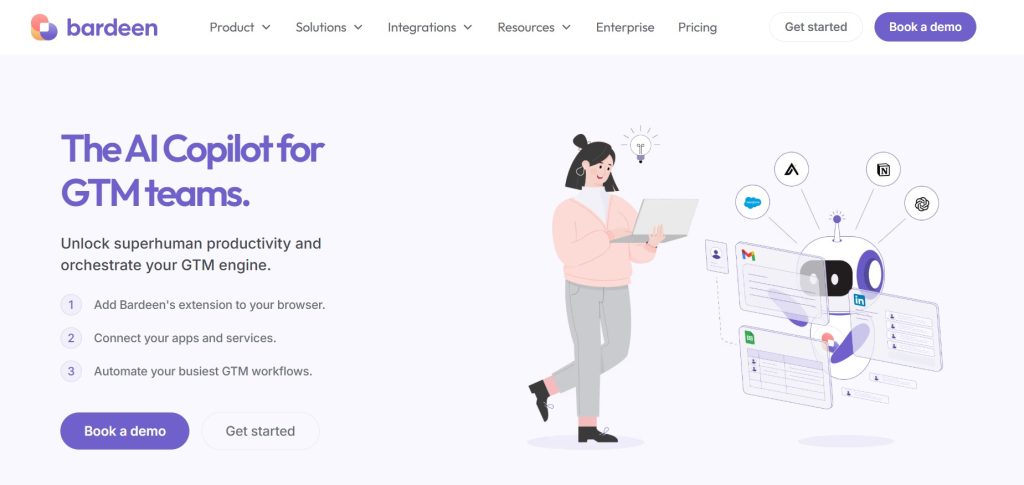
Bardeen AI is a smart browser extension designed to automate tasks you do every day—directly inside Chrome. Unlike clunky automation platforms that require setup on external dashboards or third-party apps, Bardeen lives where your work happens: in the browser.
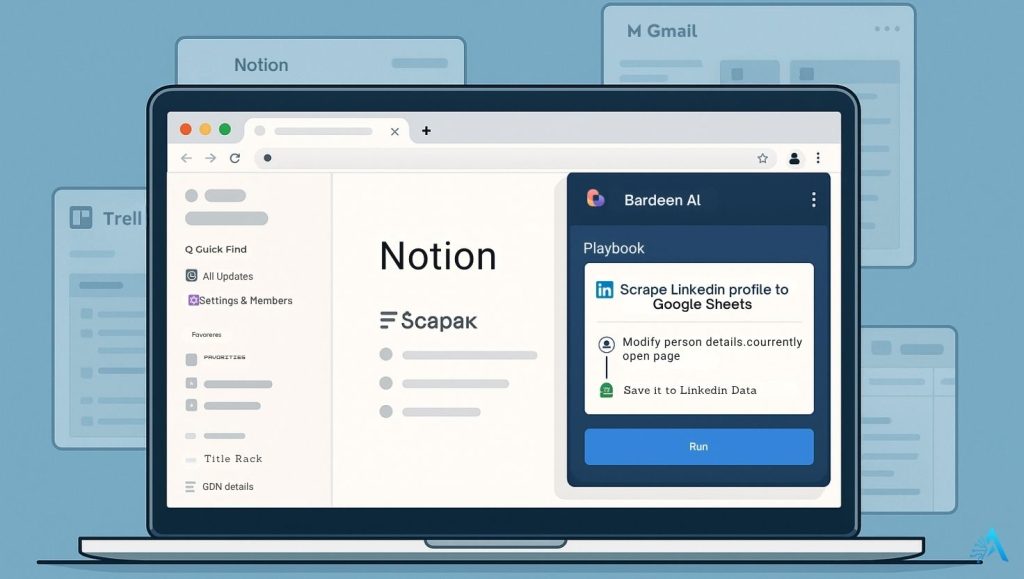
It allows you to create and run automations called Playbooks, which are step-by-step workflows that connect your favorite tools like Notion, Google Sheets, Slack, Airtable, and more. Think of it as your personal AI assistant that clicks, types, scrapes, and moves data for you—right where you are.
Here’s how Bardeen AI works in practice:
Install the Extension
Visit Bardeen.ai and install the Chrome extension. Once added, it lives quietly in your toolbar, ready to automate.Choose or Create a Playbook
Use one of the many pre-built templates or create your own automation with their visual builder. You don’t need coding knowledge—just logic.Trigger Actions Automatically
Bardeen allows you to run workflows manually, on a schedule, or based on triggers like visiting a page or clicking a button.AI Suggestions for New Automations
Bardeen learns from your behavior and recommends useful Playbooks based on what you frequently do. For example, it might suggest saving job listings to a Google Sheet if it sees you browsing LinkedIn Jobs often.
Because everything happens in your browser, there’s no need to switch tools, log into multiple apps, or copy and paste between tabs. It’s one of the few AI productivity tools that truly removes friction from your workflow.
If you already use tools like GetResponse AI for marketing or VoiceSpin AI for business ops, Bardeen AI fits perfectly into that automation-first mindset.
3. Top Features of Bardeen AI (That Actually Save You Time)
There’s no shortage of AI tools claiming to save you time, but Bardeen AI genuinely delivers. After testing dozens of browser-based tools, I was surprised by how quickly this one blended into my daily routine. You don’t feel like you’re using something extra—it becomes part of how you naturally work.
Here are the standout features that make Bardeen worth a spot in your productivity stack:
1. No-Code Playbooks
With Bardeen, you build “Playbooks” instead of automations. They’re easy to set up—no coding or API keys needed. For example, you can create a workflow that scrapes LinkedIn contacts and adds them to a Google Sheet with a single click.
2. Smart AI Suggestions
The more you use it, the more it understands what you do often. Bardeen AI will start suggesting workflows based on your behavior. It feels like having a quiet assistant in the background saying, “Hey, want me to handle that for you?”
3. In-Browser Data Scraping
This is a game-changer. You can extract structured data from any web page—think job postings, contact info, tables, or articles—without external tools. It’s clean, fast, and reliable.
4. Cross-App Integration
Whether you’re a Notion lover, Google Sheets power user, or use Trello and Airtable to manage your life, Bardeen connects all of them. You can move data between apps effortlessly without switching tabs.
5. Trigger-Based Automations
You can set playbooks to run when you visit a page, click something, or on a schedule. It’s great for recurring tasks like reporting, checking leads, or updating databases.
6. Pre-Built Templates for Everything
If you’re not sure where to start, the Bardeen template library is full of ready-made automations—scraping LinkedIn, saving Tweets to Notion, collecting pricing data from e-commerce pages, and more.
I personally started with a few of these and modified them to fit my workflow in under 5 minutes.
7. Chat Interface for AI Commands
One underrated feature: you can chat with Bardeen to create automations. Just type something like “save all job listings on this page to a spreadsheet” and it starts building the playbook for you. That’s real AI assistance.
4. Bardeen AI vs Zapier, Make, and Automa – Which Browser Automation Tool Is Right for You?
If you’re wondering how Bardeen AI stacks up against other popular automation tools, this table breaks it down clearly. From browser compatibility to ease of use and AI-powered features, here’s how Bardeen compares to tools like Zapier, Make (Integromat), and Automa, so you can decide which one best fits your workflow.
| Feature | Bardeen AI | Zapier | Make (Integromat) | Automa |
|---|---|---|---|---|
| Works in Browser | ✅ Yes (Chrome only) | ❌ No | ❌ No | ✅ Yes (Chrome Extension) |
| Visual Workflow Builder | ✅ Yes | ✅ Yes | ✅ Yes (advanced logic) | ✅ Yes (basic) |
| Best For | Browser users, solo workers, non-tech teams | Backend workflows, APIs, business automation | Complex logic, developers, tech users | Simple browser actions, scraping, tab automation |
| Free Plan | ✅ Yes | ✅ Yes (limited tasks) | ✅ Yes | ✅ Yes |
| AI-Powered Suggestions | ✅ Yes | ❌ No | ❌ No | ❌ No |
| Learning Curve | 🔵 Very Easy | 🟡 Moderate | 🔴 Steep | 🟡 Moderate |
| Try It | Try Bardeen | Try Zapier | Try Make | Try Automa |
Curious how Bardeen stacks up against even more AI tools? We’ve tested and compared the top platforms for productivity, automation, and AI-assisted workflows. Visit our AI Tool Comparisons section to explore detailed matchups and find the perfect tool for your needs.
5. Most Popular Use Cases for Bardeen AI
Once you start using Bardeen AI, it’s hard to go back. The real value shows up in those everyday moments when you’re about to copy-paste something for the tenth time—and Bardeen just does it for you.
Here are some of the most common and useful ways people are using it today:
| Use Case | How Bardeen AI Helps |
|---|---|
| Lead Generation | Scrape contact data from LinkedIn and auto-save to Google Sheets or Notion. |
| Content Curation | Collect articles, videos, or social posts and store them neatly in a Notion database. |
| Recruiting | Save candidate profiles or job listings directly into Airtable or spreadsheets. |
| Email Workflows | Send personalized Gmail messages triggered by newly scraped or updated data. |
| Market Monitoring | Track product prices, stock news, or trends and get alerts in Slack or via email. |
From my perspective, one of the most satisfying workflows is scraping a list of leads or job postings and having them land directly in Notion—ready for action. It saves me hours every month.
If you’re already using tools like Copy.ai to speed up content creation, pairing that with Bardeen AI to manage and store content makes a smart productivity combo.
6. Who Should Use Bardeen AI? (And Why It Might Be a Game Changer for You)
If your browser feels like your second home, Bardeen AI is the roommate you didn’t know you needed. It quietly takes over the boring stuff—clicks, copies, pastes, saves—and lets you focus on what actually moves the needle.
From what I’ve seen and experienced, these are the people who benefit most from Bardeen:
1. Freelancers & Solopreneurs
Running a one-person business often means juggling marketing, admin, outreach, and reporting. Bardeen AI helps automate client research, task tracking, and lead management, all without switching tabs or paying for complex automation tools.
2. Content Creators & Bloggers
Whether you’re curating links, collecting sources, or organizing ideas into Notion or Google Sheets, Bardeen can cut your content prep time in half.
Honestly, it’s become part of my content workflow here at AIDigitalSpace.com—it saves me from repetitive research steps.
3. Recruiters & HR Professionals
Manually reviewing resumes, scraping job boards, or updating candidate sheets can take hours. With Bardeen, you can pull LinkedIn data, auto-categorize candidates, and sync it all with Airtable or Notion in seconds.
4. Marketers & Outreach Teams
Automate LinkedIn scraping, send personalized emails via Gmail, and generate prospect lists without touching your keyboard more than once. If you’re using tools like GetResponse AI for email campaigns, pairing it with Bardeen AI creates a powerful outreach machine.
5. Productive Remote Workers
If you live inside your browser with Slack, Notion, Google Docs, and Trello open 24/7, Bardeen becomes the glue that holds those tabs together. From reminders to automatic updates, it simplifies browser-based work better than any plugin I’ve tried recently.
7. Pros, Cons, and Key Things to Know Before You Start
Every tool has its strengths—and a few things to be aware of. Bardeen AI is no exception. While it’s one of the best browser automation tools I’ve used lately, it’s important to know where it shines and where you might hit limitations.
Here’s a quick breakdown based on my own experience and what users commonly report:
Pros
Fast to Set Up, Easy to Use
You can install the extension, run a Playbook, and see value within minutes. No steep learning curve, no confusing interface.
Built for the Browser
Unlike Zapier or Make, Bardeen AI works directly inside Chrome. It feels more natural—especially for solo workers or people who live inside tabs all day.
Free Plan Is Generous
Many of the core features (including data scraping, workflow templates, and integrations) are available without paying.
AI Suggestions Are Smart
Bardeen learns from your patterns and suggests automations that actually make sense. It’s not just “AI” for the sake of buzz—it’s useful.
Works With Popular Tools
It plays well with Notion, Slack, Trello, Airtable, Google Sheets, Gmail, and even LinkedIn. If you use these tools daily, you’ll get immediate value.
Cons
Desktop-Only
Currently, Bardeen AI only works in Chrome on desktop. No mobile or Safari/Firefox support yet, which could be a dealbreaker for some.
Requires Some Experimentation
The automations are powerful, but if you’re creating your own Playbooks, expect to tweak them a bit until they work exactly how you want.
Limited to Chrome Users
If you’re not a Chrome user, you’re out of luck—for now.

At-a-Glance Table
| Aspect | Details |
|---|---|
| Best For | Solopreneurs, content creators, recruiters, marketers |
| Platform | Chrome browser (desktop only) |
| Free Plan | Yes – includes most major features |
| AI-Powered? | Yes – smart automation suggestions, web scraping |
| Limitations | No mobile version, limited to Chrome, some trial & error needed |
8. Final Thoughts on Bardeen AI
If your day-to-day work happens inside a browser, Bardeen AI is one of the easiest and most powerful upgrades you can make. It doesn’t just save time—it completely removes small repetitive tasks from your routine, so you can actually focus on work that matters.
From scraping data to sending emails or syncing tools like Notion and Trello, Bardeen AI quietly works in the background while you take care of the bigger picture.
If you’re already exploring automation with tools like Taskade, GetResponse AI, or Copy.ai, Bardeen fits naturally into that modern, AI-powered workflow.
You can try it free here but clicking on the button below.
No credit card. Just install and start automating in seconds.
Curious about what other AI tools can supercharge your workflow like Bardeen AI? Don’t stop here — head over to our Productivity section and discover more smart tools that help you work faster, better, and with less effort.
9. FAQ – Bardeen AI: Questions Real Users Ask
Q: What is Bardeen AI used for?
A: Bardeen AI automates browser-based tasks like data scraping, form filling, and syncing information across tools like Notion, Google Sheets, and Slack.
Q: Is Bardeen AI really free?
A: Yes, Bardeen AI offers a completely free plan with access to most core features, including Playbooks, AI suggestions, and popular integrations.
Q: Do I need to know how to code to use Bardeen?
A: Not at all. Bardeen is built for non-technical users. You can use pre-made Playbooks or build your own with a visual interface—no coding required.
Q: Which tools does Bardeen AI integrate with?
A: Bardeen connects with Notion, Airtable, Gmail, Google Sheets, Trello, Slack, LinkedIn, and many more browser-based apps.
Q: Can I use Bardeen on mobile?
A: No, Bardeen AI currently only works on the desktop version of Google Chrome.
Q: How is Bardeen different from Zapier?
A: While Zapier focuses on app-to-app automation on the backend, Bardeen works directly in your browser—making it ideal for tasks like scraping, clicking, copying, and automating what you see on the screen.