

 Published on: August 17, 2025
- 1. Why Writing Emails, Bios & DMs Feels Hard for Many People
- 2. How AI Writing Tools Solve These Everyday Problems
- 3. What to Look for in AI Writing Tools if You’re Not a Writer
- 4. Best AI Writing Tools for Non-Writers in 2025
- 5. Quick Tips for Getting Better Results from AI Writing Tools
- 6. Ethical and Privacy Considerations When Using AI for Personal Writing
- 7. Final Recommendations — Choosing the Right Tool for Your Needs
- 8. FAQ – Common Questions About AI Writing Tools for Non-Writers
Disclosure:
Some links in this post are affiliate links. If you click and purchase, we may earn a small commission at no extra cost to you. Thank you for supporting AIDigitalSpace.com and helping us keep this content free and useful.
1. Why Writing Emails, Bios & DMs Feels Hard for Many People
Let’s be honest — not everyone feels confident when it’s time to write something that represents them. Whether it’s a work email, a short bio for LinkedIn, or even a friendly DM, many people freeze at the blank screen. And it’s not because they lack ideas. The problem is often about finding the right words, tone, and structure so the message sounds natural and achieves its goal.
From my experience (and after seeing how many people search online for “how to write a professional email” or “short bio examples”), I’ve noticed that the real challenge is a mix of three things:
Fear of sounding wrong or unprofessional — nobody wants to leave a bad impression.
Lack of time — you might need to send a reply in two minutes, not two hours.
Difficulty adjusting tone — writing for a friend is different from writing for a client, and switching between the two isn’t always easy.
The good news? This is exactly where the best AI writing tools for non-writers can change the game. They take away the stress, speed up the process, and guide you toward wording that fits your style — without sounding robotic.
Personally, I think there’s nothing “lazy” about using AI here. In the same way calculators help with math and maps help with navigation, AI writing tools help with communication. The key is knowing how to use them as a partner, not a replacement, so your words still feel like you.
2. How AI Writing Tools Solve These Everyday Problems

If you’ve ever stared at the blinking cursor wondering how to start an email, you know how draining writing can be. This is where the best AI writing tools for non-writers step in. They act like a fast-thinking co-pilot, suggesting the right words and tone so you can focus on the message instead of stressing about grammar or structure.
Modern AI writing tools work by analyzing millions of examples of text — from professional emails to casual social media posts — and predicting the most natural, context-appropriate phrasing. Tools like Grammarly help correct mistakes and improve clarity in real time, while platforms such as ChatGPT can generate entire drafts from a simple prompt.
The benefits are hard to ignore:
Speed – Create a polished LinkedIn bio in minutes instead of hours.
Consistency – Keep your tone professional across emails, bios, and DMs.
Confidence – Avoid grammar mistakes or awkward phrasing.
From a personal perspective, I see these tools as a bridge — they don’t replace your voice but help you shape it more effectively. Especially for non-writers, they turn the intimidating “blank page” into a clear starting point. And with AI improving at understanding context, you can even get suggestions tailored to your audience’s expectations, whether that’s a potential employer or a close friend.
3. What to Look for in AI Writing Tools if You’re Not a Writer
When you’re choosing among the best AI writing tools for non-writers, the goal isn’t to get the one with the most flashy features — it’s to find the one that actually makes your writing easier and faster. Here’s what really matters if you’re not confident with words:
Ease of Use – The interface should be clean, simple, and intuitive. If you need a manual to figure it out, it’s probably not for you.
Tone Control – Good tools let you adjust formality, friendliness, or creativity so your message fits the situation. For example, Copy.ai lets you switch between casual and professional in seconds.
Templates for Common Tasks – Look for ready-made options for emails, bios, DMs, and social posts so you don’t start from scratch every time.
Language Support – If you communicate in more than one language, ensure the tool handles translations and tone in each.
Privacy & Data Policy – Always check how your text is stored. Some tools process data locally or offer enterprise-grade privacy — a must if you deal with sensitive content.
From my perspective, non-writers benefit most from tools that remove friction instead of adding complexity. You don’t need an AI that can write a 10,000-word report if all you want is a professional three-line email. A well-designed AI should feel like a helpful friend who’s good with words, not a complicated machine you have to “train” before it becomes useful.
4. Best AI Writing Tools for Non-Writers in 2025
If you’re not a confident writer but still need to send polished emails, create engaging bios, or reply to DMs quickly, the best AI writing tools for non-writers will save you hours and a lot of stress. Below are my top picks for 2025, chosen for their ease of use, quality of output, and ability to adapt to different tones.
4.1 ChatGPT – Versatile & Beginner-Friendly
If you’re not a confident writer but still need to send polished emails, create engaging bios, or reply to DMs quickly, the best AI writing tools for non-writers will save you hours and a lot of stress. Below are my top picks for 2025, chosen for their ease of use, quality of output, and ability to adapt to different tones.
| Pros | Cons | Ethical Insight |
|---|---|---|
| Highly versatile, understands tone changes, works for drafting, rewriting, and brainstorming. | Quality depends on clarity of prompts, not specialized for one type of writing. | Important to verify facts and context — it can produce confident but inaccurate text. |
4.2 Jasper AI – Polished Copy for Work & Social Media
Jasper shines for professional writing where consistency matters, like LinkedIn profiles, company bios, and branded email templates. It comes with tone-of-voice controls so your writing stays on-brand, and includes more than 50 templates for different purposes — from email outreach to product descriptions.
| Pros | Cons | Ethical Insight |
|---|---|---|
| Strong tone-of-voice control, brand consistency, many templates for business needs. | Subscription cost higher than some competitors. | Works best when you provide real brand input — generic prompts risk generic output. |
4.3 Copy.ai – Fast and Casual Tone Generator
Copy.ai is ideal when you want friendly, approachable language without sounding too formal. It’s especially good for Instagram DMs, short social posts, and casual customer replies. Its “Freestyle” mode lets you describe your need in a few words and get multiple tone options instantly.
| Pros | Cons | Ethical Insight |
|---|---|---|
| Easy to use for beginners, multiple tone options, great for short social or DM copy. | Not ideal for long-form or highly technical writing. | Messages may sound too casual if prompts are vague — clarify tone to avoid misinterpretation. |
4.4 Writesonic – Ready-to-Send Emails in Minutes
Writesonic is built for speed. Its email generator produces clear, concise messages that are practically ready to send — you just add personal details. It also has an “Instant Article” and “Social Post” mode for when you need content beyond emails, making it versatile for small business owners and freelancers.
| Pros | Cons | Ethical Insight |
|---|---|---|
| Fast, ready-to-send email templates, versatile content formats, beginner-friendly. | Occasional generic phrasing — may need light editing. | Should be used to support, not replace, authentic communication — especially in outreach. |
4.5 Anyword – Smart Personalization for Bios & DMs
Anyword uses predictive analytics to suggest which version of your text is most likely to perform well. Great for social bios, sales DMs, and short intros where every word counts. It’s particularly useful if you want to test different styles before choosing one.
| Pros | Cons | Ethical Insight |
|---|---|---|
| Data-driven text scoring, strong for short persuasive content, quick A/B testing. | May feel impersonal if heavily optimized without human tweaks. | Balancing persuasion with transparency is key to keeping audience trust. |
4.6 Grammarly – Clear & Correct Writing Every Time
While Grammarly won’t generate full emails or bios for you, it’s the safety net every non-writer needs. It checks grammar, spelling, and tone in real time, and can even suggest rewording for clarity. It’s the final polish that makes AI-generated or self-written text feel professional and trustworthy.
| Pros | Cons | Ethical Insight |
|---|---|---|
| Real-time grammar and tone checks, works across many platforms, easy to install. | Doesn’t create content from scratch, premium version needed for full features. | Over-reliance may reduce personal style — best as a final polish, not a voice replacement. |
5. Quick Tips for Getting Better Results from AI Writing Tools
Even the best AI writing tools for non-writers can give poor results if you just type “write me an email” and hit enter. The magic happens when you guide the AI with enough context and a clear goal. Here are my top tips to make sure you get results that sound natural, professional, and you.
Start with context, not just a task
Instead of “Write a LinkedIn bio,” try “Write a 3-line LinkedIn bio for a graphic designer with 5 years’ experience in branding, friendly tone, aiming to attract startup clients.”Tell the AI who you’re writing for
A message to a close friend and one to a potential client are worlds apart. Include the relationship or audience type in your prompt so tone matches.Give examples of your style
Paste a short message you’ve written before and say “Make it sound like this.” Tools like Jasper AI and ChatGPT adapt much better when they have a sample.Ask for multiple versions
Don’t settle for the first draft. Ask for “3 alternative versions” — you might find a phrase or structure you wouldn’t have thought of.Edit before sending
Even the smartest AI can miss subtle context. Read it out loud to catch anything that feels off, especially if you’re sending it to someone important.
From my perspective, AI is like a skilled assistant: it can save you time, but it still needs your direction. The more you guide it, the less it sounds like a machine — and the more it becomes a reflection of your personality and goals.
6. Ethical and Privacy Considerations When Using AI for Personal Writing
While the best AI writing tools for non-writers make it easier than ever to send polished messages, there’s a side of the story that doesn’t get as much attention — how these tools handle your data and how they might shape the way you communicate.
Privacy matters first
Many AI platforms process your text on their servers. That means your email drafts, bios, or DMs could be stored temporarily or used to improve the AI. Always check the privacy policy before pasting sensitive information. For example, Grammarly’s security page explains how they encrypt and store data, but some tools are less transparent.
Maintaining authenticity
From my perspective, there’s nothing wrong with using AI to help write — but I believe the message should still reflect your real intent and personality. Over-editing by AI can make your words sound too generic, especially if you don’t guide the tone. That’s why I often recommend in our AI Digital Space productivity tips to treat AI as a first draft partner, not the final voice.
Balancing convenience and responsibility
The temptation to let AI “do it all” is real, especially when time is short. But small adjustments from you — adding personal details, checking for accuracy, ensuring it fits the relationship — make all the difference in building trust with the person reading it.
At the end of the day, the best AI writing tools for non-writers should feel like an assistant, not an impersonator. Use them to speed up and clarify, but keep the final say in your own hands. That’s how you enjoy the convenience without losing your voice.
7. Final Recommendations — Choosing the Right Tool for Your Needs
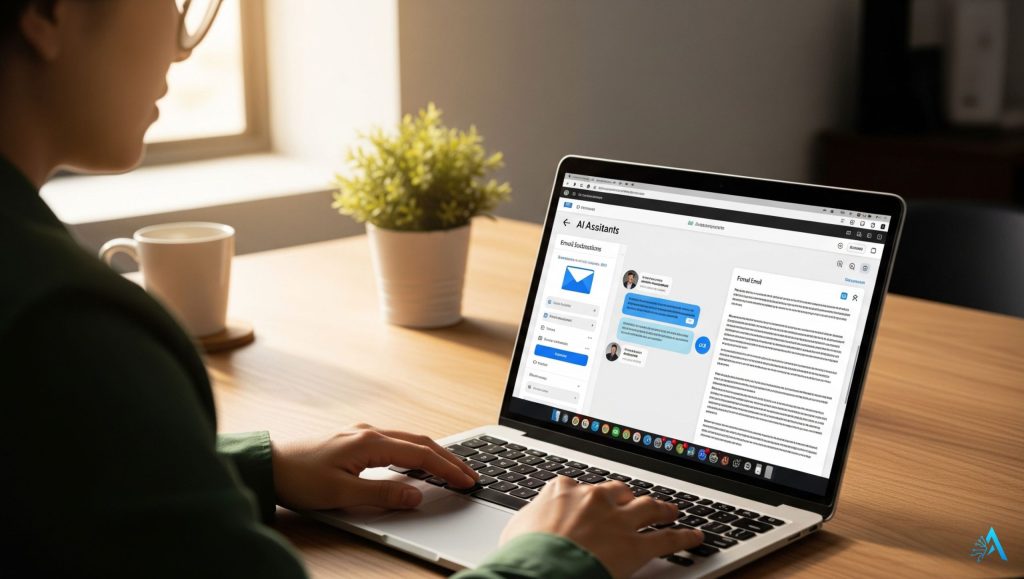
After exploring the best AI writing tools for non-writers, the question is: which one should you actually use? The answer depends on what you write most often, how much guidance you need, and the tone you want to keep.
If you want a flexible all-rounder that can handle everything from emails to bios to DMs, ChatGPT is hard to beat. For professional, brand-consistent output, Jasper AI is worth considering, especially if LinkedIn and business outreach are your main channels. For short, friendly, and casual content, Copy.ai keeps things light without losing clarity.
If polishing and grammar are your biggest concerns, Grammarly is the safety net you can rely on daily. For data-backed persuasion in bios and short messages, Anyword gives you an edge, while Writesonic is ideal when you need ready-to-send emails in minutes.
From my perspective, the smartest approach is to start with one tool that fits your most common writing task, get comfortable, and only add others if you truly need them. That way you avoid overwhelm, keep your workflow simple, and still benefit from AI’s time-saving edge.
Remember: these tools are here to enhance your voice, not replace it. Use them with a clear prompt, add your personal touch, and you’ll get writing that’s fast, polished, and unmistakably yours.
8. FAQ – Common Questions About AI Writing Tools for Non-Writers
Q: Are the best AI writing tools for non-writers easy to use if I’ve never used AI before?
A: Yes. Most modern AI writing tools are built for beginners. You type your request in plain language, and the AI generates suggestions instantly. Tools like ChatGPT or Copy.ai are especially beginner-friendly.
Q: Can AI writing tools write professional emails for me?
A: Absolutely. Many AI writing tools include pre-designed templates for business emails, follow-ups, and introductions. You can also adjust the tone to be formal, neutral, or friendly, depending on your audience.
Q: Will using AI make my writing sound fake?
A: Not if you guide the AI with clear instructions and add your personal touch. AI can sometimes sound generic, but providing examples of your style and editing the final draft keeps it authentic.
Q: Are these tools safe for sensitive information?
A: It depends on the platform. Always check the privacy policy before sharing personal or confidential content. For example, Grammarly encrypts data, but some free tools may store text without strong protections.
Q: Do I need to pay for the best AI writing tools for non-writers?
A: Many have free versions, but the premium plans unlock advanced features like tone control, unlimited outputs, or better personalization. If you write a lot, the upgrade is often worth it.
Q: Which AI tool is best for creating short bios?
A: Jasper AI and Anyword are excellent for short bios because they let you set a tone and focus on impact. You can also use ChatGPT for quick drafts and then refine them manually.
Q: Can AI help with casual messages like DMs?
A: Yes. Tools like Copy.ai are great for casual, friendly tones, making them perfect for DMs, social captions, and short replies without sounding overly formal.
Q: How do I get better results from AI writing tools?
A: Give the AI clear context — who you’re writing for, your goal, and the tone you want. Ask for multiple versions and choose the one that feels most natural to you.