📅 Published on: June 26, 2025
If you’re running a business, you know how quickly missed calls and slow follow-ups can cost you opportunities. Whether it’s a potential client, a support request, or a sales lead, staying responsive is key—but not always easy.
That’s where VoiceSpin AI comes in. It’s a communication tool designed to help teams handle calls, messages, and lead follow-ups more efficiently, using automation where it makes sense—without replacing the personal touch.
In this article, we’ll take a closer look at what VoiceSpin AI offers, how it works in practice, and why more businesses are starting to adopt it as part of their day-to-day tools. If you’re looking for a way to improve your communication workflow without adding extra complexity, this might be worth your time.
1. What is VoiceSpin AI?
Still wasting time dialing leads manually?
You’re not alone—and that’s exactly the kind of friction VoiceSpin AI was built to solve.
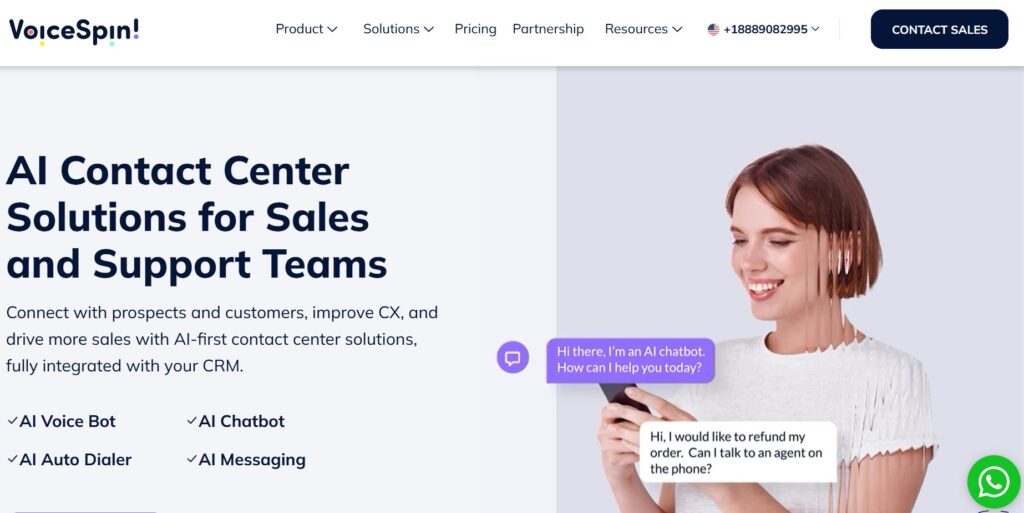
VoiceSpin AI is an intelligent cloud-based communication platform that helps sales and support teams manage calls, automate outreach, and follow up with leads—without juggling ten tools at once. It’s designed to streamline the way businesses communicate, especially when speed and timing matter most.
At its core, VoiceSpin AI combines auto-dialing, call routing, and smart workflows with AI-enhanced features like predictive dialers and voice analytics. The result? Less time clicking and calling, more time actually connecting with potential customers.
VoiceSpin also integrates directly with popular CRMs like Salesforce, HubSpot, and Zoho, so your team can keep using the tools they already rely on—only faster and more efficiently.
Whether you’re part of a small team or a fast-growing operation, VoiceSpin AI helps simplify outbound and inbound communication in a way that feels seamless and scalable.
Official Site: Visit VoiceSpin AI
2. How VoiceSpin AI Works
VoiceSpin AI is a browser-based communication platform—there’s nothing to install, and your team can start using it right away, wherever they’re working from. It’s built to simplify outreach, save time, and make your communication flow more efficient.
Here’s a quick look at how it works in practice:
Smart Auto-Dialer
The AI-powered dialer automatically connects your team with live leads, skipping voicemails and unreachable numbers. No more manual dialing—just back-to-back conversations.
Call Queue Logic
Incoming calls are routed based on custom rules, agent availability, and urgency. This keeps your queue organized and ensures faster response times, whether you’re managing 3 agents or 30.
Real-Time Call Analytics
Managers can monitor key metrics during live calls—such as talk time, waiting time, and connection quality—to spot trends, improve performance, and make fast decisions.
Live Coaching with Whisper Mode
With whisper mode, supervisors can guide agents during calls without the customer hearing. It’s a helpful feature for onboarding, training, and complex conversations.
Scales with Your Team
VoiceSpin AI works well for both small teams and large call centers. You can grow without worrying about switching platforms or reconfiguring your setup.
And since it’s all in the cloud, there’s no need to download an app—just log in and start calling.
Related: How GetResponse AI Automates Your Email Marketing »
3. Top Features of VoiceSpin AI
VoiceSpin AI comes packed with smart features that help both sales and support teams stay efficient, organized, and fast. Here are the highlights:
Auto Dialer
Automatically calls leads from your list and skips over voicemails or dropped connections—ideal for outbound sales teams that need speed and volume.Call Queue Prioritization
Routes incoming calls based on priority, agent availability, or customer type. Keeps things flowing even during peak hours.Live Call Monitoring
Let team leads listen in on active calls for quality control, training, or support—without interrupting the conversation.Whisper Coaching Mode
Supervisors can coach agents in real time while they’re on the call. The customer won’t hear a thing—great for onboarding or tricky cases.CRM Integration
VoiceSpin AI works smoothly with major CRMs like Salesforce, HubSpot, Zoho, and more. Keep everything synced and avoid jumping between tools.Call Analytics Dashboards
Real-time performance data helps teams see what’s working and where to improve—track duration, outcomes, and agent performance.
Together, these tools help reduce time spent on repetitive tasks and increase the number of meaningful conversations your team can handle each day.
VoiceSpin also plays well with other productivity tools like ClickUp AI for task management or Upmetrics AI for business planning—making it a solid choice if you’re building a smart, connected tech stack.
4. Real Use Cases & Who It’s For
VoiceSpin AI isn’t just for large enterprises—it’s designed to fit smoothly into a variety of business types that rely on calls, follow-ups, and responsive communication.
Here are some common real-world scenarios where VoiceSpin AI makes a real difference:
✅ Sales Teams with High Outbound Volumes
Quickly connect with leads using the auto dialer, reduce manual effort, and increase daily call output.
✅ Call Centers Needing Live Coaching
Managers can listen in, monitor calls, and guide agents in real time using whisper mode—ideal for training or complex support scenarios.
✅ SaaS Companies Doing Lead Follow-Up
Combine VoiceSpin AI with your CRM to automatically follow up on signups, demos, or onboarding calls.
✅ Customer Support Handling Callback Queues
Smart queue logic ensures calls are routed based on urgency or availability—keeping response times low and satisfaction high.
Pro Tip: Use VoiceSpin AI alongside email automation tools like GetResponse AI to build a complete multichannel outreach workflow. Calls plus automated emails = more chances to close.
5. Pros and Cons
Like any tool, VoiceSpin AI has its strengths and trade-offs. Here’s a quick breakdown to help you decide if it’s the right fit for your workflow:
🟢 Pros
Saves time with smart automation
Improves performance with live coaching tools
Easy integration with popular CRMs like Salesforce and HubSpot
Scales smoothly for teams of all sizes—from startups to enterprise
🔴 Cons
May be overkill for solo users or very small agencies
Pricing is quote-based—no transparent fixed plans
The user interface has a bit of a learning curve at first
6. How to Start Using VoiceSpin AI
Getting started with VoiceSpin AI is simple, especially if you’re already using a CRM like Salesforce or HubSpot. Here’s how the setup process works:
Step 1 – Go to VoiceSpin.com
Head over to the official VoiceSpin AI website and explore the platform’s features.
Step 2 – Request a Demo
Since pricing and features are tailored to your business size and goals, you’ll need to book a demo to get started. A specialist will walk you through how it works and what fits your needs.
Step 3 – Onboard Your CRM
During onboarding, you’ll connect your existing CRM system—this makes it easy to sync contacts, automate follow-ups, and track call results directly inside your workspace.
Step 4 – Customize Dialing Logic and Coaching Tools
Set up your call workflows, queue priorities, whisper coaching, and performance tracking. The setup is flexible, so you can adapt it to how your team works best.
Note: VoiceSpin AI uses custom pricing based on your business size and requirements. There are no off-the-shelf plans, so the final cost depends on your setup.
7. Tips to Maximize Results
To get the most out of VoiceSpin AI, it’s worth taking a few extra steps during setup and team training. Here are some practical tips that help teams see better results, faster:
Use Whisper Mode to Train Junior Agents
Offer live coaching during real calls without interrupting the customer—great for onboarding and confidence-building.Automate Follow-Up Calls to No-Answers
Set rules to automatically retry missed or unanswered calls, saving your team from chasing leads manually.Sync Dashboards with Sales Targets
Align call analytics with your team’s KPIs so you can monitor real progress and course-correct early.Customize Call Scripts Inside Your CRM
Use CRM fields to personalize scripts, making conversations more relevant and increasing conversion rates.Track Call Conversion Rates Weekly
Keep a close eye on what’s working by reviewing performance data weekly—this helps identify top performers and areas for improvement.
8. FAQ – What People Ask About VoiceSpin AI
Q: Is VoiceSpin AI free?
A: No — VoiceSpin AI is not a free tool. It operates on a quote-based pricing model, tailored to the size and needs of your business.
Q: Does it support inbound calls?
A: VoiceSpin AI is primarily designed for outbound communication, but hybrid setups that include inbound support are possible with customization.
Q: Can I connect VoiceSpin to my CRM?
A: Yes — it integrates with popular CRMs like Salesforce, HubSpot, Zoho, and others. Custom API integrations are also supported.
Q: Do I need a developer to use it?
A: Not necessarily. Most features can be set up without technical help, but having a tech team or admin can be useful for advanced setups or deep CRM integration.
9. Final Verdict: Is VoiceSpin AI Worth It?
If your team spends a lot of time on calls—whether it’s outbound sales, customer support, or lead follow-up—VoiceSpin AI can be a smart addition to your workflow. It’s built to save time, reduce manual effort, and help teams stay focused on conversations that matter.
Sales teams, support agents, and anyone managing call-heavy workflows will see the biggest benefits, especially when paired with a connected CRM setup.
That said, VoiceSpin AI may not be the best fit for solo users or very small businesses with low call volume. The learning curve and custom pricing model make it more suitable for teams ready to scale or streamline operations.
If you’re in that category, it’s worth booking a demo and exploring what it can do for your setup.
Explore VoiceSpin AI »
Or discover more AI productivity tools »