
 Published on: December 20, 2025
Disclosure:
This post may contain affiliate links. If you purchase through them, we may earn a small commission — at no extra cost to you. This helps support our research and keeps AI Digital Space running. Thank you!
1. When Voice Notes Make More Sense Than Typing
Typing isn’t always the fastest way to get ideas out of our head. When we’re walking, commuting, brainstorming, or switching between tasks, voice notes are often more natural. The problem is that most voice-to-text tools still feel unreliable, messy, or hard to use in real work.
That’s where Wispr Flow comes in.
In this review, we look at how this AI tool turns spoken thoughts into clean, usable text — not just raw transcripts, but sentences you can actually paste into emails, notes, or documents. The promise is simple: think out loud, let AI handle the typing.
Interest in voice-based productivity is growing fast. Searches for AI dictation tools and voice to text AI have increased steadily over the past year, especially among remote workers and creators. According to Microsoft’s Work Trend Index, people spend a growing part of their day switching between apps and input methods, which makes frictionless input more valuable than ever.
What makes tools like Wispr interesting is not speed alone, but context — punctuation, clarity, and structure. Users are no longer looking for basic speech recognition. They want something that feels closer to writing, without the keyboard.
In the next sections, we’ll break down:
why traditional dictation still frustrates many users
who Wispr Flow is actually useful for
and how it fits into real daily workflows without overcomplicating things
If you’ve ever thought “I can explain this faster than I can type it”, this review is for you.
2. Why Voice-to-Text Still Frustrates Most People
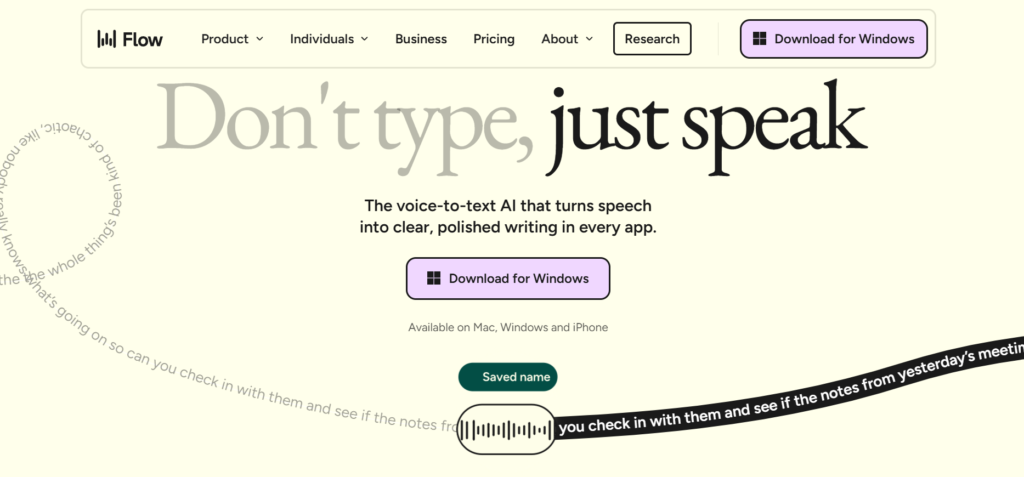
Voice-to-text sounds simple in theory: you speak, the app writes.
In practice, this is where many users start to feel disappointed.
One of the main issues is accuracy. Background noise, accents, or fast speech can quickly lead to incorrect words and broken sentences. Even small mistakes force us to reread and fix the text manually, which removes much of the time-saving benefit.
Another common frustration is lack of structure. Traditional dictation tools often produce raw, unformatted text. There’s little punctuation, no sense of rhythm, and no adaptation to how the text will be used. Turning that output into an email, a task list, or a note still takes effort.
Then there’s context awareness. A spoken brainstorm, a reminder, and a professional message all require different tones. Most basic speech-to-text software treats them the same, ignoring intent and use case.
Finally, privacy concerns play a real role. Many users hesitate to speak freely because they’re unsure how their voice data is processed or stored. Organizations like the Electronic Frontier Foundation have explained how voice data can reveal sensitive behavioral patterns beyond just spoken words, which makes transparency and control increasingly important.
This mix of low accuracy, poor formatting, and uncertainty around data use is why many people give up on dictation tools after just one or two attempts.
Tools like Wispr Flow exist because expectations have changed. Users no longer want simple transcription — they want clean, usable text that fits naturally into real workflows without constant correction.
In the next section, we’ll look at who Wispr Flow is actually designed for, and who may be better off with a simpler solution.
3. Who Wispr Flow Is For (and Who Should Skip It)
Not every productivity tool works for everyone. One of the most useful ways to understand this tool is to be clear about who actually benefits from it — and who probably won’t.
Wispr Flow is a great fit if you:
Think faster than you type
If ideas come quickly and typing slows you down, Wispr Flow helps capture thoughts the moment they appear.Work remotely or hybrid
Meetings, follow-ups, quick notes, and drafts become easier when voice replaces constant keyboard use.Create content or write frequently
Many writers use it to draft emails, outlines, or rough text before refining it.Struggle with focus or attention
Speaking can feel more natural than typing for users with ADHD or cognitive fatigue.Use English as a second language
Clear voice input often produces better first drafts than typing under pressure.
In these cases, Wispr Flow isn’t just a voice-to-text AI. It becomes a daily input tool that reduces friction and mental load.
You may want to skip it if:
You only need occasional, basic dictation
Simple built-in speech tools may already cover your needs.You work in noisy or shared environments
Voice input works best with minimal background distractions.You prefer highly technical or coded text
Wispr Flow is designed for natural language, not programming or structured data.
The key point is this: Wispr Flow works best when voice is already part of how you think and work. If speaking feels natural to you, the tool adapts easily. If not, it may feel unnecessary.
4. What Is Wispr Flow and What Makes It Different
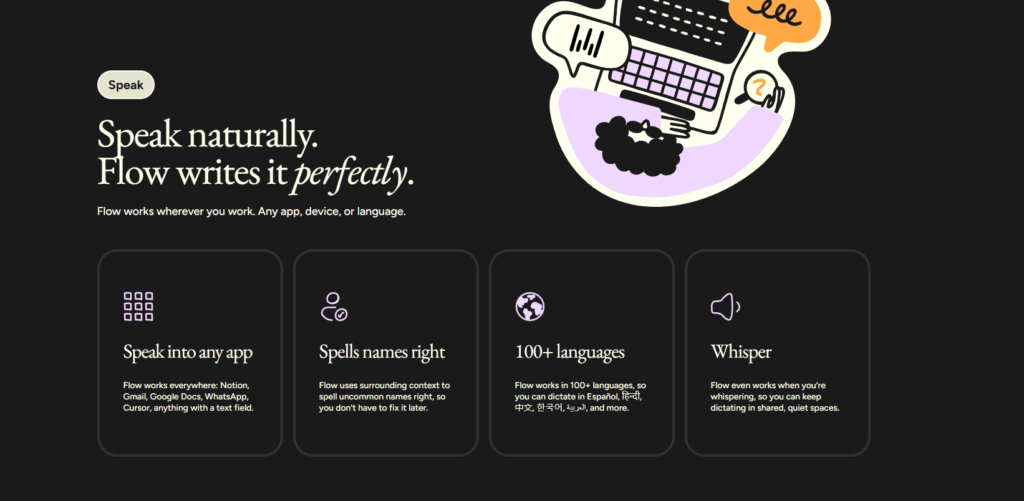
Wispr Flow is a voice-to-text AI built for one specific goal: turning spoken thoughts into clean, usable written text with minimal effort.
Instead of behaving like a traditional dictation tool, it acts more like a writing assistant that starts with voice. You speak naturally, and the system focuses on delivering text that already feels structured — closer to something you would type yourself.
Designed for flow, not raw transcription
Most voice tools aim to capture words accurately. Wispr Flow aims to capture meaning. Pauses, tone, and natural speech patterns are used to shape sentences, punctuation, and readability.
This means less time fixing formatting and more time actually using the text.
Built for real work, not demos
Wispr Flow isn’t optimized for long recordings or meeting transcripts. It’s designed for short to medium voice input — ideas, notes, drafts, and messages that need to move quickly into action.
That design choice matters. It explains why the tool feels faster and lighter than many speech-to-text solutions.
A voice-first way of thinking
Using Wispr Flow often changes how people work. Instead of stopping to type, users speak when ideas are fresh, then refine later. This aligns with research on cognitive load and productivity, where reducing friction at the input stage improves clarity and creative output, as discussed by organizations like the Nielsen Norman Group in their studies on human-computer interaction.
What it is not
To set expectations clearly:
It’s not a meeting recorder
It’s not a legal or medical transcription system
It’s not designed for coding or structured data
Wispr Flow works best when voice is already part of how you think and plan.
In the next section, we’ll show how Wispr Flow fits into real daily workflows, with concrete examples you can apply immediately.
5. How We Use Wispr Flow in Real Daily Workflows
The real value of Wispr Flow isn’t in dictation itself, but in how easily it fits into everyday work. Below are the most effective ways we’ve seen Wispr Flow used to save time without adding complexity.
Capturing ideas before they disappear
Ideas rarely come when we’re sitting at a desk. Walking, cooking, commuting — this is where Wispr Flow shines. Instead of typing fragmented notes, speaking naturally creates clearer first drafts that can be reused later without heavy editing.
This is especially useful for creators, founders, and anyone who thinks faster than they write.
Writing emails and messages faster
One of the most common uses of Wispr Flow is drafting emails. Speaking a message out loud often feels more natural than typing it line by line. The tool turns voice into structured text that already sounds human, reducing the need to rewrite everything.
For many users, this replaces basic voice-to-text AI tools that require manual punctuation or corrections.
Turning voice notes into task lists
Short spoken reminders like “follow up with client” or “review document tomorrow” are transformed into usable text instead of staying buried in audio files. This makes Wispr Flow useful not just for writing, but for lightweight task capture.
It works particularly well when paired with productivity tools that accept text input.
Brainstorming without a blank page
Starting from nothing is often the hardest part. Speaking ideas out loud removes the pressure of “writing well” too early. It helps generate rough but readable drafts that can later be refined using other AI writing tools or manual editing.
This workflow aligns with how modern AI-assisted writing is evolving. Studies from productivity research groups, including work summarized by Harvard Business Review, show that reducing cognitive friction at the input stage improves creative output and focus.
When Wispr Flow works best
Quiet or controlled environments
Short to medium-length voice input
Natural language (emails, notes, ideas, drafts)
When used this way, it becomes less of a dictation tool and more of a thinking companion — a bridge between ideas and written output.
6. Wispr Flow vs Other Voice-to-Text Tools: What to Know
Choosing the right voice-to-text tool depends less on features and more on how you actually plan to use it. Some tools are designed to capture conversations, others to replace typing, and a few aim to turn spoken thoughts into clean, reusable text.
The comparison below focuses on real-world usage, not marketing claims.
Comparison of popular voice-to-text tools
| Tool | Main Strength | Best For | Learning Curve | Price |
|---|---|---|---|---|
| Wispr Flow | Structured, ready-to-use text | Ideas, emails, drafts, solo work | Very low | $12–$25 / month |
| Otter.ai | Meeting transcription | Calls, interviews, team meetings | Low | $10–$30 / month |
| Microsoft Dictate | Office-native dictation | Quick notes in Word or Outlook | Very low | Included with Microsoft 365 |
| Google Voice Typing | Basic speech-to-text | Occasional, informal input | Very low | Free |
| Dragon NaturallySpeaking | High-precision dictation | Legal, medical, long transcription | High | $150–$300 one-time |
How to read this table (important)
Wispr Flow is ideal when you want text you can use immediately, not raw transcripts.
Otter.ai is better for meetings and conversations, not personal drafting.
Microsoft Dictate and Google Voice Typing are convenient but limited to basic transcription.
Dragon NaturallySpeaking excels in professional environments but requires time, setup, and a higher budget.
In short, Wispr Flow doesn’t try to replace every voice tool.
It fills a specific gap: turning spoken thoughts into clean written text that fits real workflows.
Next, we’ll address an important topic many reviews skip — ethical and responsible use of voice-based AI, especially around privacy and consent.
7. Ethical AI Reflection: Voice Data, Privacy, and Responsible Use
Voice-based AI tools like Wispr raise an important question that often gets overlooked: what happens to our voice once we speak it out loud?
Voice is not just another input method. It can reveal tone, habits, emotional states, and sometimes even personal identity markers. This is why responsible use matters — not only from the company’s side, but also from ours as users.
From an ethical perspective, the key issue isn’t whether AI can transcribe speech, but how transparently voice data is handled. Trusted digital rights organizations such as the Electronic Frontier Foundation have highlighted how voice data can be more sensitive than text because it may contain unintended personal signals beyond the words themselves.
Used responsibly, tools like this can actually reduce risk. By encouraging short, intentional voice input instead of long recordings, users stay more aware of what they’re sharing. The tool also fits better into solo workflows, where consent and data boundaries are clearer than in group recordings or meetings.
That said, good practice still matters:
-
Avoid dictating sensitive personal or confidential information
-
Be mindful when using voice tools in shared environments
-
Check privacy policies and data retention settings regularly
Ethical AI isn’t about avoiding useful tools. It’s about using them with intention and awareness. When voice-to-text AI is treated as a productivity aid — not a passive recorder — it becomes easier to stay in control of what we share.
In the final section, we’ll wrap everything up with clear takeaways and help you decide whether Wispr Flow is the right tool for your workflow right now.
8. Wispr Flow FAQ: Accuracy, Privacy, Pricing, and Use Cases
Q: What is Wispr Flow used for?
A: Wispr Flow is used to turn spoken thoughts into clean, usable written text, making it ideal for notes, emails, drafts, and idea capture without typing.
Q: Is Wispr Flow accurate compared to other voice-to-text AI tools?
A: Wispr Flow focuses less on raw transcription and more on structured output, which means the text often requires fewer edits than basic voice-to-text AI tools.
Q: Does Wispr Flow store or record my voice?
A: Wispr Flow processes voice input to generate text, but users should always review the official privacy policy to understand data handling, retention, and control options.
Q: Can Wispr Flow replace tools like Otter.ai or Dragon NaturallySpeaking?
A: Wispr Flow is not designed to replace meeting transcription or professional dictation software; it works best for individual workflows and short-to-medium voice input.
Q: Is Wispr Flow worth paying for?
A: Wispr Flow is worth considering if you regularly think faster than you type and want voice-to-text output that feels ready to use rather than raw transcription.
Other recommended reads on AIDigitalSpace
➜ ChatGPT vs Gemini: Which One Wins in Daily Use?
➜ Best Free AI Tools With No Login Required
➜ How Voice Assistants Actually Understand You
➜ Best AI Tools for Productivity in 2025