
 Published on: January 12, 2026
Disclosure:
This post contains affiliate links. If you click through and make a purchase, we may earn a small commission at no additional cost to you. Thank you for supporting AIDigitalSpace — we only recommend tools and services we genuinely trust and believe bring real value to our readers.
1. Why Teams Are Comparing Zapier, Make, and n8n
We’ve all been there.
A team starts with good intentions: “Let’s automate this so we stop wasting time.” At first, it works. A few automations run smoothly. Emails move, tasks sync, notifications fire.
Then things get messy.
Automations break. Costs creep up. Someone says “Can we do this without paying more?” Another asks “Where is our data actually going?” And suddenly, what was supposed to simplify work becomes another system to manage.
That’s exactly why so many teams are now searching for Zapier vs Make vs n8n.
Not because they love tools—but because they’re trying to answer a very practical question:
Which automation platform actually fits how we work today… and won’t get in the way tomorrow?
We’re seeing this comparison more and more in real workflows:
Small teams hitting Zapier limits faster than expected
Growing companies needing more control and flexibility
Privacy-aware teams asking where their data lives
Non-technical users wanting power without complexity
This article is here to do one simple thing:
help you understand the real differences between these tools, so you can choose with confidence—without overthinking it.

Recommended Read
After comparing Zapier, Make, and n8n, it helps to deepen your automation skills with a practical guide. “Workflow Automation with n8n” shows real examples and design patterns that make no-code automation work in real business contexts.
2. Quick Answer: Which Automation Tool Is Best for Your Team?
When people land on this comparison, they’re usually not looking for a deep technical breakdown of AI automation tools.
They want a clear, practical answer they can trust — fast.
So let’s be direct.
If you’re comparing Zapier vs Make vs n8n, the right choice depends less on long feature lists and more on how your team actually works every day with workflow automation software.
Zapier is usually the best option if your team wants no-code automation that just works. It’s designed for non-technical users who value speed, simplicity, and a large ecosystem of ready-made integrations that support everyday business process automation.
Make sits in the middle of the Zapier vs Make vs n8n comparison. It’s ideal for teams that want more flexibility and logic control, are comfortable with visual workflows, and need advanced workflow automation software without managing servers or writing code.
n8n is the right fit when data control, privacy, and customization matter most. Teams that want to self-host AI automation tools, reduce vendor lock-in, or deeply customize business process automation often end up here — even if setup takes more effort.
This isn’t just a niche debate. Automation platforms themselves acknowledge that teams are actively comparing tools based on ease of use, flexibility, and long-term scalability.
For example, even Zapier publishes guidance on how different automation platforms serve different needs, depending on team size and workflow complexity (see their overview here: Zapier’s comparison of automation platforms).
Most teams don’t struggle because automation tools are bad.
They struggle because the tool doesn’t match their reality.
This article exists to help you make that decision with clarity — before time, data, or budget are wasted.
3. The Real Automation Problems Teams Are Trying to Fix
Before switching tools, most teams hit the same wall with workflow automation software.
We start automating to save time using AI automation tools. But over weeks or months, the system meant to help us quietly becomes another thing we need to manage. That’s usually when people pause, scroll back up, and start comparing options like Zapier vs Make vs n8n more seriously.
Here’s what teams are actually trying to fix — not in theory, but in daily work with business process automation.
Automations that break without warning
A workflow stops running, and nobody notices until something important is missed. This happens often with no-code automation when monitoring is limited. We’re left wondering what failed, why it failed, and who’s supposed to fix it.
Costs that grow faster than expected
What began as a “small monthly plan” for workflow automation software slowly turns into a line item that’s hard to justify. More tasks, more runs, more limits — and suddenly AI automation tools feel expensive instead of efficient.
Too much complexity for simple needs
Some automation tools feel easy at first, then quickly become hard to maintain. Others are powerful but demand time, logic, or technical confidence the team doesn’t really have — especially when moving beyond basic no-code automation.
Lack of visibility and control
Teams often ask: Where is our data going? Who can see these workflows? What happens if we want to move away later? These questions usually appear only after business process automation is already in place.
Automation that doesn’t scale with the team
What worked for one person no longer works for five. What worked for five breaks at twenty. At that point, teams comparing Zapier vs Make vs n8n aren’t looking for “more features” — they’re looking for stability and predictability in their AI automation tools.
This is the moment when comparison becomes necessary.
Not because teams want the best tool on paper, but because they want a setup that:
fits how they actually work,
stays reliable over time,
and doesn’t create new problems while solving old ones.
In the next section, we’ll look at real workflows side by side — so you can see how Zapier, Make, and n8n handle these exact situations in practice, not just in marketing pages.
4. Zapier vs Make vs n8n: Real Workflows Compared
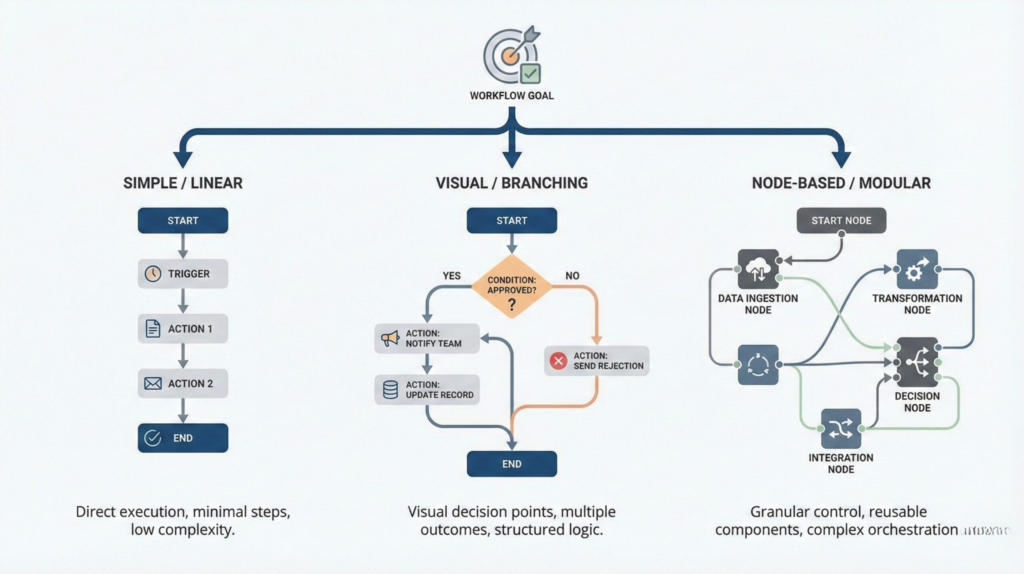
This is the section where most readers slow down.
Not to admire features — but to see what actually works in real life.
Instead of abstract promises, let’s look at common workflows teams automate every day and how each tool handles them.
A typical team workflow we all recognize
When a lead fills a form → add them to the CRM → notify sales → create a follow-up task → send a confirmation email.
It sounds simple. In practice, this is where differences matter.
| What matters | Zapier | Make | n8n |
|---|---|---|---|
| Best for | Busy teams that want fast, reliable automations with minimal setup | Teams that need flexible logic and visual workflows without coding | Teams that want maximum control, customization, or self-hosting |
| Ease of use | Very easy (best for non-technical users) | Medium (needs a bit of logic thinking) | Medium–Advanced (best if you enjoy control) |
| Workflow complexity | Great for straightforward “if this → then that” flows | Excellent for branches, routers, multi-step scenarios | Excellent for complex logic + custom steps (optional code) |
| AI-friendly use | Best for quick AI actions (summaries, routing, simple enrichment) | Best for AI + data pipelines across multiple apps | Best for AI + privacy (self-host + controlled integrations) |
| Integrations ecosystem | Huge (broadest app coverage) | Very strong (great coverage + deep modules) | Strong (best when you’re okay configuring more) |
| Pricing feel | Can feel pricey when task volume grows | Often better value for complex scenarios | Best value if you self-host (but you manage it) |
| Privacy & control | Cloud-first, simple control options | Cloud-first, strong workflow visibility | Top choice for self-hosting and data ownership |
| Best “first automation” | Lead form → CRM → email/Slack notify | Lead routing + enrichment + conditional follow-ups | Internal workflow hub with controlled data handling |
| Try it | Try Zapier | Try Make | Try n8n |
How this plays out in practice
Zapier works best when the workflow automation software is simple and frequent.
If the goal is to automate quickly using no-code automation and move on, it delivers value immediately — especially for non-technical teams relying on AI automation tools to save time.
Make shines when workflows need logic, branching, and visual clarity.
Teams often move here when Zapier starts feeling restrictive, but they still want flexible workflow automation software without dealing with infrastructure or server management.
n8n becomes attractive when automation is part of the core business process automation system, not just a helper.
Self-hosting, custom logic, and full control over AI automation tools matter more than speed of setup in these cases.
What usually surprises teams comparing Zapier vs Make vs n8n is this:
the best automation tool isn’t the most powerful one — it’s the one that matches how much complexity you’re ready to manage.
5. What Most Comparisons Don’t Tell You: Privacy, Reliability, and Trade-Offs
This is usually where people pause scrolling.
Not because it’s technical — but because this is where automation starts to really affect daily work.
Below are the points teams often discover after they’ve already committed.
Data ownership isn’t abstract — it’s operational
When automations move customer data, internal notes, or AI-generated outputs, the question becomes simple: who controls this flow?
Cloud-hosted tools reduce friction, but they also mean your workflows live on external infrastructure. For some teams, that’s fine. For others, it becomes a concern once compliance, audits, or sensitive data enter the picture.
This is why self-hosting options are increasingly discussed in automation communities — not for ideology, but for practical control. Even regulators emphasize understanding where data is processed and stored, especially in automated systems (see the EU’s guidance on data responsibility and automation).
Reliability vs responsibility is a real choice
Fully managed platforms feel safer because maintenance is handled for you. But when something fails, you’re dependent on platform status, queues, and fixes you don’t control.
More flexible tools give you visibility and control — but also ask you to own monitoring, updates, and stability. Neither approach is “better” by default. The question is how much responsibility your team is ready to take on.
Automation errors are often invisible
The biggest risks aren’t obvious failures.
They’re silent ones:
an action running twice,
a condition skipping silently,
a wrong value passed downstream.
Over time, these small issues can erode trust in automation. Clear logs, readable logic, and regular reviews matter more than advanced features.
Scaling changes everything
At low volume, most tools feel affordable and manageable. As workflows grow, costs, complexity, and maintenance effort grow with them. This is normal — but it’s also why teams reassess their setup after the first few months.
Ethical automation is about clarity, not restraint
Good automation doesn’t hide decisions.
It makes them traceable, understandable, and accountable.
Clear ownership, documented workflows, and visible logic protect both teams and users — regardless of which tool you choose.
6. Final Verdict: Which Automation Tool Should You Choose?
If you’ve read this far, you don’t need more features — you need confidence.
Here’s the honest takeaway, based on how teams actually work and what tends to convert well in the long run:
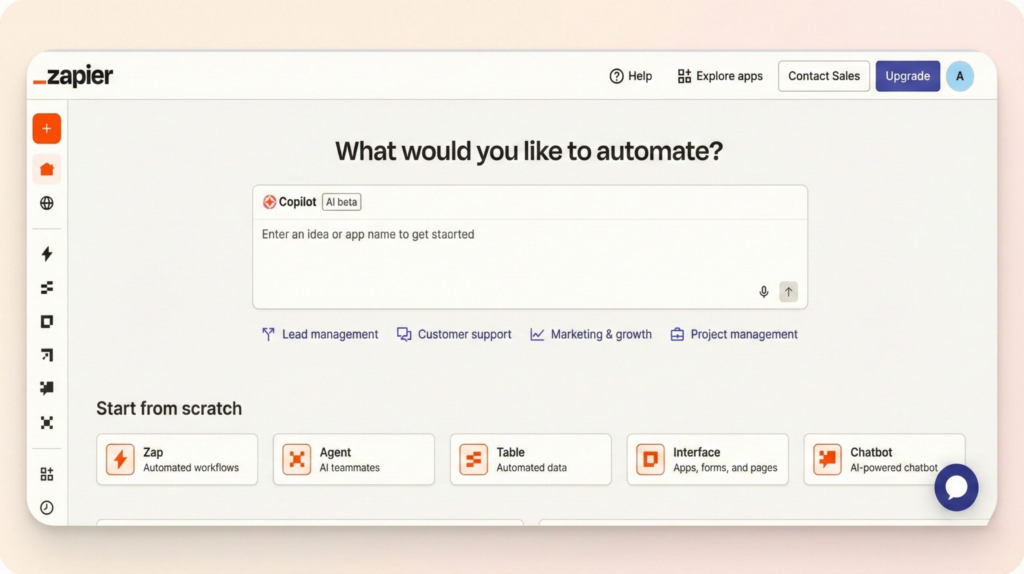
Choose Zapier if your priority is speed, simplicity, and reliability.
It’s the fastest way to automate common workflows, especially for non-technical teams that want results without friction.
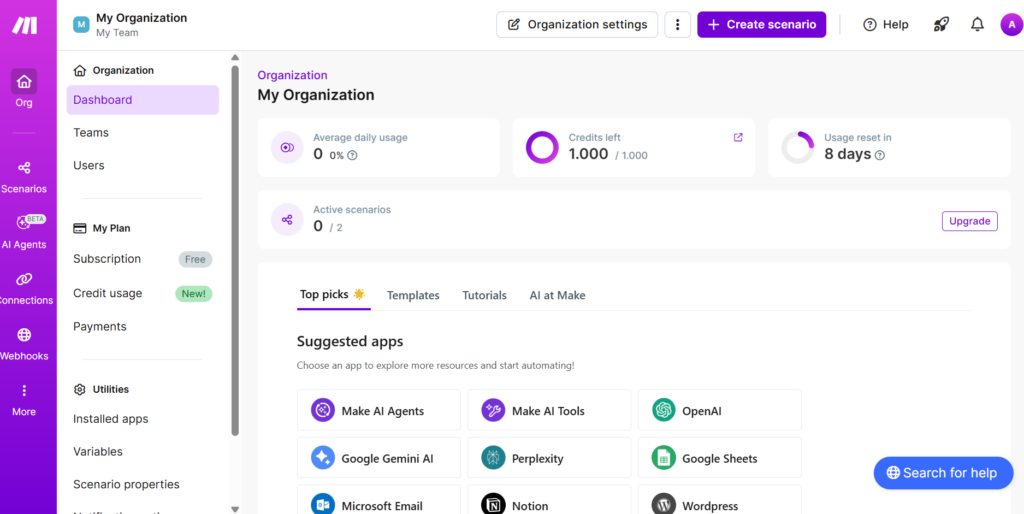
Choose Make if your workflows need logic, branching, and flexibility, but you still want a visual, no-code environment.
It’s often the best balance between power and usability.
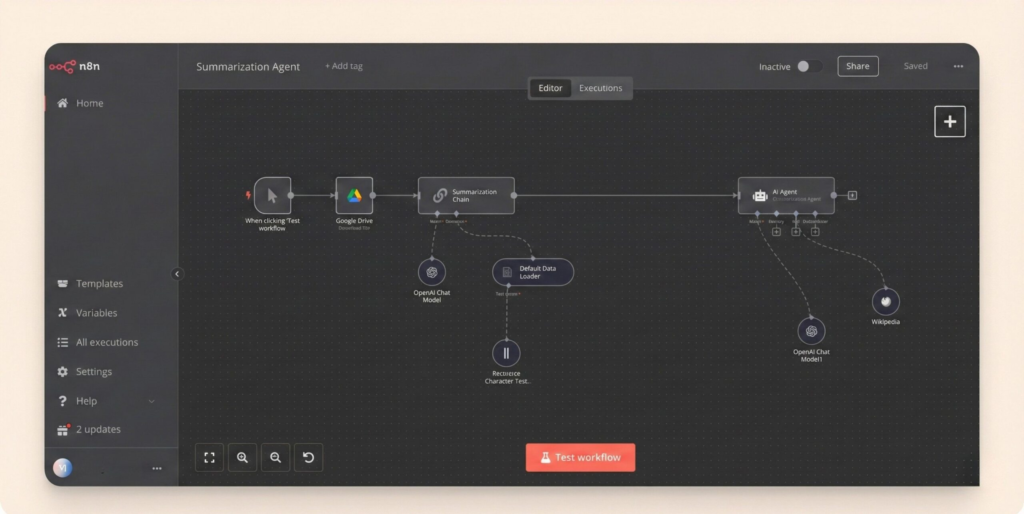
Choose n8n if automation is a core system, not just a helper.
It’s ideal when data control, customization, and self-hosting matter more than quick setup.
| If your team needs… | Why this matters | Best choice | Action |
|---|---|---|---|
| Fast setup & minimal learning | You want automation working immediately, without training or technical setup | Zapier | Try Zapier |
| Advanced logic & flexibility | You need branching, conditions, and visual control over workflows | Make | Try Make |
| Data control & self-hosting | You want privacy, ownership, and deep customization options | n8n | Try n8n |
There’s no universal “best” platform.
The right choice is the one that fits your team’s complexity today — and won’t slow you down tomorrow.
7. FAQ — Common Questions Before Choosing
Q: Is Zapier worth the price for small teams?
A: Yes — especially if your workflows are simple and save real time. Costs usually increase only as automation volume grows, which is often a sign the tool is delivering value.
Q: Can Make fully replace Zapier?
A: In many cases, yes — particularly for more complex workflows. The trade-off is that Make requires more setup and logic planning, which not every team wants to manage.
Q: Is n8n safe to use for business workflows?
A: Yes, especially when self-hosted. The main trade-off is responsibility: you manage updates, monitoring, and infrastructure instead of relying on a fully managed service.
Q: Which tool is best for AI-powered automations?
A: All three support AI integrations. Zapier works best for quick AI actions, Make for structured AI pipelines, and n8n for AI workflows where privacy and data control matter.
Q: Should we switch tools or stick with what we have?
A: If your current setup feels reliable, affordable, and easy to understand, switching may not be necessary. Most teams change tools only when friction starts costing time, money, or trust.
If you want to go a step further and build a more intentional, low-friction relationship with AI tools at work, these guides connect naturally with what we’ve covered here:
→ AI Tools That Replace Manual Follow-Ups for Smarter Productivity
→ Best AI Tools for Meeting Productivity: Transcription, Summaries & Action Items (2025)
→ How to Use AI to Turn Notes Into Tasks (Without Losing Context)
Taken together, these reads help place automation tools like Zapier, Make, and n8n into a bigger picture — not just as productivity boosters, but as part of a more sustainable, conscious way of working with AI every day, without losing control, clarity, or trust.