
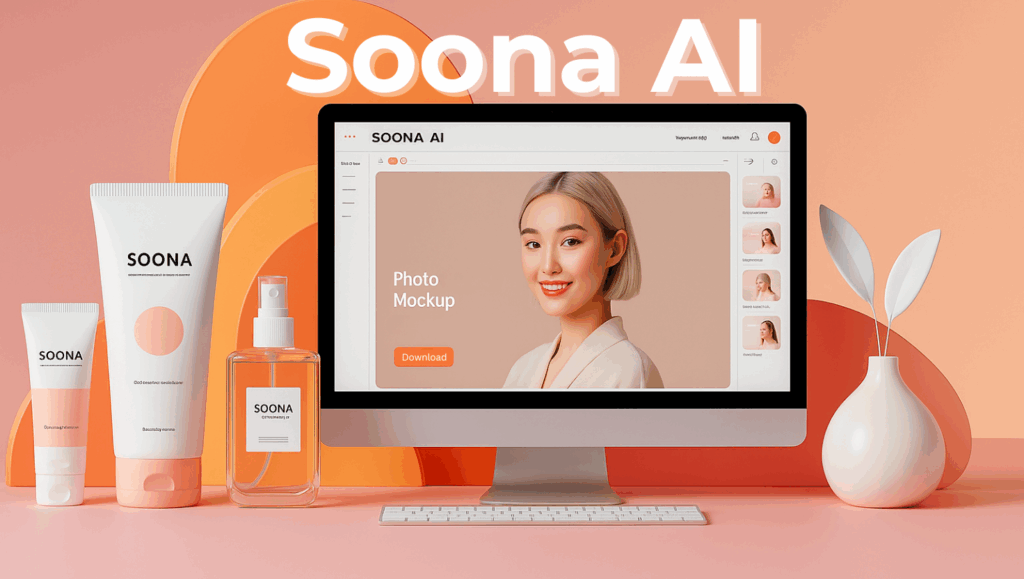
Soona AI interface for product photography in 2025

Soona AI – Create Studio-Quality Product Content in Minutes (2025 Review & Tips)

Soona AI

Why Every Creator is Turning to Soona AI in 2025

Let’s be honest: creating product photos and videos used to be a pain. Between hiring photographers, renting studios, waiting on edits, and hoping it turns out decent — you could lose days (and lots of money) on just one shoot.

Enter Soona AI — the no-hassle way to get studio-quality content without leaving your home or office.

In 2025, attention spans are short, content demands are high, and creators need tools that keep up. Soona AI makes content creation scalable, fast, and shockingly affordable. Whether you’re selling a hand cream or launching the next big tech product, Soona gives you pro-level results with a few clicks.

Thousands of brands and creators are now switching from traditional photo shoots to this smart, AI-assisted alternative. It’s not just a trend — it’s a smarter way to work.

This article will walk you through:

  • ✅ How Soona AI works step by step

  • ✅ What to expect as a creator or eCommerce brand

  • ✅ Common questions users have online (and honest answers)

  • ✅ Real use cases and success stories

  • ✅ Tips to stand out, and ethical considerations every brand should know

Want to learn how other tools compare in this fast-moving space? Check out our Top 10 AI Tools to Save Time in 2025.
How Soona AI Works – Step-by-Step

1. Create a Free Account
Go to Soona.co and sign up. No subscription required to browse.

2. Choose Your Content Type
Select from product photos, short videos, or UGC. Choose your target platform (Amazon, Etsy, TikTok, etc.).

3. Ship Your Product
Send your product to Soona’s studio. You’ll get instructions after booking. Add a note if needed.

4. Pick Your Visual Style
Choose from pre-built aesthetic templates or describe your own look. You can also upload a mood board.

5. Join the Live Shoot (Optional)
Attend virtually and give real-time feedback. Skip it if you want Soona’s creative team to handle it all.

6. Get Your Edited Content
Receive professional, platform-ready files within 24–72 hours. Download them directly from your dashboard.

Key Features of Soona AI

Feature Description
📦 Virtual Product Shoots Ship your product, direct the shoot remotely, and get polished results.
🧠 AI-Powered Suggestions Lighting, angle, and styling suggestions to boost visual quality.
🖼️ Pre-Built Templates Amazon, Etsy, Shopify, Instagram, and TikTok-ready formats.
💬 Live Feedback Collaborate remotely in real-time with the creative team.
💰 Pay-as-you-go No subscription required — pay per asset.

Pros & Cons of Using Soona AI

Pros Cons
⚡ Fast turnaround (24–48h) 🌍 Only ships within the US
💸 Transparent pricing 🔧 Complex edits may cost extra
📱 Platform-optimized output 🎯 Not for high-volume catalogs
🤝 Real-time creative control 📂 Limited file format customization
Create studio-quality product content with Soona AI – 2025 review and tips

Real Use Case – Solo Amazon Seller

Meet Emma, a solo Amazon FBA seller from Austin, Texas. She runs a natural skincare line and was struggling to compete with larger brands. Her listings had traffic but lacked visuals that could convert.

She found Soona AI and ordered:

  • 5 high-resolution product shots

  • 2 TikTok-style clips

  • 1 lifestyle image with a model

  • 1 captioned version for Instagram

💸 She spent just $210 — compared to $600+ with her previous agency.

📈 Her conversion rate increased 32% in the first month. She repurposed Soona assets for TikTok, Pinterest, Amazon A+ content, and her email list.

“Now my brand actually looks premium — and customers notice.”

Questions People Ask Online About Soona AI

What is Soona AI used for?

Soona AI helps you create professional product content like photos, videos, and UGC for platforms such as Amazon, Shopify, Instagram, and TikTok. It’s ideal for eCommerce sellers, influencers, and brands that want scroll-stopping content fast, without needing a full creative team.

Is Soona AI fully automated?

Soona AI is a hybrid platform. Real photographers run the shoots, while AI assists with layout suggestions, camera angles, lighting, and styling ideas. This ensures quality control and creative human touch — not just machine-generated assets.

Do I have to ship my product to Soona?

Yes. To create real photos and videos, you’ll ship your physical product to a Soona studio. You’ll receive detailed shipping instructions after booking. If you’re outside the U.S., factor in delivery time, though all final content is returned digitally.

Can I use Soona for Amazon listings?

Absolutely. Soona offers templates specifically designed for Amazon product listings, A+ Content, and white background compliance. You can also request lifestyle images that help your product stand out from standard catalog-style visuals.

Can I include a model in my Soona shoot?

Yes. Soona allows you to select models by look, gender, age, and style. Just indicate this during booking. It’s perfect for cosmetics, fashion, fitness, and any product that needs human context.

Is Soona AI available internationally?

Yes, but the physical product must still be shipped to a U.S. studio. Many international brands use Soona by simply accounting for a bit more lead time. You’ll receive all your visuals digitally via the dashboard.

How long does it take to receive content?

Turnaround time is typically 24 to 72 hours after the shoot begins. This can vary based on complexity, number of assets, and whether you attend the live shoot for feedback.

Can I request video content too?

Definitely. Soona offers high-quality product videos, including UGC-style clips, social reels, product unboxings, and explainer-style video assets. You can specify platform (TikTok, Instagram, YouTube Shorts, etc.) when booking.

What if I don’t like the results?

You can request edits or schedule a reshoot. Joining the optional live shoot session helps reduce the chance of misalignment. Soona also has customer support to review concerns directly within your dashboard.

Repurpose Soona AI Content Like a Pro

One of the biggest advantages of using Soona AI is how flexible and reusable your final content can be. Once you receive your professionally shot product visuals, you can quickly adapt them for multiple marketing channels — saving hours every week and ensuring brand consistency across platforms.

Here’s how to repurpose your Soona AI content effectively:

Amazon Product Pages

Use your high-resolution white-background shots directly in your main listing images and A+ content. Combine lifestyle images with bullet points for visual storytelling. 

Instagram & Facebook

Transform vertical videos and lifestyle shots into engaging Reels, Stories, and carousel posts. Use apps like Canva or CapCut to add branded text and motion. Pro tip: add product tags via Meta’s product catalog.

TikTok & Shorts

Soona AI videos can be used as-is or cut into shorter, trend-based clips. Add music, filters, and on-screen tips using TikTok’s native editor. This is great for UGC-style content that boosts authenticity.

Pinterest & Email Campaigns

Use lifestyle imagery in your Pinterest boards or Idea Pins. For email, embed product close-ups in campaigns and pair them with time-limited offers. 

Blog or Website

Soona’s content is perfect for your homepage hero section, product pages, or educational blog posts. Optimizing file size before uploading ensures faster load times and better UX.

Whether you’re a solo creator or a brand with multiple SKUs, Soona AI helps you maximize every shoot — saving time while maintaining professional standards. Explore Soona AI

Ethical Insight – What to Watch For

Let’s talk ethics for a second — because while AI can speed up content creation, it also comes with responsibility.

What I like about Soona AI is that it’s not trying to replace people — it’s enhancing the workflow. Real creatives are still behind the camera. The AI is there to help, not dominate. That’s the kind of balance we believe in at AIDigitalSpace.com.

Here’s what to consider before diving in:

  • Don’t over-rely on templates. Soona offers a ton of presets, but if every brand uses the same ones, we all end up looking the same. Take time to customize your visual brief.

  • Own your brand identity. You can use AI for structure and speed, but your tone, message, and values? Those are all you.

  • Be mindful with your data. You’re uploading product details, visuals, maybe even strategy. Always double-check what data you’re sharing, and review Soona’s Privacy Policy.

  • AI isn’t a shortcut for strategy. Tools like Soona help with execution — but YOU still need the vision. Think of it like having a remote studio team, not a plug-and-play solution.

Ethical use of AI isn’t about avoiding tech — it’s about using it wisely. Soona AI, when used thoughtfully, supports creativity without sacrificing integrity. And that’s something we’re proud to stand behind.

Step-by-step process of how Soona AI helps brands create professional content

Soona AI vs Competitors

Platform Best For Key Strength Potential Limitation
Soona AI Product photos and short videos for eCommerce and social media Fast turnaround, real humans + AI-enhanced workflow U.S.-based studios only (must ship product)
Shakr Scalable video ad creation using templates and automation Great for marketers and agencies producing many ads quickly Less customization and no physical product handling
Fiverr Hiring freelancers for photo, video, design, or copywriting Variety of styles and pricing, 1:1 collaboration Quality and timelines vary — requires vetting and review

Downloadable Checklist

If you’ve made it this far, chances are you’re serious about elevating your product content — and Soona AI is one of the smartest ways to do it.

To make your first shoot even easier, we’ve created a free downloadable checklist to help you:

  • ✅ Prepare your product before shipping

  • ✅ Write a clear visual brief for the studio

  • ✅ Choose the best format for Amazon, TikTok, or your website

  • ✅ Repurpose your content across platforms

👉 Download the Soona AI Shoot Prep Checklist – PDF

You’ll also get exclusive tips we only share with subscribers at AIDigitalSpace.com — the go-to resource for tools that save you time, grow your brand, and respect your privacy.

If you’re ready to stop overthinking content and start getting results, check out Soona AI now and let their team help you create scroll-stopping visuals — fast, affordable, and stress-free.

Final Considerations

In a world where attention spans are shrinking but expectations keep growing, creating standout content isn’t optional — it’s essential. Soona AI doesn’t just help you meet that demand, it empowers you to do it with confidence, creativity, and clarity.

What makes Soona special is that it respects the process: real creators, real studios, enhanced by smart tech. It’s not about replacing human creativity, but enabling it — with the speed and flexibility modern brands need.

If you’re building something meaningful — whether you’re a solopreneur, a small brand, or an eCommerce veteran — tools like Soona AI can take a big weight off your shoulders.

And that’s exactly what we aim to do here at AIDigitalSpace.com: give you the tools and strategies that make work feel lighter, faster, and more focused on what really matters. Explore the best AI Gadgets of 2025 or compare Jasper vs Copy.ai if you’re also working on copy.

Whatever your next step is — launching a product, improving your Amazon listings, or showing up more consistently online — keep creating, keep learning, and let tech like this work for you, not the other way around.

We’re here for the long run. Let’s build smart, ethical, human-centered digital spaces — together.