

 Published on: January 14, 2026
Affiliate Disclaimer:
Some of the links in this post are affiliate links. This means we may earn a small commission if you click through and make a purchase, at no extra cost to you. We only recommend tools we truly believe offer value.
1.Why people are worried about AI chat leaks right now
We’ve all done it.
We open an AI chat, paste a paragraph from work, maybe a draft email, a private note, or something we’re still thinking through — and we do it without a second thought.
At first, it feels safe. The chat looks private. The browser is ours. Nothing seems to be “watching.”
But lately, many of us have started to notice something unsettling.
We install a browser extension to save time, block ads, take notes, or improve productivity. Then we read a headline, see a warning, or stumble on a comment online saying: “Some extensions can read what you type into AI chats.”
And suddenly, that quiet confidence disappears.
This is where the ai chat leak concern comes from — not from paranoia, but from real everyday behavior colliding with how browsers actually work and how browser extensions privacy is often misunderstood.
We’re using AI tools more deeply than ever, often sharing:
work-related drafts
sensitive ideas or plans
personal reflections we wouldn’t post anywhere else
At the same time, our browsers are filled with extensions that ask for broad permissions we rarely review after clicking “Add.”
This combination is exactly what turns convenience into a potential ai data privacy issue.
This article exists to clear that fog.
We’ll explain why this ai chat leak risk feels new, what’s actually happening behind the scenes with browser permissions, and — most importantly — how we can improve ai prompt security while continuing to use AI chats without giving up control or peace of mind.
Recommended Reading
If you want to build a deeper awareness of how digital tools collect, observe, and reuse our data, Data and Goliath by Bruce Schneier is one of the most respected books on the topic. It explains — in clear, human terms — why modern software often knows more about us than we expect, and how everyday technologies quietly shape our privacy.
2. The uncomfortable truth: what browser extensions can actually see
When we install a browser extension, we usually think of it as a small helper. Something local. Something limited.
But under the hood, many extensions work very differently than we imagine — and that’s where browser extensions privacy concerns start to matter.
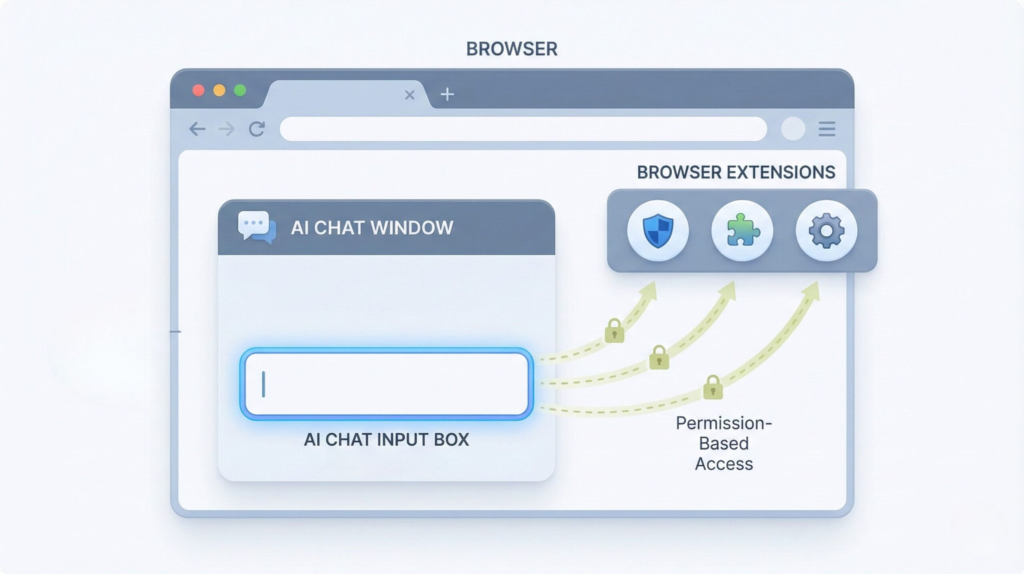
Most modern browser extensions can read and modify the content of web pages we visit. That includes text we type, forms we fill out, and interfaces that look private — such as AI chat windows.
This doesn’t mean every extension is spying on us. But it does mean that permission matters more than branding, especially when it comes to ai prompt security.
If an extension asks for access like “Read and change data on all websites you visit”, it can technically:
see text entered into AI chat boxes
observe prompts before they’re sent
interact with page content in real time
From a technical perspective, this is one of the most overlooked chrome extension risks related to an ai chat leak.
This is not a loophole. It’s how browsers are designed to allow extensions to function.
Privacy researchers have been warning about this for years. The Electronic Frontier Foundation explains clearly that browser extensions often request broader permissions than users realize, and those permissions can expose sensitive information if misused or poorly designed — turning convenience into a real ai data privacy issue.
To get more insights, you can read this interesting article from EEF: Cover Your Tracks.
What makes this especially relevant today is how we use AI chats.
We’re no longer just asking casual questions. We’re drafting work documents, testing ideas, rewriting emails, and thinking out loud. When that happens inside a browser, extensions don’t distinguish between “chat” and “confidential.”
Understanding this isn’t about fear — it’s about awareness.
3. The fast answer: when AI chats are safe (and when they’re not)
Let’s pause the anxiety for a moment and answer the question most of us are really asking:
“Am I already at risk just by using AI chats?”
The honest answer is: sometimes yes, sometimes no — and the difference is very specific.
Using an AI chat by itself is not automatically dangerous. Tools like ChatGPT or similar platforms are designed to run inside a secure browser environment. When used without intrusive extensions, and for non-sensitive content, the risk is generally low.
AI chats are usually safe enough when:
we’re asking general questions or learning topics
prompts don’t include personal, financial, or work-confidential data
the browser has only essential, well-known extensions installed
permissions are limited to what’s strictly necessary
Problems start when usage habits change — and most of us have changed them.
AI chats become potentially unsafe when:
we paste internal work documents or client information
we “think out loud” with personal or strategic notes
multiple extensions have permission to read page content
we forget which tools are active in the background
This is where the AI chat leak concern becomes real.
Not because AI tools are secretly hostile, but because the browser layer around them isn’t neutral.
What matters most isn’t the AI itself — it’s the environment we’re using it in.
Once we understand that distinction, something important happens:
the situation feels controllable, not overwhelming.
And that’s exactly what we’ll build on next, by looking at how extensions technically access AI prompts — and why that access exists in the first place.
4. How browser extensions access AI prompts (real examples)
To really understand what’s going on, we need to look at how browser extensions work in practice, not just in theory — especially in the context of an ai chat leak.
Most extensions don’t “hack” anything. They operate exactly as browsers are designed to allow them to.
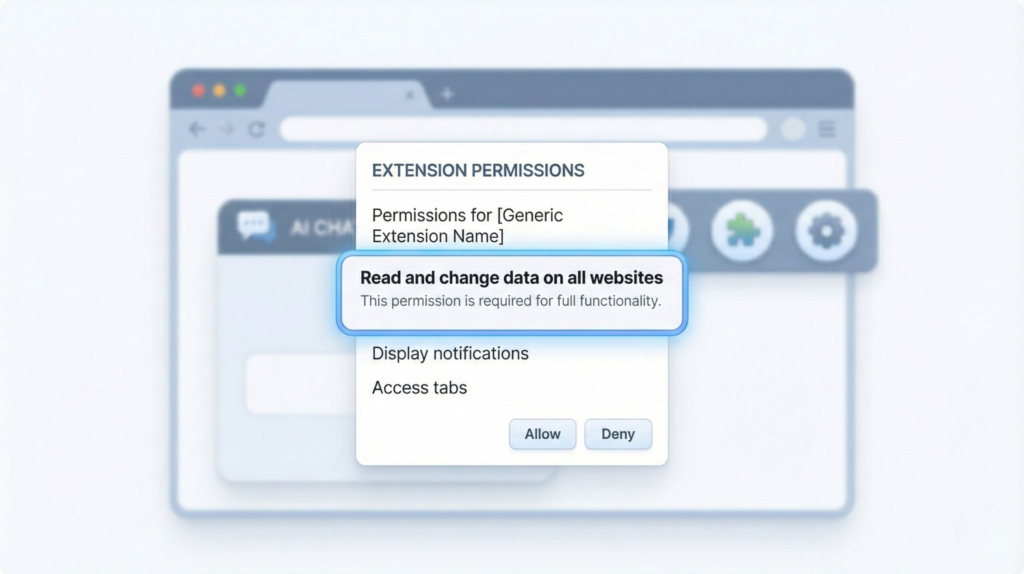
When an extension is installed, it can be granted permissions such as:
Read and change data on all websites you visit.
That single line is the key — and one of the most underestimated chrome extension risks.
With that permission, an extension can technically:
-
read text inside input fields and AI chat boxes
-
monitor what’s typed before it’s sent
-
modify page content or inject scripts
-
run continuously in the background
From the browser’s point of view, an AI chat interface is just another web page.
So when we type a prompt into an AI tool, the browser doesn’t treat it as private correspondence — it treats it as page content.
This distinction is central to understanding ai prompt security and why some ai chat leak concerns are valid.
This is also why certain productivity, grammar, or automation extensions can:
-
suggest text while we’re typing
-
summarize content on a page
-
“improve” or rewrite what we enter
They’re not guessing. They’re observing the page in real time.
Security researchers have demonstrated this clearly. Google’s own documentation on the Chrome Extensions architecture explains that content scripts are designed to interact directly with web pages and user input — by design, not by accident. This technical model is useful, but it also raises important browser extensions privacy and ai data privacy questions when sensitive prompts are involved.
You can see this explained in plain terms here: Content Scripts.
This doesn’t mean most extensions are malicious. In fact, many popular ones behave responsibly.
But it does mean that trust is placed in the extension developer, not in the browser or the AI tool.
And this is where the mental model often breaks.
We trust AI chats because they feel like conversations.
Browsers, however, treat them like editable documents.
Once we see that gap, the risk stops being abstract.
It becomes a matter of permissions, context, and conscious use — not fear, not speculation.
5. How to protect your AI prompts (without breaking your workflow)
Let’s change pace for a second.
Instead of another explanation, imagine this as a quick safety tune-up — the kind you can do in under ten minutes, without uninstalling everything or turning into a privacy extremist.
Think of AI chats like a notebook on your desk.
Useful. Powerful.
But you wouldn’t leave it open in a crowded café.
Here’s how we keep using AI comfortably and consciously.
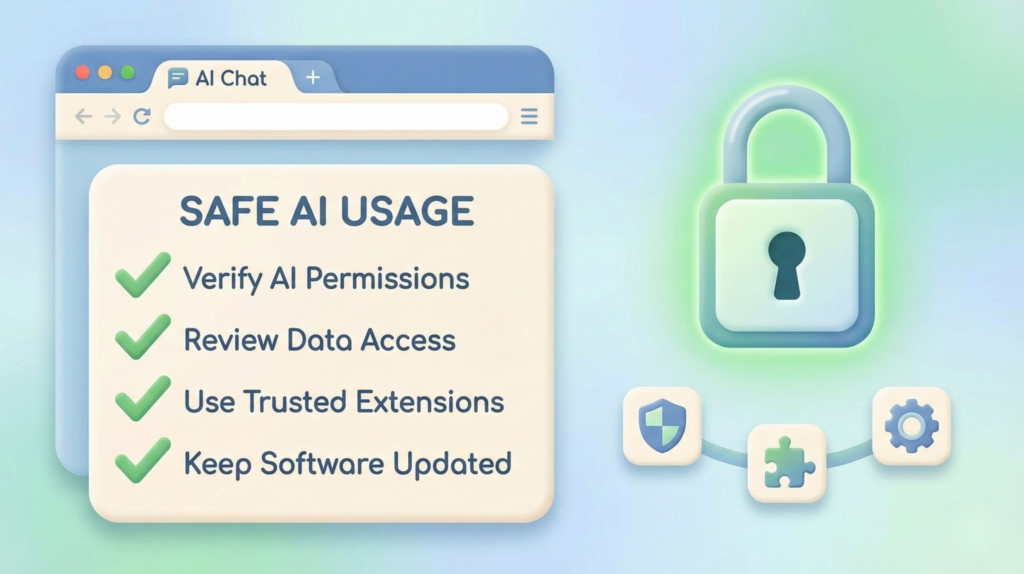
The 5-Minute Reality Check
Before installing another tool, do this once:
Open your browser’s extension list
Ask one simple question: “Do I still need this?”
If you don’t remember why it’s there, that’s already your answer
Extensions you don’t use are risk without benefit.
The Permission Rule (the one that actually matters)
Not all permissions are equal.
If an extension can:
read content on all websites
modify page data
run continuously
…it deserves extra scrutiny, even if it’s popular.
This is why tools like Bitwarden or Malwarebytes explicitly explain what they access and why — transparency is part of trust.
What to Share (and What to Keep Out)
A simple mental filter works surprisingly well:
Okay to share
general questions
public information
drafts with no identifiers
Pause before sharing
client names
internal documents
financial or legal details
“thinking out loud” notes you’d regret seeing elsewhere
This one habit alone reduces most AI chat leak risks.
A Simple Safety Stack (No Overkill)
| Safety layer | Why it matters |
|---|---|
| Minimal extensions | Fewer tools mean fewer hidden access points to your data |
| Permission review | Helps prevent silent page-level access you didn’t intend |
| Password manager | Keeps credentials out of browsers, chats, and forms |
| Security scanner | Flags risky, outdated, or suspicious extensions early |
One mindset shift that changes everything
AI chats feel private — but they live inside a shared environment.
Once we accept that, protection becomes a design choice, not a reaction.
We don’t need to fear AI.
We just need to use it with the same awareness we already apply to email, documents, and cloud tools.
6. Final verdict + FAQ
Let’s bring everything together.
The issue isn’t that AI chats are unsafe by nature.
The real problem is how easily we confuse “convenient” with “private.”
An AI chat leak doesn’t usually come from the AI itself. It comes from the browser environment around it — extensions with broad permissions, forgotten tools running in the background, and habits that evolved faster than our awareness.
The good news?
Once we understand this layer, the situation becomes predictable and manageable.
We don’t need to stop using AI.
We just need to use it with the same judgment we already apply to email, cloud documents, and shared work tools.
That awareness — not fear — is what actually protects us.
FAQ
Q: Can browser extensions really read AI chat conversations?
A: Yes. If an extension has permission to read or modify page content, it can technically access what’s typed into an AI chat interface. This doesn’t mean all extensions do it, but the capability exists by design.
Q: Does this mean tools like ChatGPT are unsafe?
A: No. Tools like ChatGPT are not the core risk. Safety depends on how they’re used and which browser extensions are active at the same time.
Q: Should I remove all browser extensions to be safe?
A: Not necessarily. A better approach is to keep only extensions you actively use, review their permissions, and remove anything you no longer recognize or trust.
Q: Is it risky to use AI chats for work-related tasks?
A: It can be, especially when prompts include confidential or identifiable information. General drafting or ideation is usually fine, but sensitive data deserves extra caution.
Q: What’s the safest mindset when using AI chats?
A: Treat AI chats as powerful tools, not private notebooks. If something wouldn’t feel appropriate in a shared document or email, it probably doesn’t belong in an AI prompt either.
If this guide helped you better understand what happens behind the scenes, you may also find these related posts useful:
 How Voice Assistants Actually Understand You AI Hallucinations Explained: Understanding the Risks Behind Smart Answers How AI Understands Visual Data