
Mirko
AI Tech Writer
Chrome ships with its own Gemini sidebar now, and that quietly makes half of the “best AI Chrome extensions” roundups out there redundant — they’re recommending extensions that duplicate what’s already sitting in your toolbar for free.
I went through what’s left once you subtract the built-in stuff: five AI Chrome extensions that still earn their permissions request, what each one costs, and the one I’d tell a friend to install first.
Some links in this post are affiliate links · they support this site at no extra cost to you · Full disclosure
What Chrome’s Built-In Gemini Already Handles
Click the star-shaped Gemini icon in the top-right of Chrome and you get a side panel that reads whatever tab you’re on, summarizes it, and answers follow-up questions about it — the feature most AI Chrome extensions are still built around. Google rolled this out to all personal Google accounts on Windows, macOS and ChromeOS, not just paid Workspace plans.
That covers a real chunk of what people install AI Chrome extensions for: summarizing an article, explaining a confusing paragraph, pulling the gist out of a long page. If that’s all you need, skip straight to the permissions section below.
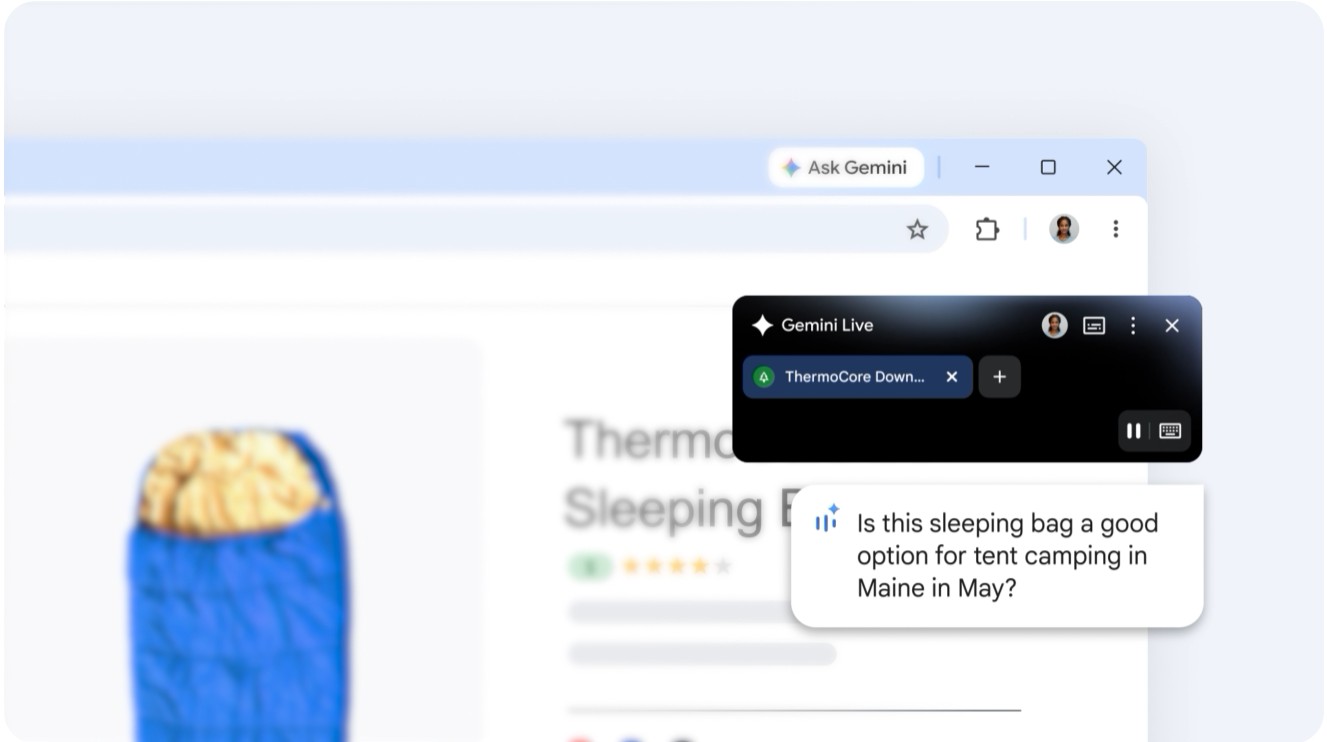
Watch it in action:
Video credit: Kevin Stratvert — “5 New Ways to Use Gemini in the Chrome Browser,” hosted by Nick Brazzi.
| Job | Chrome’s Gemini Sidebar | Still Needs an Extension |
|---|---|---|
| Summarize the open tab | ✅ Free, built in | — |
| Automate a task across sites | — | HARPA AI |
| Cite sources with clickable links | Partial | Perplexity |
| Paraphrase text in any text box | — | QuillBot |
| Turn speech into typed text | — | Wispr Flow |
What it doesn’t do: automate a repeated task across multiple sites, run a paraphraser inside every text box you type in, or turn your voice into text anywhere on the page. That’s the test I used to decide which AI Chrome extensions belong on this list — not “is it good,” but “does Chrome’s own AI already do this for free.”
“If an extension’s whole pitch is ‘summarize this page,’ Chrome already does that. Only install one if it does something the built-in Gemini sidebar genuinely can’t.”
HARPA AI — Automates Tasks, Not Just Chats
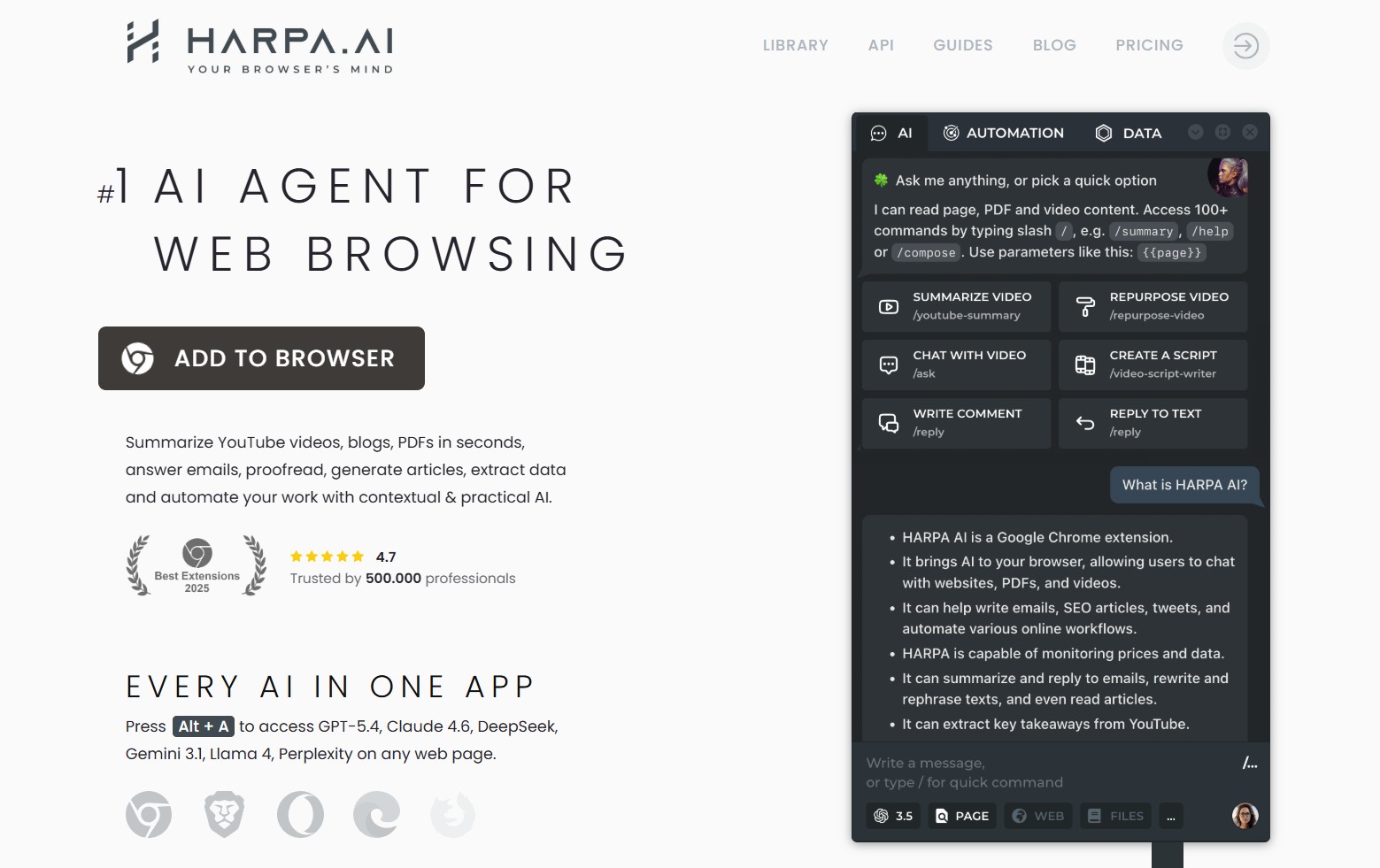
HARPA AI is one of the few AI Chrome extensions built around automation instead of conversation. It runs on top of GPT, Claude and Gemini, and the difference from a plain chat sidebar is that HARPA can act: monitor a product page for a price drop, pull structured data off a listing, or run the same multi-step prompt across a batch of tabs.
It’s built up over 400,000 users since launching in 2021 — a solid track record among AI Chrome extensions — and the free tier gives you the sidebar plus basic automation — enough to try before deciding whether the paid tier’s heavier workflows are worth it. Call it with Alt+A on any page.
The trade-off is permissions. An extension that can fill in forms and click through pages on your behalf needs broader site access than a summarizer does, so it’s worth pairing with the permissions section below rather than installing it on autopilot.
“Skip HARPA if you only want page summaries — Chrome’s Gemini sidebar already covers that. Install it if you want the browser to run a task for you, not just describe one.”
Read my full HARPA AI review →Perplexity — Cited Answers Without the Tab-Switching
Perplexity’s AI Chrome extension puts a search box in your address bar and a side panel next to whatever you’re reading, and both return answers with numbered source links instead of a flat paragraph. That’s a narrower pitch than HARPA’s or Monica’s — Perplexity isn’t trying to write your emails or automate anything.
The free tier includes a handful of Pro-quality searches per day before it drops to the standard model; the $20/month Pro plan removes that cap and adds file uploads. For fact-checking a claim mid-article or comparing two products without opening five tabs, the citations are the real feature this AI Chrome extension offers — Gemini in Chrome doesn’t show its sources the same way.
“Perplexity’s extension is worth it for one reason: you can click through to the source. That’s the gap Chrome’s own AI hasn’t closed yet.”
My full Perplexity AI review (2 months in) →QuillBot and Wispr Flow — Two Ways to Write Less
Two of the AI Chrome extensions worth installing tackle the same job through opposite inputs: fixing text after you type it, or skipping typing altogether.
QuillBot — Fixing Text You Already Typed
QuillBot sits in text boxes across the web — Gmail, Docs, LinkedIn, a comment field — and rewrites whatever’s selected through nine tone modes, from Formal to Shorten. The free version caps paraphrasing at 125 words per pass and gives two modes; Premium removes the cap, opens up all nine, and adds a plagiarism checker for $8.33/month billed annually ($99.95/year), or $19.95/month with no commitment.
Wispr Flow — Skipping the Typing Entirely
Wispr Flow, another of the AI Chrome extensions worth a look here, takes the opposite approach: you talk, and it types, cleaning up filler words and fixing punctuation as it goes, with tone shifting depending on whether you’re dictating into Slack or a formal email. The free plan caps out at 2,000 words a week; Pro is $15/month ($144 billed annually, about $12/month) with no weekly limit.
“These solve the same problem — getting words out faster — through opposite inputs. Type less with QuillBot, or skip typing with Wispr Flow. Most people only need one.”
Monica AI — One Sidebar Instead of Four
Monica is one of the AI Chrome extensions built for people who’d rather run one tool instead of stacking three — it bundles GPT, Claude and Gemini into a single sidebar, with page and YouTube summarization, translation, and writing help built on top of the model access.
The free plan of this AI Chrome extension includes 40 daily queries across the lighter models; Pro runs around $8.30/month billed annually (roughly $99/year), though the exact figure shifts by region and promotion, so check the live price before you commit. The trade-off for the convenience: you’re routed through Monica’s own servers, not a direct account with each model provider, so response speed and quality can vary by load.
“Monica is the ‘just pick one’ answer if you don’t want four separate logins. It’s not the sharpest tool at any single job on this list — it’s the most convenient generalist.”
Try Monica AI free →What These Extensions Can See (And How to Limit It)
Every one of these AI Chrome extensions asks for some level of access to the pages you visit — that’s how a summarizer reads your tab or how HARPA fills in a form. The setting that matters most sits under chrome://extensions: switch each one from “On all sites” to “On specific sites” or “On click,” and it stops running everywhere by default.
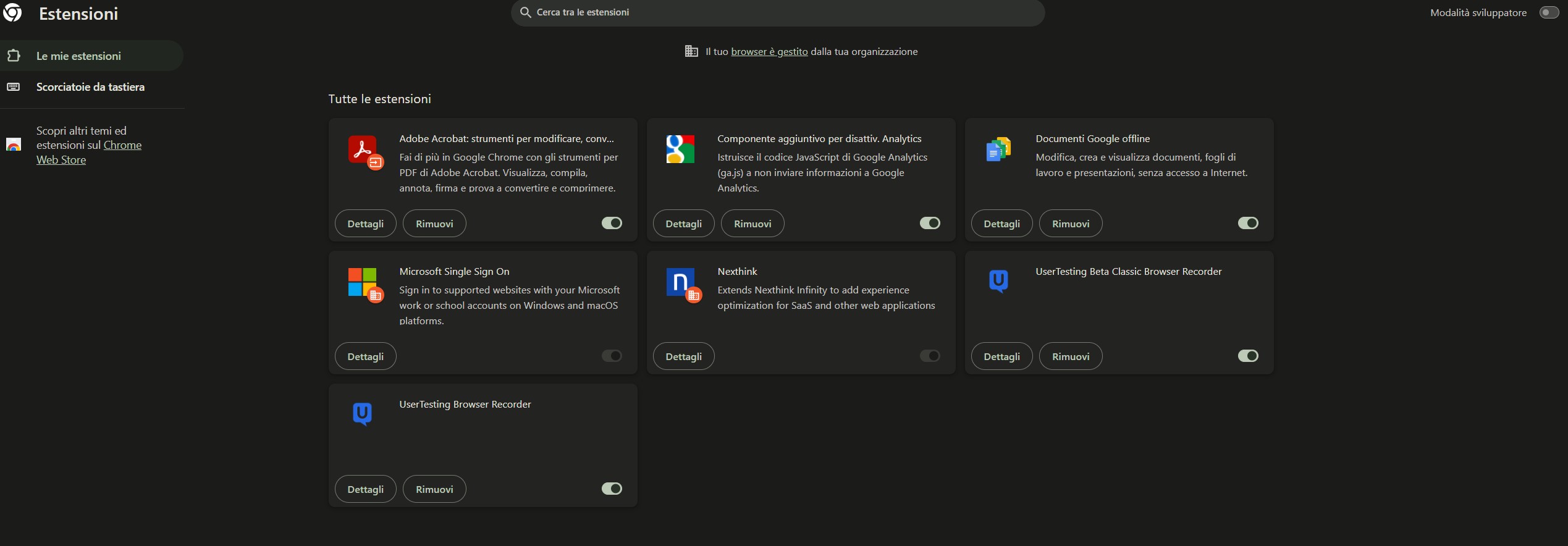
I’ve written a separate, deeper piece on how some AI Chrome extensions can read prompts you type into other AI chat tools — worth a read if you’re layering more than one of these together, along with a look at the newer risk researchers are calling agentjacking.
“The permission that should make you pause isn’t ‘read this page’ — every one of these needs that. It’s ‘read and change all your data on all websites.’ That’s the one worth switching to ‘on click.’”
Related Read
The Distracted Mind: Ancient Brains in a High-Tech World
Every one of these AI Chrome extensions lives in the exact part of your attention neuroscientists say is most fragile: the browser tab. Gazaley and Rosen’s book is the clearest explanation I’ve read of why that switching cost is real, not just a productivity buzzword.
📖 Read “The Distracted Mind” →My Pick If You’re Only Installing One
Chrome’s Gemini sidebar already covers plain summarizing, so among AI Chrome extensions, I’m not recommending one that only does that. If I had to install one thing from this list, it’s HARPA AI — it’s the only one that automates instead of just answering, which is the gap the built-in assistant hasn’t filled.
Add Perplexity if you fact-check things for a living, QuillBot or Wispr Flow if your bottleneck is getting words down at all, and Monica if logging into four tools sounds worse than one slightly average one. All four are AI Chrome extensions worth the permissions request on their own merits.
Recap: 5 AI Chrome Extensions, Side by Side
A one-glance version of every AI Chrome extension covered above, in case you skipped straight here:
| AI Chrome Extension | Best For | Free Tier Limit |
|---|---|---|
| HARPA AI | Automating tasks across tabs | Sidebar + basic automation |
| Perplexity | Cited research | A few Pro searches/day |
| QuillBot | Rewriting typed text | 125 words/paraphrase |
| Wispr Flow | Voice instead of typing | 2,000 words/week |
| Monica AI | One sidebar, several models | 40 queries/day |
That’s the full shortlist — five AI Chrome extensions, five different jobs, none of them duplicating what Chrome’s own Gemini sidebar already does for free.
FAQ — AI Chrome Extensions
What are the best AI Chrome extensions to use?
+HARPA AI, Perplexity, QuillBot, Wispr Flow and Monica cover the five jobs worth a separate install: automation, cited research, text cleanup, voice input and one-extension convenience. Past that, check whether Chrome’s own Gemini sidebar already does what you’re looking for before adding a sixth.
Do I still need an AI Chrome extension now that Chrome has Gemini built in?
+Is HARPA AI, one of the more popular AI Chrome extensions, safe to use?
+Do AI Chrome extensions slow down the browser?
+Which AI Chrome extension is best for writing?
+Can AI Chrome extensions read my private browsing data?
+Are AI Chrome extensions free to use?
+What’s the difference between Perplexity’s extension and Perplexity.ai?
+📚 Go Deeper on Browser AI
You now know which AI Chrome extensions are worth the permissions request. Here’s what I’d read next if you want the fuller picture: