
 Published on: January 29, 2026
Affiliate Disclaimer:
Some of the links in this post are affiliate links. This means we may earn a small commission if you click through and make a purchase, at no extra cost to you. We only recommend tools we truly believe offer value.
1. Why AI Object Remover Tools Are Everywhere Right Now
It happened to most of us.
You take what feels like the perfect photo — a nice moment, good light, the right angle — and then you notice it: a stranger in the background, a cable on the floor, a random object ruining the scene.
Most of us don’t want to edit photos professionally. We just want them to look clean, natural, and ready to share — without spending 30 minutes learning complex tools.
That’s exactly why AI object remover tools are suddenly everywhere.
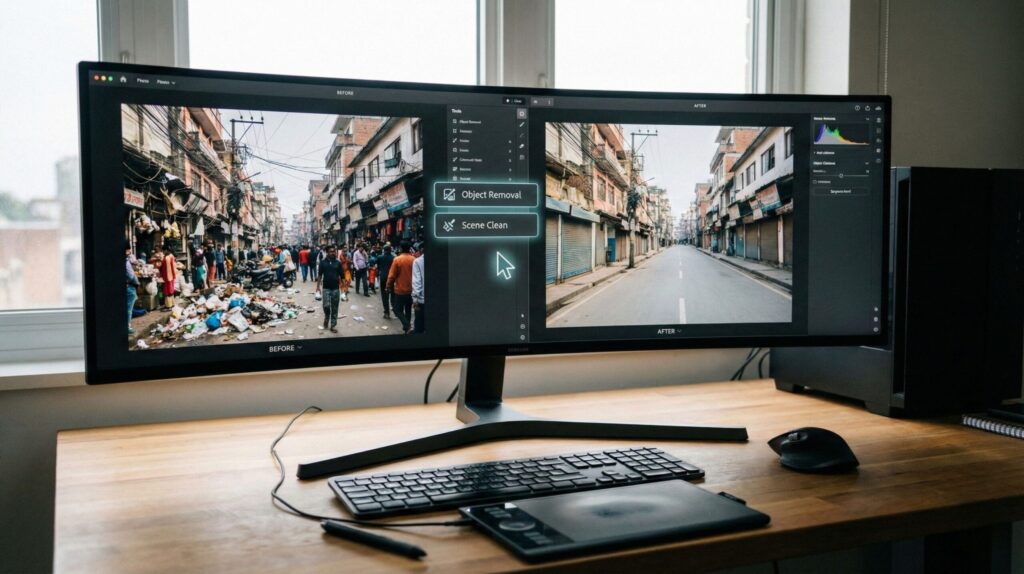
Over the past year, photo editing has quietly changed. Instead of selecting, masking, cloning, and zooming endlessly, we’re now used to simple actions: tap, circle, remove. This shift isn’t driven by professionals — it’s driven by everyday needs. Travel photos, product shots, social posts, even family pictures we don’t want to throw away.
At the same time, popular apps many of us already use — like Canva, Adobe tools, or mobile editors — have started adding object removal as a default feature, not an advanced one. That’s a clear signal: this is no longer a niche skill. It’s becoming a basic expectation.
In this guide, we’ll understand why these tools work now, when they actually help, and when they don’t. We’ll also look at which solutions are practical for everyday use — not just impressive demos — so you can fix real photos without overthinking it.
If you’ve ever thought “this photo would be perfect if that thing wasn’t there”, you’re exactly where most people are right now — and this article is written for that moment.
2. Why Removing People and Objects Is So Hard
At first glance, removing something from a photo sounds simple. We often think: “Can’t the app just erase it?”
In reality, that’s where most frustrations begin.
When we remove a person or an object, we’re not just deleting pixels. The tool has to reconstruct what should be behind it — textures, shadows, patterns, depth. Our eyes are incredibly good at spotting when something feels “off,” even if we can’t explain why.
That’s why traditional photo editing has always been tricky. Clone tools repeat patterns. Healing brushes blur details. Manual fixes take time and experience — and even then, results often look artificial.
AI changes the approach, but it doesn’t make the challenge disappear.
Modern AI object removal works by predicting what should exist in the missing area, based on surrounding context and huge image datasets. When it works well, the result feels almost invisible. When it doesn’t, we see strange artifacts, warped backgrounds, or “melted” details — especially with faces, hands, or repeating structures.
This explains a common experience many people have today:
some photos clean up beautifully in seconds, while others look worse than before.
Even Adobe openly explains that object removal quality depends heavily on context, lighting, and background complexity, not just the tool itself — a useful reference if you want to understand the limits before trusting any app blindly: Check it out here.
Understanding why removal is hard helps us set realistic expectations. It also makes it easier to choose the right tool — and avoid wasting time on photos that no AI can fix properly yet.
In the next section, we’ll look at what AI object remover tools actually do well today, using real, everyday examples — not marketing promises.
3. What an AI Object Remover Actually Does (With Real Examples)
When an AI object remover works well, it doesn’t feel like photo editing at all.
It feels like the photo was always meant to look that way.
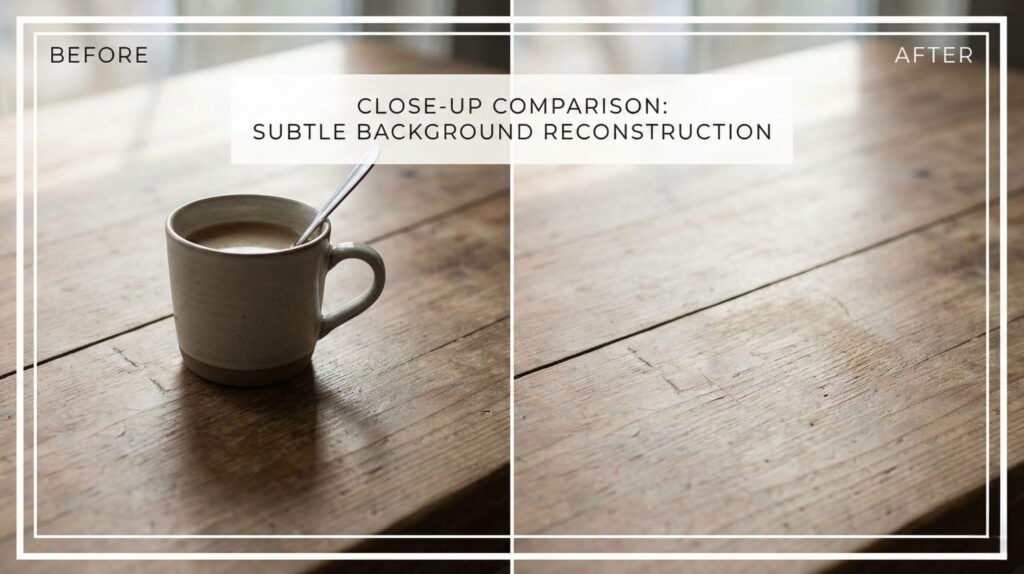
Instead of copying nearby pixels or blurring mistakes, an AI object remover looks at the entire image as a scene. It analyzes textures, depth, light direction, and repeated patterns, then predicts what should exist behind the object we want to remove. The missing area is rebuilt, not patched.
This is why the results can feel surprisingly natural — and why they sometimes fail.
For everyday photos, an AI object remover performs best when the background is predictable. Think sky, walls, streets, sand, grass, tables, or plain interiors. In these situations, the AI has enough visual context to recreate what’s missing without obvious artifacts.
That’s why common use cases work so well in real life:
Removing strangers from travel photos
Cleaning cables, clutter, or objects from room shots
Fixing product photos before posting or selling
Where things become tricky is when the removed object overlaps high-detail elements. Faces, hands, text, reflections, and patterned fabrics are much harder for an AI object remover to reconstruct convincingly. When this happens, results may look warped, smeared, or slightly “off” — even if the tool itself is powerful.
Understanding this difference helps us avoid unrealistic expectations. It also explains why the same AI object remover can produce amazing results on one image and disappointing ones on another.
Today, these tools are no longer limited to professional software. Many popular photo editors now include AI object remover features directly in their apps, often with one-tap or brush-based controls. Paid versions usually deliver better results because they rely on more advanced AI models, not just basic cleanup algorithms.
So the real question isn’t whether an AI object remover works.
It’s which one works best for your photos — and how to use it properly.
That’s what we’ll focus on next.

4. How to Choose and Use an AI Object Remover
At this point, most of us don’t want more features.
We want to know which AI object remover works for our photos, and how to use it without trial and error.
A useful way to think about this is not “best tool overall”, but best tool for the situation. Different photos need different approaches, and AI works best when we match the tool to the context.
Let’s simplify it.
A simple decision rule that actually works
Before choosing any AI object remover, ask one question:
What am I trying to remove — and what’s behind it?
That single answer already narrows the options dramatically.
| What you want to remove | Background type | What usually works best |
|---|---|---|
| People in the distance | Sky, street, beach, wall | One-click AI object remover tools |
| Small objects or clutter | Flat or repetitive surfaces | Brush-based AI removal |
| Objects near faces or text | Complex details | Manual refinement + AI assist |
| Product photo distractions | Controlled background | AI removal + light touch-up |
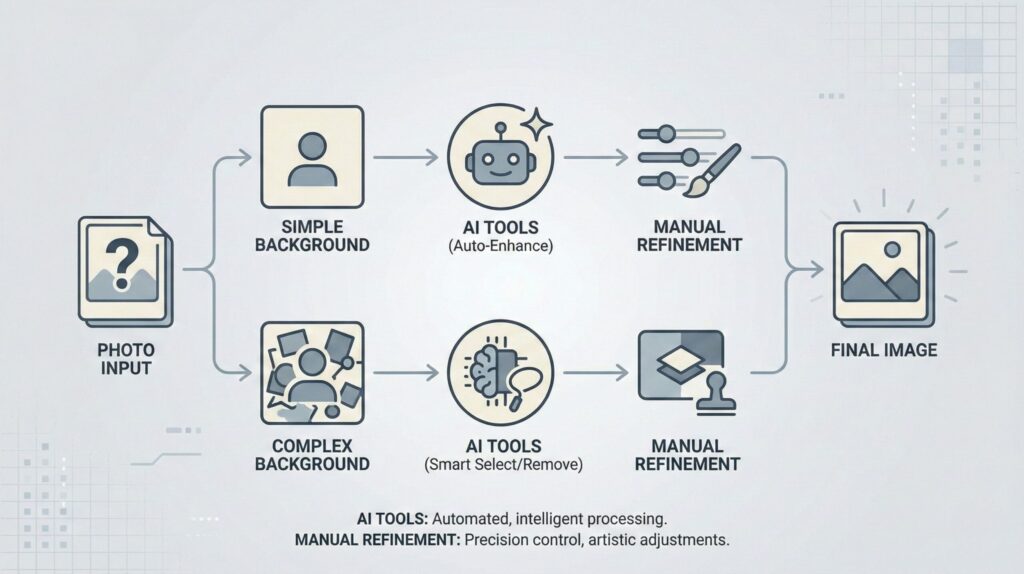
This table alone can save a lot of frustration. It explains why some edits feel effortless — and others never quite look right, no matter the tool.
How we actually get better results (small habits, big difference)
Even the best AI object remover improves dramatically when we follow a few simple habits:
Start with small selections, not large areas
Avoid removing multiple objects at once
Zoom out and review the full image before saving
If the first result looks odd, undo and try a slightly different selection
These aren’t advanced tricks — they’re just ways of helping the AI understand the scene better.
Where paid tools start to make sense
Free AI object remover tools are useful for testing, but they often rely on lighter models. When we care about realism — especially for photos we plan to publish, sell, or reuse — paid tools usually perform better because they process more context and finer details.
This is why many creators and small businesses naturally end up using tools already included in platforms like Canva or Adobe, where object removal is part of a broader workflow rather than a standalone gimmick.
The goal isn’t perfection.
It’s knowing when AI object removal is the right solution — and when it’s not worth forcing.
In the next section, we’ll address something many guides skip: ethical, privacy, and trust considerations, especially when personal photos are involved — and why they matter more than most people think.
5. Ethical, Privacy, and Trust Issues You Should Know
When we use an AI object remover, we’re usually focused on the result.
The photo looks cleaner, the distraction is gone, and we move on.
But there’s a quiet question worth asking: what actually happens to our images in the process?
Most AI object remover tools don’t work entirely on your device. The image — or parts of it — is often uploaded to a server, processed by an AI model, and then sent back. For casual edits, this may not feel important. For personal photos, work images, or client material, it suddenly matters a lot more.
This doesn’t mean these tools are unsafe by default. It means not all tools handle data in the same way.
Some platforms clearly state how images are processed, whether files are stored, and if they’re used to improve AI models. Others are vague, or don’t explain it at all. As users, we often skip these details — until something goes wrong.
A good habit is to check whether the tool:
Explicitly mentions temporary processing instead of long-term storage
Allows opting out of data usage for training
Comes from a company with transparent documentation
Adobe, for example, clearly outlines how content is handled and emphasizes responsible AI development, which is a useful reference point even if you don’t use their tools directly:There’s also a broader ethical angle that’s easy to overlook. Removing people from photos can be harmless — or misleading — depending on context. Editing personal memories is different from altering images meant to inform, document, or represent reality. Knowing where we draw that line is part of using these tools responsibly (check Adobe AI and Ethics).
The goal isn’t to be cautious to the point of paralysis.
It’s to be aware, choose tools we trust, and use AI object removal as a way to improve clarity — not distort meaning.
In the final section, we’ll pull everything together: which AI object remover tools make sense today, when they’re worth paying for, and quick answers to the most common questions people still have.
6. Final Verdict: The Best AI Object Remover Tools Today + FAQ
At the end of the day, the “best” AI object remover isn’t the one with the longest feature list.
It’s the one that fits how we actually edit photos in real life.
Some tools are better for quick fixes. Others shine when quality really matters. The key is choosing something reliable — not experimental — and knowing why it fits your use case.
Here’s a simple decision table to help you pick confidently.
Quick decision table: which AI object remover should you try?
| Tool | Best for | Why it stands out | Good to know |
|---|---|---|---|
| Canva Pro | Everyday edits, social & product photos | Very easy AI object remover + full design workflow | Best value if you already create content regularly |
| Adobe Photoshop | High-quality, realistic removals | Most accurate AI object removal today | More powerful, but slightly more complex |
| Mobile AI Editors | Fast fixes on phone | Quick results, minimal effort | Great for small objects, limits on complex scenes |
Our practical recommendation
If we had to simplify it:
For most people → Canva Pro is the easiest way to get consistent, clean results without learning curves
For creators and professionals → Photoshop delivers the most realistic AI object remover results today
For quick mobile edits → lightweight AI photo editors are fine, as long as expectations stay realistic
What matters is starting with a tool that fits your workflow, not forcing yourself into something overpowered or too limited.
FAQ
Q: Can AI object remover tools really delete people without ruining photos?
A: Yes, especially when people are in the background and the scene is simple. Clean skies, walls, and streets give the AI enough context to rebuild the image naturally.
Q: Are AI object remover tools safe for personal photos?
A: It depends on the platform. Reliable tools clearly explain how images are processed, whether they are stored, and if they are used to train AI models. Transparency matters.
Q: What is the real difference between free and paid AI object remover tools?
A: Paid tools usually rely on stronger AI models, preserve details better, and handle complex backgrounds more realistically than free versions.
Q: Do AI object removers work on old or low-quality images?
A: They can help, but results are more limited. Images with clear backgrounds and less noise produce better outcomes than heavily compressed or blurry photos.
If this guide made you reflect on how easily AI can change images — and why trust, context, and intent still matter — The Alignment Problem is a powerful next step. It helps explain how AI systems make decisions, where they can go wrong, and why understanding these limits is essential when we use tools like AI object removers on real photos.
If this guide helped you understand how AI object remover tools really work — and when they’re worth using, you may also find it useful to explore a few closely related topics where people often struggle with realism, control, and trust in AI-edited images. We’ve already covered these areas in depth on AIDigitalSpace:
→ Midjourney Prompt Hacks – Get Better Images with Smarter Prompts
→ How to Create AI Images That Don’t Look Fake (Simple Fixes)
→ AI Tools For Designers in 2025