
Mirko
AI Tech Writer
The average designer now uses 7 AI tools — double last year's number. But the top complaint? Unreliable output quality. More tools didn't mean better work — it meant more context-switching and more time wasted on outputs that never shipped. I mapped 12 AI tools for designers to the 5 stages of a real creative project to find which tool belongs where — and what each one costs per month.
Some links are affiliate links · they support this site at no extra cost to you · Full disclosure
Why Most Designers Waste Time on AI Tools
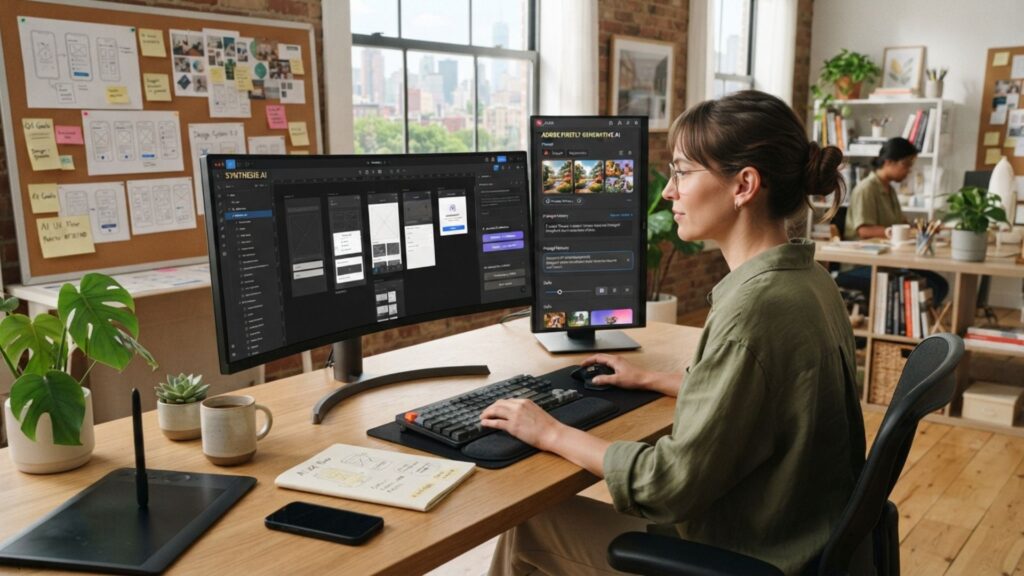
A 2026 survey by Designer Fund found that the average designer now uses 7 AI tools in their regular workflow — up from 3 just one year earlier. That should mean faster output. Instead, the number-one complaint across respondents was unreliable output quality.
The problem isn't the AI tools for designers themselves. It's that most designers pick tools based on hype or feature lists — not based on which stage of their workflow each tool is built to handle.
"Nearly half of designers say they're still searching for their go-to AI tools for designers" — even after doubling the number they use. More tools without a system means more tabs and more context-switching.
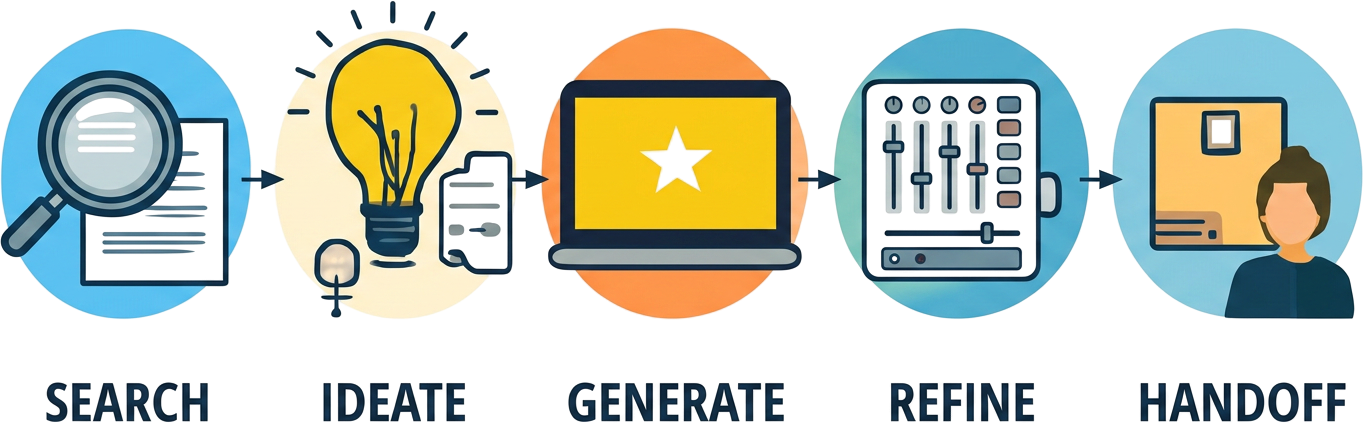
I reviewed the current state of AI tools for designers by mapping each one against the five stages of a real creative project: research, ideation, generation, refinement, and handoff. The result is the framework below — and it changes which tools you'd pick and which ones you'd drop.
Three Mistakes That Burn the Most Time
Using a generation tool for ideation. Midjourney produces stunning images, but it's not where mood boards or design briefs should start. Feeding it vague prompts without research behind them leads to beautiful but directionless output.
Skipping refinement entirely. AI-generated assets that ship without manual polish — color correction, brand alignment, typography adjustments — make a portfolio look automated instead of designed.
Paying for overlapping AI tools for designers. A designer running Canva Pro, Leonardo AI, and Midjourney is paying for three image generators when one or two, matched to the right stage, would cover everything.
The fix isn't fewer tools or more tools. It's knowing which AI tools for designers belong at which stage — and cutting everything else.
The 5-Phase AI Design Workflow — Where Each Tool Belongs
Design isn't one job — it's five: research, ideate, generate, refine, and handoff. No single AI tool wins at all five. The designers who ship faster in 2026 aren't the ones with the longest tool list — they're the ones who assigned the right AI tools for designers to the right phase and stopped switching.
Competitive analysis, moodboard sourcing, design brief creation. AI helps you gather and synthesize references faster than manual scrolling.
Tools: ChatGPT, Perplexity, Pinterest AI
Exploring visual directions, color palettes, typography pairing. AI tools for designers are strongest at divergence — generating many options fast.
Tools: Canva Magic Design, Khroma, Fontjoy
Creating the visual assets — images, layouts, mockups, illustrations. This is where the most popular AI tools for designers live, and where the biggest spend happens.
Tools: Midjourney, Leonardo AI, Figma Make
Background removal, upscaling, brand alignment, object editing. The polish pass that separates AI-assisted work from AI-generated clutter.
Tools: Adobe Firefly, Kittl, Runway ML
Presentations, dev handoff, design-to-code conversion. Where the finished work gets packaged for clients, developers, or stakeholders.
Tools: Gamma AI, Figma Dev Mode, Uizard
The next section breaks down each AI tool for designers by phase — with exact plans, pricing, and what each one is best at.
Best AI Tools for Designers — Ranked by Workflow Phase
Instead of listing AI tools for designers alphabetically, I organized every tool by the specific workflow phase where it performs best. The best AI tools for designers in 2026 aren't the flashiest — they're the ones matched to the bottleneck that's slowing you down.
| Tool | Phase | Best For | Free Plan | From |
|---|---|---|---|---|
| Canva Pro AI | Ideate + Generate | Brand kits, social, presentations | ✅ 50 credits | $12/mo |
| Midjourney | Generate | Concept art, photorealism, mood boards | ❌ None | $10/mo |
| Leonardo AI | Generate | Custom model training, illustration | ✅ 150 tokens/day | $12/mo |
| Figma AI / Make | Generate + Handoff | UI mockups, prototyping, dev handoff | ✅ 150 credits/day | $16/mo |
| Adobe Firefly | Generate + Refine | Commercially safe imagery, editing | ✅ 25 credits/mo | $4.99/mo |
| Kittl | Refine | Logos, brand graphics, print-ready | ✅ Limited | $10/mo |
| Runway ML | Refine + Generate | Video, motion graphics, bg removal | ✅ 125 credits | $12/mo |
| Gamma AI | Handoff | Presentations, pitch decks, docs | ✅ 400 credits | $8/mo |
| Uizard | Generate + Handoff | App wireframes, UI mockups | ✅ 3 projects | $12/mo |
| Khroma | Ideate | Color palette generation | ✅ Full access | Free |
| OpenArt | Generate | Multi-model image gen, style transfer | ✅ 50 credits/day | $12/mo |
| HeyGen | Handoff | AI video presentations, avatars | ✅ 1 credit | $24/mo |
Phase 1–2: Research + Ideation — Canva Magic Design + Khroma
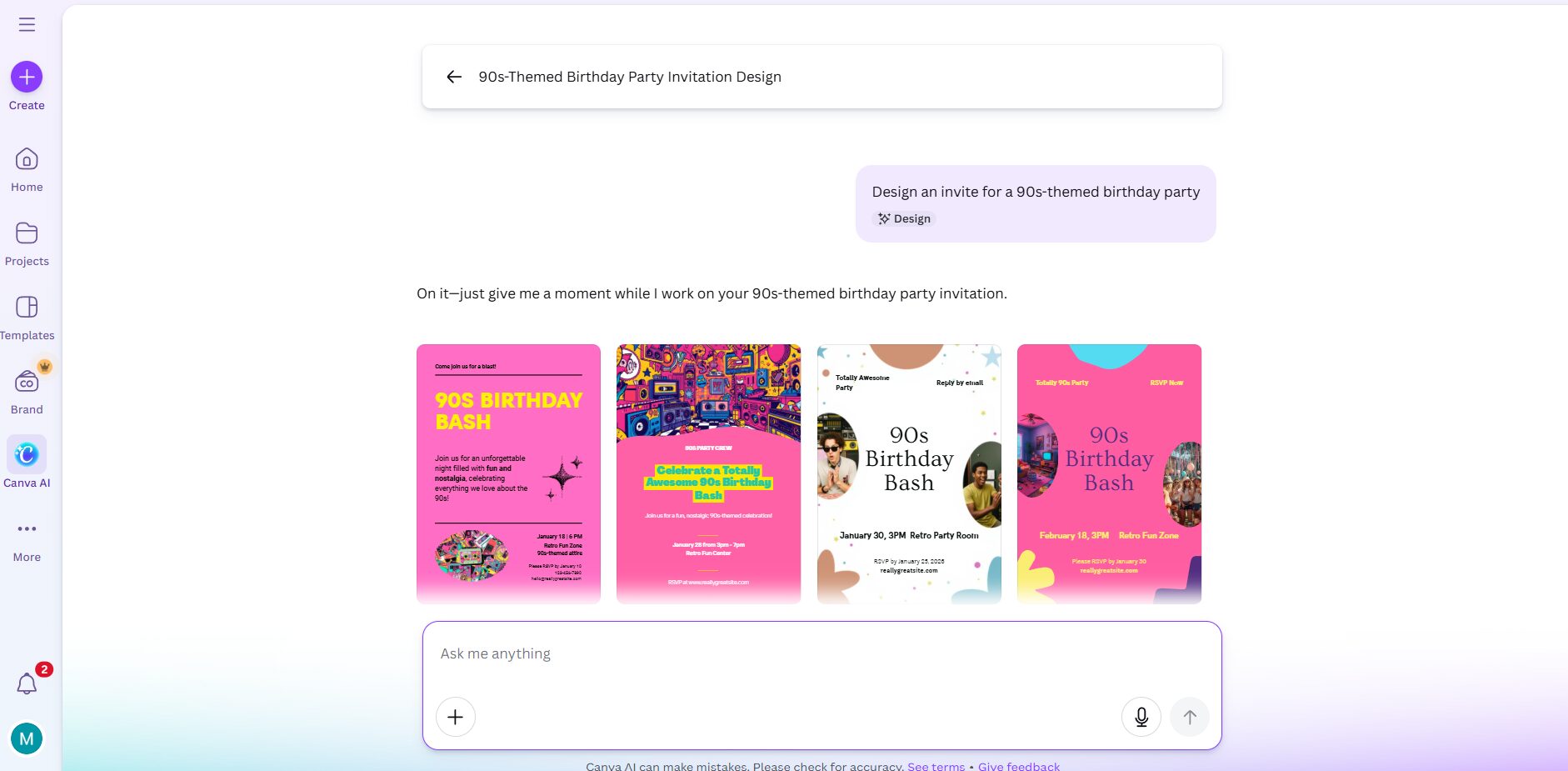
The ideation phase is where the best AI tools for designers shine brightest. Canva Pro's Magic Design feature takes a text prompt and generates multiple layout variations — social posts, presentations, brand kits — pulling from your uploaded brand assets when configured through Brand Hub.
I tested Canva's Magic Design on a brand kit presentation and got four layout versions instantly — saving around 2 hours of manual work. The free plan includes 50 AI credits per month, enough to test Magic Design, Magic Write, and background removal. Pro at $12/month (annual) bumps that to 500 credits with Dream Lab image generation and 141M+ premium assets. The Affinity suite (Photo, Designer, Publisher) is now included free with any Canva plan after the 2024 acquisition.
For color specifically, Khroma is free and purpose-built. It learns your preferences from 50 colors you select during onboarding, then generates infinite palette combinations filtered by type. Fontjoy does the same for typography pairing — both are zero-cost and focused.
Phase 3: Generate — Midjourney, Leonardo AI, Figma Make
Generation is where the most money gets spent on AI tools for designers — and where picking the wrong tool costs the most time. Three tools dominate this phase, each for a different type of output.
Midjourney remains the benchmark for photorealistic and artistic image quality. V6.1 handles faces, hands, and lighting with noticeably more accuracy than previous versions. The tradeoff: no free plan, no web editor (still Discord-based for most features), and the Basic plan at $10/month limits you to roughly 200 images in fast mode.
Leonardo AI fills a different slot: it offers a free plan with 150 tokens per day (enough for 5–10 images), and paid plans starting at $12/month include custom model training — meaning you can teach it your brand's visual style. For designers who need consistency across a project rather than one-off hero images, that model training feature is a real differentiator.
I ran the same prompt through both Midjourney and Leonardo AI to compare output quality directly. The prompt described a premium editorial furniture scene — here are the results side by side:
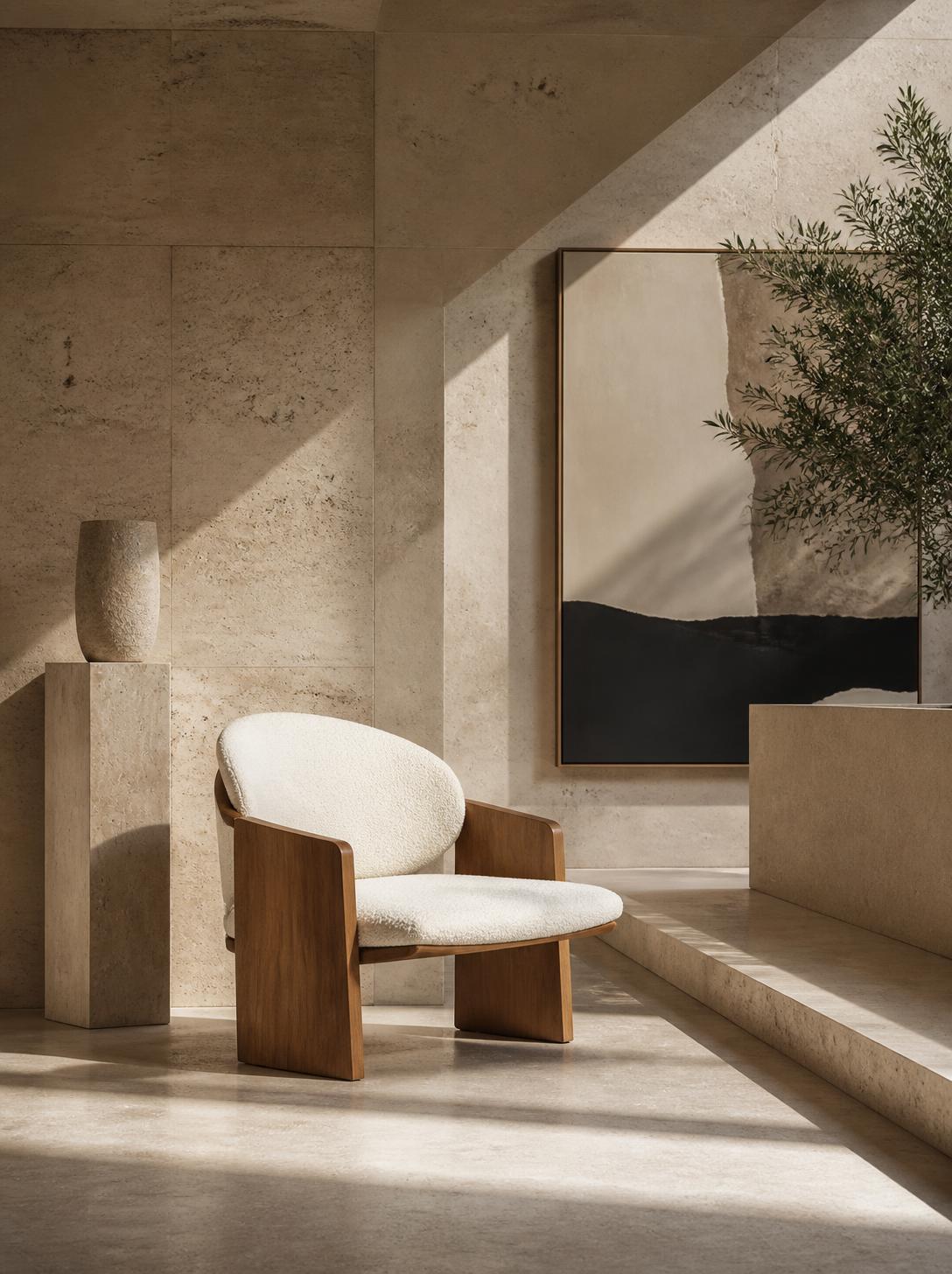
Midjourney V6.1
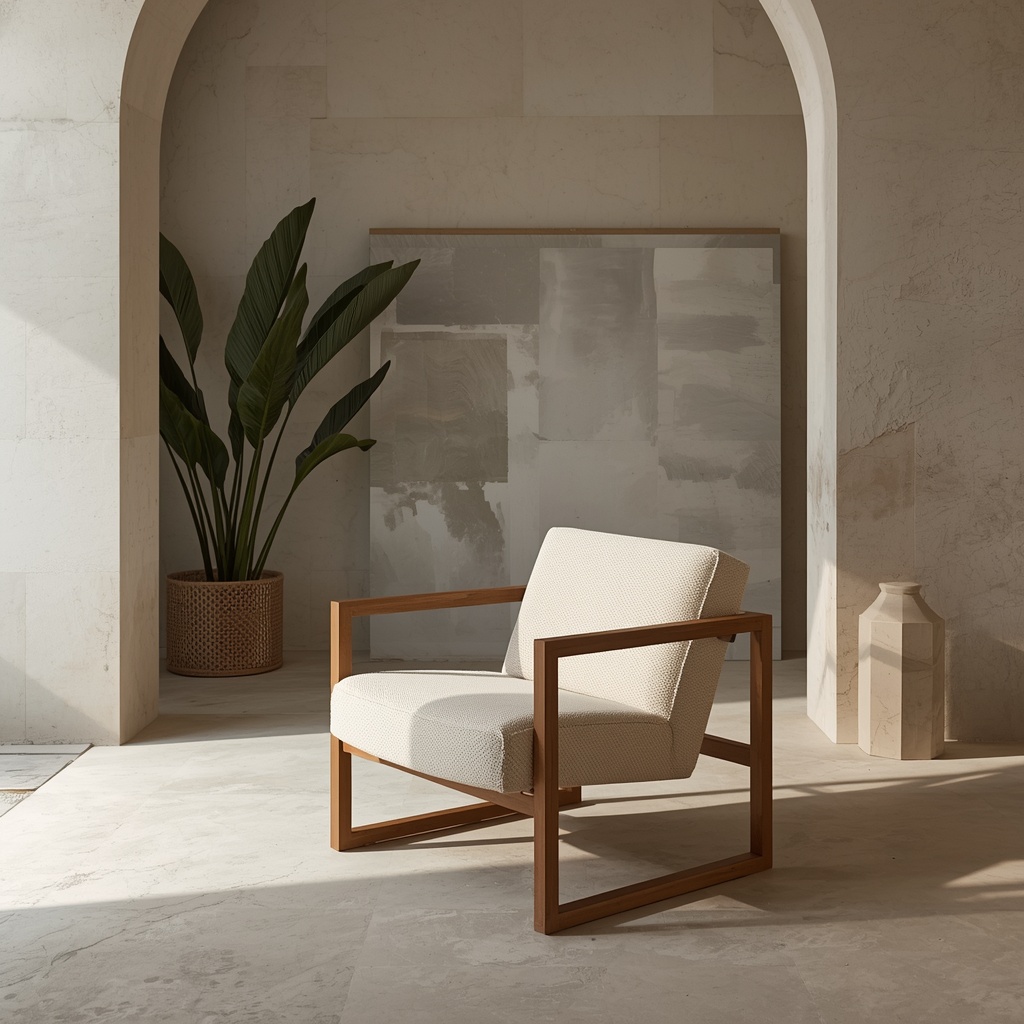
Leonardo AI
👉 Leonardo vs Midjourney — full comparison
Figma Make is the 2026 addition that changed the UI/UX design phase. It generates editable UI layouts from text prompts — connected to your existing Figma design system and component library. The Professional plan at $16/seat/month includes 3,000 AI credits, but a single complex Make prompt can consume 60–340 credits. Heavy users can burn through their monthly allowance in under 50 prompts — a detail worth budgeting for before committing.
Phase 4: Refine — Adobe Firefly, Kittl, Runway ML
Refinement is where AI tools for designers turn raw generated assets into professional deliverables. Adobe Firefly is the only major image generator trained entirely on licensed content, which means it comes with explicit commercial indemnification — real insurance for client work. It's built into Photoshop and Illustrator, so Generative Fill and Generative Expand work on the same canvas where you'd do manual touch-ups.
Kittl is designed for logo and brand graphic work — AI-powered text effects, vector generation, and print-ready export. For freelancers building brand identities, it fills the gap between Canva's template approach and Illustrator's learning curve. Free plan available, paid tier starts at $10/month.
Runway ML handles the motion side — background removal from video, AI-powered object editing, and style transfer. For designers producing motion content alongside static assets, Runway at $12/month prevents the need for a separate video editing subscription.
Phase 5: Handoff — Gamma AI, HeyGen, Uizard
The handoff phase is where most designers still do everything manually. Three AI tools for designers cut that time from hours to minutes.
Gamma AI generates presentation decks from a text brief — complete with layout, imagery, and slide structure. Starting at $8/month with a generous 400-credit free plan, it's the fastest way to turn a design concept into a client-ready presentation.
HeyGen covers video presentations — AI avatars that present your design work with natural speech, useful for async client reviews. Starting at $24/month, it's best justified when video presentations are a regular part of your delivery.
Uizard bridges design and development — it converts hand-drawn sketches or text descriptions into interactive wireframes and mockups. Starting at $12/month with 3 free projects, it's built for non-designers and early-stage product teams who need fast prototypes.
👉 Gamma AI visual storytelling guide
What AI Tools for Designers Cost in 2026
One question I kept running into during research: how much do AI tools for designers cost when you add them up across a full workflow? Most reviews list prices individually but never total them. Here's the math for three realistic stacks.
For freelancers and side projects — free tiers plus zero paid tools.
- Canva Free — $0
- Leonardo AI Free — $0
- Khroma — $0
- Gamma AI Free — $0
Limited credits, restricted commercial use on some tools
Full workflow coverage with one generator and one all-rounder.
- Canva Pro — $12/mo
- Midjourney Basic — $10/mo
- Khroma — $0
- Gamma AI Plus — $8/mo
Covers ideation through handoff for most projects
For teams doing UI/UX, brand, and motion work with commercial licensing.
- Figma Pro — $16/mo
- Midjourney Pro — $60/mo
- Adobe Firefly — $4.99/mo
- Runway Standard — $12/mo
Full coverage with commercial safety, still under a freelance editor's hourly rate
One detail worth flagging: Adobe Firefly is the only major AI image generator in this list with explicit commercial indemnification — its training data is entirely licensed content. If you ship AI-generated visuals for client work and legal clarity matters, that's a meaningful differentiator at $4.99/month.
The Freelancer Stack at $30/month covers the full five-phase workflow with the right AI tools for designers matched to each stage. The Studio Stack only makes sense when you need UI prototyping (Figma), motion work (Runway), or the higher volume and privacy of Midjourney's Pro tier.
5 Workflow Fixes That Save Real Time With AI Tools for Designers
The difference between a designer who saves 5 hours a week with AI tools for designers and one who wastes 5 hours isn't the tool — it's the workflow around it. These five fixes came up repeatedly across the 2026 practitioner reports I reviewed.
1. Add Style Context to Every Prompt — Not Just the Subject
The number-one reason AI image generators produce generic output: the prompt describes what to create but not how it should look. Adding a specific art direction reference — a named style, a lighting type, a material texture — cuts revision rounds from 5–6 down to 1–2.
Instead of: "Logo for a coffee brand"
Try: "Minimal wordmark logo for artisan coffee, matte black on cream, geometric sans-serif, inspired by Japanese packaging design"
2. Train One Tool on Your Brand — Then Use It as the Source
Canva's Brand Hub and Leonardo AI's custom model training both let you upload style guides, fonts, and reference images so the AI generates within your visual system instead of guessing. Once configured, every output starts closer to on-brand — which means less time correcting colors, typography, and tone in the refine phase.
This is the single workflow change that most consistently cut turnaround time across the reports I reviewed — because it compounds across every asset you generate, not just one.
3. Generate 5 Options, Pick 1, Rebuild It Manually
The most effective designers I came across all described the same pattern: use AI tools for designers to produce 5 rough directions fast, select the strongest concept, then rebuild the winner in Figma, Illustrator, or Photoshop. The AI handles divergence (generating options); the human handles convergence (choosing and polishing).
Shipping AI output directly — without that rebuild pass — is how portfolios end up looking automated instead of designed. The AI is the starting point, not the deliverable.
4. Run A/B Variations With AI — Not Manually
One of the most underused features of AI tools for designers is variation generation. If you're testing layout options for a landing page, social post, or ad creative, use the generation tool to produce 3–6 layout options in minutes rather than manually redesigning each one. Canva Magic Design, Uizard, and Figma Make can all produce multiple alternatives from a single brief.
Pair this with a feedback tool — Hotjar for user behavior, or a quick team vote — and you're making data-backed design decisions without the usual multi-day revision cycle.
5. Keep a Prompt Library — Not a Bookmark Folder
Every prompt that produced a result you liked from your AI tools for designers — save it. Not the image, the prompt text. Over time, this becomes a personal prompt library organized by project type: brand identity, social content, product mockup, editorial illustration.
A Notion doc or a dedicated Figma page works. The value isn't the prompts themselves — it's the time you stop spending rediscovering what language produces the right style from each specific tool in your stack.
Frequently Asked Questions — AI Tools for Designers
🎨 Go Deeper Into Your Creative Workflow
You've mapped the AI tools for designers to the phases. Here's where I'd go next to sharpen specific parts of the stack: