

Mirko
AI Tech Writer
Solopreneurs adopted AI productivity tools to work less. Most ended up working more — more content, more automations, more tools to manage. We identified the five burnout patterns draining solopreneur energy and the exact fixes that reduce your workload without killing your results.
Some links are affiliate links · You support us at no extra cost · Full disclosure
The Productivity Trap: More Output, More Pressure
Most AI productivity tools for solopreneurs are sold on the same promise: automate more, create faster, scale without hiring. And they deliver — just not in the direction you expected. The moment AI makes it easy to publish ten posts a month, the unspoken pressure becomes: why not twenty?
This is the productivity trap. Output scales, but business results don't follow at the same rate. Traffic plateaus. Leads stagnate. Revenue stays flat. And yet the dashboard keeps pushing solopreneurs to do more — more content, more sequences, more automations. The tool that was supposed to save time has quietly created a second job.
The real issue isn't the tools. It's measuring the wrong thing. When solopreneurs optimize for volume instead of outcomes, they build a faster hamster wheel — not a business.
- Published 18 posts this month
- Ran 5 automation sequences
- Tested 4 new AI tools
- Revenue: flat
- 2 posts generated 380 leads
- 1 sequence converted 14%
- Cancelled 3 tools, saved 5 hrs/week
- Revenue: +22%
The Fix: Shift Your KPIs
Track organic traffic growth, lead conversion rate, and revenue per content piece — not post count. If one article drives 80% of your inbound leads, publishing two quality pieces a week beats publishing ten average ones. AI productivity tools should serve outcomes, not inflate activity metrics.
Before you create anything this week, ask: which specific result am I trying to move? Start there. We explored a similar angle in our post on the dark side of free AI tools — well worth reading alongside this one.
Tool Overload: When Testing Becomes the Business
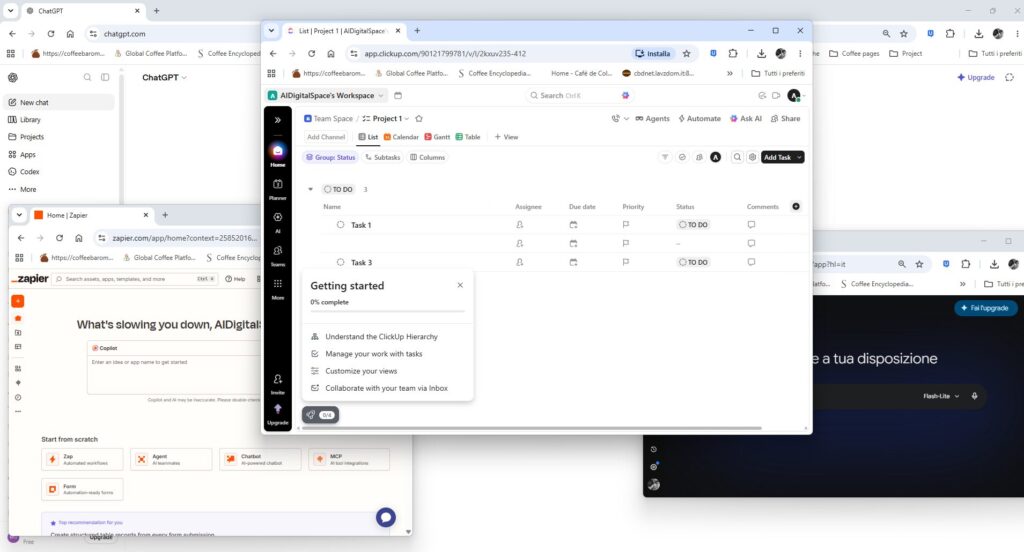
Ask solopreneurs how many AI productivity tools they're currently paying for and most will pause before answering. There's the AI writer, the image generator, the scheduling app, the repurposing platform, the analytics dashboard — and the three tools they're "just testing this week." Tool testing has quietly become a productivity category of its own.
The real cost isn't the subscription fee. Every new AI productivity tool demands setup time, a learning curve, and a workflow integration decision. Hours that should go to clients or high-value content go to tutorial videos and pricing-tier comparisons instead. According to Okta's Businesses at Work report, the average company actively uses over 80 apps — for solopreneurs managing everything alone, even a fraction of that is a slow leak in an already tight schedule.
⚠️ Red flag: If you spent more than 90 minutes this week evaluating a new AI productivity tool instead of working on revenue-generating activities, your tools are managing you — not the other way around.
The 2-Question Filter
Before committing to any tool, solopreneurs should apply two questions: Does this save me at least two hours per week? Or does it directly generate leads or revenue? If the answer to both is no, it doesn't belong in your stack — no matter how impressive the demo looked.
Audit your AI productivity tools stack every 60 days. A simple workspace like Airtable makes it easy to map every active tool against the 2-question filter and track what's actually earning its place. Cancel anything that fails. Cap your active tools at five maximum and redirect that budget toward the one or two already driving measurable results.
Decision Fatigue: AI's Hidden Tax on Your Focus
Ever opened an AI productivity tool for a "quick content idea" and emerged 45 minutes later with 60 topics, three new workflow ideas, and no actual content written? That's not a productivity win — it's decision fatigue in action. AI productivity tools generate options at a scale the human brain wasn't built to process.
For solopreneurs managing every business function alone, this matters more than most realize. Every AI-generated option is another micro-decision. Research from the American Psychological Association confirms that decision fatigue erodes both judgment quality and willpower over the course of a day — meaning the best strategic thinking happens before your AI productivity tools flood the queue, not after.
AI doesn't know your priorities. It generates ideas based on your prompt, not your business goals. Without a clear filter, every output from your AI productivity tools competes for attention equally — and none of it advances your most important work.
Build a Weekly Priority Protocol
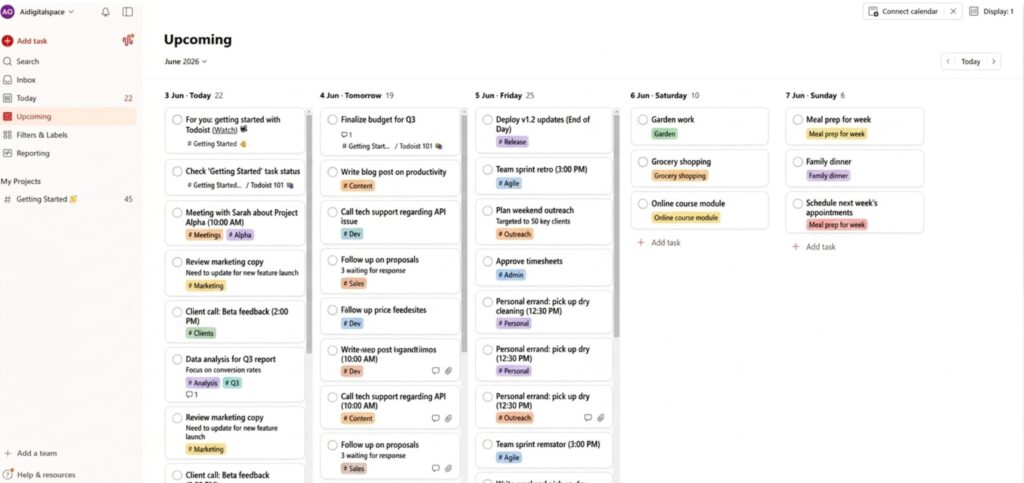
The solution isn't using AI less — it's constraining how you act on what it produces. Every Monday, choose three business priorities for the week. Route every AI output through a single filter: does this serve one of my three priorities right now? If not, it goes to a "future ideas" file — not your to-do list.
A tool like Todoist makes this system easy to maintain — set your weekly priorities as pinned tasks and use it as the filter for every idea your AI productivity tools generate. Pair it with a locked daily list of no more than five items. Fewer decisions made faster — that's the actual productivity win. For more on using AI strategically, see 17 practical ways to work faster with Claude AI.
The Always-On Mindset: Algorithms Don't Rest, But You Should
Algorithms have no circadian rhythm. They reward consistent posting, constant engagement, and perpetual optimization. When AI productivity tools make content creation cheap and fast, the algorithm logic becomes inescapable for solopreneurs: if you could post every day, why aren't you? If automation is running, why isn't it doing more?
This always-on pressure is one of the most damaging outcomes of AI adoption. It blurs the line between business hours and recovery time. Weekends become "catch-up sessions." Every quiet hour feels like wasted leverage. The World Health Organization classifies burnout as an occupational phenomenon driven by chronic unmanaged stress — and the always-on pressure that AI productivity tools can create is a direct accelerant.
⚠️ Remember: Posting five times a week instead of three rarely doubles your revenue. It reliably doubles your exhaustion. AI productivity tools should protect your time, not consume it.
Batch, Schedule, Disconnect
The fix is structural. Pick two dedicated content creation days per week — and on all other days, don't create. Use AI productivity tools to draft, format, and schedule everything in batch sessions, then close the dashboard. Tools like Buffer AI handle scheduling and publishing in advance, so solopreneurs can step away without losing consistency.
Set explicit non-working hours and enforce them with the same discipline you apply to client deadlines. Use Reclaim AI to protect focus blocks in your calendar automatically — it's one of the few AI productivity tools for solopreneurs that actively reduces your working hours rather than filling them.
Activity Isn't Progress: Measure What Actually Moves Revenue
A solopreneur we spoke with had published 22 blog posts in three months using AI productivity tools. Traffic barely moved. "I was producing like a media company," they said, "but I had no idea which posts were actually working." That's not an uncommon story — automation makes it effortless to stay busy without growing.
Activity and progress are not the same metric. Activity is easy to count: posts published, emails sent, automations running. Progress requires asking the harder question: which of these activities generated income this month? For most solopreneurs relying on AI productivity tools, the honest answer is two or three — while the rest quietly consume hours every week.
Run a Monthly Revenue Audit
Once a month, list every active task, content piece, and automation. Assign each a simple tag: revenue-generating, lead-generating, or neither. The Pareto Principle holds that 80% of results come from 20% of efforts — and most solopreneurs find their AI productivity tools confirm this exactly once they audit honestly. Cut or radically reduce everything in the third category. Redirect that time toward the 20% already driving results.
AI productivity tools for solopreneurs should reduce total work, not expand it. The goal was never to become a faster content machine — it was to use automation strategically so you can spend more time on the work that actually grows your business. If your tool stack is growing and revenue isn't, the audit will show you exactly where to cut. For a practical guide on automation that drives real results, see our post on ChatGPT automation for business productivity.
Frequently Asked Questions — AI Productivity Burnout for Solopreneurs
What is algorithmic burnout for solopreneurs?
+Algorithmic burnout happens when solopreneurs adopt AI productivity tools expecting to work less — but end up working more. The constant pressure to post, automate, and optimize, driven by algorithm logic and cheap AI output, creates a cycle of activity that drains energy without proportional business results.
Recognizing the pattern early is the first step to reversing it. If your output is growing but your revenue isn't, you've likely hit this wall.
Are AI productivity tools actually worth it for solopreneurs?
+Yes — when used with a clear strategy. AI productivity tools genuinely reduce time spent on repetitive tasks like content drafts, scheduling, and email sequences. The problem isn't the tools themselves — it's adopting too many, measuring the wrong outcomes, or letting algorithm pressure dictate your workload.
A focused stack of two to four tools that directly save time or generate revenue consistently outperforms a dozen half-used subscriptions for solopreneurs.
How many AI tools should a solopreneur actually use?
+Three to five AI productivity tools is the effective ceiling for most solopreneurs. One for content creation, one for scheduling or automation, and one for task management covers the core workflow without adding maintenance overhead.
Every tool beyond that requires learning time, integration effort, and ongoing decisions — all of which compound quickly for someone running a business alone. Start with the minimum and only add tools that pass the "saves two hours or directly generates revenue" test.
How do I know if my AI tools are hurting my productivity?
+Clear warning signs for solopreneurs: you've spent more time testing tools than working on deliverables this week; content output is up but revenue is flat; you feel pressure to create constantly but can't trace where the results come from; and your subscription list keeps growing while your focus shrinks.
If your AI productivity tools require more management time than the value they produce, they're working against you. Run a 60-day audit and cut ruthlessly.
What is the best content batching strategy for solopreneurs?
+Pick one or two dedicated creation days per week. Use your AI productivity tools to draft, edit, format, and schedule all content in a single focused session. On all other days, don't create — execute. Respond to leads, deliver client work, do outreach.
Batching eliminates the daily context-switching that silently burns solopreneurs out, and lets AI handle the repetitive parts without interrupting strategic focus every morning. Tools like Buffer AI make the scheduling side of batching seamless.
How do I reduce decision fatigue caused by AI-generated ideas?
+Set three business priorities every Monday before opening any AI tool. Apply a yes/no/later filter to every idea AI produces: does this serve one of my three priorities this week? If not, it goes into a future ideas file — not your task list.
AI excels at generating options; the skill is building a system that only acts on the ones that matter right now. Use a task manager like Todoist to keep your weekly priorities locked in and visible at all times.
Should solopreneurs measure content volume or content quality?
+Neither in isolation. The most useful metric is content ROI: which specific pieces generate organic traffic, inbound leads, or direct revenue? A solopreneur with one cornerstone article driving 400 monthly leads has a stronger strategy than one publishing 20 posts with no measurable conversion.
Review content performance monthly. Double down on what already moves revenue. Cut everything else, regardless of how much AI productivity time went into producing it.
What does a healthy AI productivity workflow look like for a solopreneur?
+A healthy workflow uses AI productivity tools to reduce time spent on creation and admin — not to fill every available hour with new tasks. It includes three to five core tools, a weekly priority system, two batched creation sessions, and a monthly audit that eliminates anything not generating results.
The real measure of a good AI workflow is not how much it produces — it's how much time it frees for high-value solopreneur work. If your stack is growing and revenue isn't, the monthly audit will show you exactly where to cut.
🧠 Work Smarter, Not More
You've identified the AI productivity traps solopreneurs fall into. Now go deeper — these posts show you exactly how to use AI strategically so your tools work for your business, not against it: