
 Published on: September 9, 2025
- 1. Introduction – Why AI Tools Are a Must for Instagram & TikTok Growth
- 2. Quick Picks – Best AI Tools at a Glance
- 3. Why AI Tools Matter for Social Media Growth in 2025
- 4. Best AI Tools for Instagram
- 5. Best AI Tools for TikTok
- 6. How to Build Your AI-Powered Social Media Workflow
- 7. Common Mistakes to Avoid When Using AI Tools
- 8. FAQ – AI Tools for Instagram & TikTok
- 9. Conclusion – Your Next Step to Grow on Instagram & TikTok
Disclosure:
This post may contain affiliate links. If you purchase through them, we may earn a small commission — at no extra cost to you. This helps support our research and keeps AI Digital Space running. Thank you!
1. Introduction – Why AI Tools Matter in 2025
Growing on Instagram and TikTok in 2025 isn’t about guessing anymore — it’s about using the right AI tools for Instagram and TikTok to work smarter. With the help of automation and data, creators and small businesses can spot what’s trending, craft better captions, and post at the right time without spending all day online. If you’re new here, start from our AI Tools category to see how we evaluate software and why certain tools consistently outperform others.
What these tools actually do: help you discover trending sounds and hashtags, repurpose long videos into short clips, generate on-brand captions, and schedule posts when your audience is most active. For example, Opus Clip can auto-clip your long videos into vertical highlights for Reels and TikTok, while Canva Pro speeds up hooks, captions, and templates so you post more with less effort. To choose topics that travel, use the official TikTok Creative Center for trend discovery and follow Instagram’s own guidance on how algorithms and ranking work to align your content with what the platform actually promotes.
In this guide, you’ll get quick picks for the best tools, a comparison table, step-by-step usage, practical growth tips, and a short ethics section to keep your strategy authentic while increasing reach. We’ll keep things clear and focused so you can apply each tip immediately.
2. Quick Picks – Best AI Tools for Instagram & TikTok Growth
If you want a fast, reliable stack, start with the AI tools for Instagram and TikTok below. We chose them for real creator workflows: clipping long videos into shorts, designing posts that stop the scroll, writing hooks that convert, and polishing captions before you hit publish. If you’d like our evaluation method, see the AI Tools category for how we score usability, impact, and price.
| Tool | Best For | Key Features | Plan Insight* | Action |
|---|---|---|---|---|
| Opus Clip | Auto-clipping long videos into Reels/TikToks | AI highlights, hook scoring, auto captions, layouts | Free plan + paid upgrades | Try Opus Clip |
| Canva Pro | On-brand posts, covers, Stories, templates | Magic Resize, templates, brand kit, quick captions | Free trial + subscription | Get Canva Pro |
| ChatGPT | Hooks, captions, ideas, A/B tests | Prompted copy, tone control, hashtag drafts | Free plan + paid tiers | Use ChatGPT |
| Grammarly | Clean, consistent multilingual captions | Grammar, tone, clarity rewrites | Free plan + premium | Try Grammarly |
| Pika Labs | AI motion/video for Reels & TikTok | Text/image/video → video, effects, styles | Free options + paid | Create with Pika |
*Pricing and features change frequently — confirm on official pages.
For speed and consistency, bundle three roles: creation (Canva Pro), repurposing (Opus Clip), and caption/ideas (ChatGPT). Set a weekly cadence (e.g., 2 Reels + 2 TikToks), reuse top-performing hooks, and schedule at audience-peak times. This small system outperforms “post-when-inspired” strategies over a month.
3. Why AI Tools Matter for Social Media Growth in 2025
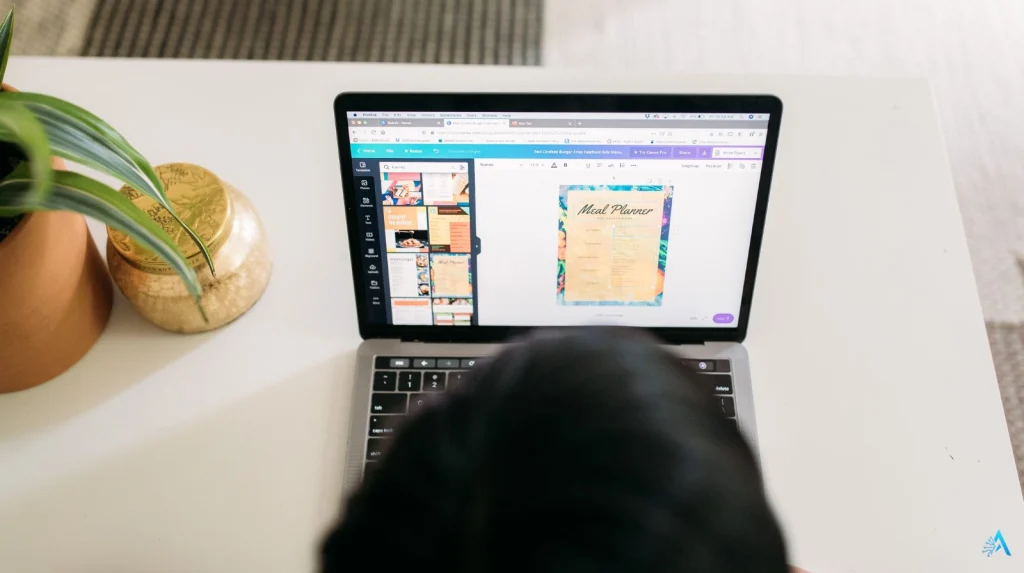
Success on Instagram and TikTok today isn’t just about creativity — it’s about timing, consistency, and reading data quickly. The platforms reward accounts that post regularly, join trends early, and keep viewers engaged. That’s where AI tools for Instagram and TikTok come in: they automate the boring parts, free you up to focus on the creative, and help you make decisions based on real insights instead of guesswork.
For example, Instagram explains in its official algorithm guide that ranking is driven by recency, engagement, and relationship with followers — meaning posting at the right time with content that resonates is critical. TikTok’s own Creative Center publishes trending sounds, hashtags, and creators, giving you data to ride a trend before it peaks.
AI also helps level the playing field: small businesses and solo creators can now use the same kind of predictive analytics and optimization that large brands rely on. Tools like ChatGPT can A/B test captions or write variations that fit your voice, and Grammarly ensures they are polished and professional before publishing.
Bottom line: using AI doesn’t replace your creativity — it amplifies it. Instead of spending hours editing or second-guessing post times, you can focus on building authentic connections and growing your community.
4. Best AI Tools for Instagram
Instagram remains a visual-first platform — meaning design quality, timing, and captions play a huge role in reach. These are the best AI tools for Instagram in 2025, selected for their ability to make your posts stand out and keep your workflow consistent.
ChatGPT – Hooks, Captions, and Post Ideas
| What it is | AI writer for captions, hooks, bio lines, carousel scripts, and hashtag drafts. |
| Best for | A/B testing hooks, multilingual captions, turning bullet notes into posts. |
| Key AI features | Prompt-based caption writing, tone matching, multiple caption variants. |
| Price insight* | Free plan; Plus adds GPT-4 and faster responses. Check official page for latest details. |
| Tips & hacks | Keep a reusable brand prompt, request “5 hook ideas + 5 captions under 120 characters,” then refine your favorite. |
| Use ChatGPT | |
Canva Pro – Fast On-Brand Design for Instagram
| What it is | AI design & planner with templates, Magic Resize, brand kit, and quick caption assist. |
| Best for | Carousels, Reels covers, Stories, consistent branding across formats. |
| Key AI features | Magic Resize, text-to-image, Magic Write captions, brand voice presets. |
| Price insight* | Free version; Pro from ~$12.99/month. Check official page for updates. |
| Tips & hacks | Create a “hook slide” template you can duplicate every week and batch-design carousels to save time. |
| Get Canva Pro | |
Grammarly – Clean, Professional Captions
| What it is | AI grammar and tone assistant that ensures captions are clear and on-brand. |
| Best for | Avoiding typos, polishing posts before publishing, multilingual creators. |
| Key AI features | Tone rewrites, clarity boost, brand tone memory, multi-language checks. |
| Price insight* | Free plan available; Premium unlocks tone and style rewrites. Check current pricing. |
| Tips & hacks | Use Grammarly keyboard or browser extension to fix captions right in Instagram Creator Studio. |
| Try Grammarly | |
Pallyy – Schedule & Analyze Your Posts
| What it is | AI-powered Instagram scheduler with grid preview and caption inspiration. |
| Best for | Creators who need a lightweight scheduler with analytics and hashtag planning. |
| Key AI features | Optimal time suggestions, queue automation, first-comment hashtags. |
| Price insight* | Free plan; affordable pro tiers. Confirm current plan on their site. |
| Tips & hacks | Schedule in bulk on Sundays, use grid preview to keep a balanced feed look, recycle evergreen posts every 2–3 months. |
| Check Pallyy | |
Copy.ai – Creative Captions & Hooks in Seconds
| What it is | AI copywriter for quick ideas, carousel openers, and ad captions. |
| Best for | Inspiration bursts when you need to post daily and stay fresh. |
| Key AI features | Instagram caption templates, hook suggestions, PAS/AIDA frameworks. |
| Price insight* | Free plan + pro plan starting at entry tier. Check official page for exact pricing. |
| Tips & hacks | Generate multiple variations, keep a “best hooks” doc, and rotate them every 30–40 days to avoid audience fatigue. |
| Explore Copy.ai | |
Consistency wins on Instagram. Start with one design tool (Canva Pro), one writing tool (ChatGPT or Copy.ai), and one scheduling tool (Pallyy). Use Grammarly before publishing to maintain a professional tone.
Over time, build a repeatable system — e.g. batch-create posts on Sundays, schedule them for peak times, and review analytics weekly. This compound habit drives growth more reliably than chasing a single viral hit.
5. Best AI Tools for TikTok
TikTok rewards speed, creativity, and trend awareness. The right AI tools for TikTok help you spot trending sounds early, repurpose longer content into clips, and post consistently without burnout. Below are the top tools for 2025 with full details:
Opus Clip – Auto-Generate Viral-Ready TikToks
| What it is | AI tool that converts long-form content into short, engaging TikToks and Reels. |
| Best for | Podcasters, YouTubers, coaches, or brands wanting consistent short clips without manual editing. |
| Key AI features | Smart B-roll, auto-subtitles, highlight detection, auto-viral scoring. |
| Price insight* | Free plan; Pro plan unlocks unlimited exports and higher quality. |
| Tips & hacks | Use the “virality score” to pick your top clips and batch-create 5–7 posts per week. Add a trending sound in TikTok to boost reach. |
| Try Opus Clip | |
Pika Labs – AI-Generated Short Videos & Motion
| What it is | AI video generator for creating short, visually striking TikToks without filming. |
| Best for | Creators who want cinematic intros, surreal loops, or AI-animated memes. |
| Key AI features | Text-to-video generation, style control, seamless loops, motion effects. |
| Price insight* | Free credits available; paid plans offer faster generation & HD output. |
| Tips & hacks | Start with 5–10 second clips, then use CapCut or TikTok’s editor to add captions & trending music. |
| Explore Pika Labs | |
CapCut – Best Free AI Video Editor for TikTok in 2025
| What CapCut Is | CapCut is TikTok’s official all-in-one video editor, perfect for fast and polished edits with AI automation. |
| Best Use Cases | Creating viral TikToks, editing Reels, adding subtitles, syncing with trending sounds — all without pro software. |
| Key AI Features | Auto-caption generator, scene detection, smart cut for jump edits, background remover, trending effect suggestions. |
| Pricing Insight* | CapCut is free for most features, with optional premium assets and stock resources available at a low cost. |
| Pro Tips & Hacks |
• Turn on auto captions for accessibility and algorithm boost. • Use trending templates built into CapCut to speed up editing. • Export vertical videos in 1080x1920 (24fps or 30fps) for best TikTok quality. • Save custom styles and transitions to keep branding consistent. |
| Open CapCut | |
*CapCut is owned by ByteDance (TikTok’s parent company) and integrates seamlessly with TikTok for one-click publishing.
For TikTok, pair Opus Clip (repurposing) with TrendTok (trend spotting) and CapCut (editing) to create a full pipeline: find trends, produce content quickly, and post while the sound is still climbing. Add Pika Labs for visually unique videos to stand out on the “For You” page.
6. How to Build Your AI-Powered Social Media Workflow
Once you’ve picked your favorite AI tools for Instagram and TikTok, the real magic comes from combining them into a repeatable, time-saving workflow. Here’s a simple framework that works for most creators:
Plan content ideas weekly
Use ChatGPT to brainstorm hooks and content themes. If you post three times a week, generate at least 6–8 ideas to have backup options.Batch-create assets
Design carousels or covers in Canva Pro. For TikTok, repurpose long videos into clips using Opus Clip or create AI-generated shorts in Pika Labs.Polish and edit
Run captions through Grammarly for tone and clarity, then add captions or effects in CapCut.Schedule for peak times
Use Pallyy for Instagram scheduling and TikTok’s built-in scheduler for short-form video. Post when your audience is most active — usually evenings or lunch hours.Review analytics weekly
Check which posts got the most engagement. Double down on those formats, and use tools like TrendTok to find the next rising sound.
7. Common Mistakes to Avoid When Using AI Tools

Even with the best tools, many creators hurt their growth by making the same mistakes. Here’s what to watch out for:
Copy-pasting AI captions without editing
AI-generated text is a starting point, not the final product. Always tweak it to sound like you.Over-automation
Automating every step can make your feed look robotic. Keep at least one weekly post organic or personal.Ignoring platform-native trends
Instagram and TikTok reward posts that match current sounds, templates, and formats. Don’t rely only on evergreen content.Posting without a schedule
Inconsistent posting confuses the algorithm. Use Pallyy or native schedulers to stay consistent.Skipping analytics review
If you don’t check which posts are performing, you miss easy wins. Review data weekly and refine what works.Relying on one tool only
No single tool covers everything. The best results come from stacking design, caption, and scheduling tools together.
8. FAQ – AI Tools for Instagram & TikTok
Q: Are AI tools allowed on Instagram and TikTok?
A: Yes. Instagram and TikTok do not ban AI-generated content as long as it follows community guidelines. In fact, many brands and creators use AI for captions, scheduling, and editing. Just make sure posts stay authentic and comply with music and copyright rules.
Q: Do AI-generated captions hurt reach?
A: No. The algorithm does not detect or penalize captions made with AI. Engagement quality (likes, comments, shares) matters more than the writing source. Edit AI text so it feels natural and personal for best results.
Q: Can I automate all my posts with AI?
A: Technically yes, but it’s not recommended. A fully automated feed can feel lifeless and disconnect you from followers. Balance automated posts with live Stories, comments, and real-time updates.
Q: Which AI tool is best if I’m just starting?
A: Start with Canva Pro for visuals, ChatGPT for caption ideas, and Pallyy for scheduling. Add Opus Clip or CapCut later if you create video content regularly.
Q: Will these tools work if I have a very small account?
A: Absolutely. AI helps small creators post more consistently and test different formats quickly — a key advantage when you’re growing from scratch.
Q: Do I need to pay for all these tools?
A: Not at first. Most offer free tiers or trials. Test them, see which fit your workflow, then upgrade only where you see ROI (e.g., Canva Pro’s Brand Kit or ChatGPT Plus for speed).
9. Conclusion – Your Next Step to Grow on Instagram & TikTok
The landscape of Instagram and TikTok in 2025 rewards creators who stay consistent, adapt quickly, and keep content fresh. AI tools are no longer a nice-to-have — they’re the edge that lets small accounts compete with big brands.
The key is to start simple: pick one design tool (Canva Pro), one writing assistant (ChatGPT or Copy.ai), and one scheduling or analytics tool (Pallyy, TrendTok). Post regularly, review what works, and improve each week.
Your audience wants valuable, engaging content — and with AI, you can deliver it without spending hours stuck editing or writing captions.
Don’t wait to be “ready.” Post your first AI-assisted Reel or carousel this week. The sooner you start, the sooner you’ll see what resonates with your audience — and the faster your growth will compound.