
 Published on: September 12, 2025
- Why Murf AI is Our Top Choice for Creators
- Murf AI vs Other AI Voice Generators – Comparison Table
- Why AI Voice Generators Are Exploding in 2025
- Step-by-Step: Creating Your First AI Voiceover with Murf AI
- Best Use Cases – YouTube, Podcasts, Courses, and More
- Tips to Make AI Voices Sound More Natural
- Pricing Breakdown – Free vs Paid Plans
- Recommended Alternatives to Try
- Ethical AI Reflection – Voice Cloning and Consent
- FAQ – AI Voice Generator for YouTube & Podcasts
Disclosure:
This post may contain affiliate links. If you purchase through them, we may earn a small commission — at no extra cost to you. This helps support our research and keeps AI Digital Space running. Thank you!
1. Why Murf AI is Our Top Choice for Creators
If you’ve noticed more creators sounding ultra-polished lately, there’s a reason: they’re probably using an AI voice generator like Murf AI. In 2025, professional-quality voiceovers are no longer limited to expensive studios or hours of editing. Murf AI lets us turn plain text into natural-sounding speech in minutes—without a microphone, soundproof room, or advanced post-production.
This shift is huge for YouTubers, podcasters, educators, and marketers. Instead of juggling recording equipment or hiring voice actors, we focus on writing great scripts and let the AI handle the rest. Murf’s human-like voices, timeline editor, and multi-language support make it one of the most complete options we’ve tested. For broader context on our creator stack, see our AI tools for creators section.
2. Murf AI vs Other AI Voice Generators – Comparison Table
Not sure if Murf AI is the right AI voice generator for you? Here’s a quick look at how it stacks up against other top tools in 2025. This table focuses on what creators really care about: voice quality, ease of use, and cost.
| Tool | Best For | Free Plan | Starting Price | CTA |
|---|---|---|---|---|
| Murf AI | Creators, YouTubers, Podcasters | ✅ | From $19/mo | Try Murf AI |
| ElevenLabs | Ultra-realistic synthetic voices | ✅ | From $5/mo | Try ElevenLabs |
| PlayHT | Real-time voice cloning | ✅ | From $29/mo | Try PlayHT |
This table gives you a snapshot of what to expect. Murf AI’s mix of natural voices and intuitive editor makes it ideal for most creators, while ElevenLabs might suit those who need cutting-edge realism at a lower starting price.
3. Why AI Voice Generators Are Exploding in 2025
If you’ve been wondering why AI voices seem to be everywhere, 2025 is the year it all clicked. The market is no longer a niche experiment — it’s exploding. According to recent industry reports, the global AI voice generator market was valued at around USD 3 billion in 2024 and is projected to reach USD 20.4 billion by 2030, growing at an impressive 37% CAGR (source). In the U.S. alone, voice cloning technology is expected to grow nearly eightfold over the next decade.
This boom isn’t just hype — creators are embracing AI voice software because it saves significant time and money. Instead of hiring voice actors at $100–$500 per hour or spending hours recording takes in a home studio, we can now generate natural-sounding audio in minutes with a simple subscription. Studies even suggest that content output increases by more than 20% for creators who switch to AI-powered voiceovers, which is a huge advantage for YouTubers, podcasters, and online course makers.
Businesses are catching up too. Customer support teams are using AI-powered voice agents to replace outdated phone menus, process orders faster, and respond with emotionally aware speech synthesis. Real-time multilingual voice generation is helping companies connect with global audiences in a way that feels far more natural and human.
All of this shows that AI voice generation isn’t a passing trend — it’s becoming a core part of how we create and communicate. And this is exactly why Murf AI deserves attention: it offers professional-quality output, accessibility, and speed at a moment when demand for voice content is at an all-time high.
4. Step-by-Step: Creating Your First AI Voiceover with Murf AI
One of the reasons Murf AI is so popular as an AI voice generator is how easy it is to use. Here’s exactly how we create a professional voiceover in just a few minutes:
Sign up and log in
Go to Murf AI and create a free account. The signup process takes less than a minute and gives you access to their editor right away.Create a new project
Once inside, click “Create Project” and choose whether you want to generate a single voiceover or build a multi-slide presentation with audio.Paste or type your script
Copy your script into the text editor. You can break it into sections to match slides, scenes, or chapters if you’re working on longer content like a YouTube tutorial or podcast episode.
Choose a voice and style
Murf AI has dozens of natural-sounding voices, including male and female options, accents, and multiple languages. Use the preview button to listen before applying.Adjust speed, pitch, and pauses
Fine-tune the delivery so it sounds just right. You can add emphasis to words, slow down key phrases, or insert pauses for a natural rhythm.Render and export
When you’re happy with the result, click “Render.” You’ll get a downloadable audio file (MP3/WAV) that you can drop straight into your video editor or podcast software.
This entire process usually takes under 10 minutes — even less once you get familiar with the editor. And because everything is cloud-based, you can generate your audio from anywhere without needing recording gear or a soundproof space.
5. Best Use Cases – YouTube, Podcasts, Courses, and More
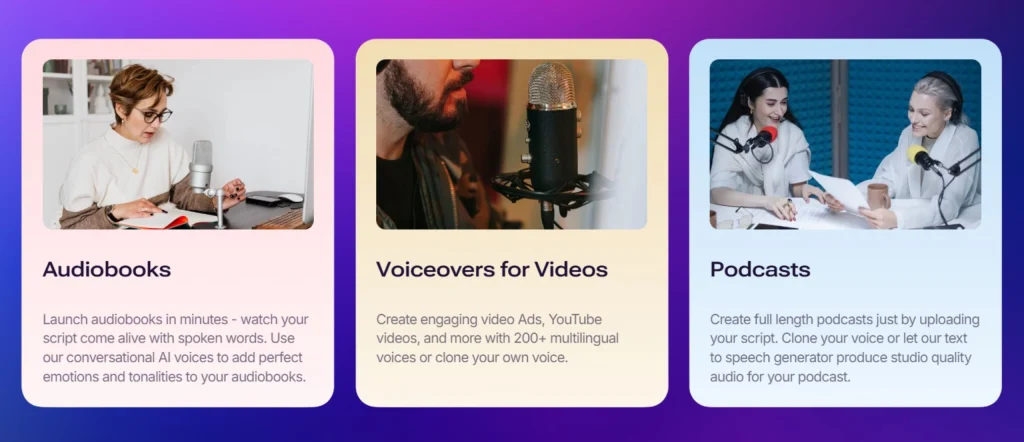
The best thing about Murf AI is how flexible it is. Whether you’re a creator, educator, or business owner, you can fit it into your workflow quickly. Here are some of the most common (and profitable) ways we see it used in 2025:
YouTube creators use Murf AI to produce consistent voiceovers without worrying about background noise or expensive mics. This is especially useful for faceless channels or animation videos, where voice consistency matters more than personality. Popular channels in niches like explainers and tutorial videos are adopting this approach to save time and scale faster.
Podcasters and educators love the ability to generate polished narration for intros, ads, or entire episodes. With multilingual support, it’s also a great way to translate and localize content for new audiences — a trend that HubSpot reports is driving audience growth worldwide.
E-learning creators and businesses are using Murf to turn scripts into clear, professional narrations for courses, onboarding material, and training videos. According to a case study by Synthesia, AI video tools helped streamline training video production by cutting voice-over and content synchronization time so creators can launch courses faster.
Here’s a quick table with our recommended use cases and where Murf AI really shines:
| Use Case | Details |
|---|---|
| YouTube Voiceovers | Ideal for tutorial, commentary, and educational channels. Murf AI ensures clear, consistent audio across episodes, saving hours in recording and editing. Perfect for creators who want to stay faceless but sound professional. |
| Podcasts | Use Murf AI for intro/outro jingles, sponsor ads, or even entire episodes. Great for solo podcasters who don’t want to worry about noise issues or re-recording mistakes — just edit the script and regenerate. |
| Online Courses | Narrate modules and training videos with a consistent, professional voice. Makes your e-learning product sound polished without hiring multiple voice actors. A top choice for course creators scaling production. |
What we like most here is how quickly these use cases can deliver results. From our own testing, you can produce a full 5-minute YouTube narration in under 10 minutes — something that used to take an hour or more when recording manually.
6. Tips to Make AI Voices Sound More Natural
Even the best AI voice generator can sound a bit flat if you don’t know how to tweak it. Here are the most effective tips professionals use in 2025 to make AI voiceovers sound realistic and engaging.
Use pitch, speed, and pauses strategically
Varying pitch and adding short or long pauses creates emotion and rhythm. According to Murf AI’s own best practices, adjusting these three factors is one of the simplest ways to make an AI voice sound more human.Write like you talk
Contractions (“don’t” instead of “do not”), shorter sentences, and casual phrasing make the result sound natural. Learning platforms like Endurance Learning recommend writing with the ear in mind — if it wouldn’t sound good out loud, reword it.Vary pauses and sentence length
Natural speech doesn’t space every sentence evenly. Experiment with longer pauses after key points and shorter ones in fast sequences to mimic conversational flow.Keep scripts clear and simple
Overly complex or formal language can trip up even the best TTS engines. The team at Pixflow highlights that using short, precise sentences improves both clarity and intonation in AI-generated speech.Pay attention to prosody
Prosody — the way pitch and stress shape meaning — adds life to your audio. Voice researchers like those at Resemble AI have shown that small stress and intonation tweaks dramatically change how “human” a voice feels.Customize voice settings
Most AI tools allow you to change pitch, tone, and even breathing sounds. Don’t settle for the default — adjust until it fits the personality of your brand or video.Test and render multiple versions
Sometimes the perfect take comes on the second or third try. Small script changes or emphasis adjustments can completely change the result — keep iterating until it sounds right.
7. Pricing Breakdown – Free vs Paid Plans
One of the reasons Murf AI is leading the AI voice generator market is its accessible pricing. You can get started for free, experiment with the voices, and only pay when you’re ready to produce and download high-quality audio. Here’s a breakdown of the current plans for 2025:
| Plan | Key Features | Price |
|---|---|---|
| Free Plan | Limited voice library, watermark on exports, great for testing and practice. | $0 |
| Basic | Full voice library, 2 hours of voice generation per month, standard export quality. | $19/month |
| Pro | Unlimited voice generation, access to premium voices, high-quality exports, collaboration tools for teams. | $26/month |
| Enterprise | Custom pricing, priority support, team onboarding, dedicated account manager. | Custom Quote |
For most solo creators, the Basic plan offers plenty of hours to cover weekly content, while the Pro plan is a solid choice if you need to generate voiceovers frequently or collaborate with a team.
8. Recommended Alternatives to Try
While Murf AI is our go-to AI voice generator, it’s not the only option out there. If you want to explore different voice qualities or need a feature Murf doesn’t offer, here are two top alternatives we’ve tested and can recommend:
| Tool | Strengths | Best For | CTA |
|---|---|---|---|
| Murf AI | Balanced voice quality, clean editor, excellent for fast content creation. | YouTubers, podcasters, course creators | Try Murf |
| ElevenLabs | Hyper-realistic voices with emotional range, supports cloning and multilingual speech. | High-end dubbing, audiobooks, realistic storytelling | Try ElevenLabs |
| PlayHT | Real-time generation & cloning, API for developers, great for interactive projects. | Apps, games, developers building live voice experiences | Try PlayHT |
This layout makes it easy for readers to compare and take action on whichever tool fits their needs — but still positions Murf AI first as the most balanced option for everyday creators.
9. Ethical AI Reflection – Voice Cloning and Consent

AI voice generators are powerful — but with great tools come real responsibilities. As much as we love how easy Murf AI makes professional narration, it’s worth pausing to consider the ethical side of synthetic voices.
One of the biggest issues is voice cloning without consent. Tools like Murf AI and ElevenLabs have strong safeguards, but some platforms allow anyone to replicate a person’s voice from just a short audio clip. This raises risks of impersonation, scams, and deepfakes — problems that cybersecurity experts warn are growing fast in 2025.
Our recommendation is simple: use AI voices transparently and responsibly. If you’re using a synthetic voice for a client project, let them know. If you experiment with cloning, only use voices you own or have explicit permission to use. Not only is this legally safer, but it also helps maintain trust with your audience.
For readers interested in learning more, check out our guide to AI privacy and security where we break down how to manage consent, data collection, and AI use safely.
There’s also a positive side to consider. When used ethically, AI voice tech improves accessibility — allowing brands to offer multi-language audio, helping people with speech disabilities communicate, and giving indie creators the chance to sound professional without huge budgets.
As with all AI, we believe the key is informed use: understand what the tool collects, turn off features you don’t need, and use its power to create value rather than confusion.
10. FAQ – AI Voice Generator for YouTube & Podcasts
Q: What is the best AI voice generator for YouTube in 2025?
A: For most creators, Murf AI is the best choice thanks to its realistic voices, easy-to-use editor, and affordable pricing. It works well for tutorials, explainers, and faceless channels, letting you produce consistent, professional audio fast.
Q: Can I use an AI voice generator for podcasting?
A: Yes — AI voice generators are great for intros, sponsor reads, or even full podcast episodes. Murf AI supports natural pacing and emphasis, so episodes sound polished even if you don’t record them yourself.
Q: Are AI voiceovers legal for monetized YouTube videos?
A: Yes, using AI voiceovers is allowed on YouTube and other platforms as long as you own the rights to the script and follow copyright rules. We recommend disclosing AI-generated voices if your audience values transparency.
Q: How do I make AI voices sound more human?
A: Adjust pitch and speed, add pauses, and write scripts in a conversational style. Following these tips (see Section 6 above) will make a big difference in realism.
Q: Can AI voice generators replace real voice actors?
A: They can handle many projects, but they don’t always match the emotional depth of a professional actor. For highly dramatic or nuanced projects, human narration may still be the best choice — but for most YouTube and podcast content, AI voices are a time- and cost-saving win.