
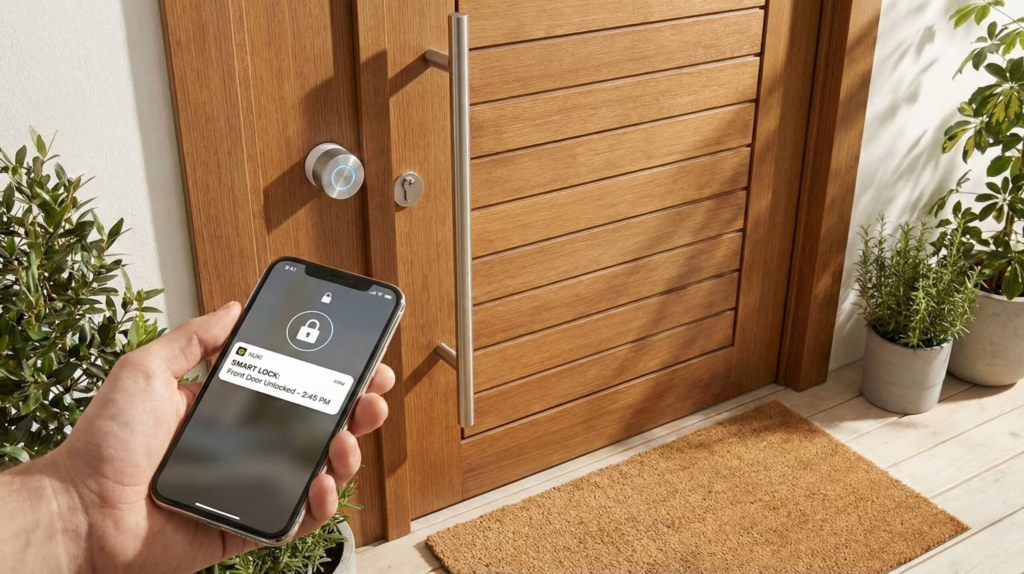
 Published on: January 27, 2026
Disclosure:
This post contains affiliate links. If you click through and make a purchase, we may earn a small commission at no additional cost to you. Thank you for supporting AIDigitalSpace — we only recommend tools and services we genuinely trust and believe bring real value to our readers.
1. Why Smart Locks Are Replacing Keys in 2026
We’ve all been there. You leave the house and, halfway down the street, that doubt hits: Did I lock the door?
Or worse, you’re away for the weekend and someone needs access — a family member, a delivery, a cleaner — and the only solution is keys under the mat or last-minute stress.
This is why so many people are moving away from traditional locks. Not because keys stopped working, but because our lives changed. We share access more often, we travel more, and we want to know what’s happening at home without guessing.
What’s different in 2026 is that smart locks are no longer just “locks you open with an app”. The best smart locks now use AI to understand situations, not just commands. They can recognize unusual behavior, send alerts when something doesn’t look right, and reduce false alarms that made earlier models frustrating to use.
If you’ve noticed:
More people talking about keyless entry
Smarter alerts instead of constant notifications
Locks that work with your routine, not against it
You’re not imagining it. This article is here to explain how AI is actually used inside modern smart locks, what really improves safety, and how to choose one that fits your home without adding complexity.
No jargon. No hype. Just a clear way to understand what changed — and why it matters now.
2. How AI Smart Locks Actually Work

When brands say a smart lock is “AI-powered,” it’s fair to be skeptical. For years, that label was used for devices that simply followed basic rules: lock at 10 pm, unlock when the app says so. Nothing intelligent there.
What’s changed — and why AI smart locks finally make sense in 2026 — is how they interpret patterns, not just actions.
Instead of reacting to single events, modern smart locks look at context over time.
For example:
If the door unlocks at unusual hours compared to your normal routine, the lock can flag it as unexpected, not just “opened”.
If repeated failed attempts happen in a short window, AI logic can recognize this as abnormal behavior and trigger stronger alerts.
If you usually unlock the door manually when you’re home, the lock can reduce unnecessary notifications instead of buzzing your phone every time.
This isn’t “thinking” like a human — but it is learning what’s normal for your home, then highlighting what isn’t.
Most AI smart locks combine:
On-device sensors (door position, motion, force detection)
Local or cloud-based pattern analysis
Adaptive alerting, so you’re warned only when something truly looks off
That last point matters more than people expect. Early smart locks failed not because they were unsafe, but because they were annoying. Too many alerts trained users to ignore them. AI helps reduce that noise.
It’s similar to how modern security systems evolved from constant alarms to selective, meaningful warnings. If you want a deeper technical explanation of how behavioral detection works in smart security devices, this overview from IBM explains it well in plain terms: check it out here.
The key takeaway is simple:
AI in smart locks isn’t about flashy features. It’s about better judgment — knowing when to stay quiet and when to tell you something actually needs attention.
In the next section, we’ll look at which smart locks apply this well in real life, and which ones still rely more on marketing than meaningful intelligence.
3. Best Smart Locks With AI Alerts (Quick Picks by Use Case)
If you’re already convinced that smart locks make sense, the real question becomes simpler:
Which one fits your home and habits without creating new problems?
Instead of a long list that feels overwhelming, we’ve grouped the most reliable AI smart locks by real-life use case. These picks focus on how well AI is applied in everyday situations — alerts, access control, and consistency — not just feature lists.
| Best for | Smart lock | How AI is used | Why it matters in real life | More info |
|---|---|---|---|---|
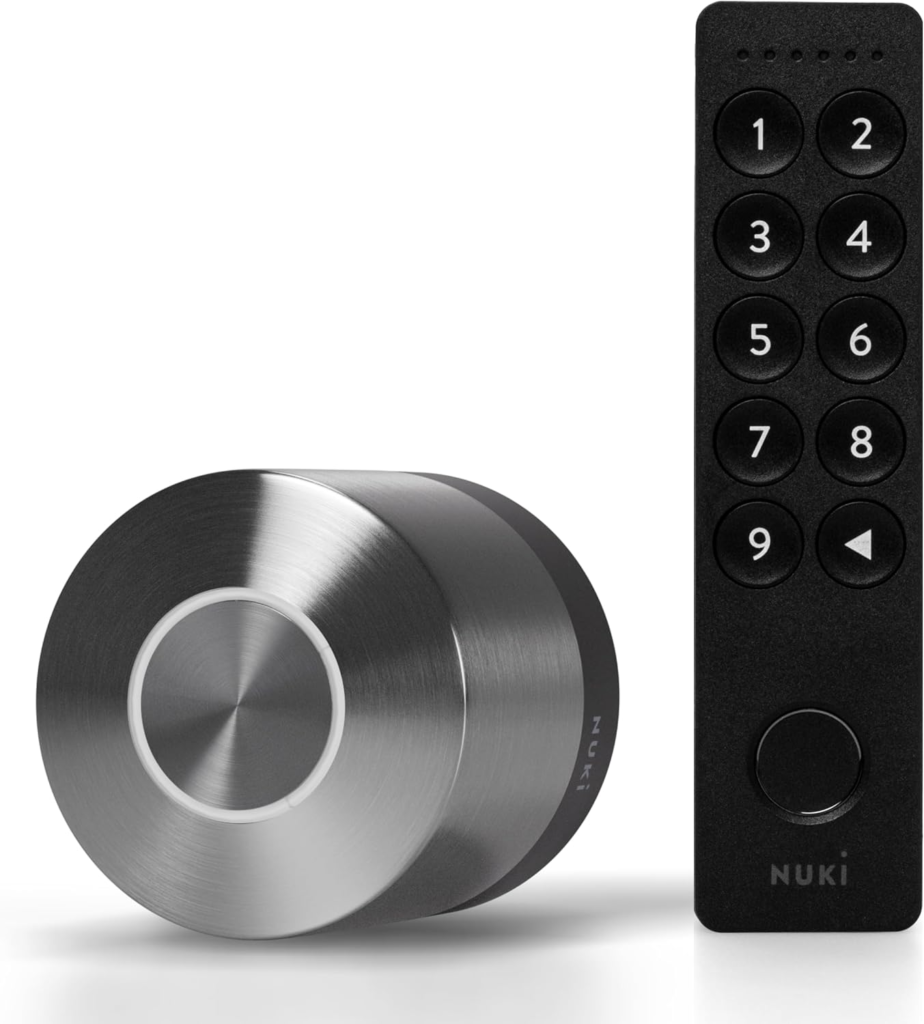
| Apartments & rentals | Nuki Smart Lock | Learns access patterns and flags unusual unlock times | Alerts feel contextual, not constant or stressful | View details |
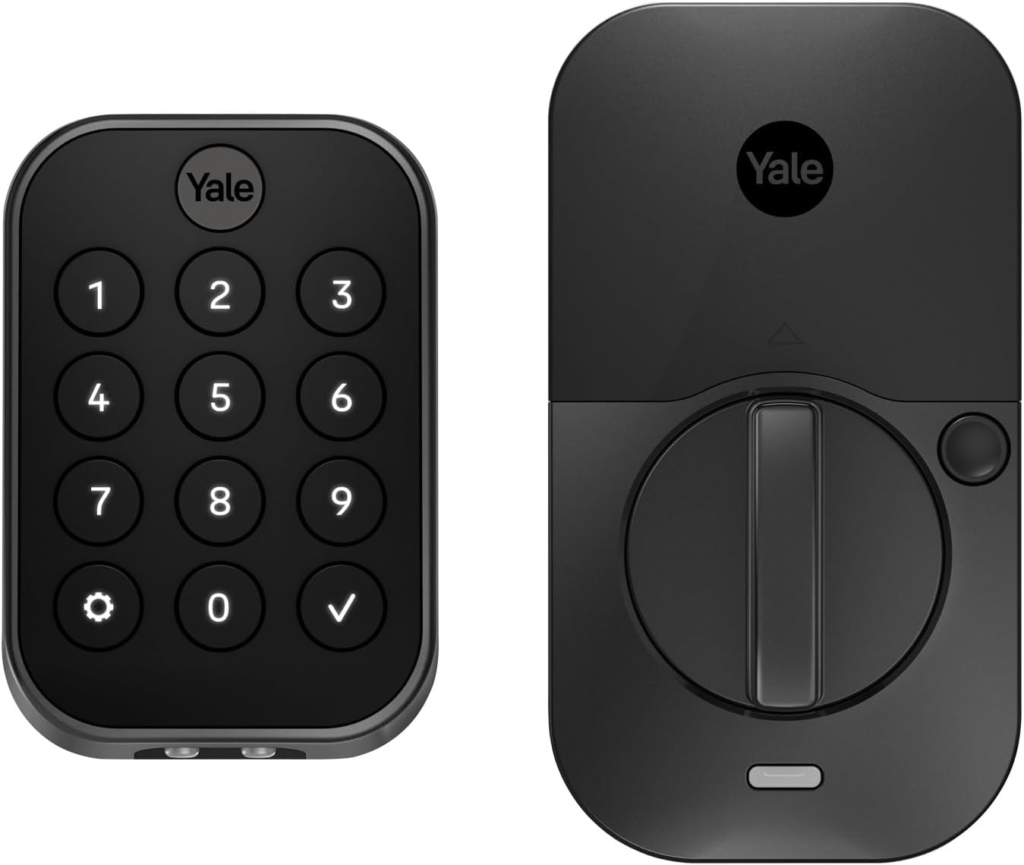
| Families & shared homes | Yale Assure | Detects abnormal access behavior across multiple users | Helps spot unusual activity without micromanaging access | View details |
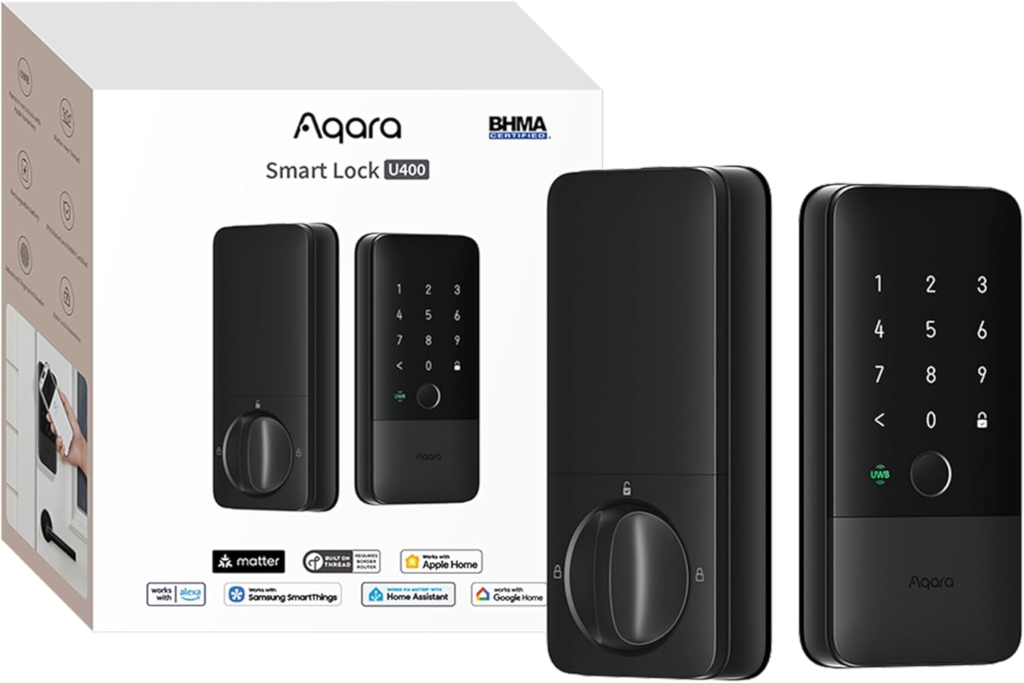
| Privacy-focused users | Aqara UWB U400 | Processes behavior logic locally before sending alerts | Less cloud reliance, more predictable notifications | View details |
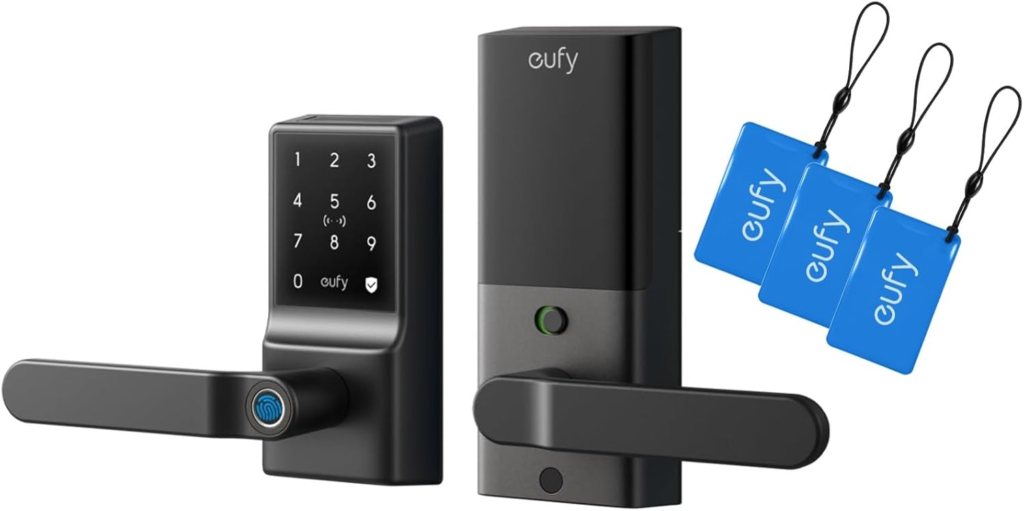
| Budget-conscious buyers | Eufy Smart Lock | Basic anomaly detection with adaptive alert timing | Adds intelligence without unnecessary complexity | View details |
What matters here isn’t which lock has more AI features — it’s which one applies them quietly and consistently. The best models don’t interrupt you constantly. They step in only when something feels genuinely off.
3.1 How Each Smart Lock Uses AI
At this point, a fair question usually comes up:
“These locks all sound smart — but what’s the real difference in how they actually work?”
This is where it helps to slow down and look at how AI is applied in everyday use, not just what’s written on the box. Below, we break down each smart lock we mentioned earlier, focusing on what the AI does, where it runs, and what that means for daily life.
Nuki focuses on behavior patterns, not constant monitoring.
- Typical unlock times
- How often the door is used
- Whether access follows a familiar routine
When something falls outside that pattern, then you’re notified.
AI runs mainly at the app level, analyzing access history over time. With the optional bridge, alerts become more reliable even when you’re away from home.
You don’t get spammed with notifications. The system stays quiet until something genuinely unusual happens — which is why it works well for apartments and rentals.
Yale’s approach focuses on managing multiple people, not just the door.
- Multiple users accessing the same door
- Normal household patterns vs unusual access
- Repeated or unexpected attempts
Intelligence sits mainly in the software layer, comparing access patterns across users to surface anomalies.
In busy households, it reduces confusion by flagging only access that truly stands out.
Aqara takes a local-first approach that prioritizes speed and consistency.
- Presence detection via UWB
- Access behavior combined with proximity
- Situations where alerts aren’t needed
Much of the logic runs close to the hardware, with the app acting mainly as control and visibility.
Unlocking feels immediate and predictable, even if the internet connection isn’t perfect.
Eufy keeps AI lightweight, focused on useful detection rather than analytics.
- Repeated failed access attempts
- Usage frequency over time
- Basic anomaly patterns
The logic is simpler than premium models, designed to improve alerts without complex settings or subscriptions.
You get smarter alerts than a basic lock, without overthinking setup or maintenance.
Taken together, these differences explain why “AI smart lock” isn’t one single category. Some prioritize learning routines, others managing people, and others reliability or simplicity.
4. How to Choose the Right Smart Lock for Your Door & Lifestyle
This is where most people get stuck — not because smart locks are complicated, but because the wrong choice looks fine until it’s installed.
We’ve seen it happen often: a lock looks great online, promises AI features, and then turns out to be incompatible with the door, unreliable in daily use, or overly dependent on the app.
To avoid that, it helps to step back and choose based on how you live, not just on features.
Start with the door, not the lock
Before thinking about AI, check the basics:
Door type (EU cylinder vs deadbolt)
Rental or owned home (some locks are fully reversible, others aren’t)
Indoor vs outdoor exposure
Many returns happen simply because the lock doesn’t physically fit. AI can’t fix that.
Decide how much control you actually want
AI smart locks vary a lot in how involved they are:
Some quietly learn routines and alert you only when something feels unusual
Others notify you for almost every action
If your goal is peace of mind, look for locks where AI is used to filter noise, not create it.
Local intelligence vs cloud dependence
This is where AI implementation really matters.
Local processing means faster reactions and fewer outages
Cloud-based logic can offer richer insights, but depends on internet stability
There’s no “right” answer — just what fits your tolerance for reliance on apps and services.
| What to check | Why it matters | AI-related impact |
|---|---|---|
| Door compatibility | Avoids installation issues and returns | AI features are useless if the lock doesn’t fit properly |
| Alert logic | Prevents notification fatigue | AI should prioritize anomalies, not every action |
| Connectivity type | Affects reliability day to day | Local AI reacts faster than cloud-only systems |
| User management | Important for families or shared homes | AI helps spot unusual access across multiple users |
Think long-term, not just first impressions
A smart lock isn’t something you replace often. Updates, app stability, and AI adaptability over time matter more than flashy features at launch.
The best smart locks are the ones you stop thinking about — because they quietly do their job.
In the next section, we’ll look at the real risks and limitations of AI smart locks, so you know exactly where the boundaries are before deciding.
5. AI Smart Lock Risks You Should Know Before Buying
AI makes smart locks more useful — but it doesn’t make them perfect. Being clear about the limits is important, because most disappointment comes from unrealistic expectations, not from real security failures.
Let’s look at the risks that actually matter in daily use.
AI can misread situations (and that’s normal)
AI in smart locks works by learning patterns. When your routine changes — guests, holidays, late nights — the system may flag behavior that’s unusual but harmless.
This doesn’t mean the lock is “broken”. It means AI needs context over time. The best systems improve by adjusting alerts instead of escalating everything into a warning.
If a lock claims “zero false alerts,” that’s usually a red flag.
Connectivity still matters more than people admit
Even in 2026, no smart lock is fully independent of connectivity:
Bluetooth needs proximity
Wi-Fi depends on network stability
Cloud-based AI depends on external services
A good smart lock should fail safely: stay locked, allow manual access, and keep working even if the app or internet goes down.
This is why we always recommend checking offline access options before buying.
App quality can make or break the experience
The lock itself might be solid, but the app is where AI decisions surface — alerts, access history, permissions.
Poorly designed apps:
Over-notify
Hide important settings
Make it hard to understand why an alert happened
Strong brands invest in software updates, not just hardware launches.
Privacy isn’t about fear — it’s about clarity
AI smart locks collect behavioral data. That’s unavoidable. What matters is:
Where that data is processed
How long it’s stored
Whether you can control or delete it
Transparent privacy settings reduce risk far more than vague promises. If a brand doesn’t explain this clearly, that’s worth noting.
For a broader explanation of how smart devices balance automation and risk, this consumer-focused overview from the FTC is a solid reference (source here).
The real risk: choosing the wrong expectations
Most people don’t regret buying a smart lock. They regret buying one that:
Interrupts too often
Depends too much on the cloud
Doesn’t adapt as promised
AI should support your routine, not demand attention.
You can check out this Wall Street Journal video that talks about Smart Looks and Safety:
6. Final Verdict: Which Smart Lock Is Worth Buying + FAQ
After looking at how AI is actually used, the patterns are clear. The smart locks that work best aren’t the ones with the longest feature lists — they’re the ones that apply AI quietly, in the background, to make access feel simpler and safer.
If we had to sum it up in one line:
The right smart lock is the one you stop thinking about.
From what we’ve seen:
AI is most useful when it filters alerts, not multiplies them
Local or hybrid processing tends to feel more reliable day to day
Good software matters as much as solid hardware
That’s why the picks earlier in this guide focus on real-life fit — apartments, families, privacy-focused users, and budget-conscious homes — instead of a one-size-fits-all “best overall”.
Before you decide, here are the most common questions people ask at this point.
FAQ
Q: Are AI smart locks actually safe to use?
A: Yes, when used as intended. Modern smart locks are designed to fail safely, meaning the door stays locked and manual access still works if something goes wrong. AI adds awareness, not vulnerability.
Q: What happens if Wi-Fi or the app goes down?
A: Most smart locks still work via Bluetooth or physical access. AI alerts may be delayed, but core locking and unlocking should continue to function. This is something worth checking before buying.
Q: Do smart locks require a subscription to use AI features?
A: Some advanced features rely on cloud services, but many locks offer meaningful AI behavior without mandatory subscriptions. Always check what’s included upfront.
Q: Can I use a smart lock if I live in a rental?
A: Yes. Many models are reversible and don’t require permanent door modifications, making them suitable for rentals and temporary homes.
Q: Will AI keep learning forever, or does it reset?
A: AI systems adapt over time but don’t reset unless you manually reset the device or app. Small changes in routine are usually absorbed without issues.
If this guide helped you understand how AI smart locks actually work in 2026 — beyond marketing labels — and how AI is quietly changing home access and everyday security, you may also find these related guides useful:
 Best AI Security Cameras 2025 – What to Know Before You Buy Smart Home AI Cameras – What to Know Before Buying How Voice Assistants Work in 2025 – Simple Guide to Understand Alexa, Siri & More