
GetResponse AI email automation dashboard with smart campaign builder and productivity features – 2025

GetResponse AI – The Ultimate Tool for Smarter Email Marketing & Automation in 2025

Why GetResponse AI Is Making Waves in 2025

Email Marketing That Thinks for You

In 2025, the game of email marketing has officially changed. We’re not just scheduling campaigns anymore — we’re letting AI plan, optimize, and personalize them in real-time. At the center of this shift is GetResponse AI, the platform that’s turning heads and raising expectations across the marketing world.

GetResponse has long been a trusted tool in the email automation space. But with its AI-powered upgrade, it’s no longer just a tool — it’s becoming a smart co-pilot for solopreneurs, startups, and growing businesses. Think fewer spreadsheets, more conversions. Less manual segmenting, more intuitive targeting.

Imagine crafting entire workflows with AI suggestions that actually make sense, writing emails that sound like you, and analyzing performance without drowning in dashboards.

And it’s not just hype. We’ve explored how GetResponse AI compares to traditional platforms and even more modern tools like Mailchimp or MailerLite — and there’s no denying the edge that GetResponse brings in 2025.

📌 Want to see how it stacks up? Check out our full AI Tools for Productivity section, where we dive into comparisons, case studies, and ethical evaluations of the best tools out there.

Why We’re Covering GetResponse AI

As digital creators ourselves at AI Digital Space, we know how overwhelming it can get juggling emails, landing pages, automations, and lead magnets. That’s why we’re always looking for tools that don’t just save time — but make time work better for us. After seeing the latest GetResponse AI features roll out, it became clear: this platform isn’t just trying to catch up — it’s quietly leading the way.

So whether you’re a solo marketer, a small business owner, or just someone trying to keep your audience engaged without burning out — keep reading. GetResponse AI might just become your favorite digital assistant.

In a world flooded with tools that promise automation, GetResponse AI goes a step further — it delivers intelligent email marketing that adapts to your audience, your goals, and your schedule. But before we dive into its smart features, let’s rewind.

A Quick Look at GetResponse (Pre-AI)

GetResponse has been around for over two decades as a trusted email marketing platform. Known for its user-friendly drag-and-drop editor, autoresponders, and landing page builder, it helped thousands of businesses grow their email lists and drive sales.

Until recently, though, it relied heavily on manual workflows — you had to set the logic, build the funnels, write the copy, and analyze the results.

What’s New: The AI Layer in 2025

The big shift? In 2025, GetResponse rolled out its AI-powered features — and it wasn’t just a gimmick. Now, users get:

  • AI-generated email copy that matches your tone and intent

  • Automated campaign workflows built from your goals

  • Smart subject line testing and optimization

  • Predictive analytics for open rates, click rates, and conversion potential

  • List segmentation and personalization suggestions based on real-time data

With these tools, GetResponse AI doesn’t just save time — it helps you make better marketing decisions without needing to be a tech expert.

“It’s like going from driving a car to letting the car drive with you — but you still control the destination.”

Who Is GetResponse AI Built For?

We often see platforms built either for tech-savvy marketers or absolute beginners. GetResponse AI is surprisingly great for both.

It’s ideal for:

  • 👩‍💼 Solopreneurs juggling content, products, and marketing on their own

  • 🧑‍💻 Marketers and freelancers managing multiple clients or campaigns

  • 🏪 Small businesses who want to build funnels, lead magnets, and automation — without hiring an agency

If you’re part of our audience at AI Digital Space, chances are you’re looking for tools that work smarter, not harder — and this one fits the bill.
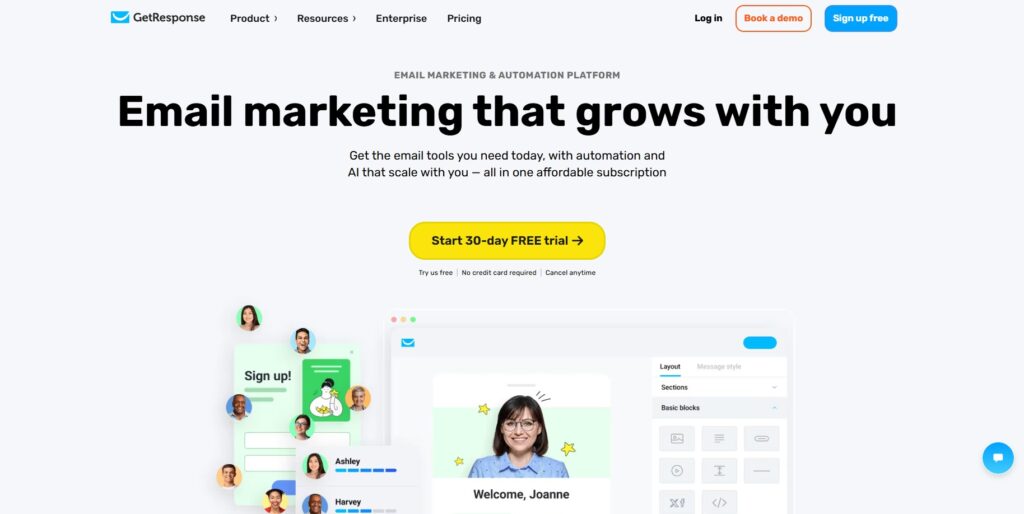

2. Why AI Email Automation Matters in 2025

We all know that email marketing works — but in 2025, it only works if it’s fast, personalized, and scalable. That’s exactly where AI email automation steps in. It’s not just about sending emails anymore. It’s about sending the right message, to the right person, at the right time — without lifting a finger.

Save Time, Scale Faster

AI email automation tools like GetResponse AI can now draft, schedule, and send emails based on your audience’s behavior and preferences — not just a static calendar. Instead of writing 5 different follow-ups for 5 types of leads, the system does it automatically based on intent and interaction.

That means:

  • Launching product campaigns in minutes, not days

  • Sending cart abandonment sequences without needing to write a single line

  • Generating weekly newsletters with AI-curated content suggestions

Even for solo creators or small teams, that’s a massive time saver.

Personalization at Scale

People are tired of generic emails. The power of AI email automation in 2025 is that you can finally personalize without the burnout.

Imagine this:

  • A subscriber who downloads your lead magnet gets a tailored onboarding series

  • A returning customer gets product suggestions based on purchase history

  • New visitors receive location-based promotions without needing manual tags

Thanks to behavioral tracking and predictive logic, GetResponse AI helps you do what used to be reserved for enterprise marketers — now built-in and easy to use.

No More Manual Workflows

Manual tagging, segmenting, resending, testing… It used to take hours to get these things right. With GetResponse AI, the system constantly adapts. It monitors:

  • Open and click behavior

  • Time of day engagement

  • Preferred devices

  • Even subject line response patterns

And adjusts your automation paths in real-time.

That’s the kind of AI email automation that marketers dreamed of in 2018 — and are finally using in 2025.

Real Use Cases in Action

Here’s how real users are putting it to work:

  • Course creators are building automated sales funnels from opt-in to upsell in under 15 minutes

  • Ecommerce stores are increasing repeat purchases with AI-triggered offers

  • Consultants are nurturing leads through intelligent follow-up sequences based on engagement

  • Affiliate marketers are A/B testing subject lines at scale — and only sending what works best

GetResponse AI dashboard showing smart email automation tools and campaign builder – 2025 review

3. Key Features of GetResponse AI

What makes GetResponse AI stand out in the crowded world of AI email marketing? It’s not just automation — it’s smart automation. Here are the key features users love most in 2025:

📬 AI Email Generator

No more blank screens or writer’s block. The AI Email Generator helps you write engaging subject lines, intros, CTAs, and full email bodies in seconds.

  • Input your topic or goal (e.g. “product launch” or “course reminder”)

  • Choose your tone: friendly, professional, urgent, etc.

  • The AI generates ready-to-send email copy tailored to your brand voice

It’s like having a ChatGPT copywriter inside your email dashboard — trained for conversions.

Bonus: You can regenerate different versions and choose the one that fits best.

🔄 Autoresponder Optimization

Setting up drip sequences? Now they come with AI suggestions to:

  • Improve timing based on user behavior

  • Add steps where leads are dropping off

  • Shorten flows if conversions are already happening early

The system constantly learns and recommends improvements — no more guessing if your funnel is too long or not working.

👤 Audience Segmentation AI

Manual tagging is out. AI segmentation is in.

  • Automatically groups subscribers based on interests, behavior, location, and purchase intent

  • Adapts dynamically as people engage with your content

  • Saves time and boosts targeting accuracy without complex setup

Whether you have 100 subscribers or 100,000, your list management gets smarter as you grow.


📊 Smart A/B Testing

Still testing emails manually? With GetResponse AI, you can:

  • Auto-generate multiple subject line or content variants

  • Let the system send the best-performing version to the majority of your list

  • Track improvements in open rates, clicks, and sales automatically

This takes the guesswork (and the manual labor) out of testing.


🔍 Predictive Send-Time Optimization

Want your email to land exactly when your audience is most likely to open it?

GetResponse AI predicts:

  • The best send time for each contact individually

  • Based on time zones, device habits, and historical data

  • So your campaigns hit the inbox at just the right moment

This alone can boost open rates without changing a single word.


🤖 ChatGPT-Style Chatbot for Email Ideas

Stuck on what to send next?

You can now chat with an AI assistant inside GetResponse AI and ask:

  • “What’s a good promo idea for my product launch?”

  • “How should I follow up after a webinar?”

  • “Give me a subject line for a flash sale”

It’s like brainstorming with a team — even if you’re a solo marketer.

4. GetResponse AI Pricing Breakdown

Plan Monthly Price Includes AI? Best For
Free $0 Beginners testing the platform Try Free
Email Marketing $19/mo ✅ Basic AI Small businesses Start Plan
Marketing Automation $59/mo ✅ Full AI Scaling teams Choose Plan
Ecommerce Marketing $119/mo ✅ Full AI + Ecommerce Advanced users Get Started

5. How to Use GetResponse AI Efficiently

One of the biggest wins with GetResponse AI is how easy it is to get up and running — even if you’ve never used an email marketing tool before. It’s designed to take the stress out of setup and give you instant structure, strategy, and scalability.

Pre-Built Workflows

You don’t have to start from scratch. Inside GetResponse AI, you’ll find dozens of automation workflow templates for:

  • Abandoned cart follow-ups

  • Welcome sequences

  • Product launch funnels

  • Lead magnet delivery

Each workflow includes smart triggers and delays — you just plug in your content, and the AI does the rest. It even suggests where to add extra steps for better conversion rates.

AI Template Suggestions

Not sure what kind of email to send next? Just ask.

GetResponse AI can suggest:

  • Subject line styles based on past open rates

  • Layout templates for promotions, newsletters, or lead nurturing

  • Content structure optimized for click-throughs

This is especially helpful when you’re short on time or cycling through multiple offers. It keeps your campaigns fresh, strategic, and aligned with AI email marketing best practices.

Drag-and-Drop Campaign Builder

The visual campaign builder is one of the platform’s strengths — no coding or complex logic needed.

  • Drag and drop blocks to create email sequences, trigger paths, delays, and conditions

  • Use AI insights to guide your layout (e.g. best time to send, best audience segment)

  • Preview how the entire journey flows before you launch

It’s a real advantage over traditional tools that require complex flow charts or logic builders.

Mobile and Desktop Syncing

Whether you’re tweaking campaigns on your phone or designing a full funnel on your desktop, GetResponse AI makes it seamless.

  • Full access to the campaign builder and reporting tools from mobile

  • Syncs across devices so you can start building on one and finish on another

  • AI insights and real-time updates work in both environments

Perfect for freelancers, solopreneurs, and on-the-go marketers who don’t want to be tied to a desk.

6. Pros & Cons

✅ Pros

  • Easy AI-driven setup
  • Predictive automation
  • Excellent value for price

❌ Cons

  • Slight learning curve at first
  • Some features locked behind higher tiers

7. Who Should Use GetResponse AI?

With so many email platforms on the market, it’s fair to ask: Is GetResponse AI right for me? Based on what we’ve seen in 2025, it’s ideal for anyone who wants to automate smarter, scale faster, and reduce time spent on repetitive email tasks.

Here’s who benefits the most from GetResponse AI:

Email Marketers Who Want Smarter Automation

If you’re tired of manually managing funnels, testing subject lines, or chasing open rates, AI email automation changes the game.

  • Use smart segmentation to target audiences without tagging

  • Let AI test, optimize, and improve campaigns as they run

  • Save hours each week while increasing performance

This is perfect for marketing teams who need both power and efficiency.

Solopreneurs Growing Their List

Solo creators, coaches, freelancers — GetResponse AI helps you build and manage your email list like a pro, even if you don’t have a team.

  • Launch full email journeys in minutes with AI workflows

  • Let the chatbot suggest newsletter ideas or promo sequences

  • Focus on creating while the AI handles the backend

If you’re a one-person show, this tool acts like a virtual marketing assistant.

Agencies Managing Multiple Clients

Managing multiple brands? With GetResponse AI, agencies can:

  • Automate client funnels with easy-to-clone templates

  • Monitor campaign performance from a single dashboard

  • Customize messaging and timing without rebuilding from scratch

The platform scales beautifully, making it a smart addition to any agency stack.

E-commerce Owners Running Frequent Campaigns

If you’re constantly launching products, sales, or seasonal offers, GetResponse AI helps you:

  • Deliver personalized promotions at scale

  • Use behavior triggers like “added to cart” or “viewed product”

  • Test offers, timing, and layout — automatically

And because it syncs with major e-commerce platforms, everything flows seamlessly.

GetResponse AI smart campaign builder interface for creating automated email sequences in 2025

8. Tips & Tricks for Better Results with GetResponse AI

Whether you’re just getting started with GetResponse AI or you’ve already launched a few campaigns, there are hidden features and strategic habits that can take your results from good to outstanding.

Here are some pro-level tips to maximize what this AI email marketing platform can really do:

Split Test Smarter with AI A/B

Don’t just run one subject line vs. another — let GetResponse AI generate multiple variants and automatically send the winning version to the bulk of your audience.

  • Start by creating 3-5 subject lines using the AI Email Generator

  • Run A/B/C tests to compare different tones (e.g., curiosity vs. urgency)

  • Track which type of message converts best, not just which line wins

The more you test, the more your results will compound.

Use AI Generator with Brand Voice Prompts

Most users stick with the default “friendly” or “professional” tones — but you can teach the AI your brand voice by giving it a simple, repeatable prompt.

For example:

“Write like a friendly startup founder with humor and urgency. Keep it clear, short, and slightly informal.”

Use that in your prompts, and the AI will adapt your style across emails. It creates brand consistency at scale — and saves time rewriting.

Combine AI Workflows with Behavioral Triggers

AI-generated flows are great. But when you layer in behavioral triggers, the magic happens:

  • Trigger a special discount email when a customer views a product twice

  • Send cart reminders only to users who click a product but don’t purchase

  • Launch onboarding flows when someone engages with 2+ emails in a series

This turns basic automation into behavior-driven personalization — a major upgrade.

Watch the Heatmap Engagement Tool

Inside the analytics dashboard, GetResponse AI offers a click heatmap that shows exactly where users are engaging (or not engaging) within your emails.

  • Identify cold zones (wasted links, skipped content)

  • Spot high-performing buttons and CTAs

  • Use this data to refine future layouts or subject-line-to-body flow

It’s one of the most underused features — but one of the most powerful if you check it regularly.

9. GetResponse AI vs Traditional Email Marketing Tools

Feature GetResponse AI Traditional Tools
Smart Campaign Generator
Predictive Sending
Manual Segmentation ✅ Auto ✅ Manual
Pricing Competitive Varies

10. Ethical Take: Can AI Replace Human Creativity in Email?

With powerful tools like GetResponse AI, it’s easy to wonder: Are we replacing real human creativity? Or just making it easier to express?

The truth is somewhere in the middle — and that’s actually a good thing.

Where AI Helps (and Where It Doesn’t)

AI email marketing tools like GetResponse AI are excellent at:

  • Speeding up routine tasks

  • Generating ideas when you’re stuck

  • Predicting performance based on user behavior

But they’re not great at:

  • Understanding deep context or nuance

  • Knowing your audience’s emotional moments

  • Capturing brand-specific humor or storytelling

Which is why we don’t believe AI should replace human creativity — it should amplify it.

Be Transparent With Your Audience

If you’re using AI to draft emails, it’s not required to make an announcement — but transparency builds trust.
Avoid pretending everything is handcrafted if it’s not.

A simple tactic?

  • Inject your human voice at the beginning or end of an AI-written email

  • Sign off personally

  • Add real photos, team updates, or behind-the-scenes links

This small human layer adds connection — and sets your brand apart from “cold automation.”

Best Practice: Human + AI = 🚀

The winning combo isn’t AI or human effort. It’s both.

  • Use AI to save time, brainstorm faster, and optimize decisions

  • Add the human spark to tell stories, express values, and connect

  • Always review outputs with your unique audience in mind

When balanced well, AI email marketing becomes a superpower — not a shortcut.

Final Verdict – Is GetResponse AI Worth It in 2025?

After a thorough review of its features, pricing, real-world use cases, and verified user feedback, one thing is clear:

GetResponse AI is a strong choice for marketers, creators, and business owners who want to automate smarter in 2025.

Built for Speed, Scaled for Growth

GetResponse AI is designed for those who want to move faster — without compromising on quality. It replaces repetitive tasks with intelligent workflows, generates personalized content, and adapts based on real-time behavior.

  • Saves time with pre-built templates and AI writing

  • Improves campaign results with smart A/B testing and predictive delivery

  • Scales easily from one-person operations to growing teams

Surprisingly Simple, Yet Seriously Capable

Despite its AI power, GetResponse AI remains beginner-friendly. You don’t need coding, complex logic, or a marketing degree to use it effectively.

At the same time, it offers the flexibility and depth needed for advanced strategies — making it ideal for both new and experienced users.

  • Clean interface with drag-and-drop tools

  • Seamless syncing across mobile and desktop

  • Fits a wide range of use cases: ecommerce, lead nurturing, affiliate campaigns, newsletters, and more

Try GetResponse AI Free for 30 Days – See What It Can Do

If you’re looking to work smarter — not harder — this tool is built to help.

👉 Try GetResponse AI Free for 30 Days (affiliate link)

We’ve researched it deeply so you can decide with confidence.

12. FAQ

Below are the most relevant questions people ask about GetResponse AI — and the honest, helpful answers we’ve gathered based on research and user feedback.

Q1: Is GetResponse AI available on all plans?

A: No. Basic AI features are included in the Email Marketing plan, but full access to AI workflows and predictive tools is only available in the Marketing Automation and Ecommerce Marketing plans.

Q2: Is GetResponse AI good for beginners?

A: Yes. It’s very beginner-friendly thanks to AI-generated templates, a clean drag-and-drop editor, and guided workflows that help you launch campaigns with no prior experience.

Q3: How is GetResponse AI different from Mailchimp?

A: GetResponse AI offers advanced features like predictive sending, AI content suggestions, and automated segmentation — features often missing or limited in tools like Mailchimp or MailerLite.

Q4: Can it write emails for me?

A: Yes. The AI Email Generator can create subject lines, intros, and full email body text based on your prompt. You can then edit and refine the content to match your voice.

Q5: Can I try GetResponse AI free?

A: Yes. There’s a 30-day free trial available with no credit card required. You can upgrade, downgrade, or cancel anytime.

Q6: Is it GDPR-compliant?

A: Yes. GetResponse is fully GDPR-compliant, offering tools like consent checkboxes, unsubscribe options, and data access management.

Q7: Does it work on mobile?

A: Yes. You can build, edit, and monitor campaigns from your phone, and everything syncs with your desktop account in real time.

👉 Looking for more powerful tools like GetResponse AI? Check out our Top AI Tools of 2025 — a curated list of time-saving solutions to boost your productivity, creativity, and growth.