
 Published on: August 27, 2025
- 1. Introduction – Why PDF Reading Is Still a Problem in 2025
- 2. Quick Answer – Which AI Works Better?
- 3. Feature Comparison: Humata AI vs ChatGPT
- 4. Humata AI: Strengths and Weaknesses
- 5. ChatGPT: Strengths and Weaknesses
- 6. Best Use Cases – Who Should Choose What
- 7. Ethical and Reliability Notes
- 8. Conclusion – Final Verdict
- 9. FAQ – Humata AI vs ChatGPT for PDF Reading
Disclosure:
This post contains affiliate links. If you click and subscribe, we may earn a small commission at no extra cost to you. We only recommend tools like Copy.ai and Writesonic that we’ve tested and believe offer real value to our readers.
1. Introduction: Why PDF Reading Is Still a Problem in 2025
PDFs are everywhere — research papers, business reports, contracts, and e-books. They’re supposed to make information easier to share, but in practice they often create more headaches than clarity. We’ve all been there: scrolling endlessly, searching for a keyword, trying to extract meaning from a 90-page file — and that’s exactly why people now turn to Humata AI vs ChatGPT as smarter ways to handle PDFs.
The real issue is that PDFs are static. They don’t “talk back.” You can’t just ask, “What’s the point of section three?” or “Summarize the differences between two methods.” Instead, you waste time piecing things together manually — unless you use AI tools like Humata AI vs ChatGPT, which can instantly break down the content for you.
This is exactly where AI tools for PDFs are making a difference. Over the last two years, people have turned to Humata AI vs ChatGPT as the two leading solutions. Both promise to read, explain, and summarize documents for you, but they don’t work in the same way. Humata AI positions itself as a research-oriented assistant, while ChatGPT is a versatile generalist that can combine PDF reading with writing, brainstorming, or even coding support.
That’s why the real question today isn’t “Can AI read my PDF?” but “Between Humata AI vs ChatGPT, which is best for my research or study routine?” For students, professionals, and anyone who deals with complex files, this choice has a direct impact on productivity.
In this post, we’ll break down how each tool works, compare their strengths and limits, and highlight which one fits best in real scenarios. By the end, you’ll know when Humata AI gives you the edge — and when ChatGPT is the smarter pick.
2. Quick Answer: Which AI Works Better for PDF Reading?
If you’re in a hurry, here’s the straight answer:
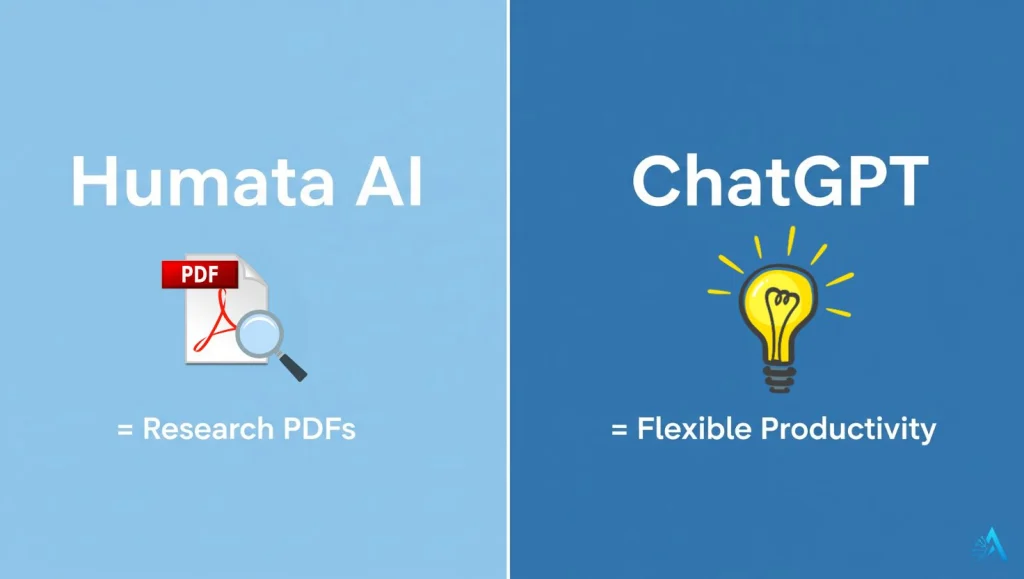
Humata AI is usually better if your PDF is a dense academic paper, technical manual, or scientific research. It’s built to extract details, explain formulas, and stay focused on the document itself.
ChatGPT is stronger when you need flexibility. It can read a PDF, summarize it, and then help you turn that information into an essay, a presentation, or even a draft email.
In short:
For pure research tasks, choose Humata AI.
For mixed tasks and everyday productivity, choose ChatGPT.
From a practical point of view, many people actually use both, which is why the debate around Humata AI vs ChatGPT keeps growing. For example, a student might upload a research paper to Humata AI for precise explanations, then switch to ChatGPT to write a structured essay draft with references.
The choice in the Humata AI vs ChatGPT comparison also depends on the length and type of documents you handle. If your work involves long PDFs with heavy data, Humata AI’s document-focused engine is more reliable. If you want to connect your PDFs to other workflows (for example, summarizing a report and then scheduling tasks in Notion), ChatGPT is the tool that integrates better.
3. Feature Comparison: Humata AI vs ChatGPT for PDF Reading
When choosing between Humata AI vs ChatGPT, the best way to decide is by looking at how they compare across the features that matter most: upload limits, accuracy, pricing, and use cases.
| Feature | Humata AI | ChatGPT |
|---|---|---|
| Upload Limit | Free plan allows small files (10–20 pages). Paid plans support 100+ pages per PDF. | Handles 25–100 pages depending on model and memory. Best with ChatGPT Plus (GPT-4o). |
| Accuracy | Excellent with technical and academic papers. Strong on formulas, references, and structured analysis. | Accurate for general documents and summaries, but less reliable with highly technical content. |
| Best For | Researchers, students handling complex PDFs, professionals reviewing detailed reports. | Writers, students, and business users who need summaries plus follow-up tasks like essays or presentations. |
| Integrations | Standalone tool, mainly focused on PDF Q&A. Limited integrations. | Works across apps and workflows (Notion, Google Docs, coding). Versatile for multiple tasks. |
| Pricing (2025) | Free basic plan. Pro plans start around $14.99/month. | Free tier available. ChatGPT Plus is $20/month. |
| Get It | Start Free with Humata AI ↗ | Try ChatGPT Plus → |
One thing many users do is combine both: analyze complex PDFs with Humata AI, then move to ChatGPT to write summaries, reports, or even presentations. It’s often not “either/or” but rather knowing when each tool is the smarter choice.
4. Humata AI: Strengths and Weaknesses

When comparing Humata AI vs ChatGPT, the first thing to notice is that Humata AI was built from the ground up with PDFs in mind. Unlike generalist tools, it’s optimized for document reading, summarizing, and question answering.
Strengths of Humata AI
Great with technical content: Research papers, legal contracts, and scientific PDFs often contain formulas, references, or jargon. Humata AI handles these with more precision than most general AI tools.
Structured answers: Instead of giving vague summaries, Humata AI points you directly to relevant sections of your document, making it easier to verify information.
Speed: On paid plans, even large PDFs (100+ pages) are processed quickly, saving hours of manual scrolling.
Focus on research tasks: Humata AI is designed for people who live inside documents — students, academics, lawyers, analysts.
Weaknesses of Humata AI
Limited flexibility: Once you leave the PDF, Humata AI can’t do much else. If you want to take notes, write drafts, or connect information across multiple files, you’ll need another tool.
Integrations: It works mainly as a standalone web app. You won’t find the same ecosystem of extensions or plugins you’d get with ChatGPT.
Free plan restrictions: The free version only allows very short files (around 10–20 pages). To unlock real productivity, a Pro subscription (~$14.99/month) is required.
When Humata AI Makes Sense
Humata AI is the better choice when your priority is accuracy in complex documents. For example:
Reviewing a scientific paper for key findings.
Extracting terms from a legal contract.
Understanding long research reports without missing critical details.
In these situations, Humata AI does the heavy lifting — but for broader tasks, many users still switch back to ChatGPT for writing, editing, or presentation work.
5. ChatGPT: Strengths and Weaknesses
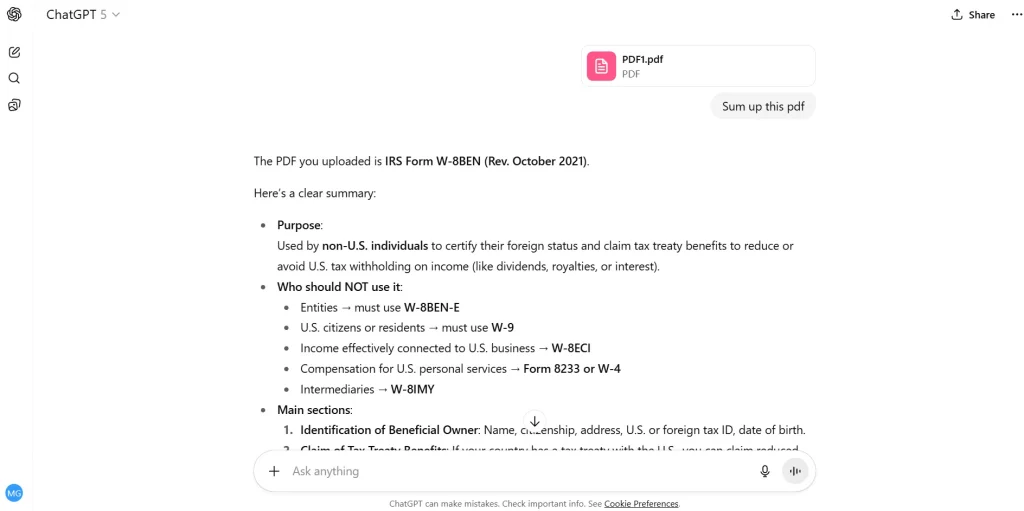
In the Humata AI vs ChatGPT comparison, the main advantage of ChatGPT is versatility. While Humata AI is laser-focused on PDFs, ChatGPT acts more like a general assistant that can adapt to many different tasks after reading your document.
Strengths of ChatGPT
Multi-purpose tool: Beyond summarizing a PDF, ChatGPT can help you write essays, draft emails, or create presentations based on what you’ve just read.
Natural conversation: You can ask follow-up questions in plain language, like “Explain this in simpler terms” or “Turn this summary into a study outline.”
Integrations and ecosystem: With plugins and connections to tools like Notion, Google Docs, and even coding environments, ChatGPT works well across different workflows.
Accessible pricing: There’s a free tier, and the Plus plan at $20/month unlocks GPT-4o, which handles PDFs better and delivers higher accuracy.
Weaknesses of ChatGPT
Limits on large PDFs: ChatGPT can usually process between 25–100 pages depending on file size and tokens. For extremely long or dense PDFs, it may miss details.
Less precise with technical documents: While it’s good for general use, ChatGPT can be vague with formulas, citations, or highly specialized research papers.
Privacy considerations: Like any AI, uploading sensitive PDFs requires caution. Always check whether cloud storage fits your privacy needs.
When ChatGPT Makes Sense
ChatGPT is the better choice when your work involves multiple tasks around a PDF rather than the document itself. For example:
Turning a research summary into a full essay or blog post.
Drafting slides from a company report.
Preparing study guides or quick notes from textbooks.
In these cases, ChatGPT isn’t just a PDF reader — it becomes a flexible productivity partner. But if accuracy inside the PDF itself is your top concern, Humata AI still has the edge.
6. Best Use Cases – Who Should Choose What
At this point, the question isn’t just Humata AI vs ChatGPT in general — it’s which tool is right for you. The best way to decide is by looking at your specific situation.
Students
If you’re writing essays or preparing for exams, ChatGPT is usually the better partner. It not only summarizes PDFs but also helps you turn those notes into structured answers, outlines, or even draft assignments. Many students use ChatGPT Plus because GPT-4o handles long chapters better than the free version.
Researchers and Academics
When your documents are technical, full of citations, or heavy with data, Humata AI is the stronger option. It points you directly to the relevant sections and handles formulas or references more accurately than most general AIs. For serious research work, Humata AI can save hours of manual reading.
Professionals
Business users, analysts, and consultants often need both speed and flexibility. Here, ChatGPT works better: you can upload a PDF, get a summary, and then immediately draft slides, reports, or emails based on that information. It’s ideal if your job requires moving between formats.
Budget-Conscious Users
If you only need to process short PDFs occasionally, Humata AI’s free plan is enough. But if you want an all-rounder tool that also helps with writing, brainstorming, and productivity, ChatGPT’s free tier is a strong starting point.
7. Ethical and Reliability Notes
When using AI tools on personal or professional documents, accuracy isn’t the only factor. Privacy and data handling matter just as much.
Uploading a PDF to services like Humata AI or ChatGPT means sending your content to the cloud, where it’s temporarily stored and processed. While both companies state that they respect user privacy, it’s important to understand the limits:
Sensitive documents: Avoid uploading confidential contracts, financial statements, or personal data unless you’re certain the platform’s policy aligns with your needs.
Data retention: According to OpenAI’s official privacy policy conversations may be stored for model improvement unless you disable history. Humata AI also notes in its Terms of Service that uploads are processed securely, but users should avoid sharing critical private information.
Verification: Always cross-check summaries. Even advanced AIs can produce small errors or misinterpretations, especially in highly technical PDFs — something researchers call “AI hallucinations.” A recent MIT Technology Review article highlights this as one of the biggest challenges for AI adoption.
On the practical side, the safest strategy is to use AI on non-sensitive research or study files, and to double-check key results manually. For readers who want to explore this further, we’ve also written a guide on how to spot and manage AI hallucinations.
In short: AI saves time, but the responsibility for accuracy and privacy is still yours. Treat these tools as assistants, not unquestionable authorities.
8. Conclusion – Final Verdict
At the end of the Humata AI vs ChatGPT comparison, the real answer depends on what you need most.
If your work revolves around precision in long or technical PDFs, Humata AI is the more reliable assistant. It saves time when you need clarity in complex research papers, contracts, or reports.
If you want a tool that not only reads PDFs but also helps you write, brainstorm, and create output across different formats, ChatGPT is the better choice.
For many people, the best solution isn’t choosing one over the other — it’s using both strategically. Let Humata AI handle the deep document analysis, then move to ChatGPT to shape that knowledge into essays, slides, or client-ready reports.
The key is to see AI not as a replacement for critical thinking but as a time-saving partner. Once you know which tool fits your workflow, you can cut hours of manual reading and focus on what matters: understanding, creating, and sharing knowledge.
9. FAQ – Humata AI vs ChatGPT for PDF Reading
Q: Can ChatGPT summarize a PDF for free?
A: Yes, ChatGPT’s free plan can handle short PDFs, but the limit is smaller and responses may lack detail. For longer or more accurate results, ChatGPT Plus with GPT-4o is recommended.
Q: Is Humata AI better for academic research?
A: Yes, Humata AI is often more precise with research papers, citations, and formulas. It highlights relevant sections directly in the PDF, making it easier for students and researchers to verify key points.
Q: How secure is it to upload PDFs to AI tools?
A: Both Humata AI and ChatGPT process files in the cloud. While they have privacy policies in place, it’s best to avoid uploading highly confidential contracts or sensitive personal data. For more details, see OpenAI’s privacy policy.
Q: Which AI is best for long PDFs?
A: Humata AI generally performs better with very long or complex documents (100+ pages). ChatGPT can manage medium-sized PDFs but works best when combined with its broader features, like turning summaries into essays or reports.
Q: Should I use Humata AI or ChatGPT for study notes?
A: For accurate extraction of key points, Humata AI works well. If you also want to reorganize those notes into outlines, study guides, or flashcards, ChatGPT is the more versatile choice.