
 Published on: September 26, 2025
- Introduction: Why Manus AI is trending in 2025
- What Manus AI does and why it matters for workflow automation
- Step 1: Creating your Manus AI account and choosing a plan
- Step 2: Setting up your dashboard and connecting daily tools
- Step 3: Automating recurring tasks with Manus AI agents
- Step 4: Optimizing workflows with integrations and settings
- Comparing Manus AI with other top workflow automation tools
- Ethical AI reflection: balancing automation with responsibility
- Best use cases and tips for daily success with Manus AI
- Final Thoughts
Disclosure:
This post may contain affiliate links. If you purchase through them, we may earn a small commission — at no extra cost to you. This helps support our research and keeps AI Digital Space running. Thank you!
1. Introduction: Why Manus AI is trending in 2025
If you’ve been following the latest wave of AI tools, you’ve probably seen Manus AI setup mentioned everywhere. In just a few months, this platform has become one of the most talked-about agentic AI systems because it promises something simple but powerful: automating the boring parts of our daily workflow so we can focus on what actually matters.
At AI Digital Space, we’ve noticed readers searching not just what Manus AI is, but how to set it up correctly to get real results. And that’s where most guides fall short. They either skim the surface or dive too deep into technical jargon. Here, we’ll break it down step by step — the same way we did when covering Soona AI and our review of Akiflow AI. The goal is to make Manus AI work for you in minutes, not hours.
Why now? Because 2025 is shaping up to be the year where AI agents move mainstream. According to MIT Technology Review, AI assistants are moving from “nice-to-have” to essential productivity companions. That’s why learning the correct Manus AI setup today — and understanding how it powers Manus AI workflow automation — gives us an edge for tomorrow.
2. What Manus AI does and why it matters for workflow automation
Before diving into the actual Manus AI setup, it helps to understand what makes this tool different from the dozens of productivity apps already out there. Manus isn’t just a task manager — it’s built as an agentic AI, meaning it doesn’t wait for us to manually trigger every action. Instead, it observes, predicts, and executes recurring tasks on its own.
Think about all the small routines we repeat every day: scheduling follow-ups, drafting emails, updating spreadsheets, or setting reminders. Manus AI connects these dots across your calendar, inbox, and work apps, and then automates them with minimal effort. The result is a kind of invisible assistant that quietly keeps your workflow on track while you focus on strategy and creativity.
In our experience, this shift is similar to what happened when Taskade AI entered the market: productivity stopped being about more apps and started being about smarter flows. The real value of Manus AI is that it scales with how you work — whether you’re a freelancer juggling multiple clients or a remote team leader looking for consistency. And that’s why following a clear Manus AI setup guide from the beginning is crucial to unlock reliable Manus AI workflow automation.
3. Step 1: Creating your Manus AI account and choosing a plan
The first step in any Manus AI setup is creating your account. Luckily, the process is straightforward and takes just a few minutes. Head to the official Manus AI website and sign up using your email or Google account. Once inside, you’ll be prompted to select a plan — from a free trial that covers basic workflows to premium tiers designed for professionals and teams.
Why is the plan choice important? Because the features you unlock here define how far Manus AI workflow automation can go. For example, solo users who only need email and calendar support may find the entry plan enough. But if you’re running a business or collaborating remotely, premium options unlock integrations with Slack, Notion, and CRMs that make the platform far more powerful. In short, choosing the right tier during your Manus AI setup is like deciding whether you want a personal assistant or a full operations manager — and that’s where this Manus AI guide helps you make the smartest decision.
At AI Digital Space, we recommend starting with the free tier, testing your daily routines, and then upgrading once you’ve validated which automations save the most time. This way, you minimize risk while still exploring the depth of the platform. For readers who like to compare before subscribing, check out our Neuroflash vs ChatGPT post — it shows how plan tiers can make or break the value of an AI tool.
| Feature | Free Plan | Pro Plan |
|---|---|---|
| Basic Workflow Setup | ✔ Included | ✔ Included |
| App Integrations | Limited (Email, Calendar) | Full (Slack, Notion, CRM, more) |
| AI Agents | 1 agent | Unlimited agents |
| Collaboration Tools | Not available | Team dashboards + sharing |
| Pricing | Free | Starts at $15/month |
4. Step 2: Setting up your dashboard and connecting daily tools
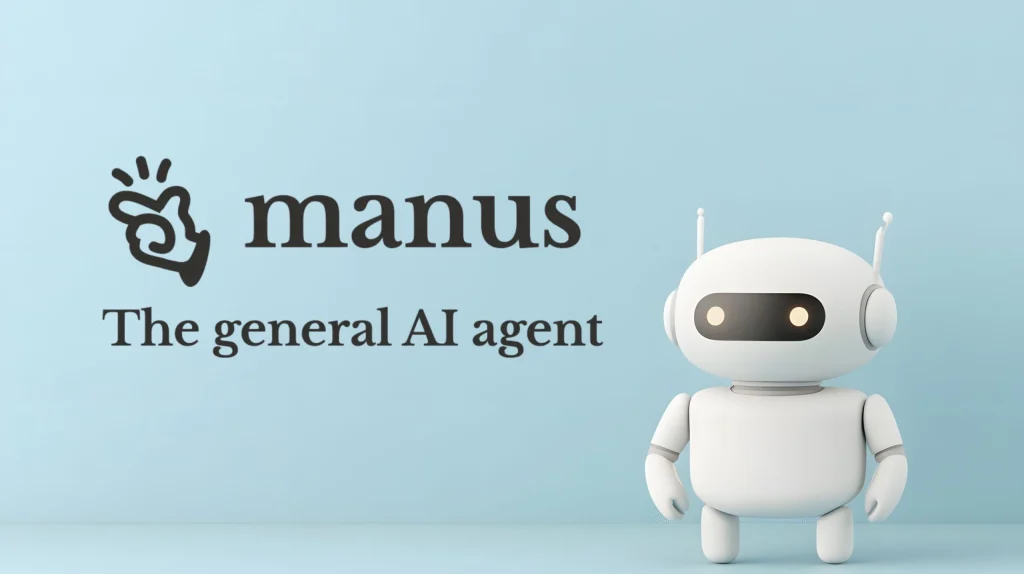
Once your account is active, the next stage of the Manus AI setup is preparing the dashboard. This is where the tool starts to feel like your personal control center. The interface is clean and intuitive: on the left, you’ll find task categories and AI agent settings; on the right, a dynamic panel that updates in real time as you connect new apps.
The first connections we recommend are your email and calendar. This allows Manus AI to handle essentials like scheduling follow-ups, setting reminders, or even suggesting the best meeting times. From there, you can expand into integrations with Slack, Notion, or project trackers. Each connection is guided by step-by-step prompts, so even if you’ve never configured automations before, you won’t get stuck.
One tip from our own tests: start small. Connect just two or three tools you use every day and see how Manus handles them. Once you’re confident, expand into broader setups. This gradual approach avoids the overwhelm some people felt when experimenting with tools like Taskade AI or GetResponse AI. It’s not about how many apps you connect — it’s about making sure the automation reflects how you really work.
According to Forrester Research, companies that adopt AI integrations gradually achieve higher success rates than those that try to overhaul workflows in one go. Manus AI follows this same principle, making its dashboard an excellent starting point for sustainable automation.
5. Step 3: Automating recurring tasks with Manus AI agents
With your dashboard ready, the next step in your Manus AI setup is creating AI agents that handle repetitive work for you. Think of them as tireless digital coworkers who execute the boring stuff in the background while you focus on real problem-solving.
Here’s how it works in practice:
You define a trigger (like receiving an email with a meeting link).
You tell Manus AI what should happen automatically (add to calendar, send confirmation, draft summary).
The agent runs it every time, without you needing to lift a finger.
This is where real time savings happen. Instead of checking off dozens of micro-tasks daily, Manus AI workflow automation ensures they’re completed consistently and without delay. With the right Manus AI setup, even repetitive processes become seamless, turning the tool into a reliable productivity partner.
| Task | How Manus AI Handles It | Benefit |
|---|---|---|
| Email follow-ups | Sends pre-set replies after meetings | No missed opportunities |
| Calendar scheduling | Suggests best times + books automatically | Cuts back-and-forth emails |
| Task updates | Syncs changes to project boards (e.g., Notion, Trello) | Keeps team aligned |
| Document summaries | Generates bullet-point briefs instantly | Saves reading time |
| Weekly reports | Compiles activity into shareable PDFs | Transparent progress tracking |
According to Gartner, teams that automate just 30% of repetitive workflows can reclaim up to two full workdays per month. Starting with these small but high-impact tasks makes the ROI visible almost immediately.
6. Step 4: Optimizing workflows with integrations and settings
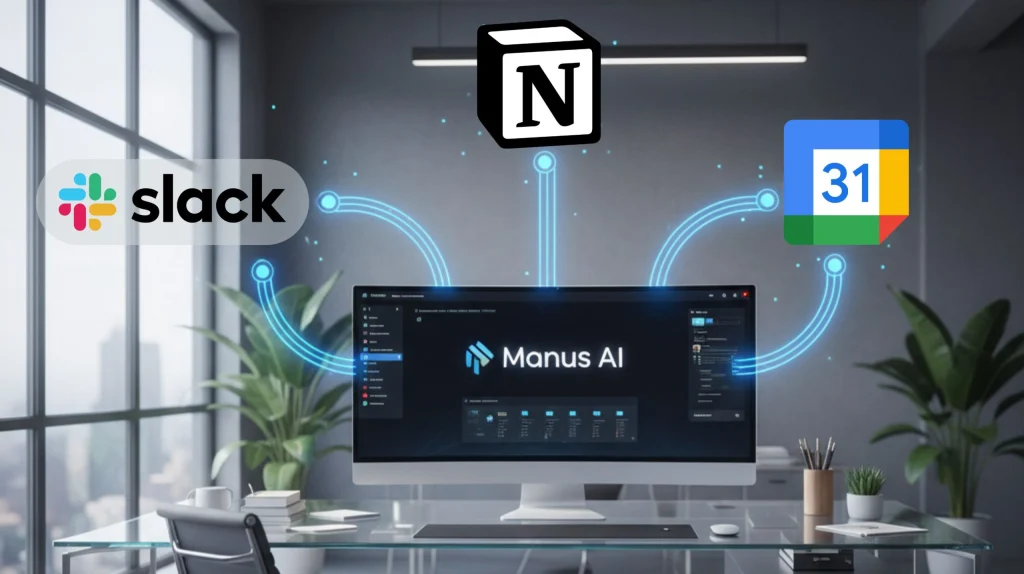
Once your agents are running, the next stage in the Manus AI setup is fine-tuning. This is where Manus moves from “helpful tool” to “essential assistant.” Optimizing workflows means connecting the right integrations and adjusting settings so tasks run smoothly without constant tweaking.
Start with the integrations you use most often. For many professionals, that’s Gmail, Google Calendar, Slack, or Notion. Each integration adds a new layer of automation: during your Manus AI setup, you can connect these tools so that Manus AI workflow automation posts updates in Slack when a task is complete, adds structured notes into Notion, or automatically prepares calendar reminders with all meeting details included.
The settings menu also matters. Here you can adjust notification frequency (so you’re not bombarded), choose how often reports are generated, and even set rules for prioritizing tasks. Small tweaks here have a big impact on how “human” the automation feels — too rigid and it becomes frustrating, too loose and it risks missing deadlines.
| Integration | Example Use | Benefit |
|---|---|---|
| Slack | Post daily task updates | Keeps teams in sync |
| Notion | Auto-log completed tasks | Centralizes information |
| Google Calendar | Smart scheduling + reminders | Reduces missed deadlines |
| CRM (HubSpot) | Auto-update contacts after calls | Cleaner data, less manual work |
From our perspective at AI Digital Space, integrations are what separate casual users from power users. The more you embed Manus into your daily stack, the closer it gets to becoming your “always-on assistant.” This is the same pattern we noticed in our review of Bardeen AI once integrated, it became the invisible glue that held tasks together.
7. Comparing Manus AI with other top workflow automation tools

No setup guide would be complete without asking: how does Manus AI setup compare to other workflow automation tools? After all, solutions like Zapier, Notion AI, or even browser-based automation with Bardeen AI have been on the market for years.
The main difference is in autonomy. Zapier, for example, relies heavily on “if this, then that” rules that you have to configure manually. Notion AI is great for generating content and organizing notes but doesn’t proactively run your workflows. With the right Manus AI setup, you unlock an agentic AI that goes beyond simple triggers — it powers true Manus AI workflow automation by anticipating what needs to be done, not just what you tell it.
Here’s a side-by-side view to make it clearer:
| Tool | Starting Price | Automation Style | Best For | Action |
|---|---|---|---|---|
| Manus AI Proactive AI agents, reports, multi-app |
Free / Pro from ~$15 | Autonomous & predictive | Hands-off workflow automation | Try Manus AI |
| Zapier 10k+ app connections, multi-step Zaps |
Free / Paid from ~$20 | Manual “if this, then that” rules | Power users, custom logic | Explore Zapier |
| Notion AI Writing help, smart notes inside Notion |
Add-on from ~$10 | Task assistance (not proactive) | Writers, PMs, students | Get Notion AI |
| Bardeen AI Web scraping, CRM updates, 1-click playbooks |
Free / Paid from ~$15 | Browser automations | Researchers, ops teams | Try Bardeen AI |
From this comparison, it’s clear Manus AI isn’t trying to replace every app you use — it’s aiming to reduce friction by stepping in automatically when repetitive patterns appear. That’s a big leap forward compared to tools that still rely on us to define every trigger manually.
8. Ethical AI reflection: balancing automation with responsibility
Every time we talk about a Manus AI setup, it’s easy to get excited about the efficiency gains — but we also need to pause and reflect on what automation means in daily life. The more tasks we hand over to AI agents, the more important it becomes to manage them responsibly.
There are two key points worth keeping in mind:
Data handling matters. Connecting Manus AI to your email, calendar, or CRM means sensitive information is involved. Always review privacy policies and choose integrations you truly need. It’s the same caution we’ve raised in our posts on AI voice replication: powerful tools require careful use.
Over-automation is a risk. Just because Manus can run dozens of agents doesn’t mean you should activate them all at once. If automation replaces too much human oversight, errors can slip through unnoticed. A balanced approach — automating the repetitive, while keeping control of the strategic — is the most sustainable path.
According to Stanford HAI, responsible adoption of AI requires constant monitoring, not just setup-and-forget. That’s where we as users come in: it’s up to us to decide what gets automated and what stays human.
At AI Digital Space, our take is simple: AI like Manus is a brilliant partner, but it should remain a partner — not the decision-maker. By treating it as a tool to support our judgment rather than replace it, we gain the best of both worlds: more free time, with none of the blind spots.
9. Best use cases and tips for daily success with Manus AI
Now that the Manus AI setup is complete, the real question is: where does it shine most in daily life? From our research and hands-on testing, these are the scenarios where Manus saves the most time and reduces stress.
| Use Case | How Manus AI Helps | Pro Tip |
|---|---|---|
| Email & Meeting Management | Auto-sends follow-ups, suggests slots, preps agendas | Link only the calendar you actually use to avoid clutter |
| Project Tracking | Syncs tasks into Notion/Trello, updates boards automatically | Start with one board → scale to full project stack |
| Reporting | Compiles weekly progress summaries or PDF snapshots | Schedule reports for Fridays so you close the week informed |
| Team Communication | Posts automated updates in Slack or email digests | Keep updates brief — too much automation risks noise |
| CRM Data Hygiene | Logs call notes, updates contacts, prevents data gaps | Audit once a month to ensure accuracy |
Quick success tips
Start small. Automate one routine task at a time; scaling gradually keeps the system reliable.
Check weekly. Review logs to spot errors early instead of assuming everything runs flawlessly.
Keep humans in the loop. Use Manus to support, not replace, key decision-making.
Combine with other tools. Manus pairs well with Taskade AI or Akiflow AI for complete productivity ecosystems.
10. Final thoughts
Setting up Manus AI in 2025 isn’t just about trying another productivity app — it’s about building a reliable assistant that works quietly in the background. With the right Manus AI setup, you can free yourself from repetitive tasks, keep your projects synchronized, and focus on the work that truly needs your attention.
To recap:
Manus AI stands out because it’s proactive, not reactive.
The setup is quick — connect a few apps and start small.
Best results come from incremental automation, scaling gradually.
It works best as part of a broader ecosystem, alongside tools like Notion, Slack, or Trello.
Ethical use is key: automate responsibly and keep control over the decisions that matter.
If you’ve been searching for a way to streamline your workflow without drowning in rules and manual triggers, Manus AI is one of the most promising tools to try this year.