Published on: November 8, 2025
Affiliate Disclaimer:
Some of the links in this post are affiliate links. This means we may earn a small commission if you click through and make a purchase, at no extra cost to you. We only recommend tools we truly believe offer value.
1. Why Midjourney Keeps Changing Your Character’s Face
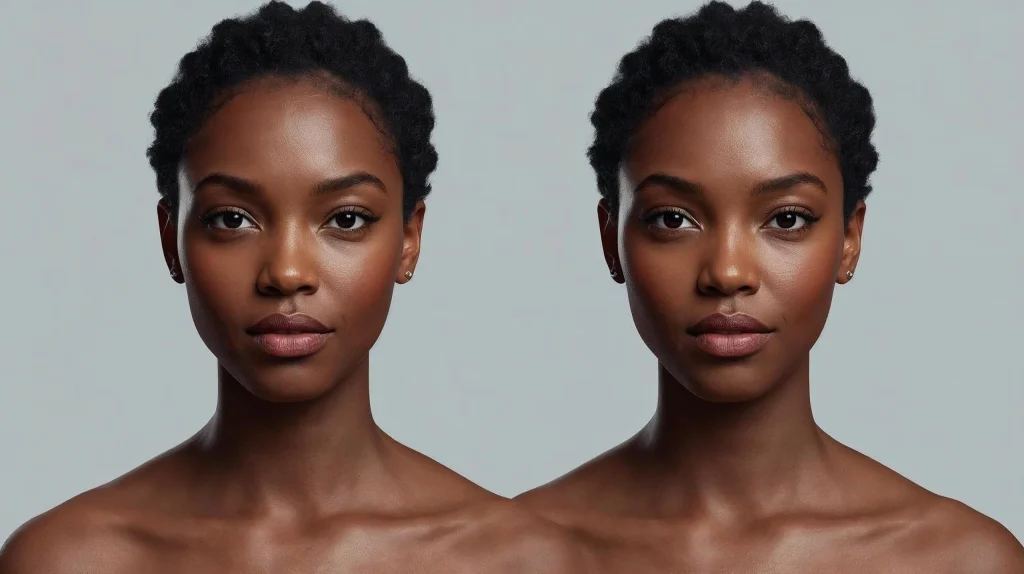
If you’ve ever tried creating the same character more than once in Midjourney, you’ve probably noticed something frustrating — every time you run the prompt, the face changes. One generation looks perfect, the next has a different nose, lighting, or even gender. This happens because Midjourney doesn’t “remember” your previous outputs. Each image is created from scratch, which makes Midjourney character consistency a real challenge for anyone working on comics, games, or branded visuals.
The good news? You can fix it. Midjourney offers several tools and parameters — like seed numbers and style references — that help you lock the design and reproduce the same character reliably. Once you understand how Midjourney seed numbers work and how to combine them with reference images, you’ll start getting far more stable results.
At AI Digital Space, we’ve tested dozens of setups to understand why Midjourney face variation happens and how to minimize it without killing creativity. In this guide, we’ll show you exactly how to maintain consistent AI characters using easy, repeatable steps. If you’ve never explored seeds or style references before, this will save you hours of trial and error.
2. Understanding Seeds and Why They Matter
Every time you create an image, Midjourney starts from a random point — technically called a seed. Think of it as the digital DNA of your picture. When the seed changes, so does the result: different angles, features, and sometimes an entirely new face. To achieve Midjourney character consistency, you need to fix that seed number, so each prompt starts from the same base structure.
You can find a seed number by reacting to your generated image with the emoji in Discord — Midjourney will reply privately with your exact seed. Once you have it, you can reuse it in future prompts by adding
--seed [number] at the end of your text. For example:
a female sci-fi pilot, cinematic portrait lighting --seed 12345
This tells Midjourney to begin from the same random noise pattern, keeping your consistent AI characters visually stable across multiple renders. You can also combine this with a --style or --sref (style reference) parameter to further match the visual tone.
Here’s a quick summary:
| Parameter | Purpose | Example |
|---|---|---|
| --seed | Locks base image noise for repeatability | portrait photo --seed 12345 |
| --style | Defines the artistic mood (low, med, high) | fantasy scene --style high |
| --sref | Copies the look from another image | portrait --sref [image link] |
If you’re creating storyboards or product visuals, locking a seed is one of the easiest ways to keep your Midjourney face variation under control. Once your character is set, you can change poses, outfits, or backgrounds — and the face will still look like “them.”
3. Using Reference Images for Face and Style Lock
Even with a fixed seed, Midjourney character consistency can still shift when you change camera angles or descriptions. That’s where reference images come in. A reference tells Midjourney exactly what your character should look like, locking visual features like eyes, hairstyle, and proportions.
To do this, upload your chosen image directly in Discord (or your Midjourney web gallery), copy the image link, and paste it at the beginning of your prompt. For example:
https://image-link.jpg a confident female pilot in futuristic armor, cinematic portrait --seed 12345 --cref https://image-link.jpg
The --cref (character reference) command helps maintain facial traits, while --sref (style reference) ensures color tones, lighting, and artistic vibe match across scenes. Used together, they make your consistent AI characters look like the same person — even in completely new environments.
Here’s a practical reference setup:
| Goal | Command | Effect |
|---|---|---|
| Maintain facial identity | --cref [image link] | Locks character face and proportions |
| Match style and tone | --sref [image link] | Copies lighting, composition, and color palette |
To avoid unwanted drift, try to keep your reference images in a consistent aspect ratio (e.g., 1:1 or 16:9). You can also generate your first “perfect” portrait and use it as the base image for all later prompts.
For creators working on stories or animation boards, this technique is a game changer — it saves hours of retouching. If you want more creative control, check our guide “Runway ML vs Pika Labs – Best AI Video Generator for Creators?” to see how reference-based workflows extend into motion generation.
For official documentation, see Midjourney’s reference command guide which explains parameter updates in version 6.
4. Midjourney Parameters for Consistency
Once you’ve locked your seed and added reference images, the real magic comes from fine-tuning Midjourney parameters. These small text commands control how the AI interprets your prompt — and are key to achieving full Midjourney character consistency across multiple images.
Let’s look at the most useful ones for keeping your consistent AI characters stable while still giving you creative flexibility.
| Parameter | Function | Example |
|---|---|---|
| --cref | Locks character identity from a reference image | portrait --cref [image link] |
| --sref | Keeps consistent visual style (lighting, tone) | fantasy hero --sref [image link] |
| --seed | Uses identical random pattern for repeatability | character portrait --seed 45678 |
| --style | Applies a fixed Midjourney style preset (low, med, high) | portrait --style med |
| --chaos | Controls how much variation appears in results (0–100) | character photo --chaos 5 |
In short:
Use low chaos (under 10) to reduce face drift.
Reuse the same seed and reference images across all prompts.
Adjust the style level depending on your desired realism or artistic look.
When you combine all three — seed, style, and reference — your Midjourney face variation almost disappears. You’ll notice smoother continuity, even when changing background scenes or poses.
For a more advanced understanding of how parameters interact, we recommend checking Midjourney’s official parameter list to stay updated with the latest changes.
5. Advanced Tips for Multi-Scene Character Projects
Once you’ve stabilized your Midjourney character consistency, the next step is keeping that same face across different scenes — whether your character is standing, sitting, smiling, or wearing a helmet. This is where small prompt tweaks and workflow discipline make a big difference.
First, always start from your “master” image — the one that perfectly represents your character. Use it as both a –cref and –sref in every new prompt. Then, describe the new scene or action after including your references, like this:
https://image-link.jpg a confident female pilot walking through a neon-lit hangar, --cref https://image-link.jpg --sref https://image-link.jpg --seed 45678
This ensures that Midjourney reads the face first, and the environment second. If you switch the order, the model might prioritize the scene over the subject.
Second, try grouping your visuals into consistent lighting sets (for example, “cinematic warm light,” “studio portrait,” or “cool blue backlight”). Midjourney tends to preserve facial accuracy when lighting and color palettes stay similar.
If you need to create storyboards or multiple scenes for animation, you can combine Midjourney outputs with other tools like Runway ML or Pika Labs to extend your consistent AI characters into motion. These tools help you animate your character’s expressions while keeping visual coherence.
Here’s a quick reference checklist:
| Step | Action | Purpose |
|---|---|---|
| 1 | Use same reference images (cref + sref) | Keeps face and style fixed |
| 2 | Start each prompt with reference link | Ensures Midjourney prioritizes character |
| 3 | Keep lighting and color tone consistent | Reduces unintentional face drift |
| 4 | Adjust chaos below 10 | Prevents random changes |
Our take: these steps aren’t just about saving time — they build visual identity. When every frame looks like it belongs to the same world, your audience connects better with your characters and story.
You can find more workflow ideas in our guide “Best Free AI Tools to Create Comics, Stories & Characters in 2025” and explore how creators combine Midjourney with text-to-video tools like Runway ML for consistent storytelling.
6. Ethical AI Reflection
As creators, it’s easy to get caught up in perfecting Midjourney character consistency — but there’s an important conversation behind every image we generate. When we use AI to design faces, characters, or even entire stories, we’re also shaping digital identities that could resemble real people or cultural features unintentionally.
Consistency shouldn’t come at the expense of ethics. Always check that your consistent AI characters aren’t based on copyrighted materials, celebrity likenesses, or datasets that may reproduce biased or non-consensual imagery. AI tools like Midjourney continuously learn from massive datasets, so maintaining awareness and transparency about where inspiration comes from helps ensure responsible use.
At AI Digital Space, we advocate for creativity that respects human originality and consent. AI should enhance artistic freedom — not replace it. If you plan to use your AI characters commercially (e.g., for games, brand storytelling, or merchandise), verify usage rights and make your process clear to clients or audiences.
A good rule of thumb: treat your Midjourney character consistency work as a co-creation with the model, not pure authorship. This mindset keeps the creative process ethical, honest, and future-proof.
For more context, you can read our awareness article “Avoid These 5 Dark UI Tricks Used by Popular AI Apps” to understand how AI ethics and transparency apply beyond images, and refer to UNESCO’s AI Ethics Framework for global guidance on fair AI use.
7. Final Thoughts + Quick Reference
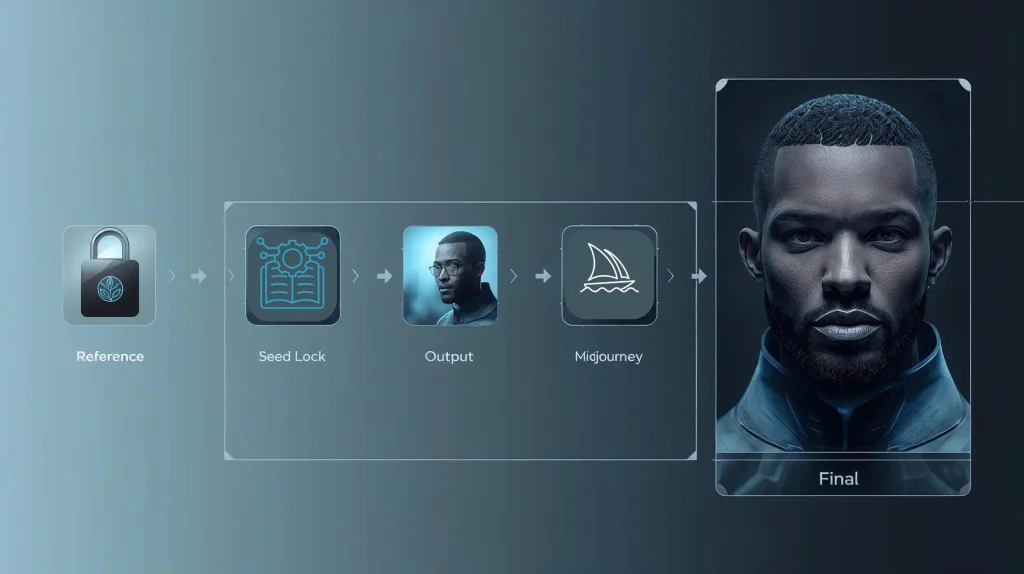
Achieving true Midjourney character consistency isn’t about luck — it’s about structure. Once you understand how seeds, reference images, and parameters interact, you can produce characters that stay recognizable across dozens of scenes. The process takes practice, but the results are worth it: smoother storytelling, stronger visual branding, and far less time wasted regenerating imperfect faces.
Here’s a quick summary of the key elements that make consistent AI characters possible:
| Step | Tool / Parameter | Purpose |
|---|---|---|
| 1 | --seed | Keeps the same facial base across renders |
| 2 | --cref & --sref | Locks both face and visual style |
| 3 | Low --chaos | Reduces random variation |
| 4 | Lighting & reference order | Improves scene coherence and identity |
Our takeaway: once your base portrait looks right, stop chasing random generations — instead, build a repeatable workflow. The best AI creators don’t just prompt well; they manage consistency like a design system.
If you’re ready to level up your creative projects, explore our guides on Leonardo vs Midjourney – Best AI for Artists and Soona AI – Create Studio-Quality Product Content in Minutes. Both integrate beautifully with Midjourney workflows.
8. FAQ – Midjourney Character Consistency
Q1: Why does Midjourney keep changing my character’s face?
A: Midjourney generates every image from a new random seed, which changes the visual “DNA” of your output. To fix this, use a fixed --seed number, combined with --cref (character reference) and --sref (style reference) parameters. This stabilizes the base features and reduces unwanted Midjourney face variation. You can find your seed by reacting with the emoji under your image in Discord.
Q2: How can I make my Midjourney character look the same in every scene?
A: Start from your best “master” portrait and use it as both a --cref and --sref in every prompt. Add your new scene description after the reference links. This way, Midjourney prioritizes the character identity first, and the background or context second. Keeping chaos under 10 and using consistent lighting keywords also helps achieve strong Midjourney character consistency.
Q3: What’s the difference between –cref and –sref in Midjourney?
A: --cref (character reference) focuses on preserving facial and physical identity — eyes, nose, proportions, and features. --sref (style reference) matches the overall mood, color, and artistic tone. For best results, use both together: --cref to keep the same face, and --sref to ensure your scenes feel like part of one cohesive world.
Q4: Can I use the same seed across multiple projects?
A: Yes, but only if the same artistic style fits all your projects. A fixed seed repeats the same random base pattern, which is perfect for recurring characters. However, if you’re working in completely different art styles (e.g., anime vs. photorealism), consider assigning each project its own dedicated seed. This keeps your results consistent within the project but flexible between them.
Q5: Is it ethical to use AI-generated characters in stories or branding?
A: Yes, as long as you respect authorship and transparency. Avoid replicating real people’s faces or copyrighted works, and be upfront when AI tools are part of your creative process. Using AI responsibly means giving credit where due and verifying rights before commercial use. For more insight, read our AI voice replication awareness post and check UNESCO’s AI Ethics Framework .