
 Published on: October 22, 2025
- 1. Introduction – Why Notion AI vs Coda AI Matters in 2025
- 2. How Notion AI Agents 3.0 Works – Your Personal Workspace Assistant
- 3. How Coda AI Simplifies Collaboration and Team Knowledge
- 4. Feature Comparison Table – Where Each AI Workspace Wins
- 5. Which One Fits Your Workflow – Creators, Teams, and Businesses
- 6. Ethical AI Reflection – How These Tools Handle Your Data
- 7. Final Verdict – The 2025 Productivity Winner
Disclosure:
This post contains affiliate links. If you click and subscribe, we may earn a small commission at no extra cost to you. We only recommend tools like Copy.ai and Writesonic that we’ve tested and believe offer real value to our readers.
1. Introduction – Why Notion AI vs Coda AI Matters in 2025
AI workspaces are becoming the new digital offices — places where we plan, write, automate, and even think. In 2025, Notion AI vs Coda AI isn’t just a comparison of apps; it’s about how we organize our digital lives. With Notion AI Agents 3.0, users can now delegate tasks, summarize meetings, and manage projects without leaving a page. Meanwhile, Coda AI is quietly transforming teamwork by turning documents into living systems that automate data and decisions.
As we’ve seen in other productivity reviews like our Taskade AI – Your Second Brain for Team Productivity post, the real challenge isn’t finding an AI tool — it’s choosing one that fits how you work. That’s why comparing Notion AI and Coda AI right now makes sense. Both platforms have evolved fast, introducing AI layers that go far beyond note-taking. They’re competing to become your all-in-one digital command center — whether you’re a solo creator or part of a growing team.
At AI Digital Space, we’ve noticed a clear trend: creators and professionals want fewer tools and smarter automation. A recent analysis by TechCrunch confirms that AI productivity platforms are merging writing, planning, and data management into one experience. That’s exactly what makes this matchup worth your time — Notion AI vs Coda AI isn’t about style; it’s about strategy, workflow, and how efficiently you can turn ideas into action.
2. How Notion AI Agents 3.0 Works – Your Personal Workspace Assistant
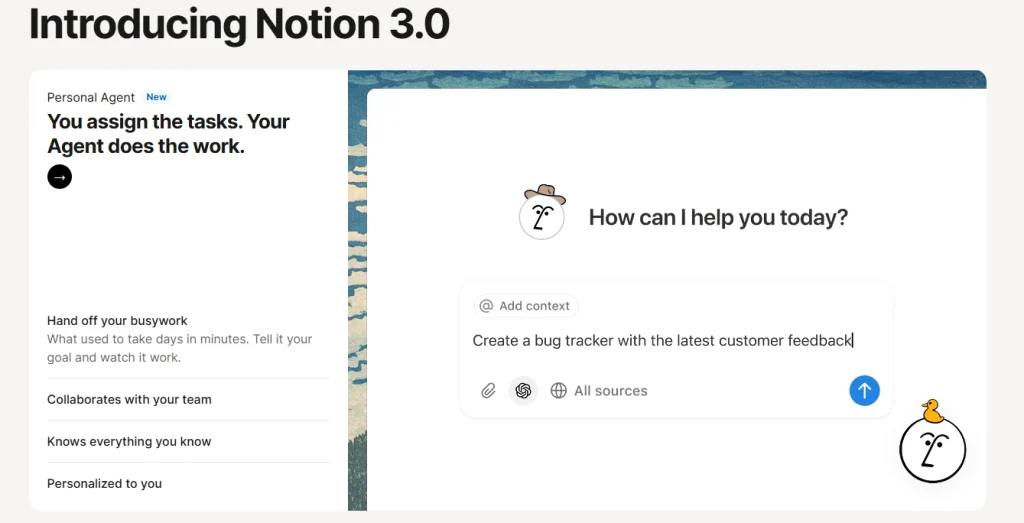
When people search for Notion AI vs Coda AI, they’re often asking one simple question: Which one truly saves time? Notion’s latest update — Notion AI Agents 3.0 — finally answers that by turning your workspace into a self-running assistant. Instead of manually tagging pages or creating reminders, the new AI can now do that automatically based on your habits and content.
This evolution makes a huge difference for anyone managing multiple projects or clients. Notion AI Agents 3.0 can summarize meeting notes, extract key tasks, and even move them into the correct database. It bridges the gap between static documents and active workflows. The AI doesn’t just assist — it anticipates. And that’s exactly what makes Notion AI vs Coda AI such a key comparison in 2025: both aim to automate the routine so you can focus on real work.
| Notion AI 3.0 Feature | What It Does for Productivity |
|---|---|
| AI Agents | Automatically organize notes, tag pages, and update project timelines. |
| Smart Summaries | Turn lengthy documents into clear, actionable summaries for teams. |
| Workflow Triggers | Start automation chains when conditions are met (e.g., new task added). |
| Contextual Suggestions | Offer next-step ideas based on the content of your workspace pages. |
From our tests and the growing feedback online, users appreciate that everything stays inside Notion. No extra setup, no extra apps — just natural automation. It’s especially appealing for freelancers and creators who want to centralize planning, writing, and reporting in one tool.
We’ve seen similar approaches in Taskade AI, but Notion AI Agents 3.0 takes it further with its contextual learning. It remembers what you’ve worked on and improves its recommendations over time — something users repeatedly highlight in community discussions and product forums.
3. How Coda AI Simplifies Collaboration and Team Knowledge
In the Notion AI vs Coda AI debate, collaboration is often the deciding factor — and it’s where Coda AI truly shines. While Notion focuses on blending notes and tasks, Coda takes a data-driven approach: it treats every document like a powerful app. With Coda AI, teams can turn simple tables into dynamic dashboards, automate repetitive actions, and even create interactive workflows without writing code.
For creators, startups, and remote teams, this means fewer tools and fewer tabs. You can brainstorm ideas, track metrics, and launch projects — all in one flexible space. One standout feature is Coda’s AI-powered tables, which analyze context across rows and automatically generate summaries, formulas, or updates. Compared to Notion’s structure, Coda AI feels more technical yet offers unmatched customization for complex workflows.
| Coda AI Feature | Why It Matters |
|---|---|
| AI Tables | Generate summaries, formulas, and status updates directly inside your data sheets. |
| Connected Workflows | Integrate Slack, Gmail, and project tools for seamless team communication. |
| Custom Automations | Build reusable automation rules that save hours on reporting and updates. |
| AI Doc Assistance | Summarize, rewrite, and optimize text inside team documents instantly. |
Users comparing Notion AI vs Coda AI on Reddit and tech communities often say Coda “thinks in spreadsheets.” It’s perfect for people who like control, precision, and modular design. If Notion is the artist’s canvas, Coda is the engineer’s toolbox — both efficient, but with different personalities.
We’ve also found that Coda’s AI Packs — small integrations that link apps like Jira or Asana — help bridge the gap between data and execution. It’s one of the few tools that combines the flexibility of a doc with the structure of a database.
4. Feature Comparison Table – Where Each AI Workspace Wins
After testing both platforms, we noticed that Notion AI vs Coda AI isn’t just about personal preference — it’s about what kind of work you do every day. Notion focuses on simplicity and flexibility, while Coda offers depth and customization. Choosing between them depends on whether you prefer a smooth, intuitive flow or a system that can handle complex logic and integrations.
The table below breaks down how both perform in key areas users care most about — automation, collaboration, design, and pricing — so you can decide which one fits your workflow better in 2025.
| Feature | Notion AI Agents 3.0 | Coda AI |
|---|---|---|
| Ease of Use | Highly intuitive interface; easy for beginners and creators. | More advanced; ideal for users familiar with formulas and data logic. |
| Automation Power | Smart triggers and AI agents automate daily tasks inside pages. | Deeper automation through Packs and connected workflows. |
| Collaboration Tools | Great for small teams; easy comments and synced updates. | Stronger for structured teamwork; dynamic dashboards and reports. |
| Customization | Flexible templates and AI prompts; limited advanced logic. | Highly customizable; behaves like a no-code app builder. |
| Learning Curve | Low – quick to adopt and ideal for individuals or small teams. | Medium to high – requires more setup but gives greater control. |
| Pricing | Free plan available; AI add-ons with flexible monthly tiers. | Free plan + tiered pricing for advanced AI automation features. |
When comparing Notion AI vs Coda AI, the key takeaway is balance. If you want an all-in-one workspace that blends simplicity with speed, Notion is the better daily driver. If your team handles data-heavy workflows or complex reporting, Coda becomes the clear choice.
We often recommend using them based on context — creators and freelancers usually get more value from Notion AI, while operations or marketing teams thrive with Coda AI’s automation depth.
5. Which One Fits Your Workflow – Creators, Teams, and Businesses

Now that we’ve seen the technical side of Notion AI vs Coda AI, the next question is: which one actually fits your day-to-day workflow? Both platforms are excellent, but they shine in different contexts — and picking the right one depends on how you work, not just what you work on.
If you’re a creator or freelancer, Notion AI often feels more natural. It’s quick to learn, helps organize ideas visually, and the AI Agents 3.0 can summarize content or schedule tasks in seconds. For personal branding, content planning, or note-based projects, it’s a frictionless way to stay on top of things. It also integrates smoothly with visual tools like Canva Pro, letting you move from idea to post without losing momentum.
If you’re part of a team or startup, Coda AI stands out for its structure and precision. It’s ideal when you need dashboards, automations, and shared data that update live for everyone. Marketing teams, operations departments, and remote agencies often prefer Coda because of its “all-in-one database” style. You can link OKRs, campaign sheets, and client updates into a single view — something Notion still handles more manually.
| User Type | Best Choice | Why It Fits |
|---|---|---|
| Freelancers & Creators | Notion AI | Simplifies content planning and daily task management with AI summaries and workflow suggestions. |
| Small Teams | Either | Notion for flexibility; Coda for detailed tracking and shared automation flows. |
| Startups & Agencies | Coda AI | Offers powerful data linking, real-time dashboards, and integrated communication tools. |
| Enterprise Users | Coda AI | Supports structured permissions, advanced automations, and reporting at scale. |
In our experience at AI Digital Space, people who switch between tools often realize they don’t need both — they just need the one that aligns with how they think. If you’re visually driven and love a creative flow, go with Notion AI. If you need to measure, report, and optimize every process, Coda AI will feel like home.
6. Ethical AI Reflection – How These Tools Handle Your Data
Every time we compare Notion AI vs Coda AI, one question keeps coming up: how do these AI tools handle our data? It’s not just about efficiency anymore — it’s about trust. Productivity tools process private notes, client information, and sometimes confidential projects, so understanding how they use AI behind the scenes is essential.
Both platforms have made public commitments to responsible AI practices. Notion AI states that user content isn’t used to train its large language models, aligning with stricter privacy standards expected in Europe. Its AI Agents 3.0 work within your workspace boundaries, meaning your data never leaves your account unless you share it. That’s crucial for freelancers, agencies, or teams working with sensitive material.
Coda AI, on the other hand, uses a hybrid model approach — it processes prompts securely through partner APIs but avoids storing user data beyond session use. This means your project tables, client lists, or automation scripts remain encrypted and isolated from AI training systems. The platform’s growing enterprise adoption has also pushed it toward transparent audit trails and admin control over AI access.
From an ethical perspective, both companies appear aware of the responsibility that comes with automating knowledge work. Still, as we often highlight at AI Digital Space, true “ethical AI” isn’t just about privacy policies — it’s about awareness. We recommend checking each tool’s updated privacy documentation and adjusting workspace permissions before activating new automations.
Our view? Use these AI features, but with informed control. Understanding what your tools see and how they process it is part of modern productivity — and a habit every digital professional should build.
7. Final Verdict – The 2025 Productivity Winner
So, after diving deep into features, workflows, and ethics — which platform wins the Notion AI vs Coda AI debate in 2025? The answer depends on what you value most.
If you want an AI workspace that feels natural, creative, and effortless, Notion AI Agents 3.0 is the top choice. It’s fast to learn, intuitive to use, and designed for people who think visually — creators, solo professionals, and anyone juggling many small projects. The new AI Agents bring just the right level of automation without making things complicated.
But if your work relies on structured data, connected apps, and precision, Coda AI has the edge. Its table-based logic and customizable automation make it ideal for teams and startups that need measurable results, consistent updates, and deeper integrations. It’s less about simplicity and more about control.
At AI Digital Space, our recommendation is simple:
Start with Notion AI if you want a flexible “second brain,” and upgrade to Coda AI once your projects or team structures become more complex. Both tools are evolving fast, and using them strategically — not simultaneously — gives you the best of both worlds.
To continue exploring the best AI productivity tools, you can also read our in-depth reviews of Bardeen AI – Automate Everything in Your Browser and Taskade AI – Your Second Brain for Team Productivity. They complement both Notion and Coda perfectly if you’re building an efficient, ethical AI-powered workflow.