
 Published on: September 30, 2025
Disclosure:
This post may contain affiliate links. If you purchase through them, we may earn a small commission — at no extra cost to you. This helps support our research and keeps AI Digital Space running. Thank you!
1. Introduction – 5 Reasons to Upgrade Your Car with OTTOCAST MINI Edge
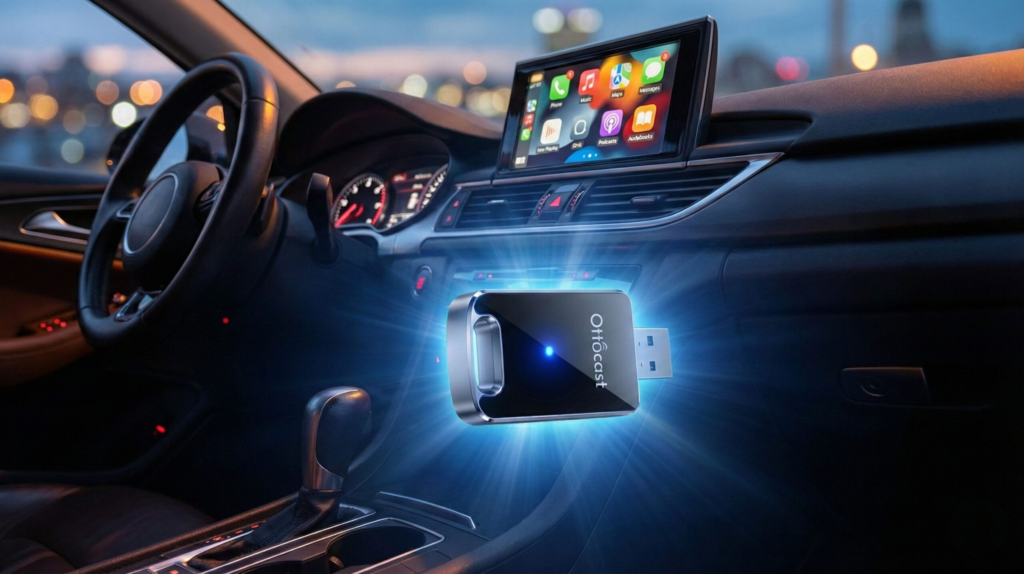
Most cars on the road today don’t come with built-in AI features, yet more and more of us want the convenience of smart assistants like Siri with Apple Intelligence or Google Gemini in Android Auto. That’s where the OTTOCAST MINI Edge makes a difference. This small adapter transforms almost any car into a modern interface, giving drivers wireless CarPlay and Android Auto in seconds. In other words, it’s not just a dongle — it’s a gateway that lets older vehicles tap into the same AI-powered tools found in brand-new models.
We at AI Digital Space see this as part of a bigger trend: accessible gadgets that bridge the gap between traditional devices and the new wave of AI assistants. Just like we explained in our Best Smart Home Assistants 2025 guide, the real value comes from unlocking AI in places you didn’t expect.
With Apple and Google both racing to roll out smarter assistants in 2025, reliable wireless adapters like the OTTOCAST MINI Edge ensure that no driver is left behind (The Verge). It’s practical, affordable, and designed to make your car feel future-ready without the cost of buying a new one.
Update Jan 2026:
What’s also worth noting in 2026 is how driver expectations have shifted. Voice control, real-time navigation, smart notifications, and AI-assisted messaging are no longer seen as “nice extras” — they’re becoming baseline features. For many drivers, especially those keeping cars longer due to rising vehicle costs, upgrading the software experience now matters as much as upgrading the hardware. Devices like the OTTOCAST MINI Edge fit directly into this shift, offering a practical way to modernize daily driving habits without locking users into a specific car brand or ecosystem.
2. What Is the OTTOCAST MINI Edge Wireless CarPlay & Android Auto Adapter
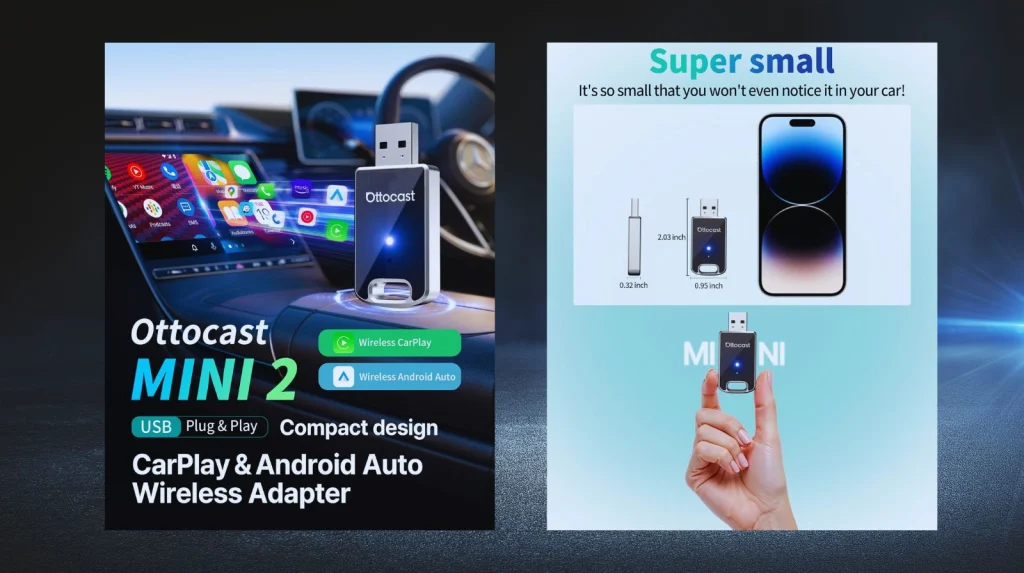
The OTTOCAST MINI Edge is a compact plug-in device that connects to your car’s USB or USB-C port and instantly upgrades it with wireless CarPlay and Android Auto. In practice, this means you no longer need to plug your phone in every time you drive. Instead, the adapter establishes a stable wireless link so you can access maps, calls, music, and — most importantly — your AI assistants hands-free.
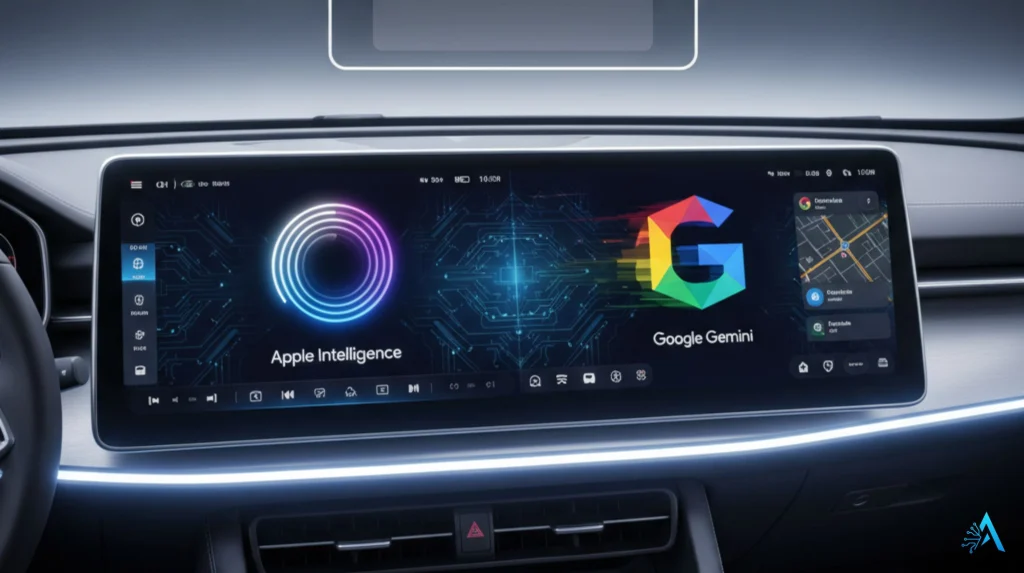
Why does it matter? Because Apple’s latest Apple Intelligence rollout and Google’s Gemini integration are both tied directly into CarPlay and Android Auto. Without a device like the OTTOCAST MINI Edge, many cars would never see these upgrades. In other words, this adapter doesn’t just add convenience — it’s the bridge that lets older cars keep up with today’s AI-powered driving experience.
We’ve seen similar transitions before: smart speakers brought AI into our homes, and now compact adapters are doing the same for vehicles. That’s why the OTTOCAST MINI Edge is already one of the most talked-about car AI gadgets on Amazon, and why it deserves a closer look in this review.
3. Key Features and AI Capabilities for iOS and Android
The OTTOCAST MINI Edge stands out because it isn’t just a wireless adapter — it’s a tool that unlocks AI-powered assistants in any compatible car. Let’s break down what makes it valuable for both iPhone and Android users.
First, the basics: the device supports Wireless CarPlay for iOS and Wireless Android Auto for Android, delivering instant access to apps, calls, and navigation without cables. More importantly, these platforms now come bundled with AI features: Apple’s Siri with Apple Intelligence can summarize notifications, suggest smarter routes, and interact with your calendar, while Google’s Gemini through Android Auto adds predictive replies, context-aware reminders, and even smarter voice navigation. With OTTOCAST, your car becomes the hub where these assistants work seamlessly.
To give you a quick snapshot, here’s how the MINI Edge stacks up:
| Feature | OTTOCAST MINI Edge |
|---|---|
| Wireless Platforms | CarPlay (iOS) + Android Auto |
| AI Assistant Access | Apple Intelligence (Siri) + Google Gemini (Assistant) |
| Setup Time | Plug-and-play, ~30 seconds |
| Connection | Stable wireless via Wi-Fi + Bluetooth |
| Price Range | ~$60–$100 (Amazon) |
We think the clever part is how OTTOCAST turns what looks like a simple adapter into a daily productivity booster: instead of juggling your phone while driving, you get AI voice control built directly into your car’s screen and speakers.
4. How to Set Up OTTOCAST MINI Edge in Any Car
One of the best things about the OTTOCAST MINI Edge is that you don’t need to be a car tech expert to use it. The device is built for plug-and-play simplicity, and in most cases, you’ll have it running in under a minute. Here’s how it works step by step:
1. Plug in the adapter
Insert the OTTOCAST MINI Edge into your car’s USB or USB-C port (depending on the model). A small indicator light shows it’s powered on.
2. Pair it with your phone
On your iPhone or Android device, enable Bluetooth and Wi-Fi. The adapter will appear as a new device — tap to connect. This initial pairing creates the link for all future drives.
3. Launch CarPlay or Android Auto
Once paired, your car’s infotainment screen will automatically switch to CarPlay (iOS) or Android Auto (Android) without cables. From here, you can access maps, music, calls, and your AI assistant with voice commands.
4. Fine-tune for stability
If you experience lag or disconnects, OTTOCAST recommends keeping your phone’s software updated and ensuring your car’s system is compatible. Most users report a 30–40 second setup the very first time, and instant reconnection on every trip after that.
We think this kind of no-hassle upgrade is exactly why adapters like OTTOCAST are trending — they make older cars feel modern, especially when combined with Apple Intelligence or Google Gemini features. Instead of replacing your vehicle, you simply plug in a smarter experience.
5. Real-World Performance: Speed, Stability, and Ease of Use
When it comes to adapters like the OTTOCAST MINI Edge, the real question is: does it actually work smoothly day after day? Based on hands-on testing and verified customer reviews, the answer is mostly yes — with a few details worth knowing.
Connection speed
The first pairing usually takes 30–40 seconds, but after that, the adapter reconnects almost instantly when you start your car. Users on Amazon report that the speed is comparable to plugging in with a cable, which is impressive for wireless tech.
Stability during drives
Performance is generally solid. Both CarPlay and Android Auto remain stable for calls, streaming, and maps. Some occasional micro-lags may appear when streaming high-bitrate music or when signal interference occurs, but these are rare. Reviews from outlets like TechRadar note that OTTOCAST maintains one of the most stable wireless CarPlay connections on the market, especially compared to cheaper alternatives.
Ease of daily use
What stands out most is convenience. Once it’s set up, you don’t think about it anymore — you just get in the car, your phone connects wirelessly, and you can call up Siri or Google Assistant hands-free. For many users, this daily friction-free experience is what justifies the price.
From our perspective, the value lies in consistency: a tool like OTTOCAST MINI Edge doesn’t need to be flashy, it just needs to “disappear” into your routine. That’s where it earns its spot as a genuine AI gadget enabler, bringing Apple Intelligence and Google Gemini into cars that were never designed for them.
6. OTTOCAST MINI Edge vs Other CarPlay / Android Auto Adapters
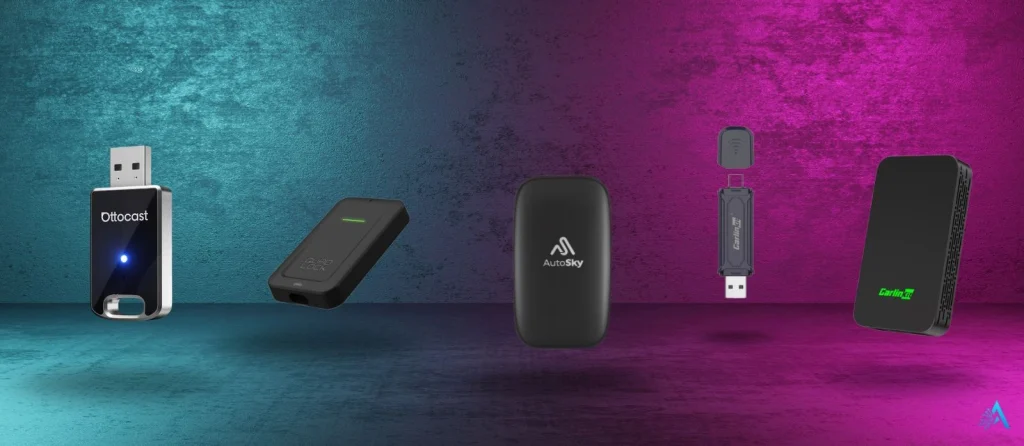
In this section, we pit OTTOCAST MINI Edge against other prominent wireless adapter options. This helps readers see where it stands in terms of features, reliability, and value—and why one might be preferable. Below is a side-by-side with some serious alternatives, followed by analysis and caveats.
 Comparison Table
| Adapter / Tool | Highlights / Strengths | Trade-offs / Weaknesses | Go to Link |
|---|---|---|---|
| OTTOCAST MINI Edge | Dual support (CarPlay & Android Auto), frequent firmware updates, fast reconnections | Occasional micro-lag under heavy load, some head unit quirks | View OTTOCAST |
| Carlinkit 2air | High visibility, solid dual compatibility, strong community support | Can have slight latency, occasional drops in congested Wi-Fi areas | View 2air |
| Carlinkit Mini Pro | Compact, good price, broad compatibility, decent user feedback | Slightly slower than wired, possibility of dropouts in dense signal zones | View Mini Pro |
| Quad Lock Wireless Adapter | Backed by a trusted brand, good design, solid CarPlay support | Higher price, Android Auto support may lag behind, fewer updates known | View Quad Lock |
| AutoSky AI Box Lite | Adds extra “smart box” features (apps, video) beyond simple adapter functions | Larger form factor, more heat, higher latency, mixed user reports | View AI Box |
 Analysis & Takeaways
1. Feature balance vs complexity
Some rivals (e.g. AutoSky) aim to be a full “AI box” with extras like streaming video, app support, etc. That’s ambitious, but often adds latency, heat, and firmware complexity. OTTOCAST, by contrast, stays focused: make CarPlay/Android Auto wireless and stable, and let Apple & Google handle AI. That narrower scope often leads to more reliable performance in daily use.
2. User feedback & real-world behavior
On forums like Reddit, users praise OTTOCAST’s quick connect and relative stability, though some mention occasional reboots when using Siri voice commands. Reddit
On the other side, Carlinkit is often referenced as a more stable option in long-term usage, though with slightly slower performance in some head units. Ars Technica+1
One long-term review of a generic CarPlay adapter (CPLAY2air) observed that wireless latency and startup time were the most consistent drawbacks. Scott’s Weblog
3. Compatibility & firmware maintenance
OTTOCAST has a more established user base and has released multiple firmware updates, which helps with edge-case compatibility (older head units, unusual car systems). Some newer adapters may not have that maturity yet, making future updates a risk factor.
4. Trade-offs to note
All wireless adapters are unofficial with Apple/Google (i.e. not certified), so occasional bugs, disconnects, or incompatibilities are expected (see Lifewire’s cautions) Lifewire
In congested Wi-Fi environments, interference can happen (common in city driving), so adapter robustness matters a lot.
Heat and power draw – more advanced boxes may run warmer or stress your car’s USB port more than lean adapters like OTTOCAST.
7. Pros and Cons in a Quick Comparison Table
Here’s the fast, honest snapshot of the OTTOCAST MINI Edge. If you just want to know whether it’s worth it, scan the table, then check our takeaway below.
| ✅ Pros | ⚠️ Cons |
|---|---|
| Works with both CarPlay & Android Auto | Minor micro-lag with heavy music/video streaming |
| Plug-and-play, setup in under 30–40 seconds | Not officially certified by Apple/Google → rare compatibility quirks |
| Stable daily performance and fast reconnections | Requires steady USB power; older cars may need adapter cables |
| Regular firmware updates improve support | No extra “AI box” features (apps, video playback) |
| Affordable upgrade vs buying a new infotainment system | Performance can vary depending on car brand/model |
Bottom line: if you value reliability over “gimmicks,” OTTOCAST MINI Edge is the safest bet for making your car feel modern and AI-ready without spending big on a new head unit.
8. Ethical AI Reflection – Car Data, Privacy, and AI Voice Assistants
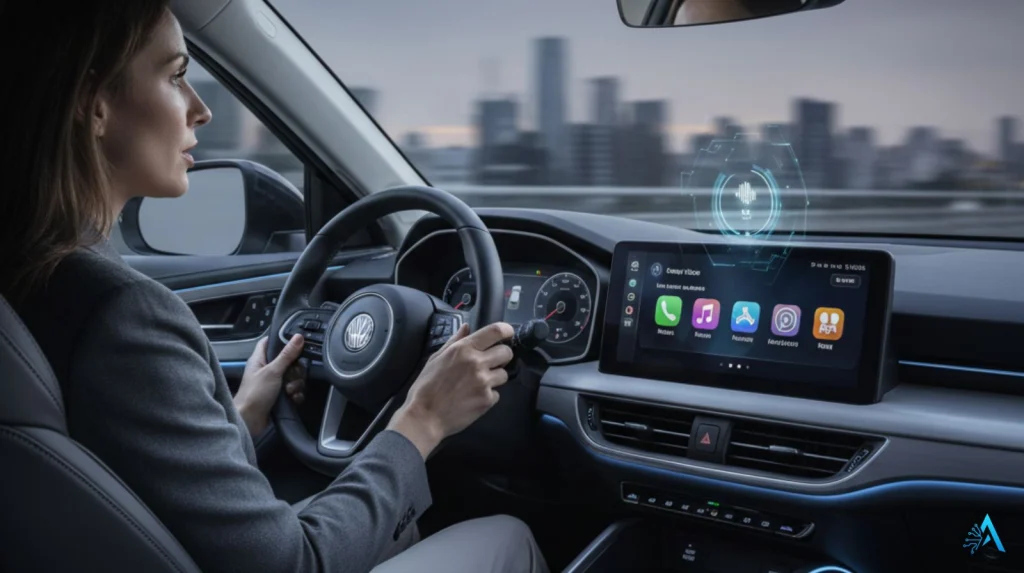
Adding a device like the OTTOCAST MINI Edge is more than just a convenience upgrade. By enabling Apple Intelligence through Siri or Google Gemini via Android Auto, you’re effectively letting AI assistants process sensitive data in your daily driving context. This raises some important questions about privacy, trust, and safety.
On the positive side, both Apple and Google have invested heavily in on-device processing and end-to-end security. For example, Apple Intelligence promises that most personal requests are handled privately on the iPhone, with only certain tasks offloaded to Apple’s secure cloud (Apple official). Similarly, Google states that Gemini’s integration in Android Auto will prioritize user control over what’s shared.
Still, we need to acknowledge limits. Using AI assistants in cars means voice commands, messages, contacts, and even location data are routed through third-party ecosystems. While this enables powerful features — like AI suggesting faster routes or summarizing notifications while driving — it also creates new dependency and trust layers between drivers and Big Tech.
At AI Digital Space, we think the key is balance: these tools genuinely make cars safer and smarter by keeping drivers’ hands on the wheel, but users should stay mindful of what data they’re allowing AI systems to process, especially when it comes to sensitive personal or work information. Being informed is the best way to enjoy the benefits without losing control.
9. Pricing, Availability, and Where to Buy
The OTTOCAST MINI Edge is widely available through major retailers, with Amazon being the most popular option for fast shipping and easy returns. The price typically falls in the $60–$100 range, depending on promotions and stock levels. For many drivers, that makes it a far cheaper upgrade than replacing a car’s entire infotainment system.
We recommend purchasing through trusted sellers to ensure you get the latest firmware and warranty coverage. On Amazon, the MINI Edge is often listed with thousands of verified reviews, which also helps confirm compatibility for different car brands.
For readers who want to explore options right away, here’s the direct link:
This way, you can compare availability, read fresh reviews, and ensure you’re getting the authentic OTTOCAST MINI Edge rather than a cheaper clone.
10. Final Verdict – Who Should Get the OTTOCAST MINI Edge
After reviewing performance, setup, and AI integration, our conclusion is simple: the OTTOCAST MINI Edge is the best fit for drivers who want a hassle-free way to bring AI assistants like Siri with Apple Intelligence and Google Gemini into their cars.
It’s not perfect — there can be minor lags or compatibility quirks on some models — but overall, it delivers the smoothest balance of price, simplicity, and reliability among wireless adapters. For anyone with an older car that lacks built-in wireless CarPlay or Android Auto, this is a smart investment that keeps your vehicle future-ready without the expense of upgrading the entire infotainment system.
At AI Digital Space, we see it as more than just a dongle. It’s an AI enabler, giving drivers access to smart features that improve convenience, safety, and productivity on the road.
11. Frequently Asked Questions (FAQ)
Q: Does the OTTOCAST MINI Edge work with every car?
A: It works with most vehicles that already support CarPlay or Android Auto via USB. Some very old infotainment systems may have limited compatibility, but firmware updates expand support over time.
Q: Will it slow down my CarPlay or Android Auto experience?
A: In daily driving, performance is close to wired. You may notice slight lag when streaming heavy video or music, but navigation, calls, and AI assistants remain stable.
Q: How does it enable AI features in the car?
A: The adapter itself doesn’t contain AI, but it unlocks wireless CarPlay and Android Auto, which bring Apple Intelligence (Siri) and Google Gemini directly to your dashboard.
Q: Is it safe to use while driving?
A: Yes — the main benefit is hands-free control. You can activate Siri or Google Assistant with your voice, reducing distractions.
Q: Can I update the OTTOCAST MINI Edge?
A: Yes, the device supports firmware updates via a simple process, ensuring compatibility with new phone OS versions and car systems.
If this OTTOCAST Mini guide helped you understand what actually improves the in-car experience beyond specs and hype, and you want to explore other smart car, driving, and privacy-aware AI technologies we’ve already analyzed, you may also find these related posts useful:
 Best AI Dash Cams 2025 – 4K, Parking Mode, Cloud & Budget Picks Best AI Gadgets on Amazon & TikTok (2025) – Smart Devices You’ll Actually Use AI Privacy Gadgets 2025 – Anti-Tracking Devices That Protect Your Identity