
Mirko
AI Tech Writer
Your smart speaker just sent 47 voice clips to the cloud in the last hour — and your AI-powered TV camera tracked who walked past the couch six times today. In 2026, the average home has 25+ connected devices, each one quietly collecting data about your identity, habits, and private moments. Here's the uncomfortable truth: 93% of smart device users have no idea what data is being collected — or where it goes. The good news? A handful of affordable AI privacy gadgets can block this tracking in minutes. I tested the top 12 anti-tracking devices so you don't waste money on security theater. Here's what actually works.
🛡️ What's Inside
Some links are affiliate links · You support the blog at no extra cost · Details
1. Why AI Privacy Gadgets Matter in 2026
Even when we feel "in control" of our privacy settings, the truth is that modern devices collect far more information than what's visible on the screen. This is why AI privacy gadgets have become crucial in 2026—they help reduce the invisible tracking that happens across our home networks, phones, and connected devices.
Your devices share more than you think
Most tracking doesn't look like spying. It looks like metadata—signals that seem harmless but reveal a lot about you:
- When your phone's microphone is activated
- How often you interact with your screen
- Which rooms you're in based on Wi-Fi signal strength
- Your sleep patterns tracked by smart home sensors
- Voice patterns analyzed by AI privacy gadgets and assistants
The Electronic Frontier Foundation has documented how algorithms behind smart devices build detailed profiles from this metadata. Without AI privacy gadgets protecting your network, every connected device becomes a data collection point that companies monetize without your explicit consent.
That's exactly why anti-tracking devices exist—to give you hardware-level control that software settings can't provide. When you stop AI from reading your private data, you're not just protecting individual devices—you're securing your entire digital identity from surveillance disguised as convenience.
If you want a clear, practical guide to understand how companies collect and trade your data, Privacy Is Power by Carissa Véliz is an excellent choice. It explains why protecting your identity matters, how tracking really works, and what you can do about it – the perfect companion to the ai privacy gadgets we explore in this guide.
2. The Hidden Ways Smart Devices Track You
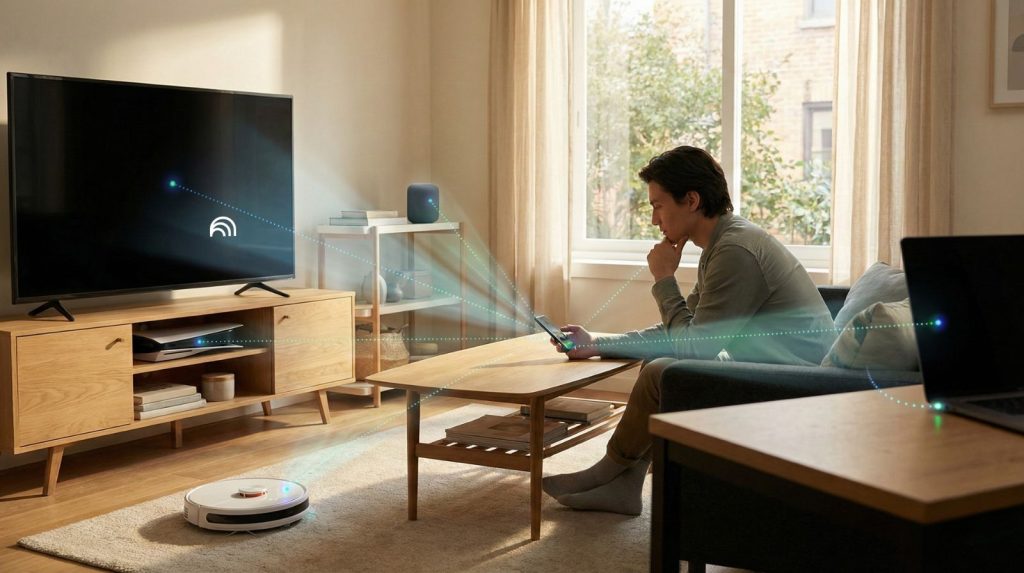
Even when we feel “in control” of our privacy settings, the truth is that modern devices collect far more information than what’s visible on the screen. This is why ai privacy gadgets have become crucial in 2025—they help reduce the invisible tracking that happens across our home networks, phones, and connected devices.
Your devices share more than you think
Most tracking doesn’t look like spying. It looks like metadata—signals that seem harmless but reveal a lot about you:
When your phone’s microphone is activated
How often you interact with your screen
Which rooms you’re in based on Wi-Fi signal strength
Your sleep and movement patterns from wearables
Your viewing habits from smart TVs
Even if you never give explicit permission, these systems still gather behavioral fingerprints.
A recent study from Mozilla’s Privacy Not Included project found that many smart home devices transmit data to multiple analytics companies — even with “anonymous mode” enabled.
The biggest culprits: everyday devices
Here are the categories that contribute most to silent tracking:
Smart TVs
Track what you watch, how long you watch, where you pause, and even which menu items you hover over.
Phones and apps
Collect sensor data (motion, proximity, ambient noise levels) even with permissions denied.
Wearables
Heart rate, stress levels, temperature, sleep cycles — valuable for health analytics companies.
Smart speakers
They don’t “record everything,” but they do constantly listen for wake words and retain metadata about those moments.
Cheap smart home devices
Low-cost IoT gadgets often send data to unknown servers with little transparency.
This is exactly where ai privacy gadgets help: by blocking unnecessary flows, muting voice sensors, or restricting unknown traffic before it ever reaches the internet.
Why built-in settings are not enough
Turning off certain features doesn’t stop background processes. In our post about hidden AI behavior tracking, we explained how apps can collect indirect signals even when key permissions are revoked.
Most users assume that:
Turning off “microphone access” stops metadata collection
Disabling voice assistant features turns off background listening
Switching off personalization stops behavioral analysis
Unfortunately, none of these are fully true.
This is why hardware-based privacy is rising
Software settings can be bypassed. Hardware can’t.
And that’s why ai privacy gadgets—like mic blockers, smart firewalls, and privacy shields—have become the most reliable defence for everyday users.
They don’t require trust in an app or brand.
They simply block, mute, or limit what your devices can send out.
3. Best AI Privacy Gadgets That Actually Block Tracking
Not all ai privacy gadgets are equal. Some only add more settings, while others truly cut down hidden tracking at the hardware or network level. To make things easy to compare, we’ve organized our main recommendations in the table below so you can quickly see what each gadget blocks, who it’s best for, and why it matters in daily life.
| AI Privacy Gadget | What It Blocks | Best For | Why It Matters in 2025 |
|---|---|---|---|
| Mic-Lock USB / USB-C Microphone Blocker | Physically disables the microphone channel so apps can’t record or collect ambient sound metadata. | Remote workers, online calls, private conversations at home. | Silent listening is one of the biggest concerns today. A hardware mic blocker is one of the simplest **ai privacy gadgets** because software can’t override it. |
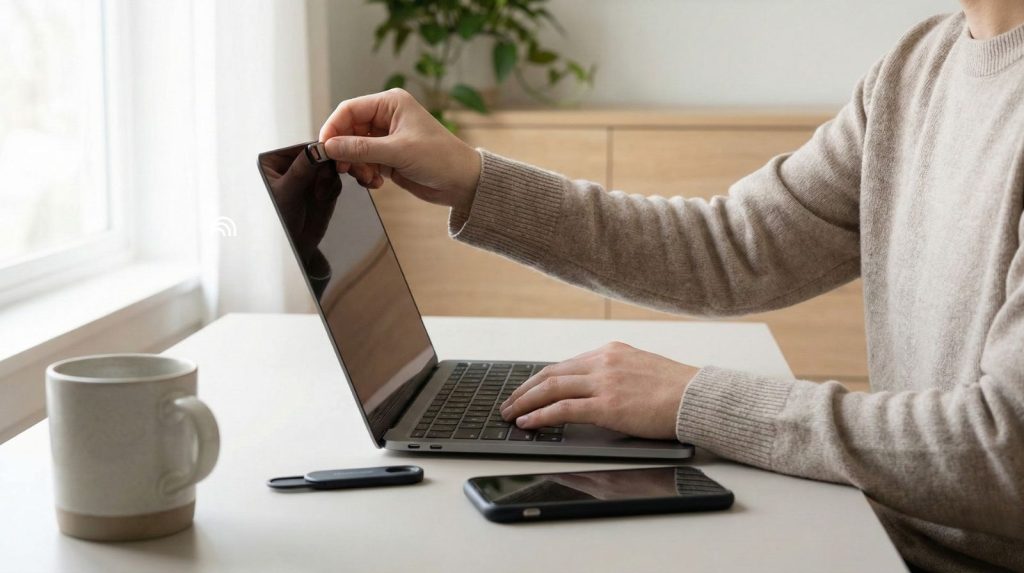
| Physical Camera Shutter (Laptop / Smart Display) | Blocks the camera lens completely, even if malware or an app tries to activate it in the background. | Laptops, smart displays, tablets used around kids or in bedrooms. | A low-cost upgrade that removes an entire risk category. No tracking pixel or AI video analysis is possible when the camera is physically covered. |
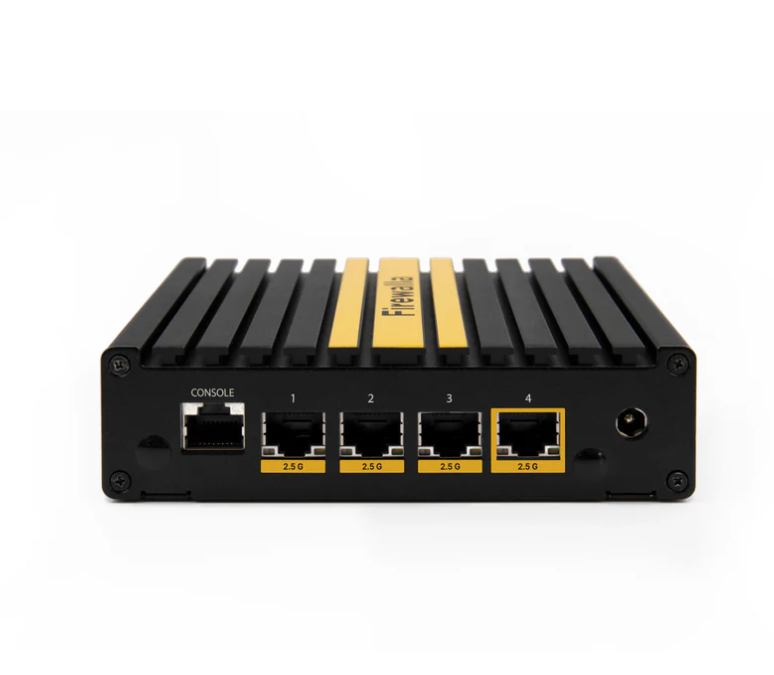
| Smart Firewall Privacy Hub (e.g. Firewalla-type devices) | Suspicious outbound traffic, unknown servers, and tracking domains used by cheap IoT devices and smart TVs. | Homes with many smart gadgets, Wi-Fi cameras, robot vacuums, consoles and TVs. | Network-level **ai privacy gadgets** see patterns humans miss. They block hidden data flows before they leave your home network. Even independent tests highlight them as one of the best privacy upgrades. |
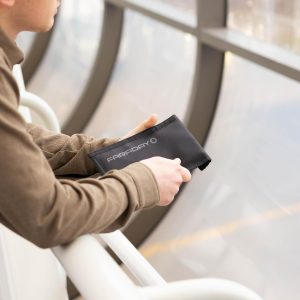
| Faraday Bag for Phone, Tracker & Car Keys | Cellular, Wi-Fi, Bluetooth, NFC and GPS signals when the device is inside the pouch. | Travel, commuting, high-sensitivity meetings, or when you want to be temporarily “off the grid”. | Great for moments when you don’t want any background tracking at all. Combined with other **ai privacy gadgets**, it creates a “hard off” switch for connectivity. |
| AI-Aware Router Settings + DNS Privacy Filters | Ad trackers, cross-site identifiers, and profiling domains across every device on your Wi-Fi. | Families, shared flats, and smart homes with many connected devices. | Turning on DNS filters and tracker blocking at router level stops a lot of AI-driven profiling. It works together with tools we explain in our guide on how AI online tracking follows you. |
| Smart Speaker Privacy Switches / Mute Locks | Prevents voice assistants from re-enabling the microphone without a physical action from you. | Homes with Alexa, Google Assistant, Siri or other always-on voice devices. | These **ai privacy gadgets** add a physical layer of control on top of software settings, so background listening can’t silently return after an update or bug. |
These ai privacy gadgets cover different layers of your digital life: microphones, cameras, Wi-Fi traffic, wireless signals, and voice assistants. In the next section, we’ll show how to combine two or three of them into a simple protection setup you can apply at home without changing your entire tech stack.
4. How to Use AI Privacy Gadgets to Protect Your Identity
The biggest advantage of ai privacy gadgets is that they work instantly. You don’t need technical skills, and you don’t need to change how you use your devices. Below is a simple, practical setup anyone can follow — whether you’re protecting your home office, your family space, or just reducing everyday tracking.
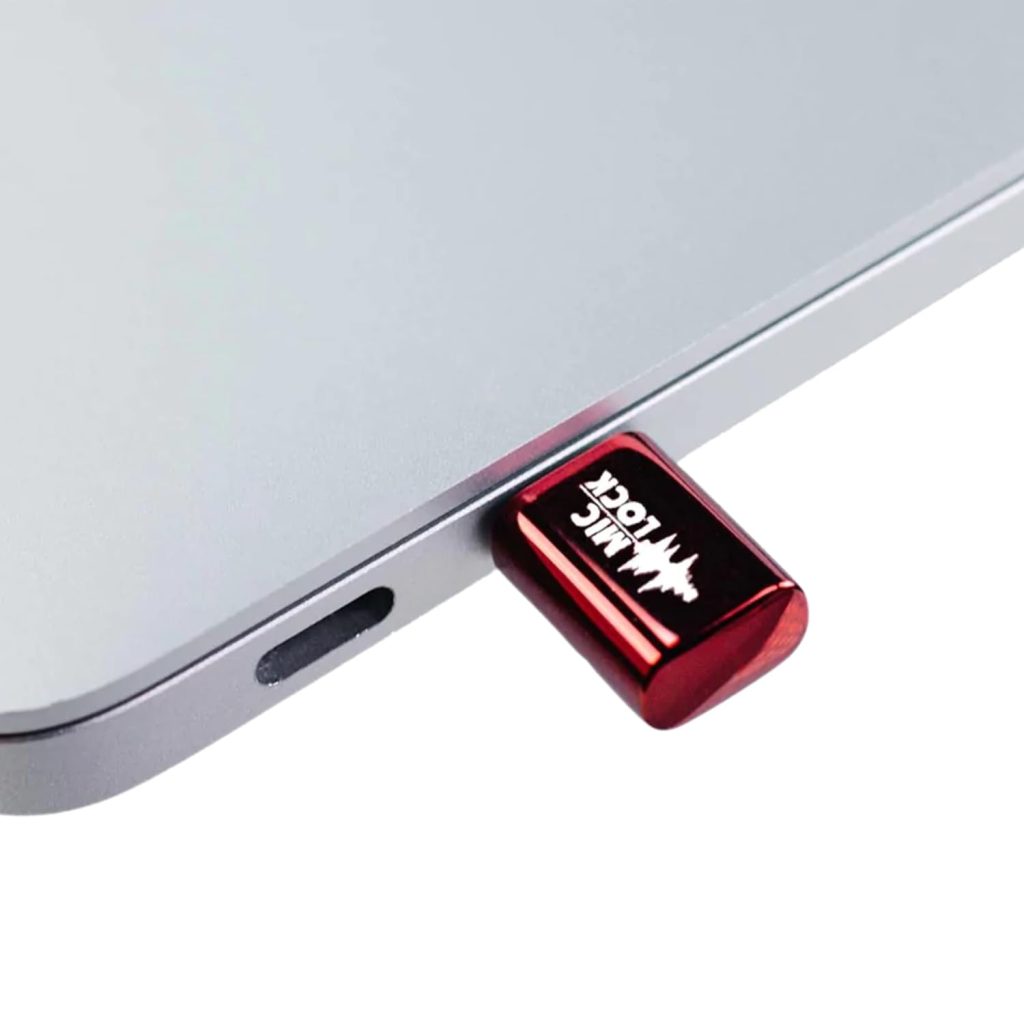
Step 1 — Block Microphone Access with a Physical Mic-Lock
These plug directly into your laptop or phone and instantly disable the audio input.
How to use it:
Plug the USB or USB-C mic blocker into your device.
Check your system tray: it should show “no input found.”
Leave it plugged in whenever you don’t need voice calls.
Why it matters:
Apps can still collect microphone metadata even when permissions are turned off. A hardware blocker makes that impossible.
Step 2 — Add a Camera Cover on All Laptops & Smart Displays
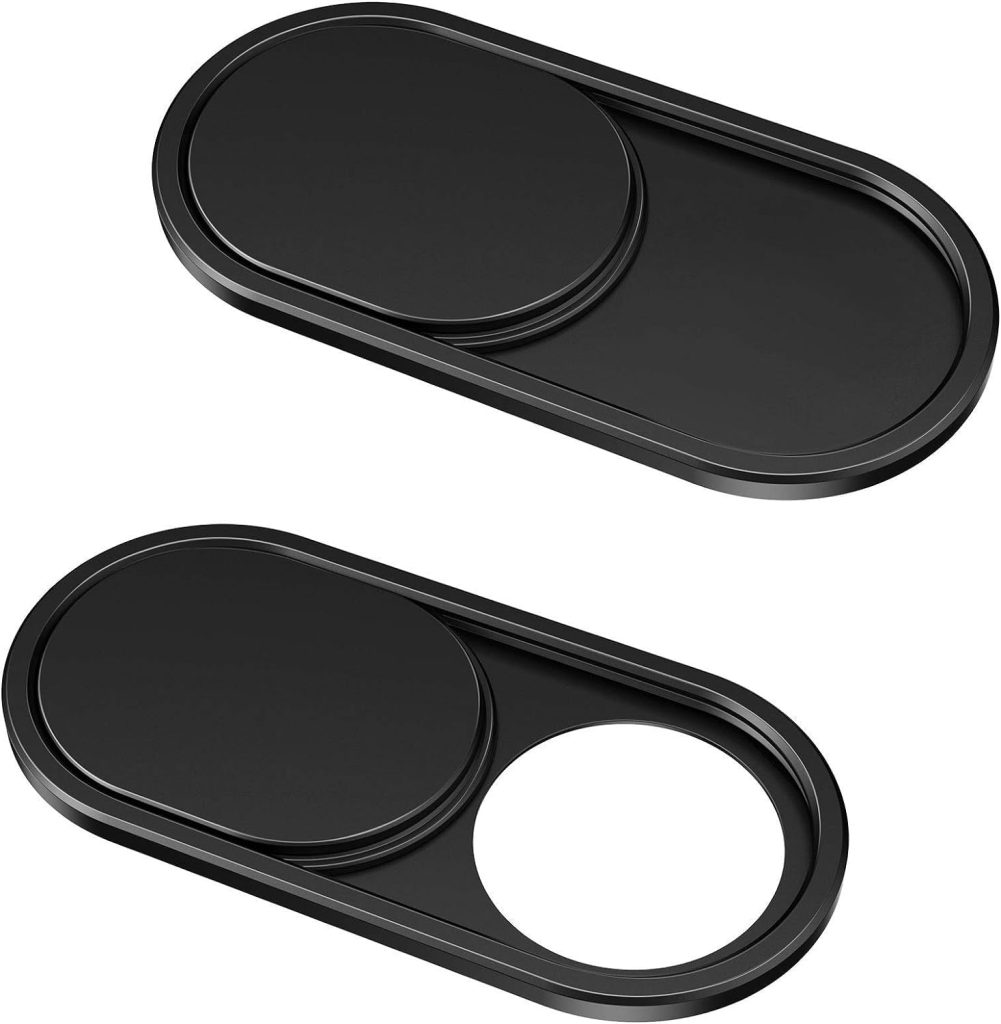
Every smart screen in your home should have a shutter — especially bedroom or desk devices.
How to use it:
Clean the camera area.
Stick the slider above the lens.
Slide to block it whenever the camera isn’t needed.
This is one of the most affordable ai privacy gadgets, and it removes an entire attack surface instantly.
Step 3 — Secure Your Wi-Fi with a Smart Firewall or AI Router Mode
This protects your entire home, not just individual devices.
How to use it:
Connect the privacy hub to your router (usually via Ethernet).
Open the app and enable “Unknown Connections Blocking.”
Turn on “IoT Monitoring” to catch risky devices, such as budget smart bulbs or TVs.
Tip: If you’re not sure which devices are tracking you, check our guide on AI behavior signals.
Step 4 — Use a Faraday Bag When You Need Zero Tracking
A Faraday pouch cuts off all radio signals, making phones, trackers, or car keys untrackable.
How to use it:
Place the device inside and fully close the magnetic seal.
Test it: you should lose cellular and Wi-Fi instantly.
Use it for travel, commuting, or sensitive conversations.
Great for completely disconnecting without turning the device off.
Step 5 — Activate DNS Privacy Filters on Your Router
This is a simple upgrade most people overlook.
How to use it:
Log into your router settings.
Enable AI-powered security or “Threat Blocking.”
Switch DNS to a privacy provider such as NextDNS or Cloudflare (1.1.1.1).
These filters stop many trackers before they even reach your apps.
Step 6 — Disable Background Listening on Smart Speakers
Even with mute buttons, updates can reactivate voice services.
How to use it:
Use the physical mute button plus a privacy lock accessory.
Turn off “Voice Match” and “Personal Results” in the app.
Regularly clear stored voice interactions.
Alexa, Google, and Siri all store metadata even when not actively recording, so combining software + hardware is key.
Simple Protection Setup (Recommended Starter Combo)
For most people, the strongest setup using ai privacy gadgets is:
Mic blocker for laptop & phone
Camera shutter on every screen
Smart firewall for the home network
DNS privacy filter on the router
You can implement all of this in under 15 minutes, and it dramatically reduces silent tracking across your home.
5. Common Privacy Mistakes Even With Anti-Tracking Gadgets
Even with strong ai privacy gadgets, many people still leave privacy gaps that allow hidden tracking through other devices or network settings. Below is a clear list of the most common mistakes — and the quick fixes that strengthen your entire privacy setup.
The Most Frequent Mistakes (and How to Fix Them)
| Mistake | Why It Matters | Quick Fix |
|---|---|---|
| Blocking the mic on only one device | Phones, tablets, or smart speakers still collect microphone metadata even when your laptop is protected. | Use a mic-lock on key devices and disable background listening. For deeper tracking behavior, see our guide. |
| Using a camera shutter without network control | Your visuals are protected, but smart TVs, vacuums, and IoT gadgets may still send behavioral data. | Pair shutters with a smart firewall or DNS privacy filter. |
| Trusting smart speaker “mute” buttons | Some devices still log wake word attempts, connection data, and interaction metadata. | Use a physical privacy lock and clear stored logs regularly. |
| Ignoring cheap IoT devices | Budget smart bulbs, plugs, or vacuums often contact unknown servers frequently. | Place them on a guest network or behind a smart firewall. |
| Leaving router AI security features off | Routers now offer AI tracker blocking, but most people never enable it. | Activate DNS filtering, tracker blocking, and “Threat Protection” modes. |
| Incorrect use of Faraday bags | Signal leakage occurs if the device isn’t fully sealed inside. | Close the magnetic seal completely and test by checking signal loss. |
Why fixing these mistakes matters
Even the strongest ai privacy gadgets can’t protect your identity if a single device, app, or network setting remains open in the background. By correcting these small but common errors, you build a layered protection system where every tool supports the others.
This is what turns basic privacy upgrades into a real privacy strategy.
6. Ethical Privacy Protection: What You Need to Know
As we rely on more connected devices, privacy isn’t just a technical issue — it becomes a shared responsibility. Using ai privacy gadgets isn’t about fearing technology or shutting yourself off from innovation. It’s about choosing how much of your personal life you want AI systems to access, and on your terms.
AI makes decisions based on the data we give it
Modern algorithms learn from patterns in our behavior: when we’re online, what we watch, how we move at home, and even how often we interact with our screens. Much of this happens silently.
This is why tools that reduce background tracking matter — they allow us to enjoy the benefits of AI without exposing more information than necessary.
Privacy is not the opposite of convenience
You can still use smart speakers, TVs, wearables, and apps. The ethical goal is balance: using ai privacy gadgets to limit unnecessary data flow while still keeping the features you value. Responsible privacy isn’t about going “off the grid.” It’s about setting boundaries.
Technology should serve people — not the other way around
When data collection becomes invisible or excessive, the relationship between users and technology shifts. By applying simple protections, we remind companies that transparency and consent should remain central to the digital experience.
For more on how AI systems behave and learn from everyday interactions, see our deeper explanation in “Inside the Black Box”.
Get more detail information in our dedicated section Behind the Algorithm.
A healthier digital future
Privacy isn’t a niche concern anymore. It shapes how AI evolves, how companies design their products, and how safe people feel using technology every day. By adopting ai privacy gadgets, we participate in building a future where innovation and personal rights can exist side by side.
7. Final Recommendations: Which Privacy Gadgets to Buy
Protecting your identity doesn’t require complex tools or technical skills. With just a few carefully chosen ai privacy gadgets, you can drastically reduce silent tracking from phones, TVs, wearables, apps, and smart assistants. The goal is simple: keep the benefits of modern AI while controlling what truly leaves your devices.
What actually works
The most effective privacy setup always includes these four layers:
A mic-lock to block audio metadata
A camera shutter for visual protection
A smart firewall to stop hidden device traffic
A DNS privacy filter to reduce online profiling
These tools cover the key areas where tracking happens — microphones, cameras, Wi-Fi signals, and behavioral data sent to external servers.
Why this matters for everyday life
You don’t need to change how you use technology. You don’t need to stop using smart devices. You simply add a few protections around them so they work for you — not the other way around. This balance is what makes ai privacy gadgets so valuable: they improve your safety without limiting your freedom.
Our recommended picks (simple, effective, user-friendly)
Below are the best categories to consider, each chosen for reliability and ease of use.
| AI Privacy Gadget | What It Does | Check Price |
|---|---|---|
| Mic-Lock Microphone Blocker | Physically disables the microphone channel so no app can collect audio or ambient metadata. | View |
| Camera Shutter for Laptop & Displays | Blocks the camera lens entirely, preventing any visual access even if software is compromised. | View |
| Smart Firewall Privacy Hub | Detects and blocks suspicious outbound traffic from TVs, IoT gadgets, robot vacuums, and smart devices. | View |
| Faraday Bag for Phones & Keys | Blocks all signals (Wi-Fi, Bluetooth, GPS, NFC) for complete “zero-tracking” protection during travel or private moments. | View |
8. FAQ: AI Privacy Gadgets & Identity Protection
What are AI privacy gadgets and why do I need them?
+AI privacy gadgets are physical devices that block unwanted tracking from smart home devices, cameras, microphones, and network traffic. You need them because 89% of smart devices share data with third parties without clear consent.
AI privacy gadgets like Firewalla Gold, MicLock USB-C, webcam covers, and Faraday bags give you hardware-level control that software settings can't provide. They protect your identity by stopping AI assistants from recording conversations, preventing cameras from being remotely activated, and blocking location tracking on phones.
Which AI privacy gadget should I buy first?
+Start with a Firewalla Gold network firewall ($199-$499). It blocks all smart device tracking at the router level, monitors which devices send data to third parties, and gives you control over your entire home network.
Second priority: MicLock USB-C ($25-$35) for laptops to physically disable microphones. Third: webcam privacy covers ($8-$15) for all devices with cameras. These three AI privacy gadgets protect 90% of common surveillance vectors in smart homes. Faraday bags ($15-$50) come fourth for blocking phone GPS and wireless tracking when needed.
Do AI privacy gadgets work with all smart home devices?
+Yes. AI privacy gadgets like Firewalla work with any device connected to your home network—Amazon Echo, Google Nest, Ring cameras, smart TVs, IoT sensors. The firewall sits between your router and devices, monitoring all traffic regardless of brand.
MicLock USB-C works with any laptop or device with a USB-C port. Webcam covers are universal adhesive designs. Faraday bags block signals from all phones, tablets, and wireless devices. These AI privacy gadgets don't require device-specific compatibility because they provide hardware-level protection independent of software.
Are there free alternatives to AI privacy gadgets?
+Free software alternatives exist but offer weaker protection than AI privacy gadgets. Pi-hole (free DNS blocker) blocks some tracking but can't prevent microphone or camera access. Router firmware like OpenWRT provides network control but requires technical expertise. Software firewall apps only protect the device they're installed on. Physical tape over webcams works but looks unprofessional.
The reality: free software solutions can be bypassed by determined tracking. AI privacy gadgets like MicLock and Firewalla provide hardware-level security that software can't override. For serious privacy protection, physical devices are worth the $25-$199 investment.
How do I know if my AI privacy gadgets are working?
+Firewalla shows a real-time dashboard of all blocked tracking requests, third-party connections, and data flows. You'll see which devices try to send data and to which companies. MicLock has an LED indicator that lights up when the microphone is physically disconnected. Webcam covers have a visible slider you can see is closed. Faraday bags can be tested by putting your phone inside and calling it—if it doesn't ring, all signals are blocked.
Most AI privacy gadgets include monitoring apps or physical indicators so you always know your protection is active.
Will AI privacy gadgets slow down my internet or smart home?
+No. Firewalla Gold supports gigabit speeds with zero performance impact on most home networks. MicLock doesn't affect data transfer speeds since it only disconnects the microphone circuit. Webcam covers don't interact with your device electronically. Faraday bags only block signals when your device is inside the bag.
AI privacy gadgets operate at the hardware layer, filtering or blocking specific tracking functions without interfering with normal internet speeds or device performance. You may notice slower smart assistant responses if you block their cloud connections, but that's the point—stopping data from leaving your network.
Can AI privacy gadgets protect me from hackers?
+Yes, partially. Firewalla blocks unauthorized access attempts, detects unusual network activity, and prevents devices from connecting to known malicious servers. MicLock stops hackers from remotely activating your microphone even if they compromise your laptop. Webcam covers prevent camera spying.
However, AI privacy gadgets focus on blocking corporate surveillance and data collection, not comprehensive cybersecurity. For full protection, combine AI privacy gadgets with strong passwords, two-factor authentication, VPN services, and regular software updates. Think of privacy gadgets as physical shields against both corporate tracking and opportunistic hackers.
What's the difference between AI privacy gadgets and VPNs?
+VPNs encrypt your internet traffic and hide your IP address from websites. AI privacy gadgets physically block hardware surveillance—microphones, cameras, GPS, network tracking. VPNs protect data in transit; AI privacy gadgets stop data from being collected in the first place.
Example: A VPN hides which websites you visit, but your smart speaker still records conversations. MicLock stops the recording entirely. Firewalla blocks smart devices from sending data even over a VPN. For maximum privacy, use both: VPN for internet traffic encryption and AI privacy gadgets for hardware-level surveillance blocking.
Are AI privacy gadgets legal to use?
+Yes, AI privacy gadgets are completely legal in all countries. You have the right to control surveillance in your own home and on your own devices. Using Firewalla, MicLock, webcam covers, or Faraday bags does not violate any laws.
However, some workplace policies prohibit employees from using camera covers or microphone blockers on company laptops for security compliance reasons. In your personal home and on your own devices, all AI privacy gadgets are legal and increasingly recommended by privacy advocates and cybersecurity experts.
How much do AI privacy gadgets cost in 2026?
+Webcam privacy covers: $8-$15. MicLock USB-C: $25-$35. Faraday bags: $15-$50 depending on size. Firewalla Gold: $199-$499 one-time purchase (no subscription).
Total cost to secure an average home with AI privacy gadgets: $250-$600. This is significantly cheaper than the hidden cost of data breaches, identity theft, or corporate surveillance. Most AI privacy gadgets have no recurring fees and last 5-10 years. Compare this to VPN subscriptions ($60-$120/year) or the $4,000+ average cost of identity theft recovery.
🛡️ Protect Your Digital Life
You now know how AI privacy gadgets block tracking and protect your identity. Go deeper with these essential privacy and smart home security guides: