
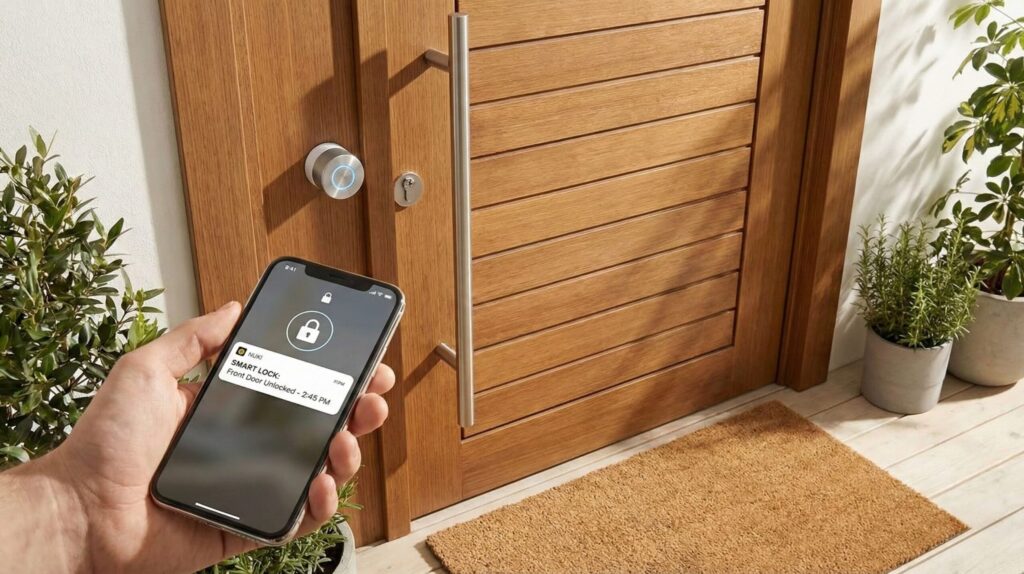
The best smart locks are the ones that fit your door, your phone and your patience with apps, not the ones with the loudest "AI" label. I rebuilt this guide around the three questions that decide a good buy: do you rent or own, which phone do you carry, and do you want hands-free entry. Answer those and the right pick is obvious.
⚡ Short answer: For most homeowners, the Yale Assure Lock 2 Touch is the safest all-rounder: fingerprint, keypad, auto-lock and wide smart home support. Pick the eufy C220 to spend less, the Nuki Smart Lock if you rent and must keep your current deadbolt, and the Aqara U400 if you own an iPhone and want the door to open as you walk up.
Some links are affiliate links · they support this site at no extra cost to you · Full disclosure
What can "AI" smart locks do?
Short answer: Less than the box suggests. Most smart locks use "AI" for two things: fingerprint readers that adapt to your finger over time, and camera locks that tell a person from a passing car. None of the four locks in this guide learns your daily routine on its own, whatever older reviews claim.

An earlier version of this page said these locks "learn your patterns" and only alert you when something breaks the routine. When I went back to the brands' own pages, I couldn't find that feature on any of them. So I rewrote the guide around what smart locks do today, and what the AI label covers.
Where the AI label is earned
- Self-learning fingerprint readers. eufy describes the C220's reader as one that gets more precise with every touch. That's a real benefit: fewer second tries on a cold morning.
- Camera locks with person detection. The eufy FamiLock S3 Max adds a 2K camera and video doorbell to the lock and tells you when it sees a person. Facial recognition needs eufy's separate HomeBase 3 hub.
- Palm vein and face unlocking. The same S3 Max reads the vein pattern in your palm and stores it on the lock itself. Useful if fingerprint readers struggle with your hands.
If you want the smart camera side of this, my smart home AI cameras guide goes deeper on person and package detection.
Core distinction: buy smart locks for reliable access and good alerts. Treat the AI label as a bonus on fingerprint and camera models, never as the reason to buy.
What changed in smart locks: Matter, Aliro and UWB
Three standards now decide whether the smart locks you buy today will still feel current in five years. They matter more than any AI feature, so check them before you compare prices.
Matter: one lock, every app
A Matter lock works with Apple Home, Google Home, Alexa and SmartThings at once, so switching phones doesn't strand your door. Most Matter smart locks run over Thread, which needs a Thread border router at home: a recent HomePod mini, Apple TV 4K, Nest hub or Echo with Thread built in. The Aqara U400 and the Nuki Smart Lock both work this way.
Aliro: digital keys in any phone wallet
The Connectivity Standards Alliance, the group behind Matter, released Aliro 1.0 in February. It puts your house key in the Apple, Google or Samsung wallet, so tap-to-open stops being an iPhone-only perk. Aqara, Nuki, Kwikset and Allegion (Schlage's parent) are among the first brands lined up for certification.
UWB: the door opens as you arrive
Ultra-wideband measures exactly where your phone is, so a lock can open as you reach the door and ignore you walking past inside. The Aqara U400 is the first lock to do this with Apple Home Key. Aliro also covers UWB, so Android support should follow as phone makers ship it.
Core distinction: a Matter lock with an Aliro update path is the safest long-term buy. Everything else is convenience.
Which smart lock fits my door?
I built this picker from the rules in this guide. Answer three questions and it points you to the lock that fits your home, phone and priorities.
1. Do you rent or own?
2. Which phones live in your home?
3. What matters most?
The picker only narrows the field. Before checkout, measure your door thickness and backset and compare them with the brand's fit guide. Most returned smart locks were bought for a door they don't fit.
The 4 best smart locks
Smart locks swing in price every week on Amazon, so each card links to today's price. Where I could confirm a list price on the brand's own store or launch announcement, I show it with the source.
1. Yale Assure Lock 2 Touch 🏆 Best overall
A full deadbolt replacement with fingerprint, keypad and the widest app support
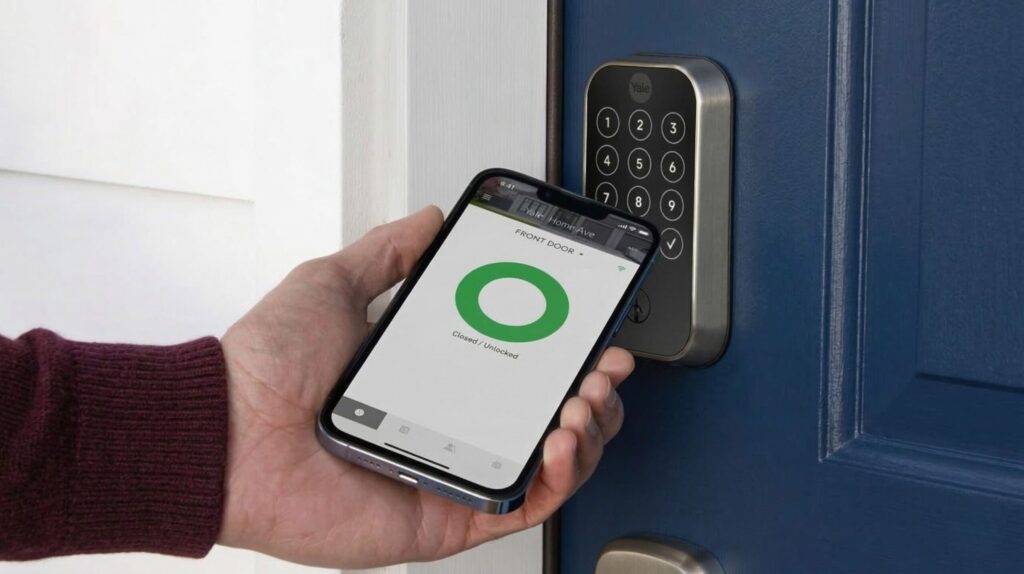
The Touch is Yale's first Assure lock with a built-in fingerprint reader, and it keeps the touchscreen keypad and an optional physical key. DoorSense tells the lock whether the door is shut, so auto-lock waits for a closed door instead of firing the bolt into the frame.
Connectivity is modular. Bluetooth is built in, and a Wi-Fi module adds remote access and Alexa or Google Assistant. One catch for iPhone owners: Apple Home Key lives on the Assure Lock 2 Plus, a different model without the fingerprint reader. You pick one or the other.
- Three ways in without a phone
- Door-aware auto-lock
- Big brand, wide integrations
- No Apple Home Key on this model
- Wi-Fi is 2.4 GHz only
- Reviewers rate the app below the hardware
2. eufy Smart Lock C220 💰 Best value
Fingerprint and built-in Wi-Fi without a hub, at the lowest price here
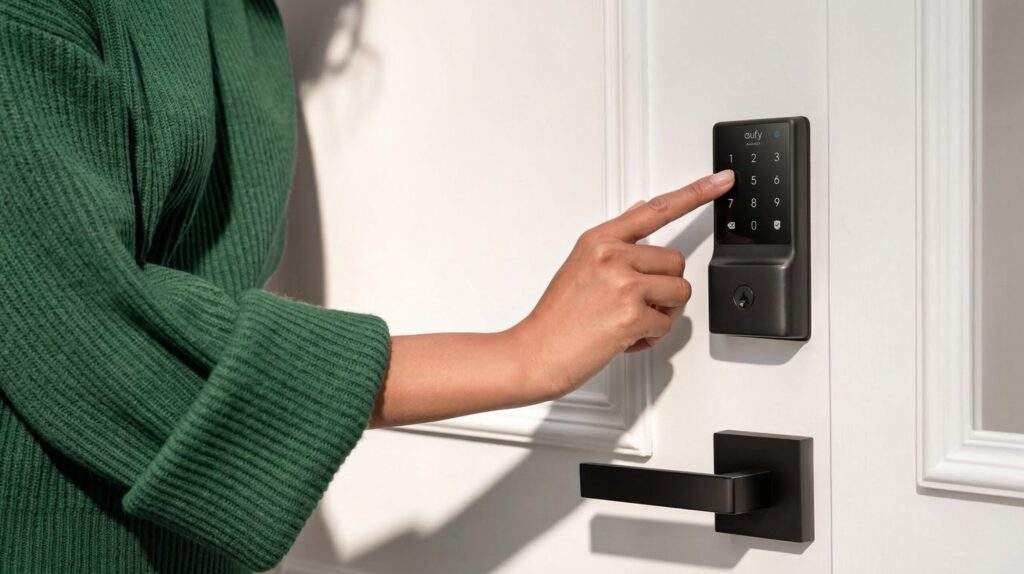
The C220 is where the "AI" claim is most honest: eufy's self-learning fingerprint reader adapts to your finger over time. You also get a keypad, the eufy Security app, Apple Watch, Alexa and Google Assistant, plus a physical key.
Wi-Fi is built into the lock, so remote access needs no bridge. eufy rates it at about 8 months on 8 AA batteries and IP53 against rain. It fits most standard US and Canadian deadbolts in about 15 minutes, without drilling.
- Lowest price with fingerprint
- Wi-Fi in the box
- Works with eufy doorbells
- No Apple Home or Matter listed
- 8 AA batteries to replace
- BHMA Grade 3, the entry rating
💡 Want a camera in the lock? eufy's FamiLock S3 Max adds video, palm vein entry and person alerts for roughly double the price.
3. Nuki Smart Lock 🏠 Best for renters
A retrofit that keeps your deadbolt, your outside look and your keys
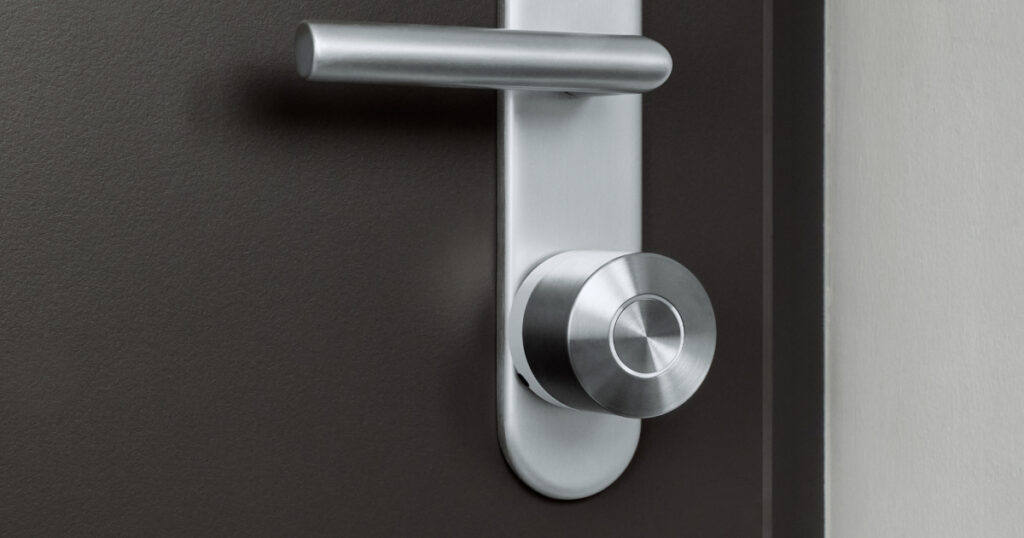
Nuki, an Austrian brand that's been a favorite in Europe for years, now sells a US version. The lock replaces only the inside thumb-turn of a single-cylinder deadbolt, so the outside of your door and your existing keys stay as they are. Nuki quotes under 15 minutes to fit, and it comes off cleanly when you move.
Its auto-unlock is the cleverest on this list for Android users: it only triggers after you've left a geofence, come back, and reached Bluetooth range. Nuki also lets you run the lock without an account, with data stored on the device. Remote access over Wi-Fi is free after Nuki dropped its planned subscription.
- Renter-friendly, keeps your keys
- Works with all four big ecosystems
- No batteries to buy
- No keypad without the add-on
- Door sensor sold separately ($59)
- Single-cylinder deadbolts only
💡 Outside the US, Nuki sells the Smart Lock Pro and Ultra for European cylinder doors; check the regional model for your door type.
4. Aqara Smart Lock U400 📡 Best hands-free
The first lock that opens as you walk up, using UWB and Apple Home Key
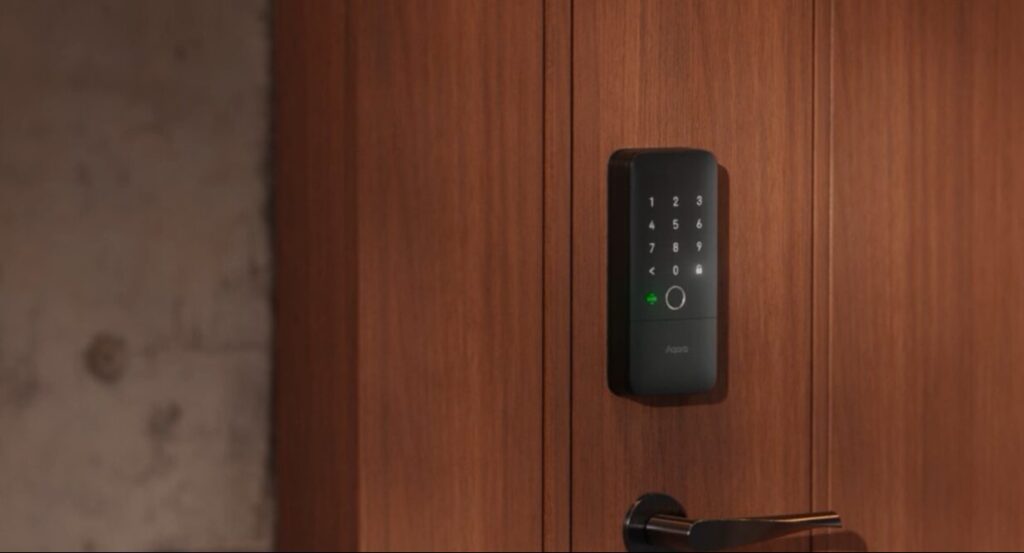
Aqara unveiled the U400 at CES in January. With an iPhone or Apple Watch in your pocket, the door opens as you approach from outside, with no tap, code or touch. Aqara says the UWB link includes protection against relay attacks, the trick thieves use to extend a key's signal.
It also does fingerprint, NFC, PIN codes and Home Key tap, which makes it one of the few locks that pairs Home Key with a fingerprint reader. It runs on Matter over Thread, so it works with Apple Home, Google Home, Alexa, SmartThings and Home Assistant through a Thread border router; Aqara says it's ready for Aliro.
- True hands-free entry
- Home Key and fingerprint together
- Matter now, Aliro-ready
- UWB hands-free is iPhone-only for now
- Needs a Thread border router
- Priciest pick here
Smart locks compared side by side
Here are the four smart locks on the specs that decide fit and long-term use, using only what each brand publishes.
| Lock | Install type | Ways in | Matter | Power | List price |
|---|---|---|---|---|---|
| Yale Assure Lock 2 Touch | Full deadbolt | Fingerprint, code, app, voice, key | Via module | AA batteries | $199.99 (BT, launch) |
| eufy C220 | Full deadbolt | Fingerprint, code, app, watch, voice, key | No | 8 AA (~8 months) | $149.99 |
| Nuki Smart Lock | Inside retrofit | App, auto-unlock, voice, your key (+keypad) | Yes (Thread) | Rechargeable | $199 |
| Aqara U400 | Full deadbolt | UWB, Home Key, fingerprint, NFC, code, key | Yes (Thread) | Rechargeable | $269.99 |
Prices are USD list prices; sale prices on Amazon run lower most weeks. Outside North America, check door standards first: European doors mostly use euro cylinders, which the US versions of these smart locks don't fit.
What do smart locks cost after the box?
Short answer: The sticker price is only part of what smart locks cost. Add the accessory each lock needs for the features you want, plus batteries on AA models. None of the four charges a required monthly fee for remote access.
I worked out the extras you'd likely add over five years, based on each brand's own specs. Battery cost assumes alkaline AA cells at about $0.75 each; your price will vary.
| Lock | Likely extra | 5-year power cost | Watch out for |
|---|---|---|---|
| Yale Touch | Wi-Fi module if not in the box | AA swaps; life varies with Wi-Fi use | Buy the Wi-Fi bundle if you want remote access |
| eufy C220 | None | ~60 AA ≈ $45 | Rechargeable AAs cut this to near zero |
| Nuki | Keypad 2 (~$70 bundled), door sensor ($59) | USB-C charging | Without the keypad, a dead phone means using your key |
| Aqara U400 | Thread border router if you don't own one | USB-C charging | Most Apple homes already have one (HomePod mini, Apple TV 4K) |
The eufy math: 8 batteries every ~8 months is about 7.5 changes in five years, or roughly 60 cells. That's still the cheapest five-year total here. If you're tallying all your smart home and app fees, my free AI subscription cost calculator shows what the monthly add-ons come to over a year.
Core distinction: compare smart locks on the total you'll pay for the features you need, not on the price of the lock alone.
Are smart locks safe?
Short answer: Yes, if you pick a certified lock and set it up well. Smart locks fail far less often than people fear: burglars still go for doors and windows by force far more than for apps. The real risks are weak codes, old firmware, shared access you forgot to remove, and a dead battery with no backup plan.
Start with the physical rating. The ANSI/BHMA grade measures how a lock holds up to force and wear, with Grade 1 the toughest. In this guide the Yale Touch is Grade 2 and the eufy C220 is Grade 3; a strong strike plate with long screws helps any of them.
Five settings to change on day one
- Turn on two-factor sign-in for the lock's app account.
- Switch on automatic firmware updates, or check monthly.
- Give guests scheduled codes that expire, never your own code.
- Enable tamper and wrong-code alerts; they're the alerts worth having.
- Keep a backup way in: a physical key or a keypad that works when Wi-Fi is down.
The FTC's guide to securing internet-connected devices at home covers the router side of this. And since smart locks make remote access easy, scammers sometimes pose as family asking for a door code; a family safe word shuts that trick down.
Core distinction: a smart lock is as safe as its weakest setting. Spend ten minutes on setup and it beats a key under the mat.
Which smart lock should you buy?
Start with your door and your lease, then your phone. All four of these smart locks do the basics well; the right one depends on what you need on top.
- Choose the Yale Assure Lock 2 Touch if you own your home and want fingerprint access for everyone, with Alexa or Google.
- Choose the eufy C220 if price matters most and you don't need Apple Home.
- Choose the Nuki Smart Lock if you rent, host on Airbnb or want to keep your current keys.
- Choose the Aqara U400 if you live in Apple's world and want the door to open as you arrive.
My default pick for most households is the Yale Assure Lock 2 Touch: three ways in without a phone and the widest support.
If you're an iPhone household and the budget stretches, the Aqara U400 is the most future-proof of these smart locks.
Frequently Asked Questions — Smart Locks
🏠 Build out the rest of your smart home
Picked your lock? These guides cover what usually comes next.