

Mirko
AI Tech Writer
Ever wondered why a random app predicts what you want — before you've even searched for it? That's AI behavior tracking working behind every scroll and tap.
We reviewed how modern apps collect behavioral signals, which settings give you real control, and the privacy tools that limit what algorithms learn about you.
Some links are affiliate links · You support us at no extra cost · Full disclosure
Why Apps Feel Smarter Every Day
Open your phone right now. The first notification you see probably relates to something you browsed yesterday — or something you almost bought.
That's not coincidence. It's AI behavior tracking analyzing micro-actions you never noticed you made.
Apps don't need your name, email, or credit card to learn about you. They study how you interact: scroll speed, pause duration, tap patterns, and session timing.
Over weeks, those tiny signals build a behavioral profile that's surprisingly accurate.
A 2024 Mozilla Foundation study found that 80% of popular apps collect behavioral data beyond what's needed for core functionality.
That gap between what apps need and what they collect is where AI behavior tracking operates.
None of this is inherently malicious. Personalization makes apps useful — relevant recommendations save time. But the asymmetry matters: apps understand you with remarkable precision through AI behavior tracking, while you rarely understand what they know.
Our goal here is practical. We'll show what apps learn, how the tracking works, and which settings and privacy tools give you genuine control.
Before reading further, screenshot your phone's current privacy settings. If you change something and it breaks an app, you can revert in seconds.
What AI Actually Tracks About You

Most people assume apps only read what you type. AI behavior tracking goes deeper — it studies how you interact, not just what you say.
Every scroll, pause, and replay becomes a data point that feeds personalization systems.
Here's what today's most common platforms collect behind the scenes:
| Data Type | What It Reveals About You |
|---|---|
| Interaction patterns | How long you view content, what you skip, what you revisit |
| Device signals | Active hours, typing speed, notification response time |
| Search & click history | Purchase intent, evolving interests, long-term preferences |
| Location context | Daily routines, frequented places, lifestyle patterns |
| Session metadata | Time of day, session length, app-switching frequency |
Each data point seems harmless on its own. But over weeks, AI behavior tracking connects these signals to infer things like your attention span, emotional patterns, and readiness to buy.
Apple's App Privacy Labels now require apps to disclose what data they collect — but "behavioral data" often hides under vague labels like "usage data" or "analytics."
The real issue isn't any single signal. It's the cumulative profile that forms when AI behavior tracking runs across multiple apps on the same device.
That profile paints a picture far more detailed than what you intentionally share.
How AI Behavior Tracking Works Behind the Scenes
AI doesn't "watch" you like a person would. It learns patterns from thousands of tiny signals you generate every day.
The core process is straightforward: AI behavior tracking converts your actions into structured data, then uses models to predict what you'll do next.
Apps collect micro-signals. Every scroll, pause, and tap is stored as a data point. Even the time of day you open an app becomes a signal for AI behavior tracking systems.
AI sorts signals into patterns. The system looks for correlations — fast scrolling means low interest, rewatching means strong preference, and notifications opened within seconds signal high priority.
Models generate predictions. With enough data, AI predicts what content you'll engage with, which products you might buy, and when you're most responsive to notifications.
The profile updates automatically. When your behavior changes, AI behavior tracking adjusts the profile in real time. The cycle repeats, sharpening predictions with every interaction.
This is why platforms like YouTube, Netflix, and TikTok seem to read your mind. They're reading your patterns — and those patterns are remarkably consistent across users with similar behavioral profiles.
The same principle powers why AI tools behave differently for each user. Your interaction history shapes every response, recommendation, and ad placement you see.
If you don't want an app to "learn" a preference, avoid interacting with that content entirely. Even pausing on something you dislike becomes a signal that AI behavior tracking uses to refine your profile.
How to Check and Control What Apps Learn
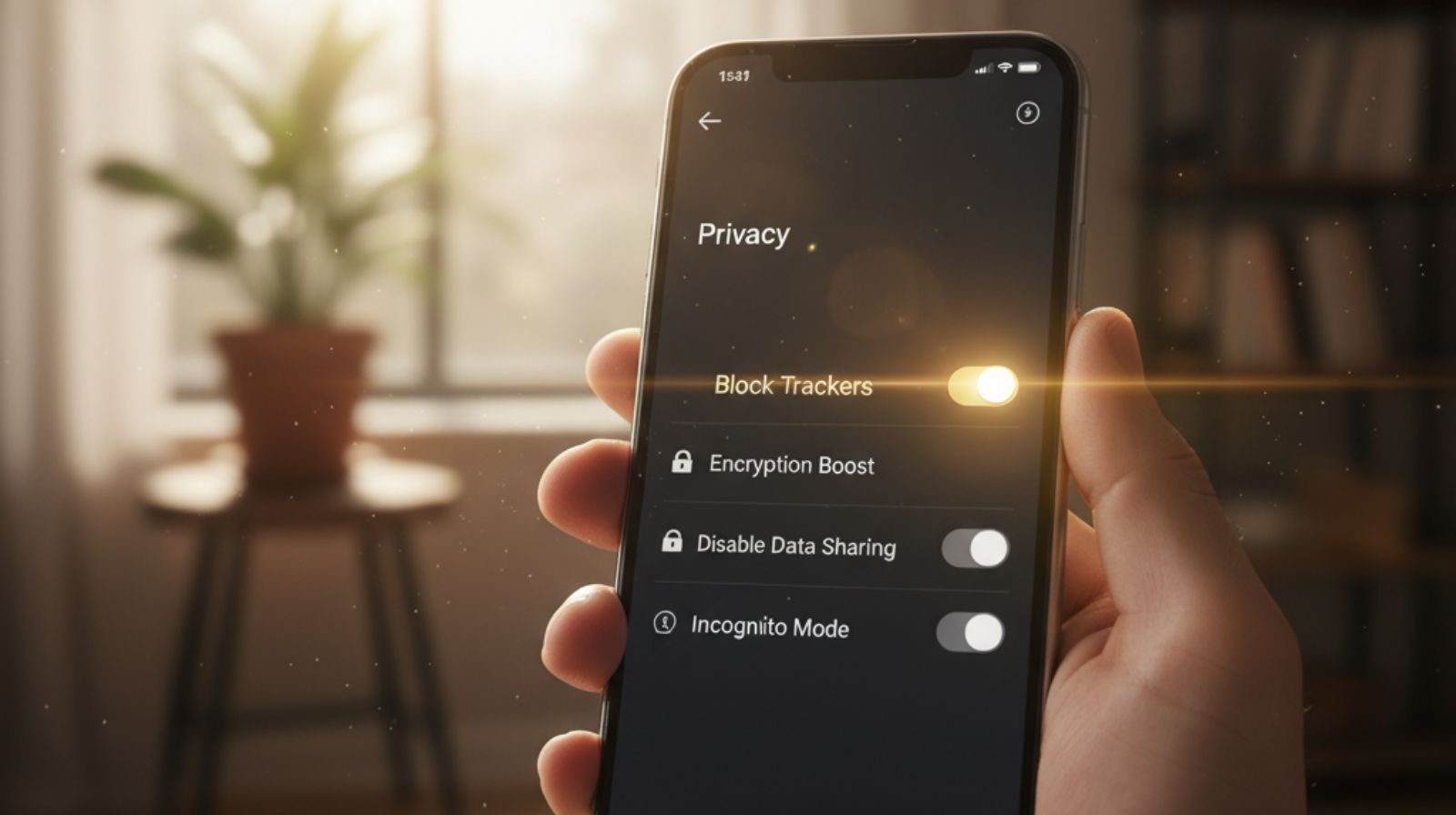
Controlling AI behavior tracking doesn't require technical skills. A few targeted settings changes can dramatically reduce what apps learn. Here are the steps we verified across both iOS and Android.
Start With Your Privacy Dashboard
Both iPhone and Android include a centralized panel showing which apps access your data and how often.
- iPhone: Settings → Privacy & Security → Tracking
- Android: Settings → Privacy → Permission Manager
You'll see which apps track location, microphone, camera, and behavioral signals. Anything that looks unnecessary for the app's core function — disable it.
Review Activity Controls
Google and Apple both offer account-level controls that govern how AI behavior tracking shapes your ads, recommendations, and search results. Key toggles to check:
- Web & App Activity
- Ad Personalization
- Location History
- Notification Suggestions
Turning off even one reduces how quickly your behavioral profile grows. For a deeper walkthrough, see our guide on stopping AI from reading your private data.
Clean Up Unused Permissions
Most apps request more access than they need. A notes app rarely needs location. A photo editor shouldn't require your contacts. Fewer permissions means less raw material for AI behavior tracking.
Open your phone's permission manager right now. Remove location access from any app that doesn't need real-time positioning. This single step limits background tracking significantly.
Privacy Tools That Limit AI Behavior Tracking
Settings adjustments handle part of the problem. But dedicated privacy tools cover what manual settings can't reach.
Cross-site tracking, hidden trackers inside SDKs, and ISP-level data collection all require tools specifically designed to block AI behavior tracking at the network level.
Not every tool protects the same data. Here's how the main categories compare:
| Tool Type | What It Blocks | What It Doesn't Block |
|---|---|---|
| VPN | IP address, location, ISP-level tracking | In-app behavioral signals |
| Ad / Tracker Blocker | Ad networks, cross-site cookies, fingerprinting scripts | First-party app algorithms |
| Antivirus Suite | Malware, phishing, embedded trackers | Content recommendation engines |
| Privacy Dashboard | Permission audits, app-level data access logs | Server-side behavioral analysis |
The most effective approach combines two or three of these categories. We use NordVPN daily on our devices to encrypt traffic and mask our IP.
At $3.49/mo on the 2-year Basic plan, it's one of the most practical layers against network-level AI behavior tracking.
After enabling NordVPN's Threat Protection feature, ad-related tracking requests dropped noticeably across our browsing sessions.
It won't stop in-app algorithms, but it cuts the cross-site data pipeline that feeds broader behavioral profiles.
For a deeper comparison of how AI-enhanced VPNs differ from traditional ones, see our breakdown of AI-powered VPN technology.
A VPN handles network-level exposure. An ad blocker handles browser-level tracking. Together, they cover the two widest channels that AI behavior tracking uses to collect data.
Common Mistakes That Feed the Algorithm
Even privacy-conscious users leave gaps that make AI behavior tracking more effective than it should be. Apps rarely warn you when you're feeding the algorithm extra data.
Thinking "I Turned Off Tracking" Is Enough
Disabling the system-level tracking toggle stops cross-app data sharing. But AI behavior tracking inside each app still runs independently.
Recommendation engines read how long you stay on a page, what you scroll past, and which items you compare — all without external tracking permission.
Never Resetting Your Activity History
When your interests or job change, your behavioral profile stays anchored to old patterns. Most platforms offer a manual reset.
YouTube's Clear Watch History, Google's Reset Ad Personalization, and TikTok's Clear Activity all help. Doing this every 2–3 months keeps recommendations current.
Leaving Smart Notifications Active
This feature analyzes how quickly you open alerts and which ones you ignore. It trains the system to predict your attention patterns.
Disabling "Notification Suggestions" in system settings reduces this signal path significantly.
Believing Incognito Mode Stops Behavioral Learning
Incognito hides browsing from your device. It doesn't stop websites from tracking behavior or platforms from linking sessions to your profile.
For stronger protection, pair incognito with a VPN and a dedicated tracker blocker.
VPNs, ad blockers, and privacy dashboards protect different data layers. Using one alone leaves gaps. Our post on turning off AI features covers which switches matter most per platform.
Set a calendar reminder every 90 days to reset your activity history on YouTube, Google, and social platforms. It takes under two minutes and prevents stale behavioral data from shaping your feed.
The Ethical Debate Around Behavioral AI

The challenge with AI behavior tracking isn't the technology itself — it's the transparency gap.
Most people accept terms of service without realizing that scroll speed, session timing, and notification habits become long-term training data.
Consent Exists, But Understanding Doesn't
Apps bundle behavioral data collection into lengthy privacy policies. When you tap "Allow," you're often agreeing to AI behavior tracking of micro-actions.
Those micro-actions aren't spelled out in plain language. Meaningful consent requires clarity that most platforms still don't provide.
Algorithms Can Nudge Decisions
AI doesn't force choices, but it adjusts what you see and when you see it. Notifications may shift to times when you're most responsive.
These nudges aren't malicious. But they raise legitimate questions about digital autonomy and how much behavioral influence is acceptable.
Optimization Can Narrow Your Worldview
When algorithms maximize engagement, they reinforce what you already interact with. Over time, this reduces exposure to new ideas and different perspectives.
The Electronic Frontier Foundation provides one of the clearest, research-backed overviews of how behavioral data shapes online experiences.
The goal isn't to reject personalization. It's awareness: understanding what systems learn from your behavior, how they shape your experience, and where to set boundaries that protect autonomy without losing useful features.
Once a week, click on content outside your usual interests. It keeps your feed broader, healthier, and less algorithmically narrow. Small signals of variety prevent AI behavior tracking from locking you into a content bubble.

The Age of Surveillance Capitalism
by Shoshana Zuboff
A deeply researched look at how organizations build behavioral profiles from everyday digital actions — and why awareness is the first step toward protecting your autonomy.
Check It Out →Frequently Asked Questions — AI Behavior Tracking
What is AI behavior tracking?
+AI behavior tracking is how apps learn from your interactions — scroll speed, tap patterns, session timing, and notification responses — to build a behavioral profile.
This profile powers personalized recommendations, targeted ads, and content prioritization. It works without needing your name, email, or other personal details.
What kind of data do apps collect through behavior tracking?
+Apps collect interaction data (viewing time, scroll patterns, replays), device signals (active hours, typing speed), search history, session metadata, and location context when allowed.
Each data point seems minor alone. Combined over weeks, they form a detailed behavioral profile that shapes what you see, when you see it, and which ads follow you.
Is AI behavior tracking the same as data tracking?
+No — they're different layers. Data tracking collects information you actively provide, like form fields or account details.
Behavior tracking studies how you act inside an app — scroll speed, pause duration, navigation patterns — without requiring you to share anything consciously. It's harder to notice and harder to control.
Can I stop apps from tracking my behavior completely?
+You can reduce it significantly, but not eliminate it entirely. Disabling system-level tracking permissions stops cross-app data sharing. But in-app behavior still teaches the algorithm.
The most effective approach combines permission restrictions, activity history resets every 2–3 months, and privacy tools like VPNs and tracker blockers to limit external data collection.
Does behavior tracking put my privacy at risk?
+It doesn't reveal your identity directly. But it creates profiles that influence what content, ads, and notifications you receive.
Over time, these profiles infer sensitive patterns — attention span, purchasing readiness, emotional tendencies. The risk isn't identity theft but gradual loss of digital autonomy.
Our guide on the dark side of free AI tools explores this trade-off further.
What privacy tools help limit AI behavior tracking?
+The most effective approach layers multiple tools. A VPN encrypts traffic and masks your IP. An antivirus suite like Bitdefender (from $19.99/first year) blocks embedded trackers and phishing attempts.
Ad blockers stop cross-site tracking scripts. Privacy dashboards on iOS and Android audit permissions. No single tool covers everything, but combining two or three cuts your exposure significantly.
How often should I reset my activity history?
+Every 2–3 months is a practical interval. Reset watch history on YouTube, clear activity on TikTok, and reset ad personalization on Google.
This prevents stale behavioral data from shaping current recommendations. Set a calendar reminder — the process takes under two minutes per platform.
Does incognito mode stop AI behavior tracking?
+No. Incognito hides browsing history from your local device. It doesn't stop websites from tracking behavior, cookies from recording session activity, or platforms from linking interactions to your account.
For stronger protection, combine incognito browsing with a VPN and a dedicated ad/tracker blocker. See our free AI tools and data privacy guide for more options.
Do algorithms track emotional responses?
+Algorithms don't read emotions directly. But they detect behavioral signals — pauses, replays, longer watch durations — that often correlate with emotional engagement.
These signals help platforms prioritize content that holds your attention longer. It's pattern detection, not mind reading — but the effect on your feed is real.
How can I check what data apps have collected about me?
+Use your device's built-in privacy dashboard. On iPhone: Settings → Privacy & Security → Tracking. On Android: Settings → Privacy → Permission Manager.
For account-level data, check Google Activity Controls or Apple Privacy Report. These show which apps access your data, how often, and what categories they collect.
🔐 Take Control of Your Digital Footprint
You now know how AI behavior tracking works. These guides help you apply that knowledge across your devices, apps, and daily browsing:
