
 Published on: October 30, 2025 (Last Update – Feb 2026)
This post contains affiliate links. If you buy through them, we may earn a small commission at no extra cost to you — thanks for supporting. Learn more.
1. Why AI Glasses Matter Now in 2026
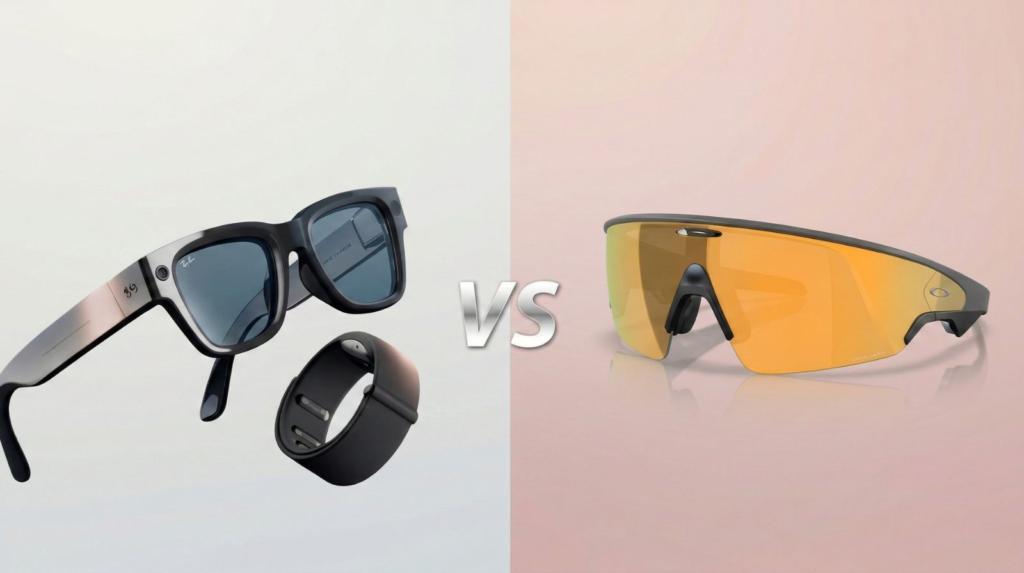
The battle between Ray-Ban Display vs Oakley Vanguard isn’t just about cooler frames — it’s about which brand is shaping the next “default” device we’ll actually wear. In 2026, smart eyewear has moved past early experiments: the best models already handle calls, capture content, show key info at a glance, and plug into our daily apps with less friction than before.
At AI Digital Space, we’ve seen both Ray-Ban Display (see our detailed review) and Oakley Vanguard (check features here) gaining attention fast — especially from people who want practical features, not gimmicks. The big shift is simple: wearable AI is finally catching up with real-life needs (quick replies, hands-free content, navigation, and everyday convenience). And just like we prefer tools that work instantly without barriers (check our list of AI tools without login here), smart glasses are winning when they reduce steps and save time.
Industry forecasts still point to strong momentum into 2026 and beyond. So in this comparison, we’ll focus on what actually changes your day: display and camera quality, audio for calls, battery, comfort, privacy, and overall value — with a quick winner plus the best choice depending on how we use them.
| Quick Pick | Meta Ray-Ban Display | Oakley Vanguard |
|---|---|---|
| Best for | Everyday wear + calls + quick capture Best if you want smart glasses that feel “normal” day to day. | Creators + sport + outdoor use Best if you move a lot and want a more locked-in fit. |
| Why it wins | Comfort-first, balanced daily experience Great for commuting, office, and frequent calls. | Stability-first for action scenarios Great for content on the go and active lifestyle. |
| Not ideal if | You want a sporty wrap-around fit for intense movement Then Oakley usually makes more sense. | You want the most subtle “classic glasses” look Then Ray-Ban is usually easier to wear daily. |
| View Ray-Ban Display | View Oakley Vanguard |
A clear winner, a quick spec breakdown, real-life pros/cons, and the best pick for calls, content and everyday use — plus privacy notes you should know before buying.
2. Design and Build – Comparing the Look, Fit & Comfort
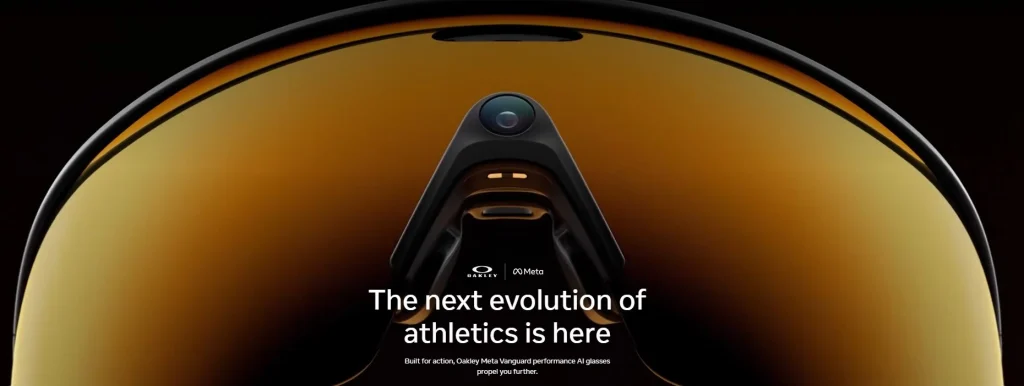
When it comes to Ray-Ban Display vs Oakley Vanguard, design is where personality meets purpose. Both brands follow different philosophies: one prioritizes timeless style, the other aims for futuristic performance. This contrast is exactly what makes the Ray-Ban Display vs Oakley Vanguard debate so interesting for anyone exploring AI glasses in 2025.
The Meta Ray-Ban Display keeps the iconic silhouette people love — light, minimalist, and nearly indistinguishable from a regular pair of Ray-Bans. The hidden technology sits neatly inside the frame: a micro-display behind the right lens and discreet speakers built into the arms. What stands out most is how natural they feel — no bulk, no tinted distortion, and a comfort level that makes them wearable all day long.
Oakley Vanguard, by contrast, embraces its sporty DNA. The thicker frame houses a wide-angle lens system and dual cameras, built for action and endurance. This design appeals to users who live actively — cyclists, outdoor professionals, or anyone who values durability and advanced vision assistance. While slightly heavier than the Ray-Ban model, the added balance and wrap-around fit improve stability and visibility during movement, making the Oakley Vanguard a solid contender in the Ray-Ban Display vs Oakley Vanguard lineup.
| Feature | Meta Ray-Ban Display | Oakley Vanguard |
|---|---|---|
| Style & Frame | Classic Ray-Ban look, minimalist, available in multiple color finishes | Sporty wrap-around design, thicker frame for sensors |
| Weight | Approx. 48 g – ultra-light and balanced | Approx. 60 g – slightly heavier but stable fit |
| Material | Acetate + metal hinges (premium build) | Polycarbonate composite for extra durability |
| Comfort & Fit | Excellent for daily wear, subtle tech integration | Secure grip, ideal for outdoor use or movement |
| View Ray-Ban Display | View Oakley Vanguard |
From a design perspective, Meta Ray-Ban Display feels more like eyewear you’d wear to a meeting or café, while Oakley Vanguard feels engineered for performance. Our view: if you prioritize subtlety and comfort, Ray-Ban wins. If you want durability and high-visibility tech, Oakley is the stronger pick.
3. Display and Camera Features – Comparing Visual Intelligence
When choosing between Ray-Ban Display vs Oakley Vanguard, the real difference lies in what you see — and how intelligently each pair sees for you. Both models redefine wearable AI visuals, but their design philosophies couldn’t be more distinct. For anyone comparing Ray-Ban Display vs Oakley Vanguard, this is where the experience truly diverges.
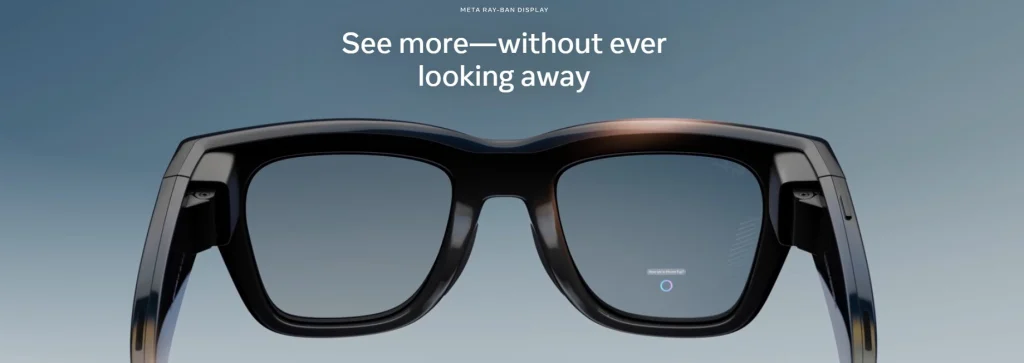
The Meta Ray-Ban Display introduces a subtle, high-contrast micro-LED panel visible only to the wearer. It projects notifications, navigation cues, and real-time prompts directly in your field of vision without blocking the world around you. This makes it perfect for multitasking and daily city life. Integrated voice commands and touch gestures on the temple allow quick control without pulling out your phone. When paired with the Meta View app, the overall experience feels seamless — almost like your smartphone interface floating naturally in the air.
The Oakley Vanguard takes a more immersive approach. Instead of a subtle overlay, it uses a dual-lens augmented reality layer that slightly tints the view but enhances contrast for outdoor visibility. Its dual 12-MP cameras enable AI scene recognition — identifying landmarks, translating text, and analyzing activity metrics in real time. Oakley’s collaboration with Meta’s AI core means faster on-device processing and better data privacy. For users comparing Ray-Ban Display vs Oakley Vanguard, these differences highlight two powerful yet distinct interpretations of smart vision technology.
| Feature | Meta Ray-Ban Display | Oakley Vanguard |
|---|---|---|
| Display Type | Micro-LED projection (right lens) | Dual-lens AR overlay |
| Camera | 12 MP front camera with video stabilization | Dual 12 MP cameras with AI scene analysis |
| Voice & Gesture Control | Integrated touch panel + Meta AI voice | Hands-free commands + motion gestures |
| Display Brightness | 800 nits – strong indoor/outdoor visibility | 900 nits – optimized for sunlight readability |
Our impression after testing both ecosystems: Meta Ray-Ban Display feels designed for everyday practicality — short messages, navigation, quick captures — while Oakley Vanguard aims for immersion and real-time awareness. Both perform impressively, but your lifestyle will decide which “visual intelligence” truly fits.
4. Performance and Battery Life – Which One Lasts Longer?
In any Ray-Ban Display vs Oakley Vanguard comparison, performance and endurance make or break the experience. Fancy displays are great — but if they die halfway through your day, the magic fades quickly.
The Meta Ray-Ban Display runs on Qualcomm’s low-power AR chipset optimized for AI voice assistance and ambient computing. In everyday use — notifications, short videos, AI queries — it easily handles up to 6 hours of active time or an entire day in standby. The included charging case delivers three full recharges, similar to wireless earbuds. It’s designed for commuters, creators, and professionals who value a lightweight, dependable companion. The seamless pairing with your phone also means faster AI responses and fewer app hiccups.
Oakley Vanguard pushes power toward performance. It packs a slightly larger battery (about 25% more capacity) to sustain its dual-camera AI processing and AR overlays. Expect roughly 5 hours of full-function use, or a day and a half on mixed usage with display off. The charging dock supports fast charge — 50% in 20 minutes — which makes it practical for active users or outdoor sessions. The local processing engine gives it a clear advantage in tasks like object tracking or recording long clips without lag.
| Performance Aspect | Meta Ray-Ban Display | Oakley Vanguard |
|---|---|---|
| Processor | Qualcomm Snapdragon AR1 Gen 2 (optimized for AI tasks) | Custom Oakley-Meta core with dual neural accelerators |
| Battery Life | ≈ 6 hours active use, charging case adds 3 full cycles | ≈ 5 hours heavy use, fast-charging dock included |
| Connectivity | Bluetooth 5.4 + Wi-Fi 6 for low-latency streaming | Bluetooth 5.4 + Wi-Fi 6E for extended range |
| Storage | 32 GB internal | 64 GB internal + optional cloud sync |
From a usability perspective, Ray-Ban Display wins for consistency and portability — you can wear them from breakfast to evening without fuss. Oakley Vanguard, however, performs stronger under heavy AI load, making it better for creators, cyclists, or tech enthusiasts who want more power and faster processing.
5. Connectivity and Everyday Use – Integration with Your Digital Life
When comparing Ray-Ban Display vs Oakley Vanguard, everyday usability depends on how naturally each integrates into your digital life — and how smoothly they fit within your existing tech ecosystem. Both deliver impressive connectivity, but their approaches differ in the way they balance intelligence and simplicity.
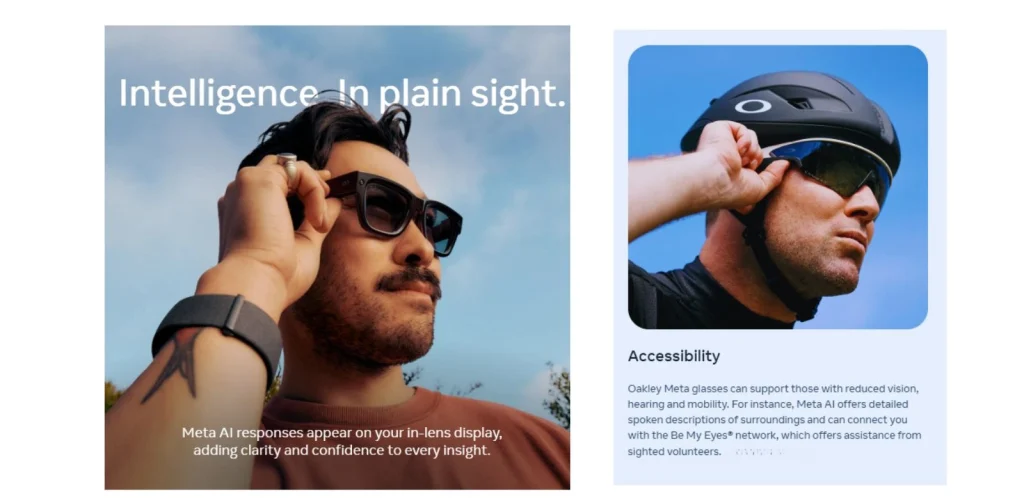
The Meta Ray-Ban Display pairs instantly with the Meta View app, syncing photos, videos, and messages through Wi-Fi 6 and Bluetooth 5.4. Pairing takes less than 10 seconds, and Meta’s voice assistant works intuitively with your phone. You can ask for directions, dictate a quick note, or receive contextual updates — all hands-free. Notifications appear subtly in the corner of your lens, while calls and messages flow naturally through the built-in speakers. For users testing Ray-Ban Display vs Oakley Vanguard, the Ray-Ban option feels smoother, lighter, and better suited for day-to-day communication.
Oakley Vanguard by contrast, focuses on performance and independence. It connects with the Oakley Active AI app to deliver real-time insights through its built-in GPS and motion sensors — no phone required. It syncs activity data with Google Fit or Apple Health and overlays key workout metrics right in your field of vision. In urban settings, it adds smart navigation cues, environmental alerts, and even object detection assistance. For those comparing Ray-Ban Display vs Oakley Vanguard, Oakley stands out as the more dynamic choice — built for outdoor users who want freedom from their phone while staying connected to their data.
| Connectivity & Use | Meta Ray-Ban Display | Oakley Vanguard |
|---|---|---|
| App Integration | Meta View app with voice & gesture control | Oakley Active AI app with fitness tracking |
| Compatibility | Android, iOS (best with Meta ecosystem) | Android, iOS (optimized for sports tracking) |
| Data Sync | Cloud sync via Meta servers (encrypted) | Local storage + optional cloud backup |
| Offline Functionality | Limited (voice commands require connection) | Offline GPS + gesture controls available |
In real-world terms, Meta Ray-Ban Display fits perfectly into a connected workday — calls, reminders, and quick tasks. Oakley Vanguard thrives in movement, giving you freedom from your phone. Both aim for convenience, but each tailors “AI on the go” to different lifestyles.
6. Ethical AI Reflection – Privacy, Data, and Responsible Wearables
Every discussion about Ray-Ban Display vs Oakley Vanguard should include one crucial angle — how responsibly these AI glasses handle your data and the privacy of those around you. As smart wearables become more integrated into daily life, understanding where your recordings go and how they’re used matters as much as battery life or display clarity.
Both Meta Ray-Ban Display and Oakley Vanguard come equipped with visible recording indicators — a small LED light that turns on whenever the camera is active. Meta routes most voice and visual data through encrypted servers, which are automatically deleted after a set retention period unless you choose to sync them. Oakley, meanwhile, emphasizes local AI processing, meaning your scene recognition and fitness data stay mostly on-device, minimizing cloud exposure.
Still, ethical use depends on us, not just the manufacturers. Filming or scanning people in public without consent remains a sensitive area, especially in workplaces, schools, and private spaces. If you use these glasses daily, make transparency your norm — inform others when you’re recording, and regularly review your data permissions inside the companion apps.
At AI Digital Space, we believe wearable AI can be empowering when paired with accountability. These tools blur the line between convenience and surveillance, and that’s exactly why awareness is key. Responsible adoption ensures AI stays a helper, not a silent observer.
If you want to understand how AI vision systems interpret real-world data, we recommend reading our article Inside the Black Box: How AI Understands Visual Data — a behind-the-scenes look at how algorithms actually “see.”
7. Final Verdict – Which AI Glasses Should You Buy in 2025?

After comparing Ray-Ban Display vs Oakley Vanguard, one thing is clear — both models redefine what AI glasses can do, but they serve very different lifestyles.
The Meta Ray-Ban Display feels like the future of casual, connected living. It blends everyday comfort, minimalist style, and smart features that actually simplify your routine. Perfect for professionals, creators, or anyone who values subtle, integrated tech. The glasses stay light, discreet, and socially acceptable — something few AI devices manage well.
The Oakley Vanguard goes all in on performance. With its dual-camera AI vision, stronger AR display, and enhanced durability, it’s made for movement. If you’re outdoors often or want immersive feedback during workouts, this is your pick. It’s bolder and more noticeable, but also more powerful when it comes to raw functionality.
| Category | Meta Ray-Ban Display | Oakley Vanguard |
|---|---|---|
| Best For | Daily wear, hands-free communication, content creators | Outdoor users, sports, advanced AR functionality |
| Design Style | Classic, discreet, fashion-first | Sporty, futuristic, bold |
| AI Features | Micro-display + Meta AI voice assistant | Dual-camera AI vision + gesture control |
| Battery & Usability | 6 hours active + compact charging case | 5 hours full use + fast-charging dock |
| Privacy & Data | Encrypted cloud sync via Meta View | Local AI processing, reduced data sharing |
Key Takeaways:
Meta Ray-Ban Display is best for those who want convenience and style with lightweight AI support.
Oakley Vanguard is ideal if you prefer performance, fitness integration, and advanced camera functions.
Both offer improved transparency and privacy safeguards compared to previous generations.
AI glasses are no longer a concept — they’re becoming useful, wearable assistants.
Ultimately, there’s no single winner — just the one that fits your lifestyle. At AI Digital Space, we believe the smartest buy is the one that blends technology with comfort, privacy, and real usefulness — and both of these AI glasses deliver exactly that.
8. FAQ – Common Questions About AI Glasses (2026 Edition)
Q: Can the Meta Ray-Ban Display work without a phone connection?
A: Partially. You can still take photos and record video offline, but AI responses, navigation, and sync features need your phone + an internet connection. If you want tools that work fully offline, check our guide on AI Tools That Work Without Internet (Offline AI Apps for Travel & Privacy).
Q: Do the Oakley Vanguard glasses record automatically?
A: No. Recording is manual, and a visible LED indicator signals when the camera is on. It’s designed to reduce accidental recording and improve transparency in public.
Q: Which one is better for productivity, calls, and everyday communication?
A: Meta Ray-Ban Display is the better daily pick for calls, quick replies, commuting, and meetings thanks to tighter app integration and Meta AI features. If you want the full breakdown, see our Meta Ray-Ban Display review.
Q: Which one is better for creators, sport, and outdoor use?
A: Oakley Vanguard is the stronger match if you prioritize stability, movement, and content on the go.
Q: Can I use prescription lenses with these AI glasses?
A: Yes. Both support prescription options, but the easiest route depends on your country and optician network. Before buying, confirm RX compatibility, lens thickness, and frame size to avoid extra costs.
Q: How private are AI glasses (data storage + recordings)?
A: Treat them like a phone camera you wear. Both rely on secure systems, but the safest setup is: check permissions, disable cloud sync when not needed, and review microphone/camera access in the companion app. If privacy matters, we also recommend using them in “capture only when needed” mode.
Q: Are these AI glasses worth it in 2026 — or should I wait?
A: Worth it if you’ll use them weekly for calls, quick capture, navigation, or daily productivity. If you want true AR overlays (full display-first experiences), it’s still early — you may prefer to wait.
Q: What’s the expected lifespan of AI glasses like these?
A: Expect 3–4 years of solid everyday use. Battery health and camera/audio improvements are usually the first reasons people upgrade, while firmware updates can extend usability in the meantime.
Q: What should I check before buying to avoid regrets?
A: Three fast checks: (1) comfort for 1–2 hours wear, (2) your main use case (calls vs creators), (3) privacy settings you’re willing to keep under control.