Mirko
Founder & AI Tech Writer
Choosing an AI browser changed on August 9, when OpenAI switched off ChatGPT Atlas, the browser that used to top this guide. Most comparisons still tell you to download it. So I rebuilt this one from scratch around the six options that work today, and one question: which AI browser fits the computer, phone and budget you already have?
⚡ Short answer: Perplexity Comet is the best AI browser for most people: free on Mac, Windows, iPhone and Android, with sources on every answer. On Windows, Copilot Mode in Edge is the zero-setup pick. If you won't leave Chrome, turn on Gemini in Chrome. Mac users who live in Slack and Notion should try Dia.
🆕 What changed in this update (October 8, 2026)
- Removed ChatGPT Atlas as a pick: OpenAI shut it down on August 9.
- Added Gemini in Chrome, Dia, Opera Neon and the ChatGPT desktop app.
- Corrected Comet: the Amazon injunction was lifted on appeal in August.
- New 30-second browser finder, comparison table and 12-month cost chart.
Some links are affiliate links · they support this site at no extra cost to you · Full disclosure
What is an AI browser, and what changed?
Short answer: An AI browser builds an assistant into the browser itself, so it can read the page you're on, compare your open tabs and, in agent mode, click through websites to finish a task for you. The big change: the first wave split in two. Atlas closed, while Chrome and Edge added the same features inside the browsers people already use.
A year ago, the AI browser race looked like startups against Chrome. Today the biggest names are the incumbents: Chrome still holds 66.36% of worldwide browsing in StatCounter's September figures, and Google put Gemini straight into it. Microsoft did the same with Copilot Mode in Edge.
So the real choice is no longer "which new app should I install?" It's whether you want an AI browser that replaces your current one, or AI features added to the browser you already trust with your passwords and extensions.
Three kinds of AI browser
- Standalone AI browsers → a new browser built around the assistant. Perplexity Comet, Dia, Opera Neon.
- AI modes in big browsers → the browser you have, with an assistant switched on. Gemini in Chrome, Copilot Mode in Edge.
- Assistant apps with a browser inside → not your default browser, but able to browse for you. The ChatGPT desktop app, where Atlas features now live.
Key idea: pick the AI browser that matches where you already spend your day. Switching browsers costs more time than any assistant saves in the first week.
AI browser comparison table: all 6 side by side
The two columns that decide most choices are platform and free tier. Every AI browser below has a free way in; the agent features are where the paywalls start. Prices are US list prices I checked on October 8, 2026.
| AI browser | Platforms | Free tier | Paid plan | Agent mode | Best for |
|---|---|---|---|---|---|
| Perplexity Comet | Mac, Windows, iOS, Android | Assistant + small agent allowance | Pro $20/mo · Max $200/mo | Yes, uses credits | Research you can check |
| Copilot Mode (Edge) | Windows, Mac | Full mode, signed-in personal accounts | Copilot Pro: higher limits | Copilot Actions | Windows, zero setup |
| Gemini in Chrome | Windows, Mac, Chromebook Plus, iOS | Gemini panel + Skills | Google AI Pro $19.99/mo | Auto browse (US, paid) | Staying on Chrome |
| Dia | macOS, Apple silicon only | Limited AI use | Dia Pro $20/mo | Tab chat + skills | Mac work in Slack, Notion |
| Opera Neon | Desktop | Basic browsing | $19.90/mo for agents | Neon Do agents | Delegating web tasks |
| ChatGPT desktop app | Mac, Windows | Limited ChatGPT Work | Plus $20/mo · Pro from $100 | ChatGPT Work | People already on ChatGPT |
Outside the US, two rows change. Gemini's auto browse is US-only, and at my last check Gemini in Chrome itself had not launched in the EU or EEA. Comet, Copilot Mode and the ChatGPT app are the safest bets if you read this from Europe.
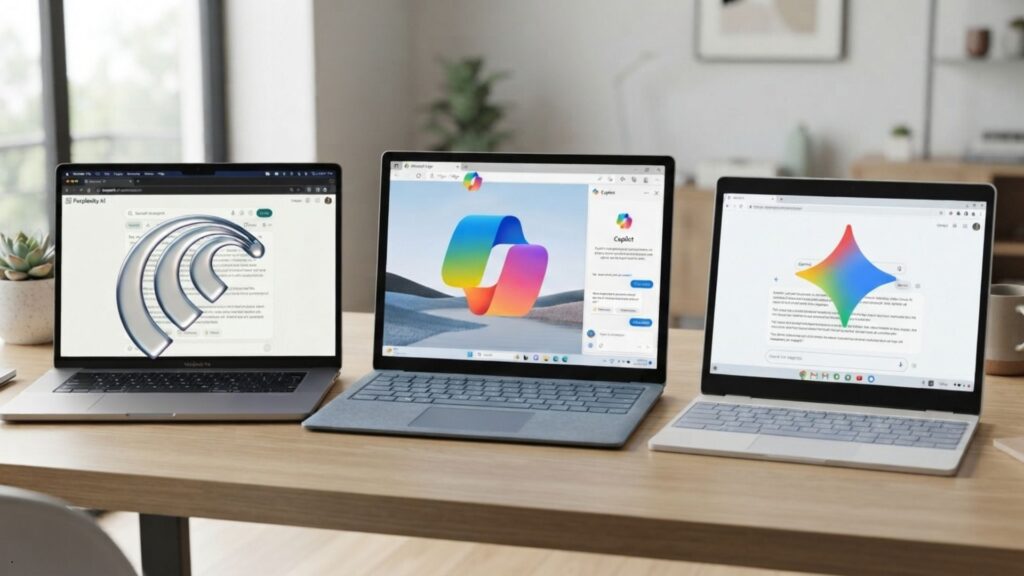
Comet vs Gemini in Chrome vs Copilot Mode: who wins what?
Short answer: Comet wins on platforms and cited answers, Gemini in Chrome wins if you want to keep Chrome and its extensions, and Copilot Mode wins on zero setup for Windows. For agent tasks, Gemini's auto browse leads only in the US on a paid plan; elsewhere, Comet is the better bet.
These three are the free AI browser options most people will try first, so here they are head to head on the seven things readers ask about most.
Score: Comet takes 3 of 7 rows, Gemini in Chrome and Copilot Mode one each, and two depend on your plan. That's why Comet is my default AI browser pick, and why it isn't the right one for everybody.
Find your AI browser in 30 seconds
Answer three questions and the finder picks one AI browser for you. Nothing is saved or sent anywhere; it runs in your browser.
Want to check the result against the full list? Every pick links to its card below, with what it costs and what it gives you free.
The 6 best AI browsers right now
Ranked by how many people each AI browser suits, not by how flashy its demo is. Each card starts with what you get free, because that's where most readers should start.
1. Perplexity Comet 🏆 Best overall
A free AI browser on Mac, Windows, iPhone and Android, built around cited answers

Comet is the only standalone AI browser here that runs on Mac, Windows, iOS and Android. The Comet Assistant sits in a sidebar, answers questions about the page you're reading and links every claim to its source. That last part is why researchers, students and writers keep picking it.
The browser is free. Agent tasks, like filling forms or booking, use credits, and the free allowance runs out fast. Perplexity Pro is $20 a month ($17 billed yearly) and adds Comet Plus publisher access; Max is $200. One correction to older guides: in August, a US appeals court lifted the injunction that blocked Comet from Amazon, though the case continues.
- Free on every platform
- Answers show their sources
- Strong for research and fact-checks
- Agent credits run out on free
- Page content goes to Perplexity's cloud
- Amazon lawsuit not over
2. Copilot Mode in Edge 🖥️ Best for Windows
Microsoft's free, opt-in AI mode inside Edge on Windows and Mac

Copilot Mode turns Edge into an AI browser without installing anything new on Windows. Switch it on and Copilot can draw on your open tabs for better answers, run Copilot Actions that hand a task to the AI, and open pages by voice while Copilot Vision looks at the screen.
It's free for anyone signed into Edge with a personal Microsoft account, according to Microsoft's Copilot Mode FAQ. Copilot Pro subscribers get higher limits on Actions and Vision. Work and school Edge accounts can't use it, and Microsoft still calls the mode experimental. You can opt out in Edge Settings.
- Already on most Windows PCs
- Free with standard limits
- Easy to switch off
- Not for work or school accounts
- Still labeled experimental
- Personalization uses Microsoft data
3. Gemini in Chrome 🔵 Best inside Chrome
Google's Gemini panel built into Chrome, with paid auto browse in the US
If you'd never give up Chrome, this is your AI browser. Gemini opens in a side panel, reads the page, compares tabs and answers questions without copy-paste. Skills let you save a prompt and run it with a slash; Google ships a library of more than 50 to start from.
The agent part, auto browse, clicks through sites for you. Google's help page limits it to adults in the US with a Google AI Pro plan ($19.99 a month, up to 20 tasks a day) or Ultra (200 a day), English, and desktop Chrome. At my last check Gemini in Chrome had not reached the EU or EEA.
- No browser switch at all
- Your extensions and passwords stay
- Skills save repeat prompts
- Best agent is US-only and paid
- Not in the EU at last check
- Ties you deeper into Google
4. Dia 🍎 Best for Mac work
The Browser Company's AI browser, now owned by Atlassian
Dia comes from the team behind Arc, and it feels like it. You chat with your open tabs, run saved skills, and in recent releases it connects to Slack, Notion, Google Calendar and Gmail, so it can draft from what's in your work tools. Atlassian bought The Browser Company for $610 million, and Confluence support followed.
There's a free tier with usage limits and Dia Pro at $20 a month. It needs macOS 14 or later on an Apple silicon Mac. A Windows version has a waitlist but no release date, which rules it out for most PC owners for now.
- Cleanest assistant for writing work
- Work-app integrations
- Arc-style design many people love
- Mac only
- Free tier runs out on heavy days
- Roadmap now set by Atlassian
5. Opera Neon 🤖 Best for paid agents
Opera's subscription AI browser, built around Neon Do agents
Neon is the AI browser most focused on handing work off. Neon Do agents handle browsing, deep research and documents while you do something else, and the subscription bundles models from Google and OpenAI in one place. It can also connect to agents you already use through MCP.
It costs $19.90 a month; Opera opened it to everyone after an invite-only start. Opera's usual extras, like the built-in ad blocker and VPN, come along. Since the agent features sit behind the subscription, the free experience is closer to a regular browser.
- Most agent-first design here
- Several models in one plan
- Opera's privacy extras built in
- Agents are paywalled
- Smaller community than Chrome or Edge
- Priced like a full AI subscription
6. ChatGPT desktop app 🔁 Where Atlas went
A multi-tab browser inside the ChatGPT app, plus a Chrome extension
This isn't an AI browser you set as default, and that's the point. OpenAI moved Atlas's agent features into the ChatGPT desktop app for Mac and Windows, which now has its own multi-tab browser for ChatGPT Work. For everyday browsing, OpenAI points you to its ChatGPT extension in Chrome.
The app is on every plan, but ChatGPT Work is limited on Free and Go, and full on Plus ($20 a month) and Pro (from $100), per OpenAI's pricing page. Windows users finally get the agent Atlas never shipped for them.
- Windows finally gets OpenAI's agent
- Same account and history
- Deep ChatGPT context
- Not a full everyday browser
- Agent limits on Free and Go
- Atlas data didn't carry over
What is the best AI browser for iPhone and Android?
Short answer: Perplexity Comet is the best AI browser on phones, because it's the only standalone one here with apps for both iOS and Android. If you already use Chrome on iPhone, the Gemini panel is available there in supported countries. Dia and Opera Neon are desktop-only picks, and Atlas never shipped on mobile.
On a phone, an AI browser earns its place with quick jobs: summarize a long article, compare two product pages, or ask a question about the page without copying anything. Agent tasks are still mostly a desktop habit, so a free plan covers mobile use for most people.
- iPhone and Android: Perplexity Comet, free, with the same assistant as on desktop.
- iPhone, staying on Chrome: Gemini in Chrome, where Google has launched it. Auto browse stays desktop-only.
- ChatGPT subscribers: ChatGPT Work on mobile is for Plus and Pro, according to OpenAI's pricing page.
What happened to ChatGPT Atlas?
Short answer: OpenAI retired ChatGPT Atlas on August 9, less than a year after its Mac launch, and cancelled the planned Windows version. Its browsing and agent features moved into the ChatGPT desktop app, with a ChatGPT extension for Chrome users. Bookmarks, history and open tabs did not transfer automatically.
The details come from OpenAI's own Atlas notice. After August 9, Atlas may not open, browse or run agent tasks. Your ChatGPT conversations are safe, since they live in your account, not in the browser.
How to move off Atlas in 5 steps
- 1Check whether Atlas still opens. If it does, you can still export from it. If not, skip to step 4.
- 2Export your bookmarks. Save them from Atlas as an HTML file. Bookmarks don't move on their own.
- 3Import them into your new browser. In Chrome: More › Bookmarks and lists › Import bookmarks and settings, then pick the HTML file.
- 4Delete cookie or session exports. If you exported them, treat those files like passwords and remove them once you're done.
- 5Move agent work to the ChatGPT app. Install the ChatGPT desktop app for multi-step tasks, or pick another AI browser from the list above.
Lesson: an AI browser is only as durable as the company behind it. Comet, Edge and Chrome are core products for their makers; that matters more than any feature list.
What does an AI browser cost in a year?
Short answer: Every AI browser here is free to start, and every paid tier lands near $240 a year: Comet Pro, Dia Pro and ChatGPT Plus at $240, Gemini's AI Pro at $239.88 and Opera Neon at $238.80. The difference is how much the free version gives you, and Comet and Copilot Mode give the most.
I took each list price from the vendor pages above and multiplied the monthly plan by 12. Annual billing lowers some of them; Comet Pro drops to $204 a year. Top tiers like Perplexity Max and Google AI Ultra are left out because few people need them for browsing.
The takeaway: don't pay for an AI browser before the free tier runs out on you. If you already pay for ChatGPT Plus or Google AI Pro, you've covered the agent features of that ecosystem, and a second AI subscription for browsing rarely pays off.
Not sure what you already spend? My free AI subscription cost calculator totals every plan in 60 seconds and flags the ones that overlap.
Are AI browsers safe to use?
Short answer: For reading, summarizing and research, an AI browser is about as safe as the assistant behind it. The real risk is agent mode: a malicious page can hide instructions that trick the agent into acting for someone else, called prompt injection. OpenAI has said this problem is unlikely to ever be fully solved, so limit what agents can reach.
That warning comes from OpenAI itself, as Fortune reported: the company compared prompt injection to online scams, something to reduce rather than eliminate. Every AI browser with an agent shares the problem, so the fix is how you use it, not which one you pick.
Four rules before you let an agent click for you
- Keep agents away from banking and work email. Run them in a separate browser profile without those logins.
- Approve every purchase yourself. Comet, Copilot Actions and auto browse can all stop and ask; leave that on.
- Don't point an agent at pages you don't trust. Hidden text on a page is where injected instructions live.
- Review what the AI browser remembers. Clear or turn off memory and history features you don't use.
I went deeper on this in what agentjacking is and how it works, and my safest AI browser guide compares privacy settings one by one. Extensions are a risk too: see why browser extensions can read your AI chats.
Which AI browser should you choose?
Short answer: Start with Perplexity Comet if you want one AI browser for every device. Use Copilot Mode on a Windows PC you don't want to change, and Gemini in Chrome if Chrome is non-negotiable. Pick Dia for Mac work, Opera Neon for paid agents, and the ChatGPT app if you already pay for Plus.
Still choosing between assistants rather than browsers? My Perplexity AI review covers the engine behind Comet, and the AI Tool Finder quiz matches you to the right assistant for your work.

Frequently Asked Questions — AI Browser
I write every guide on this site myself and update it when a product changes, as it did when Atlas shut down. This AI browser comparison is research-based: I checked vendor pages and prices on the date above and never label a product tested unless I've used it.