
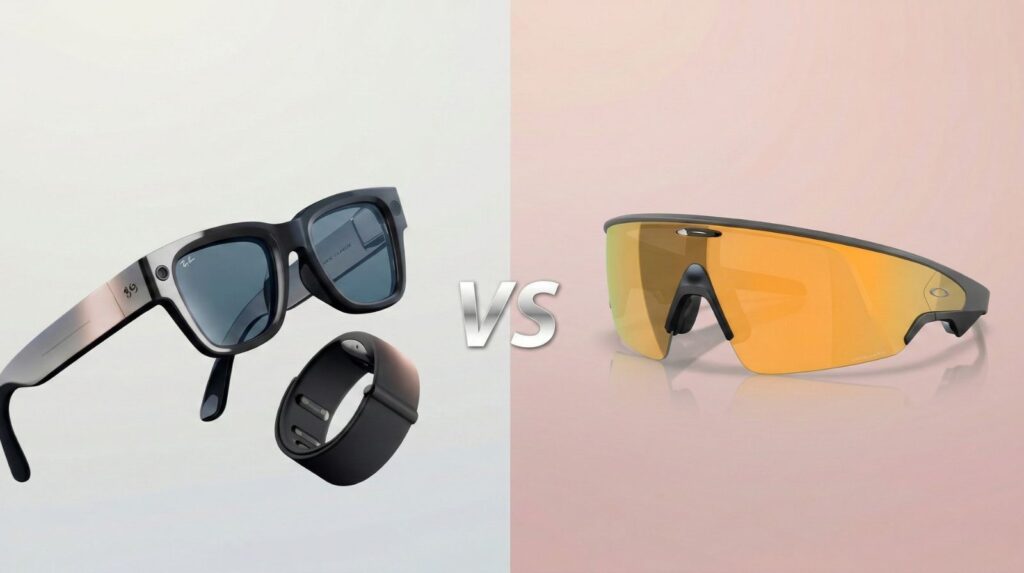
Every "best AI glasses" list treats Ray-Ban Display vs Oakley Vanguard as a coin flip between two versions of the same gadget. It's not — one has a screen in the lens, the other doesn't.
I researched both in depth — the $799 display-equipped Ray-Ban and the $499 sports-focused Vanguard — to show which one actually earns its price.
Some links are affiliate links · they support this site at no extra cost to you · Full disclosure
Introduction — Two Different Products, Not Two Versions of One
Most roundups pit Ray-Ban Display vs Oakley Vanguard as rival "AI glasses" and leave it there. The framing hides the real story: they solve different problems at a $300 price gap.
Ray-Ban Display is built around a genuine in-lens screen — the first mainstream pair of smart glasses with a real HUD in front of your eye.
Oakley Meta Vanguard has no display at all. It's a camera, a set of speakers, and Meta AI packed into a rugged, sport-ready frame.
My research pulled from Meta's own Ray-Ban Display product page and Oakley Vanguard's official spec sheet, plus independent testing from outlets like road.cc, to sort out where the marketing and the real specs line up.
If a screen you can glance at matters to you, Oakley Meta Vanguard isn't in the running — it doesn't have one.
That fact alone should decide your Ray-Ban Display vs Oakley Vanguard shortlist, before price or style ever come up.

The rest of this comparison covers design, the display-vs-no-display split, battery life, connectivity, and privacy — then a straight verdict on who each pair fits.
Design and Build — Look, Fit, and Weight
Design is where Ray-Ban Display vs Oakley Vanguard stops being a spec-sheet argument and becomes a real style choice.
Ray-Ban Display keeps the classic Wayfarer silhouette — from a few feet away it passes for regular sunglasses.
Oakley Meta Vanguard goes the other way, with a wraparound sport visor that clearly announces itself as tech.
Build Quality and Materials
Ray-Ban Display is IPX4-rated — splash resistant, not built for a downpour. Oakley Vanguard's IP67 rating means it's dust-tight and can survive brief full submersion, a real gap for outdoor training.
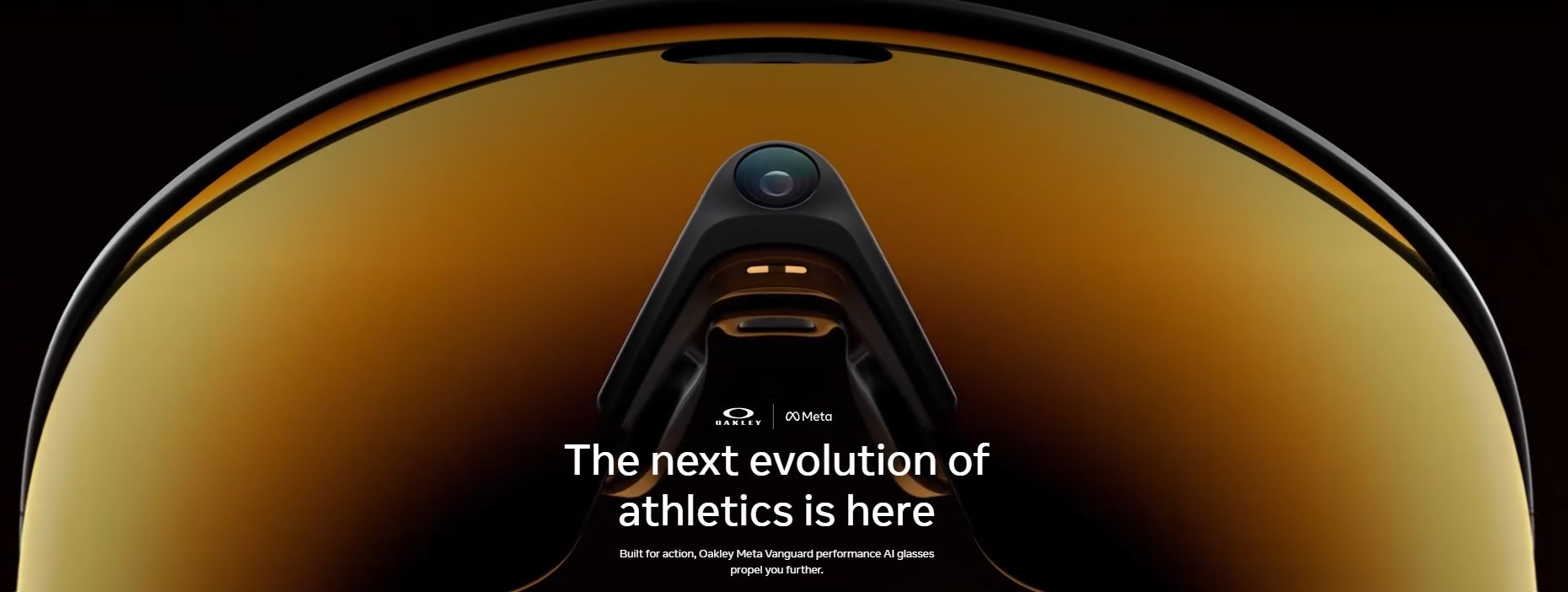
Multiple independent reviewers who weighed the Vanguard themselves landed in the 66-68g range — close enough to Ray-Ban's 69g that weight alone won't decide this for most people.
All-Day Comfort
On comfort, Ray-Ban Display vs Oakley Vanguard is closer than the weight numbers suggest. Reviewers consistently describe the Vanguard's weight as well-distributed through the temples.
Ray-Ban's lighter, thinner build suits people who already wear regular glasses all day.
Oakley's wraparound shape blocks more peripheral light and wind — useful outdoors, less useful in an office where a bulkier profile stands out.
Display, Camera and AI Vision — Where They Diverge
This is the section most Ray-Ban Display vs Oakley Vanguard posts get wrong, because they assume both pairs have a screen. Only one does.
Camera Quality — Closer Than the Marketing Suggests
Both use a 12MP sensor. Ray-Ban's edge is the 3x digital zoom and the in-lens preview, letting you frame a shot first.
Oakley's wider 122° field of view favors sweeping action footage over composed shots.
Live Captions & Translation
Ray-Ban Display only
3K Video Capture
Both models
Garmin Live Stats
Oakley Vanguard only
Object & Text Recognition
Both models, via Meta AI
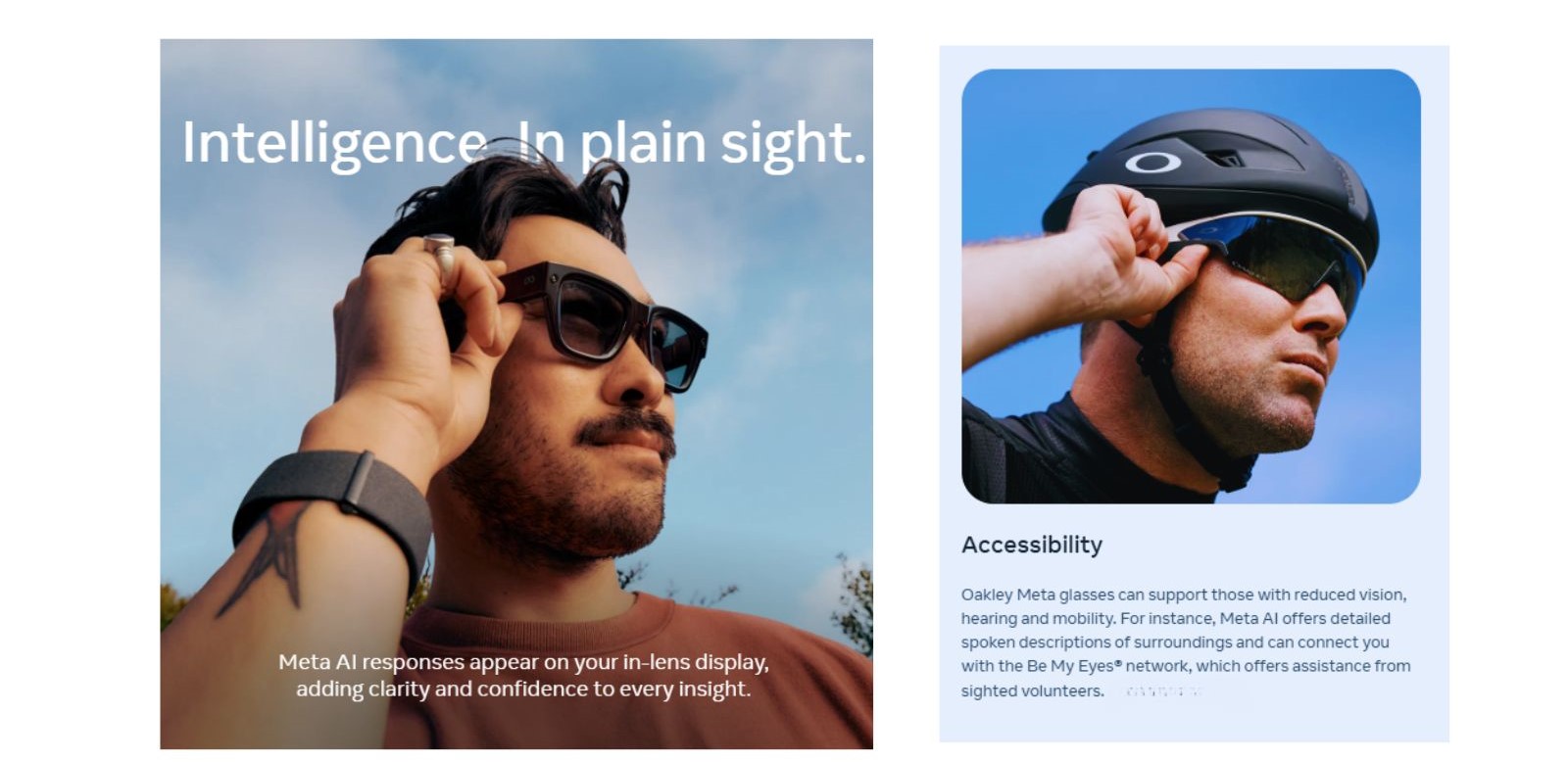
This is the crux of Ray-Ban Display vs Oakley Vanguard: Ray-Ban's screen shows live captions, translated text, and directions right in your field of view.
Oakley delivers the same categories of information through Meta AI's voice instead — useful mid-workout, but you're listening, not glancing.
Neither camera beats a phone for image quality, and that's not really the point. The value is hands-free capture — both deliver reasonably well there, per independent testing from Tom's Guide and road.cc.
Battery and Performance
Battery life is the clearest gap in the Ray-Ban Display vs Oakley Vanguard matchup, and it runs the opposite direction from what most people assume — the cheaper Oakley lasts longer.
Charging Speed
Both charge via their case and hit 50% in about 20 minutes. The gap shows up in total capacity: Ray-Ban's case adds 24 hours (30 total), Oakley's adds 36 hours (45 total).
On battery alone, Ray-Ban Display vs Oakley Vanguard isn't close. If all-day power without a midday charge matters more than a screen, Oakley's advantage is real and consistent across every review I checked.
Multiple reviewers, including road.cc's testing, flagged battery life as the Vanguard's main limitation for full-day sport use despite its lead over Ray-Ban — worth factoring in if you're training for hours at a stretch.
Connectivity and Everyday Use
Both halves of the Ray-Ban Display vs Oakley Vanguard pairing run on Meta AI, but they're built for different phone-in-pocket moments.
Bluetooth 5.3
Confirmed both
Meta AI Voice
Confirmed both
Garmin Live Stats
Oakley only
Strava & Apple Health
Oakley only
Everyday Use Cases
In practice, Ray-Ban Display vs Oakley Vanguard splits along one line: urban routines versus outdoor training.
Ray-Ban Display fits reading a live-captioned conversation, previewing a photo before you take it, or glancing at directions without pulling out your phone.
One gap worth flagging: I couldn't verify third-party app integrations (smart-home hubs, music services) beyond the Meta AI ecosystem and Oakley's fitness partners. Treat anything else as unconfirmed for now.
Privacy and Responsible Use
Camera glasses raise a fair privacy question regardless of brand, and Ray-Ban Display vs Oakley Vanguard is no exception. Both use Meta's standard capture-consent design: a visible LED lights up whenever the camera records.
Both send captured content and AI-assistant queries through Meta's cloud infrastructure to power features like translation and object recognition — the same data-handling model as Meta's other AI glasses.
My research turned up published specs on the recording indicator and Meta AI's cloud dependency. I couldn't verify granular data-retention differences between the two models — that detail isn't published separately for each pair.
Responsible AI Wearable Use
Regardless of which side of Ray-Ban Display vs Oakley Vanguard you land on:
- Tell people before recording in private spaces
- Check local consent laws before recording conversations
- Turn off camera features in sensitive environments
- Review your Meta AI privacy settings periodically
Neither pair is a covert-recording device — the LED indicator is hard to miss in daylight. Still, the same etiquette that applies to any camera applies here.
Final Verdict — Which One Should You Buy?
The Ray-Ban Display vs Oakley Vanguard decision isn't really about picking a winner — these aren't competing for the same buyer.
Choosing between them mostly comes down to whether you want a screen or you want to save $300 and gain three extra hours of battery.
Ray-Ban Display
Oakley Vanguard
My Recommendation
Choose Ray-Ban Display if a visible screen for captions and directions is worth $799 to you.
Choose Oakley Vanguard if you train outdoors and want Garmin data read aloud mid-session — the $300 saved and the extra battery life both work in its favor.
🎯 Bottom line: this stops being close once you know Oakley has no display. The real choice is seeing information versus hearing it — everything else follows from that.
See Them Side by Side
For a closer look at both in the same room, this comparison is worth a watch:
FAQ — Ray-Ban Display vs Oakley Vanguard
Ray-Ban Display vs Oakley Vanguard: which one is better?
Neither wins outright — Ray-Ban Display vs Oakley Vanguard comes down to what you need. I'd point you to Ray-Ban Display if you want a real screen for captions and navigation; it's $799.
If you'd rather save $300, get 9 hours of battery, and want direct Meta AI access without a display, Oakley Vanguard fits better.
Does Oakley Meta Vanguard have a screen like Ray-Ban Display?
No — this is the detail most Ray-Ban Display vs Oakley Vanguard comparisons skip. Oakley Vanguard has zero in-lens display hardware. Meta AI talks back through the speakers, not text on a screen.
Ray-Ban Display is currently the only pair between the two with an actual heads-up display.
How long does the battery last on each pair?
Ray-Ban Display: around 6 hours mixed use, roughly 30 hours total with the case.
Oakley Vanguard: around 9 hours typical use, about 45 hours total with the case. Both charge to 50% in roughly 20 minutes.
Can either pair take photos and record video?
Yes, both carry a 12MP camera shooting 3K video. Ray-Ban adds 3x digital zoom plus an in-lens preview before you shoot.
Oakley's 122° field of view leans toward wide action footage rather than composed photos.
Are Ray-Ban Display and Oakley Vanguard waterproof?
Not fully — but the ratings differ a lot. Ray-Ban Display is IPX4, fine for light rain, not for submersion.
Oakley Vanguard is IP67, built to shrug off dust and brief full submersion, which fits its sport-first design goal.
Does Oakley Meta Vanguard support prescription lenses?
It doesn't, and that's worth knowing before you buy if you need corrective lenses. Ray-Ban Display supports prescriptions from -4.00 to +4.00.
Oakley Vanguard currently ships only in its four Prizm lens colorways, with no prescription path.
Ray-Ban Display vs Oakley Vanguard: how much do they cost?
Ray-Ban Display runs $799. Oakley Vanguard starts at $499 across its four Prizm lens options.
That $300 gap in Ray-Ban Display vs Oakley Vanguard pricing tracks almost exactly with whether you're getting a display or not.
Do these smart glasses work with Garmin or Strava?
Oakley Vanguard is built around this — it pairs with compatible Garmin watches and bike computers for real-time voice stats, plus Strava.
Ray-Ban Display isn't positioned around fitness-platform pairing the same way.
👓 Continue Your AI Wearables Research
Now that the Ray-Ban Display vs Oakley Vanguard question is settled for your use case, here's where I'd go next: