Published on: July 18, 2025
- 1. Introduction – Why Smart Home AI Cameras Matter Today
- 2. What Are Smart Home AI Cameras?
- 3. Where to Use Smart Home AI Cameras in Your House
- 4. Key Features to Look For in 2025
- 5. Indoor vs. Outdoor AI Cameras – How to Choose
- 6. Best Smart Home AI Cameras in 2025 (Comparison Table)
- 7. Privacy and Ethical Considerations
- 8. Final Thoughts – Should You Get a Smart Home AI Camera?
- 9. FAQs About Smart Home AI Cameras
Disclosure:
This post may contain affiliate links. If you purchase through them, we may earn a small commission — at no extra cost to you. This helps support our research and keeps AI Digital Space running. Thank you!
1. Introduction – Why Smart Home AI Cameras Matter Today
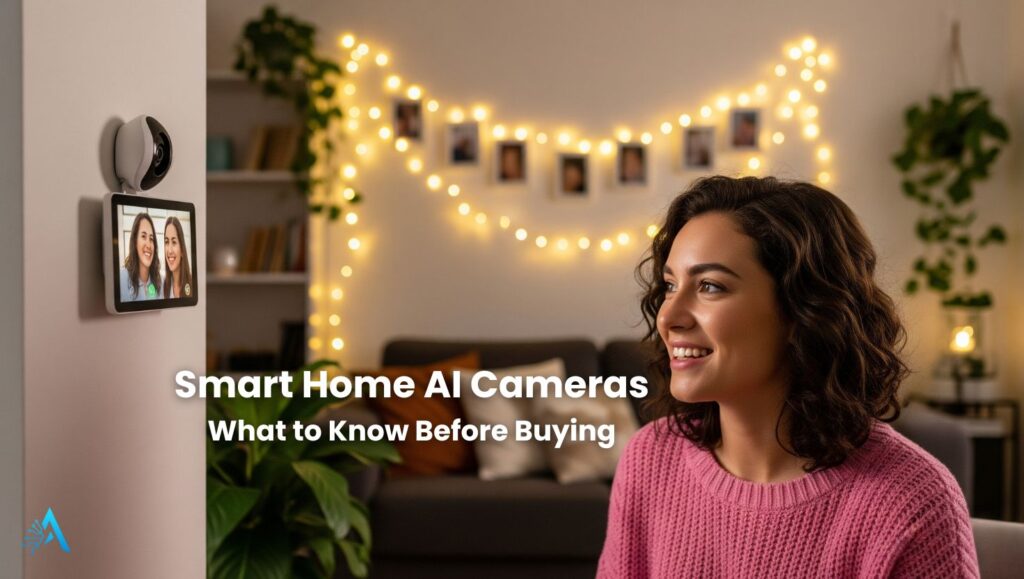
In 2025, Smart Home AI Cameras are no longer optional—they’re becoming a must-have for anyone looking to secure their home, simplify daily routines, and stay connected with what matters. These advanced devices don’t just record—they recognize, alert, and even interact, thanks to built-in artificial intelligence.
From identifying familiar faces to distinguishing between a moving car and a stray animal, Smart Home AI Cameras offer a new level of precision. They can automatically send alerts, trigger lights, or let you speak with visitors—even when you’re not home. Whether you’re concerned about package theft, checking on your pets, or simply want peace of mind, these tools are designed to adapt to your lifestyle.
This guide will help you understand exactly what to look for when buying a smart AI camera for your home. We’ll walk through the most important features, show where they’re best used, and compare top-rated models available in 2025. We’ll also highlight essential privacy tips and ethical considerations, so you can use these tools responsibly.
2. What Are Smart Home AI Cameras?
Smart Home AI Cameras are intelligent surveillance devices designed to recognize, process, and respond to what’s happening around your home. Unlike traditional security cameras that simply record video, these AI-powered models use advanced features like motion detection, facial recognition, and real-time alerts to make monitoring more accurate and more useful.
Most of these cameras connect to your home Wi-Fi and can be controlled via smartphone apps. This allows you to view live footage, receive push notifications, talk to visitors through two-way audio, or review recorded events stored in the cloud or on a local SD card.
For example, models like the Google Nest Cam (Battery) or Ring Indoor Cam can detect a person, a package, or even a pet, and notify you only when it matters—reducing unnecessary alerts.
If you’re just starting with home automation, read our guide on Best Smart Home Assistants 2025 to find devices that work seamlessly with AI cameras.
These cameras often integrate with smart assistants like Amazon Alexa, Google Assistant, and Apple HomeKit, enabling voice control and smart routines. You can say things like “Alexa, show me the front door” and instantly see the live stream on your smart display.
Today’s Smart Home AI Cameras are more than just security tools—they’re part of a connected home ecosystem. They work alongside door sensors, smart locks, and even smart lights, creating a cohesive and responsive living environment.
3. Where to Use Smart Home AI Cameras in Your House
Installing Smart Home AI Cameras in the right spots can dramatically increase both your security and daily convenience. Below are the most effective locations in a typical home, based on user trends and expert recommendations. Each area serves a specific purpose—and choosing the right camera type for each zone makes all the difference.
| Location | Why Place a Camera Here? | Recommended Camera Type |
|---|---|---|
| Front Door | Monitor visitors, deter package theft, speak with delivery drivers. | Video doorbell with AI face detection |
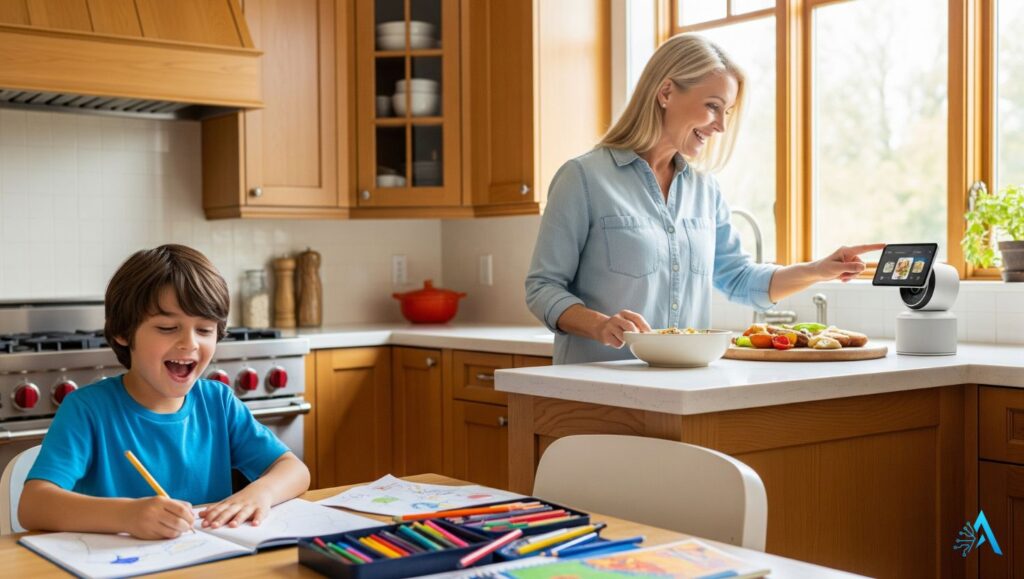
| Living Room | Keep an eye on kids, pets, or elderly family members. | Indoor smart camera with two-way audio |
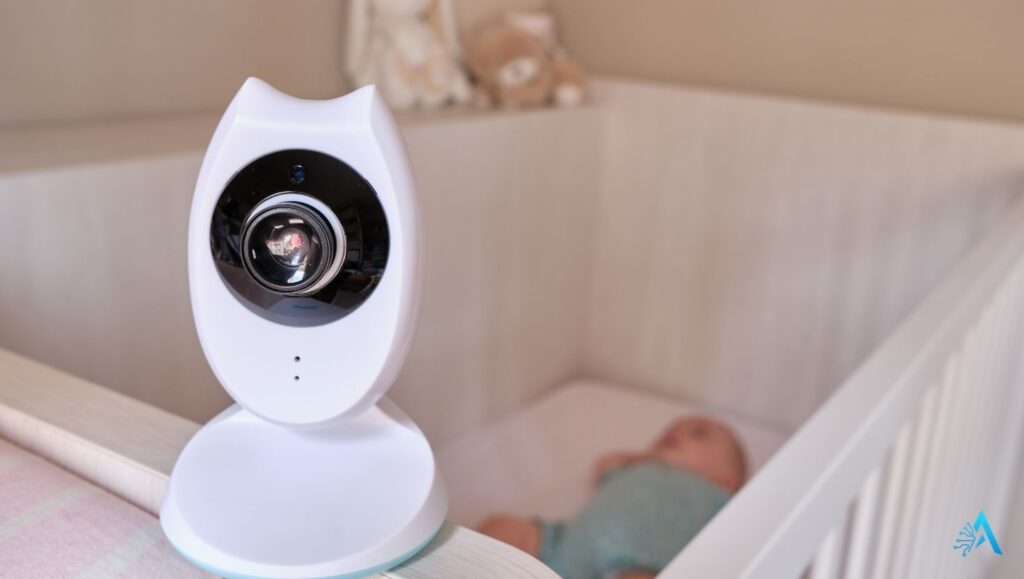
| Nursery or Kids’ Room | Ensure child safety, monitor sleep, get alerts for motion or crying. | AI baby monitor with night vision |
| Backyard or Garden | Detect intruders, monitor outdoor activity, secure fences or gates. | Weatherproof outdoor AI camera |
| Garage or Driveway | Protect vehicles, detect movement at night, monitor tool storage. | Wide-angle AI security camera with spotlight |
Tip: Most modern smart home platforms like Google Home or Amazon Alexa allow you to group multiple cameras and control them from one dashboard.
You can also set up routines. For example, your living room camera can trigger lights when motion is detected after 9 PM. Or your front door camera can send alerts only when someone approaches, thanks to AI-powered detection.
If you’re planning a full home setup, see our full guide on Best Smart Home Devices for ideas that work together with your cameras.
4. Key Features to Look For in 2025
When choosing Smart Home AI Cameras, it’s not just about video quality anymore. In 2025, AI-powered cameras come with features that make them smarter, safer, and more compatible with your lifestyle. Here’s what to prioritize before making a purchase.
AI Motion Detection
Modern smart cameras don’t just detect movement—they recognize what moved. Whether it’s a person, animal, or vehicle, AI-based motion detection minimizes false alarms and ensures you’re only notified when it matters.
Look for models with activity zones, which let you select specific areas to monitor—useful for entryways or driveways.
Facial Recognition & Smart Alerts
Some Smart Home AI Cameras can recognize familiar faces and distinguish them from strangers. This is ideal for knowing when your kids are home or if an unknown visitor approaches your door.
Example: Google Nest Cam offers familiar face detection (with Nest Aware subscription).
Mobile App Access
The best cameras offer full control via mobile app: live streaming, two-way talk, activity history, and smart alerts. A good app can be the difference between catching an incident or missing it entirely.
Check that the app is rated highly on the App Store or Google Play and supports features like:
Notification customization
Multi-device sync
Remote control for lights or alarms
Smart Assistant Integration
Choose cameras that support voice assistants like Amazon Alexa, Google Assistant, or Apple HomeKit. This lets you access your camera with simple commands like:
“Alexa, show me the front yard.”
For deeper integration tips, see our post on Best Smart Home Assistants 2025.
Cloud vs. Local Storage
Most Smart Home AI Cameras offer cloud subscriptions (monthly fee) or local storage via SD cards. Cloud storage is more secure, but local is private and cost-effective.
Tip: Hybrid models that offer both options give you flexibility and data redundancy.
Night Vision & HDR
If you want reliable monitoring 24/7, choose a camera with infrared night vision or color night vision (on premium models). Also, check for HDR (High Dynamic Range) to prevent glare or shadows during daytime footage.
Privacy & Encryption
Privacy is non-negotiable. Ensure your camera offers:
End-to-end encryption
Privacy shutters (physical cover you can slide over the lens)
Data protection compliant with GDPR or CCPA
For more on privacy, we’ll cover best practices in a dedicated section below.
5. Indoor vs. Outdoor AI Cameras – How to Choose
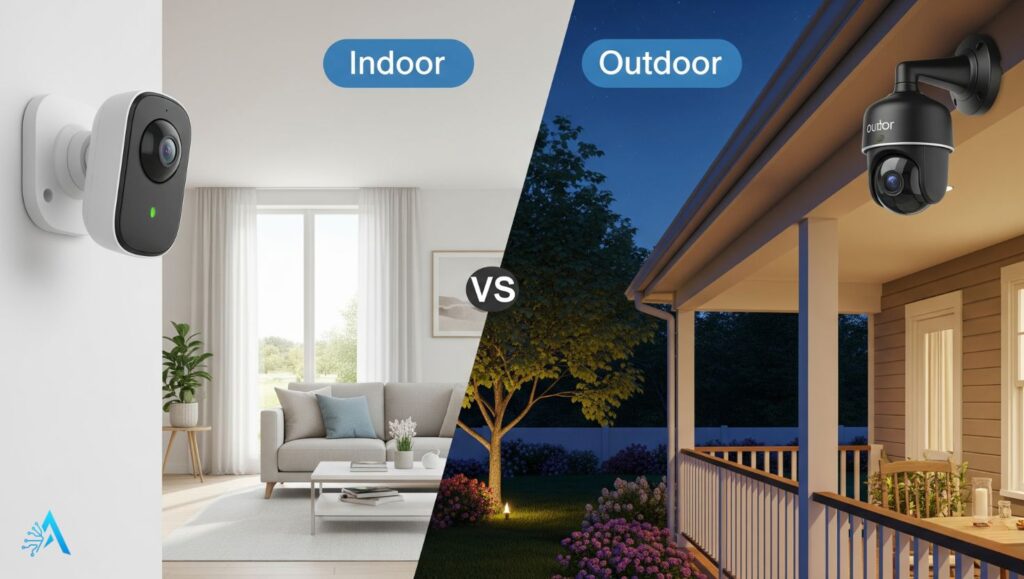
Not all Smart Home AI Cameras are created equal. The features and build quality vary significantly between indoor and outdoor models. Choosing the right type depends on your needs, environment, and where you plan to install them.
Indoor AI Cameras
Indoor cameras are designed for monitoring what happens inside your home. They’re typically compact, easy to install, and ideal for:
Watching over kids or pets
Checking in on elderly family members
Monitoring common areas like the living room, nursery, or office
Many indoor Smart Home AI Cameras offer:
Two-way audio
App access with live view
Motion/person detection
Compatibility with smart assistants
Tip: Models like Eufy Indoor Cam 2K combine AI tracking and pet monitoring with high resolution, ideal for daily use.
Outdoor AI Cameras
Outdoor models are made to withstand weather and provide broader coverage. Use them to secure:
Entrances (front/back doors)
Driveways
Yards or gardens
Garages and side gates
Key outdoor features include:
IP65/IP67 weather resistance
Built-in spotlights or sirens
Night vision with IR or color low-light mode
Vehicle detection and package alerts
See our related post on Best AI Security Cameras 2025 for model-specific outdoor options.
Choosing the Right Camera Setup
For most homes, a combination of both is best:
| Use Case | Recommended Camera Type |
|---|---|
| Front door with intercom | Outdoor video doorbell with AI alerts |
| Living room monitoring | Indoor AI camera with 2-way audio |
| Garage surveillance | Outdoor camera with spotlight and motion zones |
| Kids’ room or nursery | Indoor camera with night vision and app alerts |
6. Best Smart Home AI Cameras in 2025 (Comparison Table)
There are hundreds of AI-powered cameras available, but only a few stand out in 2025 for their balance of features, performance, and reliability. Based on technical specs, real user feedback, and ecosystem compatibility, these are among the best Smart Home AI Cameras you can buy this year.
The table below summarizes each model’s strengths, features, and pricing to help you choose the right one for your home setup.
| Camera | Use Case | Key Features | Storage | Price |
|---|---|---|---|---|
| HITELLARCAM 2K Outdoor | Outdoor – full-color night vision, Alexa compatible | 2K UHD, color night vision, Wi‑Fi, solar/long battery life | Free cloud + SD card | ~$110 |
| Funstorm 4K Mini | Indoor – nanny cam, long battery | 4K HD, night vision, battery lasts ~100 days | Wi‑Fi, cloud/SD | ~$35 |
| Google Nest Cam (Battery) | Indoor/outdoor – facial recognition | 1080p HDR, AI face detection, battery-powered | Cloud only (Nest Aware) | ~$130 |
| EufyCam S3 Pro | Outdoor – solar, no subscription | 4K, solar power, local storage, AI tracking | Local + optional cloud | ~€269 |
| Reolink E1 Outdoor SE | Outdoor – 4K 360° PoE with auto-tracking | 4K, PoE, 360° coverage, AI auto-tracking | Local + cloud | ~€89 |
7. Privacy and Ethical Considerations
While Smart Home AI Cameras bring powerful security benefits, they also raise important questions about privacy, data usage, and responsible use. In 2025, it’s crucial to stay informed—not just about what your camera can do, but how it handles what it sees.
1. Who’s Watching the Watcher?
AI cameras often store recordings in the cloud. That means footage may pass through third-party servers. If you use Google Nest, Ring, or Arlo, make sure you understand:
Where the data is stored
How long it’s kept
Who can access it
Whether it’s shared for advertising or analysis
Look for cameras offering end-to-end encryption, local storage options, or privacy shutters (physical covers you can slide over the lens when not in use).
2. Consent and Respect at Home
It’s easy to forget that even inside your own house, guests and family members have a right to privacy. That means:
Letting guests know when and where AI cameras are recording
Avoiding placement in sensitive areas like bathrooms or bedrooms
Not using AI facial recognition in shared or public-facing spaces without consent
Want to understand how AI-generated content can mislead the public? See our full post on how to detect deepfakes and fake AI videos.
3. Facial Recognition and Children
Some Smart Home AI Cameras offer facial recognition to tell who’s at the door or which family member entered the room. This can be useful—but sensitive. In many countries, recording and storing biometric data (especially of minors) is regulated.
Always check:
Local laws (like GDPR in the EU, or CCPA in California)
Whether your device gives you the ability to turn off face recognition
If you can manage or delete profiles manually in the app
4. Use AI to Support, Not Replace
Finally, it’s worth remembering: Smart Home AI Cameras are tools—not decision-makers. They can alert you, stream footage, and even deter threats with spotlights or sirens. But they still need human judgment behind the screen.
Responsible use means:
Reviewing your recordings thoughtfully
Updating firmware regularly to stay protected
Not using AI alerts as a substitute for real check-ins
8. Final Thoughts – Should You Get a Smart Home AI Camera?
If you’re looking to improve your home’s security, Smart Home AI Cameras are one of the smartest investments you can make in 2025. They’ve evolved far beyond basic motion alerts. With intelligent detection, app integration, and real-time responsiveness, they give you better control over your space—whether you’re home or away.
Still, choosing the right camera depends on your goals. Do you want to protect your front door? Watch over your pets? Keep an eye on deliveries or your driveway? There’s no one-size-fits-all, but the best devices combine solid hardware, reliable software, and ethical design choices that respect your privacy.
From a professional perspective, here’s what matters most:
Prioritize AI features that are truly useful, like activity zones, person detection, and customizable alerts.
Choose brands that offer transparent data policies and let you control storage options.
Don’t over-rely on the “smart” label—regular updates, secure passwords, and your own awareness are what keep your home safe.
If you’re building or upgrading your smart home setup, this is a great time to start. Just be thoughtful about what you really need and how you’ll use it. The right camera doesn’t just record—it gives you peace of mind.
9. FAQs About Smart Home AI Cameras
Q: What’s the difference between a smart camera and a regular home security camera?
A: A regular camera only records video, often passively. Smart Home AI Cameras use artificial intelligence to detect specific events (like a person, pet, or package), send real-time alerts, and interact with apps or voice assistants. They’re more proactive and require less manual checking.
Q: Do Smart Home AI Cameras need a subscription?
A: Not always. Some brands like Eufy and Reolink offer local storage with no monthly fees. Others, like Ring or Nest, offer optional cloud subscriptions that unlock extra features like 60-day video history or facial recognition. Always check storage options before buying.
Q: Can AI cameras recognize faces?
A: Yes, many Smart Home AI Cameras now include facial recognition features. This can help identify family members or frequent visitors. However, this feature may be subject to regional privacy laws like GDPR or CCPA. Make sure your camera allows control over face data.
Q: Are these cameras easy to install?
A: Most models today are DIY-friendly, especially wireless versions. Installation usually involves mounting the camera, downloading the app, and connecting it to your Wi-Fi. Some outdoor units with PoE (Power over Ethernet) may require more advanced setup.
Q: Will AI cameras work without Wi-Fi?
A: Basic local recording may still work on some models (especially with SD cards), but real-time alerts, live streaming, and app control usually require Wi-Fi. If connectivity is unstable, look for models that support offline fallback recording.
Q: Can I use Smart Home AI Cameras indoors and outdoors?
A: Some models are versatile (like Google Nest Cam Battery), but most are designed specifically for either indoor or outdoor use. Outdoor cameras are weather-resistant and have stronger night vision; indoor models are usually more compact and subtle.