

 Published: September 8, 2025
- 1. Introduction – Why AI Data Privacy Matters in 2025
- 2. Quick Privacy Wins (For the Impatient)
- 3. Understand How AI Collects Your Data
- 4. Turn Off AI Data Collection in Popular Tools
- 5. Use Privacy-Friendly Alternatives
- 6. Strengthen Your Digital Privacy Beyond AI
- 7. The Trade-Off: Privacy vs. Personalization
- 8. Final Take – Stay in Control, Not Paranoid
- 9. FAQ – Common Questions About AI Data Privacy
1. Introduction – Why AI Data Privacy Matters in 2025
AI assistants, browsers, and apps learn from what we type, say, and click. That’s useful for personalization—but it also means our prompts, voice notes, and device metadata can be logged and analyzed. This guide shows how to stop AI from collecting your data (or reduce it to the minimum) in a few focused steps, without breaking your workflow. We’ll keep it practical, explain trade-offs clearly, and point you to official resources for deeper checks—like the FTC’s privacy & security advice for consumers and the European Data Protection Board overview of your data rights.
Our take is simple: privacy should be the default, not an afterthought. We’ll start with quick wins (chat history controls, ad personalization off, log deletion), then move to per-tool settings (ChatGPT, Gemini, Claude, Copilot) and smart protections (private browsers, VPN, tracker blockers). The goal isn’t paranoia—it’s control: knowing what’s collected, choosing what to share, and turning off what you don’t need. If you’ve been wondering how to stop AI from collecting your data, this guide will walk you through the exact steps to do it safely and effectively.
2. Quick Privacy Wins (if you have no time)
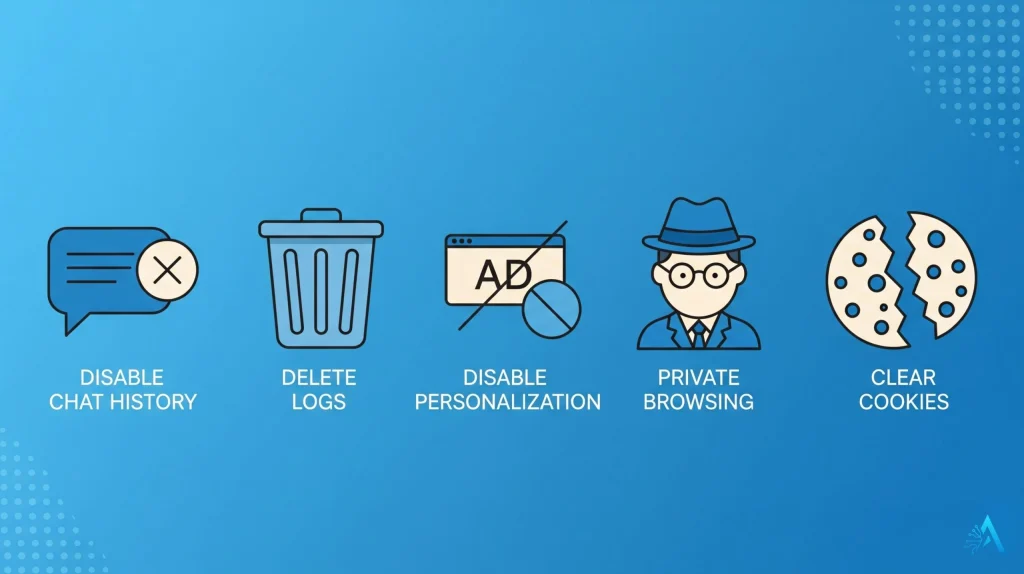
If you just want to stop AI tools from saving your data right now, start here. These are the fastest changes you can make in less than five minutes:
1. Turn Off Chat History in AI Tools
Most AI assistants save your conversations by default. In ChatGPT, open Settings → Data Controls → turn off Chat History & Training. Do the same on Claude and Gemini to prevent your chats from being used to improve the model.
2. Delete Saved AI Conversations
Check your account dashboard and delete past chats. This is available on ChatGPT’s Chat History page and on Gemini under Activity. It ensures older prompts are not used in future training.
3. Disable Personalized Ads
Head to Google’s My Ad Center and switch off ad personalization. This stops Google’s AI from building a profile of your interests.
4. Use Private Browsing or Privacy-Focused Browsers
When using AI tools on the web, open them in Incognito/Private mode or use privacy browsers like Brave or Firefox with Enhanced Tracking Protection to limit third-party data collection.
5. Clear Your Cookies and Cache Weekly
This removes tracking tokens that may be shared between sites. It’s a simple way to reset the “profile” AI ad systems build on you.
For deeper explanations, the Electronic Frontier Foundation offers a great guide to AI and data rights, including why chat logs matter.
These five steps already reduce what AI systems know about you by a lot. Next, we’ll go through per-tool settings so you can make sure your privacy stays protected wherever you use AI.
3. Understand How AI Collects Your Data
Most AI tools don’t just process your request and forget it. They log data for model training, security, and analytics. Knowing what is collected helps you decide what to turn off — and which settings to adjust if you want to stop AI from collecting your data completely.
What Gets Collected
Prompts and Conversations: What you type or say (e.g., ChatGPT chats, voice inputs).
Metadata: Time, location (if allowed), device info, IP address, and browser type.
Interaction Data: How long you stay, which buttons you click, what follow-ups you request.
Uploads: Images, documents, or audio you share—often stored for analysis or model improvement.
Why They Collect It
Companies use this data to make models more accurate, detect abuse, and improve the user experience. For example, OpenAI states that chat data may be used to train unless you disable chat history, and Google uses interactions with Gemini to refine answers and safety filters.
What You Can Control
Most major platforms now allow you to:
Turn off history so your conversations are excluded from training.
Delete past data manually from your account dashboard.
Opt out of personalized recommendations or ads.
For a full overview, the OECD AI Policy Observatory offers a reliable summary of AI data governance practices worldwide.
Understanding this is key: once you know what’s being stored, the rest of this guide will show you how to minimize it step by step, without losing essential functionality.
4. Turn Off AI Data Collection in Popular Tools
Here’s where most readers spend their time: turning off data collection in the tools they use daily. Below are the main platforms and the exact steps to control your data.
Go to Settings → Data Controls
Switch off Chat History & Training – this stops future chats from being used to train models
Open Export Data to review what’s stored and delete if needed
Optional: create separate accounts for sensitive work vs. casual use
Visit My Activity → Gemini Activity
Pause activity history to stop logging prompts
Use the delete option to clear past interactions
Turn off Web & App Activity if you want a wider privacy reset (affects all Google services)
Open your profile menu → Settings
Toggle Conversations not used for training
Clear past chats under History
Go to your Microsoft account privacy dashboard
Disable Improve Microsoft products by sending optional data
Use InPrivate browsing in Edge when running prompts to avoid linking to your account
Meta AI (Messenger / Instagram)
Open Messenger → Settings → Privacy
Limit data sharing with Meta AI or opt out of storing history where possible
Clear chat history manually for sensitive prompts
Apple Siri & On-Device AI
Apple keeps much of its processing on-device by default. Still, you can:
Go to iOS Settings → Siri & Search
Turn off Improve Siri & Dictation to stop sharing audio samples with Apple
Review and delete Siri history under Siri & Dictation History
For a wider overview of opt-out pages, you can check the Your Digital Rights guide which lists direct links to data deletion forms for major tech companies.
With these settings adjusted, most of your prompts, chats, and voice commands won’t be stored for training or profiling. This is one of the most effective ways to stop AI from collecting your data across the tools you use every day. In the next section, we’ll look at privacy-friendly alternatives and offline AI apps that never send your data to the cloud.
5. Use Privacy-Friendly Alternatives
If you’d rather avoid toggling settings every time, you can switch to AI tools that respect privacy by design or work fully offline. These options are great if you handle sensitive information or just want peace of mind.
1. Local/Offline AI Tools
LM Studio – Lets you run large language models on your own computer with no cloud logging. Perfect for private brainstorming or note-taking.
PrivateGPT – Open-source tool to query documents locally. Nothing leaves your device.
Whisper.cpp – Offline speech-to-text solution, ideal if you don’t want to upload voice recordings.
2. Privacy-First Search & Browsers
DuckDuckGo and Startpage don’t build profiles or track you across websites.
Pair with Brave browser for built-in tracker blocking and automatic HTTPS upgrades.
3. Secure AI Productivity Tools
Some companies now market AI features with end-to-end encryption or local-only processing. For example, Notion AI recently introduced an enterprise privacy mode that keeps data inside your workspace without using it to train global models.
4. Encrypted Communication
Use Signal for messaging with built-in AI translation or summaries processed on-device. It keeps metadata minimal and messages fully encrypted.
Why This Matters
Privacy-friendly tools let you use AI’s benefits—summaries, ideas, automation—without constantly worrying about data leaks. The Mozilla Foundation’s guide to trustworthy AI is a good reference if you want to dig deeper into which companies prioritize privacy by design.
By gradually moving your workflow to tools that never send data to the cloud, you reduce the risk of exposure even if a provider is hacked or policies change. In the next section, we’ll strengthen your general privacy settings so you can limit tracking outside AI apps too.
6. Strengthen Your Digital Privacy Beyond AI

Even if you disable AI data collection, many websites, apps, and networks still track you. Adding a few extra layers of protection ensures your information stays safer — and helps you stop AI from collecting your data indirectly through third-party trackers and profiles.
1. Use a Reliable VPN
A VPN hides your IP address and encrypts traffic. This prevents your ISP and third parties from linking your AI queries to your real location. Choose a trusted provider with a no-logs policy such as NordVPN or Proton VPN.
2. Switch to a Privacy-Focused Browser
Browsers like Brave or Firefox block third-party trackers by default. Turn on Enhanced Tracking Protection or use built-in features like Brave Shields to stop invisible trackers from profiling you.
3. Review App Permissions Regularly
On iOS or Android, go to Settings → Privacy → Permissions and revoke location, microphone, or camera access for apps that don’t need it.
4. Use Tracker & Ad Blockers
Extensions like uBlock Origin or Privacy Badger remove tracking scripts and fingerprinting attempts. This means fewer data points shared with ad networks and recommendation systems.
5. Clear Your Data on a Schedule
Set a reminder to clear browser history, cookies, and AI chat logs weekly. This keeps old data from being reused or matched with new identifiers.
6. Secure Your Accounts
Enable two-factor authentication (2FA) for AI services and email. If one account gets compromised, it won’t automatically expose everything else.
For an excellent reference, the Electronic Privacy Information Center provides ongoing updates on digital privacy best practices and policy changes.
These habits create a solid baseline of protection so AI tools—and other online services—collect far less about you by default. Next, we’ll look at the trade-off you make when turning off tracking: less personalization, but much more control.
7. The Trade-Off: Privacy vs. Personalization
Turning off data collection means more privacy — but it can also mean giving up some convenience. Here’s what to expect when you limit how AI tools learn from your activity.
What You Might Lose
Less Personalized Responses: AI tools may stop remembering your past prompts or preferences.
Generic Recommendations: Product suggestions, news feeds, and search results might feel less tailored.
Extra Steps: You might need to re-enter context or instructions in every new session.
What You Gain
Control Over Your Data: Nothing is stored or used for training without your consent.
Lower Risk: Less data available means less exposure in case of leaks or policy changes.
Peace of Mind: You know exactly what you are sharing, and when.
This trade-off is worth it for most people, especially when dealing with sensitive work documents, health-related queries, or personal information. For casual uses, you might decide to keep personalization on but clear logs regularly — a balanced approach many privacy experts recommend.
The Future of Privacy Forum provides research on how companies are trying to balance personalization and privacy, which is helpful if you want to understand where this space is heading.
In the final section, we’ll summarize the main actions so you leave with a clear, doable plan to protect your privacy without feeling overwhelmed.
8. Final Take – Stay in Control, Not Paranoid

Protecting your privacy in 2025 doesn’t mean disconnecting from AI completely — it means using it on your terms. By turning off chat history, deleting old logs, using privacy-first tools, and adding a few security layers, you’ve already reduced what AI systems can store about you by a huge margin.
Our view is that privacy should feel empowering, not stressful. Most people don’t need to block every data source — just the ones that collect more than you’re comfortable with. Review settings once a month, keep sensitive tasks in offline tools, and stay updated on privacy policy changes.
The goal isn’t to hide from AI — it’s to make AI work for you without turning your personal data into a product. Start with the quick wins, try the tool-specific settings, and layer on extra protections when it makes sense for your workflow.
9. FAQ – Common Questions About AI Data Privacy
Q: If I turn off chat history, does the AI still use my data?
A: In most cases, no. When you disable chat history in tools like ChatGPT or Gemini, your prompts are excluded from future model training. Some temporary storage may still occur for security or abuse monitoring, but it is deleted within a short retention window as stated in their privacy policies.
Q: Can I delete all the data AI tools already have about me?
A: Yes, most major AI providers offer data deletion options. OpenAI lets you request a full data export and then delete it from your account settings. Google and Microsoft provide similar dashboards for clearing Gemini and Copilot history.
Q: Does using a VPN really help with AI privacy?
A: Yes — a VPN hides your IP address, which is one of the key identifiers AI systems use to link activity to a user. This is especially helpful when using multiple accounts or when you don’t want queries tied to your location.
Q: What about workplace AI tools — is my employer tracking me?
A: Many enterprise AI platforms log prompts for compliance and auditing. If you’re using AI at work, assume that your company can review queries. Use personal devices for private tasks and check your employer’s data policy.
Q: Will turning off personalization make AI less useful?
A: Slightly, yes. AI may feel more “neutral” and require you to re-explain context. But for sensitive data, the privacy gain is worth the extra step. A good middle ground is clearing data regularly instead of disabling personalization entirely.