
AI tools for small business finance comparison dashboard 2026

AI Finance Tools for Small Business: FreshBooks vs QuickBooks vs Xero

M

Mirko

AI Tech Writer

📅 Updated: 2026 · ⏱️ 10 min read

Most small business owners still track invoices in a spreadsheet — until a client pays six weeks late and the cash-flow gap becomes a real problem. AI tools for small business finance now handle invoicing, expense categorization, and cash-flow forecasting automatically. We compared five of the biggest names on actual 2026 pricing, not the numbers everyone else is still copying from last year.

Some links are affiliate links · you support us at no extra cost · Full disclosure

🎯 Not sure which AI tool for small business finance to pick? Start here

  • Just need to send invoices fast → FreshBooks
  • Want $0 to start → Zoho Books (under $50K revenue) or Wave
  • Tax prep is the priority → QuickBooks
  • Worried about cash flow → Xero

1. Why AI Tools for Small Business Finance Matter in 2026

Bookkeeping eats hours you don't have. Invoicing, expense sorting, and chasing late payments pull you away from real client work every single week.

AI tools for small business finance handle the repetitive part. They read a receipt, categorize it correctly, draft a professional invoice, and send a polite reminder when someone's three days late.

What changed in 2026: Wave — long the "free forever" pick — now splits into a free manual tier and a $19/mo automated tier. Worth knowing before you choose a tool based on old reviews.

None of these tools replace an accountant, especially for tax filing. But for the daily grind of sending invoices and tracking what came in, they cut real hours off your week.

If you're still working from spreadsheets, this is a good moment to switch. Every tool below has a free trial or free tier, so you can test the fit before paying.

2. Quick Picks – Best AI Tools for Small Business Finance (2026)

Not every business needs the same thing. Some just want fast invoicing. Others need full bookkeeping automation. Here's how the five tools split by need:

ToolBest ForStarting PriceFree Option
FreshBooksClient invoicing & expenses$23/mo (Lite)30-day trial
QuickBooksBookkeeping & tax prep$20/mo (Solopreneur)30-day trial
Zoho BooksFull finance suite on a budget$20/mo (Standard)Free under $50K revenue
WaveSolo freelancers, manual entry$19/mo (Pro)Free Starter tier
XeroCash-flow forecasting$25/mo30-day trial

Zoho Books' free plan is the most flexible of these AI tools for small business finance if you're just starting out — it stays free until you cross $50K in annual revenue.

3. What to Look for in AI Tools for Small Business Finance

Picking the right tool isn't about the longest feature list. It's about which one actually fits how you already work.

Automation Depth

Good tools categorize expenses on their own, generate recurring invoices, and flag deductions. That's the difference between a prettier spreadsheet and something that saves real time.

Integrations

Your finance tool needs to talk to your payment gateway and e-commerce platform without a manual export step every month.

  • Compliance: GDPR-compliant, encrypted, SOC-2 where possible
  • Scalability: supports multiple users and currencies if you plan to grow
  • Mobile app: a real dashboard on your phone, not a stripped-down shell

If you're weighing this against your wider stack, our best AI tools for small business owners guide covers where finance fits alongside everything else.

4. Best AI Tools for Small Business Finance

Here's the closest look at each tool we compared, based on real 2026 pricing, automation depth, and what it's actually built for.
Logos of FreshBooks, Zoho Books, QuickBooks, Wave, and Xero compared side by side,AI tools for small business finance
🧾

FreshBooks

From $23/mo

Best for: client-facing invoicing

FreshBooks is built for service businesses that live in invoicing — freelancers, consultants, agencies billing five to fifty clients a month. The AI reads a receipt, assigns it to the right expense category, and drafts a polished invoice without you touching a template.

  • Auto-categorizes expenses from bank feeds and receipt photos
  • Sends automatic late-payment reminders that read as polite, not robotic
  • Recurring billing for repeat clients — set up once, invoices go out on schedule
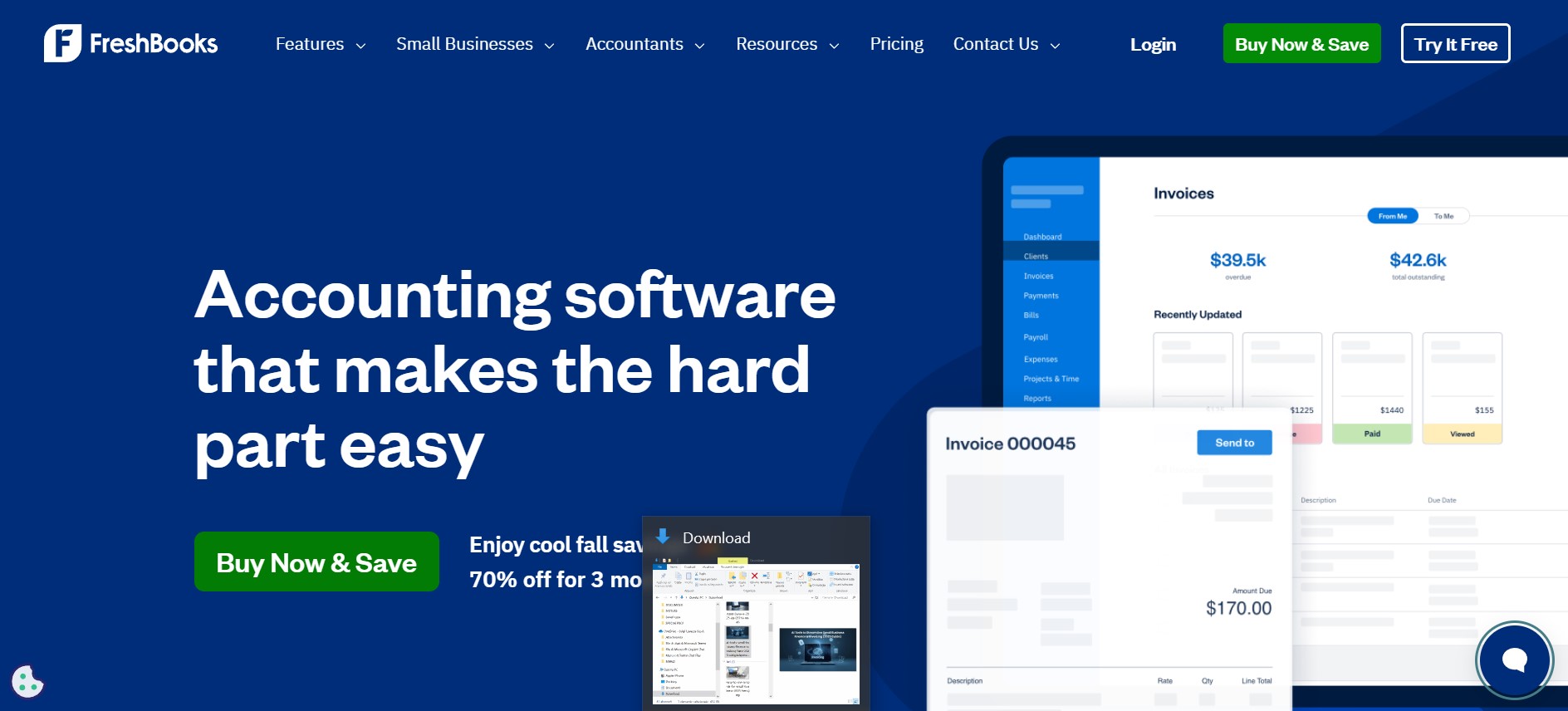
AI tools for small business finance FreshBooks AI invoice dashboard showing automatic expense categorization

FreshBooks invoice dashboard

Our take: we've run FreshBooks ourselves for the past couple of months to invoice sponsors and affiliate partners. Setup took under 20 minutes, and the recurring-invoice template has cut billing to a few clicks.

✅ Pros

Clean interface, fast invoice setup, polite automated reminders, mobile app

⚠️ Cons

5-client cap on Lite forces an early upgrade; advanced reports need Premium

Try FreshBooks →
📊

QuickBooks

From $20/mo

Best for: bookkeeping and tax prep

QuickBooks runs on Intuit Intelligence, its AI layer for automated bookkeeping and reconciliation. It's the deepest tool in this comparison if your priority is tax-season readiness rather than just sending invoices.

  • Auto-reconciles bank transactions against your books daily
  • Generates tax-ready reports formatted for handoff to an accountant
  • Payroll integration on higher tiers — one dashboard for both
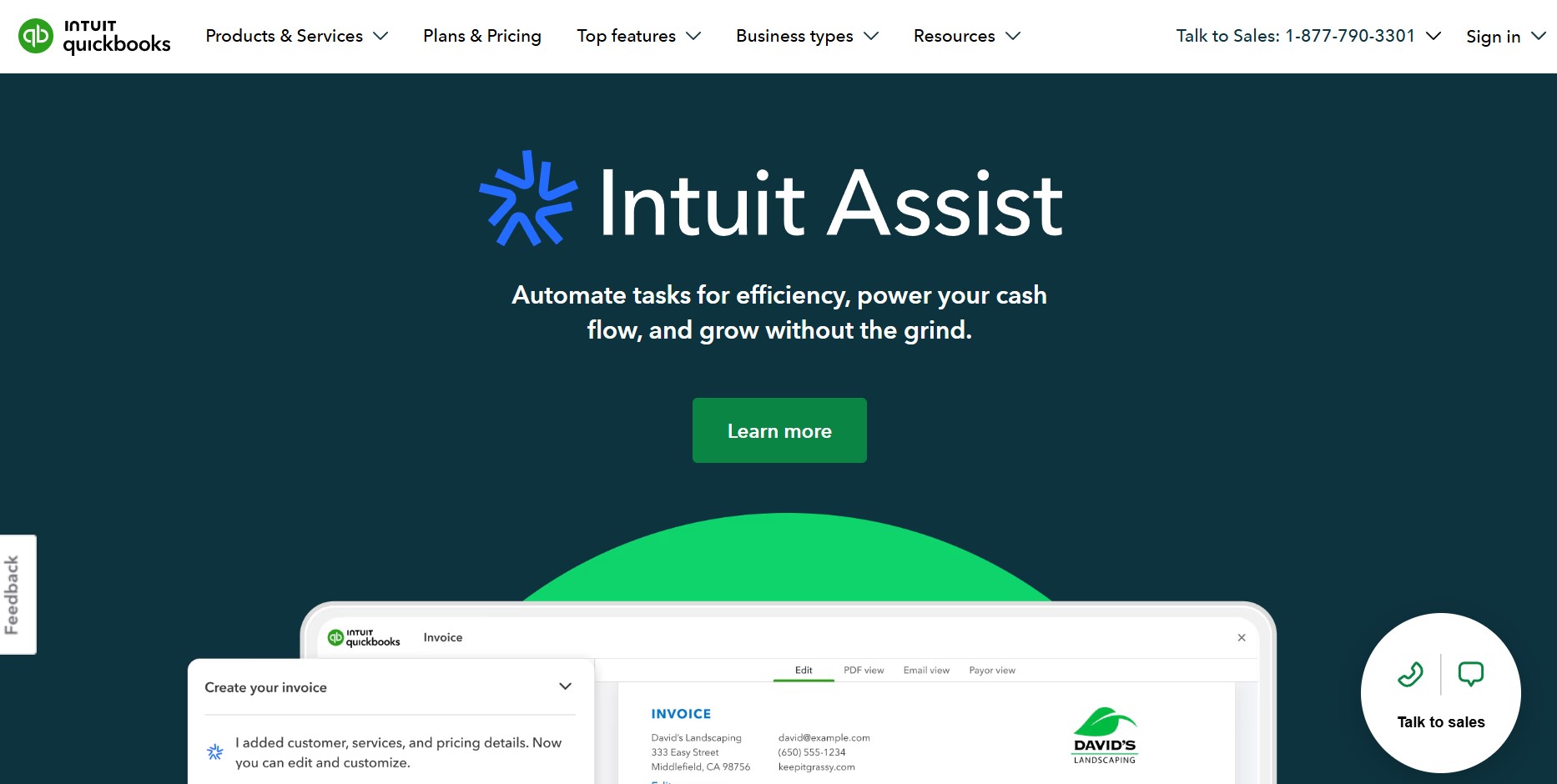
AI tools for small business finance QuickBooks AI dashboard with real-time bookkeeping automation

QuickBooks bookkeeping dashboard

✅ Pros

Strongest tax-prep tools here, real-time dashboards, payroll integration

⚠️ Cons

Pricing climbed sharply in 2026 — verify current tier cost before committing

Get QuickBooks →
📚

Zoho Books

Free under $50K rev

Best for: full finance suite on a tight budget

Zoho Books covers invoicing, expenses, and tax compliance in one place, and it's genuinely free if your business earns under $50,000 a year — no trial countdown attached to that tier.

  • Free plan has no time limit, only a revenue cap
  • Deep integrations with Zoho CRM and Zoho Inventory if you're already in that ecosystem
  • Zia, Zoho's AI assistant, answers plain-language questions about your numbers
✅ Pros

Real free tier, strong CRM/inventory integrations, good value at Standard

⚠️ Cons

Can feel complex for solo freelancers who only need invoicing

Explore Zoho Books →
💧

Wave

Free / $19/mo Pro

Best for: solo freelancers on a $0 budget

Wave used to be the free pick, full stop. That changed: Starter still handles manual invoicing at $0, but automated bank-feed imports and multi-user access now sit behind Pro at $19/month.

  • Starter tier: unlimited invoices, manual transaction entry, no monthly fee
  • Pro tier adds automatic bank-feed sync and receipt scanning
  • Payroll available as a separate add-on if you hire your first employee
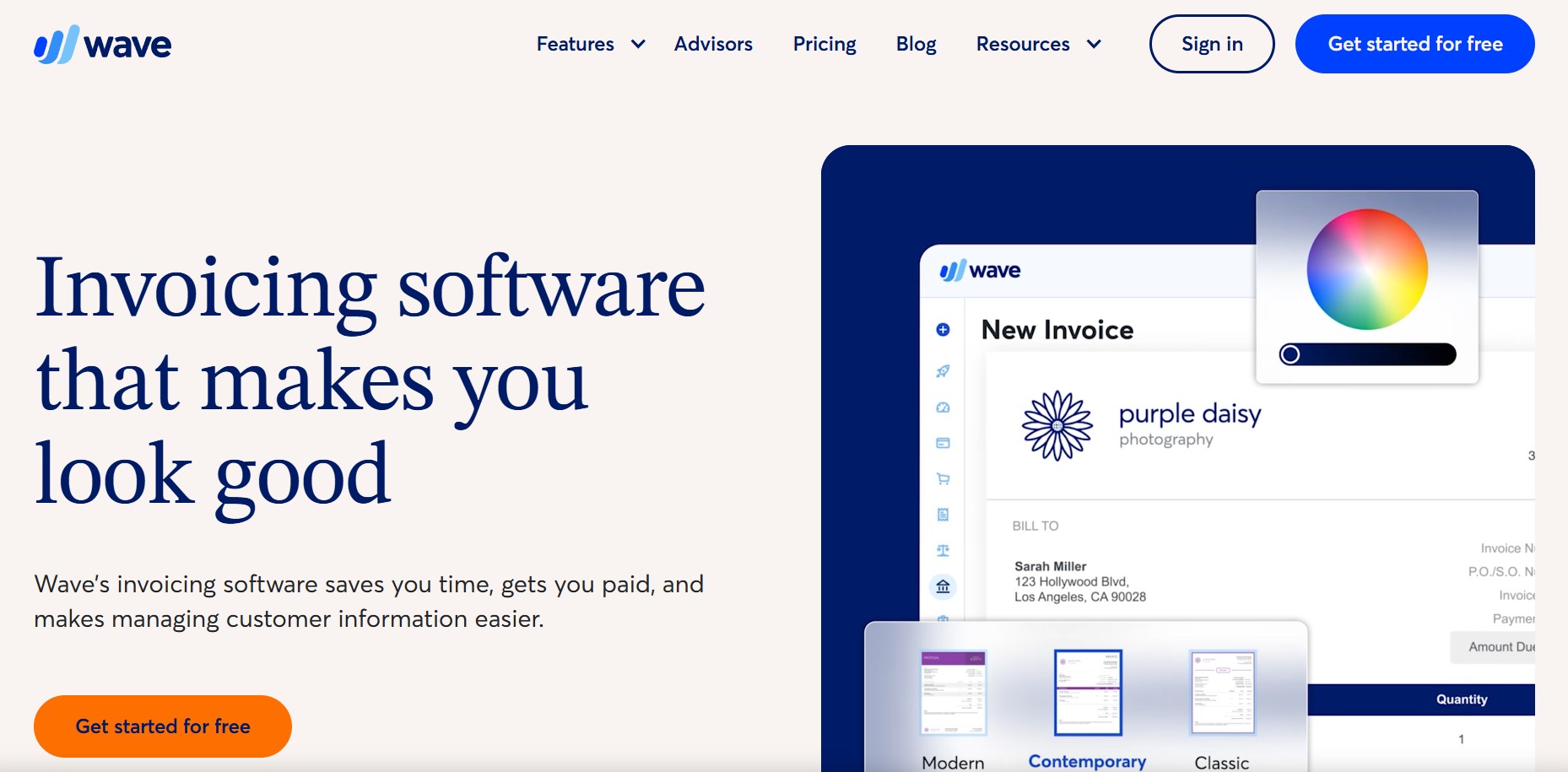
Wave accounting dashboard with manual expense entry for small business

Wave invoicing dashboard

✅ Pros

Genuinely free for basic invoicing, simple interface, low learning curve

⚠️ Cons

No bank automation on the free tier — a real limitation, not a minor one

Use Wave →
🔮

Xero

From $25/mo

Best for: cash-flow forecasting

Xero's AI focuses on predicting cash crunches before they happen rather than just recording what already occurred. Every plan — even the $25 entry tier — includes unlimited users, which the competitors don't match.

  • Forecasts upcoming shortfalls based on invoice due dates and spending patterns
  • Strong multi-currency support for businesses billing international clients
  • Unlimited team members on every tier, no per-seat pricing
Xero cash flow forecasting dashboard with multi-currency support

Xero cash-flow forecast view

✅ Pros

Best cash-flow forecasting here, unlimited users at every price point

⚠️ Cons

Steeper learning curve than FreshBooks for first-time users

Explore Xero →

5. How to Automate Invoicing With AI Tools for Small Business Finance

Once you've picked one of these AI tools for small business finance, here's how to get it working for you this week.

1. Connect your bank and payment methods. Link your business account and gateways like Stripe or PayPal so transactions sync automatically.

2. Import your client list. Upload it once instead of retyping client details on every invoice.

3. Build your first smart invoice. Let the AI suggest line items from your history, then set up recurring billing for repeat clients.

4. Turn on automated reminders. Gentle scheduled nudges for overdue invoices — no awkward follow-up emails from you.

5. Track and analyze payments. Your dashboard shows who's paid and where your income is actually coming from.

Building a wider automation stack? Our AI tools for solopreneurs guide covers the rest of the workflow.

6. Pros & Cons of AI Tools for Small Business Finance

No tool here is perfect. Before adopting AI tools for small business finance, weigh the real trade-offs.

✅ Pros⚠️ Cons
Saves hours monthly on invoicing and reconciliationInitial setup takes time to connect accounts
Reduces manual entry errorsAdvanced features often locked behind paid tiers
Real-time cash-flow visibilityNeeds a steady internet connection to sync
Organizes receipts for tax seasonSome learning curve if you're used to spreadsheets

For most small businesses the time saved outweighs the setup cost. On a tight budget, Zoho Books' free tier or Wave Starter are the lowest-risk starting points.

7. Data Security & Compliance for SMBs

AI tools for small business finance mean handing over invoices, bank transactions, and payroll data. That's sensitive information worth protecting properly.

Data Protection Standards for AI Tools for Small Business Finance

Choose GDPR-compliant tools with end-to-end encryption. SOC-2 or ISO 27001 certification confirms the security process was actually audited — check the official EU GDPR portal for what compliance should look like.

Access Control

Working with a team? Make sure the tool lets you control who sees what — full access for your accountant, restricted access for everyone else.

Human in the loop: AI can categorize and forecast, but approving a payment or changing invoice terms should still go through a person. That's how you catch a costly mistake before it happens.

8. Pricing & ROI: Are AI Tools for Small Business Finance Worth It?

AI tools for small business finance usually pay for themselves fast if you actually use the automation instead of ignoring it.
Small business owner reviewing AI finance tool pricing and ROI on a laptop

Typical Pricing in 2026

Free tiers exist at Wave Starter and Zoho Books (under $50K revenue). Entry paid plans run $19–$25/month. Full bookkeeping suites like QuickBooks Plus land in the $70–$115 range.

ROI in real numbers: automating invoicing typically saves 4–8 hours a month. At even a $30/hour rate, that's $120–$240 in recovered time — more than most of these plans cost.

Our advice: start on a free trial, track how much time you save in 30 days, then upgrade only if the numbers back it up.

For automated expense tracking specifically, see our best AI expense tracker apps guide.

9. Comparison Table: AI Tools for Small Business Finance (2026)

A side-by-side look at all five tools, with an honest winner per category — not the same name repeated down the column.

CategoryWinnerWhy
Best for invoicingFreshBooksFastest invoice setup, cleanest client-facing interface
Best for tax prepQuickBooksDeepest tax-ready reporting and reconciliation
Best free tierZoho BooksGenuinely free under $50K revenue, no time limit
Best for freelancersWave$0 manual invoicing still works for simple needs
Best forecastingXeroStrongest predictive tools, unlimited users
The Total Money Makeover book cover

📘 Want the Fundamentals Behind AI Tools for Small Business Finance?

AI tools automate the mechanics, but the money habits behind a healthy business come first.

The Total Money Makeover lays out a plain-language system for cash flow and debt that pairs with any AI tools for small business finance above.

Check the Book →

10. FAQs – Common Questions About AI for Small Business Finance

What are the best AI tools for small business finance in 2026?

+

The top picks are FreshBooks for client invoicing, QuickBooks for bookkeeping and tax prep, Zoho Books for a genuine free tier under $50,000 revenue, Wave for basic free invoicing, and Xero for cash-flow forecasting with unlimited users on every plan.

Is Wave still free in 2026?

+

Partly. Wave Starter remains free for manual bookkeeping, but automated bank feeds and multi-user access now require Wave Pro at $19/month. The fully free version many freelancers relied on no longer exists in that form.

How much do AI finance tools cost for a small business?

+

Free options exist through Wave Starter and Zoho Books under $50,000 revenue. Entry paid plans start around $19–$25/month. Full bookkeeping suites with tax prep run $70–$115/month depending on the tier.

Can AI replace my accountant?

+

No. AI tools handle repetitive tasks like categorization and reminders, but tax filing and compliance still need professional judgment. Treat these tools as time-savers, not a substitute for an accountant.

Which AI finance tool is best for a freelancer?

+

FreshBooks or Wave. FreshBooks Lite at $23/month suits freelancers billing five or fewer clients. Wave Starter works if you're fine with manual entry and want to spend nothing.

Which AI finance tool has the best cash flow forecasting?

+

Xero. Its AI-driven predictions help catch shortfalls early, and every plan includes unlimited users — useful once your team grows past one or two people.

Will using AI finance tools actually save me time?

+

Most businesses save 4–8 hours a month once automation is set up. We've seen this firsthand running FreshBooks for our own invoicing over the past two months — the recurring-invoice setup alone cut real time off billing.

Are AI finance tools safe for sensitive financial data?

+

Yes, when the platform is GDPR-compliant and encrypted. Look for SOC-2 or ISO 27001 certification and enable two-factor authentication on your account.

What's the cheapest way to start automating small business bookkeeping?

+

Zoho Books' free tier if you earn under $50,000/year, or Wave Starter for basic manual invoicing. For a broader automation stack beyond bookkeeping, see our 5 AI workflows for small business guide.