

 Published on: December 9, 2025
Disclosure:
Some links in this post are affiliate links. If you click and purchase, we may earn a small commission at no extra cost to you. Thank you for supporting AIDigitalSpace.com and helping us keep this content free and useful.
1. Why AI training on your data suddenly matters to everyone
If you’ve ever opened an app after an update and felt that it suddenly knows a bit too much, you’re not imagining things.
Search results feel different, ads sound more personal, suggestions arrive faster — sometimes uncomfortably so.
Many of us have had the same quiet thought:
“Did I agree to this? When did this start?”
What’s happening is that AI training on your data has moved from something abstract and technical to something that affects our daily digital life. It’s no longer just about developers or companies experimenting with AI models. It’s about regular users — us — realizing that emails, searches, posts, documents, and interactions may now be part of how AI systems learn.
This matters now for a simple reason:
most platforms introduced AI features by default, often quietly, and only later started offering opt-out options. That shift caught many people off guard, especially those who care about privacy but don’t want to stop using useful tools.
In this guide, we’ll clarify what’s actually happening, why people are paying attention now, and — most importantly — what control we really have. No panic, no tech jargon. Just a clear explanation of why this topic suddenly concerns almost everyone who uses digital services today.
2. What “AI training on your data” actually means in plain language
When platforms talk about “AI training”, the wording often sounds abstract — models, learning, improvement.
In reality, it usually means something much simpler: AI systems learn patterns by analyzing large amounts of user-generated data, often as part of AI training on your data.
This data can include text we type, searches we make, documents we upload, or interactions we have with digital services. When this information is used to improve or refine AI systems, it becomes part of what’s commonly described as AI training on your data, even if that process isn’t always clearly explained to users.
What’s important to understand is this:
it doesn’t always mean a human is reading your content.
Most of the time, the process behind AI training on your data is automated and statistical. The system looks for patterns, not personal stories. Still, from a user perspective, the result feels the same — our activity helps shape how AI behaves in the future.
This is where confusion often starts.
Many people assume AI training on your data only happens with public or fully anonymous information. In practice, the boundary is not always clear, and it changes depending on the platform, the region, and the settings in place. Some services use user interactions to improve their models by default, while others rely on aggregated or anonymized data under specific conditions.
Regulators have started to address this lack of clarity. In Europe, for example, authorities have stressed that users should be clearly informed when personal data is used for AI training and should have real, meaningful choices — especially under GDPR principles.
You can read an official explanation directly from the regulator here: European Data Protection Board – GDPR guidance on data processing.
The key takeaway is simple:
AI training is no longer theoretical.
It’s connected to everyday digital behavior, often enabled quietly, and explained in ways that are easy to overlook. Before deciding whether to opt out — or whether opting out is enough — we first need to understand what is actually happening behind the scenes and where the real lines are drawn.
3. Which platforms use your data for AI training (and by default)
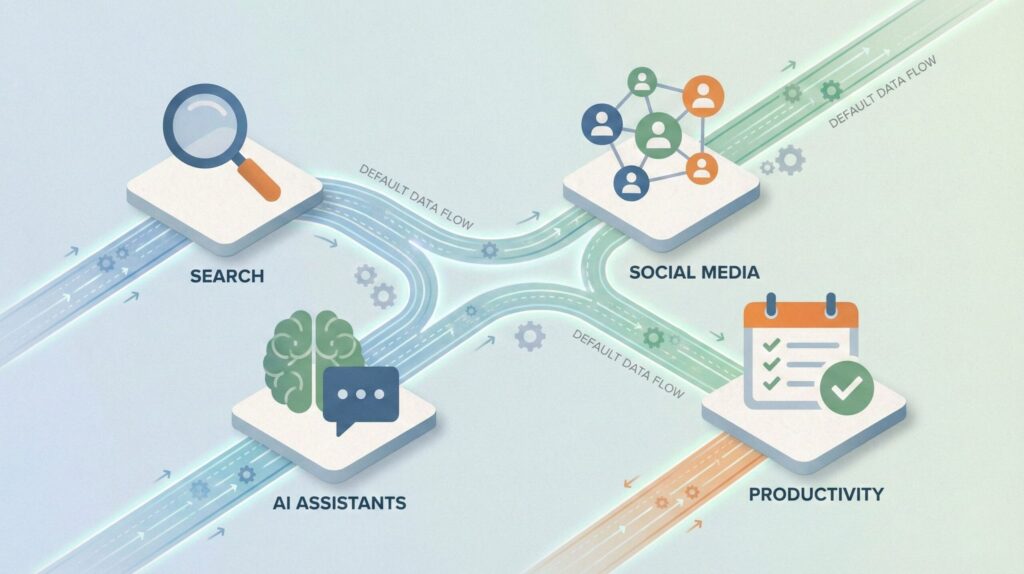
By now, many of us have noticed the same pattern: AI features arrive automatically, often after an update, and only later do platforms explain how data is handled.
That’s because, across the industry, AI training on your data is frequently enabled by default, with opt-out controls placed in settings rather than surfaced upfront.
To keep this practical and transparent, here’s a clear overview of where AI training commonly happens today and what users should expect before changing any settings.
| Platform type | Data commonly involved | Training enabled by default | User control |
|---|---|---|---|
| Search & browsing tools | Queries, interactions, feedback signals | Often yes (aggregated) | Limited, region-dependent |
| Social platforms | Public posts, comments, engagement | Yes for public content | Partial opt-out |
| Productivity & cloud apps | Documents, prompts, usage patterns | Depends on plan & settings | Usually configurable |
| AI assistants & chat tools | Conversations, feedback, prompts | Often yes unless disabled | Opt-out or history controls |
What’s easy to miss is that “default” does not mean “mandatory” — but it does mean responsibility shifts to the user.
Unless we actively check settings or policies, our interactions may still be used as part of AI training on your data, often in ways that aren’t immediately visible.
This is also why regional rules matter. In the EU, platforms are under stricter obligations to explain and limit how personal data is used for AI training. Regulatory bodies have made it clear that transparency and user choice are not optional, especially when AI training on personal data is involved.
The key point to keep in mind is this: most platforms don’t clearly announce when AI training on your data is active.
They assume participation unless users intervene. That’s why understanding where AI training happens — before learning how to opt out of AI training — is essential to making informed, calm decisions, rather than reactive ones.
If you’re ready, next we’ll move to the most practical part of this guide: how to opt out of AI training on major platforms, step by step, with clear paths and no guesswork.
4. How to opt out of AI training on major platforms (step-by-step)
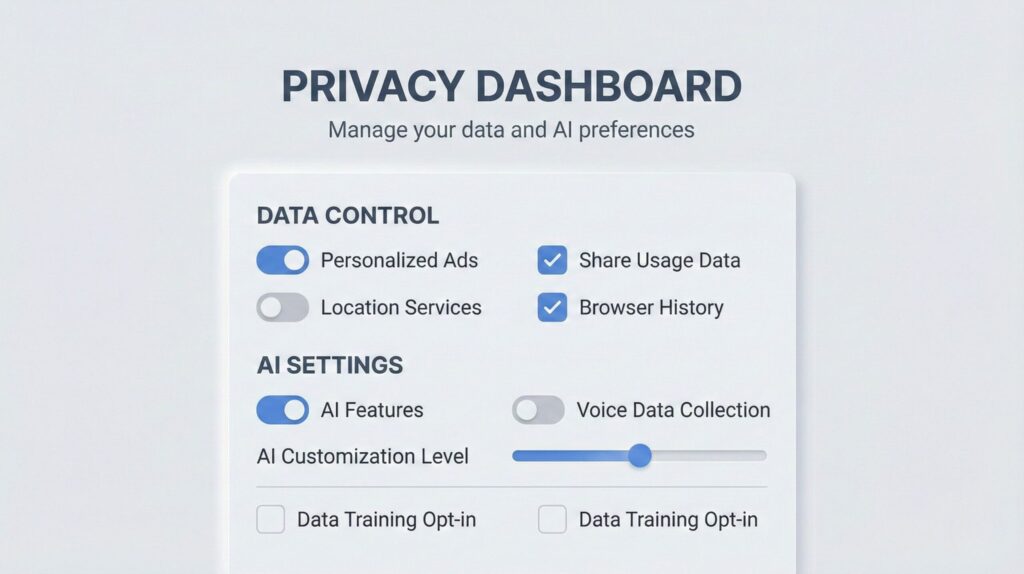
This is the part most people are looking for — clear actions, not legal language.
While each platform uses different wording, the opt-out paths usually follow the same logic. Below we walk through where to look, what to change, and what to double-check, without guessing or rushing.
Step 1: Start from privacy, not AI features
On most platforms, AI training controls live under Privacy or Data settings, not inside the AI tool itself.
If you only check “AI features,” you may miss the actual switch that matters.
Look for sections named:
Privacy & data
Data usage
Content improvement
Model training or product improvement
Step 2: Disable data use for “training” or “improving services”
This is where AI training on your data is usually described — often indirectly.
Common options to review:
“Use my data to improve products”
“Help train AI models”
“Share interactions for research”
“Content may be reviewed to improve AI”
If an option is unclear, assume it’s enabled and read the tooltip or policy link attached to it.
Step 3: Turn off history, logs, and cloud sync where possible
Even when training is disabled, saved histories can still exist.
Check for:
Chat or prompt history
Activity logs
Cloud backups linked to your account
Disabling or auto-deleting history reduces what can later be reused, reviewed, or reprocessed.
Step 4: Confirm region-specific controls (especially in the EU)
Some opt-out options only appear if:
Your account region is set correctly
You access settings from a desktop browser
You are logged into the primary account owner
This matters because privacy rights differ by region, and platforms often expose stronger controls where required by law.
Quick overview: where opt-out controls are usually found
| Platform type | Where to look | What to disable | Extra check |
|---|---|---|---|
| AI chat & assistants | Privacy → AI / Data usage | Training / model improvement | Chat history retention |
| Search & browsing tools | Privacy → Activity controls | Search & interaction usage | Auto-delete history |
| Productivity apps | Account → Privacy settings | Content for improvement | Document sharing scope |
| Social platforms | Privacy → Ads / AI settings | Public content usage | Visibility of old posts |
Step 5: Recheck after updates
One important habit: revisit these settings after major updates.
AI features evolve quickly, and platforms sometimes introduce new options without resetting old preferences.
A good rule of thumb:
If an app announces new AI features, check privacy settings the same day.
Opting out is not about rejecting AI altogether.
It’s about making a conscious choice, understanding what’s shared by default, and deciding — calmly — how much of our data we want to contribute to systems we use every day.
A practical note before you move on
If you’ve gone through these steps on more than one platform, you’ve probably noticed the same pattern:
privacy controls exist, but they’re fragmented, hidden, and easy to forget after updates.
For this reason, some people prefer using tools that are more privacy-conscious by design, rather than constantly managing opt-out settings across dozens of services. This doesn’t replace manual controls — but it can significantly reduce how often you need to intervene.
Below are a few categories of tools worth considering if you want a simpler, lower-friction setup.
| Recommended tool | Why it fits this guide | Best for | Learn more |
|---|---|---|---|
|
Brave Browser Privacy-first browser |
Blocks trackers, fingerprinting, and third-party scripts by default, reducing how much browsing data can be reused for profiling or AI training. | Everyday browsing with minimal setup and long-term privacy consistency. | View Brave |
|
ChatGPT Plus AI tool with opt-out controls |
Offers clear controls to disable chat history and exclude conversations from model training, making data handling more transparent. | Writing, research, and professional AI use where privacy settings matter. | Explore ChatGPT Plus |
|
Notion AI Secure productivity platform |
Provides transparent documentation on how user content is processed and allows workspace-level controls, reducing accidental exposure over time. | Notes, documents, and long-term knowledge management. | See Notion AI |
5. What opting out does not stop (limits, gray areas, reality check)

Opting out is a good decision — but it’s easy to misunderstand what kind of control it actually gives us.
Many people expect a clean break: toggle off → problem solved.
In practice, opting out works more like a boundary, not an eraser.
Let’s reset expectations before moving on.
Opting out mostly affects the future, not the past
When we disable AI training settings, we are usually telling a platform not to use new activity for improving its models.
What already exists — past searches, older conversations, stored documents — may still be retained according to internal policies.
That’s why opt-out works best when paired with history limits or auto-deletion, not on its own.
Opting out mostly affects the future, not the past
When we disable AI training on your data, we are usually telling a platform not to use new activity for improving its models. In other words, opting out of AI training on your data mainly applies going forward, not retroactively.
What already exists — past searches, older conversations, stored documents — may still be retained according to internal policies, even after AI training settings are changed.
That’s why opting out of AI training on your data works best when it’s paired with history limits or auto-deletion, rather than relying on opt-out controls alone.
Less training does not mean zero data use
This is one of the most common misunderstandings.
Even after opting out, platforms may still process data for things that have nothing to do with AI training, such as:
keeping services stable
detecting abuse or fraud
complying with legal obligations
basic personalization and analytics
So the real benefit of opting out is narrower usage, not total invisibility.
Public content often follows different rules
If something is public — a post, a comment, a profile, an image — it may still be accessible for broader analysis, even when personal AI training is disabled.
This is why privacy improvements often come from a combination of actions:
opting out, reviewing what’s public, and deciding what no longer needs to be online.
Two switches matter more than one
With AI tools and assistants, there are usually two separate controls:
one about training or model improvement
one about history or conversation storage
Changing only one of them gives partial protection.
Changing both is where users usually notice the biggest difference.
A clearer way to think about control
| Action | What it realistically improves | What still remains |
|---|---|---|
| Opting out of AI training | Limits how future activity is used to improve models | Past data, public content, indirect signals |
| Limiting or deleting history | Reduces stored records over time | Live processing and core service needs |
| Reviewing what is public | Cuts exposure from open sources | Copies, resharing, external indexing |
The most useful mindset is this:
privacy controls are cumulative. Each one reduces exposure a bit. Together, they make a meaningful difference — even if none of them is perfect on its own.
6. Final verdict: how much control do we really have?
After looking at how platforms handle data and what opt-out settings actually do, one conclusion becomes clear: we have more control over AI training on your data than before, but less than many people expect.
Opting out of AI training on your data is a meaningful, practical step. It reduces how our future activity contributes to model improvement and clearly signals that consent matters. At the same time, opting out of AI training on your data doesn’t turn modern platforms into offline tools. Some level of data processing remains necessary for services to function properly, stay secure, and comply with legal requirements.
This balance — between usefulness and limits — is exactly how regulators frame the issue. Authorities don’t promise “zero data use,” but they do require clarity, proportionality, and real user choice. A clear explanation of these principles, written for the public, is available from the UK regulator here: UK Information Commissioner’s Office – AI and data protection.
So the realistic takeaway is this:
opting out works best as part of a small routine, not a one-time fix. Checking privacy settings after updates, limiting history where possible, and reviewing what’s public gives us far more control than ignoring the issue altogether.
Below are the questions readers usually ask right before they change their settings.
FAQ
Q: Does opting out reduce AI features or quality?
A: In most cases, no. The tools usually continue to work as expected, but they rely less on your personal activity to improve over time.
Q: Is paying for an AI tool safer for privacy?
A: Often yes — but not automatically. Paid plans tend to offer clearer controls and stronger guarantees, but it’s still essential to review data and training settings.
Q: Can companies ignore opt-out requests?
A: In regulated regions such as the EU and the UK, platforms are required to respect valid opt-out mechanisms. Enforcement can vary, but the legal obligation exists.
Q: Is this covered by GDPR?
A: Yes. When personal data is involved, GDPR principles apply, including transparency, purpose limitation, and the right to object in specific situations.
Q: Is opting out worth doing in practice?
A: For most people, yes. It’s a low-effort step that reduces exposure and restores a degree of control over how everyday data is used.
If you want to go a step further and build a more intentional, low-friction relationship with AI tools, these reads connect naturally with what we’ve covered here:
→ How to Stop AI From Collecting Your Data – Privacy Guide
→ Why AI Sounds Confident Even When It’s Wrong (And How to Spot It)
→ AI Behavior Tracking Explained: What Your Apps Learn
Together, they place AI training and privacy controls into a broader context — not just as settings to manage, but as part of a more conscious, informed way of using AI in everyday digital life.