Published on: November 4, 2025
Disclosure:
This post contains affiliate links. If you click through and make a purchase, we may earn a small commission at no additional cost to you. Thank you for supporting AIDigitalSpace — we only recommend tools and services we genuinely trust and believe bring real value to our readers.
1. The New Era of Team Automation: Notion Agents vs ClickUp AI
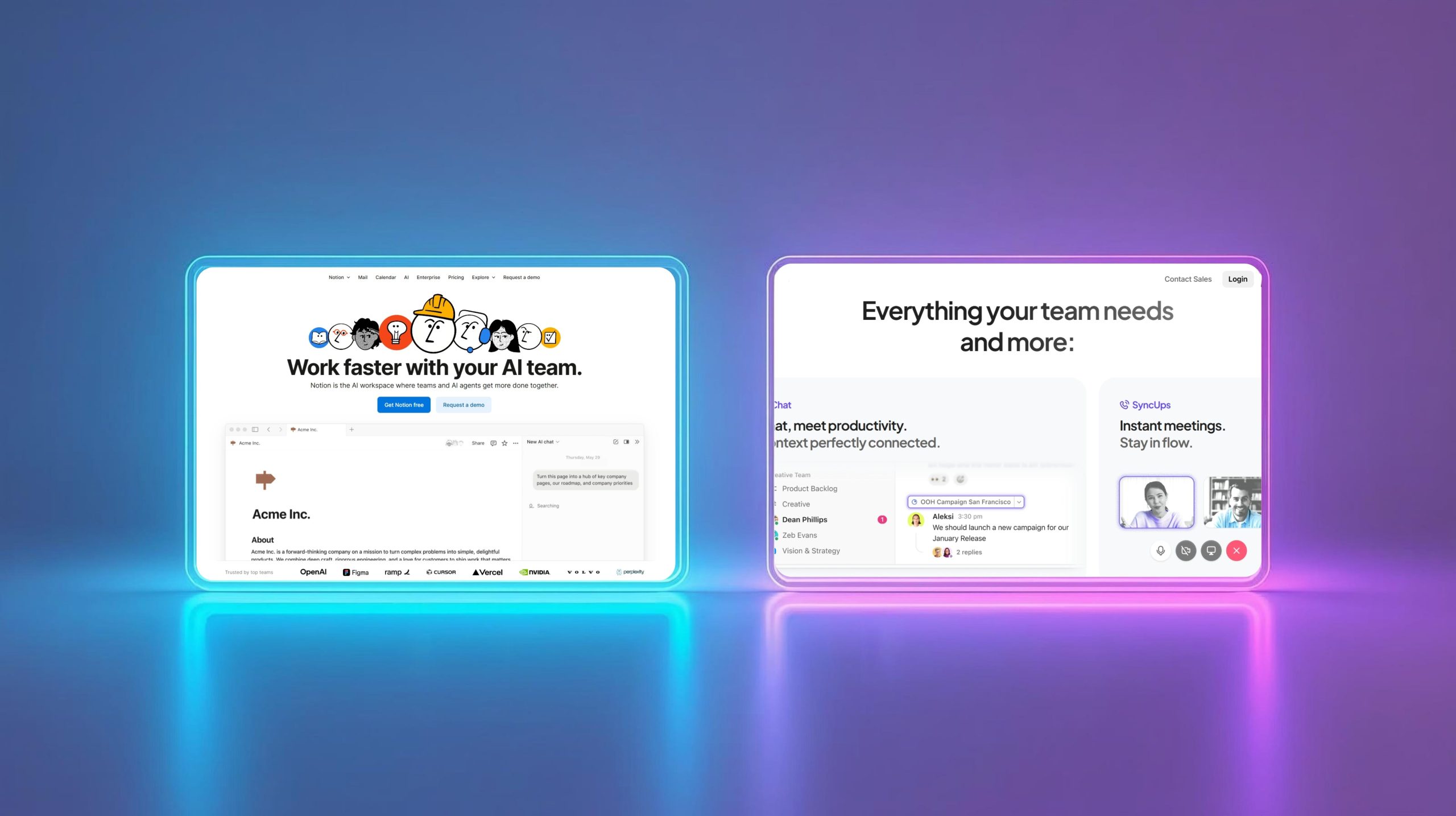
When it comes to streamlining teamwork, Notion Agents vs ClickUp AI has become one of the most talked-about comparisons in modern productivity. Both tools are redefining how teams organize, delegate, and execute daily operations. What used to be simple dashboards are now intelligent AI workflow automation systems capable of running tasks, writing summaries, and predicting what your team needs before you even ask.
With their 2025 updates, Notion Agents and ClickUp AI have moved beyond traditional task management to become true digital collaborators. Notion’s Agents can draft documents, automate recurring to-dos, and connect with third-party apps through natural language. In contrast, ClickUp AI focuses on fast execution — generating task briefs, prioritizing workloads, and analyzing progress patterns automatically. This ClickUp AI comparison shows how both platforms are transforming the team productivity tools space, proving that AI in the workplace is no longer experimental — it’s essential. (TechCrunch).
At AI Digital Space, we’ve checked dozens of tools in this category — from Jasper vs Copy.ai to Taskade AI — and we can confidently say these two are setting the bar for smart collaboration. In this post, we’ll compare how Notion Agents and ClickUp AI differ in usability, automation depth, and real-world results to help you choose your ideal AI workflow automation copilot for 2025.
2. Core Features Compared: What Each Platform Does Best
Both Notion Agents and ClickUp AI have taken huge leaps in 2025, but their strengths serve slightly different kinds of teams. Let’s get straight to what matters — how each tool helps you get real work done faster without adding more clutter.
Notion Agents are built directly into your workspace, acting as intelligent assistants that understand your notes, tasks, and databases. They can summarize long documents, auto-tag projects, or generate action lists from meetings — all powered by AI workflow automation. The best part? Everything happens inside Notion’s familiar interface, so your productivity flow never breaks. It’s ideal for teams that value structure, connected knowledge, and flexibility in one collaborative space. With the latest 2025 updates, Notion AI agents feel more like team members than tools.
on the other hand, focuses on speed, automation, and execution. It’s your daily copilot for planning, reporting, and managing workloads across departments. The new “AI Writer for Work” and “Automation Builder” features automatically turn raw tasks into project briefs, create smart updates, and even suggest time-saving templates based on your behavior. For teams juggling multiple projects or complex schedules, this ClickUp AI comparison shows how ClickUp takes a more proactive, data-driven approach. If your goal is consistent output and automation at scale, ClickUp AI delivers precision where Notion delivers creativity.
To make the comparison clearer, here’s a quick side-by-side summary:
| Feature | Notion Agents | ClickUp AI |
|---|---|---|
| Main Focus | Knowledge organization + content creation | Task execution + project automation |
| AI Workflow Automation | Embedded AI agents manage notes, tasks, and databases contextually | Smart automations, predictive task suggestions, instant reports |
| Best For | Teams building systems, documentation, and creative hubs | Teams needing structure, analytics, and fast project output |
| Interface Feel | Minimal and flexible, knowledge-centric | Feature-rich, task-driven, quick actions |
| Pricing Insight | Included in Notion AI Pro plans | Add-on for paid ClickUp tiers |
If we had to describe it simply: Notion feels like a thinking partner, while ClickUp behaves like an action partner. Both are powerful, but which one wins depends on whether your team needs clarity or velocity.
3. Ease of Use and Learning Curve for Teams
When adopting a new productivity tool, the question isn’t just what it can do, but how fast your team can actually use it. Between Notion Agents vs ClickUp AI, the difference shows up in how each platform handles onboarding and everyday interaction.
Notion Agents feel instantly familiar if your team already uses Notion. You trigger automations or AI prompts right from your pages — no setup maze, no workflow migration stress. Within minutes, you can teach the Agent your workspace structure and start delegating simple tasks like “summarize meeting notes” or “update all project statuses.” The learning curve is low for creative or documentation-focused teams because it extends what they already know rather than reinventing the interface.
ClickUp AI, meanwhile, requires a bit more orientation. It’s packed with dashboards, automation layers, and AI tools that can feel overwhelming at first. But once you understand its hierarchy — Spaces, Lists, and Views — the system reveals its real power. The guided onboarding helps you set AI task rules (“If overdue → summarize and reschedule”) and templates that save hours later. For structured teams that thrive on task control and measurable output, the extra setup pays off quickly.
Our experience comparing Notion Agents vs ClickUp AI shows two clear strengths. Notion Agents win on immediacy and simplicity — their interface feels natural, and setup takes minutes. Teams can start automating workflows without needing complex training, which makes Notion perfect for fast onboarding and light AI workflow automation.
ClickUp AI, on the other hand, takes the edge on depth and long-term control once your team is fully onboard. It’s built for structured collaboration, detailed reporting, and scalable management. If your goal is to get everyone comfortable quickly, Notion remains easier to master. But if you need a robust team productivity tool that grows with your company’s structure, ClickUp’s complexity quickly turns into a competitive advantage.
4. Pricing, Integrations, and Scalability in 2025
Choosing between Notion Agents vs ClickUp AI often comes down to cost and how well each system fits your existing stack. Let’s break down what you actually get for your subscription and how both scale as your team grows.
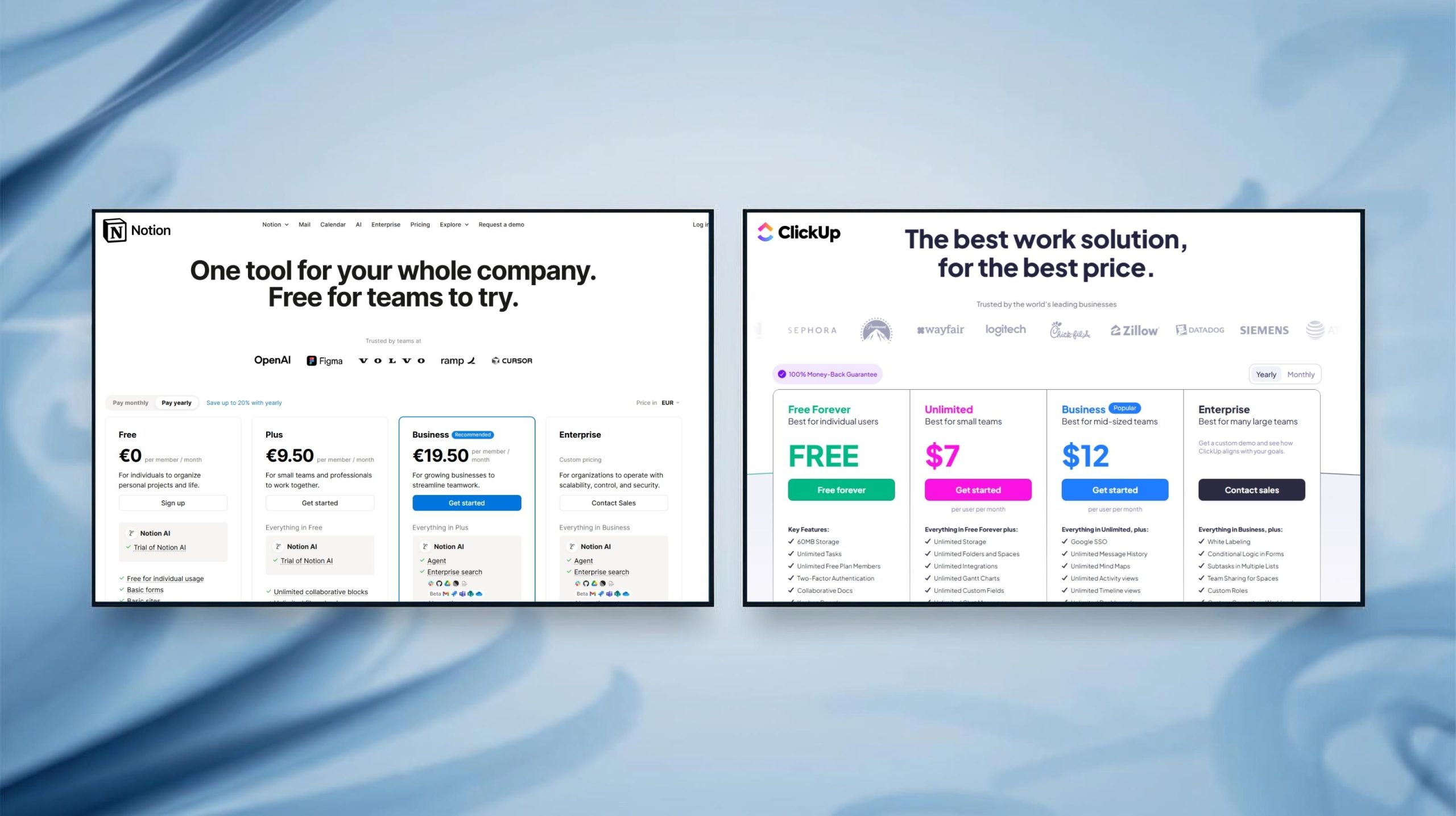
Notion Agents are bundled into the standard Notion AI Pro plan, so you don’t need to manage separate add-ons. You pay per user, starting at a modest monthly rate, and the AI features integrate directly across pages, docs, and databases. The integrations are improving fast — from Slack summaries to Google Calendar sync — and Notion’s open API lets you connect with hundreds of external services through Zapier or Make. For teams already using Notion for documentation or creative planning, this makes adoption smooth and cost-efficient.
ClickUp AI uses a slightly different model: its AI is an optional paid add-on layered on top of any base plan. This modular pricing can be a plus for large teams who want flexibility, but costs can rise if every workspace member needs AI access. The upside is scalability — ClickUp’s automation engine integrates deeply with apps like HubSpot, Gmail, Zoom, and Figma, making it one of the most connected AI work platforms available. It’s built for organizations that want one dashboard to rule them all.
Here’s how they compare at a glance:
| Category | Notion Agents | ClickUp AI |
|---|---|---|
| Base Plan | Notion Plus – approx $8 / user / month | ClickUp Unlimited – approx $10 / user / month |
| AI Add-On Cost | Included in Pro plan (AI features built-in) | +$5 / user / month add-on (AI optional) |
| Integration Depth | Strong for creative & documentation apps (Slack, Figma, Google Drive) | Extensive for CRM & comms (HubSpot, Gmail, Zoom, Teams) |
| Scalability | Ideal for small–mid teams up to 50 users | Excellent for enterprise teams > 100 users |
| API & Automation | Open API + Zapier / Make connectors | Native automation builder + AI templates |
| Overall Value | Affordable, integrated, low learning curve | Flexible, powerful, higher long-term cost |
In short, Notion Agents give you seamless simplicity at a predictable cost, while ClickUp AI offers corporate-grade integrations and scalability for power users willing to pay a bit more.
5. Real-World Use Cases: How Teams Actually Use AI Agents
While it’s easy to get lost in features, what really matters is how teams actually use Notion Agents vs ClickUp AI to work smarter every day. Both platforms shine when applied to real workflows — but their impact feels different depending on how your team operates.
Notion Agents have quickly become favorites among content, marketing, and operations teams that rely on shared documentation. A small agency, for example, can ask an Agent to summarize meetings, draft blog outlines, or update content calendars automatically — all through natural language. Because the automation happens inside the same workspace, there’s no tool-hopping or lost context. For product teams, these AI workflow automation features go even further: Agents can pull real-time data from dashboards, create weekly reports, or highlight progress during sprint retrospectives.
ClickUp AI, meanwhile, tends to dominate in fast-paced environments — startups, sales teams, and agencies managing multiple clients simultaneously. It analyzes overdue tasks, predicts bottlenecks, and generates instant follow-up reminders. In larger organizations, teams use ClickUp to convert client messages into structured task summaries or generate status reports automatically. Its biggest strength lies in automation layering — one well-crafted prompt can trigger a full chain of actions across lists, saving hours of manual coordination.
Here’s a quick comparison of where each tool performs best:
| Team Type | Best With Notion Agents | Best With ClickUp AI |
|---|---|---|
| Marketing & Content | AI-generated briefs, automated content calendars, meeting summaries | Campaign timelines, client update summaries, deadline tracking |
| Product & Development | Documentation automation, sprint reporting, changelog drafts | Task dependencies, bug triage, release coordination |
| Operations & Admin | Internal knowledge base automation, SOP creation | Workflow tracking, daily task summaries, escalation reminders |
Our takeaway: Notion Agents are ideal when you want a smart workspace that thinks with you, while ClickUp AI works best when your team needs a manager that keeps you moving. Both replace repetitive busywork — but how they fit depends entirely on whether your workflow revolves around ideas or deadlines.
6. Ethical AI Reflection: Transparency and Data Handling in Workflows
As powerful as Notion Agents vs ClickUp AI have become, it’s important to pause and ask a deeper question: how do these tools handle the sensitive data we feed them every day? Both systems rely on advanced AI workflow automation, which means they process project details, client information, and even private notes — areas where transparency really matters.
Notion Agents operate within Notion’s existing data protection framework, which is known for being transparent about storage and encryption. Data stays within your workspace unless connected integrations explicitly share it. The Agents don’t train on user content, which reduces privacy risk. That said, when you connect external APIs like Google Drive or Slack, some metadata may travel across services — so users should always review permissions carefully.
ClickUp AI, on the other hand, uses a hybrid model where processing happens via ClickUp’s cloud infrastructure and trusted AI partners. According to their recent privacy updates, no customer data is used to train general models, and admins can now restrict which members have AI access per workspace. This gives teams tighter control, especially in larger organizations where compliance is key.
At AI Digital Space, we believe ethical AI use starts with awareness and choice. Both Notion and ClickUp have made positive steps toward responsible data handling — but users must still stay proactive: review your workspace permissions regularly, anonymize sensitive content, and educate your teams about how AI features interact with shared data. Transparency should always move in sync with innovation.
If you’d like to explore how organizations are adopting AI responsibly and strategically, The AI Advantage by Thomas H. Davenport is a concise, practical read. It explains how teams can integrate automation without losing human oversight — a perfect complement to what tools like Notion Agents and ClickUp AI are doing in everyday workflows.
7. Final Verdict: Which Workflow Copilot Wins?
After hands-on testing in real team setups, the Notion Agents vs ClickUp AI comparison ultimately comes down to your team’s DNA — how you think, plan, and execute your daily work. Both tools deliver exceptional AI workflow automation, but each aligns with a different mindset.
If your team thrives on organization, creativity, and written clarity, Notion Agents feel like a natural extension of how you already collaborate. They transform Notion into a connected hub where ideas, documents, and automations live together seamlessly. The simple pricing, minimal setup, and built-in AI make it ideal for small to mid-sized teams that value flexibility over rigid processes.
If your team is goal-driven, project-heavy, and thrives on measurable progress, ClickUp AI provides the structure and automation power to scale with confidence. Acting as a true AI copilot, it identifies delays, generates updates, and keeps your workflows moving. While ClickUp’s setup is more detailed, its precision quickly turns complexity into performance — making it a top-tier team productivity tool for organizations that value output and control.
Here’s our closing snapshot:
| Decision Factor | Best Choice | Why It Wins |
|---|---|---|
| Ease of Use | Notion Agents | Simpler onboarding and intuitive workspace structure |
| Automation Power | ClickUp AI | Advanced workflow triggers and project AI summaries |
| Best for Small Teams | Notion Agents | All-in-one simplicity with strong documentation features |
| Best for Large Teams | ClickUp AI | Scalable structure and enterprise integrations |
| Overall Flexibility | Tie | Both adapt well — choose based on whether you value clarity or speed |
In short, Notion Agents give you a calm, creative workspace that adapts to how people think, while ClickUp AI builds momentum with structured automation and measurable output.
If you’re still undecided, try both — set up a small shared project for one week in each and see which one fits your team’s rhythm. In the end, the best workflow copilot isn’t the one with the most features, but the one your team actually enjoys using every day.
8. FAQ: Notion Agents vs ClickUp AI (2025)
Q: What’s the main difference between Notion Agents and ClickUp AI?
A: Notion Agents focus on knowledge and organization, helping you summarize, draft, and connect notes automatically inside your workspace. ClickUp AI is built for execution and project automation — it creates tasks, updates timelines, and writes reports based on team activity.
Q: Which one is easier for beginners?
A: Notion Agents. The setup is nearly effortless since it lives inside the familiar Notion layout. You can start prompting tasks right away. ClickUp AI is more complex initially but becomes powerful once you understand its project structure.
Q: Does ClickUp AI cost more than Notion Agents?
A: Yes. Notion includes AI features in its Pro plan (around $8 per user/month). ClickUp charges roughly $10 per user/month for its base plan plus an optional AI add-on of about $5. So overall, ClickUp can cost more, especially for larger teams.
Q: Can Notion Agents replace external automation tools like Zapier?
A: Partially. Notion Agents automate within the Notion environment — summarizing, tagging, and linking pages — but for cross-app automations (e.g., sending data to Slack or Gmail), you’ll still need connectors like Zapier or Make.
Q: Which tool scales better for large teams?
A: ClickUp AI. It’s designed for enterprise collaboration with multiple departments, permission layers, and robust integrations. Notion works beautifully up to mid-size teams, but its simplicity can become limiting in complex organizations.
Q: How secure are Notion Agents and ClickUp AI?
A: Both platforms follow strong privacy standards. Neither uses your private data to train their global AI models. Notion stores information within your workspace, while ClickUp processes data in secure cloud servers with admin-level AI controls.
Q: Can I try both before deciding?
A: Absolutely. Both Notion and ClickUp offer free plans where you can test their AI capabilities with limited credits or trial access. The best way to decide is to set up one real project in each and compare how your team responds.
Q: Which one do we at AI Digital Space prefer?
A: For flexible, creative work — Notion Agents feel more natural. For process-heavy teams that depend on structured deadlines — ClickUp AI wins. Both are excellent, but the better one is the one your team actually uses consistently.