
Mirko
AI Tech Writer
Best AI for image generation searches spike every time a new tool launches — and most creators still pick the wrong one. We reviewed six leading AI image generators across different creative goals, so you stop guessing and start producing results that actually match what you had in mind.
Some links are affiliate links · You support us at no extra cost · Full disclosure
Top Tools Reviewed — Six AI Image Generators, Six Strengths
Finding the best AI for image generation in 2026 means knowing where each platform leads — not which one scores highest on generic benchmarks.
Here is how each platform performs at its strongest scenario — the dimension most best AI for image generation comparisons overlook.
-
🎨 Midjourney v7
- Best for: cinematic realism & editorial art
- Strength: exceptional depth, lighting, aesthetics
- Limit: no free trial, learning curve
From $10/month — no free plan
-
⚡ Flux AI
- Best for: fast versatile generation at scale
- Strength: open-source, strong realism, multi-platform
- Limit: UX varies by platform used
Free on multiple host platforms
-
💬 ChatGPT (GPT Image 2)
- Best for: text-in-image, natural prompting
- Strength: understands context, follows instructions closely
- Limit: included in Plus ($20/mo) — not standalone
ChatGPT Plus: $20/month
-
🖌️ Leonardo AI
- Best for: controlled styles, illustration, product shots
- Strength: presets, model selection, creative control
- Limit: quality varies by model chosen
Free tier available — paid from ~$12/mo
-
🛡️ Adobe Firefly
- Best for: commercial-safe brand visuals
- Strength: licensed training data, clear usage rights
- Limit: less range for experimental art styles
Adobe Express from ~$9.99/mo
-
📱 Canva AI
- Best for: social posts, thumbnails, quick marketing
- Strength: templates, fast export, beginner-friendly
- Limit: limited fine-detail control
Generous free tier — Pro ~$15/mo
Among these, the best AI for image generation for most beginners tends to be ChatGPT or Canva — both respond to plain-language prompts without requiring technical experience.
💡 Best AI for Image Generation — Workflow Tip: Generate with one tool, refine with another. Platforms like OpenArt let you access Flux AI, Stable Diffusion, and others from a single workspace — useful when comparing outputs before committing to one style.
Together, these six tools represent the clearest picture of the best AI for image generation landscape today — differentiated by goal, not by marketing budget.
According to MIT research on generative AI models, the gap between free and paid tiers is narrowing — but processing speed and export resolution remain the main differentiators for the best AI for image generation platforms.
For a full breakdown of one of the strongest options here, our Flux AI review covers plans, output quality, and practical use cases in detail.
What Most People Get Wrong When Choosing an AI Image Generator
Most frustration with best AI for image generation options doesn't come from the technology. It comes from choosing a tool built for a different creative job than the one you actually have.
Mistake 1: Picking by popularity, not purpose
There's no single universal winner. Some platforms optimize for artistic range, others for speed, others for brand safety. When the tool doesn't match the task, results disappoint consistently.
Start from the output you need, then work backward to the tool.
Mistake 2: Using generic prompts and blaming the platform
One short prompt rarely shows what the best AI for image generation platform can do. Style, lighting, mood, and context all shape the output. Vague inputs produce average results.
Mistake 3: Ignoring visual consistency from the start
This trips up creators working on character series, product visuals, or branded content. One great image is easy. Getting the same visual result repeatedly requires a consistency workflow built in advance.
Mistake 4: Assuming AI images are automatically commercial-safe
Different tools handle training data and licensing differently. Using any best AI for image generation output commercially without checking the platform's terms is a risk most creators overlook.
Mistake 5: Forcing one tool to cover every creative need
No single platform excels at everything. Combining an AI image generator with a refinement tool usually produces better results than expecting one app to handle everything from generation to final export.
⚠️ The Most Common Best AI for Image Generation Mistake: Choosing a tool based on what others post — not based on the output you personally need. Different goals require different tools every time.
The best AI for image generation rarely needs to change once you've matched it correctly. What changes is how you prompt it and the workflow around it.
Our guide on how to create AI images that don't look fake covers several of these mistakes with specific fixes and before-after examples.
📚 We Recommend Reading
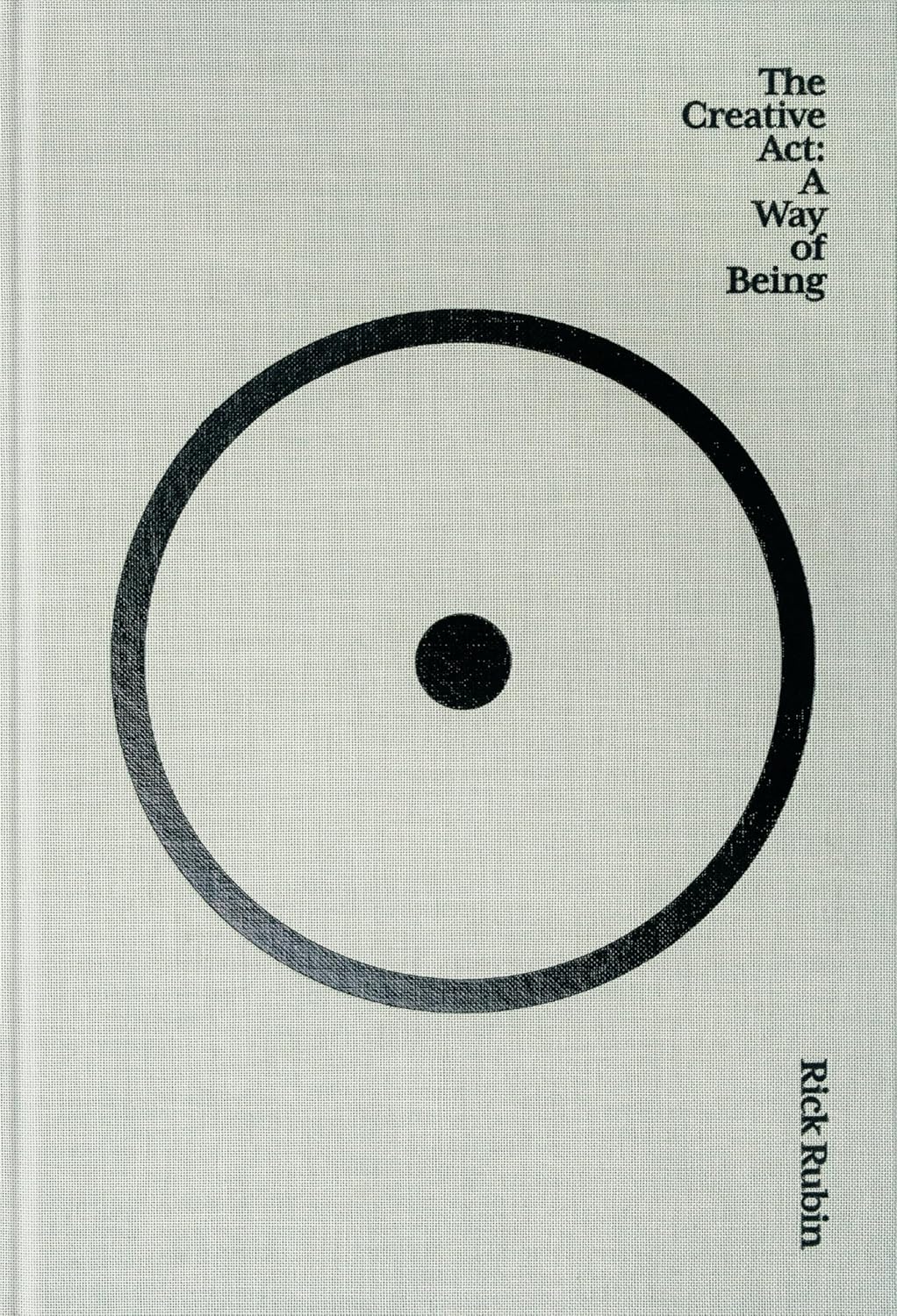
The Creative Act
by Rick Rubin
Before any AI tool matters, the intention behind it does. Rick Rubin's guide to the creative process is the clearest thinking we've found on how to generate ideas worth turning into images — with or without technology.
View on Amazon →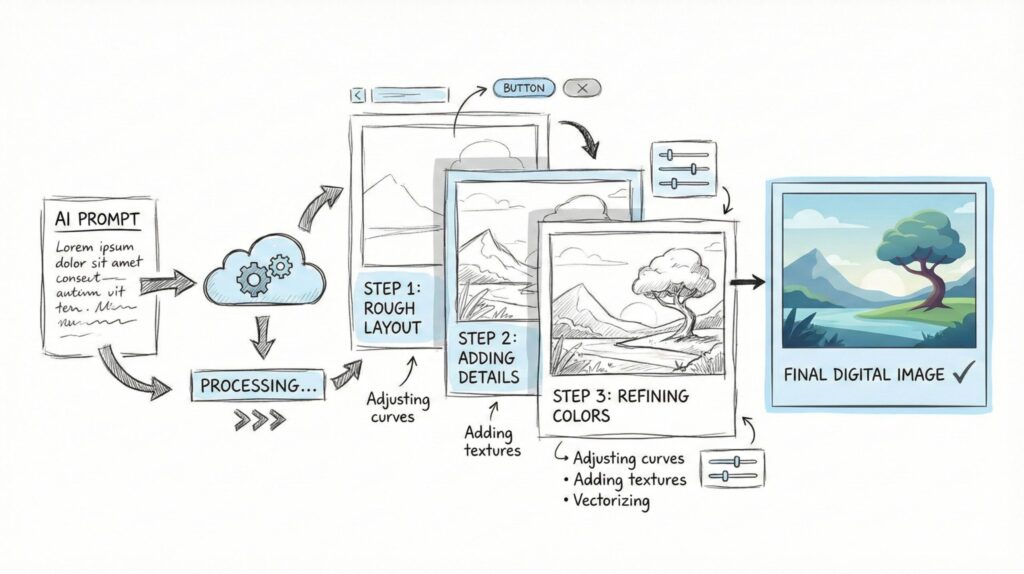
How to Get Better Results from Any AI Image Generator
The best AI for image generation tools can only perform as well as the inputs we give them. Most improvements don't require switching platforms — they come from working more intentionally.
Start with intent, not keywords
Write prompts like scene descriptions, not search queries. Including style, mood, lighting, and purpose in the same sentence gives any AI image generator a clearer target — and faster good results.
Add visual constraints before generating
Randomness drops when you specify camera angle, art style, or medium early in the prompt. Specificity is the most underused power in any AI image generation workflow.
Iterate instead of restarting from scratch
Most best AI for image generation platforms are built for iteration, not one-shot perfection. Keep the same base description and adjust one element at a time to guide the model more precisely.
Separate generation from refinement
Many creators generate with one tool and refine with another. Krea AI works well as a second step — improving consistency between images across a visual series or ongoing project.
Match the tool to the task — every time
The best AI for image generation frustration almost always traces back to mismatched expectations. Adobe Firefly for commercial clarity, Midjourney for artistic depth, Flux AI for speed — same goal, wrong tool means wasted time.
💡 The Best AI for Image Generation Improvement That Costs Nothing: Rewrite your last five prompts with a lighting direction, a named art style, and a mood word. Compare results — the difference is almost always immediate.
For prompt-specific strategies with one of the top platforms, our Midjourney prompt hacks guide covers structure, style tricks, and consistency strategies in detail.
Adobe's official Firefly content use guidelines also outline how prompt structure influences outputs across different image styles — useful context for any best AI for image generation workflow.
Costs, Limits & Commercial Use — What to Expect
Before committing to any best AI for image generation tool, understanding the real trade-offs saves both time and budget. Most surprises come not from image quality but from hidden usage limits.
| Tool | Free Plan | Paid From | Commercial Use | Winner For |
|---|---|---|---|---|
| Midjourney v7 | None | $10/mo (Basic) | Paid plans — check terms | Artistic quality |
| Flux AI | Yes (via platforms) | Varies by host | Open-source — review license | Volume & speed |
| ChatGPT (GPT Image 2) | Limited | $20/mo (Plus) | Allowed under OpenAI terms | Text-in-image |
| Leonardo AI | Yes | ~$12/mo | Paid plans — check plan level | Style control |
| Adobe Firefly | Limited (Express) | ~$9.99/mo | Explicitly supported | Brand & business |
| Canva AI | Yes (generous) | ~$15/mo (Pro) | Generally safe for business | Social content |
Commercial use rules vary significantly across the best AI for image generation landscape. Adobe Firefly is the clearest choice for business use — its training data is licensed and usage rights are stated explicitly.
Midjourney allows commercial use on all paid plans, but terms have changed over time. Always check the official subscriber policy before using images in client deliverables or paid campaigns.
Free plans reveal what a tool can do conceptually. Resolution caps, watermarks, and generation limits on free tiers mean they don't reflect the best AI for image generation platform's real capabilities.
💰 Best AI for Image Generation — Cost Reality: A practical two-tool stack (one generator + one refinement tool) typically runs $20–$45/month. That's equivalent to one hour of freelance design work.
The best AI for image generation investment makes financial sense when it replaces a repeatable task — thumbnail creation, brand asset drafting, or concept visualization — that would otherwise cost more to outsource.
For creators who work with both generated and edited images, our guide to the best AI image editors covers post-generation enhancement tools in detail.
The FTC's artificial intelligence guidelines are also worth reviewing for any creator using AI images in advertising or commercial content.
Final Verdict — How to Choose Without Overthinking
The best AI for image generation decision rarely comes down to technical benchmarks. It comes down to what the final image needs to do — and who needs to see it.
The answer maps directly to the right best AI for image generation tool. Here's the simplest framework we've found:
- Realism or cinematic look → Midjourney v7 (Standard plan, $30/month)
- Fast versatile generation → Flux AI (free on multiple platforms)
- Text inside images or natural prompting → ChatGPT with GPT Image 2
- Controlled art styles & presets → Leonardo AI (free tier available)
- Commercial clarity for brands → Adobe Firefly
- Quick social & marketing visuals → Canva AI (generous free plan)
What consistently works best for the best AI for image generation isn't one perfect platform — it's a simple two-step workflow. Generate with your primary tool. Refine or adapt with a second. That beats constant tool-switching.
The best AI for image generation stack doesn't need to be complex. Our guide to AI workflows for content creators shows exactly how to connect these tools into a repeatable system that runs consistently.
Start with the tool that matches your strongest use case. Master it first. Expand the stack when the need genuinely arises.
Frequently Asked Questions — Best AI for Image Generation
What is the best AI for image generation in 2026?
+There isn't one universal winner. The best AI for image generation in 2026 depends entirely on your creative goal — realism, art styles, text accuracy, or commercial safety.
Midjourney v7 leads on photorealism. Flux AI is fastest for versatile outputs. ChatGPT handles text in images well. Adobe Firefly is clearest for commercial use. Starting from your goal always beats starting from a brand name.
Can I use AI-generated images for commercial projects?
+Yes — but each platform has different rules. Adobe Firefly explicitly supports commercial use due to its licensed training data. Midjourney permits it on paid plans with conditions worth reading carefully.
Canva AI images are generally safe for marketing and business content. Always review the current platform terms before using any AI image in client work, ads, or monetized products.
What is the fastest AI image generator for creators?
+Flux AI consistently delivers fast, high-quality outputs across multiple host platforms — and it's often available for free. ChatGPT with GPT Image 2 is also quick on natural-language prompts.
For social content speed, Canva AI combines template-based generation with direct export — making it the most practical option for creators who need finished marketing visuals without extra editing steps.
Which AI image generator is best for beginners?
+Canva AI and ChatGPT are the easiest starting points. Both respond to everyday language descriptions without requiring technical knowledge of prompt engineering or model settings.
Leonardo AI is also beginner-friendly — its style presets give new users consistent results without mastering prompt structure from scratch. All three offer free tiers for experimentation.
What is the difference between Midjourney and Flux AI?
+Midjourney v7 focuses on cinematic aesthetics, artistic depth, and photorealistic quality. Plans start at $10/month with no free trial. It excels at creative editorial and high-end visual work.
Flux AI is open-source, available across multiple platforms, and often significantly cheaper per image. It produces strong realistic outputs quickly — the better choice when volume or workflow flexibility matters more than pure aesthetics.
How much do AI image generators cost per month?
+Most best AI for image generation tools range from free to $30/month for regular creator use. Midjourney costs $10/month (Basic) or $30/month (Standard, with unlimited Relax Mode). ChatGPT Plus is $20/month.
Leonardo AI and Canva AI both have strong free tiers. Adobe Firefly is available through Adobe Express from around $9.99/month. A full two-tool creative stack typically runs $20–$45/month in total.
Why do my AI-generated images look different every time?
+AI image generators produce variations by design. Without specific visual constraints, the model interprets each generation differently — resulting in style and detail shifts between outputs.
Consistency improves when you specify lighting, art style, and mood in every prompt. Using the same seed value or reference image across generations reinforces visual continuity throughout a project or series.
Do I need more than one AI image generation tool?
+Many professional creators use two tools — one for generation and one for refinement or layout. That two-step workflow consistently produces better results than forcing one app to do everything.
Canva handles export and layout. Krea AI improves consistency between images. For verified no-cost options, see our guide to the best free AI image generators — 10 tools tested and compared.
🎨 Go Deeper Into AI Image Creation
You've matched the best AI for image generation to your goal. Now sharpen your results with these practical next steps: