

 Published on: November 17, 2025
Disclosure:
Some links in this post are affiliate links. If you click and purchase, we may earn a small commission at no extra cost to you. Thank you for supporting AIDigitalSpace.com and helping us keep this content free and useful.
1. Why Apps Feel Smarter Every Day
Every time we scroll, tap, or pause, AI behavior tracking quietly analyzes our micro-actions. Apps don’t need personal details to learn about us — they learn from patterns refined through AI behavior tracking. This is why recommendations feel tailored and why certain notifications seem to arrive at exactly the right moment.
These systems aren’t designed to spy on us. They’re built to predict what we’ll find useful, relevant, or engaging. The issue is that we rarely understand how AI behavior tracking actually works. Most of what apps discover comes from behavior we don’t notice, not from the information we intentionally share.
Our goal in this guide is simple: explain what AI behavior tracking reveals, why it matters, and how to stay in control without disabling every helpful feature. If you’ve already explored our content about digital privacy at AIDigitalSpace.com, you’ll recognize our approach — clear, practical, and human-friendly explanations you can apply immediately.
Soft Tip: Before changing any privacy setting, take screenshots of your current configuration. If something stops working as expected, you can revert quickly.
Recommended Read: The Age of Surveillance Capitalism — a researched look at how organizations build behavioral profiles and why awareness matters.
2. The Hidden Problem: What AI Actually Tracks About Us

Most of us think apps only read what we type — but in reality, AI behavior tracking goes much deeper. Modern apps record how we interact, what we ignore, when we’re most active, and even the micro-patterns behind our daily habits. This type of AI behavior tracking isn’t designed to spy on us — it feeds personalization systems that try to predict what we’ll want next. The real issue is that these systems become surprisingly accurate over time, often without us noticing.
To make this crystal clear, here’s what today’s most common tools actually track:
| Data Type | What It Reveals |
|---|---|
| Interaction data | How long you view content, what you skip, what you revisit |
| Device signals | Active hours, typing speed, notification habits |
| Search & click history | Interests, purchase intent, long-term preferences |
| Location & context (when enabled) | Daily routines, places you frequent, lifestyle patterns |
The problem is subtle: AI behavior tracking can build a full behavioral profile even when each individual data point feels harmless. Over weeks or months, this kind of AI behavior tracking helps apps infer things like your attention span, emotional patterns, and even your readiness to buy. These insights can influence the content you see, the decisions you make, and how AI assistants “tailor” answers to keep you engaged.
Soft Tip: When testing a new app, open its “Permissions” screen before you start using it. If something looks unnecessary (like location access for a notes app), disable it immediately — this prevents long-term tracking from day one.
If you want a real-world comparison, Apple, Google, and Meta all publish transparent breakdowns of what their AI-enhanced apps collect. The structure changes between platforms, but the logic behind AI behavior tracking remains almost identical. We also explore similar patterns in our post on AI voice replication risks on AIDigitalSpace.com, where tiny behavioral clues shape how predictive models respond.
3.How AI Behavior Tracking Works Behind the Scenes
AI doesn’t “watch us” like a person — it learns patterns from thousands of tiny signals we generate every day. The core idea is simple: AI behavior tracking converts our actions into structured data, then uses models to predict what we’re most likely to do next. This is the same logic we explained in our guide on AI voice replication, where micro-patterns become inputs for training systems.
To make this easier to visualize, here’s how tracking typically works today:
1. Apps collect small signals
Every scroll, pause, or tap is saved as a tiny datapoint. Even the time of day you tend to open an app becomes a signal. On platforms like Google services, these signals are grouped into “activity categories” used for personalization.
2. AI sorts these signals into patterns
This is where the real learning happens. The system looks for correlations — for example:
“When you scroll fast, you’re not interested.”
“When you rewatch something, that’s a strong preference.”
“Notifications opened within 5 seconds = high priority.”
These micro-patterns help apps adjust what they show you.
3. Models generate predictions
Once enough data is collected, AI models begin predicting:
what content you’ll like,
what product you might buy,
which time of day you’re most responsive,
which ads “convert” you better.
This is why tools like YouTube, Netflix, or TikTok feel nearly psychic. They’re not reading your mind — they’re reading your patterns.
4. Apps update themselves automatically
The moment your behavior changes, AI behavior tracking updates your profile automatically. The cycle then repeats, sharpening the algorithm and adjusting what you see based on your newest interactions.
Soft Tip: If you don’t want an app to “learn” something, avoid interacting with that type of content entirely. Even negative engagement — like pausing to read something you dislike — becomes a signal that AI behavior tracking uses to refine your profile.
If you want to deepen this topic, we also explain how models interpret visual data in our post on AI visual understanding, which works in a surprisingly similar way.
4. How We Can Check, Control, or Reduce What Apps Learn
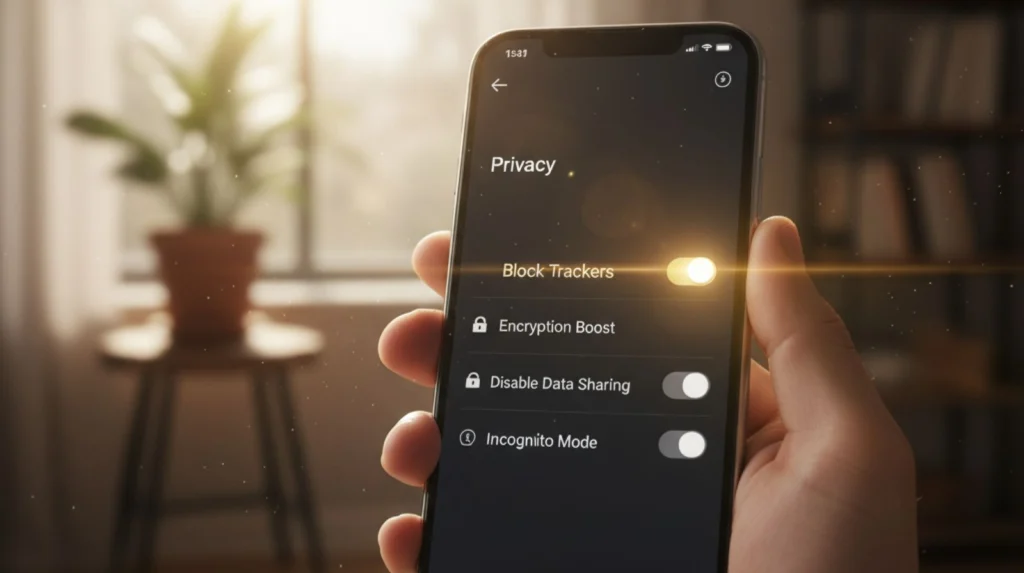
Most people think controlling AI behavior tracking requires technical skills — but the truth is that small, simple settings can dramatically limit what apps learn about us. When we understand how AI behavior tracking works, it becomes clear that the real key is knowing where to look and which switches matter most. Below you’ll find practical steps we’ve reviewed and verified, all doable in less than 5 minutes per app.
1. Start with your device’s built-in privacy dashboard
Modern phones include a centralized panel that shows which apps use your data and how often. This is the fastest way to spot anything unusual.
On iPhone → Settings → Privacy & Security → Tracking
On Android → Settings → Privacy → Permission Manager
You’ll instantly see which apps track your location, microphone, camera, notifications, and behavioral signals.
2. Review “Activity Controls” in your Google or Apple account
Platforms use this area to personalize ads, recommendations, and search results. Even small toggles change what the algorithm learns about you.
This works the same way we described in our explainer on how AI understands visual data — once the signal stops, the learning stops.
Useful controls to check:
Web & App Activity
Ad Personalization
Location History
App Interaction Insights
Turning off even one of these reduces how quickly your behavioral profile grows.
3. Turn off notification learning
Few people know this exists. Many apps analyze how quickly you open notifications to determine what content keeps you engaged.
You can disable this by turning off “Notification Suggestions” on most modern devices.
This single toggle reduces predictive accuracy by a surprising amount.
4. Clean up unused permissions
Most apps request more access than they actually need — and unnecessary permissions often fuel deeper AI behavior tracking than users expect. A notes app, for example, rarely needs location, and a photo editor shouldn’t require access to your contacts. Remove anything that feels off, even if the app still works without it, because fewer permissions reduce how much AI behavior tracking can run in the background.
Soft Tip: If an app behaves strangely after restricting permissions, reopen it and check whether it asks again. This often indicates the feature was optional, not essential — and limiting it helps control unwanted AI behavior tracking.
5. Use tools that help control your footprint
If you want more control, tools like VPNs, tracking blockers, and privacy dashboards can help reduce your digital trail. For readers who want a simple, non-technical option, we cover practical choices in our post about AI privacy tools at AIDigitalSpace.com.
For professional or business use, we recommend reviewing privacy practices regularly — much like we do when analyzing tools for posts such as AI voice replication, where behavior-based training impacts long-term data patterns.
5. Tips, Comparisons, and Common Mistakes People Make
Even when we try to protect our privacy, most of us still leave open doors that make AI behavior tracking far more effective than we realize. The mistakes are subtle — and apps rarely alert us when we’re feeding the algorithm more than intended. Here are the most common issues we see when researching tools for AIDigitalSpace.com, plus the easy fixes.
1. Thinking “I turned off tracking” is enough
Many apps continue learning from in-app actions even when tracking permissions are disabled.
Recommendation algorithms still read:
how long you stay on a page,
what you scroll past,
which items you compare,
which videos you replay.
Turning off tracking reduces signal strength — but behavior inside the app still trains the model.
2. Not resetting personalization when habits change
If you’ve changed interests, routines, or your job, your AI profile may still be based on your older behavior.
Most platforms offer a manual reset:
YouTube → Reset Watch History
TikTok → Clear Activity
Google → Reset Ad Personalization
Soft Tip: Resetting once every 2–3 months helps the algorithm stop pushing outdated content.
3. Letting “Smart Notifications” stay active
Many people don’t realize this feature exists.
Smart notifications learn from:
how fast you open alerts,
which alerts you ignore,
time-of-day responsiveness.
If you want to minimize algorithm training, disable notification learning in your system settings. This drastically reduces how apps predict your attention patterns.
4. Not reviewing app-by-app behavior insights
Some apps provide built-in dashboards showing how they use your data, and these tools are an easy way to understand how AI behavior tracking works inside each platform. This information is often buried in the menu, but it’s extremely valuable to check. We’ve found that many apps include hidden “interaction summaries” where they categorize your engagement style — fast, slow, decisive, hesitant — and use it as part of their AI behavior tracking and recommendation logic.
5. Confusing privacy tools
VPNs, ad blockers, and privacy dashboards are all useful — but they don’t all protect the same data.
Here’s a quick comparison:
| Tool Type | What It Protects | What It Doesn't Protect |
|---|---|---|
| VPN | IP address, location, ISP-level data | In-app behavior tracking |
| Ad Blocker | Ad networks, cross-site tracking | App recommendation algorithms |
| Privacy Dashboard | Permissions, app-level access, activity logs | Behavior-based AI learning |
For a deeper, practical walkthrough on tightening your digital privacy settings, we recommend reading our guide on how to stop AI from reading your private data. And if you wish to add a good layer of protection grab the recommended vpn here:
6. Believing “Incognito Mode” protects your behavior
Incognito only hides browsing from your device.
It doesn’t stop:
websites from tracking behavior,
cookies from recording activity,
algorithms from learning what you click,
platforms from linking sessions to your profile.
For deeper control, our readers often combine incognito browsing with the settings we explain in our guides like AI voice replication, where behavioral learning plays a major role.
6. The Ethical Debate Around AI Learning From Our Behavior

The real ethical challenge behind AI behavior tracking isn’t the technology itself — it’s the lack of transparency around how much apps learn from the way we scroll, tap, pause, and react. Most people assume “tracking” refers only to what we type or search, but in reality, the deepest insights come from our behavior, not our data. That’s what makes AI behavior tracking so powerful and, at times, so misunderstood.
This creates an imbalance: apps understand us with remarkable precision through AI behavior tracking, while we rarely understand what they know or how they use it.
1. We consent, but rarely understand
Most apps quietly bundle behavioral learning into long policies that we accept without reading. Even when we choose “Allow” or “Don’t Allow,” we’re not clearly told that our habits, timing, and micro-actions become long-term training signals for AI behavior tracking systems.
This makes meaningful consent complicated — not because users don’t care, but because the information is rarely explained in human language.
2. Algorithms can gently influence our decisions
AI doesn’t force decisions, but it can nudge them through ongoing AI behavior tracking.
If the system learns that you react more late at night, it may push notifications at that time.
If you linger on emotional or sensational content, it may recommend more of it.
These micro-adjustments aren’t malicious, but they raise valid questions about digital autonomy and how much influence is acceptable..
3. Behavior-based learning can shrink our worldview
When algorithms optimize for efficiency, they often reinforce whatever we already interact with.
Over time, this can reduce the diversity of what we see — fewer new ideas, fewer different viewpoints, fewer surprises.
It’s not intentional “filtering,” it’s optimization. But the effect is real.
Soft Tip
Once a week, intentionally click on content outside your usual interests.
It keeps your digital environment broader, healthier, and less algorithmically narrow.
A trusted external reference
For readers who want a transparent, research-based overview of how data and behaviors shape our online experience, the Electronic Frontier Foundation provides one of the clearest, most reliable guides available today.
The goal here isn’t to reject these technologies — they genuinely make life easier.
Our goal is awareness: understanding what these systems learn, how they shape our experience, and how to set boundaries that protect our autonomy without losing the benefits of AI-powered personalization.
7. Final Insights and How to Stay in Control Moving Forward
After reviewing how AI behavior tracking works, the real takeaway is simple: we have more control than we think. Most of what apps learn about us comes from small signals we don’t notice—scroll speed, timing, patterns—rather than personal details we intentionally share. By understanding these signals and adjusting a few settings, we can guide the algorithm instead of being shaped by it.
If your goal is to build a healthier digital environment, we recommend three steps:
Review your privacy dashboard monthly (it takes 2 minutes).
Reset watch or activity history when your interests change.
Use tools that give visibility, not just protection—things like privacy dashboards, permission managers, or trusted browser extensions.
If you want a deeper, well-researched explanation of how companies build behavioral profiles, we’ve curated a recommended read below. It’s ideal if you’re curious about the larger system behind what we covered today.
If you prefer something more practical and hands-on, consider exploring some of our recent posts on privacy-friendly AI tools, digital habits, or everyday security tips at AIDigitalSpace.com. They’re designed to help you apply these concepts in a clear, simple way.
8. FAQ About AI Behavior Tracking in 2025
Q: What exactly is AI behavior tracking?
A: It’s the process where apps learn from how you scroll, tap, pause, and interact, creating a pattern of your digital habits.
Q: What kind of behavior data do apps collect?
A: Things like viewing time, scroll speed, notification opens, session length, and which content you revisit.
Q: Is behavior tracking the same as data tracking?
A: No. Data tracking collects information you provide. Behavior tracking studies how you act inside the app.
Q: How do apps use my behavior to personalize content?
A: They use your interaction patterns to recommend videos, posts, ads, products, and even notification timing.
Q: Can apps predict what I’ll do next?
A: To an extent. They can predict what you’ll click, when you’re active, or what content will keep you engaged.
Q: Can I stop apps from learning my behavior?
A: You can reduce it by limiting permissions and turning off personalization, but in-app behavior still teaches the algorithm.
Q: Does behavior tracking put my privacy at risk?
A: Not directly. It doesn’t reveal your identity, but it can create detailed behavioral profiles that influence what you see.
Q: How can I check what data apps have on me?
A: Use your device’s privacy dashboard or your Google/Apple activity controls to see permissions and tracking history.
Q: Do algorithms track emotional reactions?
A: They can infer interest from pauses, replays, and watch patterns — which sometimes correlates with emotional responses.
Q: How often should I reset my activity history?
A: Every 2–3 months helps keep your profile updated and prevents old habits from shaping new recommendations.