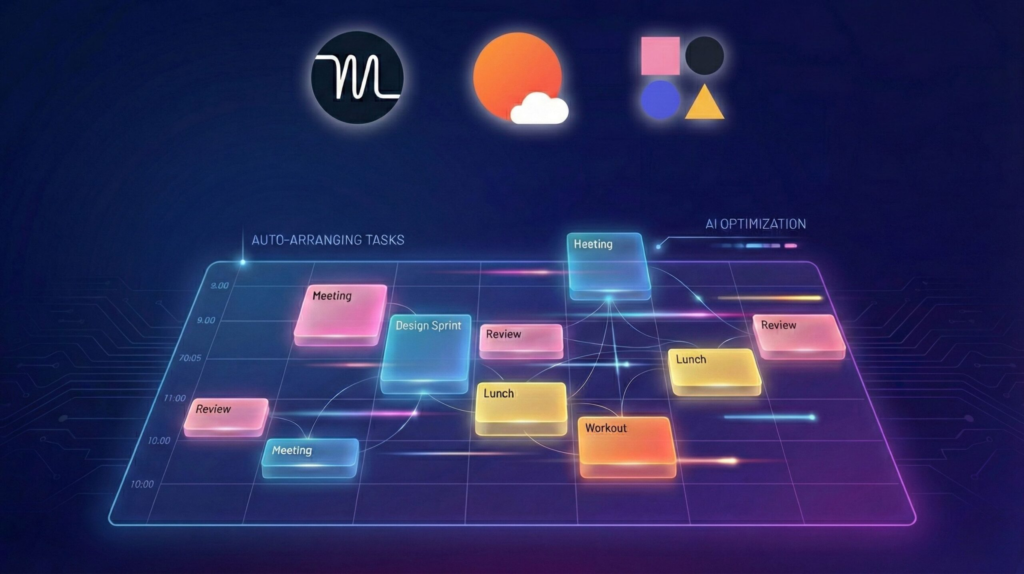
Best AI calendar apps 2026 comparison including Motion, Sunsama and Reclaim AI

Best AI Calendar Apps – Motion, Sunsama & Reclaim Compared

📅 Published on: February 13, 2026

Disclosure:
This post contains affiliate links. If you click through and make a purchase, we may earn a small commission at no additional cost to you. Thank you for supporting AIDigitalSpace — we only recommend tools and services we genuinely trust and believe bring real value to our readers.

1. Quick Picks: Best AI Calendar Apps in 2026

It’s Sunday evening. We open our calendar with good intentions, drag a few tasks into Monday, block some “focus time”… and by Wednesday, everything is already broken.

Meetings moved. Tasks overflowed. Deadlines collided.
And somehow, we’re the ones adjusting again.

That frustration is exactly why people are searching for the best AI calendar apps right now.

We’re no longer looking for a place to store events.
We want a system that thinks with us — that protects our time, reshuffles priorities, and reduces decision fatigue.

The good news? AI scheduling tools have evolved fast.
The better news? Not all of them are built the same.


Below is a quick snapshot of the apps people are comparing most in 2026 — including rising tools like Sunsama and Reclaim AI.

App Best For AI Scheduling Level Starting Price
Motion Busy professionals & founders Full auto-rescheduling Premium tier
Sunsama Deep work planners Guided daily planning Mid-range
Reclaim AI Google Calendar users Smart time-block automation Free + paid
Todoist + Calendar Task-first productivity users Light AI suggestions Budget-friendly

Each of these tools approaches scheduling differently.
Some prioritize automation. Others prioritize clarity. A few try to balance both.

In this guide, we’ll break down:

• Why traditional calendars are failing us
• How AI scheduling actually works in practice
• Which tool fits different workflows (solo, remote team, creator)
• What to watch for in terms of privacy and over-automation

If you’ve ever felt like your calendar controls you instead of the other way around, you’re in the right place.


Let’s understand what’s really happening — and how to fix it. 🚀

2. Why AI Calendar Apps Are Exploding in 2026

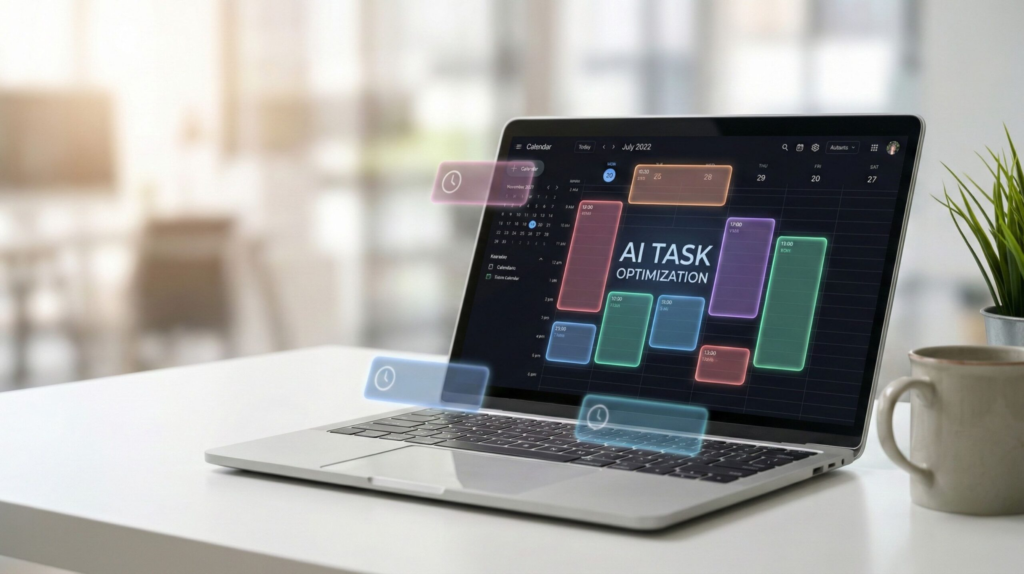
AI-powered calendar automatically organizing tasks and meetings in 2026

Over the past year, more of us have felt that our calendars are no longer just tools — they’re pressure machines.

Meetings stack. Tasks spill over. Focus time disappears.
And even when we plan carefully, one change breaks the entire week.


That’s why interest in tools like Motion, Sunsama, and Reclaim AI has surged. We’re not just searching for apps. We’re searching for relief from manual scheduling.

📌 The Shift We’re Experiencing

Traditional calendars were built to record time.

AI calendar apps are built to manage time.

That’s a big difference.

Here’s what’s changed:


• We juggle more digital tools than ever
• Remote work blurs work/life boundaries
• Context switching kills deep focus
• Manual time-blocking doesn’t survive real life

According to the American Psychological Association, workload stress and time pressure are among the most cited causes of burnout in modern work environments. That pressure often shows up directly inside our calendars.


And we feel it.

📊 What Users Are Actually Looking For

When people search for the best AI calendar apps, they’re usually trying to solve one of these problems:

“I plan my week but it collapses by Tuesday.”
“Meetings keep stealing my deep work time.”
“I don’t want to manually reschedule tasks all day.”
“My task manager and calendar don’t talk to each other.”

This is where AI scheduling assistants enter the picture.

Instead of static blocks, they offer:

Auto-rescheduling when meetings move
Priority-based task placement
Focus-time protection
Integration with task managers and email

It’s the same evolution we’ve already seen in other productivity tools. We discussed something similar in our updated guide on Akiflow AI – Best Daily Planner for Remote Workers? where the real issue wasn’t “another planner” — it was fragmentation.


Calendars are now facing that same fragmentation problem.

🔎 Why Google Calendar Alone Isn’t Enough Anymore

Google Calendar is still powerful. But it’s passive.

It doesn’t:

• Automatically rebalance your workload
• Detect overload across multiple commitments
• Protect strategic deep work by default
• Adapt to shifting priorities intelligently

That gap is exactly where AI scheduling tools are gaining traction.

We’re moving from calendar management to calendar intelligence.

And that’s why this topic isn’t hype — it’s a structural shift in how we organize our time.


In the next section, we’ll break down the core problem traditional calendars can’t solve — and what actually makes an AI calendar “smart” instead of just automated.
3. Best AI Calendar Apps Compared in 2026

At this point, the real question isn’t “Do I need an AI calendar?”

It’s:

Which one actually fits the way we work?

Some tools automate everything.
Some guide us step by step.
Some quietly optimize our time in the background.


Below is a clear, side-by-side comparison of the platforms people are evaluating most right now when searching for the best AI calendar apps.

App Best For Automation Level Calendar Sync Pricing Model
Motion Founders & overloaded professionals Full auto-rescheduling Google + Outlook Premium
Sunsama Deep work planners Guided planning workflow Google + Outlook Mid-range
Reclaim AI Google Calendar power users Smart time-block automation Google only Free + Paid tiers
Todoist + Calendar Sync Task-focused users Light AI suggestions Google + Outlook Budget-friendly
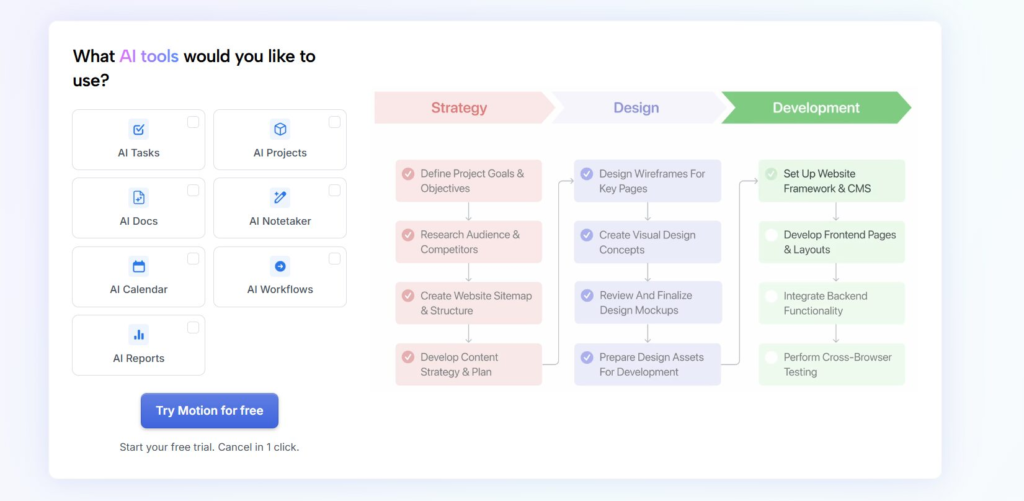
Motion AI calendar dashboard with automatic task rescheduling

Motion – Maximum Automation

Motion is built for people who don’t want to think about scheduling at all.

You enter tasks.
Set deadlines.
The system automatically places them into your calendar — and rebuilds your week if something moves.

Best for:
• Overloaded founders
• Managers with constant meeting changes
• People who struggle with manual time blocking


It’s powerful, but it assumes you’re comfortable giving AI strong control over your calendar.

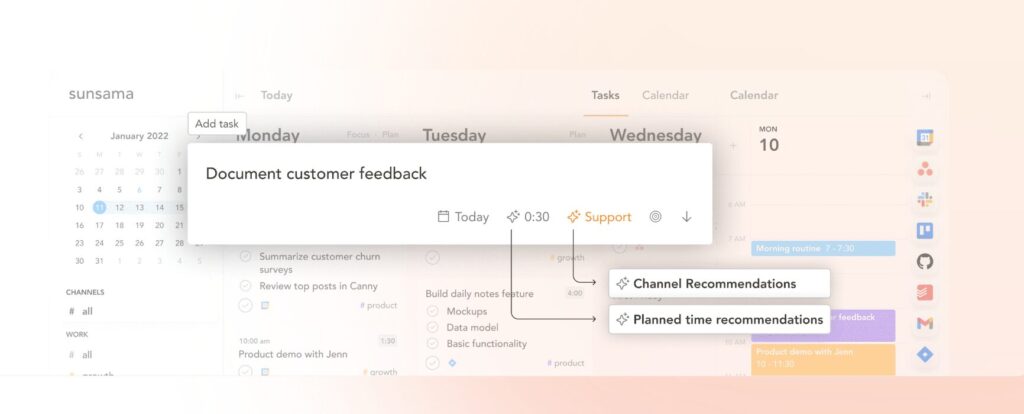
Sunsama daily planning interface with calendar time blocking view

Sunsama – Intentional Daily Planning

Sunsama takes a calmer approach.

Instead of fully automating your schedule, it guides you through a daily planning ritual:

• Pull tasks from multiple tools
• Choose what matters today
• Drag into calendar blocks intentionally

This is ideal if we want structure without losing control.


Many users comparing Sunsama pricing are usually deciding whether that guided workflow is worth the premium.

Reclaim AI – Smart Google Calendar Optimizer

Reclaim AI integrates deeply with Google Calendar and focuses on:

• Auto-scheduling habits
• Protecting focus time
• Flexible task blocks

If we already live inside Google Workspace, this can feel like a natural extension rather than a new ecosystem.


It’s especially attractive because of its free tier, which lowers the barrier to entry.

Todoist + Calendar Sync – Lightweight Option

For users who primarily live in a task manager, syncing Todoist with calendar view can be enough.

It doesn’t offer deep AI rescheduling, but it keeps:

• Tasks visible
• Deadlines aligned
• Weekly planning structured


This is often the most budget-friendly path if we’re not ready for a full AI scheduling assistant.

What This Comparison Really Shows

The difference between these tools isn’t just features.

It’s philosophy:

Do we want AI to take control?
• Or do we want AI to assist our decisions?
• Do we prefer automation or intentional structure?


That’s the key decision behind choosing the best AI calendar apps for our workflow.

4. How to Choose the Right AI Calendar App for Your Workflow

At this point, the decision isn’t about features.

It’s about how we actually work during the week.

Because an AI calendar that feels magical for one person can feel overwhelming for someone else.

Let’s break this down clearly.

👤 If We’re Solopreneurs or Founders

Our typical week looks like this:

• Client calls
• Admin tasks
• Strategy time
• Content creation
• Unexpected interruptions

In this case, we often benefit from strong automation.

Why?

Because manual rescheduling becomes a daily tax.

👉 Tools like Motion can automatically rebuild our day when meetings shift.

This is ideal if:
• We struggle with time-block discipline
• Our schedule changes constantly
• We want AI to make decisions for us


But we must be comfortable giving AI deeper control.

🧠 If We Value Deep Work & Intentional Planning

Some of us don’t want AI to fully take over.

We want guidance — not replacement.

If we prefer:

• Planning our day each morning
• Choosing what truly matters
• Being intentional about task placement

Then a tool like Sunsama fits better.

It acts more like a structured planning coach than a fully autonomous scheduler.


That distinction matters more than feature lists.

🗓️ If We Live Inside Google Calendar

If most of our workflow already happens in Google Workspace, adding a heavy external system may feel disruptive.

In that case:

Reclaim AI works quietly in the background
• It protects habits and focus time
• It auto-blocks tasks without rebuilding the entire day


For many users, this is the most frictionless entry into the best AI calendar apps ecosystem.

🎯 If We’re Already Using a Task Manager

Sometimes, we don’t need a full AI scheduling engine.

If our workflow already runs inside a task manager like Todoist, Notion, or ClickUp, syncing tasks to calendar view may be enough.

We explored a similar decision logic in our updated comparison Notion AI vs ChatGPT – Best AI Tool for Productivity?
where the real question wasn’t “Which is smarter?” but rather:

Which fits our workflow architecture?


The same applies here.

⚖️ The Real Decision Framework

Before choosing, we should ask ourselves:

• Do we want AI to decide or assist?
• Do we trust automation to move deadlines?
• Are we optimizing for speed or control?
• Is budget a limiting factor?
• Do we work solo or inside a team ecosystem?

The right AI calendar isn’t the most powerful one.

It’s the one that reduces friction in our specific environment.

In the next section, we’ll look at something many reviews ignore —
privacy, permissions, and what these tools can actually access behind the scenes.


Recommended read
If we’re using AI calendar apps to protect focus and reduce fragmentation, this book helps us build the mindset behind it: Deep Work by Cal Newport. It’s a practical guide to creating uninterrupted focus time — the exact habit most schedules quietly destroy.

5. Privacy, Permissions & the Hidden Side of AI Scheduling

AI calendar apps feel intelligent because they see everything.

And that’s exactly why we should pause for a second.

When we connect tools like Motion, Sunsama, or Reclaim AI, we’re often granting access to:

• Our full Google or Outlook calendar
• Meeting titles and participants
• Sometimes email metadata
• Task manager integrations
• Habit tracking data


That access is what enables automation — but it also raises important questions.

🔍 What These Apps Actually Access

Most AI scheduling assistants require:

Calendar read/write permissions
Event editing rights
Integration with productivity tools

Some may also request email access to:

• Detect meeting invites
• Suggest time slots
• Analyze workload

You can always verify what permissions are granted inside your Google account at:

Google Account App Permissions


This is a simple but powerful habit.

⚠️ The Automation Trade-Off

The more autonomous the system, the more data it needs.

For example:

• Full auto-rescheduling → requires editing rights
• Smart habit protection → requires calendar visibility
• Meeting intelligence → may require participant data

This doesn’t automatically mean risk.


But it does mean we should choose intentionally.

🧠 Reliability vs. Over-Automation

Another hidden issue isn’t privacy — it’s dependency.

If we rely completely on AI to plan our time:

• We may lose awareness of workload limits
• We may over-trust automated priorities
• We may ignore strategic planning moments

We discussed similar algorithmic blind spots in Bias in AI Training – The Hidden Forces Shaping the Answers You Get.

Even scheduling AI works on logic rules, not human judgment.

It optimizes based on:

Deadlines
Time estimates
Calendar gaps

It doesn’t understand energy levels, creative rhythm, or emotional load.


That part is still ours.

✅ How to Use AI Calendars Safely

A few simple habits make a big difference:

• Review permissions quarterly
• Avoid granting email access unless needed
• Keep sensitive event titles generic if necessary
• Regularly audit connected apps
• Maintain manual oversight of strategic priorities


AI scheduling should reduce stress, not create blind dependency.
6. Final Verdict: Which AI Calendar App Wins in 2026? + FAQ

After comparing features, automation levels, and workflow fit, one thing becomes clear:

There isn’t one universal winner.


There’s only the right match for how we work.

🏆 Quick Verdict (Based on Real Use Cases)

Best for full automation → Motion
If our week changes constantly and we want AI to rebuild it automatically.

Best for intentional planning → Sunsama
If we value structure, clarity, and daily focus rituals.

Best for Google Calendar users → Reclaim AI
If we want smart time-blocking without changing ecosystem.

Best lightweight option → Todoist + Calendar sync
If we prefer simplicity and lower cost.

The key isn’t features.

It’s friction.


The best AI calendar apps are the ones that remove friction from our existing system — not replace it entirely.

📊 Why This Trend Is Growing (And Will Continue)

Work patterns are shifting.

According to the Microsoft Work Trend Index, employees report increasing workload fragmentation and meeting overload year after year.

That fragmentation shows up directly in our calendars.

AI scheduling tools are emerging not as luxury apps — but as coping mechanisms for digital overload.


And that trend isn’t slowing down.

FAQ

Q: Is Motion better than Sunsama?
A: It depends on how much control we want to give AI. Motion fully automates scheduling and constantly reshuffles tasks, while Sunsama guides us through intentional daily planning. If we prefer automation, Motion may feel stronger. If we value structured oversight, Sunsama is often a better fit.

Q: Is Reclaim AI safe to use with Google Calendar?
A: Reclaim AI connects through Google’s official OAuth system and requires calendar read/write access to function. We can review or revoke permissions anytime in our Google account settings. Like any AI scheduling assistant, it needs access to operate effectively.

Q: Do AI calendar apps replace task managers?
A: Not entirely. AI calendar apps decide when tasks happen, while task managers define what needs to happen. The most effective setup usually combines both tools.

Q: Are AI scheduling assistants worth paying for?
A: If we spend significant time manually reorganizing our week, the automation can easily justify the cost. However, if our schedule is stable and predictable, a traditional calendar may still be sufficient.


Q: Will AI calendars completely replace manual planning?
A: No. AI optimizes time blocks based on logic and deadlines, but it doesn’t understand energy levels, creativity cycles, or strategic thinking. The most effective approach is using AI as support, not total replacement.

If we want to build a smarter productivity system — not just install another app — these guides connect naturally with everything we’ve explored here:


Akiflow AI – Best Daily Planner for Remote Workers?
Best AI Tools for Meeting Productivity: Transcription, Summaries & Action-Items (2025)
AI Workflow Bots 2025: Automate Your 9-5 and Reclaim Your Time

Leave a Comment

Your email address will not be published. Required fields are marked *