

Mirko
AI Tech Writer
Spending 10+ hours weekly on calendar chaos? You're not alone. The best AI calendar apps in 2026 are finally solving what manual scheduling never could: they predict conflicts before they happen, automatically find meeting times across time zones, and protect your focus time like a personal assistant.
I compared Motion, Sunsama, Reclaim AI and other top AI scheduling assistants to find which actually deliver on the promise of "never touch your calendar again." The right ai calendar app 2026 doesn't just sync your meetings—it becomes your productivity autopilot.
Whether you're drowning in back-to-back Zooms, juggling multiple projects, or just want evenings back, this guide shows you exactly which automatic calendar app fits your workflow, what features actually matter, and which overhyped tools to skip.
📋 What's Inside
Some links are affiliate links · You support the blog at no extra cost · Details
1. Quick Picks: Best AI Calendar Apps in 2026
Not all AI calendar apps solve the same problem. After comparing the top ai scheduling assistants in 2026, here's what actually works for different workflows—from aggressive automation to mindful planning.
Motion — Best AI Calendar App Overall
The most powerful ai calendar app 2026 for professionals who need AI to automatically schedule tasks, predict conflicts, and protect deep work time. Motion's intelligent algorithm adapts to your priorities in real-time.
Reclaim AI
Free automatic calendar app with smart habits, focus time protection, and intelligent meeting scheduling. Perfect for Google Calendar users on a budget.
Get Started FreeSunsama
Combines task management with intentional planning. Daily rituals and time-blocking methods prevent burnout for creators.
Try 14 Days FreeTodoist
Lightweight AI scheduling assistant for beginners. Simple task-calendar hybrid without overwhelming features. Works across all devices instantly.
Start FreePro tip: The best ai calendar apps work even better when paired with proper hardware. See our complete AI setup for content creators guide for the full productivity stack.
2. Why AI Calendar Apps Are Exploding in 2026
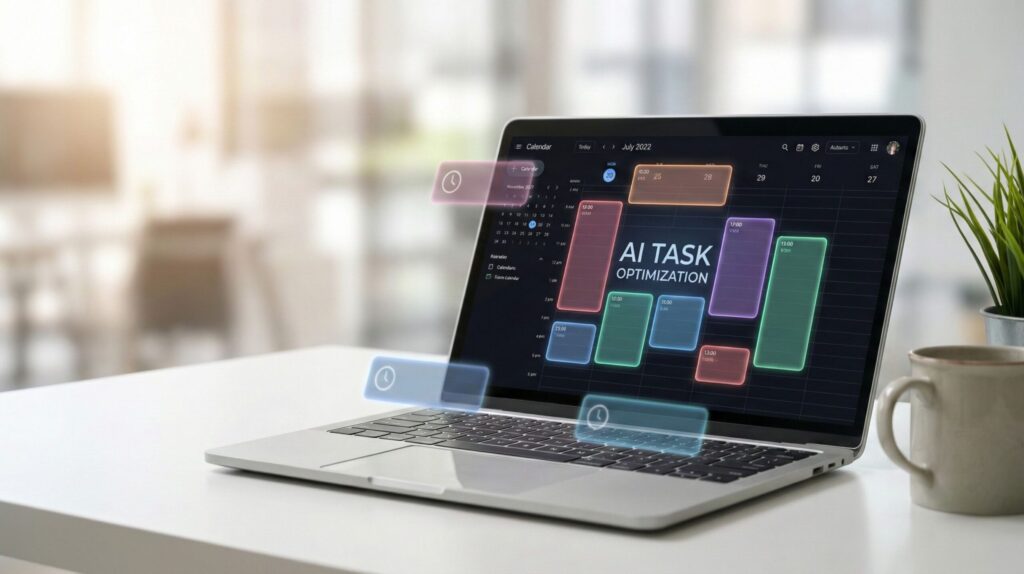
Manual calendar management is finally dying. The shift to remote work exposed what executives already knew: scheduling is the hidden productivity killer. The best ai calendar apps in 2026 don't just sync meetings—they predict conflicts, optimize your energy levels, and eliminate the back-and-forth that wastes 3+ hours weekly.
The Real Problem: Context Switching, Not Calendar Syncing
Traditional calendars show availability. AI calendar app 2026 tools like Motion, Reclaim, and Sunsama go deeper—they understand priority, protect maker time, and auto-reschedule when emergencies hit. It's the difference between a static display and an intelligent assistant.
What's Driving the AI Calendar Boom
3. Best AI Calendar Apps Compared in 2026
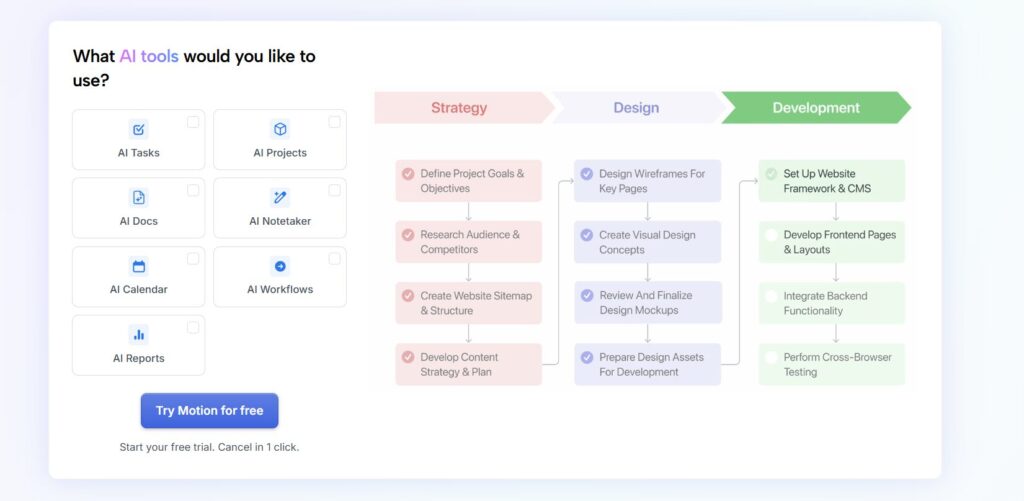
Choosing between the best ai calendar apps comes down to workflow fit. Motion dominates automation, Reclaim wins on value, Sunsama excels at mindfulness, and Todoist keeps it simple. Here's how these AI scheduling assistants stack up across the features that actually matter.
| Feature | Motion | Reclaim AI | Sunsama | Todoist |
|---|---|---|---|---|
| Pricing | $34/moor $19/mo annual | FreePro: $10/mo | $20/mo$16/mo annual | FreePro: $4/mo |
| Best For | Executives, power users, 20+ tasks daily | Budget teams, Google Calendar users | Creators, work-life balance, intentional planning | Beginners, simple workflows, students |
| Auto-Scheduling | ✓ Advanced | ✓ Smart habits | ✗ Manual | ✗ Manual |
| Task Management | ✓ Built-in | ✓ Via integrations | ✓ Native | ✓ Core feature |
| Focus Time Protection | ✓ AI-powered | ✓ Smart blocks | ✓ Manual setup | ✗ None |
| Meeting Scheduling | ✓ Booking pages | ✓ Smart 1:1s | ✗ Limited | ✗ None |
| Team Features | ✓ Advanced | ✓ Team plans | ✗ Individual only | ✓ Basic |
| Mobile App Quality | ⭐⭐⭐⭐ Excellent | ⭐⭐⭐⭐ Excellent | ⭐⭐⭐⭐⭐ Best-in-class | ⭐⭐⭐⭐⭐ Best-in-class |
Motion
9.2/10The most aggressive automatic calendar app for professionals drowning in tasks. Motion's AI automatically reschedules your day when priorities shift.
- Auto-schedules tasks based on deadlines and priority
- Predicts project completion dates accurately
- Integrates with Zoom, Slack, Gmail
- Team coordination with shared projects
- Saves 10+ hours weekly
- Powerful AI engine
- Excellent mobile app
- Premium pricing
- Steep learning curve
- Overkill for simple needs
Reclaim AI
8.8/10Best free AI calendar app 2026 option. Protects focus time, syncs habits, and finds meeting slots without the premium price tag.
- Smart habits automatically scheduled
- Focus time defense against meeting creep
- 1:1 meeting optimization across teams
- Deep Google Calendar integration
- Generous free tier
- Great for teams
- Easy setup
- Google Calendar only
- Limited task management
- Less aggressive than Motion
Sunsama
8.9/10Combines task management with intentional calendar planning. Daily shutdown rituals prevent burnout—the antidote to hustle culture.
- Time-blocking with drag-and-drop interface
- Daily planning and reflection rituals
- Integrates Asana, Trello, Jira, ClickUp
- Timeboxing with realistic estimates
- Beautiful interface
- Mindful workflows
- Best mobile experience
- No auto-scheduling
- Individual plans only
- Requires daily discipline
Todoist
8.5/10Lightweight task manager with smart scheduling suggestions. No overwhelming features—just clean organization across all devices.
- Natural language task entry
- Smart date recognition
- Works everywhere (web, mobile, desktop)
- Karma gamification for motivation
- Super affordable
- Zero learning curve
- Reliable sync
- Basic calendar view
- No auto-scheduling
- Limited AI features
🏆 Winner by Category
The motion vs sunsama vs reclaim debate ultimately depends on whether you want automation (Motion), balance (Sunsama), or budget-friendly power (Reclaim). Pair any of these with AI tools for meeting productivity to build a complete workflow. For deeper productivity system design, see proven productivity methods that complement these tools.
4. How to Choose the Right AI Calendar App for Your Workflow
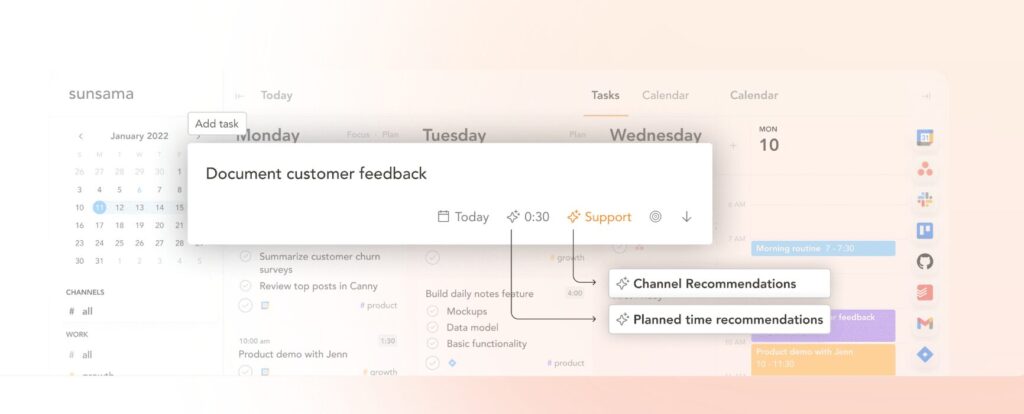
The wrong AI calendar app creates more friction than it solves. Instead of asking "which is best," ask "which fits my workflow?" The motion vs sunsama vs reclaim decision comes down to four factors: automation level, budget, team size, and work style.
Overwhelmed Executive
Managing 30+ tasks, back-to-back meetings, constantly rescheduling priorities. Need aggressive AI intervention.
Budget-Conscious Team
Google Workspace users needing smart scheduling without premium pricing. Team coordination essential.
Burnout-Prone Creator
Need intentional planning, work-life boundaries, and reflection rituals. Hustle culture isn't sustainable.
Simplicity Seeker
Students, freelancers, or anyone wanting task management without complexity. Just need something that works.
🎯 Must-Have Features for Any AI Scheduling Assistant
The best ai calendar apps integrate into larger productivity ecosystems. Pair your automatic calendar app with other AI tools for small business workflows. For technical implementation guidance, see Computerworld's productivity software selection guide.
5. Privacy, Permissions & the Hidden Side of AI Scheduling
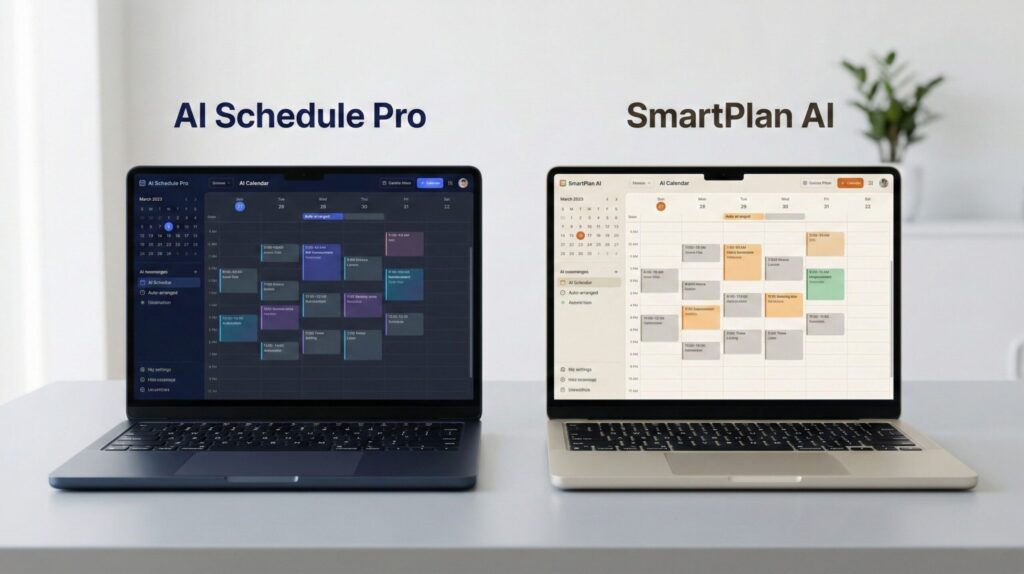
The best ai calendar apps need access to your entire schedule, contacts, and email to work effectively. But how much data are you actually sharing? The motion vs sunsama vs reclaim debate extends beyond features—privacy practices vary dramatically across AI scheduling assistants.
What Your AI Calendar App Sees
Most automatic calendar apps require full calendar read/write access, email scanning for meeting invites, and contact list access. Some analyze meeting content to predict scheduling patterns—your private client calls become training data.
Motion
SOC 2 Certified- End-to-end encryption for calendar data
- GDPR compliant, US-based servers
- No third-party data selling
- Enterprise SSO available
Reclaim AI
Google Verified- OAuth-only access (no password sharing)
- Data stored in Google Cloud infrastructure
- Minimal data retention policy
- Open about permissions required
Sunsama
Privacy-First- Read-only calendar access option
- Local-first architecture where possible
- Transparent data usage policy
- Easy account deletion
Todoist
Basic Sync- Optional calendar integration
- Tasks stored on Todoist servers
- Limited AI processing = less data exposure
- Export data anytime
🚩 Privacy Red Flags to Watch For
🛡️ Protect Your Calendar Privacy
- Use separate work/personal calendars with different AI calendar app 2026 tools
- Review OAuth permissions before connecting—revoke unused integrations quarterly
- Enable two-factor authentication on your calendar provider first
- Check if your industry (healthcare, legal, finance) requires specific compliance certifications
Privacy isn't just about the calendar app—it's your entire productivity stack. See how to build secure AI workflows for small business. For deeper privacy guidance, review the EFF's calendar app privacy recommendations.
6. Final Verdict: Which AI Calendar App Wins in 2026? + FAQ
After comparing features, pricing, privacy, and real-world performance, the motion vs sunsama vs reclaim debate has a clear winner for most professionals. But the best ai calendar apps depend entirely on your workflow.
Motion Wins as the Best AI Calendar App 2026
For pure productivity gains, Motion's aggressive auto-scheduling delivers unmatched ROI. It's the only AI scheduling assistant that genuinely eliminates calendar management. Worth the premium price if you value your time above $34/month.
Try Motion Free for 7 Days →The automatic calendar app market matured in 2026—these four tools represent genuine innovation, not vaporware. Start with a free trial, commit to 30 days of daily use, then decide. Your calendar chaos won't fix itself.
FAQ
Which AI calendar app is best in 2026?
+Motion is the best AI calendar app in 2026 for professionals who need aggressive automation. It auto-schedules tasks based on priority and deadlines, saves 10+ hours weekly, and adapts to changing priorities in real-time.
Reclaim AI wins for budget-conscious teams with its generous free tier and smart focus time protection. Sunsama is best for creators seeking work-life balance with mindful planning rituals. Todoist offers the simplest experience for beginners. The motion vs sunsama vs reclaim debate depends on whether you prioritize automation, balance, or simplicity.
How much do AI calendar apps cost?
+AI calendar apps range from free to $34/month. Reclaim AI and Todoist offer robust free tiers. Reclaim AI Pro costs $10/month, Todoist Pro costs $4/month, Sunsama costs $20/month ($16/month annual), and Motion costs $34/month ($19/month annual).
Most AI scheduling assistants offer 7-14 day free trials. Motion delivers the best ROI for executives managing 20+ daily tasks despite premium pricing. Free options like Reclaim AI provide 80% of premium features for budget-conscious users.
Do AI calendar apps work with Google Calendar and Outlook?
+Yes, all major AI calendar apps integrate with Google Calendar and Outlook via two-way sync. Motion, Reclaim AI, Sunsama, and Todoist support both platforms. Reclaim AI specializes in Google Workspace integration with the deepest feature set for Google Calendar users.
Motion offers the most robust cross-platform support including iCloud Calendar, Office 365, and Exchange. Automatic calendar apps sync in real-time, so changes made in your calendar app or the AI tool reflect instantly across all platforms.
Are AI calendar apps actually worth it?
+Yes, AI calendar apps deliver 3-10 hours of saved time weekly for professionals managing complex schedules. The best AI calendar apps eliminate back-and-forth scheduling emails, automatically reschedule when conflicts arise, protect focus time from meeting creep, and optimize your calendar based on priority and energy levels.
Motion users report 10+ hours saved weekly. The ROI calculation is simple: if you value your time above $10-20/hour, even budget AI scheduling assistants pay for themselves in week one. Manual calendar management is the hidden productivity killer in 2026.
Can AI calendar apps read my emails and private data?
+AI calendar apps require calendar read/write access and some scan emails for meeting invites, but reputable tools like Motion, Reclaim AI, and Sunsama are SOC 2 certified with end-to-end encryption. They only access data necessary for scheduling functionality.
Motion and Reclaim AI don't sell data to third parties and offer enterprise-grade security. Use OAuth authentication (never share passwords), review permissions before connecting, and check for SOC 2 or ISO 27001 certifications. Avoid AI calendar apps with vague privacy policies or those requesting excessive permissions beyond calendar and email access.
Motion vs Reclaim AI vs Sunsama - which should I choose?
+Choose Motion if you manage 20+ tasks daily and need aggressive AI auto-scheduling that saves 10+ hours weekly - worth the $34/month for executives.
Choose Reclaim AI if you're budget-conscious or a Google Calendar power user - the free tier covers most needs with smart habits and focus time protection.
Choose Sunsama if you're a creator or knowledge worker prioritizing work-life balance and mindful planning with daily rituals - prevents burnout better than automation-first tools. The motion vs sunsama vs reclaim decision maps to: automation (Motion), value (Reclaim), or balance (Sunsama).
Do free AI calendar apps actually work?
+Yes, free AI calendar apps like Reclaim AI and Todoist deliver real value without paid upgrades. Reclaim AI's free tier includes smart habits, focus time protection, calendar sync for Google Calendar, and basic scheduling links - covering 80% of use cases.
Todoist Free offers natural language task entry, basic calendar view, and cross-platform sync. Free automatic calendar apps lack advanced features like team coordination, unlimited habits, or booking pages, but provide enough automation for individual users and small teams. Upgrade only when you hit specific limitations, not preemptively.
Can teams use AI calendar apps together?
+Yes, Motion and Reclaim AI offer robust team features. Motion supports shared projects, team task assignment, and collaborative scheduling with visibility into team member availability.
Reclaim AI excels at team 1:1 scheduling, defending team focus time, and synchronizing habits across departments. Both tools integrate with Slack for notifications. Sunsama and Todoist focus on individual workflows with limited team collaboration. For team productivity, pair your AI scheduling assistant with collaborative tools covered in our AI tools for meeting productivity guide.
How long does it take to set up an AI calendar app?
+Setting up an AI calendar app takes 15-30 minutes initially. Calendar connection via OAuth takes 2-5 minutes. Initial preferences and work hours configuration takes 5-10 minutes. Adding your first tasks or habits takes 10-15 minutes.
The best AI calendar apps learn your patterns over 7-14 days of use before delivering optimal scheduling. Motion and Reclaim AI require minimal setup but improve accuracy as they observe your behavior. Sunsama requires more upfront configuration for daily rituals but rewards intentional setup with better work-life boundaries.
What's the difference between AI calendar apps and regular calendar apps?
+Regular calendar apps like Google Calendar or Outlook display availability - you manually schedule everything. AI calendar apps like Motion, Reclaim AI, and Sunsama actively manage your schedule: they auto-schedule tasks based on priority, predict and prevent conflicts before booking, defend focus time from meeting requests, optimize scheduling based on your energy patterns, and automatically reschedule when emergencies arise.
AI scheduling assistants understand context - they know a 30-minute client call differs from a 2-hour deep work block. The best AI calendar apps act like a personal assistant, not just a static display. This distinction drives the 10+ hour weekly time savings.
🚀 Complete Your AI Productivity Stack
You've mastered AI calendar apps for scheduling. Now build a complete productivity ecosystem with these essential AI tools: