
 Published on: February 21, 2026
This post contains affiliate links. If you buy through them, we may earn a small commission at no extra cost to you — thanks for supporting. Learn more.
1. Why AI Image Editors Are Exploding in Popularity Right Now (2026 Trend Shift)
We’ve all had this moment: we just want to fix a photo quickly — maybe adjust lighting, change a background, or prepare an image for a post — and suddenly we’re stuck inside complicated software trying to figure out tools we barely use. It’s frustrating, slow, and honestly unnecessary for most everyday edits.
That’s why interest in the best AI image editors has grown so fast recently. More people are realizing they don’t need advanced design skills to create clean, professional visuals. Instead of learning complex programs, we can now describe what we want and let AI handle the edit.
What’s changing isn’t just the technology — it’s how we work. Today we create more content, faster than ever, and we need tools that keep up. Modern AI editors are built for speed, simplicity, and realistic results, which is exactly what most of us were missing before.
But here’s the problem: there are now dozens of tools claiming to be the best. Some are genuinely powerful. Others look impressive but fall short in real use.
This guide helps us cut through the noise.
We’ll compare the top tools, see how they actually perform, and understand which AI image editors are truly worth using — so we can choose confidently and save time.
2. What Most People Want to Know: Which AI Image Editor Is Actually Best?
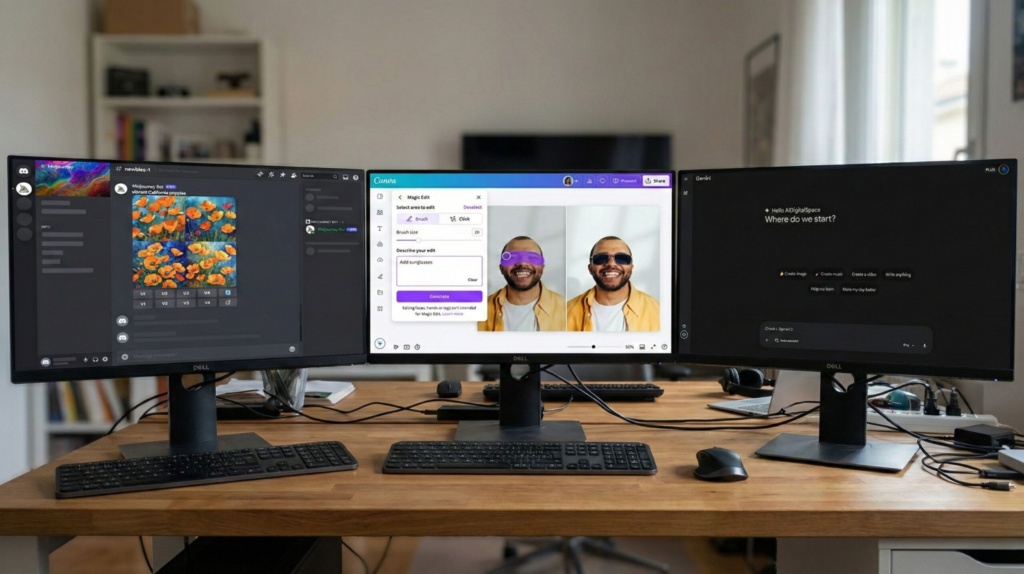
When we start searching for an AI image tool, we’re usually not looking for a long list of options — we just want one clear answer:
Which one is actually worth using?
That question matters because most platforms look impressive at first glance. They promise fast edits, realistic results, and simple workflows. But once we try them, we often notice big differences in speed, accuracy, and how natural the final image actually looks. According to recent industry analysis from Gartner’s overview of generative AI, real-world performance and reliability are now the main factors users care about when choosing AI tools — not just features.
The truth is, there isn’t one editor that’s best for everyone. The best AI image editors depend on what we want to create:
quick social graphics
realistic photo edits
creative visuals
product images
marketing content
Some tools are built for speed. Others focus on realism. A few prioritize creative freedom instead of precision.
What really matters is matching the tool to the task.
Instead of asking “Which editor is best overall?”, we get better results asking:
Which editor is best for what I need right now?
That’s exactly what we’ll explore next — comparing the top tools side by side so we can quickly see which ones truly perform well in real workflows, not just in demos. And if you’re interested in tools designed specifically for creative workflows, you may also want to explore our guide to the best AI tools for creativity, where we break down platforms built for design-focused use cases.
3. Best AI Image Editors Compared — Speed, Quality, Price & Real Results
When we compare tools side by side, the differences become obvious fast. Some editors generate beautiful images but take longer. Others are incredibly quick but sacrifice detail. That’s why choosing between the best AI image editors isn’t about hype — it’s about performance in real situations.
To make this simple, we evaluated the top tools using the criteria people actually care about:
speed of edits
realism of results
ease of use
consistency across edits
value for price
Below is a clear comparison showing how the leading AI image editors perform where it matters most.
| Tool | Best For | Speed | Realism | Ease | Best Use Case |
|---|---|---|---|---|---|
| Nano Banana AI | Realistic edits | ★★★★★ | ★★★★★ | ★★★★★ | Fast image editing |
| Midjourney | Creative visuals | ★★★★☆ | ★★★★★ | ★★★★☆ | Concept art |
| Canva AI | Quick designs | ★★★★☆ | ★★★★☆ | ★★★★★ | Social content |
| Gemini Editor | Instant edits | ★★★★★ | ★★★★☆ | ★★★★★ | Prompt editing |
Instead of trying every platform yourself, you can scan this table to instantly see which editor matches your goal. For example:
If you want speed and realism → Nano Banana AI leads
If you want creative art generation → Midjourney excels
If you want simple design workflows → Canva AI is easiest
That’s the real takeaway: the best tool isn’t the one with the most features — it’s the one that performs best for your specific workflow.
According to market trend analysis from Google Trends, interest in practical AI editing tools has grown steadily over the past year, especially tools focused on productivity rather than experimentation.
Why this matters
Choosing the right editor can save hours every week. Instead of switching between apps or fixing inconsistent results, we can pick one tool that fits our workflow and stick with it.
Next, we’ll break down how to choose the right AI image editor based on your specific needs, experience level, and goals — so you don’t waste time testing tools that aren’t right for you.
4. Real Results — Same Prompt Tested Across AI Image Editors
To see how these tools actually perform, we tested the same prompt across multiple platforms. Instead of relying on marketing claims, we evaluated real outputs from the best AI image editors based on realism, prompt accuracy, and consistency.
This approach shows what really matters in daily use — not which tool has the most features, but which one delivers reliable results when given the same instructions.
Here’s what we noticed immediately:
some tools interpret prompts creatively but change details
others follow instructions precisely but look less realistic
a few manage both accuracy and realism consistently
The biggest difference wasn’t visual style — it was how faithfully each editor followed the prompt.
That distinction is important because most users don’t need artistic reinterpretations. They need tools that produce predictable results they can actually use for content, marketing, or design work.
Prompt used for testing
A realistic portrait of a person in natural lighting, cinematic depth of field, ultra-detailed skin texture, professional photography, 85mm lens, sharp focus, realistic colors
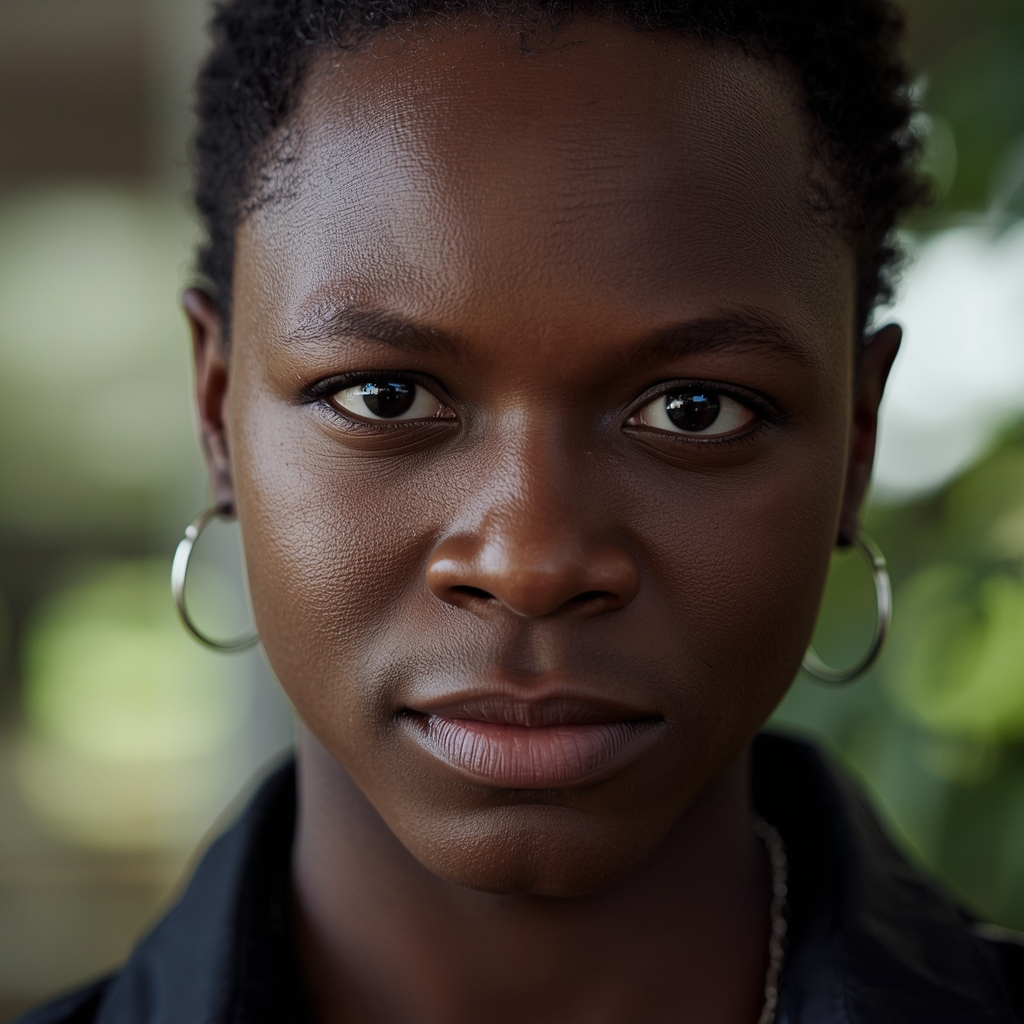
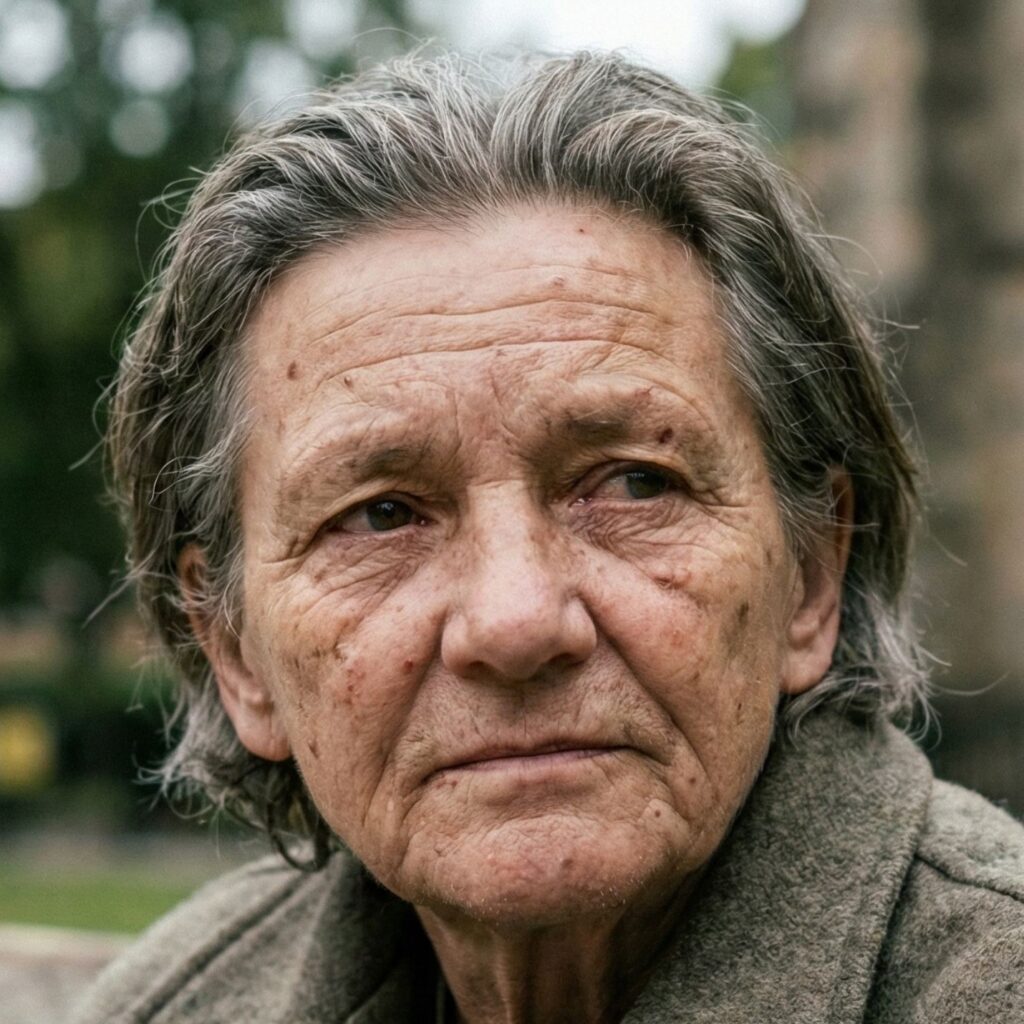
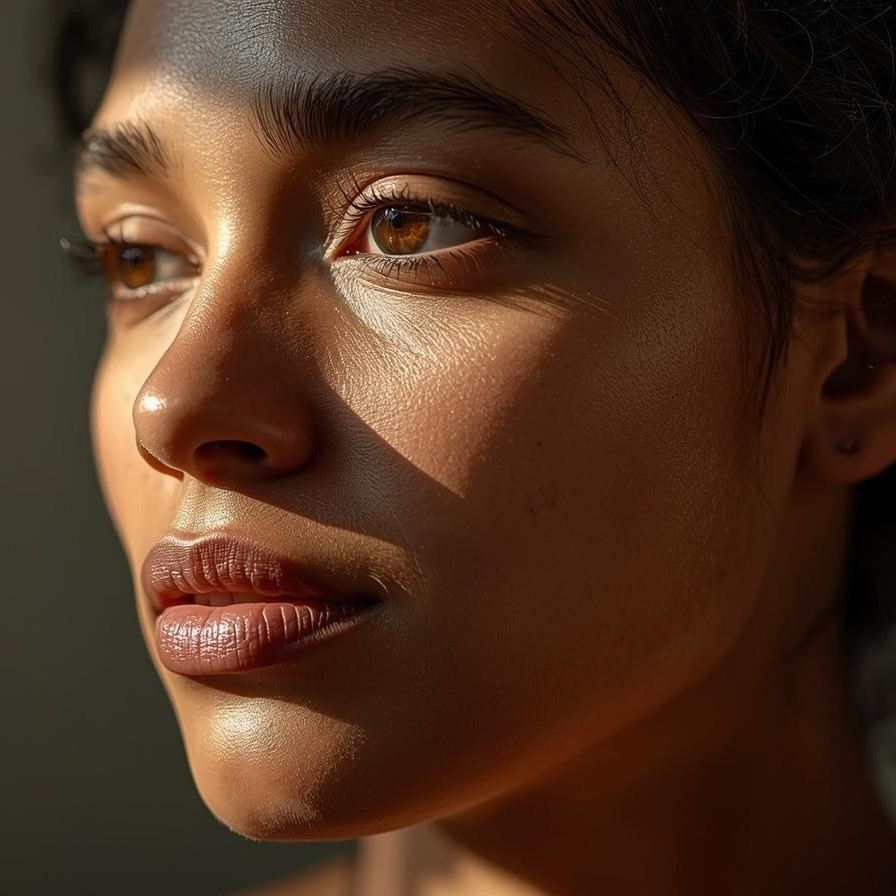
Midjourney
Nano banana
Canva
Second Prompt used for testing
A modern living room interior, soft daylight, realistic shadows, minimal design, high detail, architectural photography style
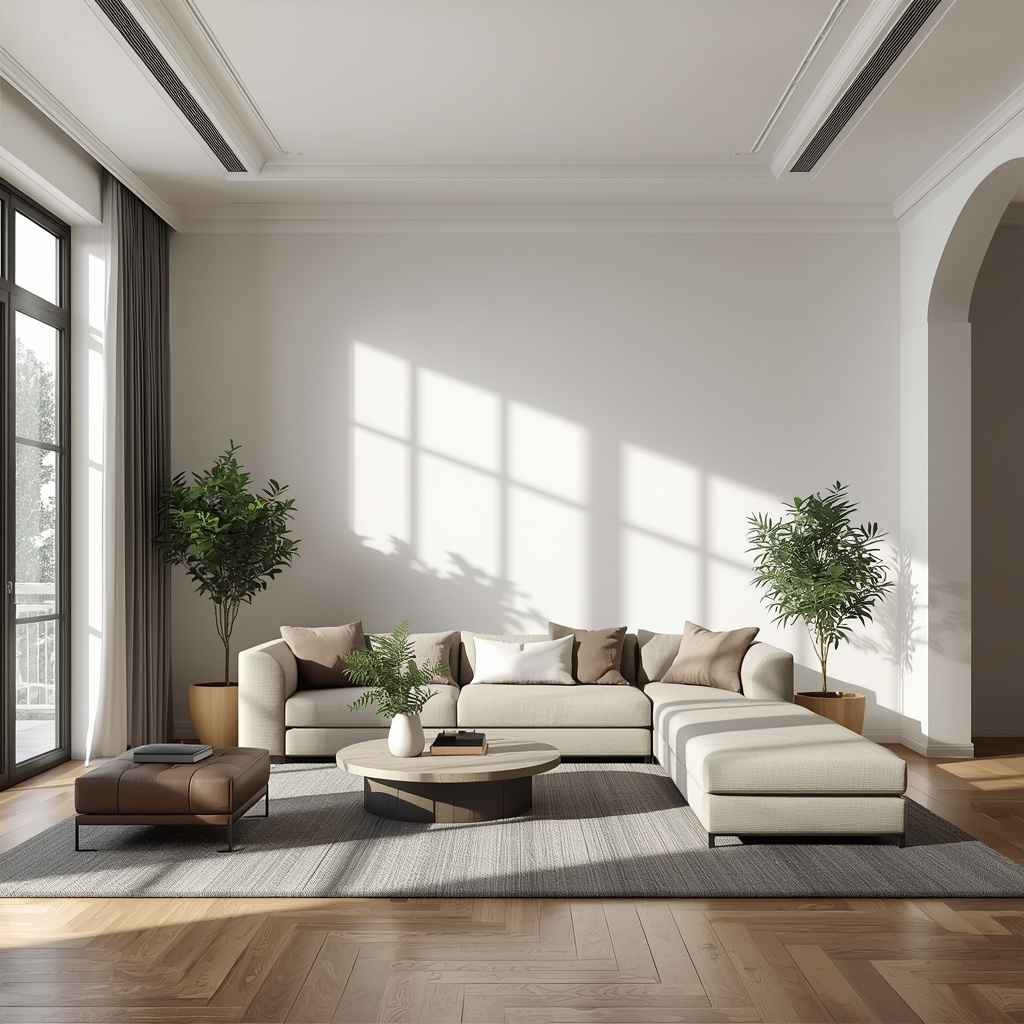
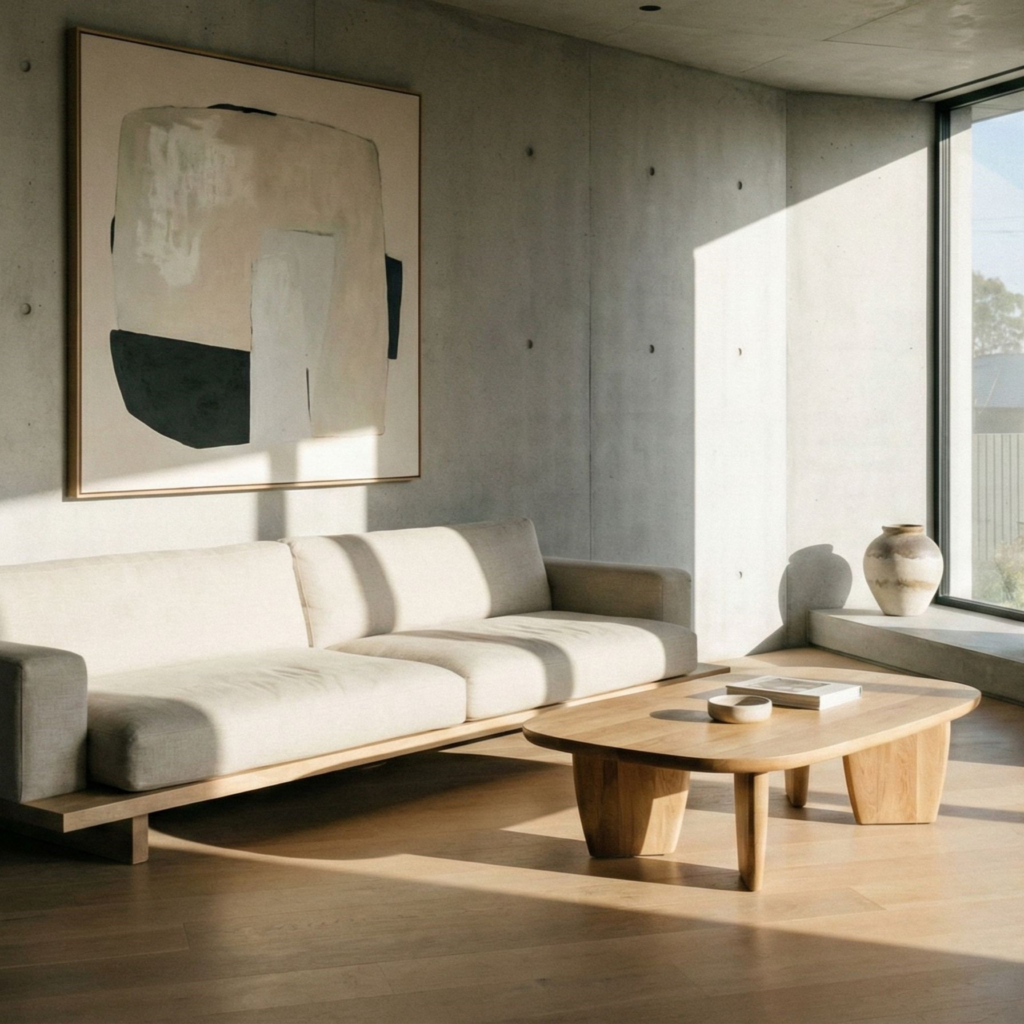
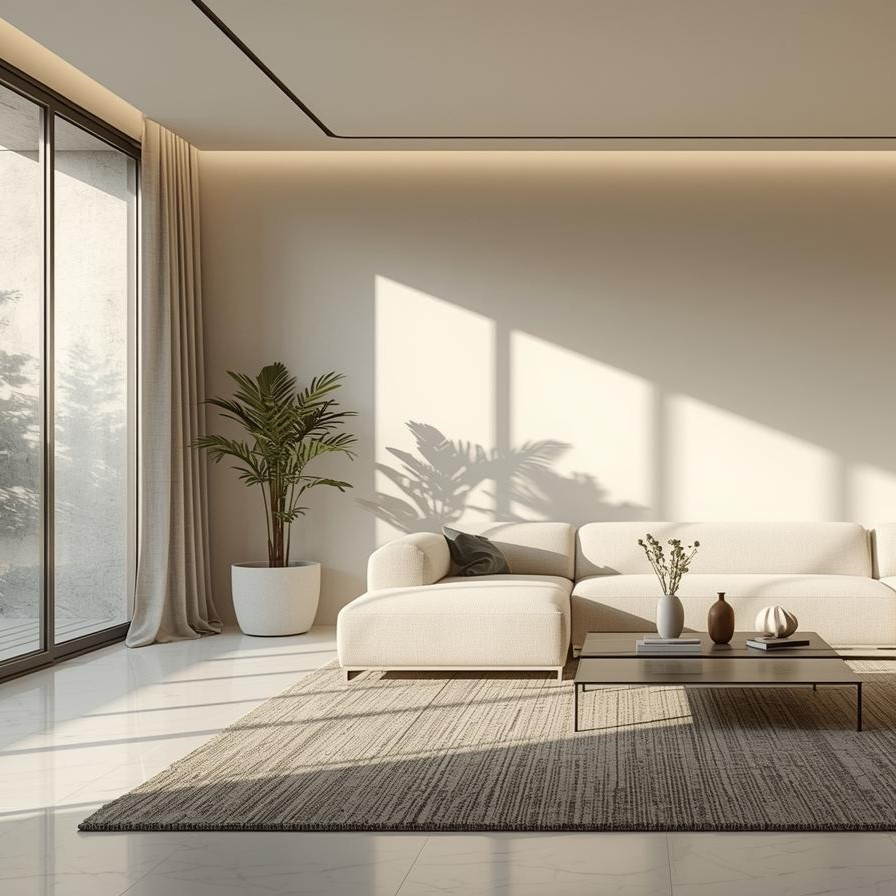
Midjourney
Nano banana
Canva
5. How to Choose the Right AI Image Editor for Your Workflow (Simple Guide)
Choosing between the best AI image editors doesn’t have to be complicated. Most of us don’t actually need the “most powerful” tool — we need the one that fits our workflow and saves time.
A simple way to decide is to start with your main goal, not the tool.
If we’re creating content daily, speed matters most.
If we’re designing campaigns, consistency matters more.
If we’re experimenting creatively, flexibility becomes the priority.
Here’s a quick way to match the right editor to what you actually need:
| If you need... | Choose | Why |
|---|---|---|
| Fast realistic edits | Nano Banana AI | Best speed + consistency |
| Creative visuals | Midjourney | Strongest artistic results |
| Easy designs | Canva AI | Beginner-friendly interface |
| Instant edits | Gemini Editor | Prompt-based editing |
A simple rule that works for most people
Pick the tool that removes the most friction from your process.
That usually means the one that lets you go from idea → image in the fewest steps.
Many creators actually combine tools instead of relying on just one. For example, they might generate ideas using one platform, refine edits in another, and finalize layouts elsewhere. If you want a deeper look at platforms designed specifically for creative workflows, our guide to the best AI tools for creativity breaks down which tools pair well together.
According to analysis from McKinsey’s State of AI report, productivity gains from AI tools come primarily from choosing the right tool for the right task — not from using the most advanced system available.
What most people get wrong
They choose based on features instead of workflow.
Features look impressive. Workflow saves time.
Once we focus on how we actually work — not how tools are marketed — choosing becomes much easier.
6. Limitations, Risks & Truth About AI Image Editing Tools
AI tools can feel almost magical when they work well. We type a prompt, click generate, and within seconds we have a polished image. But as powerful as the best AI image editors are becoming, they’re not perfect — and understanding their limits is what separates smart users from frustrated ones.
The biggest misconception is that AI editors always produce accurate or realistic results. In reality, they sometimes misinterpret prompts, distort details, or subtly change important elements. This happens because AI systems don’t actually understand images the way humans do — they predict patterns based on training data. Research from Stanford’s Human-Centered AI Institute shows that generative systems can still produce visual inconsistencies, especially when prompts are complex or highly specific.
Here are the most common limitations we should be aware of:
Inconsistent details
Faces, hands, text, and small objects can change between edits or generations.
Prompt sensitivity
Small wording changes can lead to completely different outputs.
Style bias
Some tools favor certain visual styles depending on how they were trained.
Resolution limits
Not all platforms generate high-resolution files suitable for print or professional use.
Why this actually matters
Knowing these limits doesn’t make AI tools worse — it makes us better at using them. Once we understand what they can’t do reliably, we can work around those weaknesses and get much stronger results.
For example, many creators now combine tools: one for generation, another for editing, and another for final layout. If you’re building a workflow like that, our guide to the best all-in-one AI tools shows platforms designed to handle multiple steps in one place.
Responsible use matters
As AI editing becomes easier, ethical use becomes more important. We should always:
avoid misleading edits in factual content
disclose AI-generated visuals when relevant
respect copyright and likeness rights
Used responsibly, AI editors are productivity tools — not shortcuts for deception.
Simple rule to remember
AI tools are fastest when we guide them, not when we rely on them blindly.
That mindset alone prevents most common mistakes.
7. Final Ranking — Top AI Image Editors + FAQ
After comparing performance, speed, realism, and usability, one thing becomes clear: the best AI image editors aren’t defined by hype or feature lists — they’re defined by how well they perform in real workflows.
Some tools shine in creative generation. Others dominate in fast editing. A few stand out because they’re simply easier to use than anything else available today.
Here’s the final ranking based on real-world usability, consistency, and value:
| Rank | Tool | Best For | Why It Stands Out |
|---|---|---|---|
| #1 | Nano Banana AI | Realistic edits | Fastest results + strong consistency |
| #2 | Midjourney | Creative visuals | Best artistic output quality |
| #3 | Canva AI | Quick designs | Easiest interface |
| #4 | Gemini Editor | Instant edits | Fast prompt-based workflow |
Our Verdict
If we want the fastest realistic editing tool, Nano Banana AI currently leads. If we care more about artistic output, Midjourney is still unmatched. And if simplicity matters most, Canva AI remains the easiest option.
The real takeaway is this:
there’s no single “best” editor for everyone — only the best one for what we need to create.
Choosing based on workflow instead of features is what saves time, improves results, and prevents frustration.
FAQ
Q: What is the best AI image editor right now?
A: The best AI image editors depend on your goal. For realistic edits, Nano Banana AI leads. For creative visuals, Midjourney excels. For simple designs, Canva AI is often the easiest.
Q: Are AI image editors better than Photoshop?
A: For quick edits and idea generation, yes. For detailed manual editing and precision control, traditional software like Photoshop is still stronger.
Q: Are AI image editors safe to use?
A: Yes, if used responsibly. Most platforms include safeguards, but users should still avoid misleading edits and respect copyright or likeness rights.
Q: Do AI image editors work for professional content?
A: They can. Many marketers, bloggers, and designers now use them for drafts, campaigns, and social visuals — often alongside traditional tools for final polishing.
Q: Do I need design skills to use AI editors?
A: No. Most modern tools are designed for beginners and rely on simple prompts instead of manual editing techniques.
If we want to explore AI visuals more deeply — not just test one tool — these guides pair perfectly with what we’ve covered here:
→ AI Object Remover: Delete Poeple & Clutter Easily
→ How To Make Canva Design Look Professional
→ AI Visual Storytelling Guide: Turn Ideas Into Stories With Gamma