
 Published on: February 16, 2026
This post contains affiliate links. If you buy through them, we may earn a small commission at no extra cost to you — thanks for supporting. Learn more.
1. Quick Verdict — Is Descript Worth It in 2026?
We’ve all been there: we record a video, open our editor… and suddenly we’re stuck trimming clips, fixing audio, adding captions, and re-recording mistakes. What should take minutes turns into an hour.
That’s exactly why tools like Descript are getting so much attention right now — they promise to turn editing into something closer to editing a document instead of wrestling with timelines, which is why this platform keeps appearing in conversations about modern AI video editors.
In this Descript AI Review, we’re going to see whether it truly saves time, who it actually helps, and when it might not be the right choice.
| Factor | Quick Answer |
|---|---|
| Best for | Creators, marketers, podcasters |
| Biggest strength | Edit video & audio like text |
| Learning curve | Low |
| Worth trying? | Yes — for most content workflows |
If we want a simple answer before diving deeper: Descript is worth it in 2026 for anyone creating content regularly, especially if speed matters more than cinematic editing precision.
Now let’s understand why everyone is suddenly talking about it.
2. What Descript Is and Why It’s Trending Now
If we look at how content creation has evolved recently, one thing becomes clear: we’re no longer searching for more features — we’re searching for faster results. Most creators, teams, and freelancers don’t want complicated editing software anymore. We want tools that remove friction and let us publish quickly.
That’s where Descript stands out as a modern AI video editor built for speed and simplicity.
Instead of editing video or audio manually on a timeline, it lets us edit media simply by editing text. Delete a word in the transcript → that word disappears from the video. This document-style workflow is the main reason the platform has surged in popularity among creators, educators, and marketing teams looking for faster production.
According to the official Descript website, its mission is to combine recording, transcription, editing, and publishing inside one interface. That all-in-one approach matches what modern productivity tools are moving toward: fewer apps, faster output, less friction.
We’re also seeing a broader industry shift. Many creator platforms now prioritize automation instead of manual complexity. If you’ve already explored our guide on AI tools for creativity, you’ve likely noticed the same pattern: the tools gaining traction — including platforms featured in this Descript AI Review — are the ones that remove technical barriers, not the ones that add more controls.
| Why Descript Is Trending | What It Means for Us |
|---|---|
| Short-form content boom | We need faster editing workflows |
| AI automation growth | Less manual work, more output |
| Creator economy expansion | More people producing content daily |
| Demand for subtitles & transcripts | Accessibility + SEO advantage |
In simple terms: Descript is trending because it aligns perfectly with what modern creators actually need — speed, simplicity, and automation in one place, which is why this AI video editor keeps gaining attention across the content creation space.
Next, we’ll move to the key question most people search before trying it: what they really want to know before signing up.
3. Key Features That Make Descript Unique
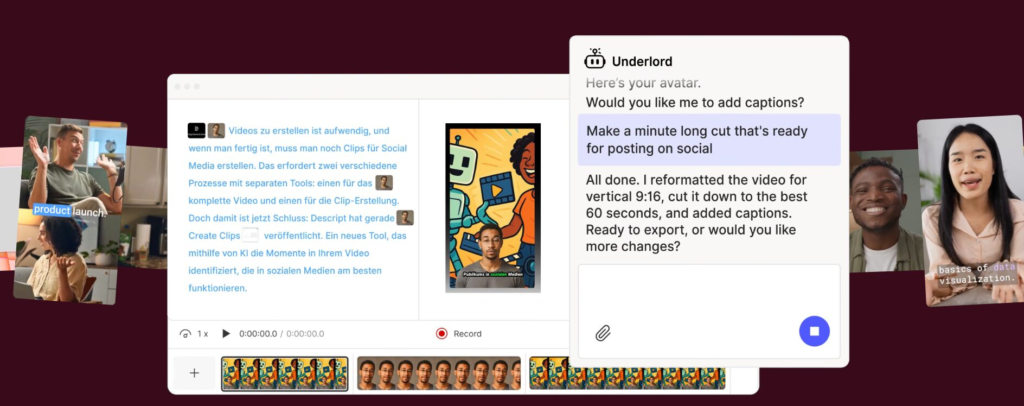
Most of us don’t switch tools just because they’re new — we switch when something feels easier. That’s exactly the reaction many creators have the first time they try Descript: instead of learning complex editing controls, we simply start typing and deleting text.
What makes it different isn’t one feature. It’s the combination of automation + simplicity + real productivity gains that allows this AI editor to replace multiple tools at once.
| Feature | Why It Matters | Real Benefit |
|---|---|---|
| Text-based editing | Edit video like a doc | Cuts hours of manual trimming |
| Overdub voice AI | Fix mistakes without re-recording | Huge time saver |
| Auto transcription | Instant captions + script | Accessibility + SEO boost |
| Studio sound | AI audio cleanup | Professional sound without gear |
| Screen recording | Built-in capture | No extra software needed |
The Feature That Truly Changes Workflow
The standout capability is text-based editing. Traditional editors require us to scrub through timelines frame by frame. With Descript, we can just edit the transcript — and the media edits itself.
That’s not just convenient. It fundamentally changes how fast we can produce content.
According to research from the Adobe video marketing report, short-form video production demand keeps rising every year. Tools that reduce editing time aren’t just helpful anymore — they’re becoming essential.
Why Creators Actually Stick With It
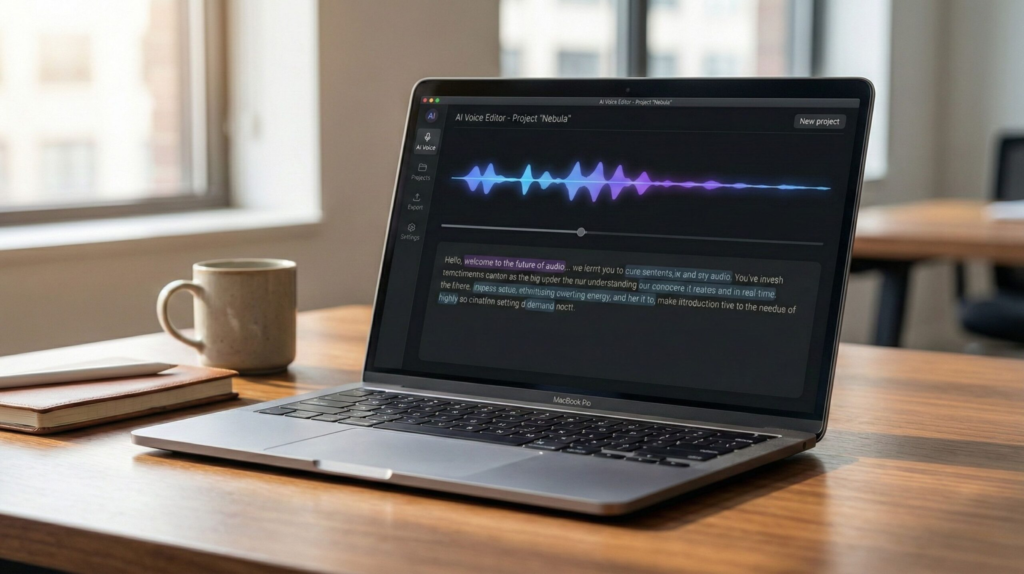
Many tools impress at first but don’t last in real workflows. Descript tends to stick because this AI editing platform replaces several steps at once:
recording
editing
captioning
polishing audio
exporting
If you’ve read our detailed breakdown of Runway ML vs Pika Labs, you’ve probably noticed the same trend across modern creator tools: the platforms people keep using are the ones that remove steps, not add features.
In practice: Descript isn’t popular because it looks impressive — it’s popular because it removes friction from real work.
4. Pricing, Plans, and Who Each Version Is Best For
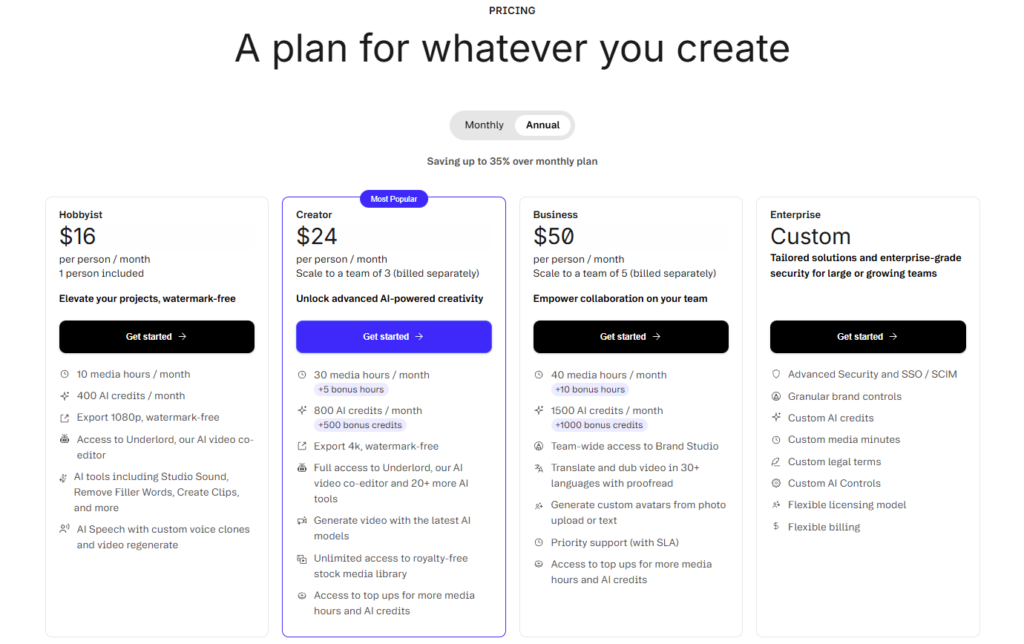
One of the first things most of us check before trying any AI tool is simple: how much does it cost, and is it actually worth it? With Descript, pricing is designed to scale depending on how often we create content — which makes this platform flexible, but also slightly confusing at first glance.
Here’s a clear breakdown so we can immediately see which plan makes sense.
| Plan | Best For | Key Advantage | Verdict |
|---|---|---|---|
| Free | Beginners testing AI editing | Try core tools risk-free | Great starting point |
| Creator | Content creators | Full editing workflow | Best value |
| Pro | Professionals & teams | Advanced AI + export power | Best for heavy use |
| Enterprise | Companies | Collaboration + control | Only if scaling |
Which Plan Most People Should Choose
Which Plan Most People Should Choose
For most readers, the decision is straightforward:
Trying it for the first time → Free plan
Posting content weekly → Creator plan
Running content professionally → Pro plan
That’s because the biggest value of Descript pricing isn’t just access — it’s time saved per project. The more often we produce content, the more valuable the paid tiers of this AI video editor become.
According to the official Descript pricing page, higher plans mainly increase transcription limits, AI features, and export flexibility rather than changing the interface. In other words, the experience stays simple — only the capacity grows.
The Real Cost Question Most Reviews Miss
The real question isn’t how much Descript costs.
It’s:
How much time does it save compared to traditional editors?
If a tool cuts editing time from 90 minutes to 30, even a paid plan quickly pays for itself — especially for creators, marketers, and teams producing content weekly.
Great tools help us work faster. Strong systems help us work better. This book explains how small habits compound into massive results.
See Book Recommendation →5. Descript vs Alternatives — Which Tool Is Actually Better?
At some point we all ask the same question before choosing a tool: should we stick with this one, or is there something better? That’s especially true with AI editors, since many platforms now promise fast video creation, automatic captions, and smart editing features similar to what users expect from a modern AI video editor.
The truth is simple: Descript isn’t the best tool for everyone — but it is the best for a specific type of user. The key is understanding where this AI editing platform wins and where Descript alternatives might be stronger.
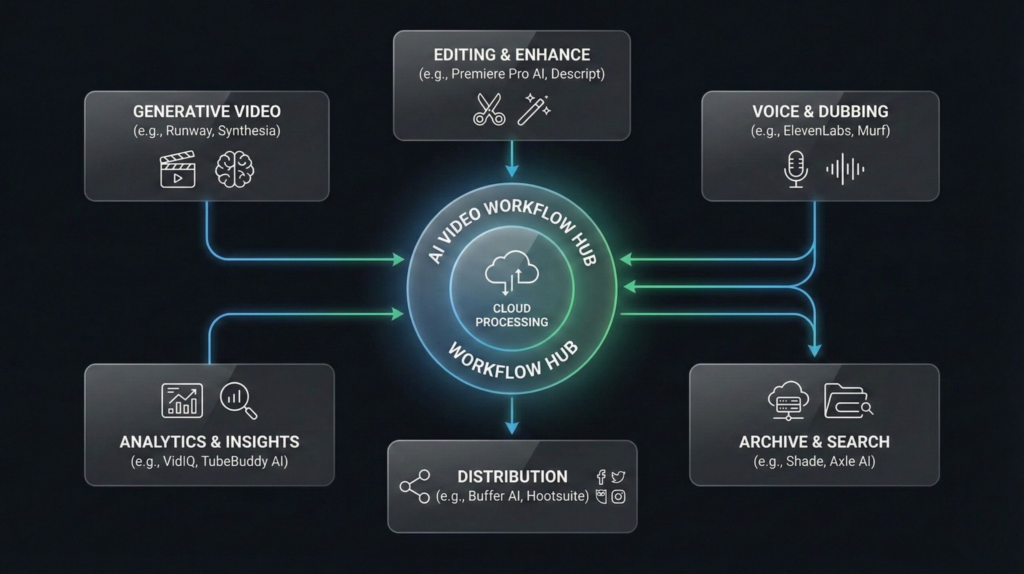
| Tool | Best For | Biggest Strength | Limitation | Best Choice If… |
|---|---|---|---|---|
| Descript | Creators & teams | Edit video like text | Not cinematic-level editing | You want speed + simplicity |
| CapCut | Social creators | Templates & effects | Less workflow automation | You want viral-style edits |
| Runway | AI video creators | Generative video tools | Higher learning curve | You want AI visuals |
| VEED | Beginners | Simple interface | Fewer AI tools | You want basic editing |
| Opus Clip | Short-form creators | Auto-clip generation | Limited manual control | You repurpose long videos |
Where Descript Clearly Wins
Descript stands out when our priority is workflow speed, not visual effects. Instead of switching between separate apps for recording, editing, captions, and audio cleanup, we can do everything inside one interface.
That’s a major advantage considering how fast video production is growing. According to industry data summarized by Wyzowl’s video marketing statistics, video remains one of the highest-ROI content formats for businesses — which explains why tools that speed up production are gaining traction.
Where Another Tool Might Be Better
Choosing an alternative makes sense if:
we want cinematic video editing → traditional editors win
we want viral templates → social-first tools win
we want generative visuals → AI video generators win
If you’re comparing AI video platforms specifically, our analysis of Runway vs Pika Labs breaks down which tools are strongest for AI-generated video rather than editing workflows.
Simple decision rule:
choose Descript if editing speed matters most
choose alternatives if visual effects matter most
That distinction alone helps most readers decide quickly.
6. Limitations, Ethics, and Reliability Considerations
Before relying on any AI tool long-term, it’s worth pausing for a moment. Not because something is wrong — but because the smartest users always ask: what should we be aware of before depending on this?
Descript is powerful, but like all AI platforms, it works best when we understand both its strengths and its boundaries.
Where Descript Still Has Limits
| Area | Reality | What It Means for Us |
|---|---|---|
| Precision editing | Not cinema-level | Still fine for 90% of creators |
| AI voice cloning | Needs careful use | Always disclose synthetic audio |
| Automation accuracy | Occasional transcript errors | Quick manual check recommended |
| Performance | Cloud processing dependent | Needs stable internet |
Ethical Considerations (Important but Often Ignored)
One of Descript’s most impressive features is Overdub, which can generate voice audio that sounds like the original speaker. That’s incredibly useful for fixing mistakes — but it also raises ethical questions.
According to guidance from the U.S. Federal Trade Commission AI guidelines, creators and businesses should clearly disclose AI-generated media when it could mislead audiences.
That doesn’t mean tools like this are risky. It simply means responsible use matters — just like with any technology that can modify or generate content.
Reliability Reality Check
AI editors aren’t meant to replace human judgment. They’re meant to remove repetitive work so we can focus on creativity, storytelling, and ideas.
In practice, the best results come from this approach:
AI handles speed → humans handle quality.
Creators who treat AI as an assistant — not a replacement — usually get the strongest results, especially when using tools like Descript as part of a smart content workflow instead of relying only on automation.
7. Final Verdict — Is Descript Worth It in 2026?
If we step back and look at everything together, Descript succeeds for one main reason: it removes friction from real workflows, which is exactly why this AI editor continues gaining popularity among modern content creators.
It may not replace professional editing suites for film-level production, but for most creators, teams, educators, and marketers, it solves the exact problem they face daily — editing takes too long.
Our verdict: Worth it for frequent creators Worth it for teams producing content weekly Worth it if speed matters more than advanced effects
FAQ — Quick Answers Readers Search Most
Q: Is Descript beginner-friendly?
A: Yes. The interface is designed for non-editors and feels closer to editing a document than a traditional video timeline.
Q: Is Descript free or paid?
A: There is a free plan available, but most active creators eventually upgrade to access higher transcription limits, exports, and advanced AI features.
Q: Is Descript better than CapCut?
A: It depends on your goal. Descript is better for workflow editing and automation, while CapCut is stronger for visual effects and social-style edits.
Q: Does Descript replace video editors completely?
A: For most everyday content, yes. For cinematic or advanced production, professional editing software still offers more control.
Q: Is Descript worth it for creators in 2026?
A: If we create content regularly and want to save time, it’s one of the most efficient editing tools available right now.
If this Descript AI Review helped you understand how AI editing tools work and how to choose the right one without wasting time, these related reads go deeper into how modern AI tools improve workflows and how to use them more effectively:
→ Descript vs Capcut Pro – Best Video Editing tool for Podcast, Video and Reels
→ Runway ML vs Pika Labs – Best AI Video Generator for Creators?