
Mirko
AI Tech Writer
Heads up: Mixboard changed a lot since this guide first went live — it's now available in 180+ more countries and runs on Nano Banana Pro.
Most guides you'll find online still describe the old, US-only version.
Google Mixboard can turn a blank page into a finished moodboard in under a minute — no design skills required.
Most people still haven't heard of it, and even fewer know what just changed under the hood.
We researched the update ourselves: Mixboard went from a US-only experiment to a tool live in 180+ countries, and it now runs on Nano Banana Pro, Google's sharper image model.
Here's exactly how to use it, step by step.
Mixboard wins on speed and price. Pair it with one of these when you're ready to polish what it generates.
Some links are affiliate links · You support us at no extra cost · Full disclosure
1. Introduction — Why Google Mixboard Matters for Creative Work
Google Mixboard exists to solve one specific problem: staring at a blank page before a single idea has taken shape.
It's Google's AI-powered moodboard tool, built for visual brainstorming without any design background required.
Countries this tool now runs in, up from a US-only beta at launch — one of the biggest changes since we first covered it.
Type a prompt like "cozy reading nook with plants," and it generates a full concept board in real time, powered by Gemini and the Nano Banana Pro image engine (The Verge).
🔍 The questions people actually search before trying it:
- Can I upload my own images, or only generate new ones?
- How do I tweak a board using text commands instead of a design menu?
- What makes it different from Pinterest, Canva, or Firefly?
We answer all three below. If you've already read our guide on the best AI tools for designers, think of this as the visual ideation layer that sits before everything else on that list.
2. What Is Google Mixboard and How It Works
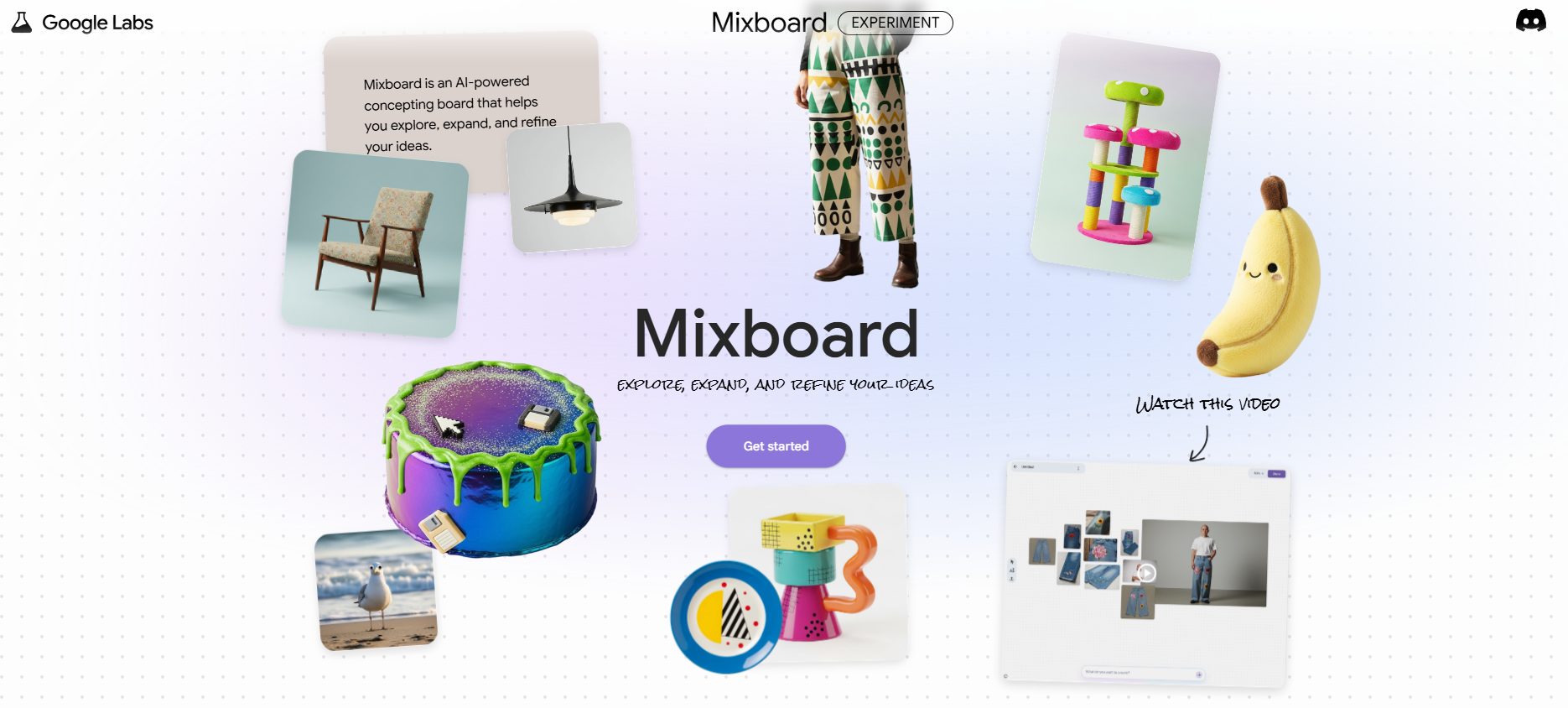
Google Mixboard works like a smart, interactive moodboard.
Instead of starting from a blank page, you type a short prompt — say, "urban coffee shop logo, minimal vibes" — and it fills a board with colors, imagery, and layout ideas instantly.
Unlike static tools like Pinterest boards or Canva templates, this one stays dynamic. You can refine any board with plain-language edits, upload your own images, or blend AI visuals with assets you already have.
The tool now runs on Nano Banana Pro, not the original Nano Banana it launched with in late 2025.
That update also added slide generation from board content, support for PDF, HEIC, and TIFF uploads, and multi-board projects for grouping related concepts.
For creators and teams, that means less time hunting for references and more time seeing options.
Execution tools like Canva Pro or Adobe Firefly still win for finished output. Mixboard's job is the ideation stage most projects stall on before they ever get there.
3. Setting Up Google Mixboard: First Steps for New Users
Google Mixboard is easy to start, and getting in is simpler than it used to be. It's no longer a US-only waitlist situation.
-
Sign in with your Google Account
If you already use Docs or Drive, you're already set up. No separate signup.
-
Check availability in your region
Access expanded to 180+ additional countries in late 2025 (Google's support page), so most regions are covered. A short waitlist may still apply in a few spots.
-
Start a new board
Type a prompt like "coastal holiday poster" and it generates a first-draft moodboard you can refine from there.
-
Learn the command system
Short edits like "make it brighter" or "show more typography options" refine boards fast — no menus to dig through.
Mixboard's setup feels lighter than professional tools like Adobe Firefly or Midjourney. It's built as a low-barrier entry point for people who need visuals fast, not a design career.
4. Key Features That Make Mixboard a Powerful Brainstorming Tool
What makes Google Mixboard stand out isn't just image generation — it's how the update rearranged what's actually possible on one board.
| Feature | Why It Matters |
|---|---|
| AI-Generated Moodboards | Turns one prompt into a full board of colors, images, and layout ideas in seconds. |
| Nano Banana Pro EditingUPGRADED | Sharper image quality and more accurate edits than the original Nano Banana model it launched with. |
| Slide GenerationNEW | Builds presentation slides directly from board content — no separate deck tool needed for a first draft. |
| Multi-Board ProjectsNEW | Groups related boards under one project instead of scattering ideas across separate tabs. |
| Expanded File SupportNEW | Now accepts PDF, HEIC, and TIFF uploads — useful for pulling in client files or phone photos directly. |
| Team Collaboration | Shared editing like Google Docs — teammates can suggest prompts and comment on the same board. |
💡 Our take: It feels like the "Google Docs moment" for brainstorming — light, accessible, built for iteration. It's not trying to replace Canva or Photoshop. It's the fast ideation layer those tools never had.
5. Google Mixboard vs Other AI Brainstorming Tools
Whenever a new AI creativity tool shows up, the first question is always the same: how does it compare to what I already use?
Google Mixboard doesn't live in isolation — it sits alongside Canva, Adobe Firefly, and Kittl. Each wins a different part of the job.
| Tool | Best For | Starting Price | Limitation | |
|---|---|---|---|---|
| Google Mixboard 🏆 Fastest Ideation |
Early-stage brainstorming, moodboards, fast concepting | Free | Experimental — no final-export polish tools | Try It |
| Canva Pro | Social media, marketing content, brand kits | ~$13–15/mo | Less flexible for advanced, from-scratch design | Try Free |
| Adobe Firefly | Professional, commercially-safe generative editing | Free, then from $9.99/mo | Credit-based; heavier use needs a paid tier | Try Free |
| Kittl | Typography, quick logos, print-ready graphics | Free, then from $10/mo | Narrower scope than Canva or Adobe's suite | Try Free |
💡 Our take: If you're in the idea phase, Mixboard is unbeatable on speed and it costs nothing.
Once you move into production, pairing it with Canva Pro or Adobe Firefly is where the real output gets made.
6. Practical Use Cases — From Designers to Content Creators
Here's where the update actually changes workflows, not just image quality.
🎨 Brand & Logo Exploration
Workflow: Generate 3 mood directions, refine colors, upload a draft logo, export for client feedback.
"Minimal coffee roastery brand, warm neutrals, serif headline, artisan vibe."
📱 YouTube & TikTok Thumbnails
Workflow: Define the theme, ask for layout and color ideas, export to Canva for the final polish.
"Tech tutorial thumbnail, high contrast, neon accent, 3 variations."
📊 Presentation Decks NEW
Workflow: Build a board, then use Nano Banana Pro's slide generation to turn it into an actual deck — not just a mood reference.
"Conference talk theme, modern, muted palette, generate slide deck."
🖼️ Social Media Carousels
Workflow: Ask for 3 visual themes, request slide-by-slide mood, refine for campaign consistency.
"Instagram carousel, productivity tips, bold typography, minimal icons."
📸 Product Photography Direction
Workflow: Define brand tone, ask for lighting and prop ideas, export a checklist ahead of the actual shoot.
"Desk gadget shoot, soft daylight, matte textures, clean tech style."
🔄 Content Rebrand Refresh
Workflow: Paste your current palette and keywords, ask for 2–3 fresh alternatives, and compare boards side by side.
"Refresh for AI blog visuals, clarity and trust, less neon, more muted."
7. Tips to Get Better Results with Google Mixboard
The tool is simple by design, but how you prompt and refine still makes a real difference in what you get back.
Start broad, then refine
Begin with a general prompt, then narrow it down. It works best with room to interpret first.
Use mood keywords
Words like "minimalist," "editorial," or "cinematic" pull results much closer to your intent.
Upload reference images
Blend your own logos or sketches with AI visuals — including HEIC phone photos now — to keep boards on-brand.
Iterate in small steps
Short edits like "add more contrast" beat one long prompt packed with ten details.
Group related boards
Use multi-board projects to keep a campaign's variations together instead of scattered across tabs.
Pair with execution tools
Once you've picked a direction, move to Canva Pro or Adobe Firefly to polish the final output.
Keep one "wild board" going alongside your safe direction — a prompt that pushes past the obvious choice. It's often where the unexpected, more memorable option shows up.
8. Ethical AI Reflection — What It Means for Creative Ownership
Every time a tool like this generates a visual, it touches the ongoing debate around AI and originality. Who actually owns the result?
Authorship and credit
Boards are generated from patterns in existing training data. For professional use — logos, campaigns, branding — apply your own edits and judgment before publishing anything.
Where the law currently stands
The U.S. Copyright Office has confirmed that AI output alone isn't eligible for copyright — protection only attaches to the human-authored parts you add on top.
Data and privacy
Since it's tied to your Google account, uploaded files are processed inside Google's ecosystem. Check what you're comfortable sharing in any beta tool.
Our stance: this is a creative accelerator, not a replacement. It removes friction, but the storytelling and judgment still have to come from you.
9. Pricing, Availability, and How to Access Mixboard
Google Mixboard is a free public beta under Google Labs — no subscription, no card required.
As of July 2026, our research confirms it's still free and has expanded to 180+ additional countries since its US-only launch.
It now runs on Nano Banana Pro too — details many competing guides haven't caught up on yet.
| Plan | What You Get | Status |
|---|---|---|
| Beta Access | Free AI moodboards, Nano Banana Pro editing, slide generation, multi-board projects | Live now |
| Future Paid Tier | Possible advanced exports and higher-volume team collaboration | Not announced |
Access steps: sign in at Google Labs, open Mixboard from the projects list, and start your first board directly in the browser.
No affiliate program exists for Mixboard itself — Google hasn't set one up. If you want a commission-supported alternative, our picks above (Canva Pro, Firefly, Kittl) each have one.
10. Final Thoughts and FAQ
Google Mixboard has grown up fast since its US-only launch. It's not here to replace Canva, Firefly, or Photoshop.
It's here to solve the blank-page problem, and now it does it in over 180 countries with a sharper image model behind it.
Free, global, and just got a real upgrade — worth 15 minutes of your time today.
Try Mixboard Free →Frequently Asked Questions — Google Mixboard
Is Google Mixboard free?
+Yes. It's free during its Google Labs public beta, with no subscription and no card required to start.
Google hasn't announced pricing for any future paid tier, so everything currently available — including Nano Banana Pro editing, slide generation, and multi-board projects — comes at no cost right now.
That could change once the tool exits beta, so it's worth checking back if you're building it into an ongoing workflow. For now, there's genuinely nothing to pay.
Is Google Mixboard still only available in the US?
+No. It launched as a US-only beta but expanded to over 180 additional countries in late 2025, a much wider rollout than most guides still describe.
Most regions can now access it directly through Google Labs with no waitlist at all.
A short approval step may still apply in a small number of places, so check the current country list on Google's own support page before assuming it's blocked where you are.
Coverage keeps expanding as the beta matures.
What is Nano Banana Pro and how does it change Mixboard?
+Nano Banana Pro is Google's upgraded image model now powering the tool, replacing the original Nano Banana it launched with in late 2025.
It delivers sharper, more accurate edits on existing images and text-based commands.
The upgrade also unlocked features that weren't possible before, like generating full presentation slides directly from a board's content instead of just static concept images. Multi-board projects arrived alongside this same update.
Can Mixboard create actual presentation slides?
+Yes, as of the Nano Banana Pro update, this is now possible directly on the board.
Build a moodboard the way you normally would, then use the slide generation feature to turn its content into an actual presentation.
You get a working first draft of a deck, not just a visual theme you'd still have to rebuild by hand in a separate tool.
It's still worth polishing the result in a dedicated slide editor afterward.
Can I upload my own images to Mixboard?
+Yes. Upload your own logos, sketches, or photos and blend them with AI-generated visuals on the same board.
It now also accepts PDF, HEIC, and TIFF files, on top of standard image formats.
That means phone photos and client-supplied documents can go straight onto a board without a separate conversion step first. It's a small change, but it removes real friction for everyday use.
What makes Mixboard different from Canva or Adobe Firefly?
+It focuses on early-stage ideation and moodboards, not finished output.
Canva Pro is built for polished social and marketing assets, while Adobe Firefly targets professional, commercially-safe generative editing inside a full creative suite.
Most workflows explore several directions in Mixboard first, since it's free and fast, then move into one of those two tools once a concept is chosen and ready for real execution and export.
None of the three fully replaces the others.
Can I use Mixboard for client work?
+You can, but treat outputs as brainstorming drafts rather than final deliverables ready to hand over.
Apply your own creative edits, adjustments, and judgment before presenting anything to a client or publishing it publicly.
Being upfront that AI was part of the ideation process is also good practice — it avoids misunderstandings and keeps expectations clear on both sides.
Most clients appreciate the transparency more than they mind the tool.
Who owns the content generated in Mixboard?
+The U.S. Copyright Office has confirmed that AI-generated output alone isn't eligible for copyright protection under current law.
Ownership over the human-authored parts you add — arrangement, edits, creative direction — depends entirely on how much genuine input you contribute.
Apply meaningful, documented edits before publishing anything you plan to claim or protect as your own work. This is still an evolving area of law, so treat it as general guidance rather than legal advice.
Does Google offer an affiliate program for Mixboard?
+No, there's no affiliate program for Mixboard itself — Google hasn't set one up for this Labs experiment.
For a commission-supported alternative once you move past ideation into actual execution, Kittl is a solid pick for typography and quick logo work that pairs naturally with what Mixboard generates.
Canva Pro and Adobe Firefly work just as well for that next step.
🍌 Keep Exploring the Nano Banana Ecosystem
You've got Google Mixboard down. Here's where else Nano Banana shows up, and how to round out your AI creative stack:

