

 Published on: July 6, 2025
Affiliate Disclosure:
Some links in this post are affiliate links. If you choose to buy through them, we may earn a small commission — at no extra cost to you. Thanks for supporting our work and helping us keep this content free!
1. Introduction – Are Voice Assistants Really Smart?
AI voice assistants are everywhere — in our homes, our phones, and even our cars. But have you ever stopped to wonder how voice assistants work behind the scenes?
In this guide, we’ll break down how voice assistants work from the inside out — following your words from the moment you say “Hey Siri” to the instant a light turns on or a timer starts. It’s easy to take these helpers for granted, but behind every smooth reply is a fast, invisible chain of AI processes running in real time.
We’ll walk you through the hidden technology that turns your voice into data, analyzes meaning, and decides what action to take — often in under a second. Whether you’re just curious, building a voice-based app, or trying to get more value from Alexa or Google Assistant at home, understanding how voice assistants work makes all the difference.
Understanding how voice assistants work can help you:
• Use them more effectively in daily life
• Troubleshoot issues when things don’t behave as expected
• Protect your privacy and make smarter tech choices
This isn’t just about cool technology. It’s about understanding the AI that’s quietly shaping how we live, talk, and interact every day. And don’t worry — we’ll keep everything simple, honest, and surprisingly enjoyable to follow.
So let’s pull back the curtain and really see how voice assistants work when they reply with: “Sure — turning the lights on now.”

2. Voice Assistant Chain Reaction
So what really happens between “Hey Alexa” and the assistant turning on your lights?
Here’s a simple step-by-step breakdown of how voice assistants actually understand you and respond — all in real time:
| Step | What Happens |
|---|---|
| Wake Word Detected | The device is passively listening for a keyword like “Alexa” or “Hey Google”. Detection usually happens locally. |
| Voice Captured | Once activated, the assistant records your command for processing. |
| Transcribed (ASR) | Audio is converted into text using Automatic Speech Recognition (ASR). |
| Analyzed (NLP) | Text is analyzed with Natural Language Processing (NLP) to understand intent. |
| Intent Detected | The system determines the requested task, like playing music or checking the weather. |
| Response Delivered | The assistant performs the action and replies using text-to-speech or on-screen output. |
Understanding how voice assistants work helps you see what’s really happening behind the scenes — and why your assistant sometimes gets things wrong. It’s not just listening to your voice; it’s processing, interpreting, and deciding what to do next in a very technical way.
When you know how voice assistants work, those occasional mistakes make more sense. The system has to convert sound into data, guess your intent, and choose the best possible response — all in real time. Even small changes in wording, tone, or background noise can affect the outcome.
In short, voice assistants don’t think like humans — but understanding how voice assistants work reveals why they often feel smart… and why they sometimes miss the mark.
| Assistant | Best For | How It Applies the Process | Privacy Note | Action |
|---|---|---|---|---|
| Amazon Alexa | Smart home automation | Fast wake-word detection, cloud-based ASR, strong intent routing through Skills | Mostly cloud processing, with user-controlled privacy settings | View Devices |
| Google Assistant | Search & context understanding | Advanced NLP, contextual memory, and strong language models | Hybrid on-device and cloud processing | Explore Options |
| Apple Siri | Privacy-focused users | On-device ASR, tighter app control, reduced cloud reliance | Strong privacy protections and local processing | See Details |
3. Speech-to-Text AI: Turning Voice Into Data
Every time you speak to a voice assistant, you’re relying on one of the most impressive — and often overlooked — technologies in modern computing: speech-to-text AI.
Also known as Automatic Speech Recognition (ASR), this is the first critical step in understanding how voice assistants work. ASR allows your assistant to hear your voice, convert sound into text, and pass that information forward so the system can decide what to do next.
So what actually happens behind the scenes?
- Your voice is captured as raw sound waves
- Those waves are processed by machine-learning models trained on human speech
- The system generates a real-time transcription — a best guess of what you said
These models continuously improve thanks to massive training datasets that include different accents, languages, speaking speeds, and tones. That’s why speech-to-text AI today is far more flexible and accurate than it was just a few years ago — and a core reason how voice assistants work feels almost instant.
Still, even advanced speech-to-text AI has limits.
Common challenges include:
- Accents — unfamiliar or regional speech can reduce accuracy
- Background noise — TVs, traffic, or echo interfere with recognition
- Overlapping voices — multiple speakers confuse the system
- Multilingual input — switching languages mid-sentence causes errors
Pro tip:
If your assistant misunderstands you often, try speaking slightly slower and more clearly. Some devices also let you recalibrate speech recognition, which can noticeably improve results.
Understanding how speech-to-text AI works helps you tell whether a mistake is a hearing issue (ASR) or a thinking issue (NLP) — a key distinction if you want to get the most out of voice assistants as they continue to evolve.

4. NLP in Voice Assistants: Understanding What You Mean
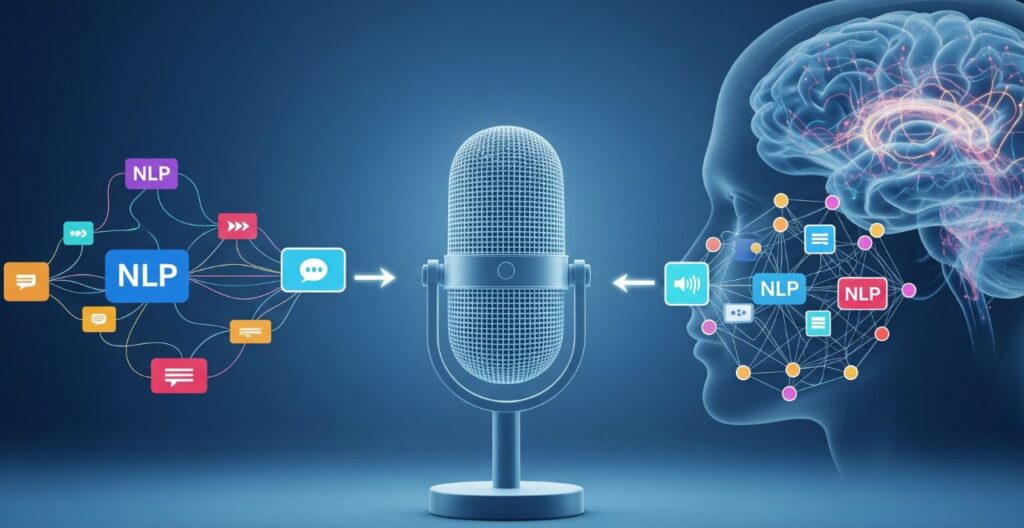
Once your words are transcribed into text, the real magic begins — and it’s all thanks to NLP in voice assistants.
NLP, short for Natural Language Processing, is the AI technology that allows your smart assistant to understand more than just the words you say. It figures out what you mean. In other words, NLP in voice assistants is what turns basic transcriptions into useful, intelligent actions.
For example, if you say:
“Set a reminder for Mom’s birthday.”
You never mentioned a calendar, but your assistant still understands you’re asking it to create an event. That’s called intent recognition — one of the core capabilities made possible by NLP in voice assistants.
Keyword Matching vs. Intent Recognition
Older voice systems relied on keyword matching — they looked for exact phrases like “set alarm” or “play music.” But people don’t always speak in clean commands. We use slang, filler words, and casual phrasing.
Modern systems powered by NLP in voice assistants can:
Understand phrases like “remind me,” “don’t forget,” or “could you alert me…”
Interpret informal patterns like “Hey, I need to remember…”
Detect the intent behind your request, even if it’s vague or unstructured
This shift from keywords to intent-based recognition is what makes your assistant feel more human.
Named Entity Recognition (NER)
Another powerful feature of NLP in voice assistants is Named Entity Recognition, or NER. This allows the system to automatically detect names, places, dates, brands, and other key elements in your request.
Let’s say you say:
“Book a table at Osteria Francescana in Modena tomorrow at 8.”
Here’s what NLP picks up:
Osteria Francescana → restaurant name
Modena → city
tomorrow at 8 → time and date
All of this is done in milliseconds — without you needing to clarify or rephrase.
Contextual Memory: Like Talking to a Friend
Some of today’s most advanced voice systems — like ChatGPT, Gemini, or newer Alexa models — use contextual memory. This allows them to remember what you just said and respond accordingly, which is a key part of how voice assistants work in real conversations.
Instead of treating each command as isolated, these systems follow the flow of the conversation — much like a human would.
Example:
You: “What’s the weather like in Paris?”
You (a few seconds later): “And in Rome?”
Even though you didn’t repeat the full question, NLP in voice assistants understands that you’re still asking about the weather — just for a different city. This ability to connect related requests explains how voice assistants work beyond simple command–response behavior.
Being able to track conversational context is a major leap forward. It’s what makes interactions feel more natural, responsive, and — yes — smarter.
Understanding how NLP in voice assistants works isn’t just interesting from a technical point of view. It helps you:
communicate more clearly with your devices
get more accurate results
recognize the real progress happening behind the scenes in AI
As natural language models continue to improve, how voice assistants work will feel increasingly effortless — with conversations that sound less like commands and more like talking to another person.
5. Smart Assistant Algorithms: Learning From Your Patterns
Ever wonder how your smart assistant starts to feel like it knows you? That’s not magic — it’s machine learning quietly working in the background, powered by what we call smart assistant algorithms.
These algorithms are constantly analyzing how you interact with your device. Over time, they begin to personalize responses and even predict your needs. It’s the invisible engine behind a truly “smart” experience — and one of the key reasons smart assistant algorithms have become essential to modern living.
Machine Learning on the Job
Unlike traditional software that only follows commands, smart assistant algorithms actually learn from your habits. They notice things like:
-
What time you usually ask for the news
-
What music you prefer in the morning
-
Whether you say “remind me” or “set a reminder”
This loop of learning allows your assistant to get smarter with every interaction. The more you use it, the more accurate and helpful it becomes.
For example, Google Assistant might start suggesting traffic updates right before your daily commute — not because you asked, but because it recognized your routine.
Voice Profiles and Personalization
Most modern assistants like Amazon Alexa, Google Assistant, and Siri offer voice recognition through individual voice profiles. This lets the assistant know who’s speaking and personalize the response accordingly.
If you say:
“Play my workout playlist,”
your assistant knows it’s you and not your partner — and it queues up your exact Spotify mix.
Thanks to smart assistant algorithms, personalization now extends to:
-
Calendar suggestions
-
Routine reminders
-
Smart home control
-
Shopping lists and preferences
-
News and podcast curation
Predictive Routines and Automation
Some assistants go even further with predictive automation. With enough data, they start anticipating your needs and automating tasks before you ask.
Example:
If you say “Good night” every night at 10:30 PM, your assistant might learn to dim the lights, lock the doors, and set your alarm automatically.
This type of proactive behavior is possible through platforms like:
Want to explore tools that use these features? Check out our Best Smart Home Assistants 2025 for a detailed overview.
6. Ethical AI Use: What Your Voice Reveals About You
Your voice isn’t just sound — it’s biometric data. It carries emotion, tone, age clues, accent, and even health signals. And when smart assistants are always listening, even passively, that data becomes part of a much bigger ethical conversation.
While voice assistants can make life easier, we also need to ask: what are we giving up in return for that convenience?
Your Voice = Personal Data
When you use a smart assistant, you’re not just giving commands — you’re giving away a little piece of your identity. Modern smart assistant algorithms can recognize not only who you are, but how you’re feeling.
Sound stressed? It may suggest meditation.
Sound sad? Some systems may trigger wellness checks.
Speak in a different tone than usual? The system might flag unusual behavior.
This is known as emotional inference, and while it can be helpful, it also raises questions about profiling, consent, and misuse.
Always Listening… Even When It’s Silent
Most assistants are always passively listening for a wake word like “Hey Siri” or “Alexa.” That doesn’t mean they’re recording constantly — but the device does monitor audio to detect when it should activate.
That’s where privacy toggles come in.
A few things you can do right now:
Press the mute button on Alexa or Google Nest to stop audio capture entirely.
Regularly review and delete your voice history (available in your account settings).
Adjust settings to limit data sharing with third parties.
Use assistants that support on-device processing, like Apple’s HomePod or newer versions of Android.
Brands like Apple, Amazon, and Google have added more transparent controls in recent years, but that doesn’t mean you should stop asking questions.
Even if you’re comfortable using voice tech daily, it’s worth checking who owns the data, where it’s stored, and how long it’s kept.
For more practical tips, check out our AI Voice Replication Awareness Guide — especially if you’re concerned about your voice being used beyond simple commands.
Why This Matters
As we rely more on assistants to manage daily life — from smart home routines to healthcare — ethical design becomes non-negotiable. We need brands to build with privacy-first principles, and we need to stay informed as users.
You don’t need to stop using voice assistants — but you do need to understand the trade-offs.
Smart tech is here to stay. But being a smart user means knowing what your voice reveals, who hears it, and how that information might be used.
Next time you say “Hey Google,” ask yourself: Is this worth being heard?

7. Final Thoughts – So... Do They Really Understand Us?
It’s wild to think how casually we’ve let voice assistants into our homes, bags, and pockets. We ask them for the weather, to call our mom, to remind us to take out the trash — and we barely think twice about what’s happening behind the scenes.
So… do they really understand us?
Technically, no — not like a human would. But thanks to speech-to-text AI, NLP in voice assistants, and ever-evolving smart assistant algorithms, they do a surprisingly good job of decoding our intent and responding in useful ways.
Here’s the plain truth:
They transcribe your voice into text
Analyze that text for meaning
Match it with an appropriate task
And learn a bit more about you each time
But while the convenience is real, so are the trade-offs. Privacy, emotional profiling, and passive listening are serious topics — ones we can’t ignore just because the tech is useful.
Use Smart Tech, But Stay Smart Too
We’re not saying ditch your Alexa or stop talking to Siri. We’re just saying: be intentional. Know what your assistant is doing, what data it keeps, and how to control it.
If you’ve found this guide helpful, we recommend checking out:
And our full Smart Home Assistant Review for 2025
Both will help you make smarter, safer choices with AI in your daily life.
Because at the end of the day, you’re the real smart one in the conversation — not the device.
8. FAQ – Voice Assistants: What You Should Know
Q: What actually happens when I say “Hey Siri” or “Alexa”?
A: When you say a wake word, your device detects it using local, on-device processing. Once triggered, it records your command and sends it for interpretation. This is where speech-to-text AI and NLP in voice assistants work together to transcribe your voice and understand intent in real time — a practical example of how voice assistants work.
Q: Do voice assistants record or store my voice?
A: Often yes, unless you opt out. Companies like Apple, Google, and Amazon may store recordings to improve smart assistant algorithms, and some samples can be reviewed by humans. You typically have control: you can delete voice history, limit retention, and adjust privacy settings in your account.
Q: Can voice assistants detect emotions or tone?
A: To a limited degree. Some systems analyze tone, pace, and vocal energy to infer states like stress or frustration. This can improve personalization, but it also raises questions about profiling and emotional privacy — another reason understanding how voice assistants work matters.
Q: How can I use voice assistants more privately?
A: Use them intentionally: mute the mic when not needed, regularly delete voice history, turn off third-party data sharing, and prefer devices with on-device processing (such as Apple’s HomePod or Google’s Pixel phones). Knowing how voice assistants work helps you make safer, smarter choices.
9. Transparency & More Smart Reads
Some of the links in this article may be affiliate links, which means we may earn a small commission if you choose to make a purchase — at no extra cost to you. These small contributions help us keep AIDigitalSpace.com running and focused on delivering valuable, ethical AI insights. We only recommend tools and products we truly believe are useful and future-forward.
We believe smart tech should empower, not exploit — and understanding how it works is the first step.
Thanks for reading and being part of a more mindful digital future.
If you want to go a step further and really understand how voice assistants work in everyday life — not just technically, but practically and ethically — these guides connect naturally with what we’ve explored here:
→ AI Hallucinations: Why AI Sometimes Sounds Confident but Is Wrong
→ Avoid These 5 Dark UI Tricks Used by Popular AI Apps
→ Will AI Replace Your Manager? Workplace Trends Explained
Each of these dives into a different layer of the same question: how AI systems interpret input, make decisions, and influence our behavior — often in subtle ways.
Understanding how voice assistants work isn’t about mastering commands or chasing features. It’s about staying aware, keeping control, and using AI as a support for thinking, not a shortcut that slowly replaces it.