

 Published on: December 19, 2025
Affiliate Disclaimer:
Some of the links in this post are affiliate links. This means we may earn a small commission if you click through and make a purchase, at no extra cost to you. We only recommend tools we truly believe offer value.
1. Why Turning Notes Into Tasks With AI Matters Today
Every day, we write notes: meeting summaries, ideas, to-dos, reminders. The real problem isn’t capturing information — it’s turning notes into action.
This is where learning how to turn notes into tasks with AI becomes essential. Without a clear system, notes stay scattered across apps, documents, and notebooks, slowly turning into mental clutter instead of real progress.
AI productivity tools promise to solve this, but many people still feel stuck. Tasks lose context, priorities get blurred, and notes become yet another archive we never revisit.
In this guide, we’ll show how to turn notes into tasks with AI without losing context, using simple workflows that actually fit daily work. No over-engineering, no “second brain” hype — just practical steps to move from ideas to execution.
By the end, you’ll know:
Why most note-taking systems fail at execution
How AI can bridge the gap between notes and tasks
Which tools help you act, not just store information
2. The Real Problem With Notes That Never Become Action

Most of us don’t struggle with note-taking. We struggle with what happens after.
We capture meeting notes, ideas, voice memos, and highlights — then they sit there. Days later, we barely remember why we wrote them. This is the exact gap that makes learning how to turn notes into tasks with AI so important.
Here’s where things usually break down:
Notes are stored separately from tasks
Important context gets lost when we manually rewrite them
To-dos become generic (“follow up”, “check later”)
Action items are mixed with reference material
Over time, notes turn into archives instead of triggers for action.
This is why many productivity systems fail. They focus on capturing information, not on activating it. Even powerful tools don’t help if notes and tasks live in different worlds.
The real challenge isn’t adding more apps — it’s creating a workflow that helps us turn notes into tasks with AI without losing context, so ideas naturally evolve into clear, actionable steps.
In the next section, we’ll look at how AI can solve this specific problem — not by replacing your thinking, but by connecting notes and tasks in a smarter way.
3. How AI Helps Turn Notes Into Tasks Without Losing Context
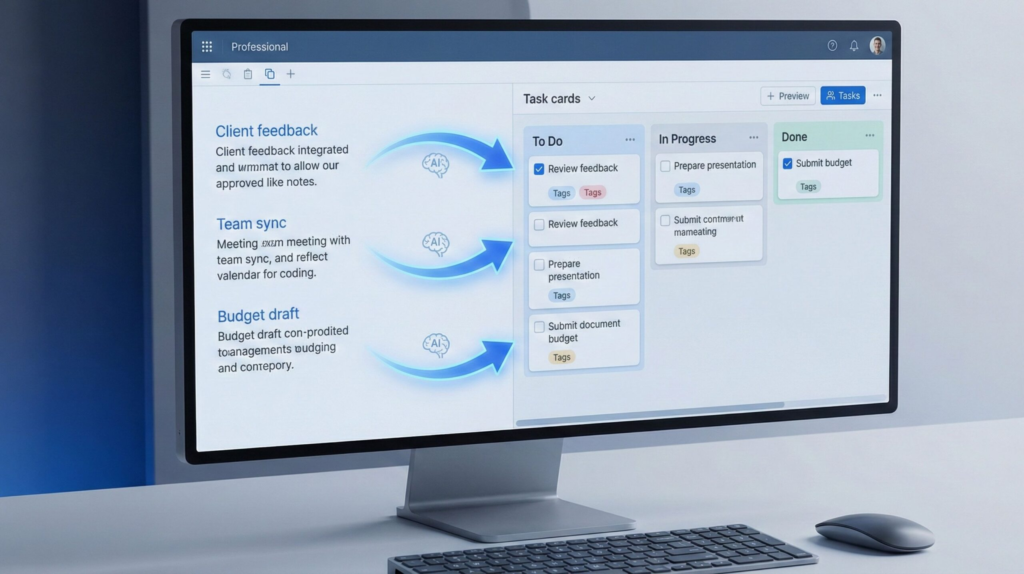
AI becomes truly useful when it acts as a bridge, not a replacement. When we try to manually move from notes to tasks, we usually lose context: why the task exists, what decision triggered it, or what constraints matter.
This is exactly where learning how to turn notes into tasks with AI changes the workflow.
Instead of copying and pasting information, AI can:
Identify action items inside notes
Preserve the surrounding context (who, why, when)
Suggest clear, specific tasks instead of vague to-dos
Group related actions logically
In practice, this means a meeting note like “Follow up with marketing” becomes a task with context, intent, and next steps — not just another reminder.
The key difference is context awareness. Modern AI models are good at understanding relationships between sentences, priorities, and intent. When applied correctly, this allows us to turn notes into tasks with AI without fragmenting our thinking.
This approach is also supported by broader productivity research. For example, Harvard Business Review explains how task clarity and contextual information significantly reduce cognitive load and improve execution quality in knowledge work environments.
4. A Simple Workflow to Turn Notes Into Tasks With AI
To make this work in real life, we need a workflow that’s simple, repeatable, and flexible. The goal isn’t perfection — it’s consistency.
Here’s a practical way to turn notes into tasks with AI using tools many of us already use.
Step 1: Capture notes normally
Write notes the way you already do — meeting notes, ideas, voice transcripts, or quick thoughts. Don’t try to structure them while writing. Context matters more than format at this stage.
Step 2: Ask AI to extract action items
Once the note is complete, use AI to identify action items. A simple prompt like “Extract clear tasks from these notes and keep the original context” is often enough. This is where AI shines.
Step 3: Review and refine tasks
AI suggestions are a starting point, not a final answer. We should quickly review tasks, clarify deadlines, and remove anything that doesn’t require action. This keeps control in our hands.
Step 4: Send tasks to your task system
Now move the refined tasks into your task manager. The key is that tasks still reference the original note, so context is never lost. This is the step most people skip — and the reason many systems fail.
Step 5: Keep notes and tasks connected
Whenever possible, link tasks back to the note they came from. This makes it easy to revisit decisions, ideas, or discussions later, and it’s what truly allows us to turn notes into tasks with AI without losing context.
This workflow works whether you use Notion AI for documentation, Taskade AI for execution, or ClickUp AI for structured project management — the logic stays the same.
In the next section, we’ll look at common mistakes, tool-specific differences, and how to avoid breaking this workflow as your workload grows.
5. Common Mistakes When Turning Notes Into Tasks With AI (and How to Avoid Them)
When AI doesn’t improve productivity, it’s rarely because the tool is bad. It’s almost always because of how the workflow is set up.
Before going deeper, here’s a clear overview of the most common mistakes people make when trying to turn notes into tasks with AI — and what actually works instead.
| Common mistake | What goes wrong | What works better |
|---|---|---|
| Blindly accepting AI tasks | Task lists fill up with vague or low-priority actions | Quick human review to keep tasks clear and relevant |
| Turning every note into tasks | Ideas and references become unnecessary to-dos | Ask AI to separate action items from reference notes |
| Losing context when moving tasks | Tasks feel unclear days or weeks later | Link every task back to the original note |
| Over-automating too early | Complex systems add friction instead of saving time | Validate the workflow manually before automating |
| Choosing tools by features only | Powerful tools feel heavy and unused | Choose tools that match daily work habits |
The pattern is clear: productivity improves faster when AI removes friction, not when it tries to do everything at once.
When we use AI to support thinking and execution — instead of replacing judgment — it becomes much easier to turn notes into tasks with AI without losing context or control. The most effective workflows are simple, intentional, and built around real human decision-making.
This idea is also supported by research and practical guidance from Harvard Business Review, which highlights how clarity, context, and reduced cognitive load lead to better execution in knowledge work. Recommended read: Stop overloading the wrong part of your brain (Harvard Business Review)
6. Ethical AI Considerations When Turning Notes Into Tasks
Using AI to improve productivity is powerful, but it also raises important questions about data, trust, and responsibility.
When we use AI to turn notes into tasks with AI, we’re often processing sensitive information: meeting discussions, personal ideas, client details, or internal decisions. Even when tools feel private, that data is still being handled by external systems.
Here are a few points worth keeping in mind:
Understand where your data goes
AI features often rely on cloud processing. It’s important to review how notes are stored, processed, and retained by the tool you use.Be selective with sensitive content
Not every note needs AI assistance. Highly sensitive or personal information should be handled with extra care, or kept out of AI-driven workflows.Keep humans in the loop
AI should support decision-making, not replace it. Reviewing tasks before acting on them helps avoid mistakes and preserves accountability.Transparency builds trust
If you’re working with a team or clients, it’s good practice to be open about when and how AI is used in your workflow.
The ethical goal isn’t to avoid AI — it’s to use it consciously. When applied with intention, AI can help us turn notes into tasks with AI without compromising privacy, context, or responsibility.
If you want to go deeper into this topic, we recommend reading our guide on how AI tools handle user data and what you’re really trading for convenience.
7. The Right Tools to Turn Notes Into Tasks With AI (Without Overload)
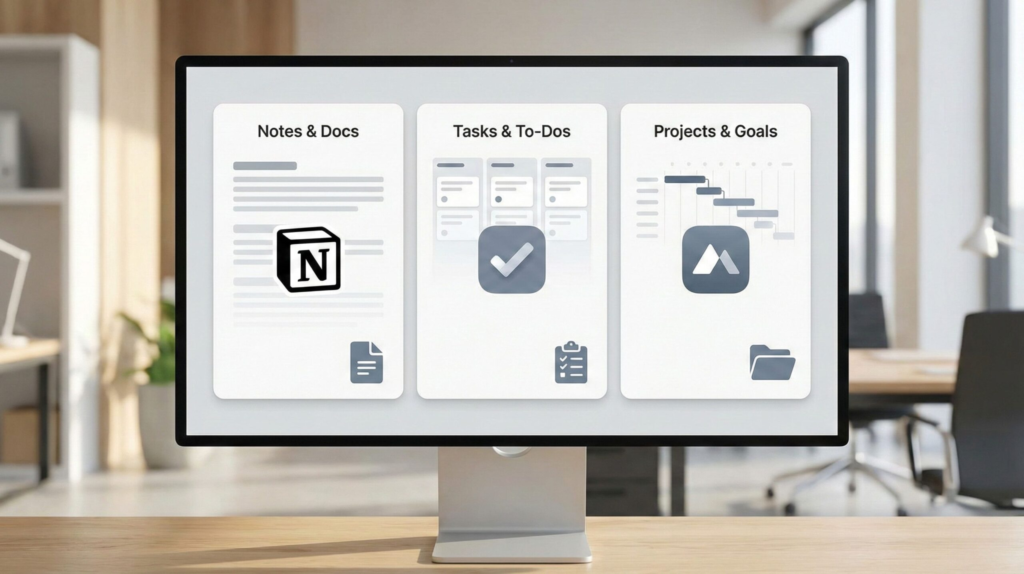
Once the workflow is clear, the next question is simple: which tools actually help us turn notes into tasks with AI without adding friction?
There’s no single “best” option for everyone. The right tool depends on how much structure, speed, and control you need in daily work.
Here’s a practical comparison of tools that genuinely support the workflow we’ve covered.
| Tool | Best if you… | First thing to try | Why it helps | Start here |
|---|---|---|---|---|
| Notion AI | Work with long notes, research, or planning docs | Ask AI to extract tasks from a meeting note | Keeps notes and tasks in the same workspace with full context | Try Notion AI |
| Taskade AI | Need fast action from messy notes | Paste notes and generate a task list | Turns ideas into actionable tasks with almost no setup | Try Taskade AI |
| ClickUp AI | Manage tasks across teams or projects | Convert meeting notes into assigned tasks | Adds structure, deadlines, and ownership to tasks | Try ClickUp AI |
The key takeaway is simple:
The best tool is the one that helps you turn notes into tasks with AI while staying aligned with how you already think and work.
Start small, validate the workflow, and let AI reduce friction — not add complexity.
8. Common Questions About Turning Notes Into Tasks With AI
Q: What does it really mean to turn notes into tasks with AI?
A: It means using AI to identify actionable items inside notes and convert them into clear tasks while keeping the original context, instead of manually rewriting everything.
Q: Can AI turn any type of notes into tasks?
A: AI works best with structured notes like meeting summaries, planning notes, or idea lists. Pure reference notes or creative drafts usually don’t need task conversion.
Q: Will turning notes into tasks with AI create too many tasks?
A: It can if used blindly. The key is reviewing AI suggestions and keeping only tasks that require real action, not turning every sentence into a to-do.
Q: Which tools are best to turn notes into tasks with AI?
A: Tools like Notion AI, Taskade AI, and ClickUp AI work well, depending on your workflow. The best choice is the one that matches how you already organize and execute work.
Q: Is it safe to use AI with work notes and personal information?
A: It can be, but awareness matters. Always check how tools process data and avoid using AI on highly sensitive information unless you fully trust the platform.
If you want to go deeper and build a smarter productivity system around AI, these guides connect perfectly with what we’ve covered here:
→ Taskade AI – Your Second Brain for Team Productivity
→ Notion AI Features: 10 Hidden Tools Every Creator Should Know
→ The Truth About Free AI Tools: Are You Paying With Your Data?