
 Published on: October 10, 2025
- Introduction: Why Writesonic is trending among bloggers in 2025
- What Writesonic is and how it works
- Writesonic key features explained
- Writesonic pricing and free plan
- How to use Writesonic – step-by-step tutorial for bloggers
- Writesonic vs alternatives (Jasper, Copy.ai, ChatGPT)
- Real user feedback and community opinions
- Who should use Writesonic (and who shouldn’t)
- Ethical AI reflection – the responsibility behind AI writing
- Final verdict – how to get the most out of Writesonic
Disclosure:
This post may contain affiliate links. If you purchase through them, we may earn a small commission — at no extra cost to you. This helps support our research and keeps AI Digital Space running. Thank you!
1. Introduction – Why Writesonic Is Trending Among Bloggers in 2025
Writesonic review: In this complete 2025 guide, we explore how this AI writing platform helps bloggers and creators write smarter, faster, and more effectively.
AI writing tools have evolved fast, but few have kept pace with what content creators really need. Writesonic has become one of the most talked-about AI assistants for bloggers in 2025 — and for good reason. It blends creative writing, SEO optimization, and productivity features into one platform that helps you write smarter, not harder. Whether you manage a small blog or multiple content projects, it promises to speed up your workflow without compromising tone or originality.
At AI Digital Space, we’ve tested dozens of writing platforms over the past year — from Jasper AI to Copy.ai vs Writesonic comparison — and noticed that Writesonic is consistently improving with every update. It’s not just another text generator; it’s a complete writing system built to handle blogs, ads, and even entire web pages with a few well-crafted prompts.
Recent updates to Writesonic’s Sonic Editor and ChatSonic have made it even more appealing to everyday users, not just marketers. According to a recent TechRadar report, the platform’s new AI engine has become faster, more contextual, and noticeably better at maintaining brand voice. That’s exactly what most bloggers struggle with — keeping posts consistent while saving time.
If you’ve ever wanted a writing assistant that actually understands your blogging style, the next sections will show how Writesonic can become your new favorite AI partner.
2. What Is Writesonic and How It Works
Before diving into the tutorial, it’s worth understanding what Writesonic actually is and why it’s become one of the top AI tools for bloggers in 2025. In simple terms, Writesonic is an AI-powered writing assistant that helps you create articles, marketing copy, and even full blog posts using natural language generation. Built on advanced large language models, it’s designed to make writing faster and more structured — perfect for content creators who want professional results without spending hours editing.
Writesonic works through a clean, web-based dashboard where you can pick your use case — like Blog Article Writer, Landing Page, Product Description, or Ad Generator. Once you choose a format and provide a few details (for example, a topic or short prompt), the AI instantly produces drafts that you can refine with tools like Sonic Editor or ChatSonic, its conversational assistant. The workflow feels intuitive even for non-technical users, making it one of the easiest AI tools to start with if you’re new to automated writing.
Unlike most competitors, Writesonic also integrates real-time web data into its writing engine, which means it can reference current trends and up-to-date facts. That’s a big advantage when writing evergreen blog content that still needs timely accuracy. Plus, for multilingual creators, it supports over 25 languages — ideal if you manage international sites or clients.
At AI Digital Space, we often recommend pairing Writesonic with Grammarly or Notion AI to build a complete writing system: research, generate, and polish — all within minutes. It’s this combination of usability and scalability that keeps Writesonic high on our list of must-try AI platforms in 2025.
3. Writesonic Key Features Explained
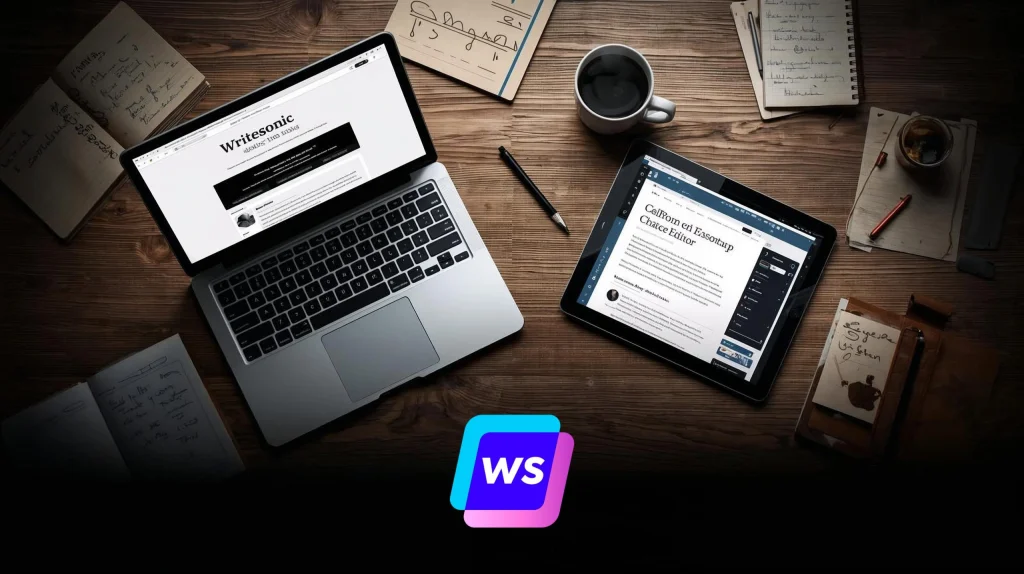
What sets Writesonic apart from other AI writing tools is how much it packs into one clean, user-friendly platform. It isn’t just a text generator — it’s an entire suite built for bloggers, marketers, and small teams who want consistent quality across all their content types. Let’s take a closer look at the features that make it one of the best AI tools for bloggers in 2025.
| Feature | What It Does | Why It Matters for Bloggers |
|---|---|---|
| Blog Article Writer 5.0 | Generates full blog drafts in your preferred tone and length using only a short topic prompt. | Perfect for creating consistent, SEO-ready articles when you’re short on time. |
| Sonic Editor | An upgraded text editor similar to Google Docs that lets you refine and expand AI drafts seamlessly. | You can edit, rephrase, and optimize without leaving the platform — great for quick publishing. |
| ChatSonic | Conversational AI assistant with real-time web access for generating updated content. | Keeps your posts relevant with fresh stats, product launches, and trending topics. |
| Brand Voice | Lets you train Writesonic on your previous content to match your tone and brand style. | Ensures your readers always recognize your voice across every post and platform. |
| Integrations | Connects with Zapier, SurferSEO, and WordPress for automated publishing and optimization. | Simplifies your workflow by linking Writesonic directly to your blog CMS and SEO tools. |
Each of these tools can save hours of manual work — especially when combined. For instance, you can generate an article outline using ChatSonic, fill it out in Blog Writer, then optimize it with Sonic Editor before exporting it straight to WordPress. This all-in-one approach is what makes Writesonic a true productivity boost for creators.
We appreciate how Writesonic has kept the learning curve minimal while adding professional-level control. It’s smart enough for advanced users, yet simple enough for anyone to start writing on day one — no steep setup, no endless prompt tweaking.
4. Writesonic Pricing and Free Plan
When choosing an AI writing tool, cost is often the dealbreaker — especially for bloggers managing multiple projects. One reason Writesonic stands out in 2025 is its transparent pricing and flexibility. You can start for free, explore the platform, and only upgrade when you need more credits or advanced features.
Writesonic currently offers several pricing tiers based on word count and access level. The Free Plan includes up to 10,000 words per month, which is ideal for testing blog workflows. Once you start publishing regularly, the Unlimited or Business plans unlock faster generation speeds, API access, and the Brand Voice feature — something many creators find worth the upgrade.
| Plan | Key Features | Ideal For | Approx. Price (Monthly) |
|---|---|---|---|
| Free Plan | 10,000 words, access to Blog Writer and ChatSonic basic mode | Beginners testing AI writing tools | €0 |
| Unlimited | Full feature set, faster output, AI article rewriter, priority support | Active bloggers and content creators | ~€16/month |
| Business | Brand Voice, API access, integrations, team collaboration | Agencies and multi-author blogs | ~€49/month |
Pricing may vary slightly depending on region and promotional offers, but the cost-per-output ratio remains one of the best in the AI writing space. Writesonic also runs seasonal discounts and referral bonuses, making it easy to scale your plan as your blog grows.
Starting with the Unlimited Plan gives the best balance between affordability and functionality for consistent content creators. Once your traffic and workload increase, upgrading to Business brings real value through team sharing and integration options.
5. How to Use Writesonic – Step-by-Step Tutorial for Bloggers
One of the main reasons Writesonic keeps winning over bloggers is its simplicity. You don’t need to be a tech expert to get professional-level results. In just a few steps, you can go from a blank page to a polished article ready to publish. Here’s exactly how to use it effectively.
Step 1 – Choose Your Project Type
After logging in, you’ll land on a dashboard where you can select from over 80 templates. For blog writing, choose “Blog Article Writer 5.0.” This feature lets you generate a full post from a short topic idea or keyword.
Step 2 – Enter a Prompt or Topic
Type a clear topic like “AI tools for productivity in 2025.” The more context you add (target audience, tone, goal), the better Writesonic performs. You can even tell it to “write in a conversational style” or “optimize for SEO keywords.”
Step 3 – Generate and Review Drafts
Writesonic quickly creates several draft options. Open them in Sonic Editor, a Google Docs-like workspace where you can refine, expand, or rephrase paragraphs with a single click. We recommend reviewing each section for tone and flow — the AI gives you speed, but your creativity adds the polish.
Step 4 – Use ChatSonic for Enhancements
If you want to update data, add quotes, or expand a paragraph, use ChatSonic, the conversational AI that works alongside your editor. It can pull in recent web information, making your posts more current than those generated by static tools.
Step 5 – Optimize and Export
Before publishing, run the content through your favorite SEO checker or integrate directly with SurferSEO or WordPress, both available inside Writesonic. From there, you can export, schedule, or publish immediately — all within a few clicks.
| Step | Tool Used | Result |
|---|---|---|
| 1 | Blog Article Writer | Creates full draft outline from your idea |
| 2 | Sonic Editor | Lets you refine, expand, and improve text |
| 3 | ChatSonic | Adds updated info or creative ideas in real time |
| 4 | Integrations | Publishes directly to WordPress or SEO platforms |
The secret is to treat Writesonic as your co-writer — let it handle structure and flow while you focus on insights and personal touch. This balance keeps your content authentic, even when powered by AI.
6. Writesonic vs Alternatives (Jasper, Copy.ai, ChatGPT)
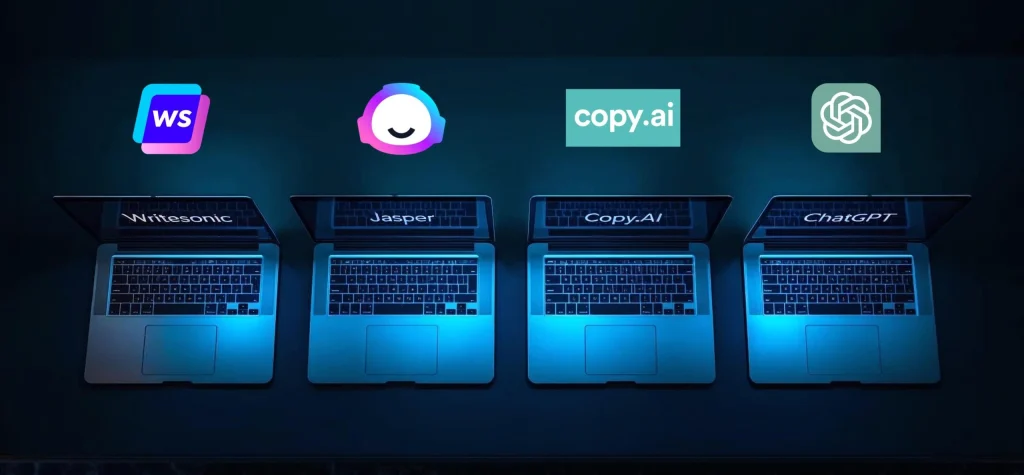
Even if Writesonic stands out for usability and value, it’s worth comparing it with other popular AI writing tools before committing to a plan. In 2025, the main competitors remain Jasper, Copy.ai, and ChatGPT — each powerful in its own right, but aimed at slightly different user needs.
Below is a quick side-by-side comparison to help you see where Writesonic shines, and where other tools might fit better depending on your workflow.
| Feature | Writesonic | Jasper AI | Copy.ai | ChatGPT Plus |
|---|---|---|---|---|
| Ease of Use | Beginner-friendly, clean dashboard | Advanced features, more setup steps | Quick workflow but fewer customization options | Flexible yet prompt-heavy for non-experts |
| Blog Generation | Full Blog Writer with auto-SEO and formatting | Strong long-form generator, more manual editing | Optimized for short marketing copy | Excellent free-form writing, no templates |
| Brand Voice | Trainable tone matching for brand consistency | Advanced voice control, higher cost | Basic tone options only | Manual tone adjustments per prompt |
| Integrations | WordPress, Zapier, SurferSEO, API | HubSpot, SurferSEO, enterprise options | Zapier, Slack, limited publishing tools | Few direct integrations, manual export |
| Pricing (approx.) | Free – €49 / month | From €39 / month | Free basic | Pro ≈ €36 / month | $20 / month |
| Writesonic | Jasper AI | Copy.ai | ChatGPT |
From our experience, Writesonic offers the most balanced package: the simplicity of Copy.ai, the structure of Jasper, and the real-time data awareness of ChatGPT — all in one platform. For bloggers and small business owners who publish weekly or daily, this mix of automation and control makes it particularly attractive.
If you already use one of these tools, it’s still worth testing Writesonic’s Blog Writer 5.0. Many users switching from Jasper or ChatGPT report faster setup times and cleaner drafts that require less editing.
7. Real User Feedback and Community Opinions
When evaluating an AI writing tool, real user experiences often reveal what specs and marketing claims can’t. Writesonic has built a strong reputation among both new bloggers and experienced content marketers. Across platforms like Reddit, G2, and Trustpilot, user reviews in 2025 highlight two consistent themes — ease of use and surprisingly strong output quality for long-form content.
Many bloggers praise Writesonic for how quickly it adapts to different tones and formats. Beginners often mention that it feels “less intimidating” than tools like Jasper or ChatGPT because the templates and prompts are already well-organized. On G2, Writesonic holds an average rating of 4.8 out of 5, with users specifically noting the Blog Writer 5.0 and Sonic Editor as game-changers for workflow efficiency.
| What Users Love | Common Complaints |
|---|---|
| Fast generation speed and accurate tone selection | Occasional repetition in long posts |
| Built-in SEO structure and keyword suggestions | Free plan word limit runs out quickly |
| ChatSonic’s access to real-time data and sources | Formatting quirks when exporting to WordPress |
We agree with most of these insights — especially the balance between usability and quality. We’ve seen that while Writesonic may not always produce “ready-to-publish” drafts, it cuts writing time by roughly 60–70% compared to manual drafting. That’s a major win for solo bloggers or small teams managing frequent uploads.
For users aiming to scale up their content production or streamline their workflow without losing authenticity, Writesonic offers one of the most realistic entry points into AI-assisted blogging today.
8. Who Should Use Writesonic (and Who Shouldn’t)
Not every AI writing tool fits every user. What makes Writesonic valuable is how clearly it serves specific content creators — especially bloggers, marketers, and small business owners who need efficiency without giving up quality or tone.
If you’re a blogger managing multiple posts a week, Writesonic helps maintain consistency and speed. You can draft, edit, and optimize everything inside one dashboard. Its Blog Writer 5.0 automates structure and SEO flow, while Brand Voice keeps your tone aligned with your niche or brand identity. For content marketers, the combination of templates (ads, landing pages, product descriptions) and ChatSonic’s live data access makes it ideal for producing high-conversion copy that doesn’t sound robotic.
However, Writesonic might not be perfect for everyone. Developers or highly technical writers may prefer open tools like ChatGPT for total control and customization. Similarly, those writing deep academic or analytical content might find that Writesonic’s creative tone leans slightly too conversational.
| Ideal For | Why It Works | Might Not Fit |
|---|---|---|
| Bloggers & Content Creators | Creates SEO-ready posts in minutes with minimal setup | Writers needing academic tone or complex research |
| Marketing Professionals | Ready-made templates for ads, landing pages, and emails | Brands requiring deep customization or proprietary tone rules |
| Freelancers & Small Teams | Collaboration tools and integrations speed up delivery | Technical teams that prefer manual AI prompt control |
We think, Writesonic works best for creators who value structure and speed over deep customization. It’s the perfect “co-pilot” tool — you handle the vision, it handles the heavy lifting. For most small teams and individual writers, that’s the exact balance needed to scale content creation without losing the human touch.
9. Ethical AI Reflection – The Responsibility Behind AI Writing

As AI writing tools become part of everyday content creation, we can’t ignore the ethical side of automation. Writesonic, like many AI platforms, helps users generate ideas and drafts faster — but it also raises questions about originality, transparency, and responsible use.
One of the biggest challenges with AI-generated content is ensuring that it stays authentic. While Writesonic includes a “Brand Voice” feature to maintain consistent tone, it’s still up to the user to fact-check, edit, and verify sources. Tools like ChatSonic can pull live data, but even real-time AI outputs may occasionally reflect bias or outdated references. That’s why, at AI Digital Space, we always recommend treating AI as a collaborator — not a replacement.
AI writing should serve as an enhancer of creativity, not a shortcut that removes human thought. When used responsibly, platforms like Writesonic allow creators to focus on strategy, storytelling, and value, leaving repetitive drafting to automation. This combination of efficiency and integrity is where we see the real opportunity in AI adoption: tools that speed up creation while keeping the human perspective intact.
In the long run, embracing ethical AI writing isn’t just about following best practices — it’s about maintaining trust with your readers. Transparency about using AI and adding personal insight into every post ensures your audience keeps seeing the human behind the screen.
10. Final Verdict – How to Get the Most Out of Writesonic
After exploring every feature, one thing is clear — Writesonic isn’t just another AI text generator; it’s a real productivity partner for bloggers and creators who want consistent, high-quality output. But to get the best results, it’s worth knowing a few simple tricks that make a big difference in day-to-day use.
1. Write strong prompts, not long ones.
Short prompts like “Write a blog about AI tools for students” often produce vague results. Instead, try: “Write an engaging 1000-word article on AI tools that help university students manage their workload, in a friendly tone.” You’ll instantly notice more structure and relevance.
2. Always review your first draft in Sonic Editor.
Think of Sonic Editor as your cleanup stage. Use the Rephrase and Expand tools to smooth transitions and clarify sections. Adding your own examples or personal tone here turns a good draft into a great one.
3. Use ChatSonic to update facts and stats.
Since ChatSonic can access real-time web data, it’s perfect for refreshing your old posts. Type “update this with 2025 data,” and it can add current examples or recent news directly into your copy.
4. Combine Writesonic with other smart tools.
Pair it with Grammarly for grammar polish or Canva Pro for blog visuals. This small ecosystem speeds up your full content cycle — from draft to publication — while keeping everything clean and consistent.
5. Reuse your top prompts.
When you find a formula that works, save it. Writesonic lets you duplicate previous projects, which is ideal if you post similar content weekly (like tutorials, reviews, or listicles).
| Goal | Recommended Feature | Quick Tip |
|---|---|---|
| Create SEO-ready articles fast | Blog Writer 5.0 | Add keywords and target audience before generating |
| Polish and personalize text | Sonic Editor | Use rephrase + expand, then add personal insights |
| Stay current with trends | ChatSonic | Ask for real-time updates on your topic before posting |
| Maintain brand tone | Brand Voice | Train the AI with past blog posts or About page text |
If you treat Writesonic as your co-writer — not a one-click solution — you’ll see better content flow, faster delivery, and stronger SEO alignment. The more you guide it, the more it learns your style.