
Mirko
AI Tech Writer
I spent my first week learning how to use ElevenLabs bouncing between five different tools before I found the one I actually needed, burning through my free character quota in the process — so this is the walkthrough I wish I'd had on day one: what each tool actually does, and exactly when to reach for it instead of guessing your way through the sidebar like I did.
Some links are affiliate links · they support this site at no extra cost to you · Full disclosure
How to Use ElevenLabs — What It Actually Does
ElevenLabs is an AI audio platform that turns text into spoken audio — but calling it "text-to-speech" undersells it the same way calling Photoshop "a paint program" would. The platform covers text-to-speech, voice cloning, voice generation from text prompts, real-time voice changing, dubbing, and full long-form audio production — all under one dashboard, and all powered by models that sound genuinely human in a way that older TTS tools never managed.
The confusion for beginners isn't the quality — it's the number of tools inside the same account. When I first opened the sidebar, I saw Speech Synthesis, Voices, Projects, Voice Changer, Dubbing, and more, with no obvious starting point. Most beginner guides just walk you through Speech Synthesis and call it a day, but that misses the bigger picture: ElevenLabs is five distinct tools sharing one credit balance, and picking the wrong one for your goal is the fastest way to waste your free 10,000 characters/month on the free plan.
This guide maps each tool to a specific use case — narration, cloning, creating a new voice, transforming your own live speech, and assembling long-form projects — so you start in the right place and don't retrace my steps.
How to Use ElevenLabs: Signing Up and Finding Your Way Around
Signing up takes about 90 seconds — go to elevenlabs.io, click "Get started free," and register with Google or email. No credit card required. You land on the dashboard immediately.
The Left Sidebar — Where Everything Lives
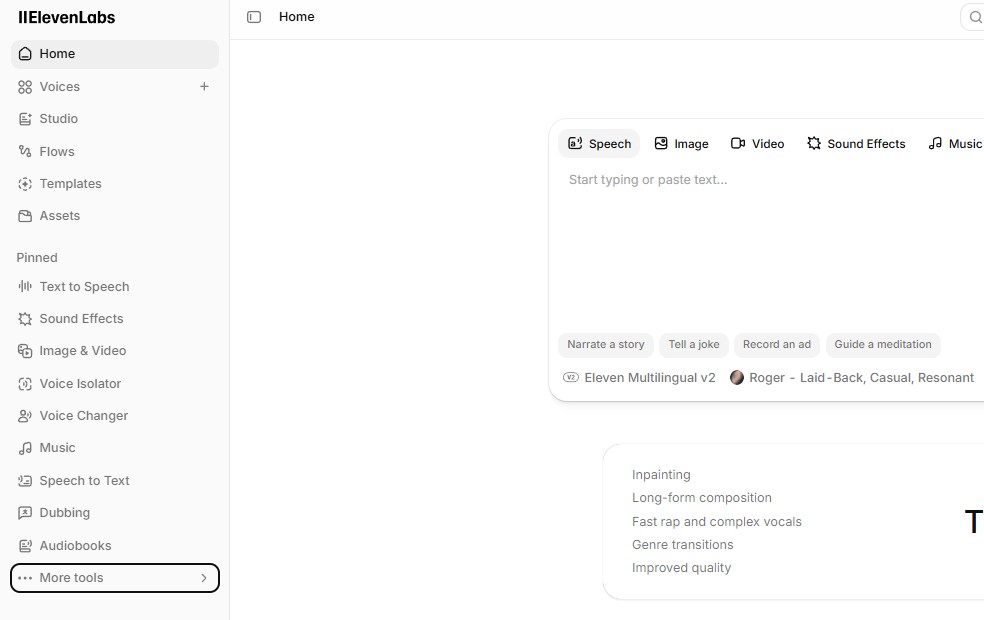
Once logged in, the left sidebar is your navigation. Here's a quick mental map of what matters as a beginner — and what you can safely ignore for now:
One Thing That Tripped Me Up — "Voice Lab" Is Gone
If you're following an older tutorial that tells you to click "Voice Lab" — that section was renamed. It's now called Voices → My Voices, with sub-options for Voice Library, Voice Design, and Voice Cloning under the "Add a new voice" button. I wasted about 20 minutes looking for a "Voice Lab" tab that no longer exists, so consider that your first shortcut.
Speech Synthesis — Your Starting Point for How to Use ElevenLabs
Speech Synthesis is where 90% of beginners should start. It does one thing well: you type or paste text, pick a voice, and hit generate. The audio plays back in seconds, and you can download it as an MP3 or WAV file. On the free plan, you get 10,000 characters per month — enough for roughly 10 minutes of finished audio, which is plenty to test quality before spending money.
Picking a Voice Without Drowning in Options
ElevenLabs offers over 10,000 voices in its Voice Library. That sounds great until you're scrolling through page after page with no idea what to pick. My suggestion: start with the built-in voices visible by default in the Speech Synthesis dropdown — names like Rachel, Adam, and Bella — and preview with your actual script, not the sample sentence. A voice that sounds warm on "Hello, welcome to my podcast" might sound flat on a technical product description, and you'll only catch that by testing with your real content.
Voice Settings That Matter Early On
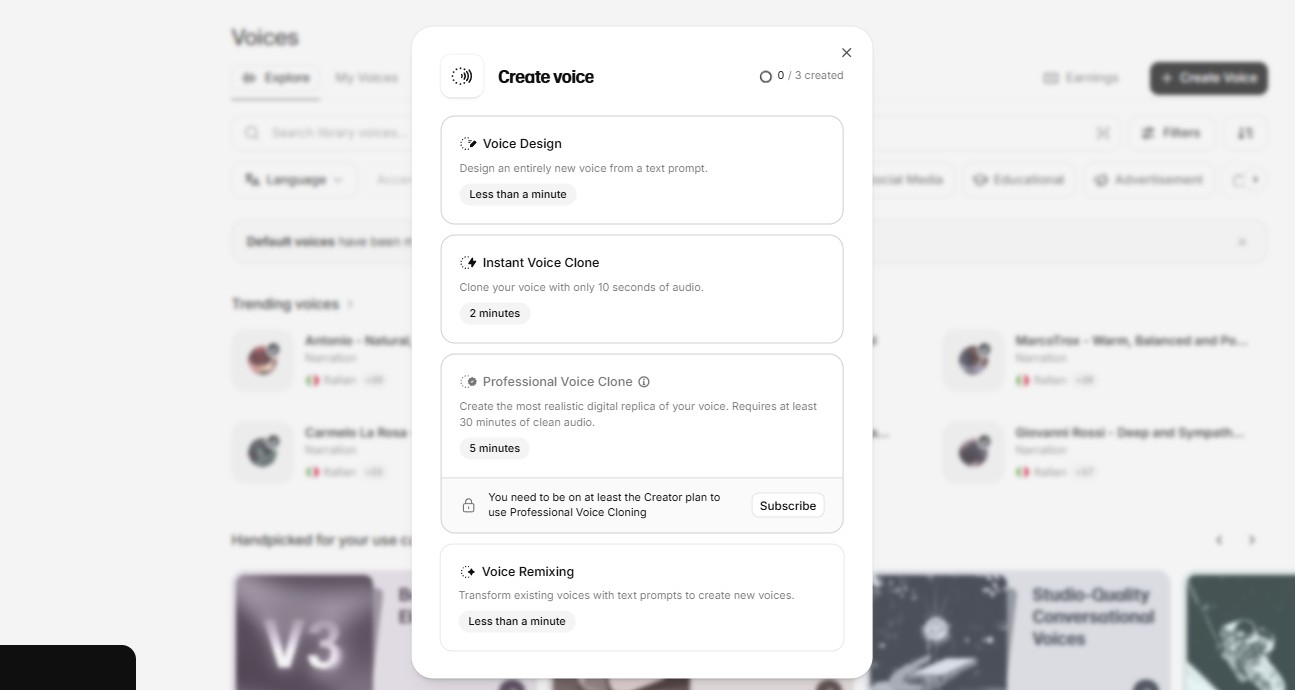
Under the voice dropdown, there's a small settings icon that opens Stability and Similarity sliders. In my testing, here's how they behave: cranking Stability higher makes the delivery more consistent but potentially monotone — good for audiobook narration. Lowering it adds more emotional variation but can introduce unexpected inflections. Similarity controls how closely the output sticks to the original voice sample — keep it high for cloned voices, and experiment freely for library voices.
How to Use ElevenLabs Voice Cloning — Instant vs. Professional
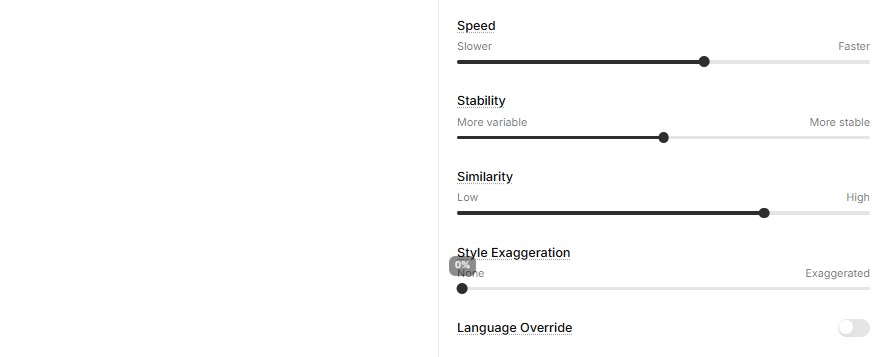
Voice cloning is where ElevenLabs pulls away from every other TTS tool I've tried. But there are two completely different cloning systems under the same roof, and picking the wrong one for your situation either wastes your time (Professional when you needed Instant) or disappoints on quality (Instant when you needed Professional).
- Upload 1–2 minutes of clean audio
- Clone ready in under 5 minutes
- Available from the $6/mo Starter plan
- Good for: YouTube voiceovers, podcast intros, quick tests
- Limitation: may miss subtle accent nuances or emotional range
- Record 30 min – 3 hours of audio
- Model trains in 3–6 hours (sometimes longer)
- Requires the $22/mo Creator plan
- Good for: audiobooks, courses, brand voice, production work
- Near-indistinguishable from the original speaker
The technical difference is worth knowing: IVC doesn't train a new AI model — it uses the platform's existing training data to make an educated guess about your voice based on a short sample. PVC actually fine-tunes a dedicated model on your recordings, which is why it takes hours instead of minutes and why the output captures things like your specific accent, breathing patterns, and emotional range far more accurately.
How to Use ElevenLabs Voice Design and Voice Changer
Voice Design — A Voice That Doesn't Exist Yet
Voice Design (now at v3) lets you type a text description of a voice and get three AI-generated options back in seconds. You describe what you want — "middle-aged British narrator with a warm, calm tone" — and it generates three distinct voices matching that prompt. You keep the one you like, discard the rest, and only pay for the preview characters used.
It runs in two modes: Realistic (for lifelike narrators and assistants) and Character (for fictional personas, game NPCs, and stylized performances). I found the Character mode surprisingly capable for audiobook side-characters — it handled a "grizzled detective with a slight rasp" prompt better than any voice I could find browsing the library manually.
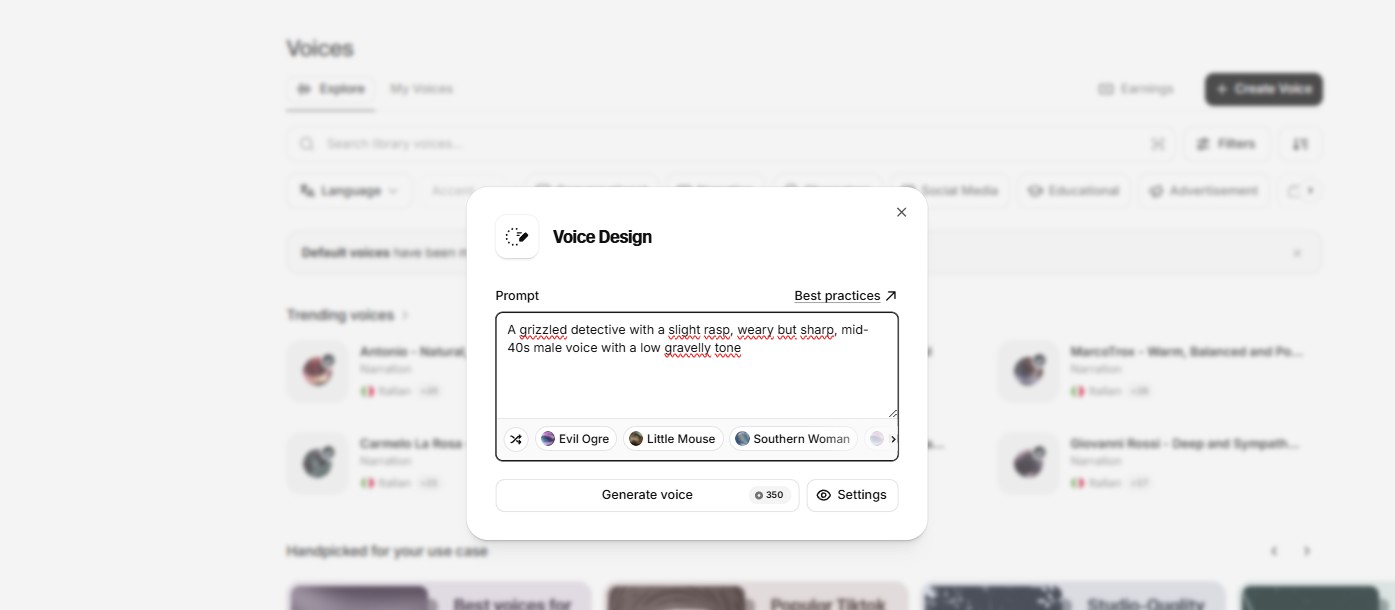
You'll find it at Voices → My Voices → Add a new voice → Voice Design in the dashboard — the official Voice Design documentation covers the full prompt syntax if you want to get specific.
Voice Changer — Speech-to-Speech Transformation
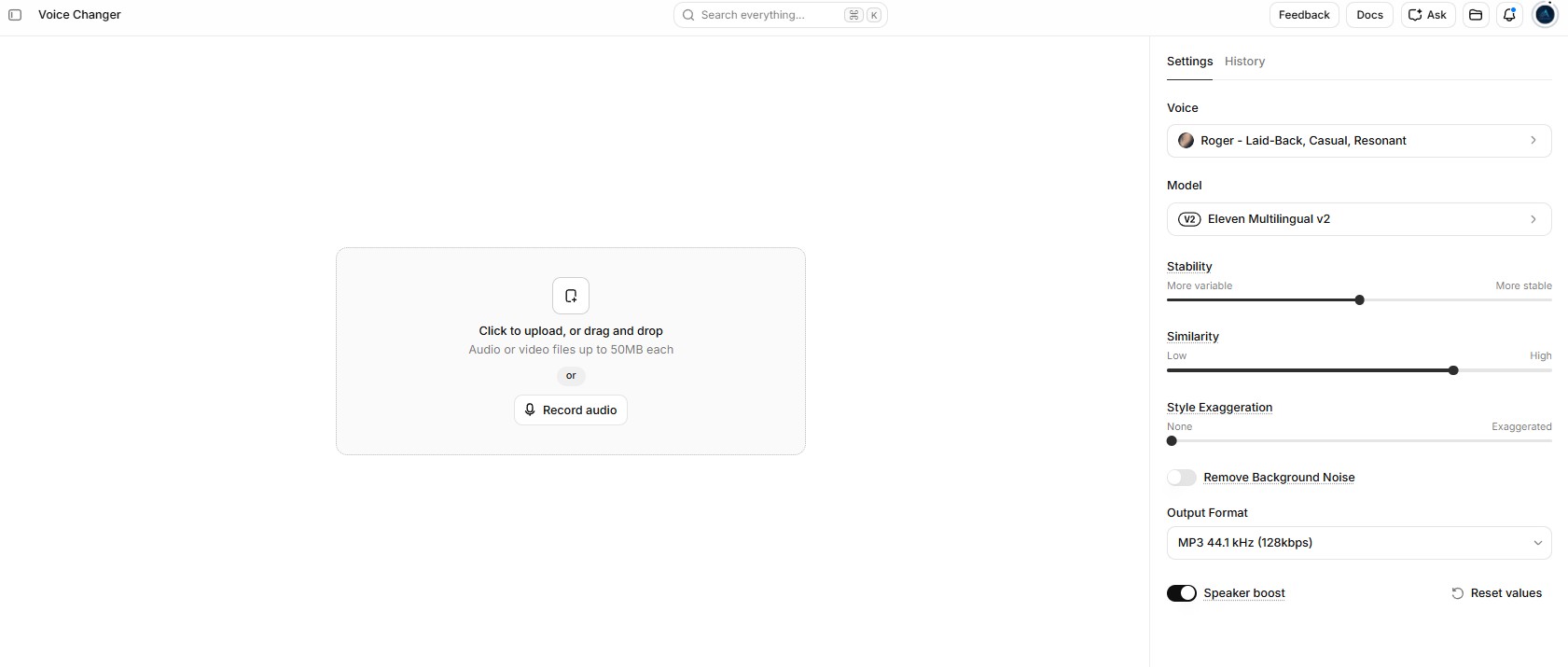
The Voice Changer is the tool people seem most confused about, because it sounds like voice cloning but works completely differently. Instead of turning text into speech, it takes your spoken audio and transforms it into another voice while preserving your original performance — your pacing, emotion, and emphasis stay, but the voice itself changes.
This is the tool for people who are comfortable performing their script but don't want their actual voice in the final product — podcasters experimenting with character voices, game developers recording placeholder dialogue, or content creators who want a consistent narrator voice without re-recording from scratch. One thing I couldn't verify: ElevenLabs says direct Studio integration for Voice Changer is planned, but as of August 2026 it's still a separate tool — you generate the audio, download it, and re-import if you're working in a Studio project.
How to Use ElevenLabs Projects for Long-Form Audio
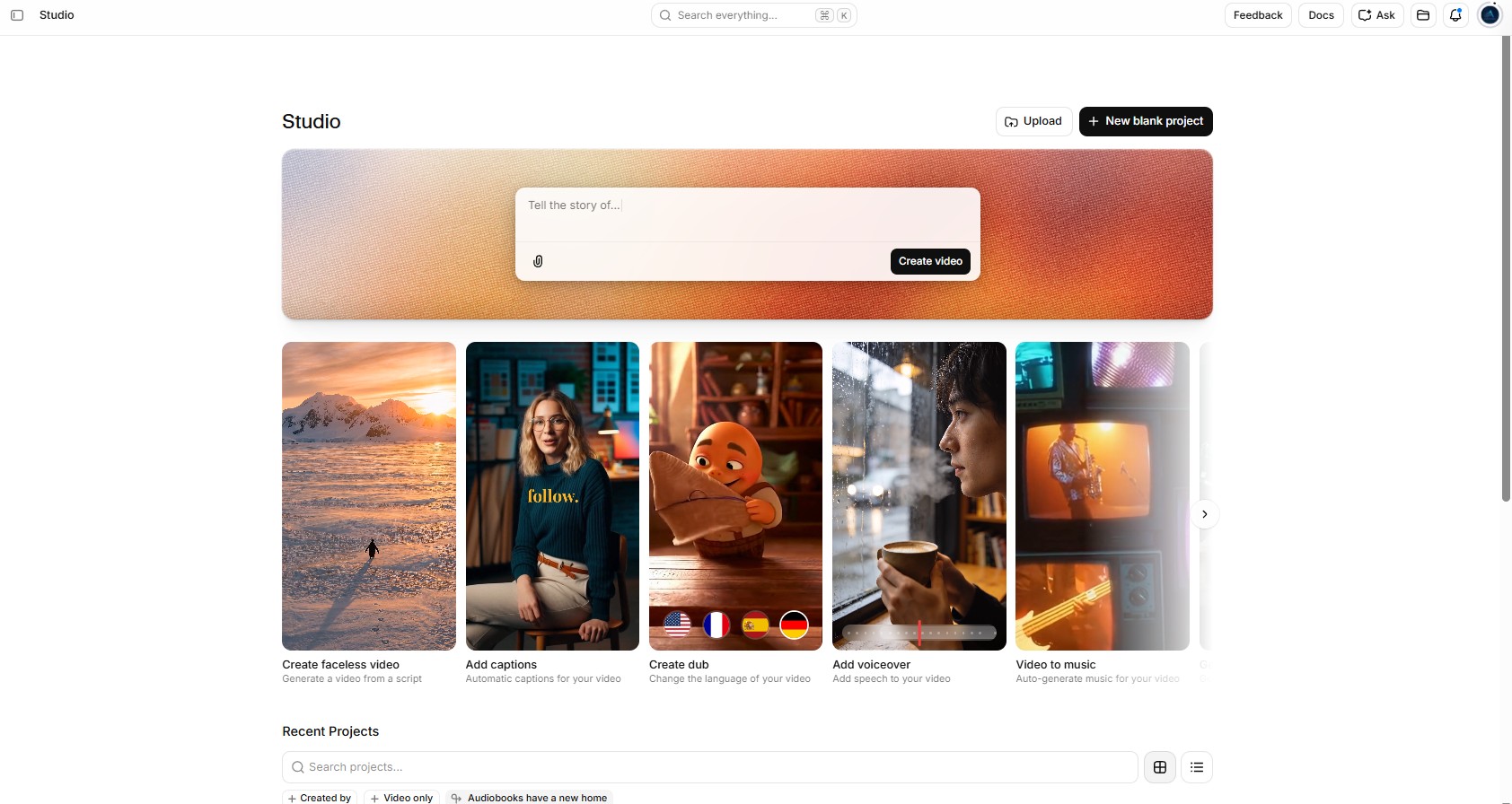
Speech Synthesis is great for a paragraph or a short script, but if you're producing an audiobook chapter, a full course module, or a 20-minute narration, pasting text into the Speech Synthesis box paragraph-by-paragraph gets painful fast. That's what Projects (also called Studio) is built for.
Projects gives you a timeline-style editor where you can break content into chapters, assign different voices to different sections, regenerate individual paragraphs without re-running the whole piece, and export the full audio as a single file. I used it to produce a 15-minute narration and the paragraph-level regeneration alone saved me from wasting credits — when one sentence sounded off, I re-generated just that block instead of the entire project.
| Plan | Price | Credits/mo | Key Unlock |
|---|---|---|---|
| Free | $0 | 10,000 | Testing only — no commercial use |
| Starter | $6/mo | 30,000 | Commercial license + Instant Voice Clone |
| Creator | $22/mo | 121,000 | Professional Voice Clone |
| Pro | $99/mo | 600,000 | Higher concurrency + API priority |
Pricing verified against elevenlabs.io/pricing, August 2026
Frequently Asked Questions — How to Use ElevenLabs
Can I use ElevenLabs on Mac and Windows?
+
🎙️ Go Deeper With AI Voice Tools
You've learned how to use ElevenLabs from signup to Studio. Here's where I'd go next: