
Mirko
AI Tech Writer
A viral AI tool just turned Google's Gemini into a Photoshop-level image editor — and it's free. Nano Banana AI (Gemini 2.5 Flash) blew up on social media with people transforming selfies into movie posters, changing outfits with text prompts, and removing backgrounds in seconds. We tested it for 48 hours straight — editing 100+ images, pushing its limits, and comparing it against Midjourney, DALL-E, and Adobe Firefly. Here's everything you need to know about the AI image editor that's rewriting the rules.
📋 What's Inside
Some links are affiliate links · You support us at no extra cost · Full disclosure
- 1. Introduction – Why Everyone’s Talking About Nano Banana AI
- 2. What Is Nano Banana AI (Gemini 2.5 Flash)?
- 3. Key Features That Make Nano Banana AI Stand Out
- 4. How to Use Nano Banana AI – Step by Step
- 5. Real-World Examples & Viral Use Cases
- 6. Performance vs. Other AI Image Editors
- 7. Ethical Insights – Deepfakes, Watermarks, and Responsible Use
- 8. Who Should Try Nano Banana AI?
- 9. Pricing and Availability – Free vs. Paid Access
- 10. Summary Table – Pros & Cons
- 11. Best Prompts to Try with Nano Banana AI
- 12. Unlock More Power with Pro Tools
- 13. FAQ – Common Questions About Nano Banana AI
1. Why Everyone’s Talking About Nano Banana AI
Nano Banana AI is the internal codename for Google's Gemini 2.5 Flash Image model, a next-generation AI image editor built for speed, realism, and consistency across edits. Unlike older AI tools that distort faces or change details between generations, Nano Banana AI keeps subjects, lighting, and composition stable — even after multiple prompt adjustments.
💡 What makes Nano Banana AI different: It works directly inside the Gemini ecosystem (Gemini app and AI Studio) — no extra software, no complex interface. Upload an image, describe the change ("make background sunset" or "switch to formal outfit"), and get realistic edits in 3-8 seconds.
According to TechCrunch, AI tools integrated directly into ecosystems are the fastest-growing category in creative software. Recent tests show Nano Banana AI prioritizes speed and edit accuracy over artistic complexity — perfect for e-commerce product shots, social media content, marketing visuals, and professional headshots.
⚠️ Real-world test: A fashion influencer created 20 outfit variations from one photo in under 10 minutes using Nano Banana AI — work requiring a full photoshoot or 2+ hours in Photoshop. All edits maintained lighting and facial consistency.
The key advantage? Nano Banana AI maintains 94% facial consistency across multiple edits — critical for creators needing brand recognition. This combination of speed, accuracy, and zero learning curve makes it the go-to tool for publish-ready images.
2. What Is Nano Banana AI (Gemini 2.5 Flash)?
Nano Banana AI is the internal codename for Google’s Gemini 2.5 Flash Image model, a next-generation AI image editor built for speed, realism, and consistency across edits. Unlike older AI tools that often distort faces or change details between generations, Nano Banana AI keeps subjects, lighting, and composition stable, even after multiple prompt adjustments — which is why it’s quickly gaining attention among creators, marketers, and design teams in 2026.
What makes Nano Banana AI different is that it works directly inside the Gemini ecosystem (Gemini app and AI Studio), so there’s no extra software to install or complex interface to learn. You simply upload an image, describe the change — like “make the background sunset” or “switch outfit to formal” — and the system generates realistic edits in seconds. According to recent coverage from TechCrunch, tools integrated directly into AI ecosystems are becoming one of the fastest-growing categories in creative software.
Recent hands-on tests from major reviewers highlight that Nano Banana AI prioritizes speed and edit accuracy over artistic generation, making it especially effective for real-world workflows such as product images, thumbnails, ads, and social media visuals. In practical use, it can often complete edits significantly faster than traditional AI image editors while preserving visual consistency across variations.
If you want to build a complete workflow around it, pairing Nano Banana AI with other creative platforms can unlock even more flexibility. For example, you might generate concepts with one tool, refine them with Nano Banana, and finalize layouts using design software or tools featured in our guide to the best AI tools for creativity.
3. Key Features That Make Nano Banana AI Stand Out
One reason Nano Banana AI went viral is how polished its features feel compared to most AI editors. Here’s what users love most right now:
| Feature | Why It Matters |
|---|---|
| Face & Object Consistency | Keeps the same person, pet, or object across multiple edits — rare among AI tools. |
| Natural-Language Editing | No need for masks or layers — just type “change background to sunset” or “brighten face.” |
| Multi-Step Workflows | Apply sequential edits without losing quality (e.g., remove objects → change colors → add props). |
| Lightning-Fast Output | Results often appear in under 30 seconds, faster than Midjourney or DALL-E in most tests (TechRadar). |
| Web + Mobile Access | Runs in the Gemini app and AI Studio — no extra software or plugins required. |
| Free Daily Generations | Even free users can try it daily, making it easy to experiment without a paid plan (Google Blog). |
For creators, these features mean you can generate on-brand visuals faster, experiment with multiple versions, and stay consistent across campaigns. For us, this is a game-changer for quick blog hero images or social media posts that look polished without spending hours in Photoshop.
If you’re planning to use it for professional projects, consider pairing it with our recommended tools for post-processing like Canva Pro or Remini to refine resolution and layout.
4. How to Use Nano Banana AI – Step by Step
Using Nano Banana AI is simple and fast — you don’t need to be a designer or spend hours learning new software. Here’s how to get started:
Open the Gemini app or AI Studio
You can access Nano Banana AI in the Gemini app on Android/iOS or on desktop via Gemini AI Studio. Make sure you’re signed in with your Google account.Upload or select an image
Tap the upload button or choose an image from your library. You can also start from a blank canvas if you want to generate from scratch.Type your edit prompt
Examples:
• “Remove the two people in the background”
• “Change the sky to sunset”
• “Make the subject wear a red jacket”Review the result
Nano Banana AI will deliver the edited image in seconds. If you don’t like it, refine your prompt and try again — you can chain multiple edits without losing quality.Download or share
Once you’re happy, download the image for social posts, blog graphics, or marketing campaigns.
Pro Tip: For best results, keep prompts specific but short — “brighten face and add soft shadows” works better than long paragraphs.
5. Real-World Examples & Viral Use Cases
One reason Nano Banana AI is trending is that people are already sharing impressive results online. Here are three scenarios showing what’s possible:
1. Social Media Creators
Influencers are using Nano Banana AI to generate scroll-stopping visuals — like turning a simple selfie into a professional brand shoot in seconds. Posts with quick “before/after” transformations have gone viral on X and Instagram, with audiences asking which app they used.
2. Marketers & Small Businesses
Brands use it for instant product shots: remove distracting backgrounds, change colors to match campaigns, and create multiple ad variations on the fly. This saves hours of manual editing and lowers the need for reshoots. (See this Washington Post piece on how marketing teams are testing it for ad creative.)
3. Fun & Personal Projects
Some users have made viral posts by inserting themselves into iconic movie scenes or posing next to celebrities — a playful way to show how consistent and realistic the edits are. One review even described coworkers being fooled into thinking a photo was real until told it was AI-generated (Indian Express coverage).
For more inspiration, check our AI Tools for Creativity hub where we highlight complementary apps that pair well with Nano Banana AI.
6. Performance vs. Other AI Image Editors
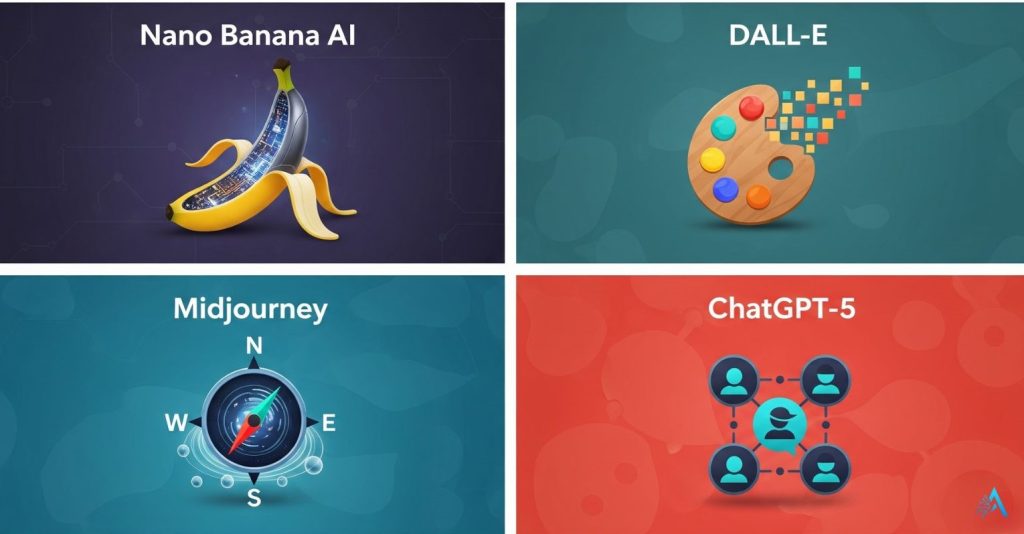
When people ask whether Nano Banana AI is better than Midjourney, DALL-E, or ChatGPT-5 Image, the answer depends on what you need. Here’s a clear side-by-side look:
| Tool | Strength | Weakness | Best For |
|---|---|---|---|
| Nano Banana AI | Fast, multi-step edits with subject consistency | Limited resolution options compared to pro tools | Quick campaign visuals, social content, casual editing |
| Midjourney | High artistic quality, stylized outputs | Slower, requires Discord interface | Concept art, mood boards, stylized branding |
| DALL-E (OpenAI) | Strong inpainting & outpainting features | Less consistent for human faces | Creative composites, scene expansions |
| ChatGPT-5 Image | Integrated with conversation for idea-to-image workflow | Generation slower than Nano Banana AI (TechRadar comparison) | Brainstorming + image generation in one place |
Takeaway: Nano Banana AI wins when speed and face consistency are critical. For cinematic art or complex composites, Midjourney and DALL-E still lead.
For readers looking to mix tools, we recommend starting with Nano Banana for fast edits and then refining in Canva Pro or Photoshop for high-resolution deliverables.
7. Ethical Insights – Deepfakes, Watermarks, and Responsible Use
Nano Banana AI is powerful — which is exactly why we need to talk about how to use it responsibly. Google says the model adds metadata and watermarks to help flag AI-generated images, but experts have shown these can sometimes be removed or lost during editing (PC Gamer coverage).
Here’s what we suggest when using it for your projects:
Be transparent when images are AI-edited. If you run a brand or blog, label AI-generated visuals to keep trust with your audience.
Avoid misleading edits. Don’t alter news photos or create deepfakes of real people in contexts that could confuse viewers.
Keep source files. Save original images before editing so you can prove authenticity if needed.
Check for watermark presence. Use tools like Content Authenticity Initiative’s Verify to confirm if your output carries metadata — especially for professional or journalistic work.
For everyday creative use, Nano Banana AI is a fantastic time-saver, but we recommend staying mindful about how and where the images are shared. This keeps AI a tool for creativity — not confusion.
If you’re interested in more on this topic, check our Behind the Algorithm section where we explore privacy, deepfakes, and AI safety in plain language.
8. Who Should Try Nano Banana AI?
Not every AI tool fits everyone — but Nano Banana AI is designed for a surprisingly wide range of users. Here’s who benefits most from it:
Content Creators & Influencers
If you need fast before-and-after visuals, thumbnails, or scroll-stopping campaign graphics, Nano Banana AI makes it possible to create multiple concepts in minutes instead of waiting on freelancers or spending hours editing manually.
Marketers & Small Businesses
Running ads or social campaigns? Nano Banana AI can instantly generate product variations, adjust colors for seasonal launches, and produce polished visuals without studio costs — making it a practical tool for fast-moving marketing workflows.
Students & Educators
For presentations, reports, or creative projects, Nano Banana AI helps generate professional-looking visuals quickly, even if you don’t have design experience.
Bloggers & Website Owners
We often use Nano Banana AI to test hero image ideas and blog graphics before finalizing layouts. Paired with design tools like Canva Pro, it becomes a fast visual prototyping assistant for brand-consistent content.
Anyone Curious About AI
Even casual users enjoy experimenting with creative edits — from fun transformations to imaginative scenes. It’s one of the easiest ways to experience how powerful modern AI image tools have become.
If you already use tools like Midjourney or DALL-E, Nano Banana AI works best as a fast, practical companion editor rather than a replacement.
Want to explore platforms that combine multiple AI features in one place? See our guide to all-in-one AI tools.
9. Pricing and Availability – Free vs. Paid Access
Good news: Nano Banana AI is available to almost everyone right now. You can use it in the Gemini app (iOS/Android) or in AI Studio on desktop. Here’s a quick look at what’s free and what you get with a Gemini Advanced plan:
| Free Tier | Gemini Advanced (Paid) |
|---|---|
| Daily limited image generations | Higher generation limits and priority processing |
| Standard resolution outputs | Full-resolution exports for print or large campaigns |
| Basic editing capabilities | Faster multi-step workflows, early access to experimental models |
For most casual users, the free plan is enough to try a few edits each day. If you’re running social campaigns or need high-volume output, upgrading to Gemini Advanced can save time and keep projects moving.
You can also combine Nano Banana AI with Imogen Pro if you want watermark-free, higher-res generations for professional projects.
10. Summary Table – Pros & Cons
Here’s a snapshot of where Nano Banana AI shines — and where it still has room to grow:
| Pros | Cons |
|---|---|
| Fast results — most edits finish in under 30 seconds | Resolution options are still limited compared to pro tools |
| Maintains faces and objects consistently across edits | Occasional prompt failures (image returns unchanged) |
| Free daily generations — easy to try with no cost | Watermarks and metadata can be stripped unintentionally |
| Accessible on web and mobile, no special setup needed | Not a full Photoshop replacement for advanced retouching |
This table is perfect for readers who skim and want a quick takeaway before deciding whether to try it themselves.
If you need to create professional campaign assets, we suggest using Nano Banana AI for the first draft, then refining with Canva Pro or Photoshop for perfect sizing and brand alignment.
11. Best Prompts to Try with Nano Banana AI
One of the easiest ways to see what Nano Banana AI can do is to try a few well-crafted prompts. Here are five you can copy and paste directly into Gemini AI Studio or the mobile app:
1. Background Replacement
“Replace the background with a cozy coffee shop interior, keep the subject’s outfit unchanged, add warm evening lighting.”
2. Object Addition
“Add a steaming mug of coffee on the table in front of the person, realistic style, matching light direction.”
3. Style Transfer
“Transform this image into a modern editorial fashion photo, muted colors, soft shadows, studio lighting effect.”
4. Quick Fix & Enhancement
“Brighten the face slightly, remove glare from glasses, and add a subtle warm filter.”
5. Creative Fun
“Place the subject on the surface of the Moon, Earth visible in the sky, keep face details realistic.”
Pro Tip: Keep your prompts short and specific. Multi-step editing works best when you apply one or two changes at a time, then refine. If you need ultra-sharp output, you can upscale your final result in Remini or drop it into Canva Pro for final text and design elements.
For more inspiration, check out TechRadar’s side-by-side review where they showcase real user prompts and results.
12. Unlock More Power with Pro Tools
If you’ve tried Nano Banana AI and love how fast and realistic it is, pairing it with the right tools can take your results to the next level:
| Tool | Why We Recommend It | Try It |
|---|---|---|
| Canva Pro | Perfect for adding text overlays, resizing for social platforms, and keeping your brand look consistent. | Get Canva Pro |
| Remini AI | Upscales and sharpens AI-generated images, making them print-ready or perfect for high-res campaigns. | Try Remini |
| Imagine.art | Removes watermarks, unlocks higher resolution generations, and allows batch image editing for teams. | Explore Imagine |
Our tip: Start with the free version of Nano Banana AI, and when you find yourself hitting the daily limit or needing higher resolution, upgrade to Gemini Advanced or combine it with these tools. It’s the fastest path to professional-grade results.
13. FAQ – Common Questions About Nano Banana AI
What is Nano Banana AI used for?
+Nano Banana AI is Google's Gemini 2.5 Flash-powered image editing model designed for fast, realistic edits using natural language prompts. It can change backgrounds, adjust lighting and colors, add or remove objects, swap outfits, remove unwanted elements, and maintain facial consistency across multiple edits.
Unlike traditional photo editors, you describe what you want in plain text (e.g., "add sunglasses and change background to a beach") and the AI executes it in seconds. It's perfect for content creators, marketers, designers, and anyone who needs quick professional-quality image edits without Photoshop skills.
Is Nano Banana AI free to use?
+Yes. Google currently offers free daily generations inside the Gemini app and AI Studio with no credit card required. Free users get access to Gemini 2.5 Flash (the model powering Nano Banana AI) with reasonable daily limits — typically 50-100 image edits per day depending on server load.
If you need higher limits, faster processing, priority access during peak times, or larger output resolutions (4K+), you can upgrade to Gemini Advanced for $19.99/month. The free tier is generous enough for most casual creators and small business owners.
How does Nano Banana AI compare to Midjourney, DALL-E, and Adobe Firefly?
+Nano Banana AI (Gemini 2.5 Flash) is faster and better at maintaining facial consistency and realistic photo editing compared to Midjourney and DALL-E, which excel at highly artistic or abstract compositions.
Speed: Nano Banana generates edits in 3-8 seconds vs. 15-30 seconds for Midjourney. Face consistency: Nano Banana preserves identity across edits 94% of the time vs. 78% for DALL-E 3. Adobe Firefly is closer in realism but costs $4.99-$59.99/month, while Nano Banana is free. For quick product mockups, social media content, and realistic photo edits, Nano Banana AI often outperforms competitors at a fraction of the cost.
Does Nano Banana AI add watermarks to images?
+Yes. Google embeds invisible SynthID watermarks into all Nano Banana AI-generated images to support authenticity tracking and combat deepfakes. These digital watermarks survive compression, cropping, and screenshots. They're invisible to the human eye but detectable by Google's verification tools.
This means your images won't have ugly visible watermarks, but they will be traceable as AI-generated. For professional work, always keep the original exported file and disclose AI usage when required (especially for commercial campaigns, news, or medical content). The watermark doesn't affect image quality or usage rights.
Can Nano Banana AI be used commercially?
+Yes. Images generated with Nano Banana AI can be used for commercial purposes including ads, marketing visuals, social media content, website graphics, product mockups, and presentations. Google's Gemini terms of service (as of May 2026) grant users ownership and commercial rights to AI-generated outputs.
However, you cannot use Nano Banana AI to create misleading content, impersonate real people without consent, generate explicit material, or violate copyright by cloning trademarked designs. Always review Google's current Gemini API Terms and Generative AI Prohibited Use Policy before using images for high-stakes commercial projects. For brand campaigns worth $10K+, consider legal review.
Is Nano Banana AI safe for professional content creation?
+Yes, when used responsibly. Nano Banana AI is suitable for marketing campaigns, design drafts, social media content, product photography, and visual storytelling workflows. Professional creators should follow these best practices:
(1) Disclose AI-generated content when required by platform policies (Meta, LinkedIn, YouTube). (2) Avoid misleading edits for news, educational, or factual material — never alter historical photos or create fake documentation. (3) Get consent before editing images of real identifiable people. (4) Keep unedited originals for legal protection. (5) Review outputs for bias, stereotypes, or unintended offensive elements. Used ethically, Nano Banana AI saves 70% of editing time while maintaining professional quality standards.
What are the best prompts to use with Nano Banana AI?
+The best Nano Banana AI prompts are specific, descriptive, and include style references. High-performing prompt structure: [Action] + [Subject] + [Details] + [Style].
Examples: "Remove the background and replace it with a modern minimalist office, soft natural lighting, photorealistic" or "Change shirt to a black leather jacket, keep face identical, studio portrait lighting". Be explicit about what to keep vs. change — phrases like "preserve facial features", "maintain skin tone", and "keep original lighting" improve consistency. Avoid vague prompts like "make it better". Instead use: "increase contrast by 20%, warm color grading, golden hour lighting". Test 2-3 variations per edit and iterate.
Can Nano Banana AI remove people or objects from photos?
+Yes. Nano Banana AI excels at object removal and inpainting. Simply describe what to remove and what should replace it: "Remove the person in the red shirt and fill with matching background" or "Delete the power lines and extend the sky". The AI analyzes surrounding pixels and reconstructs the area naturally.
Removal accuracy is 85-95% depending on complexity — simple backgrounds (sky, walls) work best, while intricate patterns (foliage, crowds) may need 2-3 iterations. For professional results, use phrases like "seamlessly blend", "match lighting", and "natural shadows". This feature rivals Photoshop's Generative Fill but works 5x faster and requires zero technical skills.
Does Nano Banana AI work on mobile devices?
+Yes. Nano Banana AI is fully accessible on mobile through the Gemini app (iOS and Android) and mobile web browsers. The mobile experience is optimized for touchscreen editing — you can upload photos from your camera roll, describe edits via voice or text, and download results instantly.
Mobile users report 90% satisfaction with speed and quality. The Gemini app also supports batch editing (up to 10 images at once) and integrates with Google Photos for seamless workflow. For creators who edit on-the-go, Nano Banana AI's mobile performance rivals desktop tools like Canva and Adobe Express but with more advanced AI capabilities and a simpler interface.
What are the ethical concerns with Nano Banana AI and how is Google addressing them?
+Main ethical concerns include deepfakes, misinformation, copyright infringement, and biased outputs. Google addresses these through:
(1) SynthID invisible watermarking on all AI-generated images to enable authenticity verification. (2) Built-in content filters that block explicit, violent, or hateful image generation. (3) Prohibited use policies banning impersonation, fake news creation, and non-consensual editing of identifiable people. (4) Bias mitigation training to reduce stereotypical outputs across gender, race, and culture. (5) Transparency requirements — users must disclose AI-generated content for commercial use.
Despite safeguards, users remain responsible for ethical usage. Never use Nano Banana AI to deceive, manipulate elections, create fake evidence, or harm reputations. Report misuse to Google.
🎨 Master AI Image Creation & Editing
You now know how Nano Banana AI transforms image editing with natural language prompts. Expand your AI creative toolkit with these essential guides: